
【Azure Developer】PHP网站使用AAD授权登录的参考示例
问题描述
如果有个PHP网站,需要使用AAD授权登录,有没有PHP代码实例 可供参考呢?
参考代码
参考一篇博文(Single sign-on with Azure AD in PHP),学习使用SSO的大体思路。如果对PHP很了解,可以参考Github中的Sample代码。
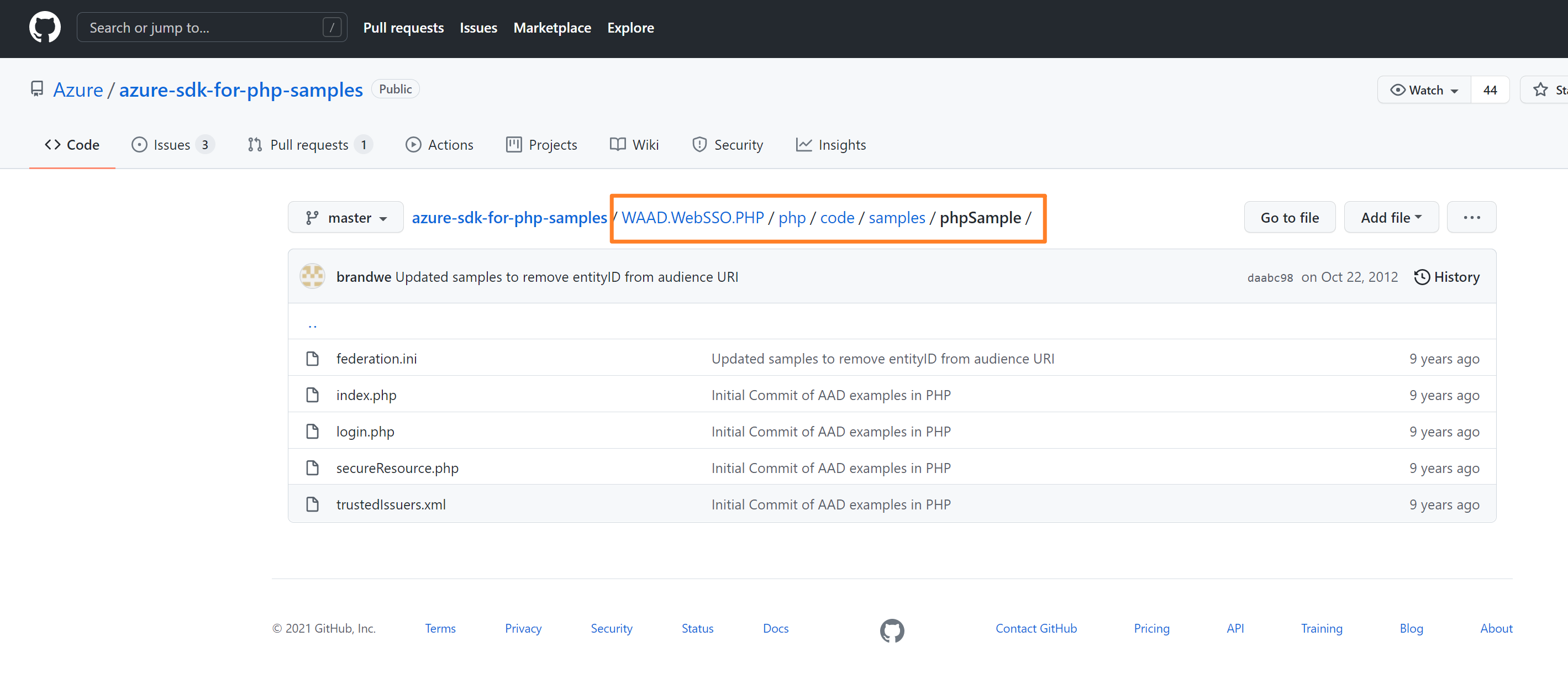
phpSample/federation.ini
federation.trustedissuers.issuer=https://accounts.accesscontrol.windows.net/v2/wsfederation

federation.trustedissuers.thumbprint=3f5dfcdf4b3d0eab9ba49befb3cfd760da9cccf1

federation.trustedissuers.friendlyname=Awesome Computers

federation.audienceuris=spn:d184f6dd-d5d6-44c8-9cfa-e2d630dea392

federation.realm=spn:d184f6dd-d5d6-44c8-9cfa-e2d630dea392@495c4a5e-38b7-49b9-a90f-4c0050b2d7f7

federation.reply=https://localhost/phpSample/index.php
phpSample/index.php
/*-----------------------------------------------------------------------

    Copyright (c) Microsoft Corporation.  All rights reserved.

    Copyright 2012 Microsoft Corporation

    All rights reserved.

    Licensed under the Apache License, Version 2.0 (the "License");

    you may not use this file except in compliance with the License.

    You may obtain a copy of the License at

      http://www.apache.org/licenses/LICENSE-2.0

 THIS CODE IS PROVIDED *AS IS* BASIS, WITHOUT WARRANTIES OR CONDITIONS OF ANY KIND,

 EITHER EXPRESS OR IMPLIED, INCLUDING WITHOUT LIMITATION ANY IMPLIED WARRANTIES OR

 CONDITIONS OF TITLE, FITNESS FOR A PARTICULAR PURPOSE, MERCHANTABLITY OR NON-INFRINGEMENT.

 See the Apache Version 2.0 License for specific language governing

 permissions and limitations under the License.

--------------------------------------------------------------------------- */

<?php

require_once (dirname(__FILE__) . '/secureResource.php');

?>

<!DOCTYPE html>

<html>

<head>

    <meta http-equiv="Content-Type" content="text/html; charset=ISO-8859-1">

    <title>Index Page</title>

</head>

<body>

    <h2>Index Page</h2>

    <h3>Welcome <strong><?php print_r($loginManager->getPrincipal()->getName()); ?></strong>!</h3>

    <h4>Claim list:</h4>

    <ul>

<?php

    foreach ($loginManager->getClaims() as $claim) {

        print_r('<li>' . $claim->toString() . '</li>');

    }

?>

    </ul>

</body>

</html>
phpSample/login.php
/*-----------------------------------------------------------------------

    Copyright (c) Microsoft Corporation.  All rights reserved.

    Copyright 2012 Microsoft Corporation

    All rights reserved.

    Licensed under the Apache License, Version 2.0 (the "License");

    you may not use this file except in compliance with the License.

    You may obtain a copy of the License at

      http://www.apache.org/licenses/LICENSE-2.0

 THIS CODE IS PROVIDED *AS IS* BASIS, WITHOUT WARRANTIES OR CONDITIONS OF ANY KIND,

 EITHER EXPRESS OR IMPLIED, INCLUDING WITHOUT LIMITATION ANY IMPLIED WARRANTIES OR

 CONDITIONS OF TITLE, FITNESS FOR A PARTICULAR PURPOSE, MERCHANTABLITY OR NON-INFRINGEMENT.

 See the Apache Version 2.0 License for specific language governing

 permissions and limitations under the License.

--------------------------------------------------------------------------- */

<?php

// uncomment this to display internal server errors.

//error_reporting(E_ALL);

//ini_set('display_errors', 'On');

ini_set('include_path', ini_get('include_path').';../../libraries/;');

require_once ('waad-federation/TrustedIssuersRepository.php');

?>

<!DOCTYPE html>

<html>

<head>

    <meta http-equiv="Content-Type" content="text/html; charset=ISO-8859-1">

    <title>Login Page</title>

</head>

<body>

    <h2>Login Page</h2>

    <ul>

<?php

    $repository = new TrustedIssuersRepository();

    $trustedIssuers = $repository->getTrustedIdentityProviderUrls();

    foreach ($trustedIssuers as $trustedIssuer) {

        $returnUrl = $_GET['returnUrl'];

        print_r('<li><a href="' . $trustedIssuer->getLoginUrl($returnUrl) . '">' . $trustedIssuer->displayName . '</a></li>');

    }

?>

    </ul>

</body>

</html>
phpSample/secureResource.php
/*-----------------------------------------------------------------------

    Copyright (c) Microsoft Corporation.  All rights reserved.

    Copyright 2012 Microsoft Corporation

    All rights reserved.

    Licensed under the Apache License, Version 2.0 (the "License");

    you may not use this file except in compliance with the License.

    You may obtain a copy of the License at

      http://www.apache.org/licenses/LICENSE-2.0

 THIS CODE IS PROVIDED *AS IS* BASIS, WITHOUT WARRANTIES OR CONDITIONS OF ANY KIND,

 EITHER EXPRESS OR IMPLIED, INCLUDING WITHOUT LIMITATION ANY IMPLIED WARRANTIES OR

 CONDITIONS OF TITLE, FITNESS FOR A PARTICULAR PURPOSE, MERCHANTABLITY OR NON-INFRINGEMENT.

 See the Apache Version 2.0 License for specific language governing

 permissions and limitations under the License.

--------------------------------------------------------------------------- */

<?php

// uncomment this to display internal server errors.

// error_reporting(E_ALL);

// ini_set('display_errors', 'On');

ini_set('include_path', ini_get('include_path').';../../libraries/;');

require_once ('waad-federation/ConfigurableFederatedLoginManager.php');

session_start();

$token = $_POST['wresult'];

$loginManager = new ConfigurableFederatedLoginManager();

if (!$loginManager->isAuthenticated()) {

    if (isset ($token)) {

        try {

            $loginManager->authenticate($token);

        } catch (Exception $e) {

            print_r($e->getMessage());

        }

    } else {

        $returnUrl = "https://" . $_SERVER['HTTP_HOST'] . $_SERVER['PHP_SELF'];

        header('Pragma: no-cache');

        header('Cache-Control: no-cache, must-revalidate');

        header("Location: https://" . $_SERVER['HTTP_HOST'] . dirname($_SERVER['SCRIPT_NAME']) . "/login.php?returnUrl=" . $returnUrl, true, 302);

        exit();

    }

}

?>
phpSample/trustedIssuers.xml
<?xml version="1.0" encoding="UTF-8"?>

<issuers>

    <issuer name="awesomecomputers.onmicrosoft.com" displayName="Awesome Computers"

        realm="spn:d184f6dd-d5d6-44c8-9cfa-e2d630dea392@495c4a5e-38b7-49b9-a90f-4c0050b2d7f7" />

    <issuer name="treyresearchinc.onmicrosoft.com" displayName="Trey Research Inc."

        realm="spn:d184f6dd-d5d6-44c8-9cfa-e2d630dea392@13292593-4861-4847-8441-6da6751cfb86" />

</issuers>
参考资料
Single sign-on with Azure AD in PHP : http://www.lewisroberts.com/2015/09/04/single-sign-on-with-azure-ad-in-php/
Azure/azure-sdk-for-php-samples : https://github.com/Azure/azure-sdk-for-php-samples
【Azure Developer】PHP网站使用AAD授权登录的参考示例的更多相关文章
- 在自己的网站上实现QQ授权登录
最近在实现QQ授权登录,现将我的实现过程以及我的理解整理如下.以下所述如有不对之处,请指正. 官方提供的SDK有:JS,PHP,Java.我的网站使用Scala+Play搭建的,所以只能用JS SDk ...
- wap2app(五)-- 微信授权登录以及踩过的坑
应用场景是:用Hbuilder打包app,在app中点击微信授权登录或者某一操作,调起微信授权登录,用户授权后拿到用户信息. 一.登录插件配置 先配置微信登录参数 appid和appsecret,在m ...
- VUE开发SPA之微信授权登录
SPA单页应用中微信授权登录的一点思路 单页应用应该如何解决微信授权登录的尴尬跳转?后退无法返回?主要遇到的问题就是 先进入单页应用,一边渲染页面一边判断用户有没有登录,当判断到没有登录时异步数据请求 ...
- H5微信授权登录
这里介绍H5微信授权登录,采用了微信公众号授权原理,是oauth2的登录授权方式,简单的来讲,就是用户通过手机微信确认登录之后,微信方会返回一个授权码code给回第三方(接入方),这个授权码code一 ...
- 【Azure Developer】Python代码通过AAD认证访问微软Azure密钥保管库(Azure Key Vault)中机密信息(Secret)
关键字说明 什么是 Azure Active Directory?Azure Active Directory(Azure AD, AAD) 是 Microsoft 的基于云的标识和访问管理服务,可帮 ...
- 【Azure Developer】解决Azure Key Vault管理Storage的示例代码在中国区Azure遇见的各种认证/授权问题 - C# Example Code
问题描述 使用Azure密钥保管库(Key Vault)来托管存储账号(Storage Account)密钥的示例中,从Github中下载的示例代码在中国区Azure运行时候会遇见各种认证和授权问题, ...
- 【Azure 应用服务】NodeJS Express + MSAL 应用实现AAD集成登录并部署在App Service Linux环境中的实现步骤
问题描述 实现部署NodeJS Express应用在App Service Linux环境中,并且使用Microsoft Authentication Library(MSAL)来实现登录Azure ...
- 微信授权登录-微信公众号和PC端网站
https://blog.csdn.net/qq_34664239/article/details/79107529 一.微信公众号授权登录——微信公众平台 微信授权登录,并调用后台接口,获取用户信息 ...
- 小D课堂-SpringBoot 2.x微信支付在线教育网站项目实战_5-7.授权登录获取微信用户个人信息实战
笔记 7.授权登录获取微信用户个人信息实战 简介:讲解使用授权码code获取用户个人信息接口 关键点:看微信文档,字段尽量用拷贝 1.通过code获取access_token ...
- 【Azure Developer】使用Microsoft Graph API 批量创建用户,先后遇见的三个错误及解决办法
问题描述 在先前的一篇博文中,介绍了如何使用Microsoft Graph API来创建Azure AD用户(博文参考:[Azure Developer]使用Microsoft Graph API 如 ...
随机推荐
- CentOS上面阿里源的设置过程
1. 移除已经有的yum仓库 #原因: 公司内部部分境外网站不能访问,会提示异常. rm -rf /etc/yum.repos.d/* 2. 使用阿里源进行处理. #主要有两个, 一个是base的一个 ...
- ggrep让多行日志-无处遁形!
相信大家都很喜欢用grep指令,查一下项目中有没有出错的,然后通过logid搜索相关出错的日志和一些关键参数,但是在多行日志的情况下就很难处理了,比如okhttp拦截器中分别打印了url,param和 ...
- 浅谈基于Web的跨平台桌面应用开发
作者:京东物流 王泽知 近些年来,跨平台跨端一直是比较热门的话题,Write once, run anywhere,一直是我们开发者所期望的,跨平台方案的优势十分明显,对于开发者而言,可以做到一次开发 ...
- sass中使用穿透属性(deep)修改第三方组件样似
<el-form-item> <el-button class="save-btn" type="primary" @click=" ...
- 【解决了一个小问题】macbook m2 下交叉编译 musl-gcc 支持的 gozstd 库
作者:张富春(ahfuzhang),转载时请注明作者和引用链接,谢谢! cnblogs博客 zhihu Github 公众号:一本正经的瞎扯 我的 golang 项目中使用了 gozstd, 在 ma ...
- JS ----- JS原型与原型链终极详解(一)
一. 普通对象与函数对象 JavaScript 中,万物皆对象!但对象也是有区别的.分为普通对象和函数对象,Object .Function 是 JS 自带的函数对象.下面举例说明 var o1 = ...
- 从嘉手札<2023-12-09>
大雪时节 有种风雪欲来的静谧 如同飘摇的浮舟 人们常说上岸 可对于常年生活在水里的鱼儿来说 哪里是岸边呢 我不知道未来 但唯一可以确定的是 无论你过的怎么样 你都需要给自己一个交待 哪怕风雪兼程 哪怕 ...
- 5、后端学习规划:.Net学习 - 学习规划系列文章
.Net是微软发布的一整套的软件编程解决方案.笔者从大学的时代开始就阅读.netframework的书籍了,但是当时没有进行实践.毕业后,笔者去了微软技术中心的公司上班,所以就接触了.net以及C#编 ...
- ASP.NET Core分布式项目实战(oauth2 + oidc 实现 client部分)--学习笔记
任务16:oauth2 + oidc 实现 client部分 实现 client 之前启动一下上一节的 server,启动之前需要清除一些代码 注释 Program 的 MigrateDbContex ...
- .NET Core开发实战(第15课:选项框架:服务组件集成配置的最佳实践)--学习笔记
15 | 选项框架:服务组件集成配置的最佳实践 这一节讲解如何使用选项框架来处理服务和配置的关系 选项框架的特性: 1.支持单例模式读取配置 2.支持快照 3.支持配置变更通知 4.支持运行时动态修改 ...