
ASP.NET Core分布式项目实战(oauth2 + oidc 实现 client部分)--学习笔记
任务16:oauth2 + oidc 实现 client部分
实现 client 之前启动一下上一节的 server,启动之前需要清除一些代码
注释 Program 的 MigrateDbContext
public static void Main(string[] args)

{

    BuildWebHost(args)

        //.MigrateDbContext<ApplicationDbContext>((context, services) => {

        //    new ApplicationDbContextSeed().SeedAsync(context, services)

        //    .Wait();

        //})

        .Run();

}
RegisterViewModel
[Required]

//[DataType(DataType.EmailAddress)]

//public string Email{get;set;}

public string UserName { get; set; }
启动程序,使用 Config 中的 TestUser 登录
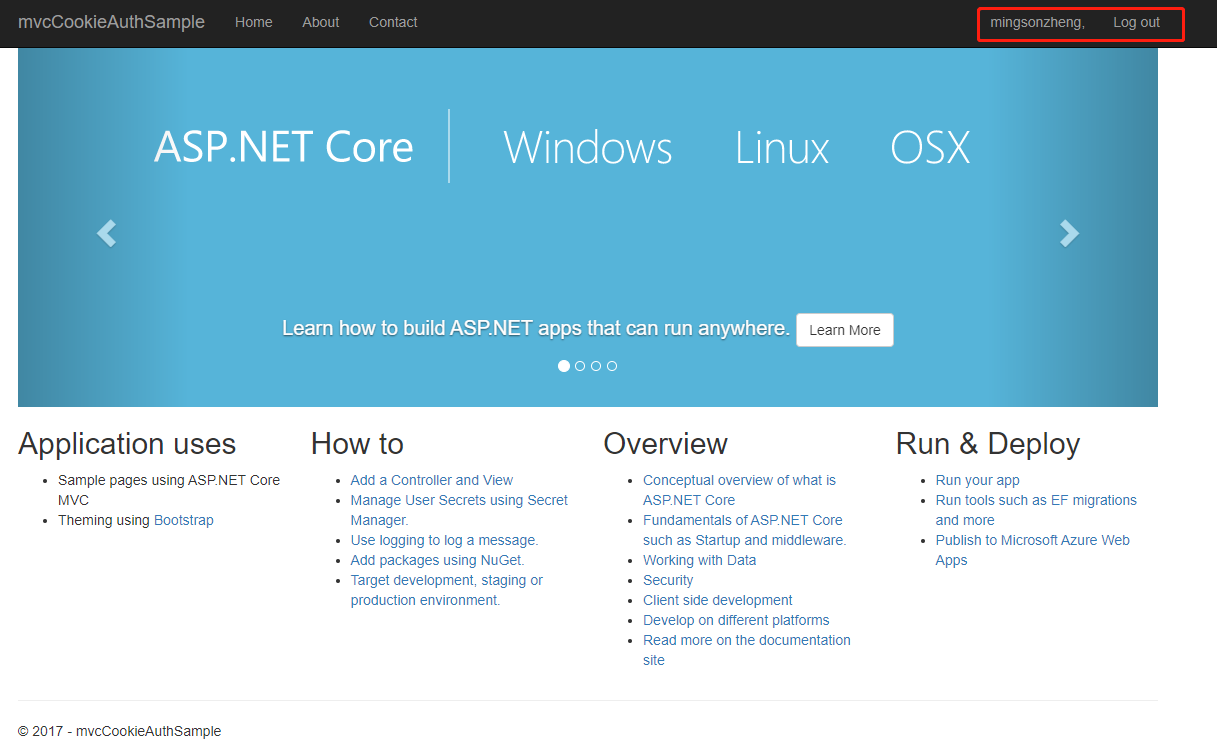
登录成功,不过现在是在本地,接下来需要把它放到客户端里面
新建一个 Asp.Net Core MVC 网站 MvcClient
在 startup 的 ConfigureServices 中添加 Authentication
// This method gets called by the runtime. Use this method to add services to the container.

public void ConfigureServices(IServiceCollection services)

{

    services.Configure<CookiePolicyOptions>(options =>

    {

        // This lambda determines whether user consent for non-essential cookies is needed for a given request.

        options.CheckConsentNeeded = context => true;

        options.MinimumSameSitePolicy = SameSiteMode.None;

    });

    services.AddMvc().SetCompatibilityVersion(CompatibilityVersion.Version_2_1);

    services.AddAuthentication(options =>

    {

        options.DefaultScheme = "Cookies";

        options.DefaultChallengeScheme = "oidc";

    })

    .AddCookie("Cookies")

    .AddOpenIdConnect("oidc", options =>

    {

        options.SignInScheme = "Cookies";

        options.Authority = "http://localhost:5000";

        options.RequireHttpsMetadata = false;

        options.ClientId = "client";

        options.ClientSecret = "secret";

        options.SaveTokens = true;

    });

}
在 startup 的 Configure 中的 UseMvc 前添加 Authentication
app.UseAuthentication();
在 Program 的 CreateWebHostBuilder 中配置 Urls
public static IWebHostBuilder CreateWebHostBuilder(string[] args) =>

        WebHost.CreateDefaultBuilder(args)

            .UseUrls("http://localhost:5001")

            .UseStartup<Startup>();
客户端设置为5001来启动,然后服务端设置为5000
mvcCookieAuthSample 的 Program
public static IWebHost BuildWebHost(string[] args) =>

            WebHost.CreateDefaultBuilder(args)

                .UseEnvironment("Development")

                .UseUrls("http://localhost:5000")

                .UseStartup<Startup>()

                .Build();
修改服务端的 Config 配置跳转地址
public static IEnumerable<Client> GetClients()

{

    return new List<Client>

    {

        new Client()

        {

            ClientId = "client",

            AllowedGrantTypes = GrantTypes.Implicit,// 隐式模式

            ClientSecrets =

            {

                new Secret("secret".Sha256())

            },

            RedirectUris = { "http://localhost:5001/signin-oidc" },

            PostLogoutRedirectUris = { "http://localhost:5001/signout-callback-oidc" },

            //AllowedScopes = {"api"},

            AllowedScopes =

            {

                IdentityServerConstants.StandardScopes.Profile,

                IdentityServerConstants.StandardScopes.OpenId,

            }

        }

    };

}
客户端的 Controller 打上 Authorize 标签
[Authorize]

public class HomeController : Controller
修改客户端 launchSettings.json 中的 applicationUrl
"applicationUrl": "http://localhost:5001",

"sslPort": 0
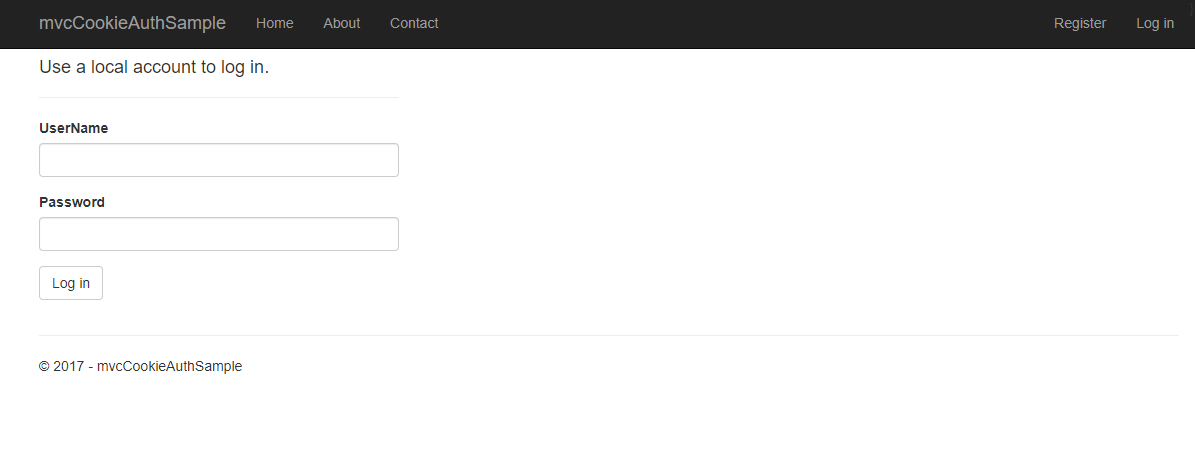
启动服务端,客户端,可以看到跳转到登录界面
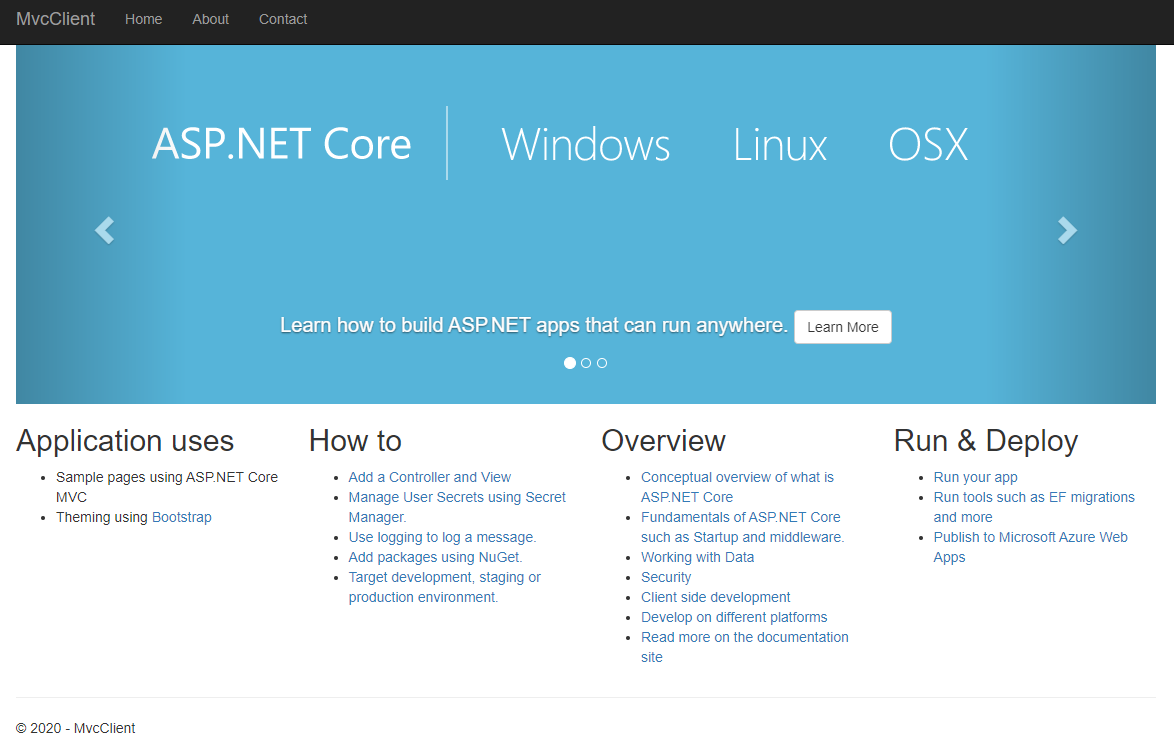
登录之后会跳转到 http://localhost:5001/
在客户端 About.cshtml 页面显示 identity 的 claims
@{

    ViewData["Title"] = "About";

}

<h2>@ViewData["Title"]</h2>

<h3>@ViewData["Message"]</h3>

@*<p>Use this area to provide additional information.</p>*@

<dl>

    @foreach (var claim in User.Claims)

    {

        <dt>@claim.Type</dt>

        <dt>@claim.Value</dt>

    }

</dl>
启动程序,跳转之后,点击 About 进入 About 页面
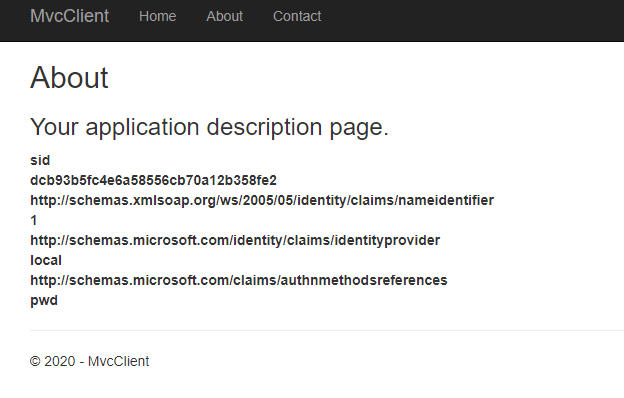
主要返回了服务端 Config 中配置的信息
public static IEnumerable<IdentityResource> GetIdentityResources()

        {

            return new List<IdentityResource>

            {

                new IdentityResources.OpenId(),

                new IdentityResources.Profile(),

                new IdentityResources.Email(),

            };

        }
课程链接
http://video.jessetalk.cn/course/explore


本作品采用知识共享署名-非商业性使用-相同方式共享 4.0 国际许可协议进行许可。
欢迎转载、使用、重新发布,但务必保留文章署名 郑子铭 (包含链接: http://www.cnblogs.com/MingsonZheng/ ),不得用于商业目的,基于本文修改后的作品务必以相同的许可发布。
如有任何疑问,请与我联系 (MingsonZheng@outlook.com) 。
ASP.NET Core分布式项目实战(oauth2 + oidc 实现 client部分)--学习笔记的更多相关文章
- ASP.NET Core分布式项目实战
ASP.NET Core开发者成长路线图 asp.net core 官方文档 https://docs.microsoft.com/zh-cn/aspnet/core/getting-started/ ...
- 【笔记目录1】ASP.NET Core分布式项目实战
当前标签: ASP.NET Core分布式项目实战 共2页: 1 2 下一页 35.Docker安装Mysql挂载Host Volume GASA 2019-06-20 22:02 阅读:51 评论 ...
- 【笔记目录2】ASP.NET Core分布式项目实战
当前标签: ASP.NET Core分布式项目实战 共2页: 上一页 1 2 11.ClientCredential模式总结 GASA 2019-03-11 12:59 阅读:26 评论:0 10. ...
- 【ASP.NET Core分布式项目实战】(三)整理IdentityServer4 MVC授权、Consent功能实现
本博客根据http://video.jessetalk.cn/my/course/5视频整理(内容可能会有部分,推荐看源视频学习) 前言 由于之前的博客都是基于其他的博客进行开发,现在重新整理一下方便 ...
- ASP.NET Core分布式项目实战-目录
前言 今年是2018年,发现已经有4年没有写博客了,在这4年的时光里,接触了很多的.NET技术,自己的技术也得到很大的进步.在这段时光里面很感谢张队长以及其他开发者一直对.NET Core开源社区做出 ...
- 【ASP.NET Core分布式项目实战】(二)oauth2 + oidc 实现 server部分
本博客根据http://video.jessetalk.cn/my/course/5视频整理(内容可能会有部分,推荐看源视频学习) 资料 我们基于之前的MvcCookieAuthSample来做开发 ...
- 【ASP.NET Core分布式项目实战】(一)IdentityServer4登录中心、oauth密码模式identity server4实现
本博客根据http://video.jessetalk.cn/my/course/5视频整理 资料 OAuth2 流程:http://www.ruanyifeng.com/blog/2014/05/o ...
- 【ASP.NET Core分布式项目实战】(五)Docker制作dotnet core控制台程序镜像
Docker制作dotnet core控制台程序镜像 基于dotnet SDK 新建控制台程序 mkdir /home/console cd /home/console dotnet new cons ...
- 【ASP.NET Core分布式项目实战】(六)Gitlab安装
Gitlab GitLab是由GitLabInc.开发,使用MIT许可证的基于网络的Git仓库管理工具,且具有wiki和issue跟踪功能.使用Git作为代码管理工具,并在此基础上搭建起来的web服务 ...
- ASP.NET Core分布式项目-3.oauth2与open id connect 对比
oauth2 open id connect
随机推荐
- 扒一扒ProcessOn 新功能——一键编号、图形组合、左侧导航、画布水印、表格组件
思维导图.一键编号 思维导图新增 多种全新主题风格,让您的创作赏心悦目 思维导图新增 一键编号 功能 流程图.图形组合 自定义组合图形功能:新增流程图 我的图形 功能,用户可以设置或者上传自己的图形 ...
- php基础之PHP语言学习介绍
前言 PHP是网络安全中需要掌握的一门语言,但是就这么一点儿时间学网络安全,所以不可能特别精通PHP,这里并不是说要求你精通PHP,但是需要对于一些基础代码能够认识.能够编写那么就可以了. 同时,这里 ...
- Oracle数据库学习总结
SQL 笔记 ch3_cn 1.数据类型记录 char(n) 定长字符 varchar(n) 可变长字符 numeric(p,d) 定点数,总位数p,小数点后位数q float(n) n位浮点数 2. ...
- STM32CubeMX教程21 CAN - 双机通信
1.准备材料 开发板(正点原子stm32f407探索者开发板V2.4) STM32CubeMX软件(Version 6.10.0) 野火DAP仿真器 keil µVision5 IDE(MDK-Arm ...
- Angular系列教程之观察者模式和RxJS
.markdown-body { line-height: 1.75; font-weight: 400; font-size: 16px; overflow-x: hidden; color: rg ...
- Java项目配置Maven依赖时不知需要的最低jdk版本?(报错java: 错误: 无效的目标发行版:17)
1.问题 在配置SpringBoot项目依赖时,使用了最新的spring-boot-starter-parent 3.1.5,但是出现了java: 错误: 无效的目标发行版:17的报错 2.解决 经过 ...
- Linux-文件用户及组管理-chown-chgrp
- [转帖]GRUB2 配置文件详解
https://www.cnblogs.com/fluidog/p/15176726.html 1. GRUB2配置文件 GRUB2 的配置文件通常为 /boot/grub2/grub.cfg,虽然此 ...
- [转帖]一文读懂 HugePages(大内存页)的原理
https://juejin.cn/post/6956541214426398757 在介绍 HugePages 之前,我们先来回顾一下 Linux 下 虚拟内存 与 物理内存 之间的关系. 物理内存 ...
- [转帖]ntp和chrony
https://www.cnblogs.com/hiyang/p/12682234.html#:~:text=chrony%20%E7%AE%80%E4%BB%8B%20chrony%20%E6%98 ...