
直接使用security.basic.path无效|——springboot2.0以上的security的配置
问题
springcloud 版本 为 Finchley.RELEASE
springboot 版本为 2.0.3.RELEASE
现在有需求,/swagger-ui.html 页面需要添加登录认证,但是本来的接口不需要登录认证
升级springboot之前的做法是直接在application.yml 文件中添加以下配置:
security:

  basic:

    enabled: true # 启用SpringSecurity的安全配置项

    path: /swagger-ui.html

  user:

    name: aijianzi  # 认证用户名

    password: course # 认证密码

    role:        # 授权角色

    - USER
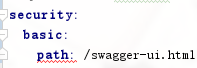
升级后这种配置就出错了,连编译都出错,如下图:
解决过程
查找源代码,找到如下:
来自:https://github.com/spring-projects/spring-boot/wiki/Spring-Boot-2.0-Migration-Guide
Security
Spring Boot 2 greatly simplifies the default security configuration and makes adding custom security easy. Rather than having several security-related auto-configurations, Spring Boot now has a single behavior that backs off as soon as you add your own WebSecurityConfigurerAdapter.You are affected if you were using any of the following properties:
security.basic.authorize-mode
security.basic.enabled
security.basic.path
security.basic.realm
security.enable-csrf
security.headers.cache
security.headers.content-security-policy
security.headers.content-security-policy-mode
security.headers.content-type
security.headers.frame
security.headers.hsts
security.headers.xss
security.ignored
security.require-ssl
security.sessions
翻译:Spring Boot 2极大地简化了默认的安全配置,并使添加定制安全性变得更加容易。Spring Boot并没有使用几个与安全相关的自动配置,而是在添加自己的WebSecurityConfigurerAdapter时就有了一个单独的行为。如果您使用以下属性,您将受到影响
再找到:https://github.com/spring-projects/spring-boot/wiki/Spring-Boot-Security-2.0
Security Auto-configuration
Spring Boot 2.0 does not provide separate auto-configuration for user-defined endpoints and actuator endpoints. When Spring Security is on the classpath, the auto-configuration secures all endpoints by default. It adds the @EnableWebSecurity annotation and relies on Spring Security’s content-negotiation strategy to determine whether to use httpBasic or formLogin. A user with a a default username and generated password is added, which can be used to login.
翻译:Spring Boot 2.0没有为用户定义的端点和执行器端点提供单独的自动配置。当Spring Security在类路径上时,自动配置默认为所有端点。它添加了@EnableWebSecurity 注释,并依赖于Spring Security的内容协商策略来决定是否使用httpBasic或formLogin。添加了一个默认用户名和生成密码的用户,这可以用来登录。
解决
对于不同的URL,安全性是不同的,关键在于重载WebSecurityConfigurerAdapter 类的configure(HttpSecurity) 方法。具体可以参考以上的两个链接
我的完整实现如下:
1、pom.xml 中添加依赖:
<dependency>

    <groupId>org.springframework.boot</groupId>

    <artifactId>spring-boot-starter-security</artifactId>

</dependency>
2、application.yml 文件中配置登录用户名和密码(如果只到这里,那么所有的请求都会被拦截)
spring:

  security:

  user:

    name: admin

    password: admin
3、添加自定义的配置类,注解@Configuration @EnableWebSecurity
import org.springframework.context.annotation.Configuration;

import org.springframework.security.config.annotation.web.builders.HttpSecurity;

import org.springframework.security.config.annotation.web.configuration.EnableWebSecurity;

import org.springframework.security.config.annotation.web.configuration.WebSecurityConfigurerAdapter;

/**

 * @author jiashubing

 * @since 2018/7/16

 */

@Configuration

@EnableWebSecurity

public class ActuatorWebSecurityConfigurationAdapter extends WebSecurityConfigurerAdapter {

    @Override

    protected void configure(HttpSecurity http) throws Exception {

        http

                .authorizeRequests()

                //普通的接口不需要校验

                .antMatchers("/courseApi/**").permitAll()

                // swagger页面需要添加登录校验

                .antMatchers("/swagger-ui.html").authenticated()

                .and()

                .formLogin();

    }

}
当然也可以配置成需要某个角色的用户才能查看某些URL,百度关键词【SpringSecurity拦截请求】
原创文章,欢迎转载,转载请注明出处!
直接使用security.basic.path无效|——springboot2.0以上的security的配置的更多相关文章
- SpringBoot2.0 基础案例(16):配置Actuator组件,实现系统监控
本文源码 GitHub地址:知了一笑 https://github.com/cicadasmile/spring-boot-base 一.Actuator简介 1.监控组件作用 在生产环境中,需要实时 ...
- SpringBoot2.0 基础案例(11):配置AOP切面编程,解决日志记录业务
本文源码 GitHub地址:知了一笑 https://github.com/cicadasmile/spring-boot-base 一.AOP切面编程 1.什么是AOP编程 在软件业,AOP为Asp ...
- SpringBoot2.0 基础案例(03):配置系统全局异常映射处理
一.异常分类 这里的异常分类从系统处理异常的角度看,主要分类两类:业务异常和系统异常. 1.业务异常 业务异常主要是一些可预见性异常,处理业务异常,用来提示用户的操作,提高系统的可操作性. 常见的业务 ...
- SpringBoot2.0 基础案例(15):配置MongoDB数据库,实现增删改查逻辑
本文源码:GitHub·点这里 || GitEE·点这里 一.NoSQL简介 1.NoSQL 概念 NoSQL( Not Only SQL ),意即"不仅仅是SQL".对不同于传统 ...
- SpringBoot2.0 基础案例(02):配置Log4j2,实现不同环境日志打印
一.Log4j2日志简介 日志打印是了解Web项目运行的最直接方式,所以在项目开发中是需要首先搭建好的环境. 1.Log4j2特点 1)核心特点 相比与其他的日志系统,log4j2丢数据这种情况少:d ...
- springboot2.0拦截器和webconfigure配置
接下来介绍一下springboot如何配置拦截器,很简单,只需要两个配置文件就可以了 首先配置登陆拦截器 @Component public class LoginInterceptor implem ...
- 在Springboot2.0项目中使用Druid配置多数据源
在Springboot出现之前配置数据源以及相关的事物,缓存等内容一直是个繁琐的工作,但是Springboot出现后这些基本都可以靠默认配置搞定,就变得很轻松了.这就是现在推崇模板>配置的原因, ...
- SpringBoot2.0+Shiro+JWT 整合
SpringBoot2.0+Shiro+JWT 整合 JSON Web Token(JWT)是一个非常轻巧的规范.这个规范允许我们使用 JWT 在用户和服务器之间传递安全可靠的信息. 我们利用一定的编 ...
- SpringBoot2.0集成Shiro
1.shiro的三个核心概念: 1)Subject:代表当前正在执行操作的用户,但Subject代表的可以是人,也可以是任何第三方系统帐号.当然每个subject实例都会被绑定到SercurityMa ...
随机推荐
- Python全栈开发之路 【第十七篇】:jQuery的位置属性、事件及案例
位置属性 <!DOCTYPE html> <html> <head> <meta charset="UTF-8"> <titl ...
- 初识Python-1
1,计算机基础. 2,python历史. 宏观上:python2 与 python3 区别: python2 源码不标准,混乱,重复代码太多, python3 统一 标准,去除重复代码. 3,pyth ...
- java的instanceof关键字
java 中的instanceof 运算符是用来判断对象是否是 特定类或这个特定类的子类 的一个实例. 用法: result = object instanceof class 参数: Result: ...
- Less or Equal CodeForces - 977C (sort+细节)
You are given a sequence of integers of length nn and integer number kk. You should print any intege ...
- Python删除list里面的重复元素的俩种方法
1.使用set函数 In [116]: a=[1,2,3,2,1,3,4,5,6,5] In [117]: set(a) Out[117]: {1, 2, 3, 4, 5, 6} 2.使用字典函数 ...
- 集大软件工程15级结对编程week1
集大软件工程15级结对编程week1 0. 团队成员 姓名 学号 博客园首页 码云主页 孙志威 20152112307 Agt Eurekaaa 孙慧君 201521123098 野原泽君 野原泽君 ...
- 【转】实现Nginx代理WSS协议
https://blog.csdn.net/chopin407/article/details/52937645 后来看到了官网的教程(http://nginx.org/en/docs/http/we ...
- liunx 运维知识二部分
Windows下的目录和Linux系统下的目录有什么区别? Windows目录下的文件一般都是分区(C盘,D盘...),C盘下面有什么目录,目录下面还有其他目录加上文件. Linux系统目录结构一切都 ...
- python语法糖/装饰器
1.python高阶函数和嵌套函数 1.1高阶函数 def func1(x): return x**2 def func2(x): return x**3 def func(x,y): return ...
- Java多线程系列——原子类的实现(CAS算法)
1.什么是CAS? CAS:Compare and Swap,即比较再交换. jdk5增加了并发包java.util.concurrent.*,其下面的类使用CAS算法实现了区别于synchronou ...