
12 Best Live Chat Software for Small Business Compared (2019) 最佳的wordpress在线聊天工具推荐插件 来帮你和潜在客户互动
12 Best Live Chat Software for Small Business Compared (2019)
Did you know that more than 67% of users on eCommerce websites abandon their shopping carts without checking out? Customers want their questions to be answered instantly, and any uncertainty with their purchase can result in losing a sale.
Using a live chat support software helps you instantly answer user questions and convert them into paying customers. In this article, we will share our pick of the best live chat software for your small businesses. These live chat services work perfectly with any WordPress site.
Why Add Live Chat Support to Your Website?
According to eConsultancy, live chat has the highest satisfaction levels of any customer service channel at 73%, compared to 61% for email and 44% for phone.
It is a no brainer that live chat has such a significant impact on online sales and marketing. It allows customers to get instant answers without leaving your website. A positive live chat experience can effectively help customers make the buying decision.
Adding live chat support can definitely reduce cart abandonment, increase sales, and boost conversions. But a lot of it depends on the live chat software that you use.
A poor live chat support experience can have an adverse impact. You can lose sales, customers may leave with a bad impression of your brand, you may end up paying too much for the service, or fail to utilize the live chat app due to technical skills.
Basically, you want to find an affordable live chat service, that is easy to use, works with WordPress, and comes with all the features to help you make more sales.
That being said, let’s take a look at our expert pick of the best live chat software that you can use to grow your business.
1. LiveChat
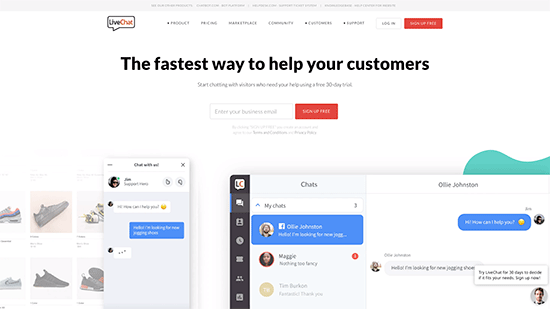
LiveChat is the industry leader in live chat software. It’s very easy to set up and install with their free LiveChat plugin for WordPress.
LiveChat also offers beautifully designed live chat support apps that you and your agents can use on your laptops, tablets, and mobile devices. That means you can chat with customers while on the go, without having to login to your WordPress dashboard.
You can add survey forms before and after a live chat session, so you can evaluate how your support team is doing. During your off-hours, your users can also conveniently send a support ticket directly from live chat.
LiveChat integrates with dozens of other services like popular CRM software, Google Analytics, Zendesk, all the top email marketing services, and many more. This will save you time since you won’t have to enter customer details manually into your other systems.
Perhaps the best feature of LiveChat is speed. It loads extremely fast, works on all devices, and offers a much better user experience than most other live chat software.
We use LiveChat on our eCommerce websites.
Pricing: LiveChat has different plans for businesses of all sizes. Their starter plan starts from $16 per agent per month billed annually, or $19 for month-to-month. Each plan comes with a 30 day free trial.
Special: WPBeginner users get 30% off the first payment when you use our LiveChat Coupon.
2. Olark
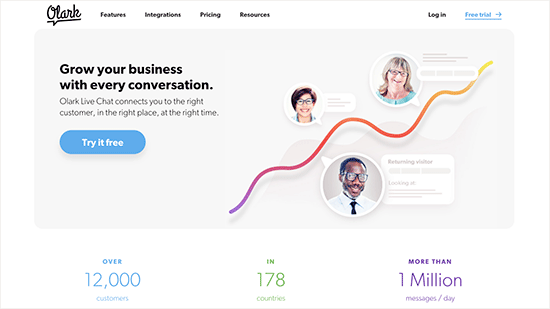
Olark is a popular live chat solution for online businesses. It’s easy to use, and adding Olark to a WordPress site is simple. All you need to do is copy and paste a code snippet into your WordPress sidebar widget or in your child theme.
If you’d rather not work with code, then there is also a free Olark Live Chat plugin which makes setup even easier.
Olark offers integration with other services such as Salesforce, Zendesk, Highrise, etc.
There are third-party mobile apps which allow you to connect to Olark chat from almost any iOS or Android device, so you can chat with customers on the go.
Pricing: Olark offers simpler pricing plan starting from $17 per agent each month. There is a 12% discount if you choose annual billing and 29% discount for two-year billing. They also offer 2-week free live chat support trial.
3. Zendesk Chat
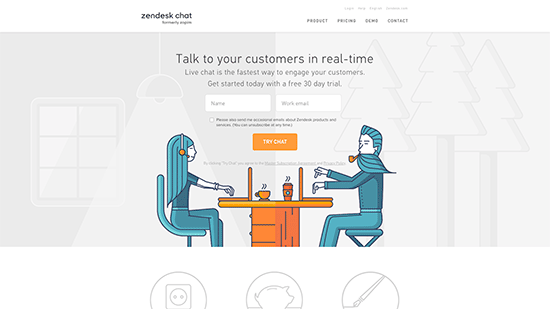
Zendesk is the leading help desk support software provider. They recently acquired an existing company called Zopim to enter the live chat support market and rebranded it as Zendesk Chat.
If you are already using Zendesk, then the best advantage you get is that it already integrates with your existing support software. It also works smoothly with WordPress, Salesforce, and a number of other third-party services.
Zendesk Chat also offers real-time chats, advanced analytics, and AI-powered chat-bots to automate the process when no live agents are available. They have beautiful templates and customization options to create attention-seeking chat widgets.
Pricing: Zendesk Chat offers a limited free live chat support account for 1 concurrent chat session. Their paid plans start from $14 per month per agent.
4. Chaport
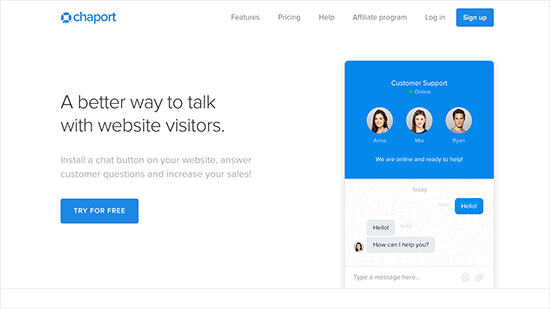
If you are looking for a free live chat support software for WordPress, then you may want to checkout Chaport. They offer a free forever plan with unlimited chats, history, notifications, unlimited registered operators, and up to 5 operators online at the same time.
Their software covers all the basic requirements. They have live chat support apps for mobile devices, beautiful multilingual chat widgets, reporting and analytics, third-party integrations through Zapier.
Paid plans give you access to more features like typing insights, visitor notes, saved replies, file sending, auto-invitations, and more.
Pricing: They offer a free plan and a Pro plan starting from $9.80 per agent / month.
5. SnapEngage
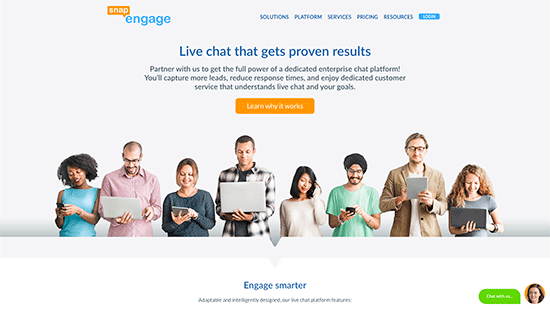
SnapEngage offers live chat service to businesses of all sizes. It is a bit expensive than some other live chat companies on the list but offers some unique features and add-ons to justify the cost.
They offer integrations with popular CRM software, call back request, automated chat invitations, and customizable chat widgets to match your site.
SnapEngage also offers a SMS to Chat feature as an add-on service to their live chat software, so your visitors can directly communicate with your support team via text. Their OmniChannel chat solution allows you to help customers across different channels like Facebook, Twitter, SMS, WeChat, Zalo, and more.
Pricing: Their essentials plan starts from $16 per user / month, with minimum 3 users and it is billed annually with 7-day free trial.
6. Intercom
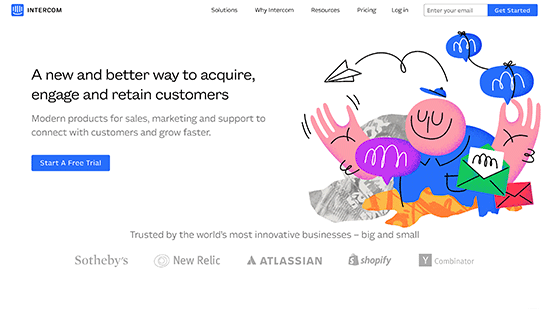
Intercom is a flexible tool that helps you capture leads, engage users, and boost conversions. It offers messaging services with live chat widgets that you can automate with your own flows, add chatbots, and engage customers.
It is not just a live chat support software. It can be used as an onboarding tool, support assistant, lead generation tool, marketing automation, and user-engagement software.
If you are just looking for a live chat software, then you may not be able to utilize Intercom’s full potential. On the other hand, if you want your live chat support software to do all these tasks, then you’ll love Intercom.
It is easy to use, integrates with Google Analytics, CRM software, Slack, email marketing services, and more.
Pricing: Their essential plan starts from $136 / month, after which pricing is calculated based on your usage and add-ons you purchase.
7. Freshchat
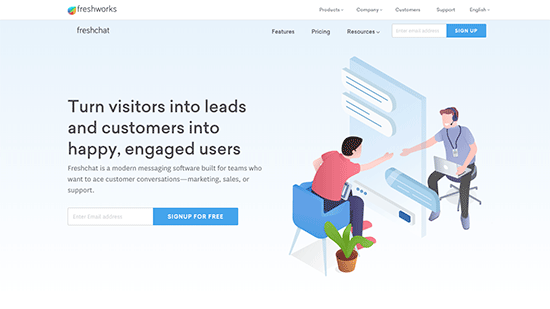
Freshchat is another good live chat support service with awesome features that rival some of the more well-known companies on this list.
Designed to be a conversation and messenger app, it allows you to start real-time chats with customers using agents or AI-powered bots. It also offers customer timeline views, live profiles, in-app campaigns, and customizable bots for automated conversations.
You can connect chats to support tickets on Zendesk or on a slack channel. Your team can use smart plugs, canned responses, labels, private notes, and desktop notifications to be more productive.
Pricing: They offer a free live chat support service plan for up to 10 team members. Their paid plans start from $15 per user per month and are billed yearly.
8. LivePerson
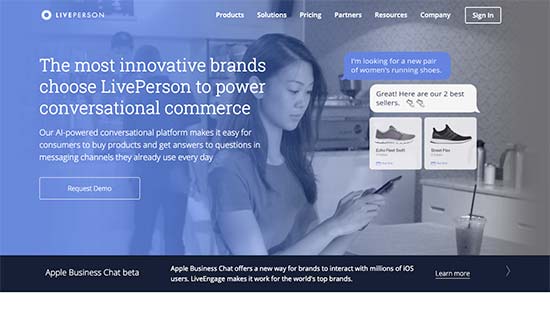
LivePerson is another powerful live chat support software with tons of awesome features to help you engage customers and increase sales.
It allows you to engage your customers via live chat on your website but also through SMS, Facebook Messenger, WhatsApp, and more. You can use chatbots to create automated conversation flows and save customer information in your other third-party apps.
LivePerson is targeted towards medium to large businesses and enterprise level clients.
Pricing: You will have to request a quote to get pricing information based on your needs.
9. Userlike
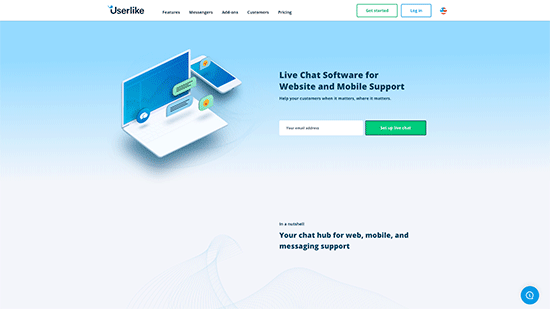
Userlike is another neat live chat support software that you can use on your WordPress site. It is based in Germany and their servers are hosted in Europe. They offer GDPR compliant services, which makes them a particularly good option for businesses in the European Union.
Their software is beautifully designed offering a better experience not just for your users but also for chat agents. With a clean and clutter-free dashboard, your agents still have all the tools that you would expect from a professional live chat support service.
It offers beautiful chat widgets, chatbots, integrations with all top support, CRM, and email platforms. You also get meaningful analytics reports, which helps you improve performance and overall conversions.
Pricing: They offer free live chat support account for 1 user. Their paid plans start from €29 per month for 3 operators.
10. Smartsupp
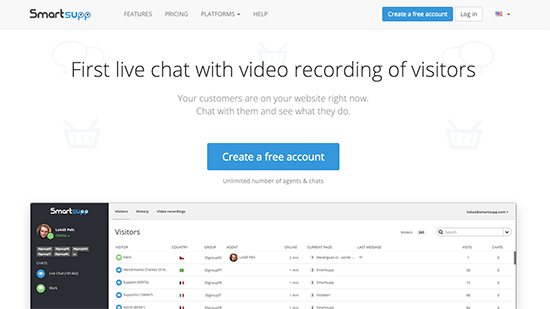
Smartsupp is a low-cost live chat support software that allows you to track and record user sessions on your website. This helps you see how potential customers use your website and what’s preventing them from making a purchase.
It also helps you track chat conversations in Google Analytics to see your performance. It works with WordPress, Magento, Shopify, and other popular eCommerce platforms.
Pricing: A basic free-forever plan and their paid plans start from $8 per month per agent.
11. Pure Chat
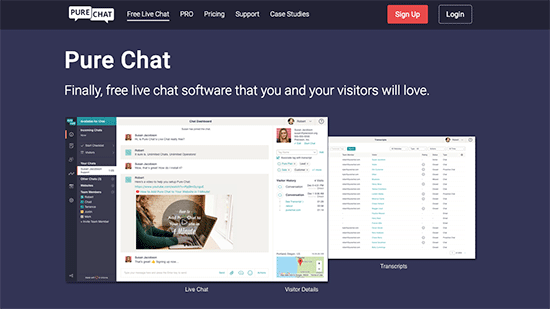
If you are looking for a free live chat software, then Pure Chat is another good alternative. It allows you to easily add beautiful live chat widgets to your websites and the free plan allows you to add 3 operators with unlimited chat history.
It comes with mobile apps so that you can stay connected with customers. Your customers can send you email messages when you are offline and pre-chat form helps you collect user information to reach out later.
Pricing: A basic free plan, and their paid plan starts $79 / month billed annually.
12. Drift

Drift is a conversational marketing platform that combines the power of live chat with an automated chat bot to help you save time and increase conversions. It comes with powerful features to help you convert more website visitors into sales leads.
Drift integrates with all popular CRM and email marketing services.
They offer several powerful features including Drift bot, anonymous visitor intelligence, account based marketing, scheduling for meetings, and more.
While it has a lot of powerful features, Drift is not affordable for small businesses.
Pricing: The Standard plan starts at $50 / month billed annually, and it comes with 2 seats. If you want the bot feature, then you will have to upgrade to the Pro plan which starts at $500 / month billed annually, and it comes with 5 seats.
Our Pick: Best Live Chat Software
For small businesses, we recommend LiveChat Inc. They’re the top rated live chat software in our list, and we use them on our business websites. It has all the necessary features for the right price.
If you’re looking for a complete platform and cost is not an issue, then we recommend that you look into Intercom.
If you’re looking to hire live chat agents, but not sure where to start, then we recommend using LTVPlus. We use them to hire affordable 24/7 live chat agents for our eCommerce website.
We hope this article helped you choose the best live chat support software for your WordPress site. You may also want to learn how to enable customer tracking in WooCommerce with Google Analytics.
If you liked this article, then please subscribe to our YouTube Channel for WordPress video tutorials. You can also find us on Twitter and Facebook.
12 Best Live Chat Software for Small Business Compared (2019) 最佳的wordpress在线聊天工具推荐插件 来帮你和潜在客户互动的更多相关文章
- Ultimate Guide to Line For Business (May 2019)
Ultimate Guide to Line For Business (May 2019) By Iaroslav Kudritskiy February 4, 2019 No Comments I ...
- 2015年最佳的12个 CSS 开发工具推荐
CSS所能做的就是改变网页的布局.排版和调整字间距等,但编写 CSS 并不是一项容易的任务,当你接触新的 CSS3 属性及其各自的浏览器前缀的时候,你会发现很伤脑经.值得庆幸的是一些优秀的开发人员提供 ...
- 12款最佳的 WordPress 语法高亮插件推荐
语法高亮工具增强了代码的可读性,美化了代码,让程序员更容易维护.语法高亮提供各种方式由以提高可读性和文本语境,尤其是对于其中可以结束跨越多个页面的代码,以及让开发者自己的程序中查找错误.在这篇文章中, ...
- [转]12款最佳Linux命令行终端工具
摘要 “工欲善其事必先利其器”,作为菜鸟,也是从别人那里偷学来的一些东东.今天看到同事用到一个终端命令行工具,觉得自己弱爆了.然后在网上搜了下该工具.发现类似的工具还是挺多的,只是自己不知道罢了. 原 ...
- 12款最佳Linux命令行终端工具, 20款优秀的 Linux 终端仿真器
12款最佳Linux命令行终端工具 如果你跟我一样,整天要花大量的时间使用Linux命令行,而且正在寻找一些可替代系统自带的老旧且乏味的终端软件,那你真是找对了文章.我这里搜集了一些非常有趣的 ...
- 12款最佳Linux命令行终端工具
12款最佳Linux命令行终端工具 如果你跟我一样,整天要花大量的时间使用Linux命令行,而且正在寻找一些可替代系统自带的老旧且乏味的终端软件,那你真是找对了文章.我这里搜集了一些非常有趣的终端软件 ...
- Socket programing(make a chat software) summary 1:How to accsess LAN from WAN
First we should know some basic conceptions about network: 1.Every PC is supposed to have its own IP ...
- 【Todo】抽象渗漏法则 & 找到理想员工 & 软件开发成功 12 法则 & Joel on Software
Joel应该是个软件专家,这是他文章汇总的中文版本: http://local.joelonsoftware.com/wiki/Chinese_%28Simplified%29 其中有几篇值得好好看看 ...
- Centos7 使用Docker安装rocket.chat聊天工具
镜像下载.域名解析.时间同步请点击阿里云开源镜像站 下载安装 Rocket.Chat 目前最新的版本为 4.0.1,可以通过手动或者容器的方式安装.这里我推荐使用容器,部署过程会方便不少. 如果要用容 ...
随机推荐
- 【开源GPS追踪】 之 手机端安卓版
GPS追踪,后台是利用的是开源的Opengts,可以通过web方式浏览位置信息.这里介绍一款手机端软件go Tracker. 这款软件是在Google app 上找到的,目前还没有找到源码,用了几天有 ...
- 通过Quartz 配置定时调度任务:使用cron表达式配置时间点
Cron官网入口 在后台经常需要一些定时处理的任务,比如微信相关应用所需的access_token,就要定时刷新,官方返回的有效性是7200s,也就是2小时,但是为了保险起见,除了在发现access_ ...
- pypthon 3.6.5 绘制柱状图中文乱码的基本、根本、高效之解决方案~
最近在使用做一些数据统计.分析时需要用到画图,这里随大流使用matlab强大的python平台绘图组件pyplot来实现. 然而在使用过程中遇到中文显示框框的问题,对于有强迫症的我简直不能忍啊~ 下面 ...
- Python3从零开始爬取今日头条的新闻【二、首页热点新闻抓取】
Python3从零开始爬取今日头条的新闻[一.开发环境搭建] Python3从零开始爬取今日头条的新闻[二.首页热点新闻抓取] Python3从零开始爬取今日头条的新闻[三.滚动到底自动加载] Pyt ...
- renren-vue 基于最新node10.8、npm6.2 在win7 x64系统 成功初始化启动
renren-vue 基于最新node.npm初始化之路 renren-fast 是一个轻量级的 Spring Boot 快速开发平台,能快速开发项目并交付[接私活利器] 完善的 XSS 防范及脚本过 ...
- 线段树及Lazy-Tag
一:线段树 线段树是一种二叉搜索树,与区间树相似,它将一个区间划分成一些单元区间,每个单元区间对应线段树中的一个叶结点.使用线段树可以快速的查找某一个节点在若干条线段中出现的次数,时间复杂度为O(lo ...
- asp.net缓存 (转)
原文地址 http://www.cnblogs.com/knowledgesea/archive/2012/07/10/2530436.html 谢谢 一.缓存概念,缓存的好处.类型. ...
- c++ 引用犯的一个错
void cal(int * &a) { ................ } int main() { int x=1; int *p=x; cal( &x );//出错 cal( ...
- Linux安装gcc时碰到的有关问题解决(解决gcc依赖有关问题)
Linux安装gcc时碰到的有关问题解决(解决gcc依赖有关问题) rpm安装gcc时碰到的有关问题解决(解决gcc依赖有关问题) 提示:error: Failed dependencies: clo ...
- Win8.1/win10安装photoshop软件提示please uninstall and reinstall the product如何解决
Photoshop CS6是一款编辑图片软件,在Win8系统中安装Photoshop CS6,提示:please uninstall and reinstall the product ,该如何解决? ...