
旋转动画用控件RotateView
旋转动画用控件RotateView
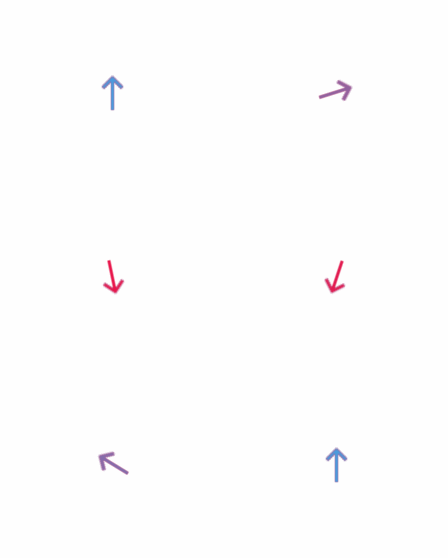
最终效果:
源码:
RotateView.h 与 RotateView.m
//

//  RotateView.h

//  RotateAnimationView

//

//  Created by YouXianMing on 14/12/8.

//  Copyright (c) 2014年 YouXianMing. All rights reserved.

//

#import <UIKit/UIKit.h>

/**

 *  要注意normalInputView与disableInputView的frame值最好与RotateView的bounds值一致

 */

@interface RotateView : UIView

/**

 *  显示常规的view

 */

@property (nonatomic, strong) UIView   *normalInputView;

/**

 *  禁用状态的view

 */

@property (nonatomic, strong) UIView   *disableInputView;

/**

 *  旋转时间

 */

@property (nonatomic, assign) CGFloat   rotateDuration;

/**

 *  view切换时间

 */

@property (nonatomic, assign) CGFloat   fadeDuration;

/**

 *  旋转到向上的位置(默认的位置)

 *

 *  @param animated 是否显示动画

 */

- (void)changeToUpAnimated:(BOOL)animated;

/**

 *  旋转到向左的位置

 *

 *  @param animated 是否显示动画

 */

- (void)changeToLeftAnimated:(BOOL)animated;

/**

 *  旋转到向右的位置

 *

 *  @param animated 是否显示动画

 */

- (void)changeToRightAnimated:(BOOL)animated;

/**

 *  旋转到向下的位置

 *

 *  @param animated 是否显示动画

 */

- (void)changeTodownAnimated:(BOOL)animated;

/**

 *  渐变到显示常规的view

 *

 *  @param animated 是否显示动画

 */

- (void)fadeToNormalInputViewAnimated:(BOOL)animated;

/**

 *  渐变到禁用状态的view

 *

 *  @param animated 是否显示动画

 */

- (void)fadeToDisableInputViewAnimated:(BOOL)animated;

@end
//

//  RotateView.m

//  RotateAnimationView

//

//  Created by YouXianMing on 14/12/8.

//  Copyright (c) 2014年 YouXianMing. All rights reserved.

//

#import "RotateView.h"

static CGFloat defaultDuration = 0.25f;

typedef enum : NSUInteger {

    UIVIEW_normalInputView = 0xEEFF,

    UIVIEW_disableInputView,

} EnumRotateView;

@interface RotateView ()

@property (nonatomic, assign) CGAffineTransform  defaultTransform;

@end

@implementation RotateView

- (instancetype)initWithFrame:(CGRect)frame

{

    self = [super initWithFrame:frame];

    if (self) {

        _defaultTransform = self.transform;

    }

    return self;

}

#pragma mark - 动画的执行

- (void)changeToUpAnimated:(BOOL)animated {

    if (animated) {

        [UIView animateWithDuration:(_rotateDuration >  ? _rotateDuration : defaultDuration)

                         animations:^{

                             self.transform = _defaultTransform;

                         }];

    } else {

        self.transform = _defaultTransform;

    }

}

- (void)changeToLeftAnimated:(BOOL)animated {

    if (animated) {

        [UIView animateWithDuration:(_rotateDuration >  ? _rotateDuration : defaultDuration)

                         animations:^{

                             self.transform = CGAffineTransformRotate(_defaultTransform, -M_PI_2);

                         }];

    } else {

        self.transform = CGAffineTransformRotate(_defaultTransform, -M_PI_2);

    }

}

- (void)changeToRightAnimated:(BOOL)animated {

    if (animated) {

        [UIView animateWithDuration:(_rotateDuration >  ? _rotateDuration : defaultDuration)

                         animations:^{

                             self.transform = CGAffineTransformRotate(_defaultTransform, M_PI_2);

                         }];

    } else {

        self.transform = CGAffineTransformRotate(_defaultTransform, M_PI_2);

    }

}

- (void)changeTodownAnimated:(BOOL)animated {

    if (animated) {

        [UIView animateWithDuration:(_rotateDuration >  ? _rotateDuration : defaultDuration)

                         animations:^{

                             self.transform = CGAffineTransformRotate(_defaultTransform, M_PI);

                         }];

    } else {

        self.transform = CGAffineTransformRotate(_defaultTransform, M_PI);

    }

}

- (void)fadeToNormalInputViewAnimated:(BOOL)animated {

    if (animated) {

        [UIView animateWithDuration:(_fadeDuration >  ? _fadeDuration : defaultDuration)

                         animations:^{

                             [self viewWithTag:UIVIEW_normalInputView].alpha = .f;

                         }];

    } else {

        [self viewWithTag:UIVIEW_normalInputView].alpha = .f;

    }

}

- (void)fadeToDisableInputViewAnimated:(BOOL)animated {

    if (animated) {

        [UIView animateWithDuration:(_fadeDuration >  ? _fadeDuration : defaultDuration)

                         animations:^{

                             [self viewWithTag:UIVIEW_normalInputView].alpha = .f;

                         }];

    } else {

        [self viewWithTag:UIVIEW_normalInputView].alpha = .f;

    }

}

#pragma mark - 重写setter,getter方法

@synthesize normalInputView = _normalInputView;

- (void)setNormalInputView:(UIView *)normalInputView {

    normalInputView.frame                  = normalInputView.bounds;

    normalInputView.userInteractionEnabled = NO;

    normalInputView.tag                    = UIVIEW_normalInputView;

    [self addSubview:normalInputView];

    [self bringSubviewToFront:normalInputView];

}

- (UIView *)normalInputView {

    return [self viewWithTag:UIVIEW_normalInputView];

}

@synthesize disableInputView = _disableInputView;

- (void)setDisableInputView:(UIView *)disableInputView {

    disableInputView.frame                  = disableInputView.bounds;

    disableInputView.userInteractionEnabled = NO;

    disableInputView.tag                    = UIVIEW_disableInputView;

    [self addSubview:disableInputView];

    [self sendSubviewToBack:disableInputView];

}

- (UIView *)disableInputView {

    return [self viewWithTag:UIVIEW_disableInputView];

}

@end
使用的源码:
//

//  ViewController.m

//  CircleView

//

//  Created by YouXianMing on 14/12/9.

//  Copyright (c) 2014年 YouXianMing. All rights reserved.

//

#import "ViewController.h"

#import "RotateView.h"

@interface ViewController ()

@property (nonatomic, strong) RotateView *rotateView;

@end

@implementation ViewController

- (void)viewDidLoad {

    [super viewDidLoad];

    // 输入图片与输出图片

    UIImageView *normalView  = [[UIImageView alloc] initWithImage:[UIImage imageNamed:@"normal"]];

    UIImageView *disableView = [[UIImageView alloc] initWithImage:[UIImage imageNamed:@"disable"]];

    // 旋转的view

    _rotateView                  = [[RotateView alloc] initWithFrame:normalView.bounds];

    _rotateView.center           = self.view.center;

    _rotateView.normalInputView  = normalView;

    _rotateView.disableInputView = disableView;

    [self.view addSubview:_rotateView];

    // 延时

    [self performSelector:@selector(excuteEventOne)

               withObject:nil

               afterDelay:.f];

    // 延时

    [self performSelector:@selector(excuteEventTwo)

               withObject:nil

               afterDelay:.f];

}

- (void)excuteEventOne {

    [_rotateView changeTodownAnimated:YES];

    [_rotateView fadeToDisableInputViewAnimated:YES];

}

- (void)excuteEventTwo {

    [_rotateView changeToUpAnimated:YES];

    [_rotateView fadeToNormalInputViewAnimated:YES];

}

@end
较为核心的地方:

旋转动画用控件RotateView的更多相关文章
- 侧边栏下拉时箭头的旋转动画(treeView控件)
//点击菜单时箭头旋转 let treeView = document.getElementsByClassName("treeview");//let解决闭包问题 let las ...
- 定制自己的动画 View 控件(Canvas 使用)
定制自己的动画 View 控件(Canvas 使用) 如果要定义自己的 View 控件,则需要新建一个类继承 android.view.View.然后在 onDraw 中写自己需要实现的方式. 这里定 ...
- WPF 动画显示控件
当我们要显示一个控件的时候,不仅仅要显示这个控件,还要有动画的效果. 主要用到了DoubleAnimation类. public static void ShowAnimation(object co ...
- android多框架实现短视频应用、3D手势旋转、banner控件、指南针、智能管家等应用源码
Android精选源码 android智能管家app源码 Android高仿拼多多分类列表 Android百度地图实例详解之仿摩拜单车APP RecyclerView的LayoutManager搭建流 ...
- WPF设置动画在控件载入时就立刻执行
<YourControl.Triggers> <EventTrigger RoutedEvent="YourControl.Loaded"><!--这 ...
- Android5.0新特性之——控件移动动画(初级)
最近开发,UI大牛们设计了好多很炫酷吊炸天的动画,不由得重新学习了一下5.0的ObjectAnimator动画. ObjectAnimator动画的原理,通过反射控件的setXXX方法,改变控件的实际 ...
- 自己定义控件三部曲之动画篇(十三)——实现ListView Item进入动画
前言:宝剑锋从磨砺出,梅花香自苦寒来 相关文章: <Android自己定义控件三部曲文章索引>: http://blog.csdn.net/harvic880925/article/det ...
- WPF ListView控件设置奇偶行背景色交替变换以及ListViewItem鼠标悬停动画
原文:WPF ListView控件设置奇偶行背景色交替变换以及ListViewItem鼠标悬停动画 利用WPF的ListView控件实现类似于Winform中DataGrid行背景色交替变换的效果,同 ...
- iOS:风火轮活动刷新视图控件UIActivityIndicatorView的详细使用
动态风火轮视图控件:UIActivityIndicatorView 介绍:它是一种类似于风火轮旋转的视图控件,可用作刷新数据时显示加载过程所用,继承自UIView. 类型: typedef N ...
随机推荐
- Java - 冒泡排序的优化算法(尚学堂第七章数组)
import java.util.Arrays; public class TestBubbleSort2 { public static void main(String[] args) { int ...
- GoldenGate安装配置
GOLDENGATE安装 1. 下载与数据库对应版本的goldengate安装介质. 2. 创建goldengate系统用户,设置用户环境变量,如果是oracle,建议直接使用oracle作为用户安装 ...
- signed char型内存位bit表示
signed char型内存 80 81 82 83 84 85 86 87 88 89 8a 8b 8c 8d 8e 8f 90 91 92 93 94 95 96 97 98 99 9a 9b 9 ...
- datepicker97切换年月日再连续点击下拉中日期的bug出现问题
解决办法: function wdateOption(fmt){ if(fmt===undefined){fmt="yyyy-MM-dd"} return{ dateFmt:fmt ...
- Android JPush极光推送应用
JPush纠结了5-6个小时,一直报下面的错误,纠结! [AndroidUtil] AndroidManifest.xml missing required intent filter for Pus ...
- <a>标签里面嵌图片<img>下面出现一小段空白的原因
今天做项目的时候,发现在a标签,里面嵌入<img>会出现空白 css 内容: a{ border:1px solid black; } img{ width:200px; } html内容 ...
- redis3.0 cluster功能介绍
edis从3.0开始支持集群功能.redis集群采用无中心节点方式实现,无需proxy代理,客户端直接与redis集群的每个节点连接,根据同样的hash算法计算出key对应的slot,然后直接在slo ...
- Word 只读模式修改
一.设置只读模式: 方法一: 打开目标文件,点击另存为,如下: 2.点击常规选项,勾选‘建议以只读方式打开文档,也可以在此页给文档加密: 方法二: 在工具栏-->审阅--->限制编辑: 二 ...
- Linux下ffmpeg添加Facebook/transform代码块实现将全景视频的球模型转换成立方体模型
Facebook事实上已开始在平台中支持360度全景视频的流播,但公司对此并不满足.其工程师更是基于锥体几何学设计出了一套全新的视频编码,号称最高能将全景视频的文件大小减少80%.(VR最新突破:全景 ...
- 自动收缩数据库T-SQL
alter database 数据库名 set auto_update_statistics off alter database 数据库名 set auto_update_statistics on