
python-爬虫之urllib模块
urllib是python的一个获取url(Uniform Resource Locators,统一资源定址器)了,我们可以利用它来抓取远程的数据进行保存哦
1.基本方法
urllib.request.urlopen(url, data=None, [timeout, ]*, cafile=None, capath=None, cadefault=False, context=None)
- url: 需要打开的网址
- data:Post提交的数据
- timeout:设置网站的访问超时时间
直接用urllib.request模块的urlopen()获取页面,page的数据格式为bytes类型,需要decode()解码,转换成str类型。
from urllib import request

response = request.urlopen(r'http://python.org/') # <http.client.HTTPResponse object at 0x00000000048BC908> HTTPResponse类型

page = response.read()

page = page.decode('utf-8')
urlopen返回对象提供方法:
- read() , readline() ,readlines() , fileno() , close() :对HTTPResponse类型数据进行操作
- info():返回HTTPMessage对象,表示远程服务器返回的头信息
- getcode():返回Http状态码。如果是http请求,200请求成功完成;404网址未找到
- geturl():返回请求的url
2.使用Request
urllib.request.Request(url, data=None, headers={}, method=None)
使用request()来包装请求,再通过urlopen()获取页面。
url = r'http://www.lagou.com/zhaopin/Python/?labelWords=label'

headers = {

    'User-Agent': r'Mozilla/5.0 (Windows NT 6.1; WOW64) AppleWebKit/537.36 (KHTML, like Gecko) '

                  r'Chrome/45.0.2454.85 Safari/537.36 115Browser/6.0.3',

    'Referer': r'http://www.lagou.com/zhaopin/Python/?labelWords=label',

    'Connection': 'keep-alive'

}

req = request.Request(url, headers=headers)

page = request.urlopen(req).read()

page = page.decode('utf-8')
用来包装头部的数据:
- User-Agent :这个头部可以携带如下几条信息:浏览器名和版本号、操作系统名和版本号、默认语言
- Referer:可以用来防止盗链,有一些网站图片显示来源http://***.com,就是检查Referer来鉴定的
- Connection:表示连接状态,记录Session的状态。
3.Post数据
urllib.request.urlopen(url, data=None, [timeout, ]*, cafile=None, capath=None, cadefault=False, context=None)
urlopen()的data参数默认为None,当data参数不为空的时候,urlopen()提交方式为Post。
from urllib import request, parse

url = r'http://www.lagou.com/jobs/positionAjax.json?'

headers = {

    'User-Agent': r'Mozilla/5.0 (Windows NT 6.1; WOW64) AppleWebKit/537.36 (KHTML, like Gecko) '

                  r'Chrome/45.0.2454.85 Safari/537.36 115Browser/6.0.3',

    'Referer': r'http://www.lagou.com/zhaopin/Python/?labelWords=label',

    'Connection': 'keep-alive'

}

data = {

    'first': 'true',

    'pn': 1,

    'kd': 'Python'

}

data = parse.urlencode(data).encode('utf-8')

req = request.Request(url, headers=headers, data=data)

page = request.urlopen(req).read()

page = page.decode('utf-8')
urllib.parse.urlencode(query, doseq=False, safe='', encoding=None, errors=None)
urlencode()主要作用就是将url附上要提交的数据。
data = {

    'first': 'true',

    'pn': 1,

    'kd': 'Python'

}

data = parse.urlencode(data).encode('utf-8')
经过urlencode()转换后的data数据为?first=true?pn=1?kd=Python,最后提交的url为
http://www.lagou.com/jobs/positionAjax.json?first=true?pn=1?kd=Python
Post的数据必须是bytes或者iterable of bytes,不能是str,因此需要进行encode()编码
page = request.urlopen(req, data=data).read()
当然,也可以把data的数据封装在urlopen()参数中
4.异常处理
def get_page(url):

    headers = {

        'User-Agent': r'Mozilla/5.0 (Windows NT 6.1; WOW64) AppleWebKit/537.36 (KHTML, like Gecko) '

                    r'Chrome/45.0.2454.85 Safari/537.36 115Browser/6.0.3',

        'Referer': r'http://www.lagou.com/zhaopin/Python/?labelWords=label',

        'Connection': 'keep-alive'

    }

    data = {

        'first': 'true',

        'pn': 1,

        'kd': 'Python'

    }

    data = parse.urlencode(data).encode('utf-8')

    req = request.Request(url, headers=headers)

    try:

        page = request.urlopen(req, data=data).read()

        page = page.decode('utf-8')

    except error.HTTPError as e:

        print(e.code())

        print(e.read().decode('utf-8'))

    return page
5、使用代理
urllib.request.ProxyHandler(proxies=None)
当需要抓取的网站设置了访问限制,这时就需要用到代理来抓取数据。
data = {

        'first': 'true',

        'pn': 1,

        'kd': 'Python'

    }

proxy = request.ProxyHandler({'http': '5.22.195.215:80'})  # 设置proxy

opener = request.build_opener(proxy)  # 挂载opener

request.install_opener(opener)  # 安装opener

data = parse.urlencode(data).encode('utf-8')

page = opener.open(url, data).read()

page = page.decode('utf-8')

return page
5、实践
# -*- coding: utf-8 -*-

import urllib.request

import re

import os

targetDir = r"D:\python\test\spider\img\douban"  #文件保存路径

def destFile(path):

    if not os.path.isdir(targetDir):

        os.mkdir(targetDir)

    pos = path.rindex('/')

    t = os.path.join(targetDir, path[pos+1:])

    return t

if __name__ == "__main__":  #程序运行入口

    weburl = "http://www.douban.com/"

    webheaders =  {

        'Connection': 'Keep-Alive',

        'Accept': 'text/html, application/xhtml+xml, */*',

        'Accept-Language': 'en-US,en;q=0.8,zh-Hans-CN;q=0.5,zh-Hans;q=0.3',

        'User-Agent': 'Mozilla/5.0 (Windows NT 6.3; WOW64; Trident/7.0; rv:11.0) like Gecko',

        #'Accept-Encoding': 'gzip, deflate',

        'Host': 'www.douban.com',

        'DNT': ''

    }

    req = urllib.request.Request(url=weburl, headers=webheaders)  #构造请求报头

    webpage = urllib.request.urlopen(req)  #发送请求报头

    contentBytes = webpage.read()

    contentBytes = contentBytes.decode('UTF-8')

    for link, t in set(re.findall(r'(https:[^\s]*?(jpg|png|gif))', str(contentBytes))):  #正则表达式查找所有的图片

        print(link)

        try:

            urllib.request.urlretrieve(link, destFile(link)) #下载图片

        except:

            print('失败') #异常抛出
执行过程如下:
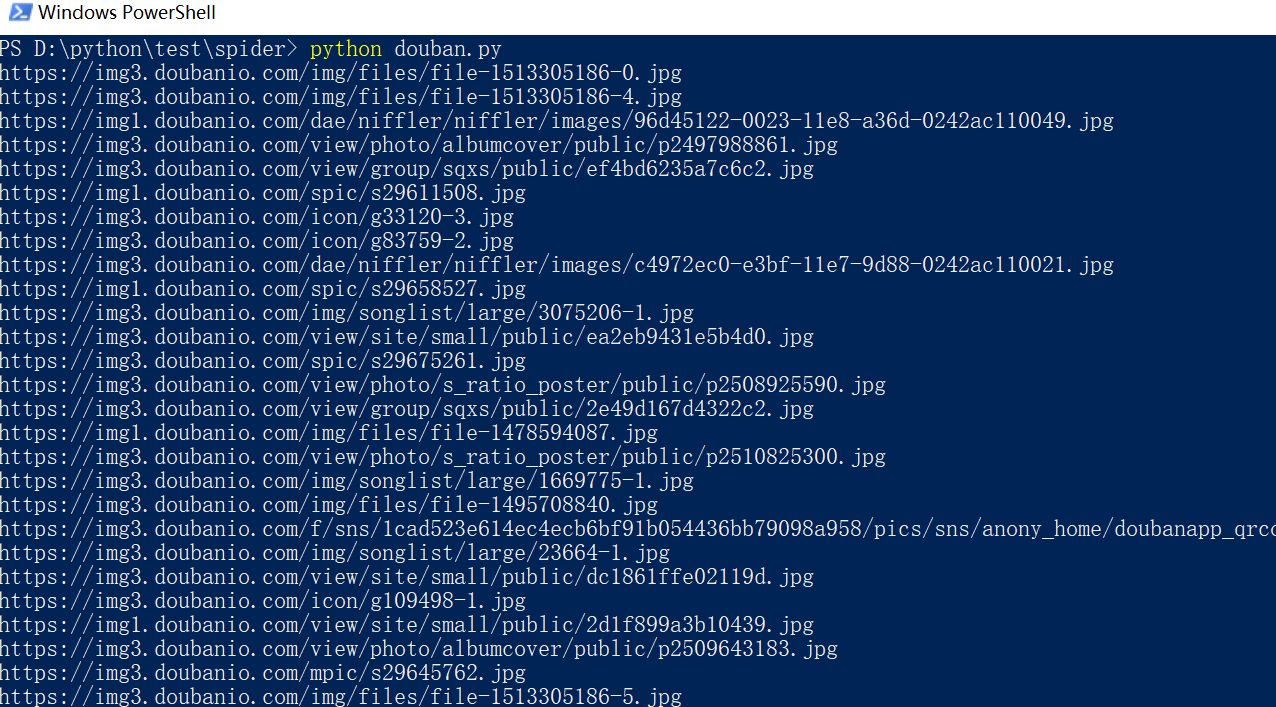
打开电脑上对应的文件夹,然后来看看图片,这里只是一部分哦!!。

python-爬虫之urllib模块的更多相关文章
- Python爬虫之urllib模块2
Python爬虫之urllib模块2 本文来自网友投稿 作者:PG-55,一个待毕业待就业的二流大学生. 看了一下上一节的反馈,有些同学认为这个没什么意义,也有的同学觉得太简单,关于Beautiful ...
- Python爬虫之urllib模块1
Python爬虫之urllib模块1 本文来自网友投稿.作者PG,一个待毕业待就业二流大学生.玄魂工作室未对该文章内容做任何改变. 因为本人一直对推理悬疑比较感兴趣,所以这次爬取的网站也是平时看一些悬 ...
- Python爬虫教程-09-error 模块
Python爬虫教程-09-error模块 今天的主角是error,爬取的时候,很容易出现错,所以我们要在代码里做一些,常见错误的处,关于urllib.error URLError URLError ...
- python爬虫之urllib库(二)
python爬虫之urllib库(二) urllib库 超时设置 网页长时间无法响应的,系统会判断网页超时,无法打开网页.对于爬虫而言,我们作为网页的访问者,不能一直等着服务器给我们返回错误信息,耗费 ...
- python爬虫之urllib库(一)
python爬虫之urllib库(一) urllib库 urllib库是python提供的一种用于操作URL的模块,python2中是urllib和urllib2两个库文件,python3中整合在了u ...
- Python爬虫之urllib.parse详解
Python爬虫之urllib.parse 转载地址 Python 中的 urllib.parse 模块提供了很多解析和组建 URL 的函数. 解析url 解析url( urlparse() ) ur ...
- python爬虫之urllib库(三)
python爬虫之urllib库(三) urllib库 访问网页都是通过HTTP协议进行的,而HTTP协议是一种无状态的协议,即记不住来者何人.举个栗子,天猫上买东西,需要先登录天猫账号进入主页,再去 ...
- 孤荷凌寒自学python第六十七天初步了解Python爬虫初识requests模块
孤荷凌寒自学python第六十七天初步了解Python爬虫初识requests模块 (完整学习过程屏幕记录视频地址在文末) 从今天起开始正式学习Python的爬虫. 今天已经初步了解了两个主要的模块: ...
- 练手爬虫用urllib模块获取
练手爬虫用urllib模块获取 有个人看一段python2的代码有很多错误 import re import urllib def getHtml(url): page = urllib.urlope ...
- Python爬虫练习(requests模块)
Python爬虫练习(requests模块) 关注公众号"轻松学编程"了解更多. 一.使用正则表达式解析页面和提取数据 1.爬取动态数据(js格式) 爬取http://fund.e ...
随机推荐
- Linux中Consul集群部署
分配三台虚拟机: 192.168.5.125 192.168.5.128 192.168.5.129 在每台虚拟机上创建 /usr/consul 文件件 命令: mkdir /usr/consul ...
- OLEDB方式操作oracle数据库
OLEDB方式操作oracle数据库 一.查询语句: using (OleDbConnection conn = new OleDbConnection(System.Configuration.Co ...
- 小程序:如何在wxml页面中调用JavaScript函数
早上过来遇到一个这样的bug: 在计算百分比的时候没有保留小数点后2位,从而导致一些无法整除的结果显示太长 一开始,我以为这是一个很普通的bug,既然wxml在页面{{}}内支持简单的运算,我想也应该 ...
- 201621123012 《Java程序设计》第9周学习总结
1. 本周学习总结 1.1 以你喜欢的方式(思维导图或其他)归纳总结集合与泛型相关内容. 1.2 选做:收集你认为有用的代码片段 2. 书面作业 本次作业题集集合 1. List中指定元素的删除(题集 ...
- [Winter Vacation] 语文实词虚词练习册答案
下载通道: [120个文言文实词小故事] [18个文言文虚词小故事] 120个文言文实词小故事 爱 楚人爱(宠爱)其子,虽爱(吝惜)钱财,于其子之求而无不应.其子成人,有陶氏之风独爱(喜爱)菊,众 ...
- luoguP3702 [SDOI2017]序列计数
https://www.luogu.org/problemnew/show/P3702 题目让我们在 $ [1, m] $ 从中选出 $ n $ 个数,当中要有 > $ 0 $ 个质数,和是 $ ...
- 从哈希结构去理解PHP数组
php的数组实际上就是hash_table,无论是 数字索引数组array(1, 2, 3) 还是关联数组array(1 => 2, 2=> 4)等等. 一,这里的hash_table有几 ...
- VMware虚拟机中如何配置静态IP
我们首先说一下VMware的几个虚拟设备 VMnet0:用于虚拟桥接网络下的虚拟交换机 VMnet1:用于虚拟Host-Only网络下的虚拟交换机 VMnet8:用于虚拟NAT网络下的虚拟交换机 VM ...
- C# - 操作大型XML文件
对于小型XML文件,利用XDocument和XMLDocument可以很方便进行读写(推荐XDocument),但问题是XDocument和XMLDocument是In-Memory类型的,随着文件大 ...
- uC/OS-II 函数之邮箱管理相关函数
上文主要介绍了消息队列相关的函数,本文介绍邮箱管理相关的函数:OSMboxCreate()建立一个邮箱,OSMboxDel()删除一个邮箱,OSMboxPend()等待邮箱中的消息,OSMboxPos ...