
Rancher安装 - CentOS7(Docker)环境
Rancher安装 - CentOS7(Docker)环境
对于开发和测试环境,我们建议通过运行单个Docker容器来安装Rancher。在此安装场景中,您将在单个Linux主机上安装Docker,然后使用单个Docker容器在主机上部署Rancher。
准备好 Linux 系统,文中使用CentOS7为例,参考:https://www.cnblogs.com/1285026182YUAN/p/10719492.html,(IP地址为:192.168.122.129)
安装好Docker,参考:https://www.cnblogs.com/1285026182YUAN/p/11545247.html
Rancher 官网:https://www.rancher.cn/
Rancher 官方中文文档:https://www.rancher.cn/docs/rancher/v2.x/cn/overview/
本文使用默认自签名证书方式安装
docker run -d --restart=unless-stopped \

-p : -p : \

rancher/rancher:latest
打开网址:https://192.168.122.199:8443
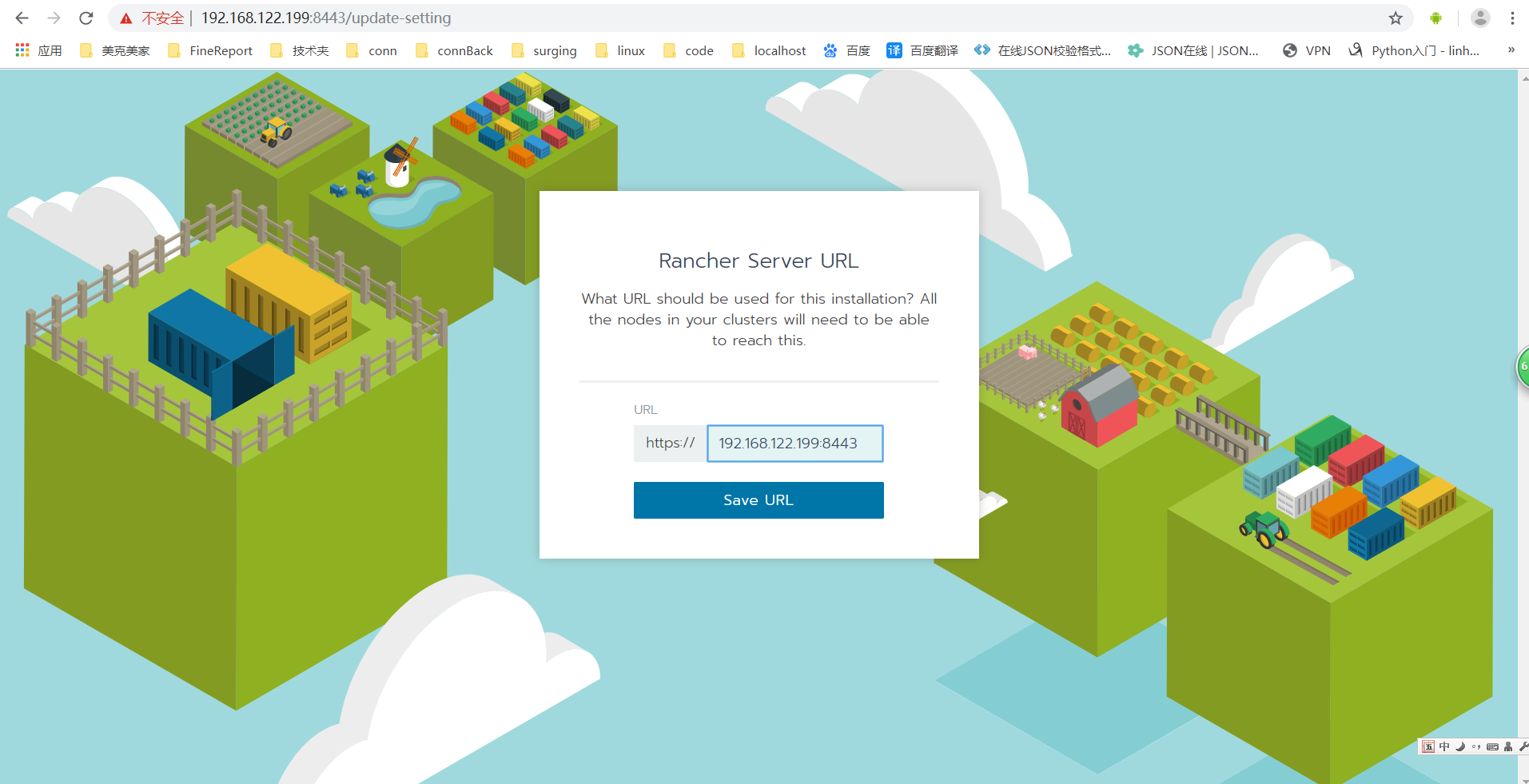
修改密码:默认密码:admin,本文调整为:123456
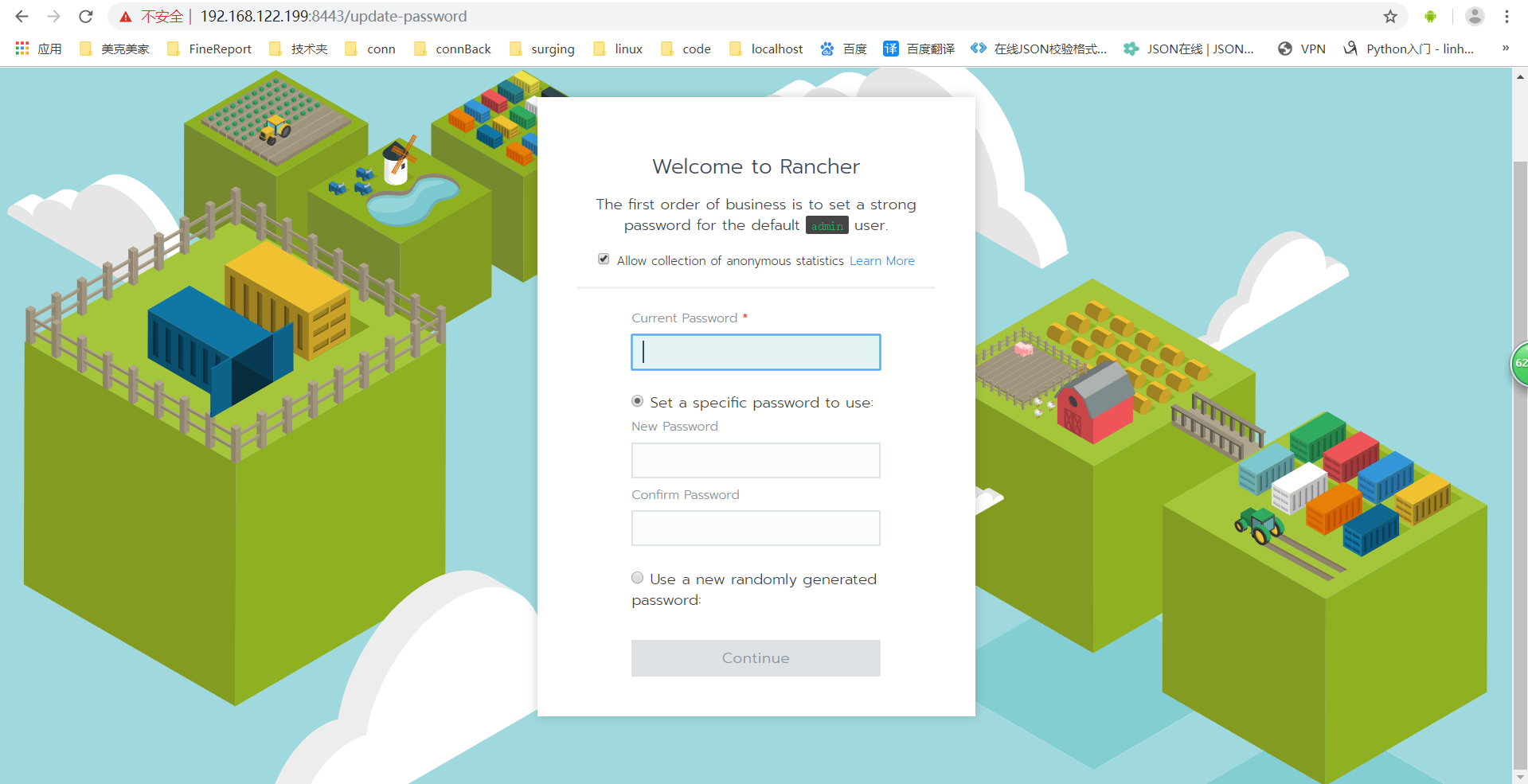
切换中文显示
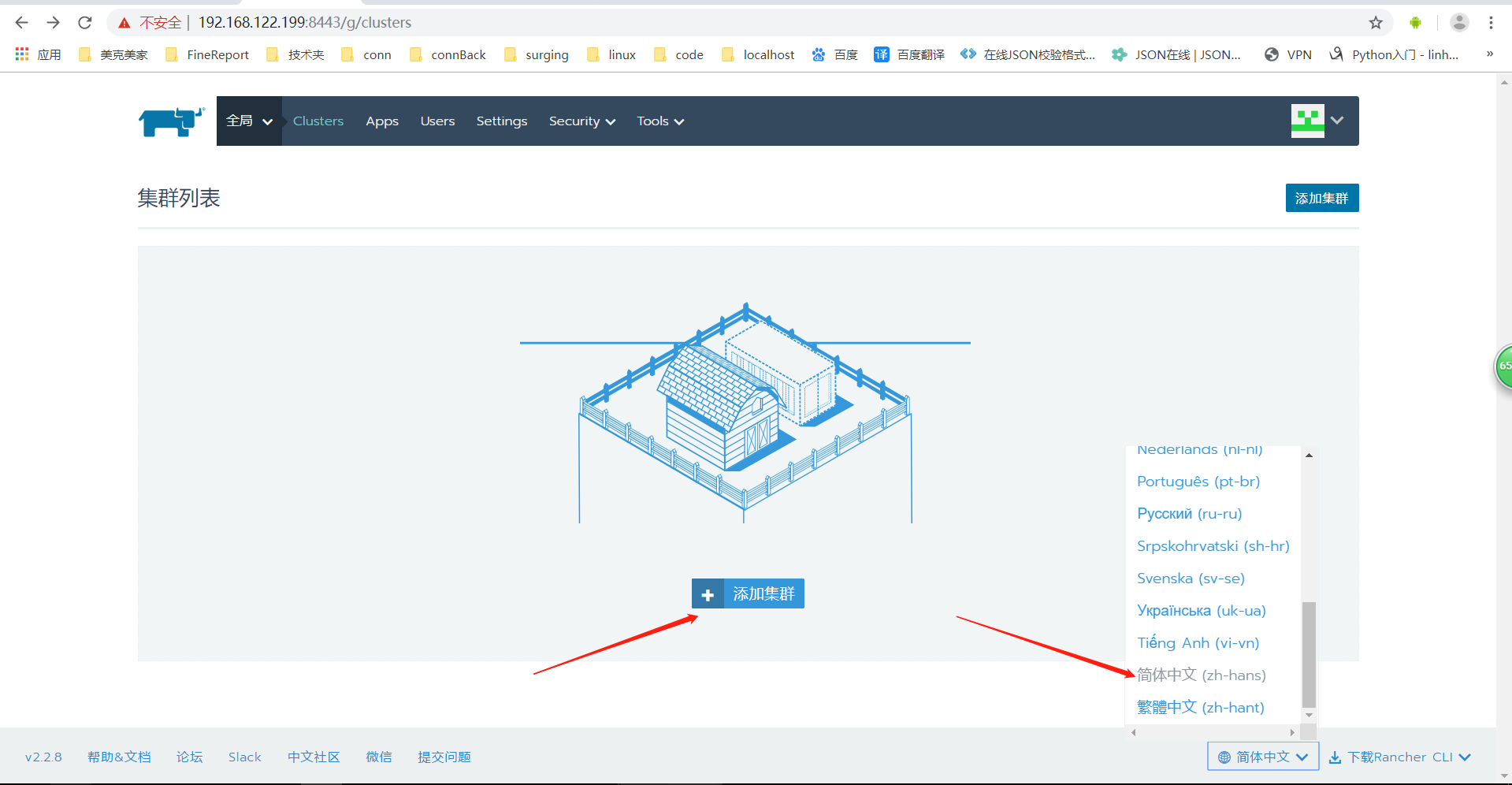
添加集群
选择CUSTOM–添加主机自建Kubernetes集群,同样,按照自己需求调整配置。
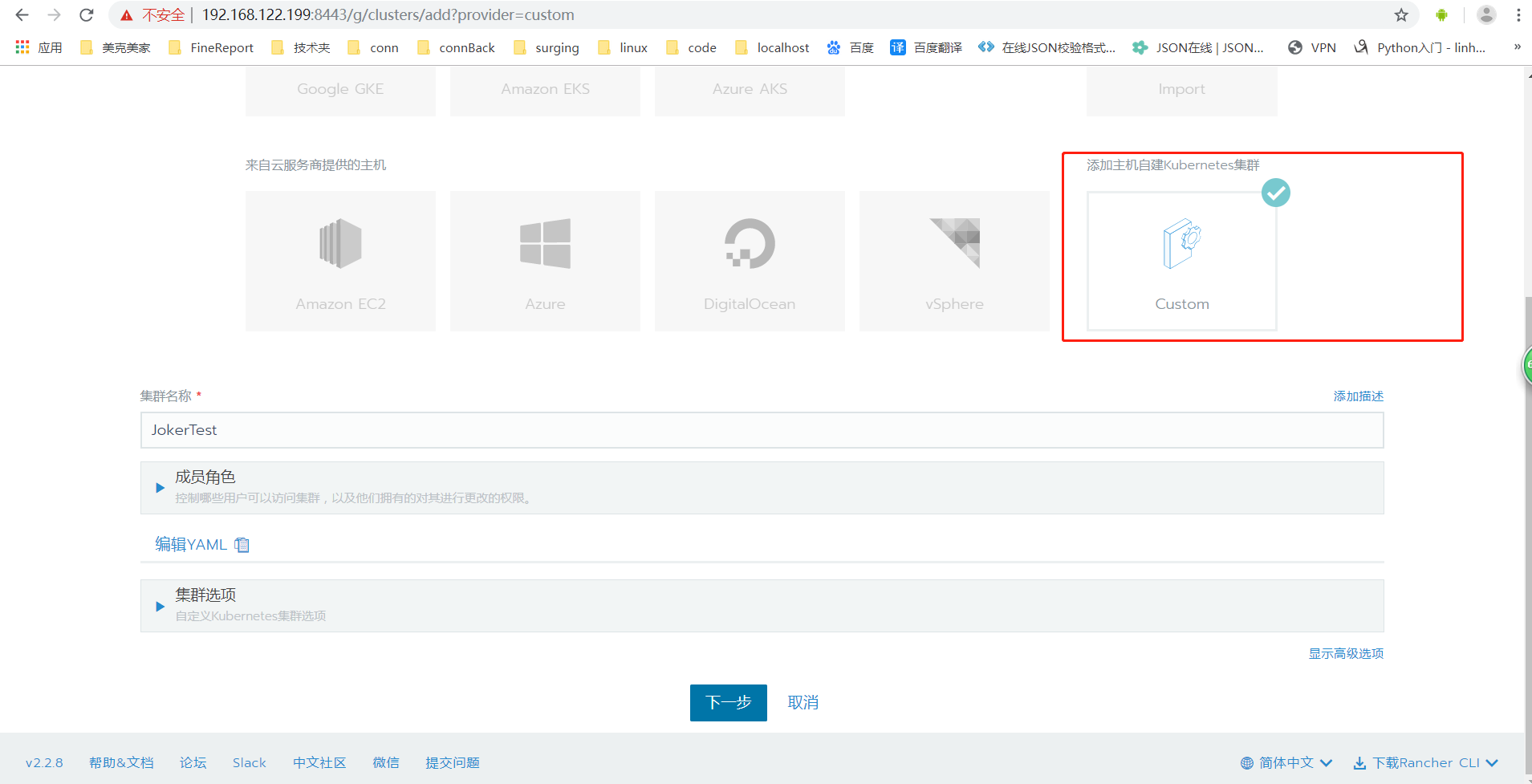
下一部
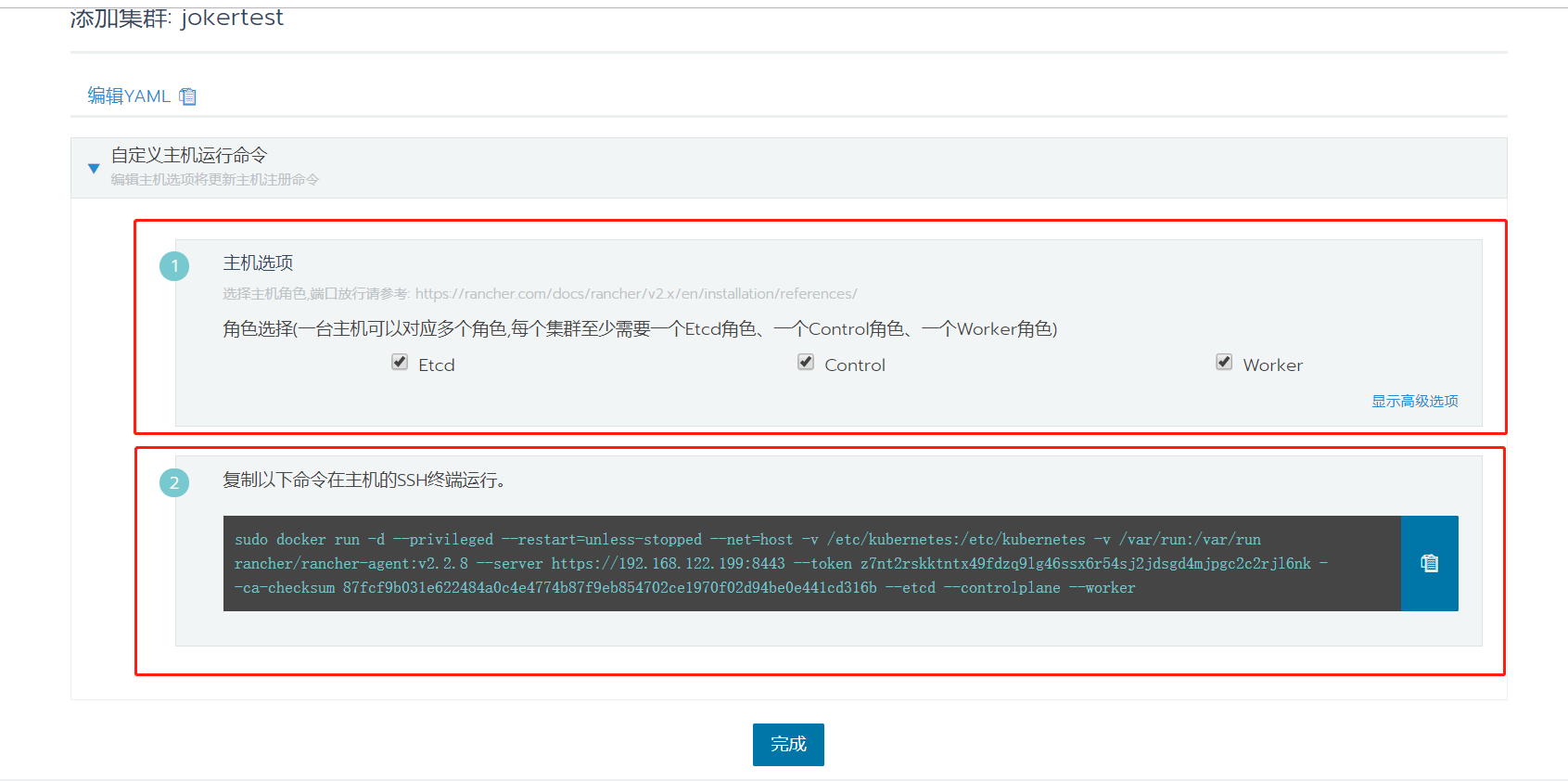
复制步骤2中的命令,在CentOS 的SSH终端运行。
[root@localhost ~]# sudo docker run -d --privileged --restart=unless-stopped --net=host -v /etc/kubernetes:/etc/kubernetes -v /var/run:/var/run rancher/rancher-agent:v2.2.8 --server https://192.168.122.199:8443 --token z7nt2rskktntx49fdzq9lg46ssx6r54sj2jdsgd4mjpgc2c2rjl6nk --ca-checksum 87fcf9b031e622484a0c4e4774b87f9eb854702ce1970f02d94be0e441cd316b --etcd --controlplane --worker

Unable to find image 'rancher/rancher-agent:v2.2.8' locally

v2.2.8: Pulling from rancher/rancher-agent

35c102085707: Already exists

251f5509d51d: Already exists

8e829fe70a46: Already exists

6001e1789921: Already exists

357cc14e23eb: Pull complete

1a45097802d6: Pull complete

767c96a0eb35: Pull complete

2d7f44528c06: Pull complete

03c89d0b79d9: Pull complete

9cf93329bea9: Pull complete

Digest: sha256:6c1e84e208b87912683d1c68c80476d48150480a7f8819e8931c063492621d70

Status: Downloaded newer image for rancher/rancher-agent:v2.2.8

9c9c5c136daa053514f649aa05d60ecde30c79a32a7472bd81ba21cff2faa826

[root@localhost ~]#
操作完毕后,等待新添加的集群状态变为active即可。
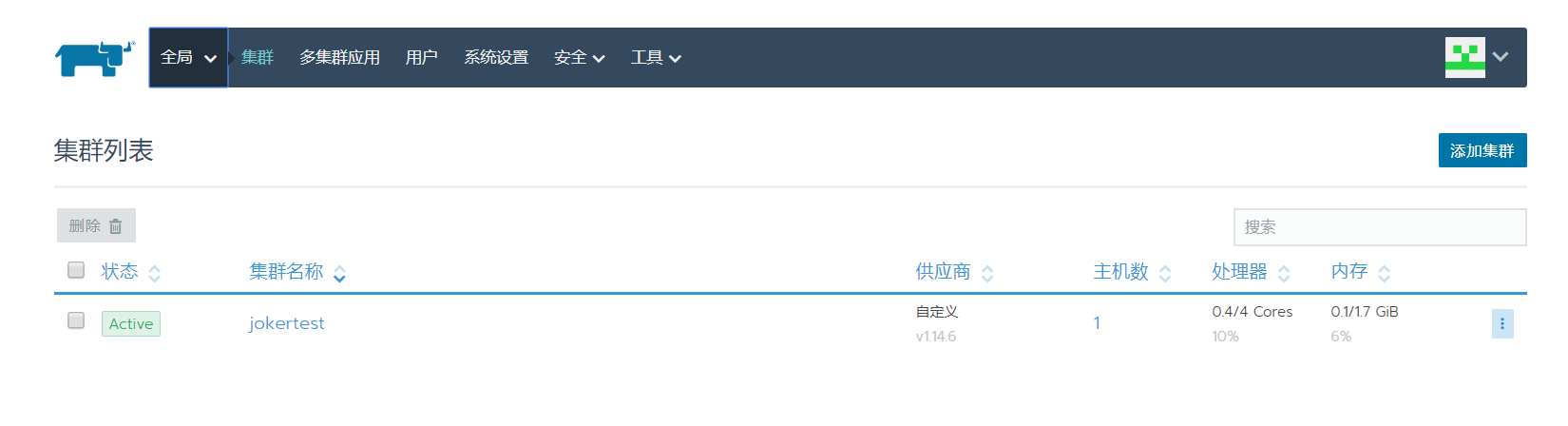
完成!
配置完成后的容器及运行状态:
[root@mestest ~]# docker ps -a

CONTAINER ID        IMAGE                                  COMMAND                  CREATED              STATUS                          PORTS                                         NAMES

74c4658cc577        d499bdb8fd09                           "run.sh"                  seconds ago       Up  seconds                                                                 k8s_cluster-register_cattle-cluster-agent-855bf76cf6-66z75_cattle-system_a7a86e39-05c5-11ea--000c296c6b53_0

921939ef51cc        2817cb463960                           "/bin/sh -c 'kube-ap…"    seconds ago       Up  seconds                                                                 k8s_kube-api-auth_kube-api-auth-z589p_cattle-system_a7b2bc77-05c5-11ea--000c296c6b53_0

25142482ba6c        d499bdb8fd09                           "run.sh"                  seconds ago       Up  seconds                                                                 k8s_agent_cattle-node-agent-686s5_cattle-system_a7adc118-05c5-11ea--000c296c6b53_0

68d7ac8e3421        rancher/pause:3.1                      "/pause"                  seconds ago       Up  seconds                                                                 k8s_POD_kube-api-auth-z589p_cattle-system_a7b2bc77-05c5-11ea--000c296c6b53_0

50ba57028c6e        rancher/pause:3.1                      "/pause"                  seconds ago       Up  seconds                                                                 k8s_POD_cattle-node-agent-686s5_cattle-system_a7adc118-05c5-11ea--000c296c6b53_0

a76c24570529        rancher/pause:3.1                      "/pause"                  seconds ago       Up  seconds                                                                 k8s_POD_cattle-cluster-agent-855bf76cf6-66z75_cattle-system_a7a86e39-05c5-11ea--000c296c6b53_0

a6a3b860ec21        b5af743e5984                           "/server"                 seconds ago       Up  seconds                                                                 k8s_default-http-backend_default-http-backend-5954bd5d8c-799mk_ingress-nginx_9d257e84-05c5-11ea--000c296c6b53_0

8ca319299aec        rancher/metrics-server                 "/metrics-server --k…"    seconds ago       Up  seconds                                                                 k8s_metrics-server_metrics-server-7f6bd4c888-jkj5g_kube-system_9a22f82d-05c5-11ea--000c296c6b53_0

c2a09e70d2d5        2b37f252629b                           "/entrypoint.sh /ngi…"    seconds ago       Up  seconds                                                                 k8s_nginx-ingress-controller_nginx-ingress-controller-zrzh4_ingress-nginx_9d22ae83-05c5-11ea--000c296c6b53_0

eb204e14d3b9        rancher/pause:3.1                      "/pause"                  seconds ago       Up  seconds                                                                 k8s_POD_default-http-backend-5954bd5d8c-799mk_ingress-nginx_9d257e84-05c5-11ea--000c296c6b53_0

2c64b74f6d63        rancher/pause:3.1                      "/pause"                  seconds ago       Up  seconds                                                                 k8s_POD_nginx-ingress-controller-zrzh4_ingress-nginx_9d22ae83-05c5-11ea--000c296c6b53_0

6fbb144837ed        4c0a26e51da8                           "kubectl apply -f /e…"    seconds ago       Exited ()  seconds ago                                                     k8s_rke-ingress-controller-pod_rke-ingress-controller-deploy-job-fbtlc_kube-system_9c7fa095-05c5-11ea--000c296c6b53_0

460e9298ad3c        rancher/pause:3.1                      "/pause"                  seconds ago       Exited ()  seconds ago                                                     k8s_POD_rke-ingress-controller-deploy-job-fbtlc_kube-system_9c7fa095-05c5-11ea--000c296c6b53_0

82c37cddb8d6        33813c948942                           "/cluster-proportion…"    seconds ago       Up  seconds                                                                 k8s_autoscaler_coredns-autoscaler-5d5d49b8ff-jrq9c_kube-system_981e01f2-05c5-11ea--000c296c6b53_0

f92cbad990ba        rancher/pause:3.1                      "/pause"                  seconds ago       Up  seconds                                                                 k8s_POD_coredns-autoscaler-5d5d49b8ff-jrq9c_kube-system_981e01f2-05c5-11ea--000c296c6b53_0

a0b7c6e746e3        eb516548c180                           "/coredns -conf /etc…"    seconds ago       Up  seconds                                                                 k8s_coredns_coredns-bdffbc666-mktpq_kube-system_977c0924-05c5-11ea--000c296c6b53_0

a2db10462d84        rancher/pause:3.1                      "/pause"                  seconds ago       Up  seconds                                                                 k8s_POD_coredns-bdffbc666-mktpq_kube-system_977c0924-05c5-11ea--000c296c6b53_0

53b038001c19        rancher/pause:3.1                      "/pause"                  seconds ago       Up  seconds                                                                 k8s_POD_metrics-server-7f6bd4c888-jkj5g_kube-system_9a22f82d-05c5-11ea--000c296c6b53_0

5b565ace71c9        4c0a26e51da8                           "kubectl apply -f /e…"    seconds ago       Exited ()  seconds ago                                                     k8s_rke-metrics-addon-pod_rke-metrics-addon-deploy-job-r6jn4_kube-system_997e226a-05c5-11ea--000c296c6b53_0

aea8ea24112a        rancher/pause:3.1                      "/pause"                  seconds ago       Exited ()  seconds ago                                                     k8s_POD_rke-metrics-addon-deploy-job-r6jn4_kube-system_997e226a-05c5-11ea--000c296c6b53_0

fc242c944169        4c0a26e51da8                           "kubectl apply -f /e…"    seconds ago       Exited ()  seconds ago                                                     k8s_rke-coredns-addon-pod_rke-coredns-addon-deploy-job-stv9k_kube-system_967d0c94-05c5-11ea--000c296c6b53_0

c3732bc8a473        rancher/pause:3.1                      "/pause"                  seconds ago       Exited ()  seconds ago                                                     k8s_POD_rke-coredns-addon-deploy-job-stv9k_kube-system_967d0c94-05c5-11ea--000c296c6b53_0

828849e2fc46        f0fad859c909                           "/opt/bin/flanneld -…"    seconds ago       Up  seconds                                                                 k8s_kube-flannel_canal-smpk9_kube-system_94c607d0-05c5-11ea--000c296c6b53_0

90486321f98b        a89b45f36d5e                           "start_runit"             seconds ago       Up  seconds                                                                 k8s_calico-node_canal-smpk9_kube-system_94c607d0-05c5-11ea--000c296c6b53_0

1dc8a38d6732        d531d047a4e2                           "/install-cni.sh"        About a minute ago   Exited ()  seconds ago                                                     k8s_install-cni_canal-smpk9_kube-system_94c607d0-05c5-11ea--000c296c6b53_0

d18247f1db7d        rancher/pause:3.1                      "/pause"                 About a minute ago   Up About a minute                                                             k8s_POD_canal-smpk9_kube-system_94c607d0-05c5-11ea--000c296c6b53_0

a23eb19a2dd0        4c0a26e51da8                           "kubectl apply -f /e…"   About a minute ago   Exited () About a minute ago                                                 k8s_rke-network-plugin-pod_rke-network-plugin-deploy-job-vx48l_kube-system_937aa654-05c5-11ea--000c296c6b53_0

8bd9bf4e09f1        rancher/pause:3.1                      "/pause"                 About a minute ago   Exited () About a minute ago                                                 k8s_POD_rke-network-plugin-deploy-job-vx48l_kube-system_937aa654-05c5-11ea--000c296c6b53_0

86ad42265145        rancher/hyperkube:v1.14.6-rancher1     "/opt/rke-tools/entr…"   About a minute ago   Up About a minute                                                             kube-proxy

235b5136473f        rancher/hyperkube:v1.14.6-rancher1     "/opt/rke-tools/entr…"   About a minute ago   Up About a minute                                                             kubelet

7bab5c460bc8        rancher/hyperkube:v1.14.6-rancher1     "/opt/rke-tools/entr…"   About a minute ago   Up About a minute                                                             kube-scheduler

0756f3551016        rancher/hyperkube:v1.14.6-rancher1     "/opt/rke-tools/entr…"   About a minute ago   Up About a minute                                                             kube-controller-manager

34be692185c8        rancher/hyperkube:v1.14.6-rancher1     "/opt/rke-tools/entr…"   About a minute ago   Up About a minute                                                             kube-apiserver

5448fb4f1905        rancher/rke-tools:v0.1.42              "/bin/bash"              About a minute ago   Created                                                                       service-sidekick

5890c4de1897        rancher/coreos-etcd:v3.3.10-rancher1   "/usr/local/bin/etcd…"   About a minute ago   Up About a minute                                                             etcd

44c7967b5e2b        rancher/rke-tools:v0.1.42              "/bin/bash"              About a minute ago   Exited () About a minute ago                                                 cluster-state-deployer

faec16034a3f        rancher/rancher-agent:v2.2.8           "run.sh -- share-roo…"   About a minute ago   Exited () About a minute ago                                                 share-mnt

34341fe7c26d        rancher/rancher:latest                 "entrypoint.sh"           minutes ago        Up  minutes                    0.0.0.0:->/tcp, 0.0.0.0:->/tcp   elastic_kalam
注:
如出现 此问题:

关闭防火墙后 拉镜像:
docker run -d rancher/rke-tools:v0.1.42
kubernetes需要服务器 至少2G内存
防火墙
apt install firewalld
systemctl stop firewalld.service
systemctl disable firewalld.service
firewall-cmd --state
如果显示not running,则关闭成功
部署项目示例:
新增部署服务,配置如下
Docker镜像由Jenkins打包生成,参考:https://www.cnblogs.com/1285026182YUAN/p/11814457.html
注意项目中的dockerfile文件中的 端口也写成 80 与此处端口映射配置一致。
dockerfile如下:
FROM markorregistry.cn:/aspnetcoreruntime:latest

WORKDIR /app

COPY . .

EXPOSE

ENTRYPOINT ["dotnet", "MarkorMES.API.Plan.dll"]
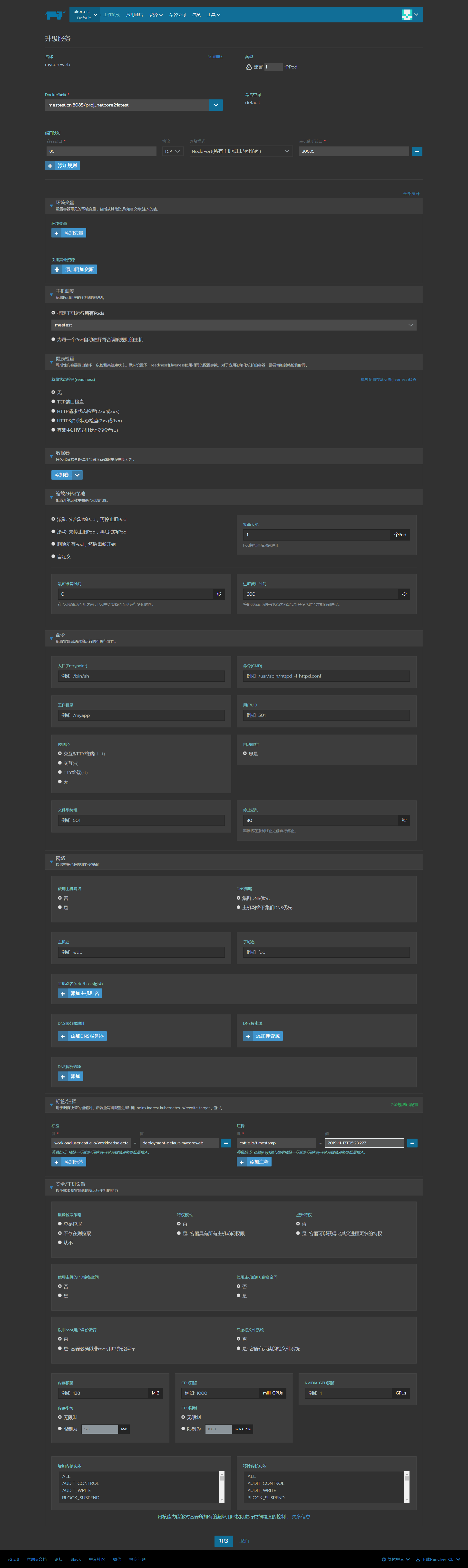
部署完成!
可打开页面查看 http://192.168.122.199:30005/
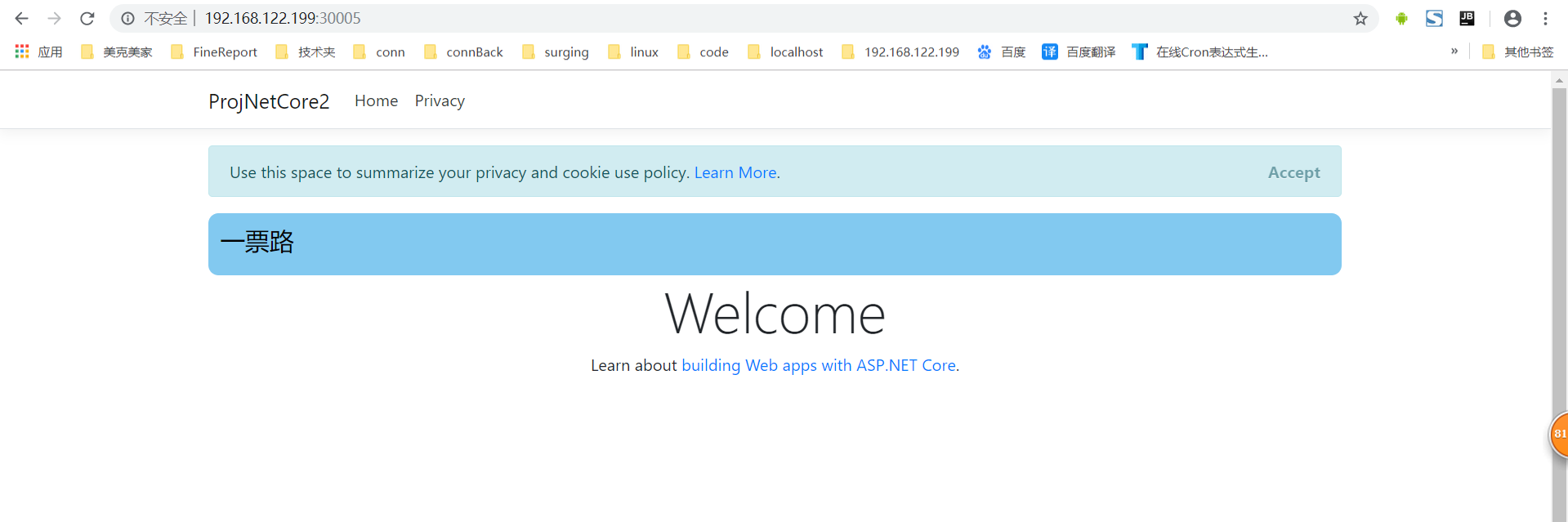
Rancher由Jenkins触发调用API 自动部署
Rancher 生成 API KEY
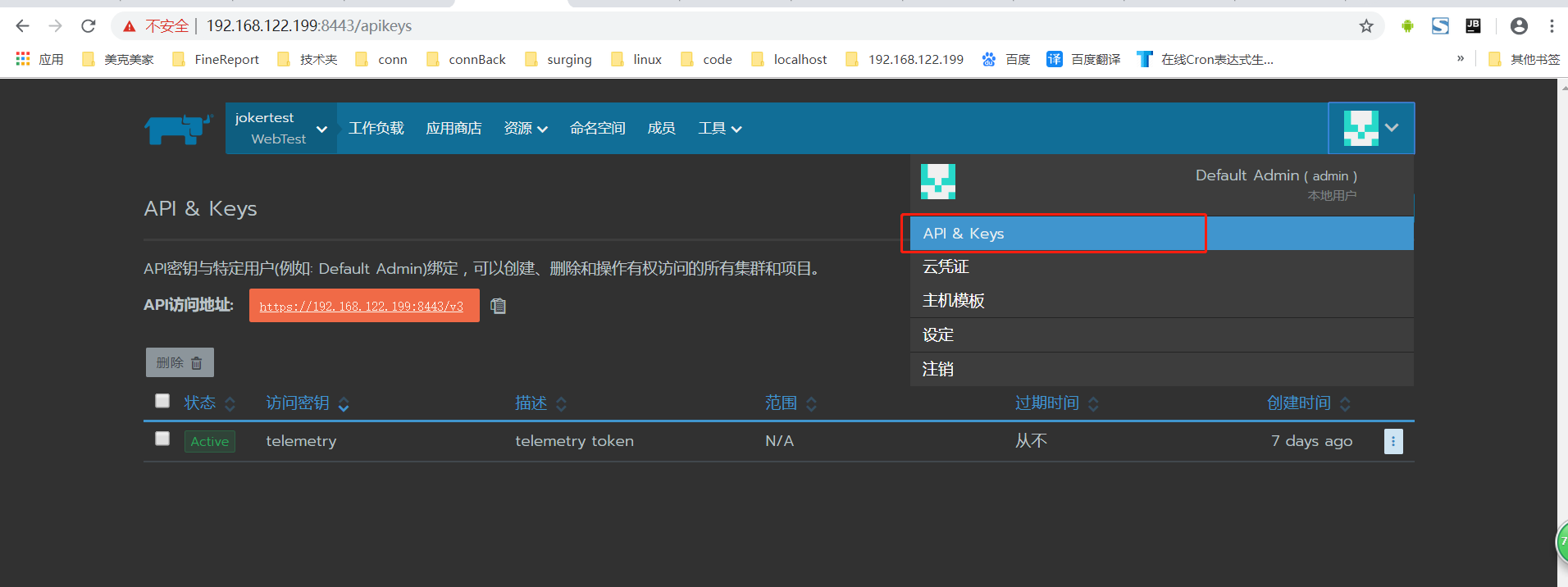
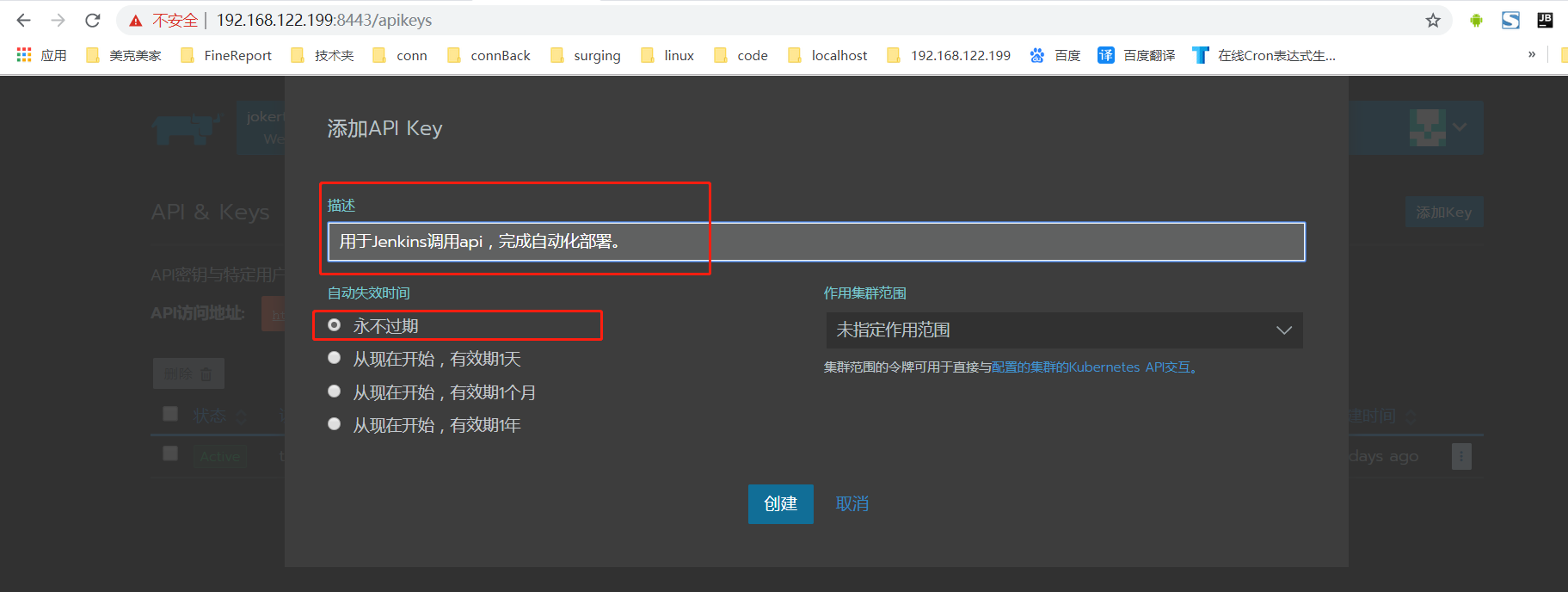
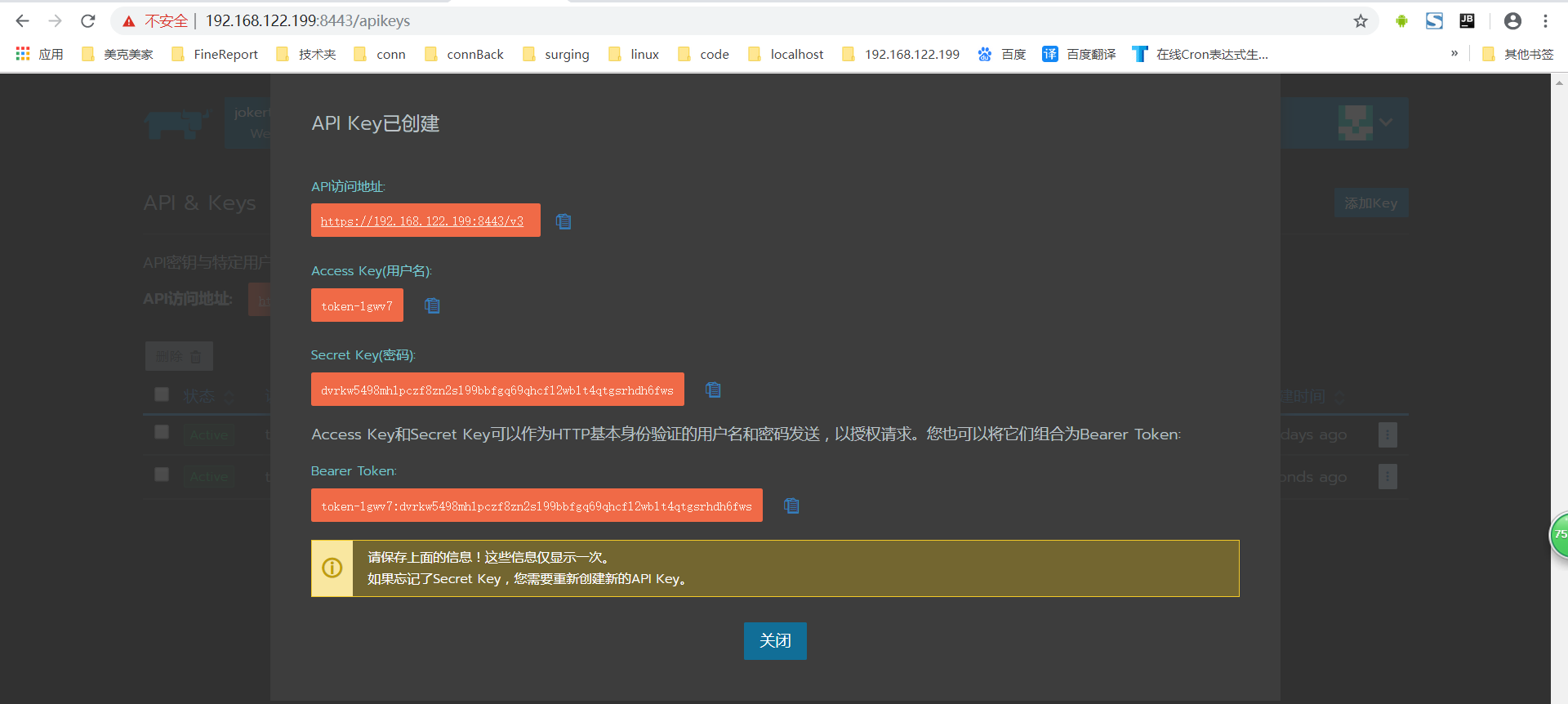
记录下生成的 token:
 API访问地址:https://192.168.122.199:8443/v3

 Access Key(用户名):token-lgwv7

 Secret Key(密码):dvrkw5498mhlpczf8zn2sl99bbfgq69qhcfl2wblt4qtgsrhdh6fws

 Bearer Token:token-lgwv7:dvrkw5498mhlpczf8zn2sl99bbfgq69qhcfl2wblt4qtgsrhdh6fws
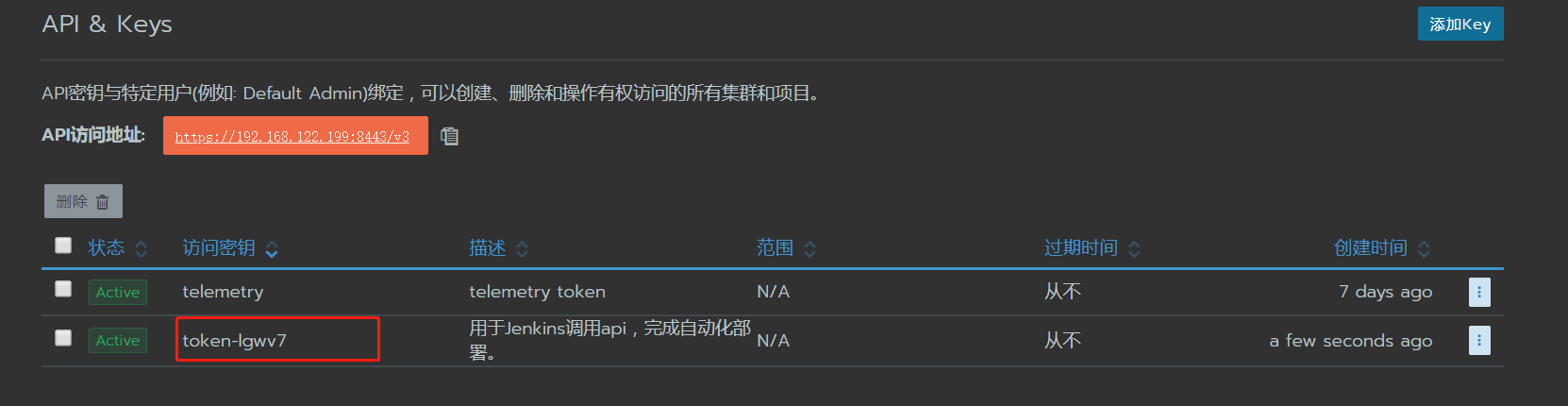
查看API调用格式。
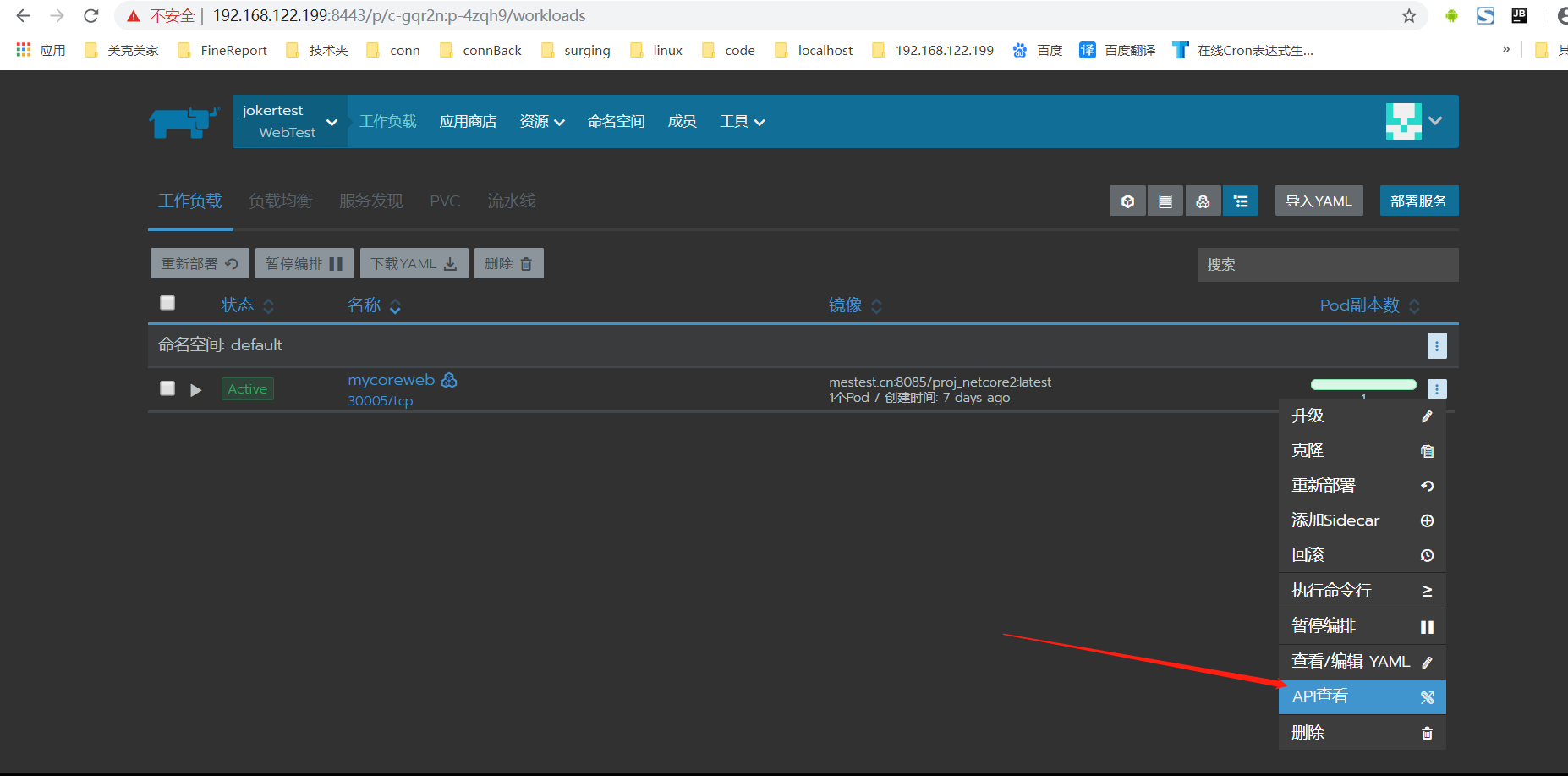
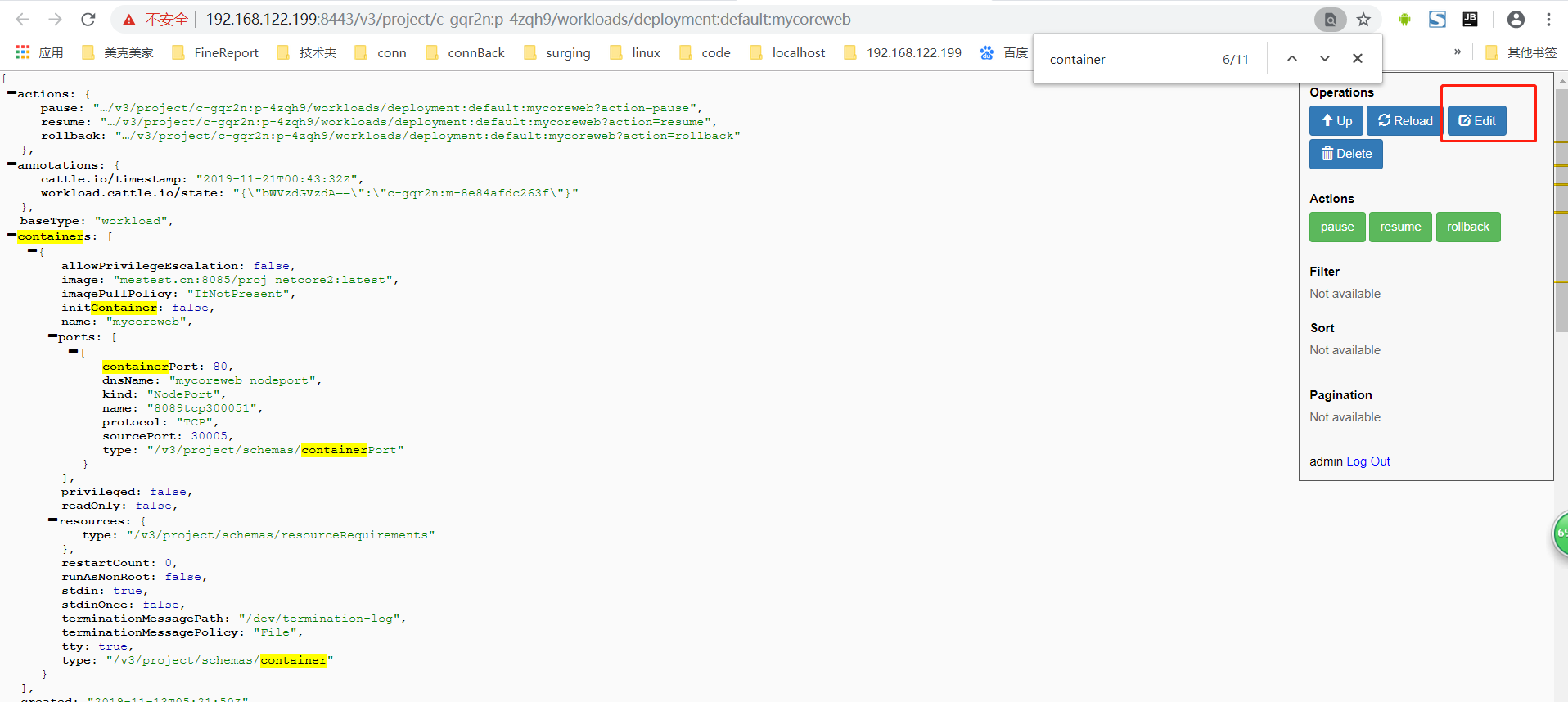
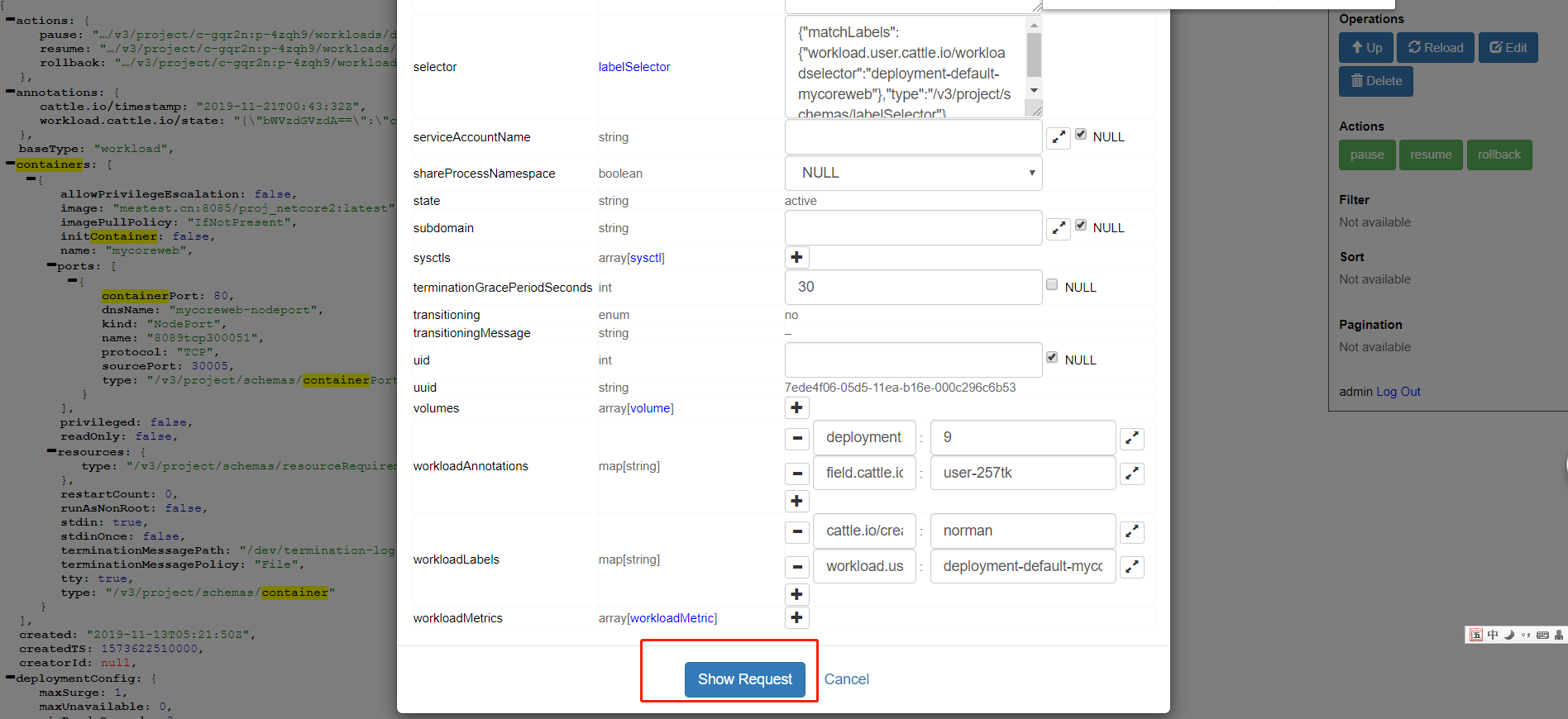
点击Edit按钮, 可配置API调用参数(默认当前项目所有参数)。点击Show Request,生成调用语句。
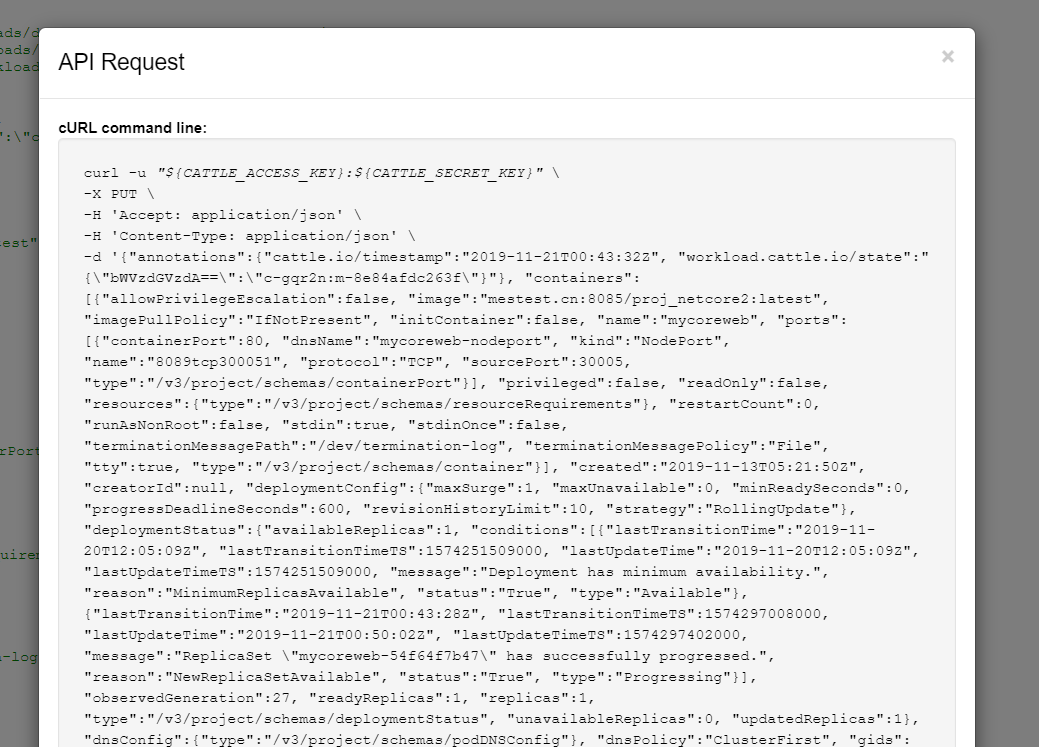
查看 cURL command line 中的语句。
curl 补充好key内容,可直接写在 Jenkins的Shell中。
Curl内容如下:
curl -k -u "token-lgwv7:dvrkw5498mhlpczf8zn2sl99bbfgq69qhcfl2wblt4qtgsrhdh6fws" \

-X PUT \

-H 'Accept: application/json' \

-H 'Content-Type: application/json' \

-d '{

    "annotations": {

        "cattle.io/timestamp": "2019-11-21T00:58:54Z",

        "workload.cattle.io/state": "{\"bWVzdGVzdA==\":\"c-gqr2n:m-8e84afdc263f\"}"

    },

    "containers": [{

        "allowPrivilegeEscalation": false,

        "image": "mestest.cn:8085/proj_netcore2:'$var'",

        "imagePullPolicy": "IfNotPresent",

        "initContainer": false,

        "name": "mycoreweb",

        "ports": [{

            "containerPort": ,

            "dnsName": "mycoreweb-nodeport",

            "kind": "NodePort",

            "name": "8089tcp300051",

            "protocol": "TCP",

            "sourcePort": ,

            "type": "/v3/project/schemas/containerPort"

        }],

        "privileged": false,

        "readOnly": false,

        "resources": {

            "type": "/v3/project/schemas/resourceRequirements"

        },

        "restartCount": ,

        "runAsNonRoot": false,

        "stdin": true,

        "stdinOnce": false,

        "terminationMessagePath": "/dev/termination-log",

        "terminationMessagePolicy": "File",

        "tty": true,

        "type": "/v3/project/schemas/container"

    }],

    "created": "2019-11-13T05:21:50Z",

    "creatorId": null,

    "deploymentConfig": {

        "maxSurge": ,

        "maxUnavailable": ,

        "minReadySeconds": ,

        "progressDeadlineSeconds": ,

        "revisionHistoryLimit": ,

        "strategy": "RollingUpdate"

    },

    "deploymentStatus": {

        "availableReplicas": ,

        "conditions": [{

            "lastTransitionTime": "2019-11-20T12:05:09Z",

            "lastTransitionTimeTS": ,

            "lastUpdateTime": "2019-11-20T12:05:09Z",

            "lastUpdateTimeTS": ,

            "message": "Deployment has minimum availability.",

            "reason": "MinimumReplicasAvailable",

            "status": "True",

            "type": "Available"

        }, {

            "lastTransitionTime": "2019-11-21T00:43:28Z",

            "lastTransitionTimeTS": ,

            "lastUpdateTime": "2019-11-21T00:58:56Z",

            "lastUpdateTimeTS": ,

            "message": "ReplicaSet \"mycoreweb-74797bc87\" has successfully progressed.",

            "reason": "NewReplicaSetAvailable",

            "status": "True",

            "type": "Progressing"

        }],

        "observedGeneration": ,

        "readyReplicas": ,

        "replicas": ,

        "type": "/v3/project/schemas/deploymentStatus",

        "unavailableReplicas": ,

        "updatedReplicas":

    },

    "dnsConfig": {

        "type": "/v3/project/schemas/podDNSConfig"

    },

    "dnsPolicy": "ClusterFirst",

    "gids": [],

    "hostAliases": [],

    "hostIPC": false,

    "hostNetwork": false,

    "hostPID": false,

    "imagePullSecrets": [],

    "labels": {

        "workload.user.cattle.io/workloadselector": "deployment-default-mycoreweb"

    },

    "name": "mycoreweb",

    "namespaceId": "default",

    "nodeId": "",

    "ownerReferences": [],

    "paused": false,

    "projectId": "c-gqr2n:p-4zqh9",

    "publicEndpoints": [],

    "readinessGates": [],

    "restartPolicy": "Always",

    "scale": ,

    "schedulerName": "default-scheduler",

    "scheduling": {

        "node": {

            "nodeId": "c-gqr2n:m-8e84afdc263f"

        }

    },

    "selector": {

        "matchLabels": {

            "workload.user.cattle.io/workloadselector": "deployment-default-mycoreweb"

        },

        "type": "/v3/project/schemas/labelSelector"

    },

    "state": "active",

    "sysctls": [],

    "terminationGracePeriodSeconds": ,

    "transitioning": "no",

    "transitioningMessage": "",

    "uuid": "7ede4f06-05d5-11ea-b16e-000c296c6b53",

    "volumes": [],

    "workloadAnnotations": {

        "deployment.kubernetes.io/revision": "",

        "field.cattle.io/creatorId": "user-257tk"

    },

    "workloadLabels": {

        "cattle.io/creator": "norman",

        "workload.user.cattle.io/workloadselector": "deployment-default-mycoreweb"

    },

    "workloadMetrics": []

}' \

'https://192.168.122.199:8443/v3/project/c-gqr2n:p-4zqh9/workloads/deployment:default:mycoreweb'
注意 需给 curl 命令增加 -k
否则会报如下错误:
curl performs SSL certificate verification by default, using a "bundle"

 of Certificate Authority (CA) public keys (CA certs). If the default

 bundle file isn't adequate, you can specify an alternate file

 using the --cacert option.

If this HTTPS server uses a certificate signed by a CA represented in

 the bundle, the certificate verification probably failed due to a

 problem with the certificate (it might be expired, or the name might

 not match the domain name in the URL).

If you'd like to turn off curl's verification of the certificate, use

 the -k (or --insecure) option.

Build step 'Execute shell' marked build as failure
注意修改一下镜像文件名称,每次不能重复,否则不能重新部署。
文中使用的时间戳作为镜像后缀,具体参考Jenkins的配置。
当Jenkins重新构建时,会自动调用Rancher的API,使Rancher项目重新部署。
Jenkins 的具体配置请看:https://www.cnblogs.com/1285026182YUAN/p/11814457.html
完成。
引用:https://rancher.com/docs/rancher/v2.x/en/installation/single-node/
引用:https://www.rancher.cn/what-is-rancher/how-is-rancher-built/
Rancher安装 - CentOS7(Docker)环境的更多相关文章
- CentOS7 安装搭建docker环境
一.Docker简介 Docker 版本 :版本分为:社区版CE 企业版EE 社区版分为stable和edge俩种发行方式: stable版本:是季度版发行(三月一更新) edge版本:是月度版发行 ...
- Docker 一键安装及Docker管理面板Portainer中文汉化
前言 Docker接触了一段时间了,批量操作过程中感觉太繁琐,所以找到了好评率比较高的Portainer面板,使用后感觉的确不错所以准备拿出来精力来做个汉化版,过程中发现词条非常多,所以暂时先汉 ...
- rancher说明为什么需要按照指定版本安装以及rancher和节点linux环境配置-docker指定版本安装
rancher说明为什么需要按照指定版本安装以及rancher和节点linux环境配置-docker指定版本安装 待办 https://blog.csdn.net/CSDN_duomaomao/art ...
- Docker安装 - CentOS7环境
Docker安装 - CentOS7环境 安装Docker 我是虚拟机装的Centos7,linux 3.10 内核,docker官方说至少3.8以上,建议3.10以上(ubuntu下要linux内核 ...
- centos7下通过yum方式安装docker环境
1.移除旧版本: yum remove docker \ docker-client \ docker-client-latest \ docker-common \ docker-latest \ ...
- Docker学习(一)环境准备安装centos7
前言 Docker 是一个开源的应用容器引擎,让开发者可以打包他们的应用以及依赖包到一个可移植的镜像中,然后发布到任何流行的 Linux或Windows 机器上,也可以实现虚拟化.容器是完全使用沙箱机 ...
- nexus3安装 - CentOS7环境
nexus3安装 - CentOS7环境 使用nexus3管理docker镜像,配合rancher进行部署. 建资料卷 资料卷默认地址:/var/lib/docker/volumes/资料卷名/_da ...
- centos7 搭建 docker 环境
1. 安装centos7 http://isoredirect.centos.org/centos/7/isos/x86_64/ 下载 everything 版本,最小化版本可能缺失很多东西 我是在 ...
- centos7系统下 docker 环境搭建
运行环境: VMware Workstation Pro 在虚拟机中安装centos7系统, 选择最小安装, 网络连接方式选择的桥接(与宿主机在同一IP段)centos7一定要安装64位, docke ...
随机推荐
- 025、Java中字符串连接与加法操作一起出现
01.代码如下: package TIANPAN; /** * 此处为文档注释 * * @author 田攀 微信382477247 */ public class TestDemo { public ...
- 前端 移动端H5页面 DEBUG
下载网址:https://github.com/Tencent/vConsole 把这个JS复制到项目里面 然后引入到HTML中 然后在JS上面实例化一下即可 页面就会有一个绿色的,然后点击一下就可以 ...
- Asp.net mvc+EF+Sql Server2008数据库缓存依赖
1.开启数据库缓存依赖功能(开启对数据库中表Article和ArticleType的缓存) (注:)如果要配置SqlCacheDependency,则需要以命令行的方式执行. aspnet_regsq ...
- 官网英文版学习——RabbitMQ学习笔记(七)Topic
在上一篇中使用直接交换器改进了我们的系统,使得它能够有选择的进行接收消息,但它仍然有局限性——它不能基于多个条件进行路由.本节我们就进行能够基于多个条件进行路由的topics exchange学习. ...
- centos-6更新yum源(163)
更新前请先备份原来的repo文件,养成好习惯 cd /etc/yum.repos.d/ mv CentOS-Base.repo CentOS-Base.repo.bak 到http://mirrors ...
- 云时代架构阅读笔记六——Java内存模型详解(二)
承接上文:云时代架构阅读笔记五——Java内存模型详解(一) 原子性.可见性.有序性 Java内存模型围绕着并发过程中如何处理原子性.可见性和有序性这三个特征来建立的,来逐个看一下: 1.原子性(At ...
- Springboot跨域 ajax jsonp请求
SpringBoot配置: <dependency> <groupId>org.springframework.boot</groupId> <artifac ...
- jQuery判断输入法和非输入法输入
需求背景: 页面需要输入完成后自动查询. 解决方案: $('input').on('input', function() { if ($(this).prop('comStart')) return; ...
- [HNOI2008] 玩具装箱 D2 T3 斜率优化DP
Description P教授要去看奥运,但是他舍不下他的玩具,于是他决定把所有的玩具运到北京.他使用自己的压缩器进行压缩,其可以将任意物品变成一堆,再放到一种特殊的一维容器中.P教授有编号为1... ...
- 打开文件管理器Device File Explorer
版本Android Studio3.2