
How To Install Cacti On Ubuntu 14
How To Install Cacti On Ubuntu 14.04/14.10
by anismaj
 at an interval of time and resulting in the graph format. For more information about Cacti refer the official website.
The object of this article is to guide you how to install and setup Cacti on Ubuntu 14.04.
Before installing cacti you need to make sure to install all dependencies.
1 – Lamp server
First step is to install Lamp server (Apache, Mysql, PHP)
sudo apt-get install apache2 mysql-server php5 libapache2-mod-php5
2 – RRDtools
A useful open source tool for storage and retrieval of time series data.
sudo apt-get -y install rrdtool
3 – SNMP and SNMPd
If you want to monitor the localhost where cacti is installed you need to install and configure the service snmpd.
sudo apt-get -y install snmp snmpd
Now after installing all dependencies we start the installation of cacti.
4 – Cacti and Spine
If you want a faster way to poll servers for information than the default php script cmd.php, you need to install cacti-spine.
sudo apt-get -y install cacti cacti-spine
Popup message will appear like this just select OK and move on.

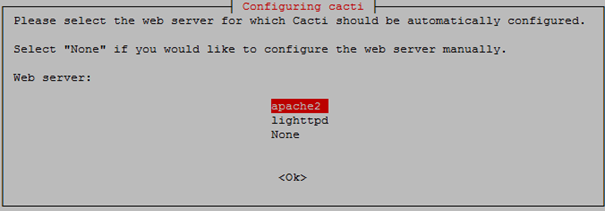
Now it will ask you for a webserver that you will use it, we choose Apache2 since that’s what we installed in the dependencies.
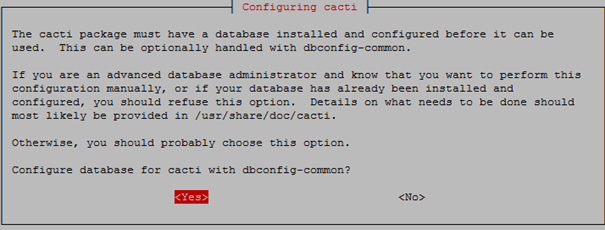
Next it will ask to configure the Cacti database, select Yes.
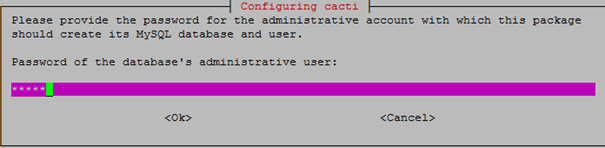
Now it will ask for your root password of MySQL database.
Before we start the web configuration part, we need to start the snmpd service.
sudo /etc/init.d/snmpd start
Now you can access http://ip-of-you-server/cacti after installation, the first login, the default account and password are “admin”.
Click Next.
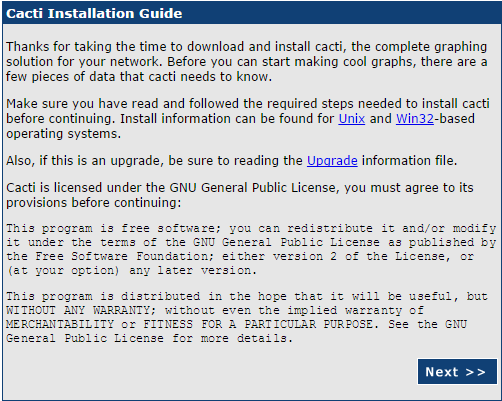
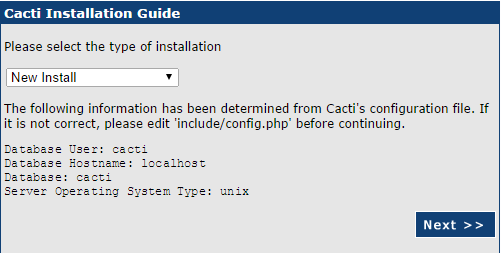
Select new install and click Next
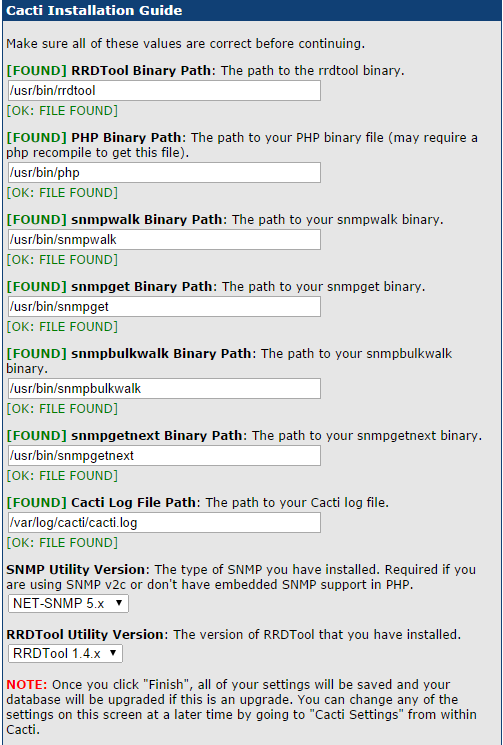
If everything is green, which it should be if you followed all the steps, click Next.
Now you need to type the login and password, the default account and password are “admin”.
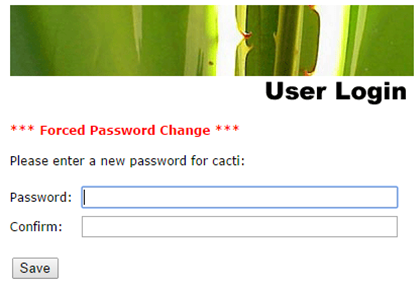
Then you will be prompted to change the password.
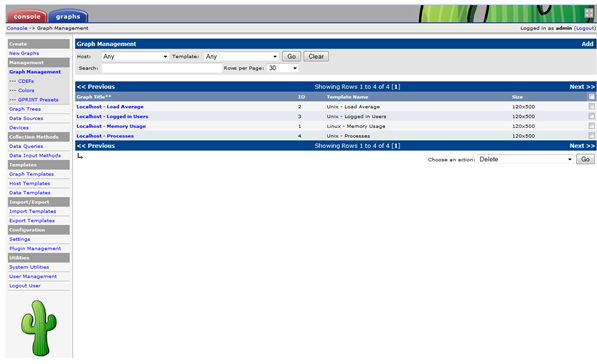
After login in to Cacti you should see similar to the following screen.
5 – Setup spine
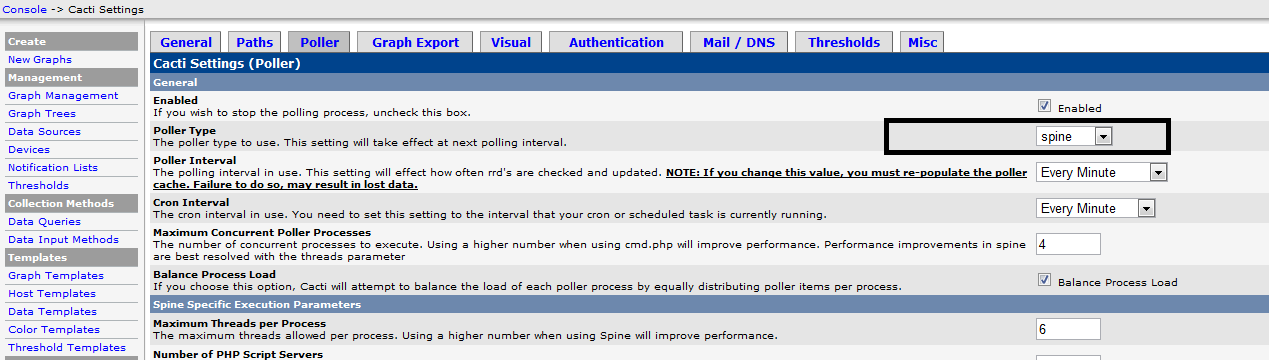
In Console -> Cacti Settings -> Poller, Change the poller Type from comd.php to spine.
6 – Rebuild Poller Cache
Whenever the Poller Interval is changed, the cache must be emptied. To do this, click “System Utilities” under the Utilities heading on the left-hand navigation panel.Click on “Rebuild Poller Cache” to empty the cache.
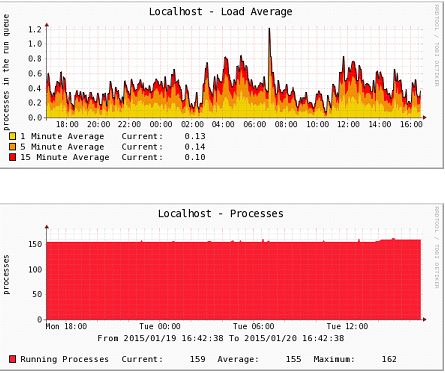
In about 5 minutes you’ll see the first graphs of localhost server start populating under the graphs tab.
Done!
How To Install Cacti On Ubuntu 14的更多相关文章
- install cinnamon on ubuntu 14.04
emotion: I feel not comfortable with ubuntu 14.04 default desktop unity,i still look for a alternati ...
- Ubuntu 14.04 – How to install xrdp in Ubuntu 14.04
http://c-nergy.be/blog/?p=5305 Hello World, Ubuntu 14.04 has been released on April 17th 2014 and we ...
- install Matlab2016b on Ubuntu 14.04
From Download Download the install file from Download MATLAB, Simulink, Stateflow, and Other MathWor ...
- [Django] Setting up Django Development Environment in Ubuntu 14.04
1. Python Of course you will need Python. Still Python 2.7 is preferred, however if you would like t ...
- Ubuntu 14.04 在桌面上双击运行shell 脚本文件
http://askubuntu.com/questions/465531/how-to-make-a-shell-file-execute-by-double-click up vote7down ...
- 开始ubuntu 14.04 的装X模式---终端模式下中文输入,听歌,上irc 开启framebuffer看电影 截图
先上图吧 卡卡的全是在tty1 下的操作,看电影,听歌,截图 ,看图 ,上irc 等等,相当适合在小白面前装屁! 需要安装的软件: 为了能正常显示中文:安装fbterm sudo apt-get i ...
- Ubuntu 14.04下java开发环境的搭建--3--Tomcat及MySQL的安装
前面两篇文章,已经说明了JDK和Eclipse 的安装方法,下面简单说一下,Tomcat及MySQL的安装方法. Tomcat的安装. 在合适的地方解压apache-tomcat-6.0.39.tar ...
- Install Google Pinyin on Ubuntu 14.04
Install Google Pinyin on Ubuntu 14.04 I've been spending more and more time on Ubuntu and I'm not us ...
- How To Install Tinc and Set Up a Basic VPN on Ubuntu 14.04
Introduction In this tutorial, we will go over how to use Tinc, an open source Virtual Private Netwo ...
随机推荐
- javaweb Servlet接收Android请求,并返回json数据
1.实现功能 (1)接收http请求 (2)获取Android客户端发送的参数对应的内容 (3)hibernate查询数据库 (4)返回json数据 2.java代码 import EntityCla ...
- json兼容ie8
今天遇到一个问题,后台传递过来的json对象,在前端解析的时候用JSON.parse(result)方法不好使,查了一下是因为ie浏览器的问题.然后在网上翻了翻,找到了这个办法,可以使这个函数在ie中 ...
- windows系统PHP7开启curl_init
1.php.ini,开启extension=php_curl.dll,去掉去掉前面的“;” 2.检查php.ini的extension_dir值是哪个目录(也就是插件扩展目录,比如php_curl.d ...
- Run-Time Check Failure #0 - The value of ESP was not properly saved across a function call. 调用函数约定不同
Run-Time Check Failure #0 - The value of ESP was not properly saved across a function call. This is ...
- javac之Method Invocation Expressions
15.12.1. Compile-Time Step 1: Determine Class or Interface to Search 15.12.2. Compile-Time Step 2: D ...
- 使用VNC访问Linux桌面
在一个严重依赖Windows的工作环境中,比如电子邮件被限定为Outlook(因为加密要求), VPN软件不支持Linux版本,那么,只使用Linux桌面是不够的,还需要在Linux桌面上跑个虚拟机运 ...
- Linux 的启动流程--转
http://cloudbbs.org/forum.php?mod=viewthread&tid=17814 半年前,我写了<计算机是如何启动的?>,探讨BIOS和主引导记录的作用 ...
- 203_Removed-Linked-List-Elements
目录 203_Removed-Linked-List-Elements Description Solution Java solution 1 Java solution 2 Python solu ...
- laravel数据迁移的时候遇到的字符串长度的问题
问题截图: 问题解决办法: use Illuminate\Support\facades\Schema; Schema::defaultStringLength(191); ...
- iOS开源项目周报0119
由OpenDigg 出品的iOS开源项目周报第六期来啦.我们的iOS开源周报集合了OpenDigg一周来新收录的优质的iOS开源项目,方便iOS开发人员便捷的找到自己需要的项目工具等. Sharaku ...