
springcloud集成swaggerui做动态接口文档
1.配置文件pom,一定要使用2.4以上的,2.4默认请求方式是json,会导致getmapping设置参数类型对对象时,swaggerui界面不能指定为其他类型,反正就是各种坑,不建议用
<dependency>
    <groupId>io.springfox</groupId>
    <artifactId>springfox-swagger-ui</artifactId>
    <version>2.8.0</version>
</dependency>
<dependency>
    <groupId>io.springfox</groupId>
    <artifactId>springfox-swagger2</artifactId>
    <version>2.8.0</version>
</dependency>
2.使spring管理swaggerui配置
package org.liping.springribbon;

import org.springframework.context.annotation.Bean;

import org.springframework.context.annotation.Configuration;

import springfox.documentation.builders.ApiInfoBuilder;

import springfox.documentation.builders.PathSelectors;

import springfox.documentation.builders.RequestHandlerSelectors;

import springfox.documentation.service.ApiInfo;

import springfox.documentation.service.Contact;

import springfox.documentation.spi.DocumentationType;

import springfox.documentation.spring.web.plugins.Docket;

import springfox.documentation.swagger2.annotations.EnableSwagger2;

@Configuration

@EnableSwagger2

public class Swagger2 {

    //swagger2的配置文件,这里可以配置swagger2的一些基本的内容,比如扫描的包等等

    @Bean

    public Docket createRestApi() {

        return new Docket(DocumentationType.SWAGGER_2)

                .apiInfo(apiInfo())

                .select()

                //为当前包路径

                .apis(RequestHandlerSelectors.basePackage("org.liping.springribbon"))

                .paths(PathSelectors.any())

                .build();

    }

    //构建 api文档的详细信息函数,注意这里的注解引用的是哪个

    private ApiInfo apiInfo() {

        return new ApiInfoBuilder()

                //页面标题

                .title("Spring Boot  Swagger2 ui")

                //创建人

                .contact(new Contact("liping1", "https://home.cnblogs.com/u/keepMoveForevery/", ""))

                //版本号

                .version("1.0")

                //描述

                .description("API 描述")

                .build();

    }

}
3.在自己的Controler加入swagger-ui注解开启测试
package org.liping.springribbon;

import io.swagger.annotations.Api;

import io.swagger.annotations.ApiOperation;

import org.springframework.beans.factory.annotation.Autowired;

import org.springframework.web.bind.annotation.GetMapping;

import org.springframework.web.bind.annotation.RequestMapping;

import org.springframework.web.bind.annotation.RestController;

@RestController

@RequestMapping(value = "/",produces = "application/json;charset=UTF-8")

@Api(value="用户controller",description="用户操作",tags={"用户操作接口"})

public class HelloControler {

    @Autowired

    HelloService helloService;

    @ApiOperation(value = "hi接口名字", notes = "这是一个接口的描述")

    @GetMapping(value = "/hi")

    public UserModel hi(String name, int id){

        UserModel userModel = new UserModel();

        userModel.setId(id);

        userModel.setName(name);

        System.out.println("他被调用了");

        return userModel;

    }

    @ApiOperation(value = "hi1接口名字")

    @RequestMapping(value = "/hi1")

    public UserModel hi1(UserModel userModel){

        UserModel userModel1 = new UserModel();

        userModel1 = userModel;

        System.out.println("他被调用了1"+ userModel.getId());

        return userModel1;

    }

}
下面是我用来做测试测对象代码
package org.liping.springribbon;

import io.swagger.annotations.ApiModelProperty;

public class UserModel {

    @ApiModelProperty(value="id",name="id",required=true)

    private int id;

    private String name;

    public int getId() {

        return id;

    }

    public void setId(int id) {

        this.id = id;

    }

    public String getName() {

        return name;

    }

    public void setName(String name) {

        this.name = name;

    }

    @Override

    public String toString() {

        return "UserModel{" +

                "id=" + id +

                ", name='" + name + '\'' +

                '}';

    }

}
就这么简单,其他一些属性自行百度
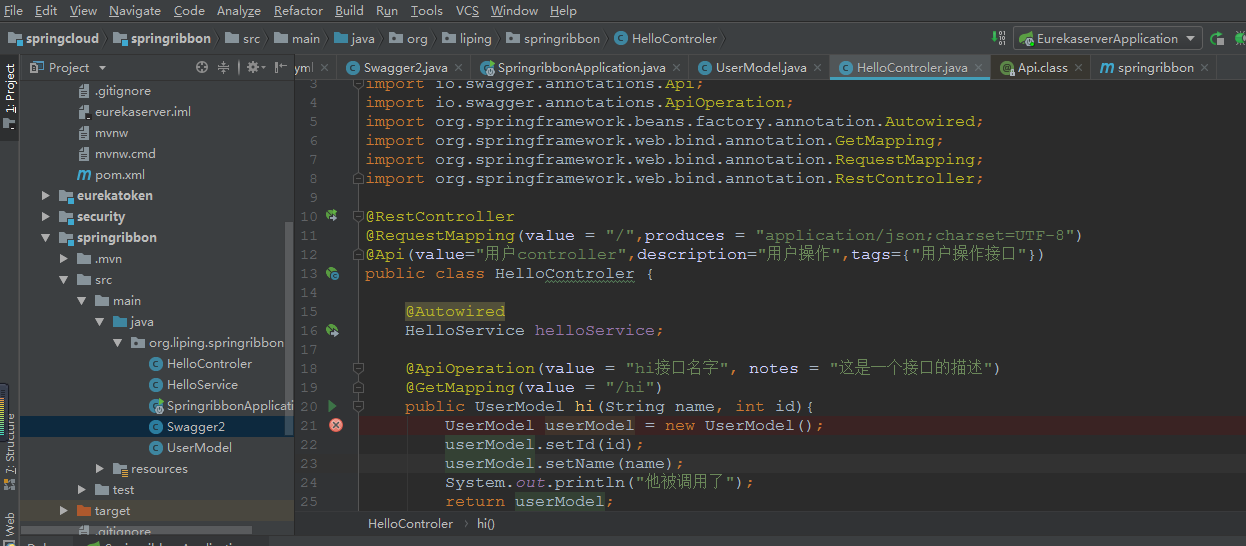
下面是代码结构以及执行结果
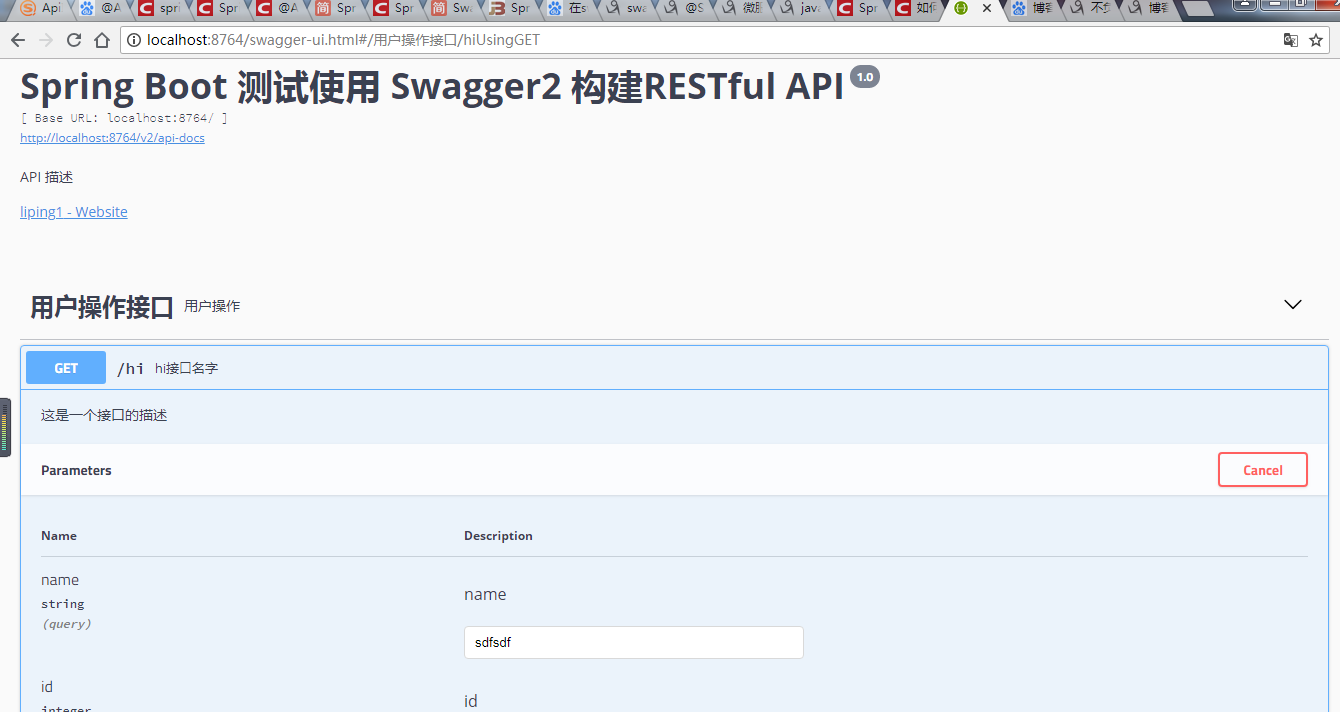

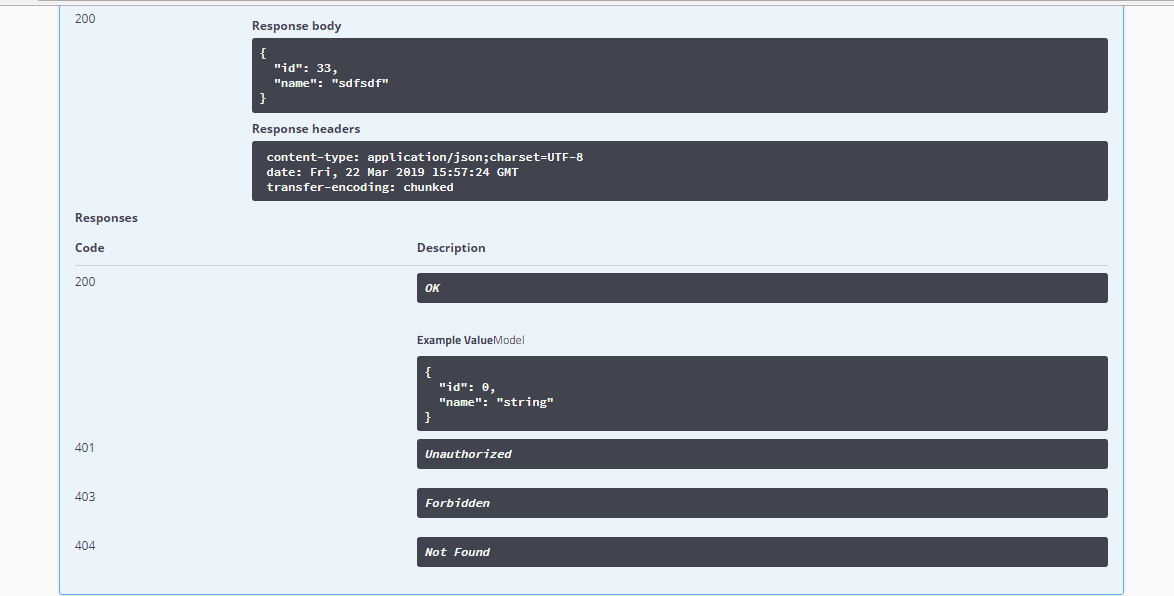
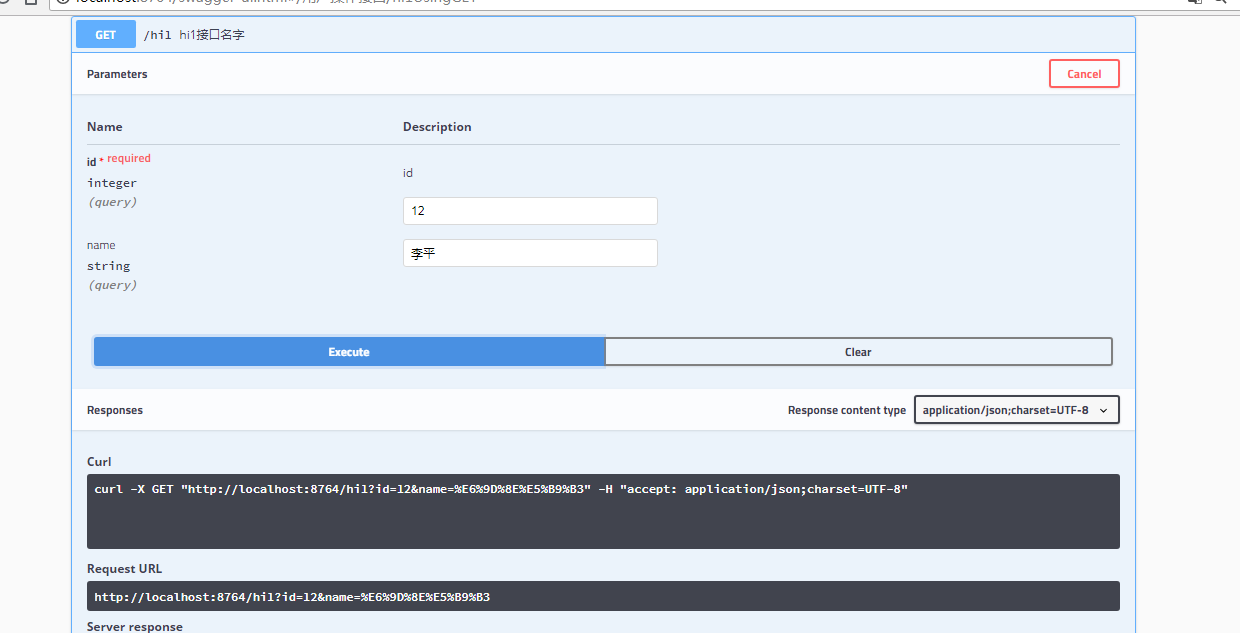
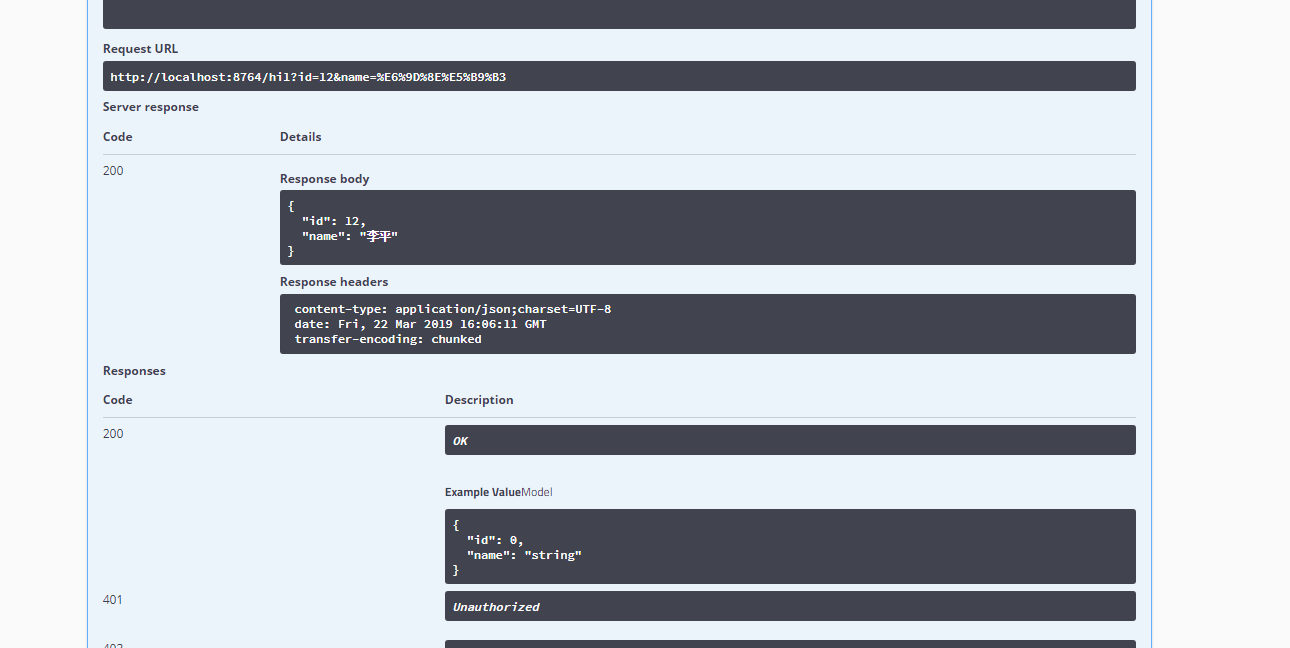
最后是代码结构
springcloud集成swaggerui做动态接口文档的更多相关文章
- spring boot 2.x 系列——spring-boot 集成 Swagger2 打造在线接口文档
文章目录 一.Springfox 与 Swagger 简介 1.1 Springfox 1.2 Swagger 1.3 OpenApi.Swagger.Springfox的关系 二.spring bo ...
- SpringMVC集成springfox-swagger2自动生成接口文档
本节内容: 什么是Swaggger Springfox与Swagger的关系 SpringMVC集成springfox-swagger2 一.什么是Swaggger Swagger是一个流行的API开 ...
- Spring Boot 集成 Swagger,生成接口文档就这么简单!
之前的文章介绍了<推荐一款接口 API 设计神器!>,今天栈长给大家介绍下如何与优秀的 Spring Boot 框架进行集成,简直不能太简单. 你所需具备的基础 告诉你,Spring Bo ...
- Spring Boot从入门到精通(十一)集成Swagger框架,实现自动生成接口文档
Swagger是一个规范和完整的框架,用于生成.描述.调用和可视化 RESTful 风格的 Web 服务.Swagger 是一组开源项目,其中主要要项目如下: Swagger-tools:提供各种与S ...
- ABP给WebApi添加SwaggerUI,生成可交互接口文档
在ABP模板项目中,通过SwaggerUI可以为我们的WebApi生成动态的可交互接口文档页面,从而可以很方便的测试调用我们的WebApi接口. 一.集成Swagger 右键项目YoYo.Web,打开 ...
- Springboot集成swagger2生成接口文档
[转载请注明]: 原文出处:https://www.cnblogs.com/jstarseven/p/11509884.html 作者:jstarseven 码字挺辛苦的..... 一 ...
- Java | Spring Boot Swagger2 集成REST ful API 生成接口文档
Spring Boot Swagger2 集成REST ful API 生成接口文档 原文 简介 由于Spring Boot 的特性,用来开发 REST ful 变得非常容易,并且结合 Swagg ...
- 如何使用Swagger-UI在线生成漂亮的接口文档
一.简单介绍 Swagger是一个实现了OpenAPI(OpenAPI Specification)规范的工具集.OpenAPI是Linux基金会的一个项目,试图通过定义一种用来描述API格式或API ...
- Spring Boot 集成 Swagger 构建接口文档
在应用开发过程中经常需要对其他应用或者客户端提供 RESTful API 接口,尤其是在版本快速迭代的开发过程中,修改接口的同时还需要同步修改对应的接口文档,这使我们总是做着重复的工作,并且如果忘记修 ...
随机推荐
- nginx 限制
在nginx.conf里的http{}里添加: http{ limit_conn_zone $binary_remote_addr zone=perip:10m; limit_conn_zone $s ...
- Google Cloud VM上在线扩硬盘
Google Cloud VM是可以在线扩展Disk的大小的. 一.创建VM和磁盘 比如我有一台VM,附加了一块Disk,大小是120GB.如下图: 在VM中进行格式化: mkfs.ext4 -F / ...
- MongoDB高级查询用法大全 (转)
http://www.cnblogs.com/t2xingzhe/p/3555268.html
- CAN总线扩展数据帧介绍
在扩展CAN 数据帧中,紧随SOF 位的是32 位的仲裁字段.仲裁字段的前11 位为29 位标识符的最高有效位(Most Significant bit,MSb)(基本lD) .紧随这11 位的是替代 ...
- iSCSI存储的3种连接方式
我们分析了iSCSI存储的系统结构,下面来看iSCSI是如何与服务器.工作站等主机设备来连接的,也就是我们如何建立一个iSCSI网络存储系统. iSCSI设备的主机接口一般默认都是IP接口,可以直接与 ...
- Object-C 多线程中锁的使用-NSLock
在多线程的编程环境中,锁的使用必不可少! 于是,今天来总结一下为共享资源加锁的操作方法. 一.使用synchronized方式 //线程1 dispatch_async(dispatch_ge ...
- ajax级联实现
效果如下: 选择第一项,第二项.第三项的内容跟着改变. 选择第二项,第三项的内容跟着改变. 第三项则不影响第一项和第二项. 有几点值得提: 1.html到底是前台拼接还是后台拼接. 我选择的是前台拼接 ...
- 40个Java多线程问题总结【转】
1.多线程有什么用? 一个可能在很多人看来很扯淡的一个问题:我会用多线程就好了,还管它有什么用?在我看来,这个回答更扯淡.所谓”知其然知其所以然”,”会用”只是”知其然”,”为什么用”才是”知其所以然 ...
- 安卓端后台登录接口单元测试demo
package com.js.ai.modules.pointwall.interfac; import java.io.IOException; import java.io.Unsupported ...
- js 鼠标点击文本框 提示文字消失
onfocus="if(this.value==defaultValue) {this.value='';}" onblur="if(!value) {value=def ...