
sanic官方文档解析之ssl,debug mode模式和test(测试)
1,ssl 示例:
可选择的SSLContent
from sanic import Sanic

import ssl

context = ssl.create_default_context(purpose=ssl.Purpose.CLIENT_AUTH)  # 创建默认的连接环境

context.load_cert_chain("/path/to/cert", keyfile="/path/to/keyfile")

app = Sanic()

app.run(host="0.0.0.0", port=8443, ssl=ssl)
你也可以用字典传输本地的认证
from sanic import Sanic

app = Sanic()

ssl = {"cert": "/path/to/cert", "key": "/path/to/keyfile"}

app.run(host="0.0.0.0", port=8843, ssl=ssl)
2, debug模式
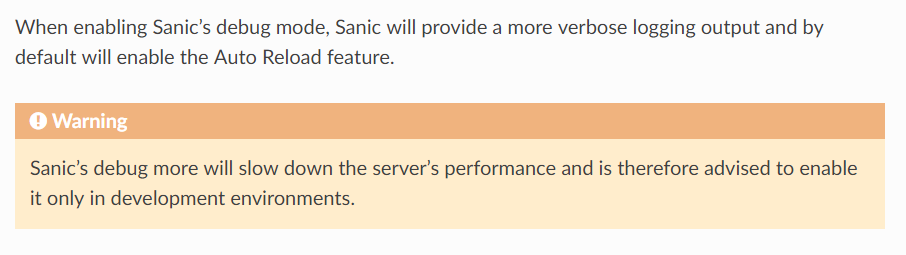
当使用debug的调试模式,Sanic将提供更详细的日志记录输出,默认情况下将启用自动重新加载功能
警告:Sanic的更多调试将降低服务器的性能,因此建议仅在开发环境中启用它
- 1.1,设置调试模式
设置Sanic调试模式的详细输出,并激活自动重新加载
from sanic import Sanic

from sanic.response import json

app = Sanic()

@app.route("/")

async def hello_world(request):

    return json({"hello": "world"})

if __name__ == '__main__':

    app.run(host="0.0.0.0", port=8000, debug=True)
- 1.2,手动设置加载

Sanic提供了手动启动或者自定关闭的关闭,自动重新加载参数将激活或停用自动重新加载
from sanic import Sanic

from sanic.response import json

app = Sanic()

@app.route("/")

async def hello_world(request):

    return json({"hello": "world"})

if __name__ == '__main__':

    app.run(host="0.0.0.0", port=8000, auto_reload=True)
3,test(测试)
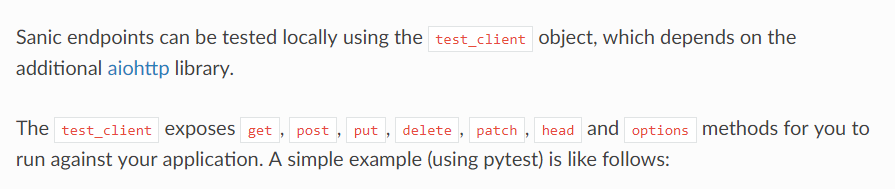
Sanic使用test_client对象能够测试本地端,这取决于附加的aiohtp库
测试客户机公开了GET、POST、PUT、DELETE、PATCH、HEAD和OPTIONS方法,供您针对应用程序运行。一个简单的例子(使用pytest)如下
from external_server import app

from sanic import Sanic

app = Sanic(__name__)

def test_index_return_200():

    request, response = app.test_client.get("/")

    assert response.status == 200

def test_index_put_not_allowed():

    request, response = app.test_client.put("/")

    assert response.status == 405

在内部,每次调用一个测试客户机方法时,SANIC应用程序都在127.0.0.1:42101运行,并使用aiohttp针对应用程序执行测试请求。
测试客户机方法接受以下参数和关键字参数
uri(default'/') A string representing the URI to test.- (uri(默认值“/”)表示要测试的uri的字符串。)
gather_request(defaultTrue) A boolean which determines whether the original request will be returned by the function. If set toTrue, the return value is a tuple of(request, response), ifFalseonly the response is returned.- (
_ request(默认为true)采集到原始请求是否determines布尔which will be returned by the function。返回true如果集to,the value of is a元组(request,response),if theonly is returned虚假响应
)
- (
server_kwargs*(default{}) a dict of additional arguments to pass intoapp.runbefore the test request is run.- (server_kwargs*(默认值)运行测试请求之前传递到app.run的附加参数的dict。)
debug(defaultFalse) A boolean which determines whether to run the server in debug mode.- (布尔(默认调试错误)determines which the服务器是否运行在调试模式)
from sanic import Sanic

import json

app = Sanic()

def test_get_request_includes_date():

    # 请求携带的参数

    params = {"key1": "value1", "key2": "value2"}

    # 从测试客户端get请求处理参数

    request, response = app.test_client.get("/", params=params)

    assert request.args.get("key1") == "value1"

def test_post_json_request_include_data():

    data = {"key1": "value1", "key2": "value2"}

    # 从测试客户端处理post请求

    request, response = app.test_client.post("/", data=json.dumps(data))

    assert request.json.get("ksy1") == "value1"
3.1,sanic中的pytest
pytest-sanic是pytest的插件,,他将会异步的帮助你测试代码
async def test_sanic_db_find_by_id(app):

    """

    假如,在数据库中存在一些数据

    {

        "id": "123",

        "name": "帅爆太阳的男人",

        "team": "茶π"

    }

    :param app:

    :return:

    """

    doc = await app.db["players"].find_by_id("123")

    assert doc.name == "帅爆太阳的男人"

    assert doc.team == "茶π"
pytest-sanic也提供一些有用的夹具,像环,unused端口,测试服务器,测试客户端.
import pytest

from sanic import Sanic

from sanic import response

from sanic.websocket import WebSocketProtocol

@pytest.yield_fixture

def app():

    app = Sanic("test_sanic_app")

    # 测试get请求的路由

    @app.route("/test_get", methods=["GET"])

    async def test_get(request):

        # 难道请求可以给数据进行测试

        return response.json({"GET": "True"})

    # 测试post请求的路由

    @app.route("test_post", methods=["post"])

    async def test_post(request):

        # 拿到数据可以给数据进行测试

        return response.json({"POST": "True"})

    yield app  # 抛出app

@pytest.fixture

def test_cli(loop, app, test_client):

    return loop.run_until_complete(test_client(app, protocol=WebSocketProtocol))

# 开始测试

async def test_fixture_test_client_get(test_cli):

    # get请求的测试

    resp = await test_cli.get("/test_get")  # 测试客户端的get请求

    assert resp.status == 200

    resp_json = await resp.json()

    assert resp_json == {"GET": "True"}

async def test_fixture_test_client_post(test_cli):

    # 测试客户端的post请求

    resp = await test_cli.post("/test_post")

    assert resp.status == 200

    resp_json = await resp.json()

    assert resp_json == {"POST": True}
sanic官方文档解析之ssl,debug mode模式和test(测试)的更多相关文章
- sanic官方文档解析之Deploying(部署)和Extension(扩展)
1,Deploying(部署) 通过内置的websocket可以很简单的部署sanic项目,之后通过实例sanic.Sanic,我们可以运行run这个方法通过接下来的关键字参数 host (defau ...
- sanic官方文档解析之Example(一)
1,示例 这部的文档是简单的示例集合,它能够帮助你快速的启动应用大部分的应用,这些应用大多事分类的,并且提供给ini工作的连接代码: 1.1,基础示例 这部分示例集成了提供简单sanic简单的代码 单 ...
- sanic官方文档解析之Example(二)
1,通过docker部署sanic项目 通过Docker和Docker Compose部署SANIC应用程序是一项很容易实现的任务,下面的示例提供了示例simple_server.py的部署 FROM ...
- sanic官方文档解析之streaming(流动,滚动)和class_based_views(CBV的写法)
1,streaming(流媒体) 1.1请求流媒体 Sanic允许你通过流媒体携带请求数据,如下,当请求结束await request.stream.read()就会返回None,仅仅只有post请求 ...
- sanic官方文档解析之Custom Protocols(自定义协议)和Socket(网络套接字)
1,Custom Protocol:自定义协议 温馨提示:自定义协议是一个高级用法,大多数的读者不需要用到此功能 通过特殊的自定义协议,你可以改变sanic的协议,自定义协议需要继承子类asyncio ...
- sanic官方文档解析之静态文件和版本
1,静态文件 就向图片文件一样,静态文件和指导性的文件,当通过Sanic服务端用app.static()方法注册的时候,这种方法采用端点url和文件名称获得.这样的文件的指定,将会通过指定的端点访问. ...
- sanic官方文档解析之Exception和Middleware,Listeners
1,异常 异常是从处理请求内部抛出来的,并且通过Sanic自动的被处理异常,,异常用第一个参数携带异常信息,还可以接受在HTTP响应中要传递回的状态代码.引发异常 1.1引发异常 自动触发异常,,简单 ...
- sanic官方文档解析之路由
1,路由,路由相当于一个网址的地址,来确定网址的位置和唯一性 当http://server.url/被允许访问服务器,当最后的"/"通过路由匹配到了业务逻辑处理的函数,将会返回一个 ...
- sanic官方文档解析之logging和request Data
1,sanic的logging: Sanic允许有做不同类型的日志(通过的日志,错误的日志),在基于Python3的日志API接口请求,你必须具备基本的Python3的日志知识,在你如果想创建一个新的 ...
随机推荐
- System.TypeInitializationException
在连接数据库时,提示System.TypeInitializationException 数据库的连接字符串放在config文件中,而config中有两个文件,起初放在debug.comfig中,启动 ...
- java.lang.NoClassDefFoundError: Could not initialize class sun.awt.X11GraphicsEnvironment问题解决
2018-09-29 17:45:16.905 ERROR [pool-1-thread-1]o.s.scheduling.support.TaskUtils$LoggingErrorHandler. ...
- php文档php-fpm.conf配置
cat php-fpm.conf|grep -v "^;"|grep -v "^$" [global] pid = run/php-fpm.pid //pi ...
- Bzoj2007 [Noi2010]海拔(平面图最短路)
2007: [Noi2010]海拔 Time Limit: 20 Sec Memory Limit: 552 MBSubmit: 2742 Solved: 1318[Submit][Status] ...
- Log4j2异步情况下怎么防止丢日志的源码分析以及队列等待和拒绝策略分析
org.apache.logging.log4j.core.async.AsyncLoggerConfigDisruptor以下所有源码均在此类中首先我们看下log4j2异步队列的初始化 从这里面我们 ...
- NOIP 前夕 模板整理
归并排序: #include<iostream> #include<cstdio> #include<cstring> using namespace std; ] ...
- msp430项目编程50
msp430综合项目---gsm无线采集传输平台系统50 1.电路工作原理 2.代码(显示部分) 3.代码(功能实现) 4.项目总结
- rsync同步文件
rsync中的参数 -r 是递归 -l 是链接文件,意思是拷贝链接文件:-p 表示保持文件原有权限:-t 保持文件原有时间:-g 保持文件原有用户组:-o 保持文件原有属主:-D 相当于块设备文件: ...
- Linux下二进制包、源代码包、rpm包
主要提供三种格式的mysql包:rpm格式.二进制格式.源码格式:(tar打包,gz压缩) rpm格式: libjpeg-devel-6b-33.x86_64.rpm #rpm格式很好区分 ...
- Chrome 浏览器安装Vue插件方法 (十分详细)
博主最近在研究Vue,无奈新手想安装Chrome的Vue插件,整理下安装流程: 1.首先去github下载vue.zip文件插件(还有npm安装方法这里就不介绍了自行百度)下载地址:https://g ...