
arcgis api 3.x for js 地图加载多个气泡窗口展示(附源码下载)
前言
关于本篇功能实现用到的 api 涉及类看不懂的,请参照 esri 官网的 arcgis api 3.x for js:esri 官网 api,里面详细的介绍 arcgis api 3.x 各个类的介绍,还有就是在线例子:esri 官网在线例子,这个也是学习 arcgis api 3.x 的好素材。
由于 arcgis api 3.x for js 目前没有 GeojsonLayer, arcgis api 4.x 最新版本目前是支持了的,并且 arcgis api 3.x 提供的 Popup默认只可以弹出一个,某些情况下,用户想加载弹出多个窗口,我一直看看能不能有什么途径,比如 arcgis api 3.x 拓展之类的,对其进行改造达到绘制 Geojson 并同时弹出多个 Popup 的目的。
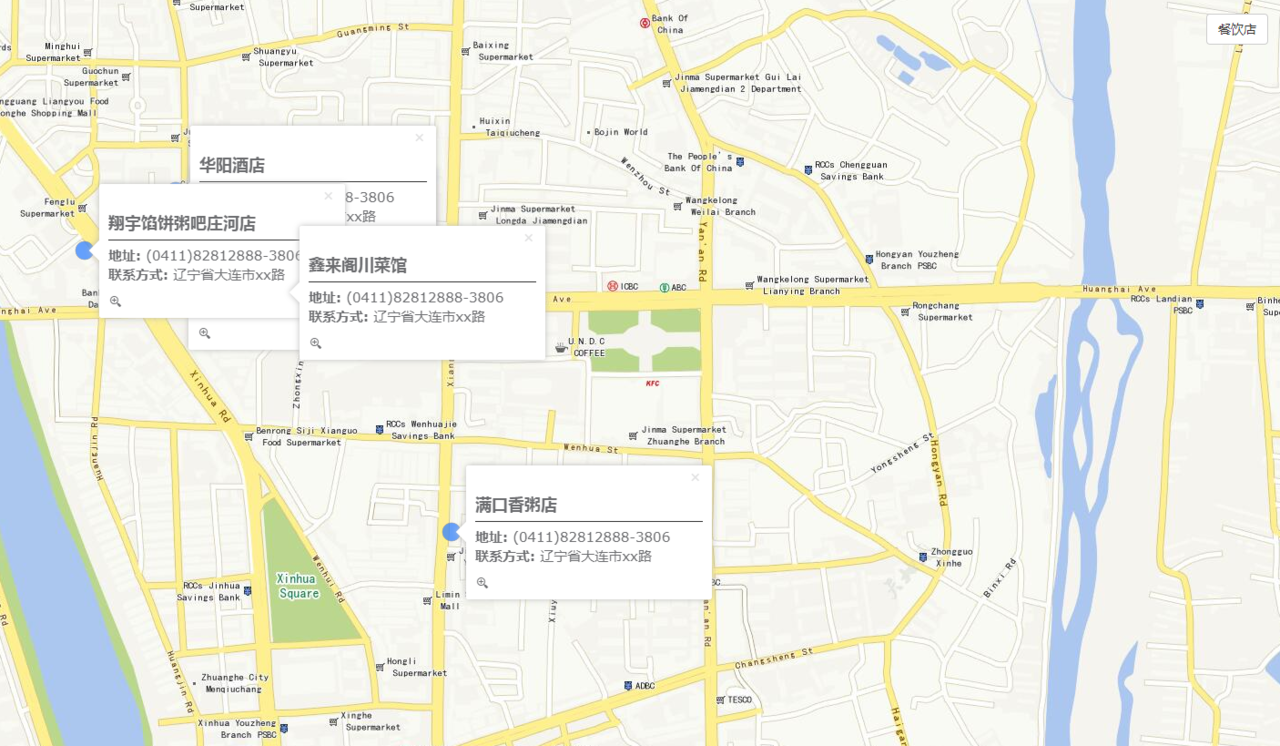
最终实现效果图: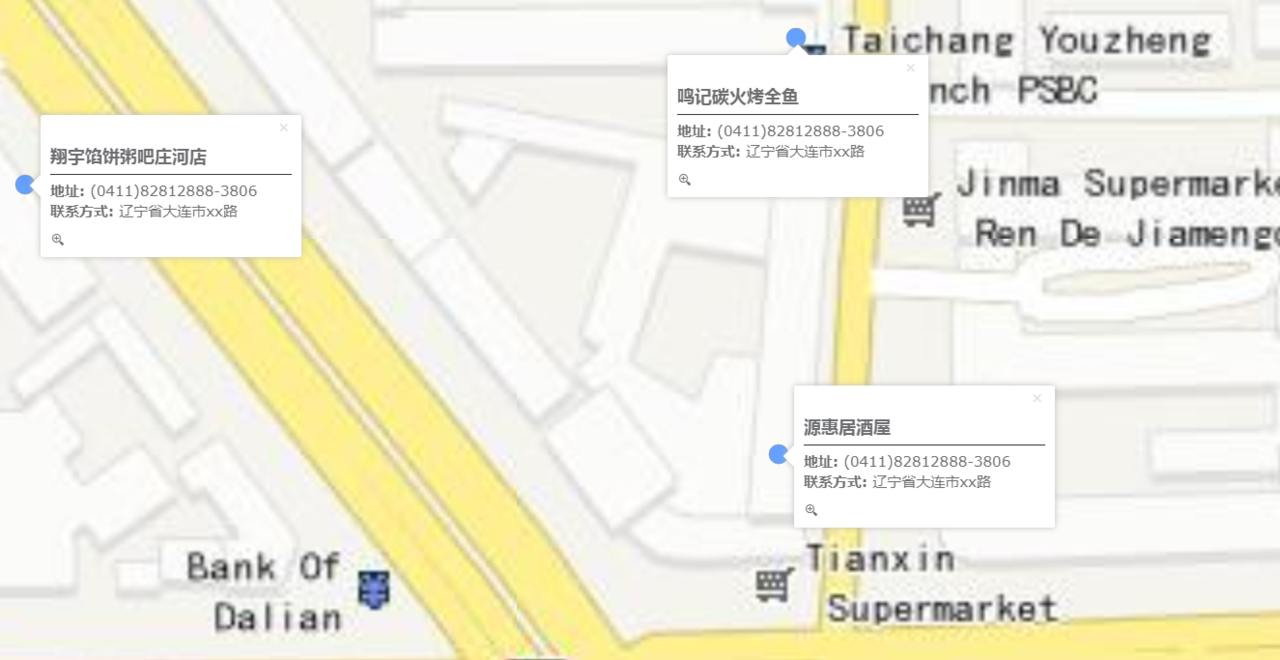
实现思路
- html 页面以及引用 js 以及 css
<head>

<title>地图展示多气泡窗口例子</title>

<meta http-equiv="Content-Type" content="text/html; charset=utf-8">

<meta http-equiv="X-UA-Compatible" content="IE=7,IE=9">

<meta name="viewport" content="initial-scale=1, maximum-scale=1,user-scalable=no">

<!-- ArcGIS API for JavaScript CSS-->

<link rel="stylesheet" href="https://js.arcgis.com/3.28/esri/css/esri.css">

<!-- Web Framework CSS - Bootstrap (getbootstrap.com) and Bootstrap-map-js (github.com/esri/bootstrap-map-js) -->

<link rel="stylesheet" href="//netdna.bootstrapcdn.com/bootstrap/3.1.1/css/bootstrap.min.css"/>

<!-- PopExtendCss -->

<link href="./vendor/ncam/PopupExtended.css" rel="stylesheet" />

<style>

html, body, #mapDiv {

height: 100%;

width: 100%;

box-sizing: content-box;

}

.buttonRight{

position: absolute;

z-index: 999;

}

.hzLine{

border: none;

border-top: 1px solid #333333;

margin-top: 6px;

margin-bottom: 6px;

}

.popupTitle{

font-size: 18px;

}

.popupContent{

font-size: 15px;

}

.esriPopup.light .titleButton.close, .esriPopup.dark .titleButton.close {

margin-top: -5px;

}

.esriPopup.light .titleButton.maximize, .esriPopup.dark .titleButton.maximize {

display:none;

}

</style>

<!-- ArcGIS API for JavaScript library references -->

<script>

var dojoConfig = {

parseOnLoad: false,

async: true,

tlmSiblingOfDojo: false,

packages: [{

name: "ncam",

location: location.pathname.replace(/\/[^/]+$/, '') + "ncam"

}]

};

</script>

<!-- ArcGIS API for JavaScript library references -->

<script src="https://js.arcgis.com/3.28/"></script>

<!-- Terraformer reference -->

<script src="./vendor/terraformer/terraformer.min.js"></script>

<script src="./vendor/jquery.js"></script>

<script src="./vendor/terraformer-arcgis-parser/terraformer-arcgis-parser.min.js"></script>

</head>

<body>

<div id="mapDiv"></div>

<button id="shanghaiPoint" class="btn btn-default buttonRight" style="top:20px;right:20px">餐饮店</button>

</body>

</html>
- geojson 模拟数据
{

"type": "FeatureCollection",

"features": [{

"type": "Feature",

"properties": {

"Id": 0,

"name": "满口香粥店",

"address": "(0411)82812888-3806",

"phone": "辽宁省大连市xx路"

},

"geometry": {

"type": "Point",

"coordinates": [122.96626809999999, 39.693737519999999]

}

}, {

"type": "Feature",

"properties": {

"Id": 1,

"name": "源惠居酒屋",

"address": "(0411)82812888-3806",

"phone": "辽宁省大连市xx路"

},

"geometry": { "type": "Point", "coordinates": [122.9597131, 39.698272490000001] }

}, {

"type": "Feature",

"properties": {

"Id": 2 ,

"name": "鸣记碳火烤全鱼",

"address": "(0411)82812888-3806",

"phone": "辽宁省大连市xx路"

},

"geometry": { "type": "Point", "coordinates": [122.9597627, 39.699162139999999] }

}, {

"type": "Feature",

"properties": {

"Id": 3,

"name": "华阳酒店",

"address": "(0411)82812888-3806",

"phone": "辽宁省大连市xx路"

},

"geometry": { "type": "Point", "coordinates": [122.9597626, 39.699911970000002]}

}, {

"type": "Feature",

"properties": {

"Id": 4,

"name": "翔宇馅饼粥吧庄河店",

"address": "(0411)82812888-3806",

"phone": "辽宁省大连市xx路"

},

"geometry": { "type": "Point", "coordinates": [122.9576213, 39.698847499999999] }

}, {

"type": "Feature",

"properties": {

"Id": 5,

"name": "鑫来阁川菜馆",

"address": "(0411)82812888-3806",

"phone": "辽宁省大连市xx路"

},

"geometry": { "type": "Point", "coordinates": [122.96235280000001, 39.698096040000003] }

}]

}
- 核心 geojsonlayer.js 并且集成 Popupextended 拓展代码
自定义一个类,继承 GraphicsLayer:
define([

"dojo/_base/declare",

"esri/dijit/PopupTemplate",

"./vendor/ncam/PopupExtended.js",

"esri/graphic",

"esri/layers/GraphicsLayer",

"esri/InfoTemplate",

"esri/graphicsUtils",

"esri/Color",

"esri/symbols/SimpleMarkerSymbol",

"esri/symbols/SimpleLineSymbol",

"esri/symbols/SimpleFillSymbol",

"esri/renderers/SimpleRenderer",

"esri/SpatialReference",

"esri/geometry/webMercatorUtils",

"esri/request",

"esri/config",

"dojo/_base/url",

"dojo/_base/lang"

], function (declare,PopupTemplate, PopupExtended, Graphic, GraphicsLayer, InfoTemplate, graphicsUtils, Color, SimpleMarkerSymbol,

SimpleLineSymbol, SimpleFillSymbol, SimpleRenderer, SpatialReference, webMercatorUtils, esriRequest, esriConfig, Url, lang

) {

return declare([GraphicsLayer], {

});

});
构造函数自定义 Popup 窗口拓展进来
constructor: function (options) {

if (options.infoTemplate !== false) {

//create a PopupTemplate

var template = new PopupTemplate({

title: "{name}",

//fieldInfos: [

// { fieldName: "name", visible: true },

// { fieldName: "address", visible: true},

// { fieldName: "phone", visible: true}

//],

extended: {

//actions: [

// { text: " IconText", className: "iconText", title: "Custom action with an icon and Text", click: function (feature) { alert("Icon Text clicked on " + "id: " + feature.attributes.id + " " + feature.attributes.name); } },

// { text: "", className: "iconOnly", title: "Custom action only using an icon", click: function (feature) { alert("Icon action clicked on " + "id: " + feature.attributes.id + " " + feature.attributes.name); } }

//],

//uses a pretty bad custom theme defined in PopupExtended.css.

scaleSelected: 1.6

}

});
……
完整demo源码见小专栏文章尾部:GIS之家小专栏
文章尾部提供源代码下载,对本专栏感兴趣的话,可以关注一波
arcgis api 3.x for js 地图加载多个气泡窗口展示(附源码下载)的更多相关文章
- arcgis api 4.x for js 地图加载多个气泡窗口展示(附源码下载)
前言 关于本篇功能实现用到的 api 涉及类看不懂的,请参照 esri 官网的 arcgis api 4.x for js:esri 官网 api,里面详细的介绍 arcgis api 4.x 各个类 ...
- arcgis api 4.x for js 结合 react 入门开发系列初探篇(附源码下载)
你还在使用 JQuery 或者 Dojo 框架开发 arcgis api 4.x for js 吗?想试试模块化开发吗?随着前端技术的发展,arcgis api 4.x for js 也有了结合 re ...
- arcgis api 3.x for js 热力图优化篇-不依赖地图服务(附源码下载)
前言 关于本篇功能实现用到的 api 涉及类看不懂的,请参照 esri 官网的 arcgis api 3.x for js:esri 官网 api,里面详细的介绍 arcgis api 3.x 各个类 ...
- arcgis api 3.x for js 入门开发系列十三地图最短路径分析(附源码下载)
前言 关于本篇功能实现用到的 api 涉及类看不懂的,请参照 esri 官网的 arcgis api 3.x for js:esri 官网 api,里面详细的介绍 arcgis api 3.x 各个类 ...
- arcgis api 3.x for js 入门开发系列十叠加 SHP 图层(附源码下载)
前言 关于本篇功能实现用到的 api 涉及类看不懂的,请参照 esri 官网的 arcgis api 3.x for js:esri 官网 api,里面详细的介绍 arcgis api 3.x 各个类 ...
- arcgis api 4.x for js 集成 Echarts4 实现模拟迁徙图效果(附源码下载)
前言 关于本篇功能实现用到的 api 涉及类看不懂的,请参照 esri 官网的 arcgis api 4.x for js:esri 官网 api,里面详细的介绍 arcgis api 4.x 各个类 ...
- arcgis api 4.x for js 结合 react 入门开发系列"esri-loader"篇(附源码下载)
基于上篇的介绍,虽然有比较esri-loader.@arcgis/webpack-plugin,还是觉得有必要需要讲述一下“esri-loader”的开发模式,待大家体验后也会有更直观的感受.本篇文章 ...
- arcgis api 3.x for js 地图加载多个 SHP 图层压缩以及 json 文件展示(附源码下载)
前言 关于本篇功能实现用到的 api 涉及类看不懂的,请参照 esri 官网的 arcgis api 3.x for js:esri 官网 api,里面详细的介绍 arcgis api 3.x 各个类 ...
- arcgis api 3.x for js 入门开发系列二十一气泡窗口信息动态配置模板
前言 关于本篇功能实现用到的 api 涉及类看不懂的,请参照 esri 官网的 arcgis api 3.x for js:esri 官网 api,里面详细的介绍 arcgis api 3.x 各个类 ...
随机推荐
- 案例:使用dbms_xplan.display_cursor无法获取执行计划
案例:使用dbms_xplan.display_cursor无法获取执行计划 环境:RHEL 6.5 + Oracle 11.2.0.4 在一次测试中发现使用dbms_xplan.display_cu ...
- 简约清新日系你好五月通用PPT模板推荐
模版来源:http://ppt.dede58.com/peixunyanjiang/26488.html
- CAD转DXF怎么转换?教你三种转换方法
CAD图纸在我们日常生活中都是可见到的,因为CAD图纸文件的格式是多样的,在工作中就需要经常将CAD的格式进行转换.那CAD转DXF怎么转换呢?这个问题很多的小伙伴们都遇到过,下面小编就来教大家三种转 ...
- HTML 本地存储
HTML 本地存储:优于 cookies. 什么是 HTML 本地存储? 通过本地存储(Local Storage),web 应用程序能够在用户浏览器中对数据进行本地的存储. 在 HTML5 之前,应 ...
- JS基础语法---函数的其他定义方式
函数的其他定义方式 函数声明 函数表达式:把一个函数给一个变量,此时形成了函数表达式 函数调用 函数的自调用 命名函数:函数如果有名字,就是命名函数 匿名函数:函数如果没有名字,就是匿名函数 ...
- 百度地图API----搜索地址,获取该点的位置坐标并转换成WebMercator
function doFind(){ LoadBaiduMapScript().then(BaiduMap).then(function () { //查询并获取坐标 var myGeo = new ...
- 三大免费开源的php语言cms系统 用好它们让你一天建好一个网站
php语言只所以在web开发领域占据半壁江山,是因为它有太多的生态,成熟的框架体系,广泛的开源cms系统.建设网站的时候,都想提升开发效率,效率就是成本,如果你用原生php语言开发一个项目,既要设计数 ...
- ubuntu 或centos 使用Docker搭建anaconda+python基本环境
ubuntu 16 使用Docker安装anacondaubuntu docker 安装centos docker 安装搜索可用镜像 docker search anaconda 拉取你中意的镜像 d ...
- C# JsonConvert 序列号 DateTime类型 格式多T
序列化字符串后,值变成了"2018-02-05T00:00:00" 序列化时候 需要更改一下日期转换方式: IsoDateTimeConverter timeConverter = ...
- 公司员工表示 nginx 之父被警方带走
ZDNet 12 日报导,俄罗斯警方当天突击搜查了 NGINX 公司(nginx 服务器项目商业化公司)在莫斯科的办事处,并带走了 NGINX 公司联合创始人 Igor Sysoev 与 Maxim ...