
spring cloud: Hystrix(七):Hystrix的断容器监控dashboard
Hystrix的断容器监控dashboard。
dashboard是用来监控Hystrix的断容器监控的,图形化dashboard是如何实现指标的收集展示的。
dashboard
本地端口8730
项目地址:http://localhost:8730/hystrix
在Pom.xml文件引入:
<dependency>

<groupId>org.springframework.cloud</groupId>

<artifactId>spring-cloud-starter-hystrix-dashboard</artifactId>

</dependency>
在入口文件开启注解
@SpringBootApplication
@EnableHystrixDashboard

@SpringBootApplication

public class FeignApp {

	public static void main(String[] args) {

		SpringApplication.run(FeignApp.class, args);

	}

}
然后运行,http://localhost:8730/hystrix
Hystrix
本项目地址:http://192.168.1.6:8010
pom.xml加入hystrix引入
<dependency>

<groupId>org.springframework.cloud</groupId>

<artifactId>spring-cloud-starter-hystrix</artifactId>

</dependency>
入口文件引入hystrix注解
@EnableCircuitBreake
@EnableEurekaClient

@SpringBootApplication

//hystrix

@EnableCircuitBreaker

public class HystrixApplication {

	//ribbon

	@Bean

	@LoadBalanced

	public RestTemplate restTemplate() {

		return new RestTemplate();

	}

	public static void main(String[] args) {

		SpringApplication.run(HystrixApplication.class, args);

	}

}
Controller文件调用hystrix
@HystrixCommand(fallbackMethod = "notfindback", commandProperties=@HystrixProperty(name="execution.isolation.strategy", value="SEMAPHORE") )
其中fallbackMethod 方法是回退,当网络不通,或者无法访问时访问:notfindback方法,返回默认值
commandProperties是合并线程
@RestController

public class MovieController {

	@Autowired

	private RestTemplate restTemplate;

	@GetMapping("/movie/{id}")

	@HystrixCommand(fallbackMethod = "notfindback", commandProperties=@HystrixProperty(name="execution.isolation.strategy", value="SEMAPHORE") )

	public User findById(@PathVariable Long id)

	{

		//http://localhost:7900/simple/

		return restTemplate.getForObject("http://spring-boot-user/simple/" + id, User.class);

	}

	public User notfindback(Long id)

	{

		User user = new User();

		user.setId(0L);

		return user;

	}

}
访问:
http://192.168.1.6:8010/movie/1
查看hystrix.stream信息
http://192.168.1.6:8010/hystrix.stream
dashboard监控http://192.168.1.6:8010/hystrix.stream信息
在http://localhost:8730/hystrix中输入要监控的hystrix.stream
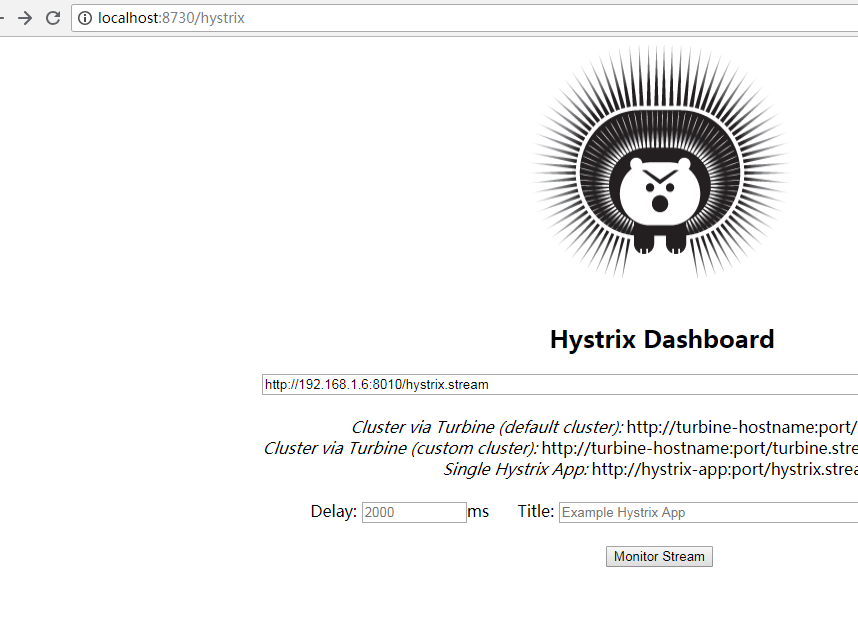
如下

每当我刷新:http://192.168.1.6:8010/movie/1数据时,http://localhost:8730/hystrix/monitor?stream=http%3A%2F%2F192.168.1.6%3A8010%2Fhystrix.stream 的指示图就发生变化
spring cloud: Hystrix(七):Hystrix的断容器监控dashboard的更多相关文章
- Spring Cloud 入门 之 Hystrix 篇(四)
原文地址:Spring Cloud 入门 之 Hystrix 篇(四) 博客地址:http://www.extlight.com 一.前言 在微服务应用中,服务存在一定的依赖关系,如果某个目标服务调用 ...
- Spring Cloud入门教程-Hystrix断路器实现容错和降级
简介 Spring cloud提供了Hystrix容错库用以在服务不可用时,对配置了断路器的方法实行降级策略,临时调用备用方法.这篇文章将创建一个产品微服务,注册到eureka服务注册中心,然后我们使 ...
- Spring Cloud(七):配置中心(Git 版与动态刷新)【Finchley 版】
Spring Cloud(七):配置中心(Git 版与动态刷新)[Finchley 版] 发表于 2018-04-19 | 更新于 2018-04-24 | Spring Cloud Confi ...
- Spring Cloud(Dalston.SR5)--Hystrix 断路器
Spring Cloud 对 Hystrix 进行了封装,使用 Hystrix 是通过 @HystrixCommand 注解来使用的,被 @HystrixCommand 注解标注的方法,会使用 Asp ...
- Spring cloud微服务 Hystrix熔断器学习教程
以下demo代码:https://github.com/wades2/HystrixtDemo 官网定义:Hystrix是一个延迟容错库.在分布式环境中,许多服务依赖项中的一些不可避免地会失败.Hys ...
- [Spring cloud 一步步实现广告系统] 19. 监控Hystrix Dashboard
在之前的18次文章中,我们实现了广告系统的广告投放,广告检索业务功能,中间使用到了 服务发现Eureka,服务调用Feign,网关路由Zuul以及错误熔断Hystrix等Spring Cloud组件. ...
- Spring Cloud Feign 整合 Hystrix
在前面随笔Spring Cloud 之 Feign的feign工程基础上进行改造 1.pom.xml依赖不变 2.application.yml文件添加feign.hystrix.enabled=tr ...
- Spring Cloud Ribbon 整合 Hystrix
在前面随笔 Spring Cloud 之 Ribbon 的ribbon工程基础上进行改造 1.pom.xml 加入依赖 <dependency> <groupId>org.sp ...
- 架构师入门:Spring Cloud系列,Hystrix与Eureka的整合
和Ribbon等组件一样,在项目中,Hystrix一般不会单独出现,而是会和Eureka等组件配套出现.在Hystrix和Eureka整合后的框架里,一般会用到Hystrix的断路器以及合并请求等特性 ...
随机推荐
- poj 2096 Collecting Bugs - 概率与期望 - 动态规划
Ivan is fond of collecting. Unlike other people who collect post stamps, coins or other material stu ...
- topcoder srm 704 div1
1.对于一棵树上的一个节点$u$,定义$f(u)$表示树上距离$u$最远的节点到$u$的距离.给出每个节点的$f$值,构造出这棵树. 思路:找到树的主干,然后不在主干上的节点一定可以连接到主干的某个节 ...
- 新建一个Windows Service的方法
http://www.cnblogs.com/YanPSun/archive/2010/05/22/1741381.html http://blog.csdn.net/m15188153014/art ...
- ODAC(V9.5.15) 学习笔记(八)TOraScript
名称 类型 说明 DataSet 如果脚本中返回了数据结果,则通过该数据集进行获取 Delimiter string 脚本语句之间的分隔符 EndLine Integer 脚本中最后一行的行号 End ...
- uniGUI试用笔记(四)
uniGUI下有专用的登录窗体类:TUniLoginForm,该类属于AppForm,构建代码为: function frmWebLogin: TfrmWebLogin; begin Result : ...
- java Swing小知识点
private JTextArea jta=new JTextArea(1,2); private ScrollPane sp=new ScrollPane(); private JPasswordF ...
- Ubuntu 系统学习
apt 命令 apt-get remove [app] # 删除已安装的软件包(保留配置文件),不会删除依赖软件包,且保留配置文件 apt-get remove --pure [app] # 删除已安 ...
- tp框架中的一些疑点知识--cookie和session的配置
不同的浏览器采用不同的方式保存Cookie. IE浏览器会在"C:\Documents and Settings\你的用户名\Cookies"文件夹下以文本文件形式保存,一个文本文 ...
- 【修改密码】Linux下修改Mysql的用户(root)的密码
修改的用户都以root为列.一.拥有原来的myql的root的密码: 方法一:在mysql系统外,使用mysqladmin# mysqladmin -u root -p password " ...
- [bug] - 关于poi导入excel时间格式会减少8小时的问题.
这个bug发生在使用poi组件导入导出excel时,(这里是导入) 首先在excel中的格式设定是 yyyy-mm-dd hh:mm:ss 通过配套使用ExcelUtil中 getCellValue( ...