
使用@AspectJ注解开发Spring AOP
一、实体类:
Role
public class Role {

    private int id;

    private String roleName;

    private String note;

    @Override

    public String toString() {

        return "Role{" +

                "id=" + id +

                ", roleName='" + roleName + '\'' +

                ", note='" + note + '\'' +

                '}';

    }

    public Role() {

    }

    public Role(int id, String roleName, String note) {

        this.id = id;

        this.roleName = roleName;

        this.note = note;

    }

    public int getId() {

        return id;

    }

    public void setId(int id) {

        this.id = id;

    }

    public String getRoleName() {

        return roleName;

    }

    public void setRoleName(String roleName) {

        this.roleName = roleName;

    }

    public String getNote() {

        return note;

    }

    public void setNote(String note) {

        this.note = note;

    }

}
二、连接点(join point)
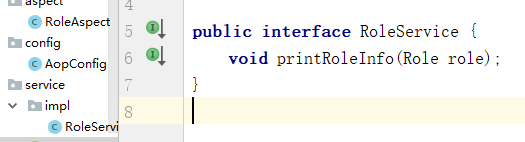
1、接口:RoleService
public interface RoleService {

    void printRoleInfo(Role role);

}
2、实现类:RoleServiceImp
@Component

public class RoleServiceImpl implements RoleService {

    @Override

    public void printRoleInfo(Role role) {

        System.out.println("id = "+role.getId()+", roleName = '"+role.getId()+"', note = '"+role.getNote()+"'");

    }

}
三、创建切面(Aspect)
1、方式一:
@Aspect

public class RoleAspect {

   @Before("execution(* com.wbg.springAOP.aop.service.impl.RoleServiceImpl.printRoleInfo(..))")

    public void before() {

        System.out.println("进入方法before...");

    }

    @After("execution(* com.wbg.springAOP.aop.service.impl.RoleServiceImpl.printRoleInfo(..))")

    public void after() {

        System.out.println("进入方法after...");

    }

    @AfterReturning("execution(* com.wbg.springAOP.aop.service.impl.RoleServiceImpl.printRoleInfo(..))")

    public void afterReturning() {

        System.out.println("进入方法afterReturning...");

    }

    @AfterThrowing("execution(* com.wbg.springAOP.aop.service.impl.RoleServiceImpl.printRoleInfo(..))")

    public void afterThrowing() {

        System.out.println("afterThrowing...");

    }

}
2、方式二:切点(Pointcut)
使用注解:@Pointcut
@Aspect

public class RoleAspect {

    @Pointcut("execution(* com.wbg.springAOP.aop.service.impl.RoleServiceImpl.printRoleInfo(..))")

    public void print() {

    }

    @Before("print()")

    public void before() {

        System.out.println("进入方法before...");

    }

    @After("print()")

    public void after() {

        System.out.println("进入方法after...");

    }

    @AfterReturning("print()")

    public void afterReturning() {

        System.out.println("进入方法afterReturning...");

    }

    @AfterThrowing("print()")

    public void afterThrowing() {

        System.out.println("afterThrowing...");

    }

}
四:配置Spring bean
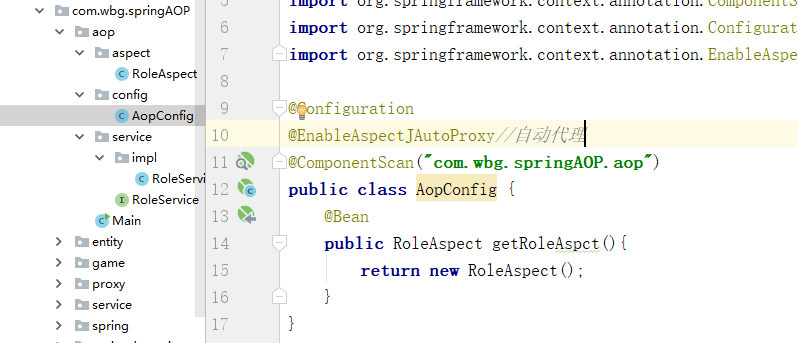
方式一:采用注解java配置
@Configuration

@EnableAspectJAutoProxy//自动代理

@ComponentScan("com.wbg.springAOP.aop")

public class AopConfig {

    @Bean

    public RoleAspect getRoleAspct(){

        return new RoleAspect();

    }

}
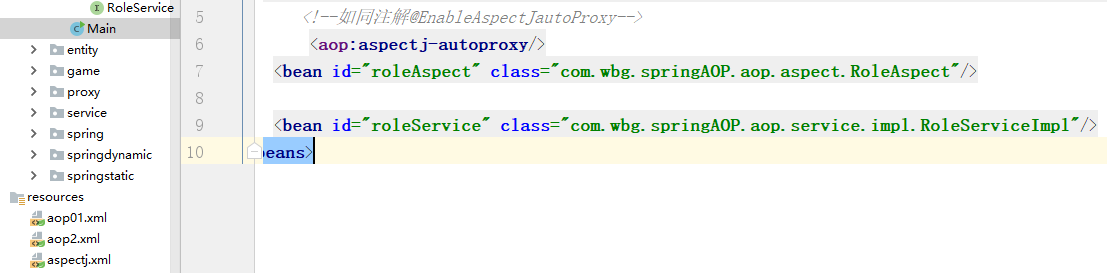
方式二:使用XML配置
<?xml version="1.0" encoding="UTF-8"?>

<beans xmlns="http://www.springframework.org/schema/beans"

       xmlns:xsi="http://www.w3.org/2001/XMLSchema-instance" xmlns:aop="http://www.springframework.org/schema/aop"

       xsi:schemaLocation="http://www.springframework.org/schema/beans http://www.springframework.org/schema/beans/spring-beans.xsd http://www.springframework.org/schema/aop http://www.springframework.org/schema/aop/spring-aop.xsd">

       <!--如同注解@EnableAspectJautoProxy-->

        <aop:aspectj-autoproxy/>

    <bean id="roleAspect" class="com.wbg.springAOP.aop.aspect.RoleAspect"/>

    <bean id="roleService" class="com.wbg.springAOP.aop.service.impl.RoleServiceImpl"/>

</beans>
五、测试:
 public static void main(String[] args) {

        ApplicationContext ctx = new AnnotationConfigApplicationContext(AopConfig.class);

        //ApplicationContext ctx = new ClassPathXmlApplicationContext("aspectj.xml");

        RoleService roleService = ctx.getBean(RoleService.class);

        Role role = new Role(1,"123","55");

        roleService.printRoleInfo(role);

        System.out.println("--------------");

        //role=null;

        roleService.printRoleInfo(role);

    }
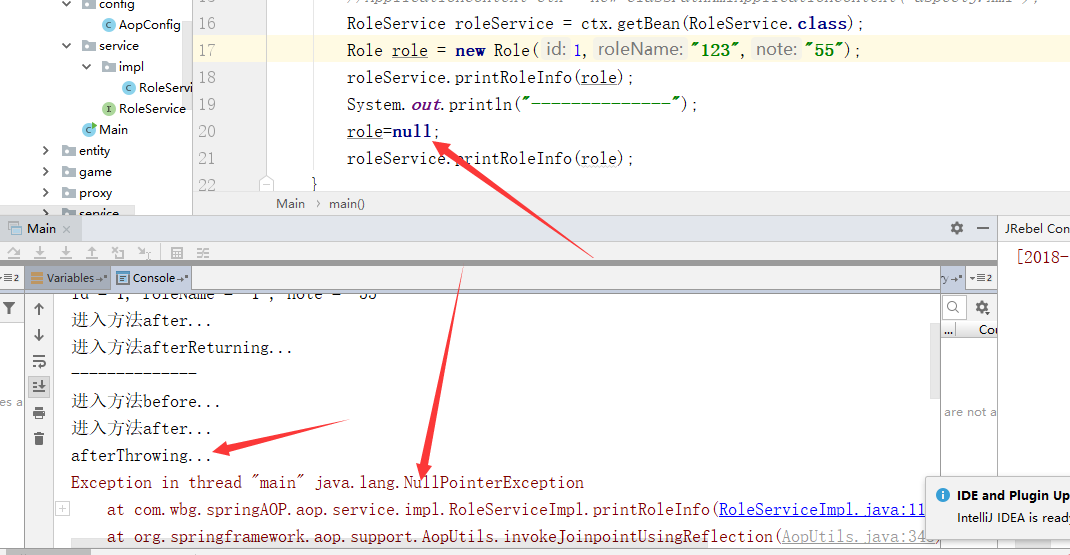
1、不为空:
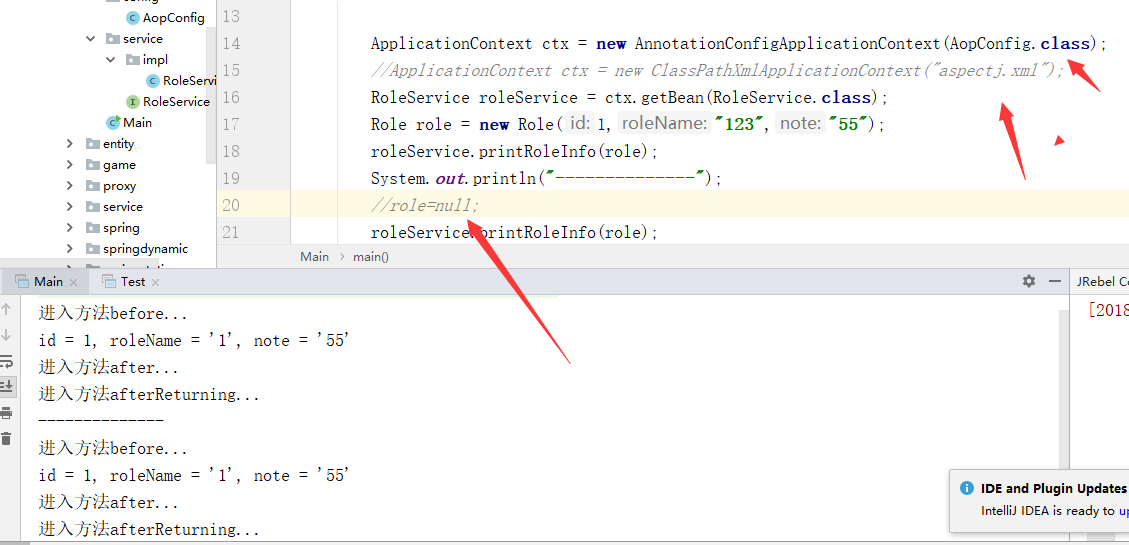
2、为空:
六、加入环绕通知@Around
直接在切面加入:
  @Around("print()")

    public void around(ProceedingJoinPoint joinPoint){

        System.out.println("around======before============");

        try {

            joinPoint.proceed();

        } catch (Throwable throwable) {

            throwable.printStackTrace();

        }

        System.out.println("around======after============");

    }

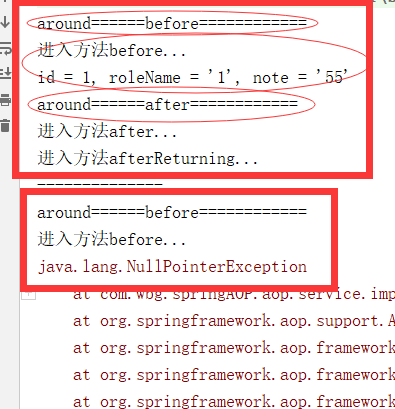
测试:
七、给通知传递参数:&& args(..)
@Before("execution(* com.wbg.springAOP.aop.service.impl.RoleServiceImpl.printRoleInfo(..)) && args(role, sort)")

八、引入(Introduction)
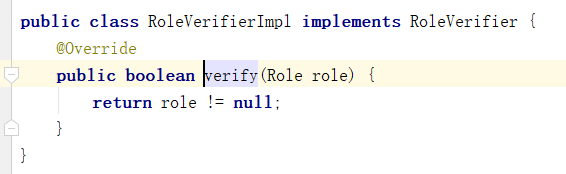
目的:让Role为空时不打印
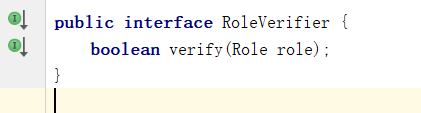
1、定义接口:RoleVerifer
2、实现接口类:RoleVeriferImpl
3、把RoleVerifier加入到切面中
com.wbg.springAOP.aop.service.impl.RoleServiceImpl+ :表示对RoleServiceImpl类进行增强
defaultImpl :代码其默认实现类,这里是RoleVerifierImpl
  @DeclareParents(value = "com.wbg.springAOP.aop.service.impl.RoleServiceImpl+",defaultImpl = RoleVerifierImpl.class)

    public RoleVerifier roleVerifier;

4、引入增强检查是否为空
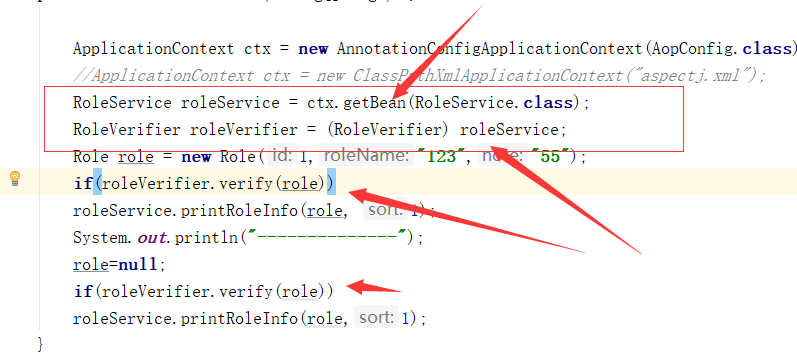
demo:https://github.com/weibanggang/springaopstaticanddynamic
使用@AspectJ注解开发Spring AOP的更多相关文章
- spring 使用@AspectJ注解开发Spring AOP
选择切点 Spring是方法级别的AOP框架,而我们主要也是以某个类的某个方法作为切点,用动态代理的理论来说,就是要拦截哪个方法织入对应AOP通知. 代码清单:打印角色接口 package com.s ...
- Spring Aop(二)——基于Aspectj注解的Spring Aop简单实现
转发地址:https://www.iteye.com/blog/elim-2394762 2 基于Aspectj注解的Spring Aop简单实现 Spring Aop是基于Aop框架Aspectj实 ...
- 基于Aspectj 注解实现 spring AOP
AOP 面向切面编程,是 OOP (面向对象编程)的补充 术语 横切关注点:方法中非主要业务逻辑部分 比如运算的模块:有验证参数.执行方法前的操作.执行方法.执行方法后的操作,验证参数.执行方法前后的 ...
- Spring学习之旅(八)Spring 基于AspectJ注解配置的AOP编程工作原理初探
由小编的上篇博文可以一窥基于AspectJ注解配置的AOP编程实现. 本文一下未贴出的相关代码示例请关注小编的上篇博文<Spring学习之旅(七)基于XML配置与基于AspectJ注解配置的AO ...
- Spring学习之旅(七)基于XML配置与基于AspectJ注解配置的AOP编程比较
本篇博文用一个稍复杂点的案例来对比一下基于XML配置与基于AspectJ注解配置的AOP编程的不同. 相关引入包等Spring AOP编程准备,请参考小编的其他博文,这里不再赘述. 案例要求: 写一 ...
- 基于注解的Spring AOP的配置和使用
摘要: 基于注解的Spring AOP的配置和使用 AOP是OOP的延续,是Aspect Oriented Programming的缩写,意思是面向切面编程.可以通过预编译方式和运行期动态代理实现在不 ...
- 基于注解的Spring AOP示例
基于注解的Spring AOP示例 目录 在XML配置文件中开启 @AspectJ 支持 声明切面及切入点 声明通知 测试 结语 在XML配置文件中开启 @AspectJ 支持 要使用Spring的A ...
- 基于注解的Spring AOP的配置和使用--转载
AOP是OOP的延续,是Aspect Oriented Programming的缩写,意思是面向切面编程.可以通过预编译方式和运行期动态代理实现在不修改源代码的情况下给程序动态统一添加功能的一种技术. ...
- Spring注解开发系列Ⅵ --- AOP&事务
注解开发 --- AOP AOP称为面向切面编程,在程序开发中主要用来解决一些系统层面上的问题,比如日志,事务,权限等待,Struts2的拦截器设计就是基于AOP的思想,横向重复,纵向抽取.详细的AO ...
随机推荐
- C#基础:传入URL,获得Http Post
#region 传入url,获得Http Post public string HttpGet(string url) { string result = string.Empty; try { va ...
- SpringMVC 工作流程
版权声明:本文为博主原创文章,未经博主允许不得转载. https://blog.csdn.net/baidu_36697353/article/details/64444147 SpringMVC 工 ...
- https加解密过程
前前后后,看了许多次关于https加解密过程的相关文档资料,一直似懂非懂.这次,终于理解了,还画了个图,做个记录. 知识点 1.对称加密:双方用同一个密码加解密.如des,aes 2.非对称加密:双方 ...
- 任意表格(table)实现拖动列(column)改变列大小
直接上代码吧,原理可以看我上一篇博文.本实现基于jquery,完美实现拖动改变表格的列大小功能,只需将代码放置在你页面的底部即可(jquery必须先引入). $(function () { var i ...
- hdu 4628 Pieces 状态压缩dp
Pieces Time Limit: 6000/3000 MS (Java/Others) Memory Limit: 131072/131072 K (Java/Others) Total S ...
- spring实现固定时间定时器
此文章是基于 搭建Jquery+SpringMVC+Spring+Hibernate+MySQL平台 一. jar包介绍 1. spring-framework-4.3.4.RELEASE 的 lib ...
- OkHttp完全解析之整体调用流程
前言:阅读好的代码如同观赏美景一样的美妙 OkHttp是一个Square公司在github开源的Java网络请求框架,非常流行.OkHttp 的代码并不是特别庞大,代码很多巧妙的实现,非常值得学习. ...
- sql: Compare Tables
---使用 UNION.INTERSECT 或 EXCEPT 运算符合并的所有查询必须在其目标列表中有相同数目的表达式 select * from BookInfoList --存在不同的 selec ...
- nginx服务器绑定多个域名、支持pathinfo路由、隐藏index.php入口文件
这篇文章仅仅是操作,解释说明部分待更新. 1. 修改nginx的配置文件(我的配置文件在/etc/nginx/nginx.conf) [root@xxx ~]# find / -name nginx. ...
- 01_Jdk自带SPI
[SPI的设计目标] 面向对象的设计里,模块之间是基于接口编程,模块之间不对实现类进行硬编码. 一旦代码里设计具体的实现类,就违法了可插拔的原则,如果需要替代一种实现,就要修改代码. 为了实现在模块装 ...