
Python的图形化界面
导入easygui模块有很多种方法 , 这里只介绍一种简单使用的 .
import easygui as g
将easygui 简称为g 然后开始调用她的函数就行.
 import easygui as g

 import sys

 while 1:

     g.msgbox("显示一个窗口并且显示这些文字")# 只显示一个对话框并且只有一个ok

     msg="你希望学到什么呢?"

     title="小游戏互动"       # 在左上角的 标题旷里面

     choices=['谈恋爱','编程','ooxx','琴棋书画']  # 在选择框内 , 提供可选择项

     choice=g.choicebox(msg,title,choices) #  在这里 choice 可以得到上面你选择的那个选项

     g.msgbox("你的选择是:"+str(choice),'结果') # 打印出来

     msg='你希望再来一次么?'

     title='请选择'

     if g.ccbox(msg,title):    #  ok为真  cancel为假

         pass

     else:

         exit(0)   # 用于退出程序  .
 >>> import easygui as g

 >>> g.msgbox('我爱博主','人民心声')

 'OK'
在函数中有许多的默认参数 如下
 import easygui as g

 import sys

 choices=['愿意','不愿意','听从您的吩咐']

 reply=g.choicebox('你愿意和我在一起么,美女.',choices=choices)

 g.msgbox(reply)
msgbox的函数定义如下
 >>> help(g.msgbox)

 Help on function msgbox in module easygui:

 msgbox(msg='(Your message goes here)', title=' ', ok_button='OK', image=None, root=None)

     Display a messagebox
这里示范一下修改按钮的办法 .
g.msgbox('are you ready?',ok_button='呦我草')

关于ccbox
msgbox(msg='(Your message goes here)', title=' ', ok_button='OK', image=None, root=None)
 if g.ccbox('要再来一次吗?', choices=('要啊要啊^_^', '算了吧T_T')):

         g.msgbox('不给玩了,再玩就玩坏了......')

 else:

         sys.exit(0) # 记得先 import sys 哈

关于buttonbox
buttonbox(msg='', title=' ', choices=('Button1', 'Button2', 'Button3'), image=None, root=None)
g.msgbox(g.buttonbox("我爱你",'你说爱不爱',('唉','你唉','爱爱爱','爱爱爱')))

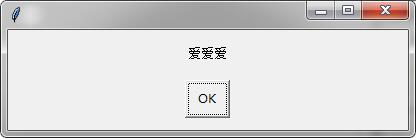
如何添加图片.
 import easygui as g

 import sys

 g.buttonbox('大家说我长得帅吗?', image='D:/Documents/Pictures/2.gif', choices=('帅', '不帅', '!@#$%'))

为用户提供一组选项.
 multchoicebox(msg='Pick as many items as you like.', title=' ', choices=(), **kwargs)

     Present the user with a list of choices.

     allow him to select multiple items and return them in a list.

     if the user doesn't choose anything from the list, return the empty list.

     return None if he cancelled selection.
 import easygui as g

 str1=g.multchoicebox('你现在最想干啥','这是标题',('抽烟','打游戏','和蔡伟伟一起玩','学东西写代码','唉,日了狗了'))

 if str1==None:

     g.msgbox('如果点击取消的话 会返回一个 None')

 print(str1)

 g.msgbox(str1)


让用户输入
 enterbox(msg='Enter something.', title=' ', default='', strip=True, image=None, root=None)

     Show a box in which a user can enter some text.

     You may optionally specify some default text, which will appear in the

     enterbox when it is displayed.

     Returns the text that the user entered, or None if he cancels the operation.

     By default, enterbox strips its result (i.e. removes leading and trailing

     whitespace).  (If you want it not to strip, use keyword argument: strip=False.)

     This makes it easier to test the results of the call::

         reply = enterbox(....)

         if reply:

             ...

         else:
>>> str1=g.enterbox(msg='请输入你想说的话', title='交互界面 ', default='这是默认用户输入', strip=True, image='D:/Documents/Pictures/2.gif', root=None)
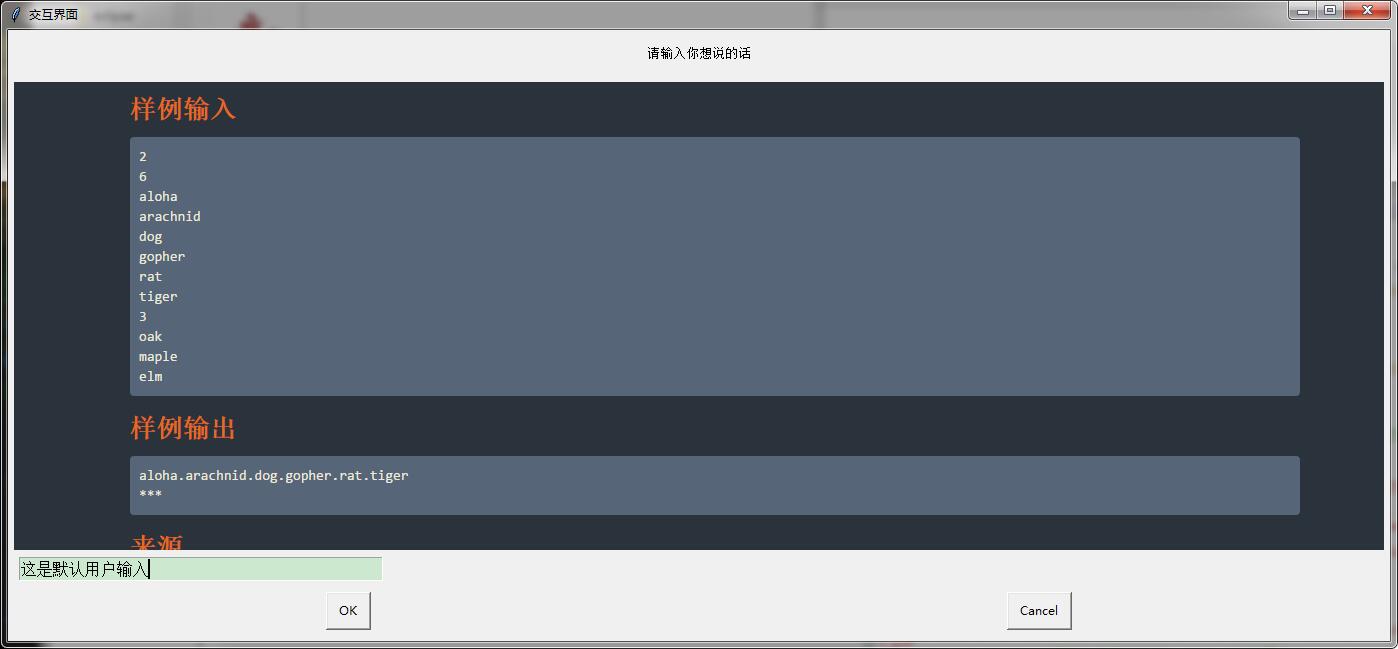
让用户输入数据
integerbox(msg='', title=' ', default='', lowerbound=0, upperbound=99, image=None, root=None, **invalidKeywordArguments)
 >>> g.integerbox(msg='输入你的分数 0~150', title='分数采集 ', default=0, lowerbound=0, upperbound=150)

 150

显示文本文档.
 import easygui as g

 f=open('C:/Users/Administrator/Desktop/新建文本文档.txt')

 str1=f.read()

 g.textbox('下面是题解','求模',str1,1)

输入帐号密码.
passwordbox(msg='Enter your password.', title=' ', default='', image=None, root=None)
g.msgbox(g.passwordbox('输入你的密码','登陆提示',''))


帐号密码登录框
 multpasswordbox(msg='Fill in values for the fields.', title=' ', fields=(), values=())

     Same interface as multenterbox.  But in multpassword box,

     the last of the fields is assumed to be a password, and

     is masked with asterisks.
import easygui as g

(account,password)=g.multpasswordbox('请输入您的账号密码','登录框',('帐号','密码'))

g.msgbox('帐号:  '+account+'\n'+'密码:  '+password)


目录和文件
 import easygui as g

 #gui编程中常见的一个场景是要求用户输入目录或者文件名

 #easygui提供了一些基本的函数让用户来浏览文件系统,选择一个目录或者文件.

 str1=g.diropenbox('选择文件目录','浏览文件夹','C:/Users/Administrator/Desktop')

 g.msgbox(str1)


选择一个文件并且返回包括文件名的目录
fileopenbox(msg=None, title=None, default='*', filetypes=None)
 import easygui as g

 #fileopenbox()函数用于提供一个对话框 , 返回用户选择的文件名(带完整路径)

 #如果用户选择 Cancel则返回None.

 str1=g.fileopenbox('选择文件','提示','C:/Users/Administrator/Desktop/__pycache__')

 g.msgbox(str1)

Python的图形化界面的更多相关文章
- python——Tkinter图形化界面及threading多线程
Tkinter模块("Tk 接口")是Python的标准Tk GUI工具包的接口.Tk和Tkinter可以在大多数的Unix平台下使用,同样可以应用在Windows和Macinto ...
- PySide——Python图形化界面
PySide——Python图形化界面 PySide——Python图形化界面入门教程(四) PySide——Python图形化界面入门教程(四) ——创建自己的信号槽 ——Creating Your ...
- PySide——Python图形化界面入门教程(四)
PySide——Python图形化界面入门教程(四) ——创建自己的信号槽 ——Creating Your Own Signals and Slots 翻译自:http://pythoncentral ...
- PySide——Python图形化界面入门教程(六)
PySide——Python图形化界面入门教程(六) ——QListView和QStandardItemModel 翻译自:http://pythoncentral.io/pyside-pyqt-tu ...
- PySide——Python图形化界面入门教程(五)
PySide——Python图形化界面入门教程(五) ——QListWidget 翻译自:http://pythoncentral.io/pyside-pyqt-tutorial-the-qlistw ...
- PySide——Python图形化界面入门教程(三)
PySide——Python图形化界面入门教程(三) ——使用内建新号和槽 ——Using Built-In Signals and Slots 上一个教程中,我们学习了如何创建和建立交互widget ...
- PySide——Python图形化界面入门教程(二)
PySide——Python图形化界面入门教程(二) ——交互Widget和布局容器 ——Interactive Widgets and Layout Containers 翻译自:http://py ...
- PySide——Python图形化界面入门教程(一)
PySide——Python图形化界面入门教程(一) ——基本部件和HelloWorld 翻译自:http://pythoncentral.io/intro-to-pysidepyqt-basic-w ...
- python+pycharm+PyQt5 图形化界面安装教程
python图形化界面安装教程 配置环境变量 主目录 pip所在目录,及script目录 更新pip(可选) python -m pip install --upgrade pip ps:更新出错一般 ...
随机推荐
- GIS软件列表
3map:行星地球项目由3map驱动,这是一个自由软件,由Telstra宽带基金会创建并支持,提供客户端与服务器的能力以在线再现虚拟地球. Amein!:其界面介于ArcMap和UMN Mapserv ...
- 10 vi简介(重点)
1.为什么学习vi? vi很多系统都预装,如果我们的系统没有图像界面,可以使用vi vi是轻量级且执行快速的编辑器 2.vi的几种模式 命令模式.插入模式.底行模式 1) 命令行模式(command ...
- 【转载】如何在德州仪器网站查找和下载PCB封装
德州仪器的网站做得相当不错,查找IC资料和下载IC封装样样给力.那么如何在TI网站上能够快速查找到自已需要的PCB封装呢?下面我来告诉你. 1. 在浏览器中输入网址http://weben ...
- BZOJ1962 模型王子
戳这里 /************************************************************** Problem: 1962 User: rausen Langu ...
- Html5工具
HTML5被看做是web开发者创建流行web应用的利器,增加了对视频和Canvas 2D的支持.用HTML5的优点主要在于,这个技术可以进行跨平台的使用.比如你开发了一款HTML5的游戏,你可以很轻易 ...
- 7款适用老旧设备并对初学者非常友好的轻量级Linux发行版
我们由从 7 到 1 的顺序向大家介绍. 7. Linux Lite 正如其名,Linux Lite 是 Linux 发行版的一个轻量级版本,用户并不需要强大的硬件就可以将它跑起来,而且其使用非常简单 ...
- JS引用类型之——RegExp
前言 之前小猪分享过关于正则表达式的一些内容,具体请看传送门,今天小猪来分享怎么在js中使用正则表达式. 定义 ECMAScript通过RegExp类型来支持正则表达式.使用下面类似Perl的语法,就 ...
- 通过CoreImage生成二维码
从IOS7开始集成了二维码的生成和读取功能 生成二维码的步骤: 1.导入CoreImage框架 2.通过滤镜CIFilter生成二维码 二维码的内容(传统的条形码只能放数字): 纯文本 名片 URL ...
- Js笔试题之parseInt()和.map()
parseInt()的几个例子 var b = parseInt("01"); alert("b="+b); var c = parseInt("09 ...
- 由于lightdm.conf 错误无法进入ubuntu 的办法
由于自己向默认登录GNOME桌面,所以修改了lightdm,由于参数错误,结果无法启动桌面? 这是需要进入shell界面: 1.选择cancel ,如果虚拟机下无法点击cancel按钮,可以使用快捷键 ...