
ubuntu14.04终端分屏terminator的安装使用与配置
安装 terminator 软件 。
sudo apt-get install terminator
这个终端程序可以分屏,常用操作快捷键如下:
Ctrl+Shift+O

    Split terminals Horizontally.(上下开新窗口)

Ctrl+Shift+E

    Split terminals Vertically.(垂直开新窗口)

Ctrl+Shift+Right

    Move parent dragbar Right.(放大当前窗口 向右)

Ctrl+Shift+Left

    Move parent dragbar Left.

Ctrl+Shift+Up

    Move parent dragbar Up.

Ctrl+Shift+Down

    Move parent dragbar Down.

Ctrl+Shift+W

    Close the current terminal.

Alt+Up

    Move to the terminal above the current one.(切换当前窗口)

Alt+Down

    Move to the terminal below the current one.

Alt+Left

    Move to the terminal left of the current one.

Alt+Right

    Move to the terminal right of the current one.

Ctrl+Shift+S

    Hide/Show Scrollbar.(隐藏滚动条)

Ctrl+Shift+F

    Search within terminal scrollback

Ctrl+Shift+N or Ctrl+Tab

    Move to next terminal within the same tab, use Ctrl+PageDown to move to the next tab. If cycle_term_tab is False, cycle within the same tab will be disabled

Ctrl+Shift+P or Ctrl+Shift+Tab

    Move to previous terminal within the same tab, use Ctrl+PageUp to move to the previous tab. If cycle_term_tab is False, cycle within the same tab will be disabled

Ctrl+Shift+C

    Copy selected text to clipboard

Ctrl+Shift+V

    Paste clipboard text

Ctrl+Shift+Q

    Quits Terminator

Ctrl+Shift+X (最大化当前窗口)

    Toggle between showing all terminals and only showing the current one (maximise).

Ctrl+Shift+Z

    Toggle between showing all terminals and only showing a scaled version of the current one (zoom).

Ctrl+Shift+T

    Open new tab

Ctrl+Shift+Alt+T

    Open new tab at root level, if using extreme_tabs.

Ctrl+PageDown

    Move to next Tab

Ctrl+PageUp

    Move to previous Tab

Ctrl+Shift+PageDown

    Swap tab position with next Tab

Ctrl+Shift+PageUp

    Swap tab position with previous Tab

Ctrl+Shift+F

    Open buffer search bar to find substrings in the scrollback buffer. Hit Escape to cancel.

Ctrl+Plus (+)

    Increase font size. Note: this may require you to press shift, depending on your keyboard

Ctrl+Minus (-)

    Decrease font size. Note: this may require you to press shift, depending on your keyboard

Ctrl+Zero ()

    Restore font size to original setting.

F11

    Toggle fullscreen(放大当前窗口)

Ctrl+Shift+R

    Reset terminal state

Ctrl+Shift+G

    Reset terminal state and clear window
因为初始化界面不太美观,可以设置配置文件,方法如下:
cd ~/.config/terminator/

sudo vim config
如果报错,Unable to open ~/.config/terminator/config ,解决方法:
打开terminator终端,然后右击终端的黑色背景,选择preference->layouts->add,关闭该窗口即可找到config文件。
修改配置文件,我的配置文件如下:
[global_config]

[keybindings]

[profiles]

  [[default]]

    use_system_font = False # 是否启用系统字体

    login_shell = True

    background_darkness = 0.92 # 背景颜色

    background_type = transparent

    background_image = None

    cursor_color = "#3036ec" # 光标颜色

    foreground_color = "#00ff00"

    show_titlebar = False # 不显示标题栏,也就是 terminator 中那个默认的红色的标题栏

    custom_command = tmux

    font = Ubuntu Mono   # 字体设置,后面的数字表示字体大小

[layouts]

  [[default]]

    [[[child1]]]

      type = Terminal

      parent = window0

    [[[window0]]]

      type = Window

      parent = ""

[plugins]
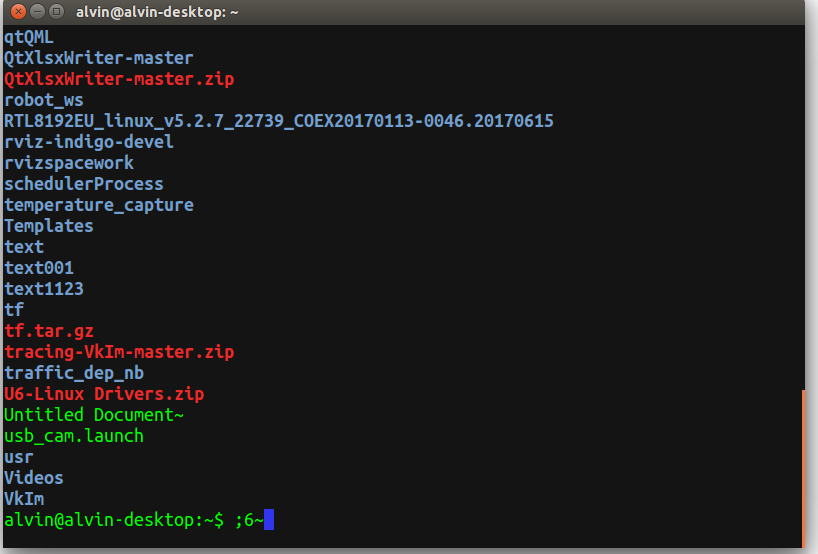
最后的效果:
ubuntu14.04终端分屏terminator的安装使用与配置的更多相关文章
- ubuntu14.04下nodejs + npm + bower的安装、调试和部署
1. 简介 本文介绍ubuntu14.04下nodejs+npm+bower的安装.调试和部署 参考文档 https://docs.npmjs.com/getting-started https: ...
- Ubuntu终端多窗口分屏Terminator
1.安装 Terminator最大的特点就是可以在一个窗口中打开多个终端 sudo apt-get install terminator 2.快捷键 Ctrl+Shift+E 垂直分割窗口 Ct ...
- Ubuntu14.04+cuda 7.5+cudnn_v4+tensorflow安装
系统环境:Ubuntu14.04 64位.Windows7 64位 双系统 CUDA 版本: 7.5 总结一下,我的安装建议是: 一定要下一份CUDA官方的安装文档,按照它的步骤一步步慢慢来,不可偷懒 ...
- ubuntu14.04下 Kinect V2+Ros接口安装
1. 首先git下载代码,放到主文件夹下面 git clone https://github.com/OpenKinect/libfreenect2.git 2. 然后安装依赖项如下,最好事先编译安装 ...
- tmux 终端分屏利器使用
介绍 Tmux 是一个工具,用于在一个终端窗口中运行多个终端会话. 不仅如此,你还可以通过 Tmux 使终端会话运行于后台或是按需接入.断开会话,这个功能非常实用. 很好的工具,记录一下,以后要常用. ...
- Ubuntu14.04下Mongodb数据库可视化工具安装部署步骤(图文详解)(博主推荐)
不多说,直接上干货! 前期博客 Ubuntu14.04下Mongodb(离线安装方式|非apt-get)安装部署步骤(图文详解)(博主推荐) Ubuntu14.04下Mongodb官网安装部署步骤(图 ...
- Ubuntu14.04 dd命令克隆系统镜像安装到另一台机器上
linux系统如果想做备份还原,使用ghost的时候经常出现问题,后来发现可以直接使用dd命令完成硬盘的克隆和还原.当拷贝完硬盘后,就可以拿这个硬盘放到其它设备上跑了.也就是完成了“烧写”了. 用U盘 ...
- 艰辛五天:Ubuntu14.04+显卡驱动+cuda+Theano环境安装过程
题记:从一开始不知道显卡就是GPU(虽然是学计算机的,但是我真的不知道…脑残如我也是醉了),到搞好所有这些环境前后弄了5天时间,前面的买显卡.装显卡和装双系统见另一篇博客装显卡.双系统,这篇主要记录我 ...
- Torch,Tensorflow使用: Ubuntu14.04(x64)+ CUDA8.0 安装 Torch和Tensorflow
系统配置: Ubuntu14.04(x64) CUDA8.0 cudnn-8.0-linux-x64-v5.1.tgz(Tensorflow依赖) Anaconda 1. Torch安装 Torch是 ...
随机推荐
- javasript中var、let和const区别
let和const都是es5,es6新版本的js语言规范出来的定义,在这以前定义一个变量只能用var.let和const都是为了弥补var的一些缺陷而新设计出来的. 简单来说是: let是修复了var ...
- APP接口做什么?
提交数据:GET POST 有的接口是获取数据和提交数据相结合形式:如检测更新下载
- BZOJ3413: 匹配(后缀自动机 线段树合并)
题意 题目链接 Sol 神仙题Orz 后缀自动机 + 线段树合并... 首先可以转化一下模型(想不到qwq):问题可以转化为统计\(B\)中每个前缀在\(A\)中出现的次数.(画一画就出来了) 然后直 ...
- SuperMap iServer 扩展/JAVA API 系列博客整理
转载:http://blog.csdn.net/supermapsupport/article/details/70158940 SuperMap iServer为广大用户提供了整套 SDK,应用开发 ...
- 无法给MySQL root用户修改密码的解决方法
本人编译安装完MySQL数据库,想给root用户修改密码,结果无法修改,并且报错,报错大概信息如下: mysqladmin: connect to server at 'localhost' fail ...
- 你的BI应用处于什么阶段?解读Gartner BI成熟度模型
文 | 帆软数据应用研究院 水手哥 本文出自:知乎专栏<帆软数据应用研究院>——数据干货&资讯集中地 无论国内还是国外,多数企业的BI和分析平台建设之路并不平坦:一是对自身的环 ...
- 【详细】【转】CentOS 7部署ASP.NET Core应用程序
很早就看过关于net core部署在Linux上的文章,自己也曾亲自将项目部署在Linux上,今天看到这篇文章,为其格式之工整而转! 1.环境准备 网上看了一下,Linux云服务器还挺贵的,那就只好先 ...
- 慕学在线网0.2_users表设计(1)
1.Django App设计: users-用户管理(任何web中,users表都是第一个被设计的) course-课程管理 organization-机构和教师管理 operation-用户操作管理 ...
- 【redis专题(5)】命令语法介绍之sets
标签(空格分隔): Redis 关于 redis的无序集合有三个特点: 无序性, 确定性(描述准确) , 唯一性: 有点类似于数据容器: 增 SADD key member1 [member2] 作用 ...
- python第七天-作业[购物车]
作业要示: 购物车程序:启动程序后,输入用户名密码后,如果是第一次登录,让用户输入工资,然后打印商品列表允许用户根据商品编号购买商品用户选择商品后,检测余额是否够,够就直接扣款,不够就提醒 可随时退出 ...