
Android第1-2周作业
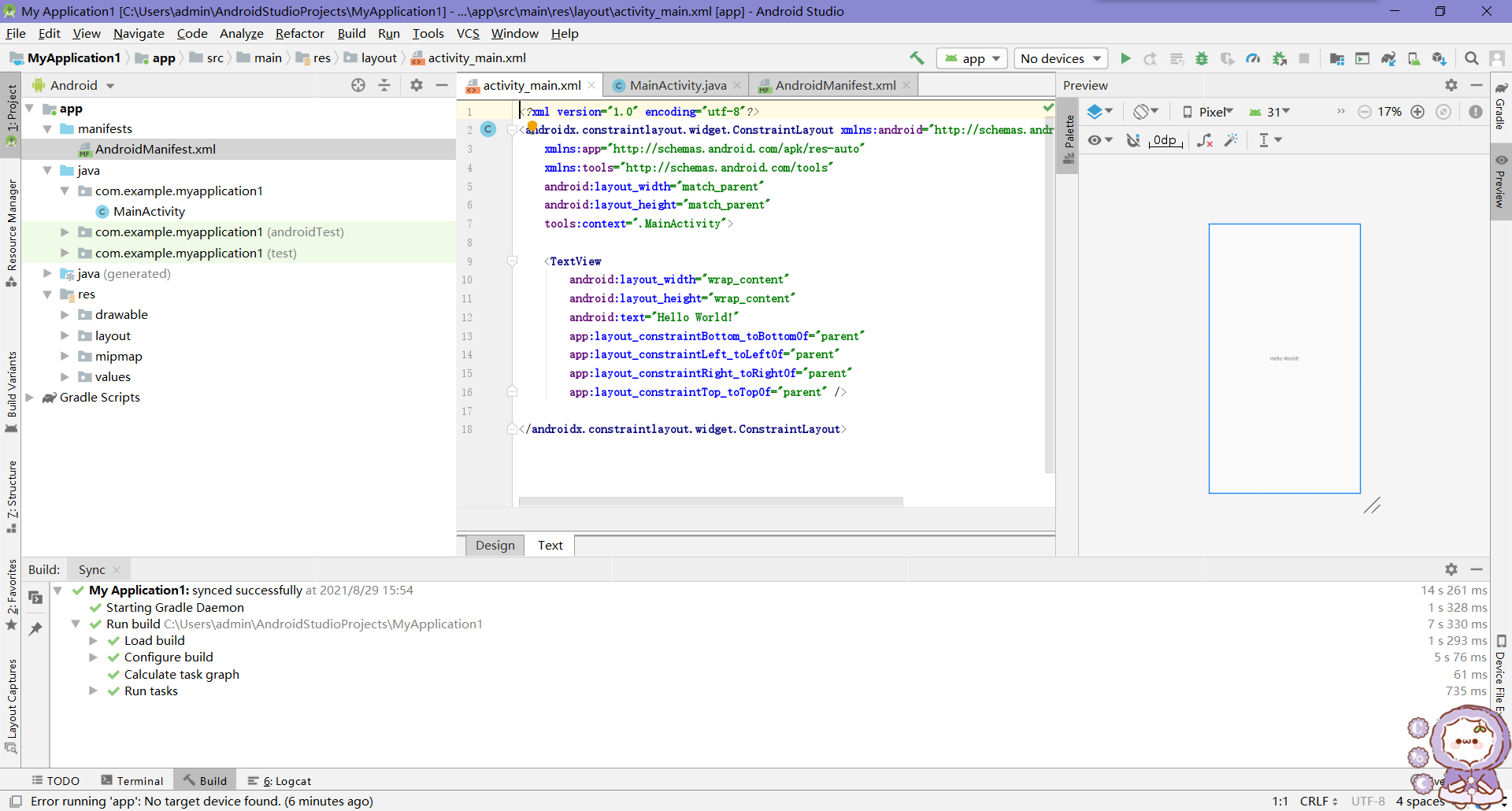
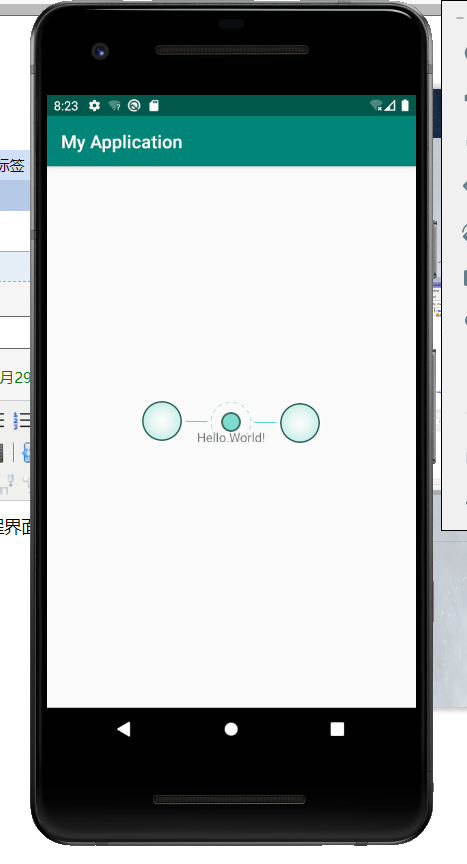
作业1:安装环境,截图编程界面,截图运行界面
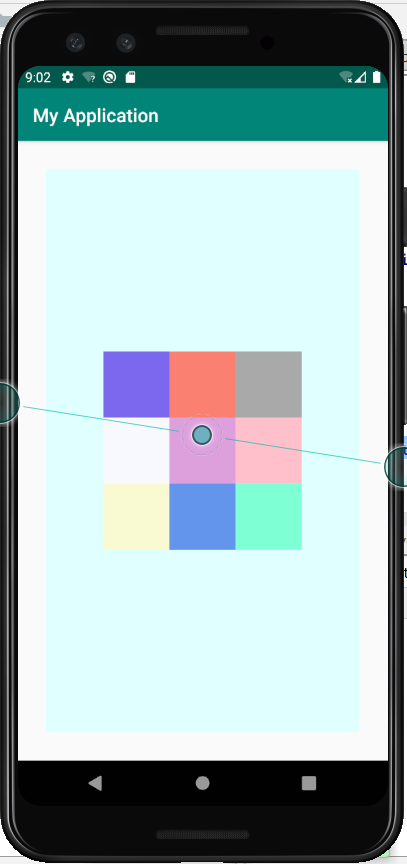
作业2:九宫格
<?xml version="1.0" encoding="utf-8"?>

<RelativeLayout

    xmlns:android="http://schemas.android.com/apk/res/android"

    android:id="@+id/rl_1"

    android:layout_width="match_parent"

    android:layout_height="match_parent"

    android:background="#E0FFFF"

    android:layout_margin="30dp"

    android:orientation="horizontal">

    <View

        android:id="@+id/v_1"

        android:layout_width="70dp"

        android:layout_height="70dp"

        android:background="#DDA0DD"

        android:layout_centerInParent="true"/>

    <View

        android:id="@+id/v_2"

        android:layout_width="70dp"

        android:layout_height="70dp"

        android:background="#FFC0CB"

        android:layout_centerInParent="true"

        android:layout_toRightOf="@+id/v_1"/>

    <View

        android:id="@+id/v_3"

        android:layout_width="70dp"

        android:layout_height="70dp"

        android:background="#F8F8FF"

        android:layout_centerInParent="true"

        android:layout_toLeftOf="@+id/v_1"/>

    <View

        android:id="@+id/v_4"

        android:layout_width="70dp"

        android:layout_height="70dp"

        android:background="    #6495ED"

        android:layout_centerInParent="true"

        android:layout_below="@+id/v_1"/>

    <View

        android:id="@+id/v_5"

        android:layout_width="70dp"

        android:layout_height="70dp"

        android:background="#7FFFD4"

        android:layout_centerInParent="true"

        android:layout_below="@+id/v_1"

        android:layout_toRightOf="@+id/v_4"/>

    <View

        android:id="@+id/v_6"

        android:layout_width="70dp"

        android:layout_height="70dp"

        android:background="    #FAFAD2"

        android:layout_centerInParent="true"

        android:layout_below="@+id/v_1"

        android:layout_toLeftOf="@+id/v_4"/>

    <View

        android:id="@+id/v_7"

        android:layout_width="70dp"

        android:layout_height="70dp"

        android:background="#FA8072"

        android:layout_centerInParent="true"

        android:layout_above="@id/v_1"/>

    <View

        android:id="@+id/v_8"

        android:layout_width="70dp"

        android:layout_height="70dp"

        android:background="#A9A9A9"

        android:layout_centerInParent="true"

        android:layout_above="@id/v_1"

        android:layout_toRightOf="@+id/v_7"/>

    <View

        android:id="@+id/v_9"

        android:layout_width="70dp"

        android:layout_height="70dp"

        android:background="#7B68EE"

        android:layout_centerInParent="true"

        android:layout_above="@id/v_1"

        android:layout_toLeftOf="@+id/v_7"/>

</RelativeLayout>
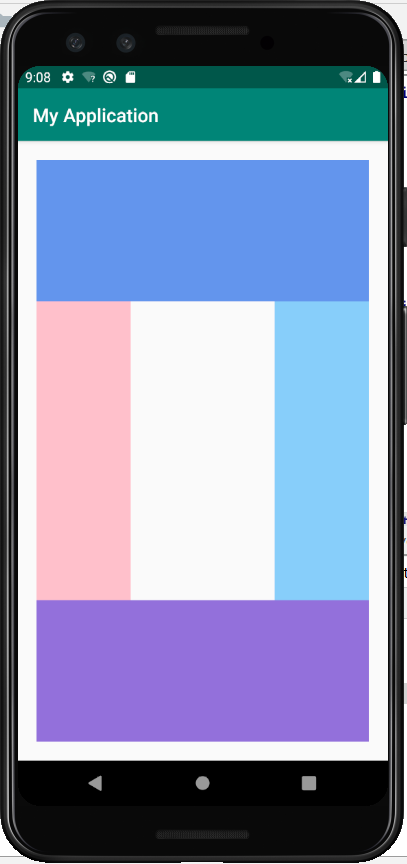
作业3:布局界面(QQ群截图)
<?xml version="1.0" encoding="utf-8"?>

<RelativeLayout xmlns:android="http://schemas.android.com/apk/res/android"

    xmlns:app="http://schemas.android.com/apk/res-auto"

    xmlns:tools="http://schemas.android.com/tools"

    android:id="@+id/rl_1"

    android:layout_width="match_parent"

    android:layout_height="match_parent"

    android:layout_margin="20dp"

    android:orientation="horizontal">

    <View

        android:id="@+id/v_1"

        android:layout_width="match_parent"

        android:layout_height="150dp"

        android:background="#6495ED"

        android:layout_alignParentTop="true"/>

    <View

        android:id="@+id/v_2"

        android:layout_width="match_parent"

        android:layout_height="150dp"

        android:background="#9370DB"

        android:layout_centerInParent="true"

        android:layout_alignParentBottom="true"/>

    <View

        android:id="@+id/v_3"

        android:layout_width="100dp"

        android:layout_height="500dp"

        android:background="#FFC0CB"

        android:layout_below="@id/v_1"

        android:layout_above="@id/v_2"

        android:layout_alignParentLeft="true"

        />

    <View

        android:id="@+id/v_4"

        android:layout_width="100dp"

        android:layout_height="500dp"

        android:background="#87CEFA"

        android:layout_below="@id/v_1"

        android:layout_above="@id/v_2"

        android:layout_alignParentRight="true"/>

</RelativeLayout>
作业3:制作登录界面(要求至少2个edittext,1个button,最好有一个imageview要求美观)
Android第1-2周作业的更多相关文章
- Android第五六周作业
1.返回键实现对话框弹出是否退出应用程序 package com.example.zuoye1; import androidx.appcompat.app.AlertDialog; import a ...
- 2017-2018-1 我爱学Java 第六七周 作业
团队六七周作业 完善版需求规格说明书 制定团队编码规范 数据库设计 后端架构设计 TODOList 参考资料 完善版需求规格说明书 <需求规格说明书>初稿不足之处: 1.开发工具写错 2. ...
- 2017-2018-2 1723《程序设计与数据结构》第十一周作业 & 实验三 & (总体)第三周结对编程 总结
作业地址 第十一次作业:https://edu.cnblogs.com/campus/besti/CS-IMIS-1723/homework/1933 (作业界面已评分,可随时查看,如果对自己的评分有 ...
- 2017-2018 第一学期201623班《程序设计与数据结构》-第2&3周作业问题总结
一.作业内容 第二周作业 http://www.cnblogs.com/rocedu/p/7484252.html#WEEK02 第三周作业 作业一定按教学进程中的模板提交 本周学习任务 点评结对同学 ...
- 2017-2018-1 Java小组-1623 第二周作业
2017-2018-1 Java小组-1623 第二周作业 关于游戏软件的问题 讨论结果 20162301张师瑜 20162305李昱兴 20162306陈是奇 20162308马平川 2016231 ...
- 2017-2018-1 JaWorld 第三周作业
2017-2018-1 JaWorld 第三周作业 团队展示 队员学号 队名 团队项目描述 队员风采 团队的特色 团队合照 团队初步合作 前两周的反思与总结 需要改进的地方 团队选题 *采访老师或有开 ...
- 2017-2018-1 JAVA实验站 第二周作业
2017-2018-1 JAVA实验站 第二周作业 小组成员: 组长 20162318张泰毓 成员 20162303石亚鑫 20162304张浩林 20162307张韵琪 20162321王彪 201 ...
- 2017-2018-1 JAVA实验站 第三周作业
2017-2018-1 JAVA实验站 第三周作业 团队展示 队名 JAVA实验站 拟作的团队项目描述 (2048)增加其他模式,使得2048更加丰富多彩 团队的首次合照 团队的特色描述 团队内部很团 ...
- JAVA第三周作业(从键盘输入若干数求和)
JAVA第三周作业(从键盘输入若干数求和) 在新的一周,我学习了JAVA的IO编程.下面的代码实现了从键盘输入若干数求和的目标.import java.util.Scanner; public cla ...
随机推荐
- unittest+HtmlTestRunner+python接口自动化测试:用例失败发送邮件
一点啰嗦:发送邮件python中有另一个支持的第三方库yagmail更轻量级,代码参考可移步至此:https://www.cnblogs.com/princessironfan/p/13220601. ...
- Java的http post请求01之HttpURLConnection
package com.ricoh.rapp.ezcx.iwbservice.webservice; import java.io.BufferedOutputStream; import java. ...
- JS如何通过月份,计算月份相差几个月
1 var tr = ''; 2 <script> 3 $.each(data, function (index, item) { 4 let startTime = new Date(i ...
- linux的服务自动启动的配置
1.开机启动时自动运行程序 Linux加载后, 它将初始化硬件和设备驱动, 然后运行第一个进程init.init根据配置文件继续引导过程,启动其它进程.通常情况下,修改放置在 /etc/rc或 /et ...
- Mycat+MySql 主从复制-读写分离 看这一篇就够了
通过mycat和mysql的主从复制配合搭建数据库的读写分离,可以实现mysql的高可用性,下面我们来搭建mysql的读写分离. 1.一主一从 1.在node01上修改/etc/my.cnf的文件 ...
- Ubuntu16.04安装、卸载宝塔软件
宝塔是一款Linux可视化软件 1.一键安装 apt-get install wget && wget -O install.sh http://download.bt.cn/inst ...
- CF1404E Bricks (最大权独立集)
考虑把答案进行转化,通过分矩形条,我们能去掉一些夹在#之间的边 那么答案= #个数 - 能去掉的边个数 但去掉是有限制的,同一个#格子的横边和竖边不能同时去掉 把边转化成点,限制变成边. 横竖边的点 ...
- 一文带你了解Lakehouse的并发控制:我们是否过于乐观
1. 概述 如今数据湖上的事务被认为是 Lakehouse 的一个关键特征. 但到目前为止,实际完成了什么? 目前有哪些方法? 它们在现实世界中的表现如何? 这些问题是本博客的重点. 有幸从事过各种数 ...
- GitHub如何选择合适的license(许可证)
license译为许可证,也可作为开源协议,它可以将自己创作的东西,授权给他人使用,并约定了使用者可以有的权利和必须遵从的义务.现在很多优秀的开源项目都有设置license,不同的license所约束 ...
- VUE常见问题
VUE常见问题 对于MVVM的理解 MVVM 是 Model-View-ViewModel 的缩写 Model代表数据模型,也可以在Model中定义数据修改和操作的业务逻辑 View 代表UI 组件, ...