
websocket使用ssl 证书,开启加密服务
参考文章:https://fzambia.gitbooks.io/centrifugal/content/deploy/certificates.html
TLS certificates
TLS/SSL layer is very important not only for securing your connections but also to increase a chance to establish Websocket connection. In most situations you will put TLS termination task on your reverse proxy/load balancing software such as Nginx.
There are situations though when you want to serve secure connections by Centrifugo itself.
There are two ways to do this: using TLS certificate cert and key files that you've got from your CA provider or using automatic certificate handling via ACME provider (only Let's Encrypt at this moment).
Using crt and key files
In first way you already have cert and key files. For development you can create self-signed certificate - see this instruction as example.
Then to start Centrifugo use the following command:
./centrifugo --config=config.json --ssl --ssl_key=server.key --ssl_cert=server.crt
Or just use configuration file:
{

  ...

  "ssl": true,

  "ssl_key": "server.key",

  "ssl_cert": "server.crt"

}
And run:
./centrifugo --config=config.json
Automatic certificates
For automatic certificates from Let's Encrypt add into configuration file:
{

  ...

  "ssl_autocert": true,

  "ssl_autocert_host_whitelist": "www.example.com",

  "ssl_autocert_cache_dir": "/tmp/certs",

  "ssl_autocert_email": "user@example.com"

}
ssl_autocert says Centrifugo that you want automatic certificate handling using ACME provider.
ssl_autocert_host_whitelist is a string with your app domain address. This can be comma-separated list. It's optional but recommended for extra security.
ssl_autocert_cache_dir is a path to a folder to cache issued certificate files. This is optional but will increase performance.
ssl_autocert_email is optional - it's an email address ACME provider will send notifications about problems with your certificates.
When configured correctly and your domain is valid (localhost will not work) - certificates will be retrieved on first request to Centrifugo.
Also Let's Encrypt certificates will be automatically renewed.
There are tho options (new in v1.6.5) that allow Centrifugo to support TLS client connections from older browsers such as Chrome 49 on Windows XP and IE8 on XP:
ssl_autocert_force_rsa- this is a boolean option, by defaultfalse. When enabled it forces autocert manager generate certificates with 2048-bit RSA keys.ssl_autocert_server_name- string option, allows to set server name for client handshake hello. This can be useful to deal with old browsers without SNI support - see comment
实例:
阿里云下载域名的证书
上传到服务器 /home/websocket_cert/1522*******822.key , /home/websocket_cert/1522*****4822.pem
cat /data/centrifugo/config_ssl.json

 "log_level": "debug",

  "connection_lifetime": ,

  "admin_password": "admin",

  "admin_secret": "admin_secret",

  "recover": true,

  "admin":true,

  "web":true,

  "anonymous": true,

  "ssl": true,

  "ssl_key": "/home/websocket_cert/152******4822.key",

  "ssl_cert": "/home/websocket_cert/152******4822.pem"

}
启动服务:
/data/centrifugo/centrifugo -d -c /data/centrifugo/config_ssl.json -p ** --log_file /data/centrifugo/error_ssl.log --log_level debug --web &
若是阿里云服务器 请在安全组开启 相应端口允许 。
实例访问效果:
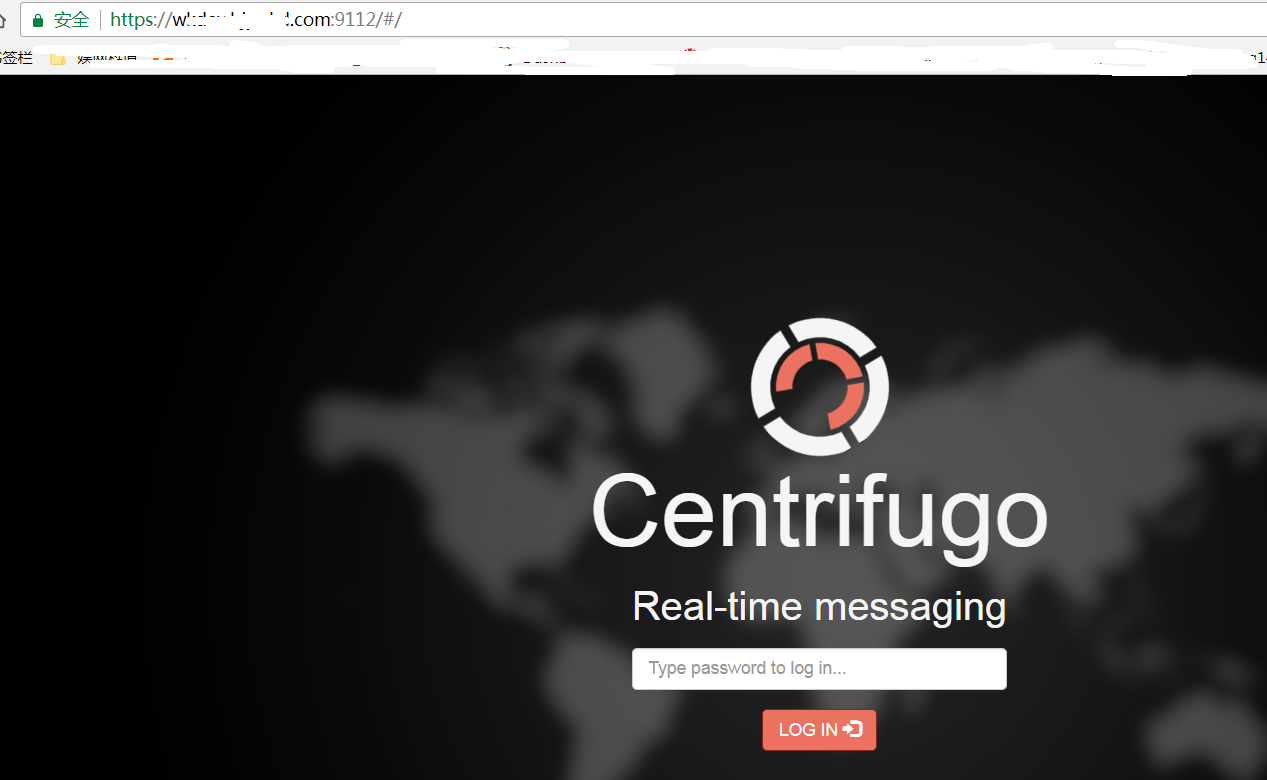
websocket使用ssl 证书,开启加密服务的更多相关文章
- 阿里云slb和ucloud负载均衡ulb添加ssl证书将http服务https化的配置详解
阿里云和ucloud服务器配置ssl证书将http服务https化的配置详解 项目背景: 苹果App于2017年1月1日将启用App Transport Security安全功能,即强制App通过HT ...
- SSL证书:Web加密使互联网更安全
在网络安全的圈子里,我们都会隔三差五的听到某某公司遭受恶意软件攻击.或大量的隐私信息被泄露等等事件,此类安全事件往往都有影响范围广.涉及用户众多等特点.不免让人质疑联网的世界越来越危险.然而,在安全专 ...
- 免费获取SSL证书/一键安装SSL证书/https加密
因为我用的是恒创的香港服务器 虽然价格相较于大促的阿里云贵一些,但是有一个有点不用备案... 安装步骤: 1.登录云主机控制面板, 在 其他管理 中找到并进入 SSL证书 设置. 注意:如拥有多个域名 ...
- nginx配置SSL证书实现https服务
在前面一篇文章中,使用openssl生成了免费证书 后,我们现在使用该证书来实现我们本地node服务的https服务需求.假如我现在node基本架构如下: |----项目 | |--- static ...
- 免费SSL证书PK付费SSL证书 花落谁家
3月17日和18日,Google Chrome 57.0.2987.110与Mozilla Firefox 52.0.1分别上线,而这两款浏览器都出现了一个共同点:打压HTTP协议.在Firefox ...
- 免费SSL&付费SSL证书,该如何选择?
近年来Google.Apple.百度等公司不断推动 HTTPS 的普及,SSL 证书作为 HTTPS 安全协议的必备配置,自然也成为了网站.App 开发者最重要部署项目之一. 又拍云于 2016 年联 ...
- HTTPS那些事(二)SSL证书(转载)
原创地址:http://www.guokr.com/post/116169/ 从第一部分HTTP工作原理中,我们可以了解到HTTPS核心的一个部分是数据传输之前的握手,握手过程中确定了数据加密的密 ...
- HTTPS那些事(二)SSL证书
转自:http://www.guokr.com/post/116169/ 从第一部分HTTPS原理中, 我们可以了解到HTTPS核心的一个部分是数据传输之前的握手,握手过程中确定了数据加密的密码.在握 ...
- (二)、SSL证书
从第一部分HTTPS原理中,我们可以了解到HTTPS核心的一个部分是数据传输之前的握手,握手过程中确定了数据加密的密码.在握手过程中,网站会向浏览器发送SSL证书,SSL证书和我们日常用的身份证类似, ...
随机推荐
- hihoCoder offer 收割练习赛 74B 取球游戏
Observations 存在取球策略使得每个四连通块可以只剩一个球:保证取走一个球后仍然是个四连通块. 定义新的[相邻]关系:两球在同一行中且所在行中二者之间无其他球,或者两球在同一列且所在列中二者 ...
- 现代互联网的TCP拥塞控制(CC)算法评谈
动机 写这篇文章本质上的动机是因为前天发了一个朋友圈,见最后的写在最后,但实际上,我早就想总结总结TCP拥塞控制算法点点滴滴了,上周总结了一张图,这周接着那些,写点文字. 前些天,Linux中国微信公 ...
- webpack-dev-server版本
webpack1.x webpack 1.13.2-1.13.3 webpack-dev-server 1.15.0-1.16.0
- 小白逛公园加强版(park)
小白逛公园加强版(park) 题目描述 小新经常陪小白去公园玩,也就是所谓的遛狗啦--在小新家附近有n个公园,这些公园通过一些路径相连,并保证每两个公园之间有且仅有一条通路相连(也就是说这是一棵树), ...
- jquery 实践操作:div 动态嵌套(追加) div
此片记录在指定 div 中动态添加 div html(): append(): 在被选元素的结尾(但仍在元素内部)插入指定的内容. 语法: $(selector).append(content); / ...
- 使用PropTypes进行类型检测
PropTypes 是react提供的用于检验数据类型的typechecking,避免应用越来越大的时候出现意料之外的bug class Greeting extends React.Componen ...
- L#中 int.TryParse 有问题
今天发现了一个 L# 的异常..因此记录一下 List<string> strList = new List<string>(); ; i<; ++i) { ; j< ...
- ubuntu 忘记密码,忘记root密码的解决办法
ubuntu的root默认是禁止使用的,在安装的时候也没有要求设置root的密码.要使用,给root设置密码就行了,sudo passwd root .如果只是普通用户密码忘了,用root就可以修改. ...
- time stamp in javascript
JavaScript 获取当前时间戳: 第一种方法: var timestamp = Date.parse(new Date()); 结果:1280977330000 第二种方法: var times ...
- vue-cli脚手架每行注释
.babelrc文件 { // 此项指明,转码的规则 "presets": [ // env项是借助插件babel-preset-env,下面这个配置说的是babel对es6,es ...