
<canvas>中isPointInPath()方法在不同绘制内容中的效果
<canvas>是HTML5中新增加的一个元素,我们可以使用脚本(通常使用JavaScript)在上面绘制图形,就像个画布一样。我们可以用它来绘制图表、制作一些动画。默认大小为300px × 150px。
在<canvas>中绘制图形的方法中,isPointInPath()方法用于检测指定的点是否在绘制图形的路径中,存在返回ture,不存在返回false。
注:在代码部分,红色加粗部分是重点要注意的内容哦!
在矩形中
在画布上绘制一个空心矩形,然后指定一个点,如果这个点在矩形的路径中,矩形的颜色为蓝色,否则为黑色。为了能清楚的看到那个点在哪里,我们后面再画上两条灰色的线,交叉的位置就是我们指定的点:
 <body>

     <canvas id="drawEle">

         您的浏览器不支持该标签

     </canvas>

     <script>

         var c = document.getElementById("drawEle");

         ctx = c.getContext("2d");

         //矩形

         ctx.beginPath();

         ctx.rect(10,20,280,20);           //绘制矩形区域

         if(ctx.isPointInPath(50,25)) {      //判断(50,25)是否在矩形路径中

             ctx.strokeStyle = "#0000FF";    //在则矩形是蓝色

         }

         else {

             ctx.strokeStyle = "#000000";    //不在则矩形是黑色

         }

         ctx.stroke();

         //绘制定位用的直线

         ctx.beginPath();

         ctx.strokeStyle = "#CCCCCC";

         ctx.moveTo(50,0);

         ctx.lineTo(50,150);

         ctx.stroke();

         ctx.beginPath();

         ctx.moveTo(0,25);

         ctx.lineTo(300,25);

         ctx.stroke();

     </script>

 </body>
运行效果如下:
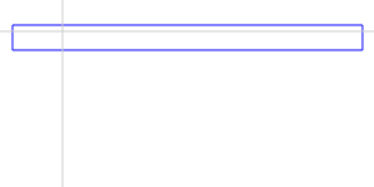
可以看到,我们定位的点再矩形区域内部,矩形的颜色变成了蓝色,也就是说这个点的位置在矩形的路径中。
在弧/曲线区域中
那我们再arc()创建的弧/曲线区域中定位试试看。之后也是使用两条灰色线交叉定位我们判断的点:
 <body>

     <canvas id="drawEle">

         您的浏览器不支持该标签

     </canvas>

     <script>

         var c = document.getElementById("drawEle");

         ctx = c.getContext("2d");

         //弧/曲线

         ctx.beginPath();

         ctx.arc(150,75,50,0,1.5 * Math.PI);    //绘制圆形区域

         if(ctx.isPointInPath(170,55)) {        //判断(170,55)是否在矩形路径中

             ctx.strokeStyle = "#0000FF";      //在则曲线是蓝色

         }

         else {

             ctx.strokeStyle = "#000000";       //不在则曲线是黑色

         }

         ctx.stroke();

         //绘制定位用的直线

         ctx.beginPath();

         ctx.strokeStyle = "#CCCCCC";

         ctx.moveTo(170,0);

         ctx.lineTo(170,150);

         ctx.stroke();

         ctx.beginPath();

         ctx.moveTo(0,55);

         ctx.lineTo(300,55);

         ctx.stroke();

     </script>

 </body>
运行效果如下: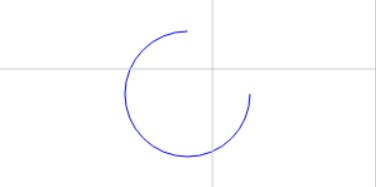
哦,圆还是蓝色的,说明定位是在路径中的。。。不对,这样子看上去好像没有闭合啊,那我们给它填充一下颜色(换成fill()):
 <body>

     <canvas id="drawEle">

         您的浏览器不支持该标签

     </canvas>

     <script>

         var c = document.getElementById("drawEle");

         ctx = c.getContext("2d");

         //弧/曲线

         ctx.beginPath();

         ctx.arc(150,75,50,0,1.5 * Math.PI);  //绘制圆形区域

         if(ctx.isPointInPath(170,55)) {      //判断(170,55)是否在矩形路径中

             ctx.fillStyle = "#0000FF";       //在则曲线是蓝色

         }

         else {

             ctx.fillStyle = "#000000";      //不在则曲线是黑色

         }

         ctx.fill();

         //绘制定位用的直线

         ctx.beginPath();

         ctx.strokeStyle = "#CCCCCC";

         ctx.moveTo(170,0);

         ctx.lineTo(170,150);

         ctx.stroke();

         ctx.beginPath();

         ctx.moveTo(0,55);

         ctx.lineTo(300,55);

         ctx.stroke();

     </script>

 </body>
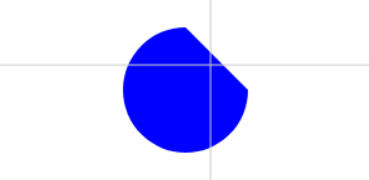
嗯,是没有超过区域,那我们让超过区域看看
 <body>

     <canvas id="drawEle">

         您的浏览器不支持该标签

     </canvas>

     <script>

         var c = document.getElementById("drawEle");

         ctx = c.getContext("2d");

         //弧/曲线

         ctx.beginPath();

         ctx.arc(150,75,50,0,1.5 * Math.PI);    //绘制圆形区域

         if(ctx.isPointInPath(180,45)) {        //判断(180,45)是否在矩形路径中

             ctx.fillStyle = "#0000FF";        //在则曲线是蓝色

         }

         else {

             ctx.fillStyle = "#000000";        //不在则曲线是黑色

         }

         ctx.fill();

         //绘制定位用的直线

         ctx.beginPath();

         ctx.strokeStyle = "#CCCCCC";

         ctx.moveTo(180,0);

         ctx.lineTo(180,150);

         ctx.stroke();

         ctx.beginPath();

         ctx.moveTo(0,45);

         ctx.lineTo(300,45);

         ctx.stroke();

     </script>

 </body>
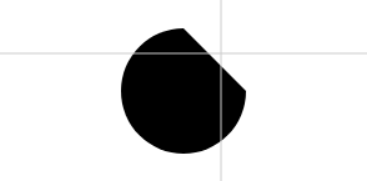
变黑了,说明这个点不再路径中。
在直线中
接下来就到最简单的线条了。其实写这个笔记就是因为这个线条来着┑( ̄ ▽  ̄)┍
使用moveTo()和lineTo()结合,创建一根直线,定位点在路径中直线为蓝色,否则为黑色。使用一条灰色线交叉定位我们判断的点:
 <body>

     <canvas id="drawEle">

         您的浏览器不支持该标签

     </canvas>

     <script>

         var c = document.getElementById("drawEle");

         ctx = c.getContext("2d");

         //直线

         ctx.beginPath();

         ctx.moveTo(40,40);

         ctx.lineTo(260,40);

         if(ctx.isPointInPath(150,40)) {        //判断(150,40)是否在矩形路径中

             ctx.strokeStyle = "#0000FF";       //在则直线是蓝色

         }

         else {

             ctx.strokeStyle = "#000000";       //不在则直线是黑色

         }

         ctx.stroke();

         //绘制定位用的直线

         ctx.beginPath();

         ctx.strokeStyle = "#CCCCCC";

         ctx.moveTo(150,0);

         ctx.lineTo(150,150);

         ctx.stroke();

     </script>

 </body>

欸,怎么是黑色的啊,我不是定位点的y轴和线条两个点的y轴都重合了么?
就是这个情况,定位点如果定位在使用moveTo()和lineTo()绘制的直线中间自动生成的线上,是会返回false的!
那把定位点完全重合moveTo()的点试试看:
 <body>

     <canvas id="drawEle">

         您的浏览器不支持该标签

     </canvas>

     <script>

         var c = document.getElementById("drawEle");

         ctx = c.getContext("2d");

         //直线

         ctx.beginPath();

         ctx.moveTo(40,40);

         ctx.lineTo(260,40);

         if(ctx.isPointInPath(40,40)) {        //判断(40,40)是否在直线路径中

             ctx.strokeStyle = "#0000FF";    //在则直线是蓝色

         }

         else {

             ctx.strokeStyle = "#000000";    //不在则直线是黑色

         }

         ctx.stroke();

         //绘制定位用的直线

         ctx.beginPath();

         ctx.strokeStyle = "#CCCCCC";

         ctx.moveTo(40,0);

         ctx.lineTo(40,150);

         ctx.stroke();

     </script>

 </body>
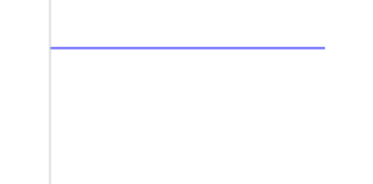
蓝了,蓝了,它蓝了!
那接下来我们用moveTo()和lineTo()做一个闭合的图形康康,定位就设在一条边中间,用两条灰色的线条交叉标记我们定位的点:
 <body>

     <canvas id="drawEle">

         您的浏览器不支持该标签

     </canvas>

     <script>

         var c = document.getElementById("drawEle");

         ctx = c.getContext("2d");

         //直线

         ctx.beginPath();

         ctx.moveTo(40,40);

         ctx.lineTo(260,40);

         ctx.lineTo(260,130);

         ctx.closePath();

         if(ctx.isPointInPath(150,40)) {        //判断(150,40)是否在路径中

             ctx.fillStyle = "#0000FF";    //在则直线是蓝色

         }

         else {

             ctx.fillStyle = "#000000";    //不在则直线是黑色

         }

         ctx.fill();

         //绘制定位用的直线

         ctx.beginPath();

         ctx.strokeStyle = "#CCCCCC";

         ctx.moveTo(150,0);

         ctx.lineTo(150,150);

         ctx.stroke();

         ctx.beginPath();

         ctx.moveTo(0,40);

         ctx.lineTo(300,40);

         ctx.stroke();

     </script>

 </body>
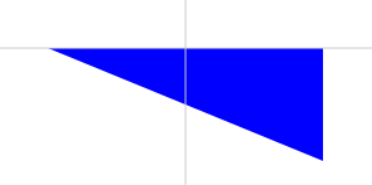
这个区域这个时候是蓝的了。也就是说不是闭合区域的时候,moveTo()和lineTo()中的线条是不算在区域内的,得闭合后才算。(对于这个观点,其实我是觉得有点怪怪的,感觉这个观点应该是接近正确答案但它不是正确答案)
在加粗的直线末端中
假如线条宽度有20px,上面我们知道只有和路径点重合了才算,那加粗的线条还是和路径点重合了算还是路径点y轴(假设是横线,那么就当它是长方形吧,竖这的边上任意一点)也算,这也是刚刚突然想到的,试试看:
 <body>

     <canvas id="drawEle">

         您的浏览器不支持该标签

     </canvas>

     <script>

         var c = document.getElementById("drawEle");

         ctx = c.getContext("2d");

         //直线

         ctx.beginPath();

         ctx.moveTo(40,40);

         ctx.lineTo(260,40);

         ctx.lineWidth = 40;

         if(ctx.isPointInPath(40,35)) {        //判断(40,35)是否在矩形路径中

             ctx.strokeStyle = "#0000FF";    //在则直线是蓝色

         }

         else {

             ctx.strokeStyle = "#000000";    //不在则直线是黑色

         }

         ctx.stroke();

         //绘制定位用的直线

         ctx.beginPath();

         ctx.lineWidth = 1;

         ctx.strokeStyle = "#CCCCCC";

         ctx.moveTo(40,0);

         ctx.lineTo(40,150);

         ctx.stroke();

         ctx.beginPath();

         ctx.moveTo(0,35);

         ctx.lineTo(300,35);

         ctx.stroke();

     </script>

 </body>
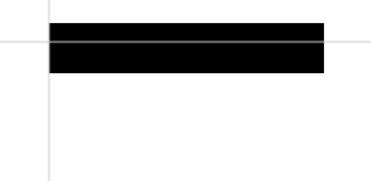
看起来还是得和路径点重合。
那加粗后闭合呢?
 <body>

     <canvas id="drawEle">

         您的浏览器不支持该标签

     </canvas>

     <script>

         var c = document.getElementById("drawEle");

         ctx = c.getContext("2d");

         //直线

         ctx.beginPath();

         ctx.moveTo(40,40);

         ctx.lineTo(260,40);

         ctx.lineTo(260,130);

         ctx.closePath();

         ctx.lineWidth = 40;

         if(ctx.isPointInPath(40,35)) {        //判断(40,35)是否在矩形路径中

             ctx.f = "#0000FF";    //在则直线是蓝色

         }

         else {

             ctx.strokeStyle = "#000000";    //不在则直线是黑色

         }

         ctx.stroke();

         //绘制定位用的直线

         ctx.beginPath();

         ctx.lineWidth = 1;

         ctx.strokeStyle = "#CCCCCC";

         ctx.moveTo(40,0);

         ctx.lineTo(40,150);

         ctx.stroke();

         ctx.beginPath();

         ctx.moveTo(0,35);

         ctx.lineTo(300,35);

         ctx.stroke();

     </script>

 </body>

没有区别,也就是说加粗的部分并不算在路径内。
参考资料:MDN - CanvasRenderingContext2D.isPointInPath() : https://developer.mozilla.org/zh-CN/docs/Web/API/CanvasRenderingContext2D/isPointInPath
<canvas>中isPointInPath()方法在不同绘制内容中的效果的更多相关文章
- jquery中Live方法不可用,Jquery中Live方法失效
jquery中Live方法不可用,Jquery中Live方法失效 >>>>>>>>>>>>>>>>> ...
- Properties集合中的方法store和Properties集合中的方法load
Properties集合中的方法store public class Demo01Properties { public static void main(String[] args) throws ...
- C#后台程序与HTML页面中JS方法互调(功能类似于Ajax中的DWR)
此方法适用于 C#中嵌入WebBrowser(浏览器) 通过浏览器中加载的页面与C#的后台代码进行交互. 一.C#程序 1.在C#窗体中添加WebBrowser(浏览器),将页面的URL添加到浏览器中 ...
- ①创建项目testpackage ②在pack2.B中添加方法f ③在类A中添加如下三个成员变量:int型的私有变量i float型的变量f double型的公有变量d 在pack1.B的main方法中为对象a的成员变量f和d分别赋值为2和3 在pack2.C的main方法中为对象a的成员变量d赋值为3
package pack1; public class A { private int i; float f; public double d; public float getF() { retur ...
- JS中substring()方法(用于提取字符串中介于两个指定下标之间的字符)
<!DOCTYPE html> <html> <head> <meta charset="UTF-8"> <title> ...
- Java中wait()方法为什么要放在同步块中?(lost wake-up 问题)
问题起源 事情得从一个多线程编程里面臭名昭著的问题"Lost wake-up problem"说起. 这个问题并不是说只在Java语言中会出现,而是会在所有的多线程环境下出现. 假 ...
- 在eclipse中查找一个类中的方法在其他哪个类中被调用了
选中你所要查看的方法名,ctrl+shift+G就可以查看所有调用过该方法的地方了.在Search视图里面可以查看得到这个样子是可以的,你也可以按Ctrl+H全文检索一下
- 关于tx:method和pointcut中的方法,即事务管理中的方法和切入点表达式中的方法具体如何执行
<tx:advice id="transaction" tranction-manager="transactionManager"> <tx ...
- jQuery中的方法
jQuery中的方法来操作HTML标签中的属性 attr(name) 获取当前对象的指定的属性的值 attr(key,value) 给当前对象设置属性值 attr(properties) 一 ...
随机推荐
- MinHook测试分析02 (x64)
在X64模式中,存在的问题是JMP指令和整个地址空间相比仅仅覆盖了很窄的范围.因此引入一个中继函数(Relay Function)来实现对64位Detour函数地址的跳转. 在hook的分析之前,先谈 ...
- Dictionary集合运用
Dictionary基础定义: 从一组键(key)到一组值(value)的映射,每一个添加项都是由一个值及其相关联的键组成: 任何键都必须是唯一的: 键不能为空引用的null(VB中的Nothing) ...
- element-项目用到偏门方法~
开发项目的时候,组件库的使用有时会为我们节省开发时间,提高开发效率,但组件库样式有时与我们的设计图出入很大,还有的方法也很偏门,主要官方文档有时候对于一些方法和属性介绍的也比较少,以下是我在工作中总结 ...
- 第十五周翻译-《Pro SQL Server Internals, 2nd edition》
<Pro SQL Server Internals, 2nd edition> 作者:Dmitri Korotkevitch 翻译:赖慧芳 译文: 55-58页 第三章 统计 SQL Se ...
- position的四个属性值
1.relative2.absolute3.fixed4.static下面分别讲述这四个属性. <div id="parent"> <div id="s ...
- 解决虚拟机centos7 无法无法上网问题
centos无法上网问题 虚拟机设置 网段设置 网关设置 查看本地电脑设置 登录服务器设置 /etc/sysconfig/network-scripts/ 下面的 ifcfg-ens33 文件操 ...
- Autolayout Breakpoints
articles archives team Autolayout Breakpoints Auto layout has become a crucial tool for iOS and OS X ...
- react-native-printer
react-native-printer A React Native Library to support USB/BLE/Net printer for Android platform Inst ...
- 【转】干货 | 【虚拟货币钱包】从 BIP32、BIP39、BIP44 到 Ethereum HD Wallet
虚拟货币钱包 钱包顾名思义是存放$$$.但在虚拟货币世界有点不一样,我的帐户资讯(像是我有多少钱)是储存在区块链上,实际存在钱包中的是我的帐户对应的 key.有了这把 key 我就可以在虚拟货币世界证 ...
- CSS-图片占位的技巧
图片占位技巧,防止动态获取图片 网络慢,页面一跳一跳的情况发生 .food .image-header { position: relative; width: 1 ...