
基于element ui的图片预览插件
写插件很简单,满足两个条件即可,一、基本的逻辑思路,二、熟悉插件语法要求。本次Vue插件也比较简单,点击“查看图片”用轮播的方式限制用户上传的图片,如图:
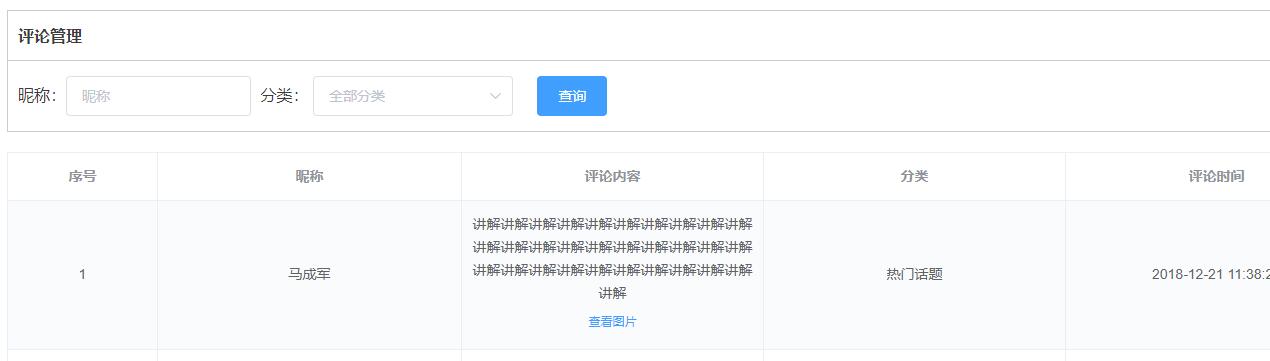
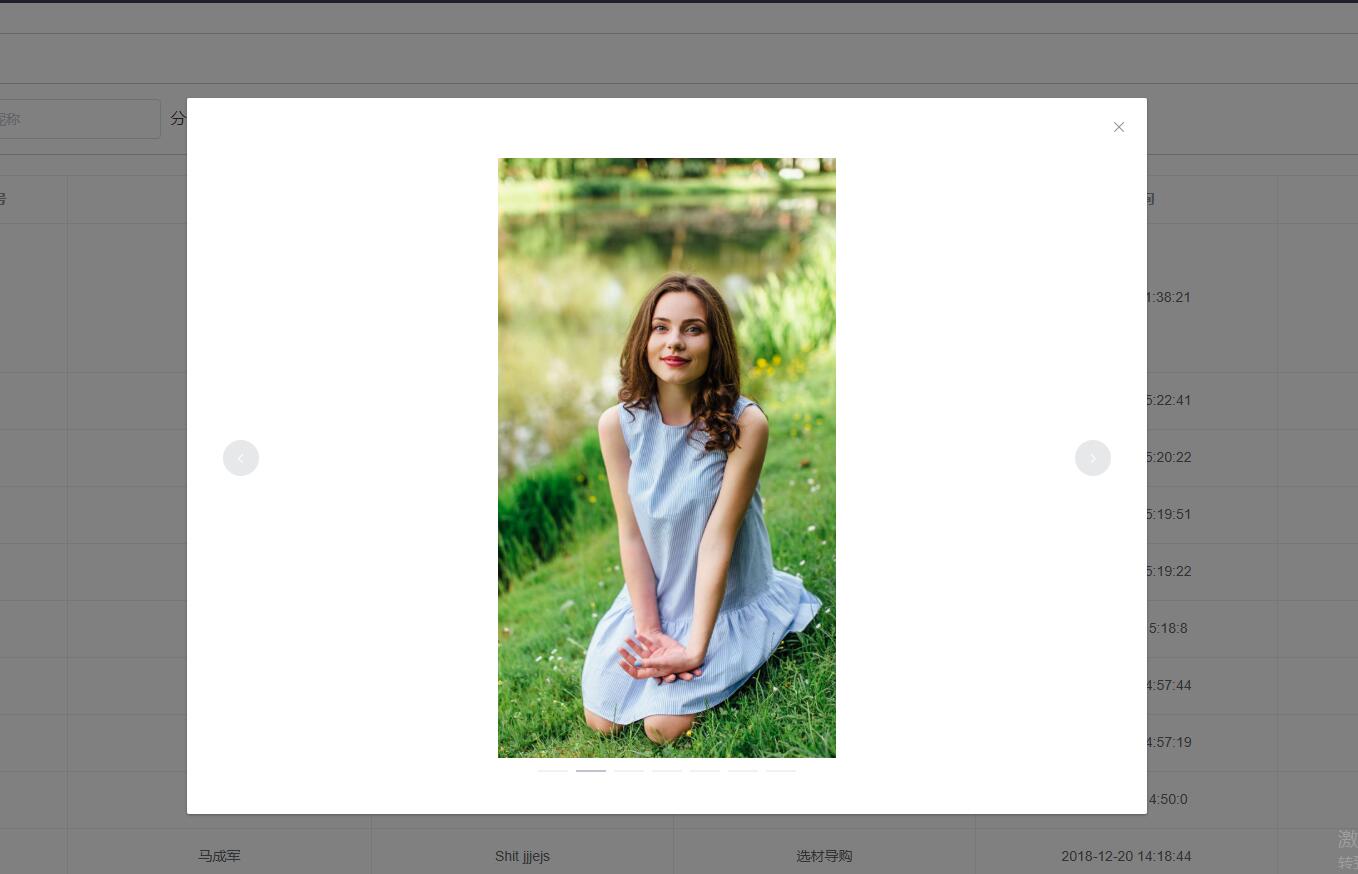
项目采用的是vue-element-admin
在‘src/components’下新建‘imgPreview’文件夹,然后在该文件夹下新建‘ImgPreview.vue’,‘index.js’两个文件,代码如下:
ImgPreivew.vue
<template>

  <el-dialog

    :visible.sync="isShowImageDialog"

    @closed="clearImg"

  >

    <el-carousel indicator-position="outside" height="600px">

      <el-carousel-item v-for="src in imgs">

        <img :src="src" style="max-width: 100%;max-height: 100%;display: block; margin: 0 auto;"/>

      </el-carousel-item>

    </el-carousel>

  </el-dialog>

</template>

<script>

export default {

  name: 'ImgPreview',

  data() {

    return {

      imgs: '',

      isShowImageDialog: false

    }

  },

  methods: {

    clearImg() {

      this.imgs = null

    }

  }

}

</script>

<style scoped>

</style>
index.js
import ImgPreviewComponent from './ImgPreview'

const ImgPreview = {}

ImgPreview.install = Vue => {

  const ImgConstructor = Vue.extend(ImgPreviewComponent)

  const instance = new ImgConstructor()

  instance.$mount(document.createElement('div'))

  document.body.appendChild(instance.$el)

  Vue.prototype.$imgPreview = (e) => {

    instance.target = e.currentTarget

    instance.imgs = instance.target.getAttribute('data-img').split(',')

    instance.isShowImageDialog = true

  }

}

export default ImgPreview
应用也很简单:
main.js
import imgPreview from '@/components/imgPreview'

Vue.use(imgPreview)
comments.vue页面调用
<el-table-column

        label="评论内容"

        header-align="center"

      >

        <template slot-scope="scope">

          <div v-html="scope.row.content"></div>

          <el-button v-if="scope.row.images.length>0" :data-img="scope.row.images" type="text" size="small" @click="$imgPreview">查看图片</el-button>

        </template>

      </el-table-column>
整个插件原理也很简单:所有的数据都放在data-img上,插件获取其中的数据,然后通过element ui的el-carousel组件轮播显示
原文地址:http://www.ftc20.com/wordpress/2019/04/base-element-ui-plugin/
基于element ui的图片预览插件的更多相关文章
- js图片预览插件,不涉及上传
小小的几十行代码,很牛逼,很实用. 支持多个图片的预览,只要new多个对象就行了. html如下 <!-- zhouxiang www.zhou-xiang.com --> <!DO ...
- eclipse 图片预览插件
eclipse 图片预览插件 CreateTime--2018年4月22日22:59:55 Author:Marydon 下载地址:eclipse 图片预览插件 将插件文件夹直接拷贝到eclips ...
- Vue PC端图片预览插件
*手上的项目刚刚搞完了,记录一下项目中遇到的问题,留做笔记: 需求: 在项目中,需要展示用户上传的一些图片,我从后台接口拿到图片url后放在页面上展示,因为被图片我设置了宽度限制(150px),所以图 ...
- 在 vue 中使用 vieiwer 图片预览插件
https://blog.csdn.net/WestLonly/article/details/79801800?utm_source=blogxgwz0 首先,感谢原作者 官网链接 github地址 ...
- 实现一个vue的图片预览插件
vue-image-swipe 基于photoswipe实现的vue图片预览组件 安装 1 第一步 npm install vue-image-swipe -D 2 第二步 vue 入口文件引入 im ...
- vue-preview vue图片预览插件+缩略图样式
一.安装 npm i vue-preview -S 二.main.js中 导入组件 //vue-preview 开始 import VuePreview from 'vue-preview'; // ...
- 仿百度排列图片预览插件-Simple Lightbox
很久以前遇到过这样的一个面试题,要求手写代码,实现百度图片的排列预览,并且可以左右点击查看下一张照片,当时没有做出来,这个问题也就一直放在了脑后,工作之后,遇到这样的需求之后,第一反应想到的是在源码网 ...
- Vue.js图片预览插件
vue-picture-preview-extend vue-picture-preview的扩展版本,本文中插件是由其他大神开发,我做了一些扩展,原文链接:https://segmentfault. ...
- vue 图片预览插件
https://github.com/daidaitu1314/vue2-preview //cnpm cnpm install vue2-preview -save //引入 import VueP ...
随机推荐
- POJ 2828 线段树单点更新 离线搞
Description Railway tickets were difficult to buy around the Lunar New Year in China, so we must get ...
- Word Ladder II [leetcode]
本题有几个注意点: 1. 回溯找路径时.依据路径的最大长度控制回溯深度 2. BFS时,在找到end单词后,给当前层做标记find=true,遍历完当前层后结束.不须要遍历下一层了. 3. 能够将字典 ...
- Leetcode47: Palindrome Linked List
Given a singly linked list, determine if it is a palindrome. 推断一个链表是不是回文的,一个比較简单的办法是把链表每一个结点的值存在vect ...
- Spring中提供的集合工具类util CollectionUtils
转自:https://blog.csdn.net/fangwenzheng88/article/details/78457850 CollectionUtils类 /* * Copyright 200 ...
- 深入理解Java内存模型--转载
原文地址:http://www.infoq.com/cn/articles/java-memory-model-1 并发编程模型的分类 在并发编程中,我们需要处理两个关键问题:线程之间如何通信及线程之 ...
- ftp实现图片上传,文件也类似
本来用得是easyui得控件 点击按钮实现选择图片得 ,但是老板非得要双击图片框实现上传代码....做个简单得记录 前端代码: 首先,<form>表单要加上 enctype="m ...
- View源码分析如何创建
本文来自http://blog.csdn.net/liuxian13183/ ,引用必须注明出处! 文/jj120522 博主导读:View是Android中最重要的控件,几乎所有的控件都与View相 ...
- Redis .Net客户端源码
1.简单介绍 当前NoSql使用已经极为普遍,无论是Java生态圈,还是.net生态圈.大大小小的Web站点在追求高性能高可靠性方面,不由自主都选择了NoSQL技术作为优先考虑的方面.主流的技术有:H ...
- mysql 多实例案例实战
其实Mysql多实例就是在一个 mysql 服务上面启动三个实例,相当于三个分离开来的数据库,至于为什么要做这个,你也可以选择分别安装三个MySQL,只是过于麻烦,多实例中只需要一个配置档my.cnf ...
- 关于后台接收参数为null的问题之ajax--contentType
ajax方法中的参数: contentType:发送至服务器时内容的编码类型,一般默认:application/x-www-form-urlencoded(适应大多数的场合) dataType:预期服 ...