
基于element ui的图片预览插件
写插件很简单,满足两个条件即可,一、基本的逻辑思路,二、熟悉插件语法要求。本次Vue插件也比较简单,点击“查看图片”用轮播的方式限制用户上传的图片,如图:
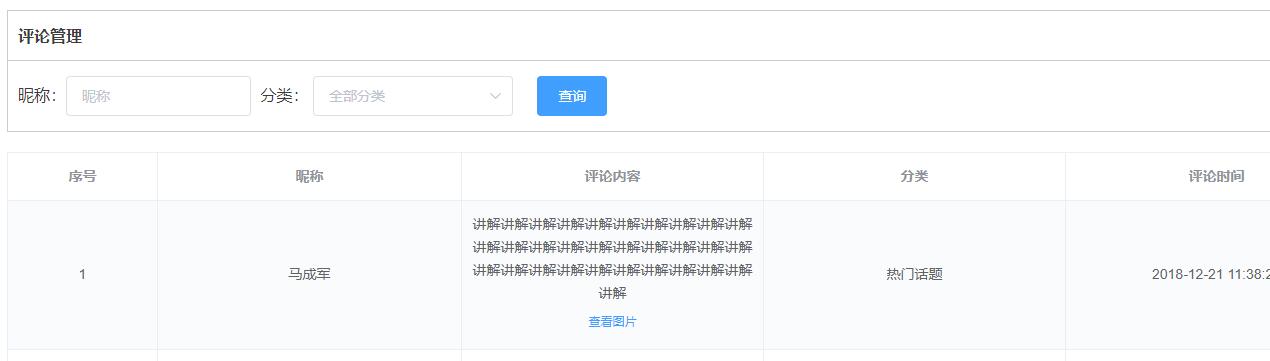
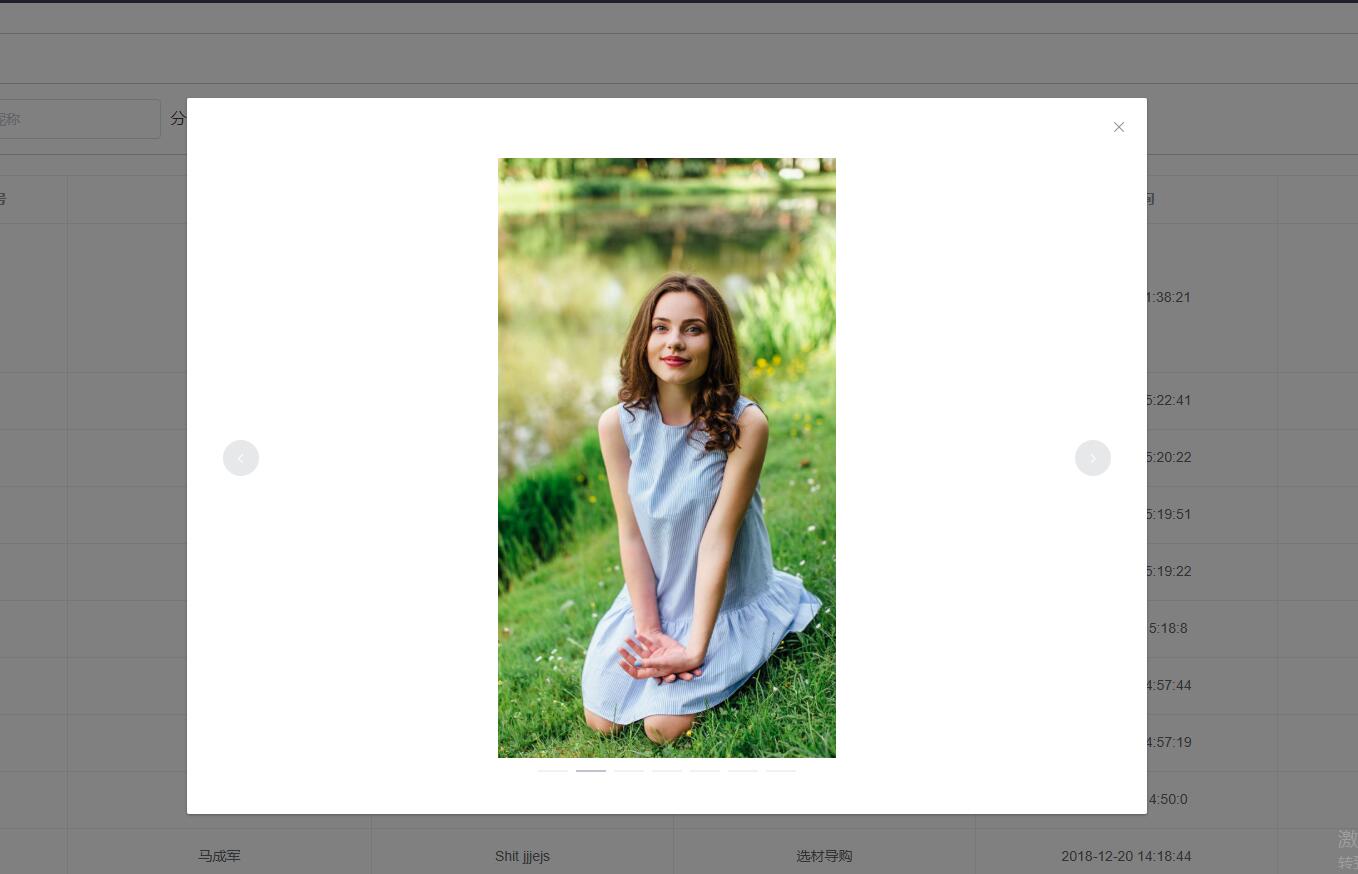
项目采用的是vue-element-admin
在‘src/components’下新建‘imgPreview’文件夹,然后在该文件夹下新建‘ImgPreview.vue’,‘index.js’两个文件,代码如下:
ImgPreivew.vue
<template>

  <el-dialog

    :visible.sync="isShowImageDialog"

    @closed="clearImg"

  >

    <el-carousel indicator-position="outside" height="600px">

      <el-carousel-item v-for="src in imgs">

        <img :src="src" style="max-width: 100%;max-height: 100%;display: block; margin: 0 auto;"/>

      </el-carousel-item>

    </el-carousel>

  </el-dialog>

</template>

<script>

export default {

  name: 'ImgPreview',

  data() {

    return {

      imgs: '',

      isShowImageDialog: false

    }

  },

  methods: {

    clearImg() {

      this.imgs = null

    }

  }

}

</script>

<style scoped>

</style>
index.js
import ImgPreviewComponent from './ImgPreview'

const ImgPreview = {}

ImgPreview.install = Vue => {

  const ImgConstructor = Vue.extend(ImgPreviewComponent)

  const instance = new ImgConstructor()

  instance.$mount(document.createElement('div'))

  document.body.appendChild(instance.$el)

  Vue.prototype.$imgPreview = (e) => {

    instance.target = e.currentTarget

    instance.imgs = instance.target.getAttribute('data-img').split(',')

    instance.isShowImageDialog = true

  }

}

export default ImgPreview
应用也很简单:
main.js
import imgPreview from '@/components/imgPreview'

Vue.use(imgPreview)
comments.vue页面调用
<el-table-column

        label="评论内容"

        header-align="center"

      >

        <template slot-scope="scope">

          <div v-html="scope.row.content"></div>

          <el-button v-if="scope.row.images.length>0" :data-img="scope.row.images" type="text" size="small" @click="$imgPreview">查看图片</el-button>

        </template>

      </el-table-column>
整个插件原理也很简单:所有的数据都放在data-img上,插件获取其中的数据,然后通过element ui的el-carousel组件轮播显示
原文地址:http://www.ftc20.com/wordpress/2019/04/base-element-ui-plugin/
基于element ui的图片预览插件的更多相关文章
- js图片预览插件,不涉及上传
小小的几十行代码,很牛逼,很实用. 支持多个图片的预览,只要new多个对象就行了. html如下 <!-- zhouxiang www.zhou-xiang.com --> <!DO ...
- eclipse 图片预览插件
eclipse 图片预览插件 CreateTime--2018年4月22日22:59:55 Author:Marydon 下载地址:eclipse 图片预览插件 将插件文件夹直接拷贝到eclips ...
- Vue PC端图片预览插件
*手上的项目刚刚搞完了,记录一下项目中遇到的问题,留做笔记: 需求: 在项目中,需要展示用户上传的一些图片,我从后台接口拿到图片url后放在页面上展示,因为被图片我设置了宽度限制(150px),所以图 ...
- 在 vue 中使用 vieiwer 图片预览插件
https://blog.csdn.net/WestLonly/article/details/79801800?utm_source=blogxgwz0 首先,感谢原作者 官网链接 github地址 ...
- 实现一个vue的图片预览插件
vue-image-swipe 基于photoswipe实现的vue图片预览组件 安装 1 第一步 npm install vue-image-swipe -D 2 第二步 vue 入口文件引入 im ...
- vue-preview vue图片预览插件+缩略图样式
一.安装 npm i vue-preview -S 二.main.js中 导入组件 //vue-preview 开始 import VuePreview from 'vue-preview'; // ...
- 仿百度排列图片预览插件-Simple Lightbox
很久以前遇到过这样的一个面试题,要求手写代码,实现百度图片的排列预览,并且可以左右点击查看下一张照片,当时没有做出来,这个问题也就一直放在了脑后,工作之后,遇到这样的需求之后,第一反应想到的是在源码网 ...
- Vue.js图片预览插件
vue-picture-preview-extend vue-picture-preview的扩展版本,本文中插件是由其他大神开发,我做了一些扩展,原文链接:https://segmentfault. ...
- vue 图片预览插件
https://github.com/daidaitu1314/vue2-preview //cnpm cnpm install vue2-preview -save //引入 import VueP ...
随机推荐
- SQL 增删改查(具体)
一.增:有3种方法 1.使用insert插入单行数据: insert [into] <表名> [列名] values <列值> insert into Strdents (na ...
- How to anti-Obfuscated code
Author:jin can zhu from China Source:http://blog.csdn.net/clever101 Now many software makers have us ...
- 兼容MIUI5和MIUI6的开启悬浮窗设置界面
前一段时间项目中需要对MIUI的悬浮窗开启设置界面进行了引导和跳转,MIUI6中又改变了开启悬浮窗设置的位置,在苦苦寻觅之后,找到了解决的方法,贴出来以方便大家参考和使用. @Override pub ...
- ASP.NET WebAPI RC 竟然不支持最常用的json传参
壮士断腕(WCF Web API),为的是 ASP.NET Web API 的横空出世,再加上它的开放(开源),于是对之产生了一点点痴情,并写下了HttpClient + ASP.NET Web AP ...
- Linux 交换分区swap
Linux 交换分区swap 一.创建和启用swap交换区 如果你的服务器的总是报告内存不足,并且时常因为内存不足而引发服务被强制kill的话,在不增加物理内存的情况下,启用swap交换区作为虚拟内存 ...
- id---显示用户ID
d命令 id命令可以显示真实有效的用户ID(UID)和组ID(GID).UID 是对一个用户的单一身份标识.组ID(GID)则对应多个UID 语法 id [-gGnru][--help][--ve ...
- 洛谷 P1506 拯救oibh总部
P1506 拯救oibh总部 题目背景 oibh总部突然被水淹没了!现在需要你的救援…… 题目描述 oibh被突来的洪水淹没了>.<还好oibh总部有在某些重要的地方起一些围墙,用*号表示 ...
- Android Studio配置SVN 以及使用代码管理
一.Android Studio配置SVN Android Studio关联配置SVN非常easy,在Settings里面.找到Version Control->Subversion.在这个页面 ...
- 利用zip格式实现手机客户端二维码扫描分享识别
场景: 用户A想要将某应用推荐给用户B,用户B扫描用户A的手机app中的二维码进行下载和安装, 并且需要识别用户B是扫描了用户A的二维码,进而给用户A一定的奖励. (例如:健一网app) zip格式: ...
- 26.event跨进程通信
以id创建事件 ] = "myevent"; HANDLE event = CreateEventA(NULL, FALSE, FALSE, name); 设置事件 SetEven ...