
极光推送配置(Android Studio),亲测有效
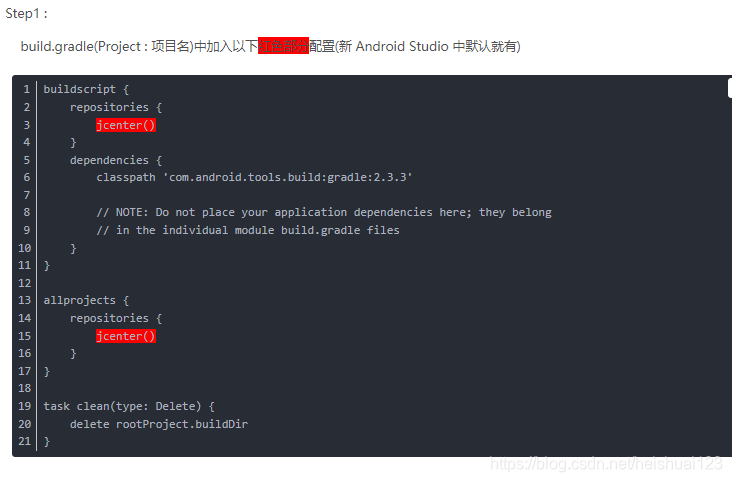
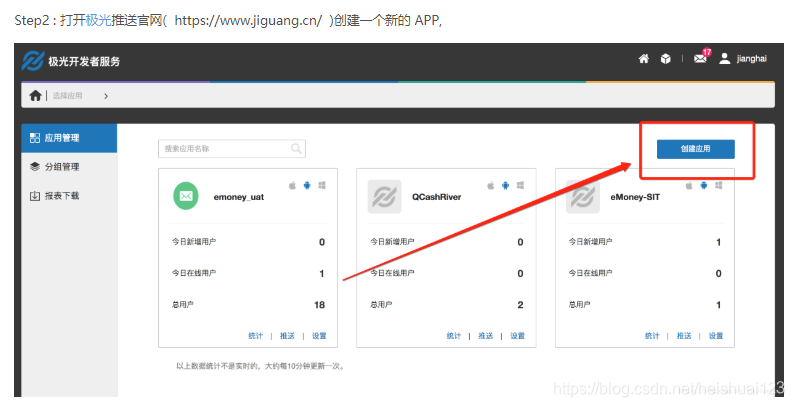
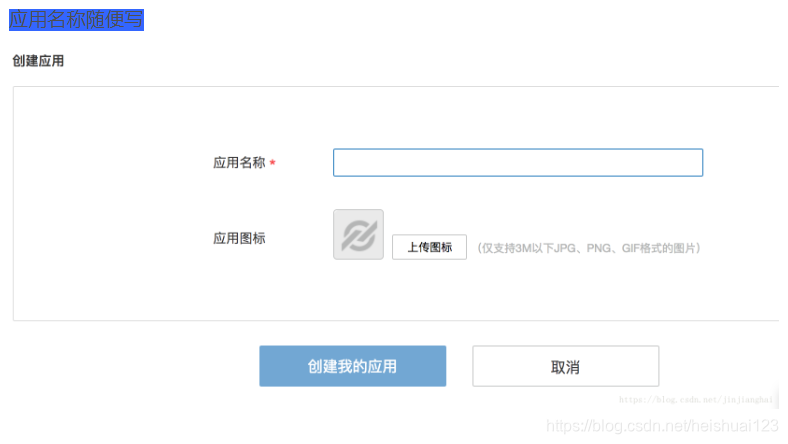
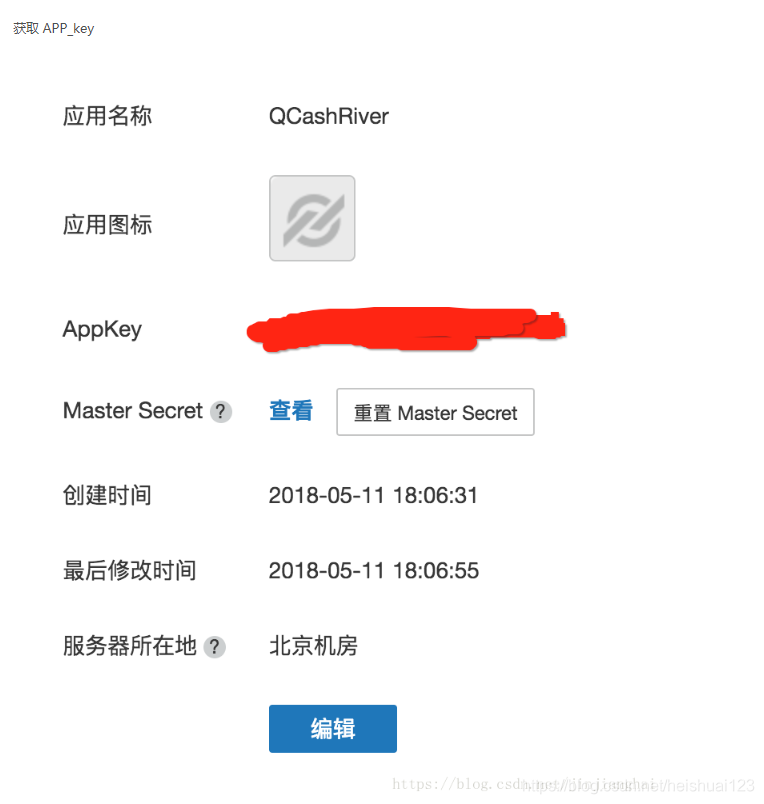
进行到这里就可以接收到通知了,但是如果你还想根据接收的消息做点什么
step8:

public class MyReceiver extends BroadcastReceiver {

    private static final String TAG = "MyReceiver";

    private NotificationManager nm;

    @Override

    public void onReceive(Context context, Intent intent) {

        if (null == nm) {

            nm = (NotificationManager) context.getSystemService(Context.NOTIFICATION_SERVICE);

        }

        Bundle bundle = intent.getExtras();

//        Log.d(TAG, "onReceive - " + intent.getAction() + ", extras: " + AndroidUtil.printBundle(bundle));

        if (JPushInterface.ACTION_REGISTRATION_ID.equals(intent.getAction())) {

            Log.d(TAG, "JPush 用户注册成功");

        } else if (JPushInterface.ACTION_MESSAGE_RECEIVED.equals(intent.getAction())) {

            Log.d(TAG, "接受到推送下来的自定义消息");

        } else if (JPushInterface.ACTION_NOTIFICATION_RECEIVED.equals(intent.getAction())) {

            Log.d(TAG, "接受到推送下来的通知");

            receivingNotification(context,bundle);

        } else if (JPushInterface.ACTION_NOTIFICATION_OPENED.equals(intent.getAction())) {

            Log.d(TAG, "用户点击打开了通知");

            openNotification(context,bundle);

        } else {

            Log.d(TAG, "Unhandled intent - " + intent.getAction());

        }

    }

    private void receivingNotification(Context context, Bundle bundle){

        String title = bundle.getString(JPushInterface.EXTRA_NOTIFICATION_TITLE);

        Log.d(TAG, " title : " + title);

        String message = bundle.getString(JPushInterface.EXTRA_ALERT);

        Log.d(TAG, "message : " + message);

        String extras = bundle.getString(JPushInterface.EXTRA_EXTRA);

        Log.d(TAG, "extras : " + extras);

    }

    private void openNotification(Context context, Bundle bundle){

        String extras = bundle.getString(JPushInterface.EXTRA_EXTRA);

   String myValue = "";

        try {

            JSONObject extrasJson = new JSONObject(extras);

            myValue = extrasJson.optString("myKey");

        } catch (Exception e) {

            Log.w(TAG, "Unexpected: extras is not a valid json", e);

            return;

        }

        Log.d(TAG, "myValue : " + myValue);

        if (TYPE_THIS.equals(myValue)) {

            Intent mIntent = new Intent(context, ThisActivity.class);

            mIntent.putExtras(bundle);

            mIntent.setFlags(Intent.FLAG_ACTIVITY_NEW_TASK);

            context.startActivity(mIntent);

        } else if (TYPE_ANOTHER.equals(myValue)){

            Intent mIntent = new Intent(context, AnotherActivity.class);

            mIntent.putExtras(bundle);

            mIntent.setFlags(Intent.FLAG_ACTIVITY_NEW_TASK);

            context.startActivity(mIntent);

        }

    }

}
step9:最后别忘了在清单中注册
    <!--极光推送接收消息-->

        <receiver

            android:name="com.psm.admininstrator.lele8teach.MyReceiver"

            android:exported="false"

            android:enabled="true">

            <intent-filter>

                <action android:name="cn.jpush.android.intent.REGISTRATION" /> <!--Required  用户注册SDK的intent-->

                <action android:name="cn.jpush.android.intent.MESSAGE_RECEIVED" /> <!--Required  用户接收SDK消息的intent-->

                <action android:name="cn.jpush.android.intent.NOTIFICATION_RECEIVED" /> <!--Required  用户接收SDK通知栏信息的intent-->

                <action android:name="cn.jpush.android.intent.NOTIFICATION_OPENED" /> <!--Required  用户打开自定义通知栏的intent-->

                <action android:name="cn.jpush.android.intent.CONNECTION" /><!-- 接收网络变化 连接/断开 since 1.6.3 -->

                <category android:name="com.psm.admininstrator.lele8teach" />

            </intent-filter>

        </receiver>

    </application>
原博客地址:https://blog.csdn.net/jinjianghai/article/details/80336099
极光推送配置(Android Studio),亲测有效的更多相关文章
- 极光推送使用实例(二) Android客户端
上一篇简单介绍了极光推送在Java服务端的实现,如果感兴趣的可以看一下极光推送使用实例(一)JAVA服务端.这篇文章介绍下极光推送在Android客户端的实现. JPush Android SDK 是 ...
- Android端 配置极光推送
由于业务须要,androidclient须要加推送.原来採用的百度推送.可是小米手机有时候收不到.后来换成了极光推送,极光的话全部设备都能收到推送,可是在高峰的时候会推迟.博主说的免费版的,收费的没用 ...
- 1、Android Studio集成极光推送(Jpush) 报错 java.lang.UnsatisfiedLinkError: cn.jpush.android.service.PushProtoco
Android studio 集成极光推送(Jpush) (华为手机)报错, E/JPush: [JPushGlobal] Get sdk version fail![获取sdk版本失败!] W/Sy ...
- JPush (极光推送) For Xamarin.Android
官方教程上讲的是 GCM (Google Cloud Messaging) , 不过 GFW 是 GCM 过不去的坎. 极光推送 JPush 是国内的一个不错的替代方案. JPush 提供的 API ...
- 极光推送android sdk集成步骤
推送,用极光,大家都说好,哈哈. 进入正题: 1.确认android studio的 Project 根目录的主 gradle 中配置了jcenter支持.(基本上现在都已经支持了,循例说一下) , ...
- android推送,极光推送
android中简单易用的消息推送方式之中的一个 -------> 极光推送 首先来介绍一下极光推送. 极光推送:英文简称 JPush,是一个面向普通开发人员免费.开放的第三方消息推送服务,我们 ...
- Android集成极光推送
要说学习极光推送,个人感觉官方文档就非常好啦,但是没法,人太懒啦,为了下次能够快速的将极光推送集成到项目中,故结合之前开发的项目和官方文档记录下简单的Android集成极光推送,在这之前,先上一张简单 ...
- Android集成JPush(极光推送)
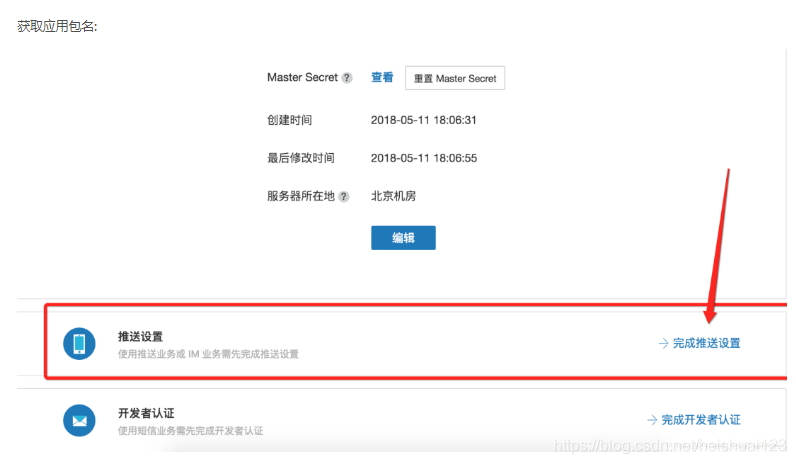
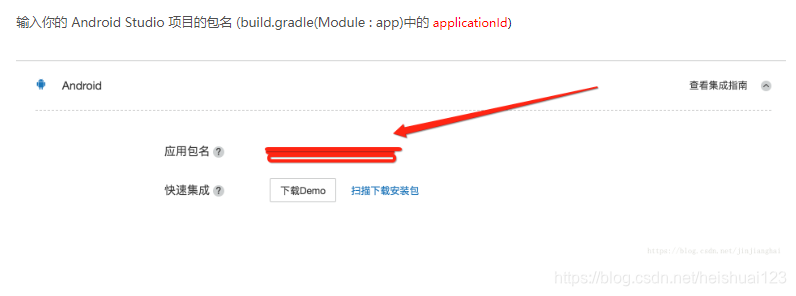
目前只是简单的集成 1.在极光推送官网注册用户 2.创建应用 3.配置包名,获得APPKEY 去设置 输入应用包名 确定然后返回查看APPKEY 3.在应用中集成极光推送 用的jcenter自动集成的 ...
- Android 极光推送集成
集成Jpush 1.用Android Studio创建一个Demo 2.创建激光推送开发者账号,要创建极光推送开发者帐号,请访问极光推送官方网站https://www.jiguang.cn/push ...
随机推荐
- PAT 1020 月饼
https://pintia.cn/problem-sets/994805260223102976/problems/994805301562163200 月饼是中国人在中秋佳节时吃的一种传统食品,不 ...
- 基于bootstrap动态分页
bootstrap本身的分页有分页组件 但是却是静态的,无法满足要求,分页必须根据当前的总页数来展示 使用插件bootstrap-paginator github下载地址 https://github ...
- 接触到的一些数据结构: LIST_ENTRY, TAILQ
双链表: LIST_ENTRY: typedef struct _LIST_ENTRY { struct _LIST_ENTRY *Flink; follow: next entry, header ...
- vue-cli项目里npm安装font-awesome
第一步:进入到项目目录里,运行 cnpm i font-awesome -s 第二步:在main.js里面 import 'font-awesome/css/font-awesome.min.css'
- Delphi 之 编辑框控件(TEdit)
TEdit 组件主要用于数据的输入和显示和编辑等操作. AutoSelect 获取组件焦点.该属性只能在单行文本组件使用.值为True为选中.false则不选中. BorderStyle 设置编辑框控 ...
- hihocoder 1465 循环串匹配问题(后缀自动机)
后缀自动机感觉好万能 tries图和ac自动机能做的,后缀自动机很多也都可以做 这里的循环匹配则是后缀自动机能做的另一个神奇功能 循环匹配意思就是S是abba, T是abb 问'abb', 'bba' ...
- 【题解】APIO2013机器人
其实这题前前后后的思考时间加起来应该有两天之久了,dp状态,转移方式等等都还是比较好想,然而左看右看觉得spfa复杂度未免太爆炸……然后选择看了一篇题解,发现在多重优化之下,其实是可以过的…… 首先建 ...
- [POI2011]Lightning Conductor
题面在这里 description 已知一个长度为\(n\)的序列\(a_1,a_2,...,a_n\). 对于每个\(1\le i\le n\),找到最小的非负整数\(p\), 满足对于任意的\(1 ...
- [BZOJ4212]神牛的养成计划
[BZOJ4212]神牛的养成计划 试题描述 Hzwer 成功培育出神牛细胞,可最终培育出的生物体却让他大失所望...... 后来,他从某同校女神 牛处知道,原来他培育的细胞发生了基因突变,原先决定神 ...
- 【luogu 1439 最长公共子序列】
题目描述 给出1-n的两个排列P1和P2,求它们的最长公共子序列. 输入输出格式 输入格式: 第一行是一个数n, 接下来两行,每行为n个数,为自然数1-n的一个排列. 输出格式: 一个数,即最长公共子 ...