
Android File文件存储功能
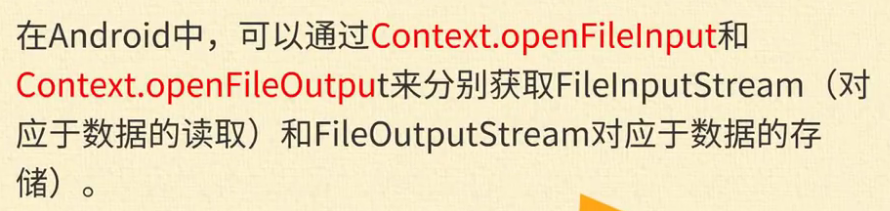
1.介绍


2.使用方法
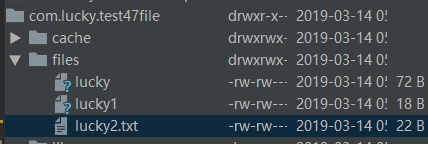
3.文件存储位置

4.java后台代码
package com.lucky.test47file;

import android.support.v7.app.AppCompatActivity;

import android.os.Bundle;

import android.view.View;

import android.widget.Button;

import android.widget.EditText;

import android.widget.TextView;

import java.io.BufferedReader;

import java.io.FileInputStream;

import java.io.FileNotFoundException;

import java.io.FileOutputStream;

import java.io.IOException;

import java.io.InputStreamReader;

import java.io.PrintStream;

public class MainActivity extends AppCompatActivity {

    EditText editText1;

    TextView textView2;

    Button button1;

    Button button2;

    String fileName="lucky2.txt";

    @Override

    protected void onCreate(Bundle savedInstanceState) {

        super.onCreate(savedInstanceState);

        setContentView(R.layout.activity_main);

        editText1=findViewById(R.id.editText);

        textView2=findViewById(R.id.textView2);

        button1=findViewById(R.id.button);

        button2=findViewById(R.id.button2);

        button1.setOnClickListener(new View.OnClickListener() {

            @Override

            public void onClick(View v) {

                try {

                    //采用打印流,向文本写入数据,参数1为文件名称,参数2为数据的添加模式

                    FileOutputStream fileOutputStream=openFileOutput(fileName,MODE_APPEND);//实例化文件输出流

                    PrintStream printStream=new PrintStream(fileOutputStream); //实例化打印流

                    printStream.println(editText1.getText().toString()); //使用打印流输出数据

                } catch (FileNotFoundException e) {

                    e.printStackTrace();

                }

            }

        });

        button2.setOnClickListener(new View.OnClickListener() {

            @Override

            public void onClick(View v) {

                try {

                    //打开文件,读取文本数据

                    FileInputStream fileInputStream=openFileInput(fileName); //实例化文件输入流

                    BufferedReader bufferedReader=new BufferedReader(new InputStreamReader(fileInputStream));

                    String tempString;

                    textView2.setText("文件的路径为:"+MainActivity.this.getFilesDir());

                    while ((tempString=bufferedReader.readLine())!=null){  //逐行读取数据,直到结尾

                        textView2.append("\n"+tempString); //采用添加的方式保存文本

                    }

                } catch (FileNotFoundException e) {

                    e.printStackTrace();

                } catch (IOException e) {

                    e.printStackTrace();

                }

            }

        });

    }

}
5.文件的保存位置查看方法
(1)点击右侧的 Device File Explorer

(2)找到文件夹
data--->data--->com.lucky.test47file
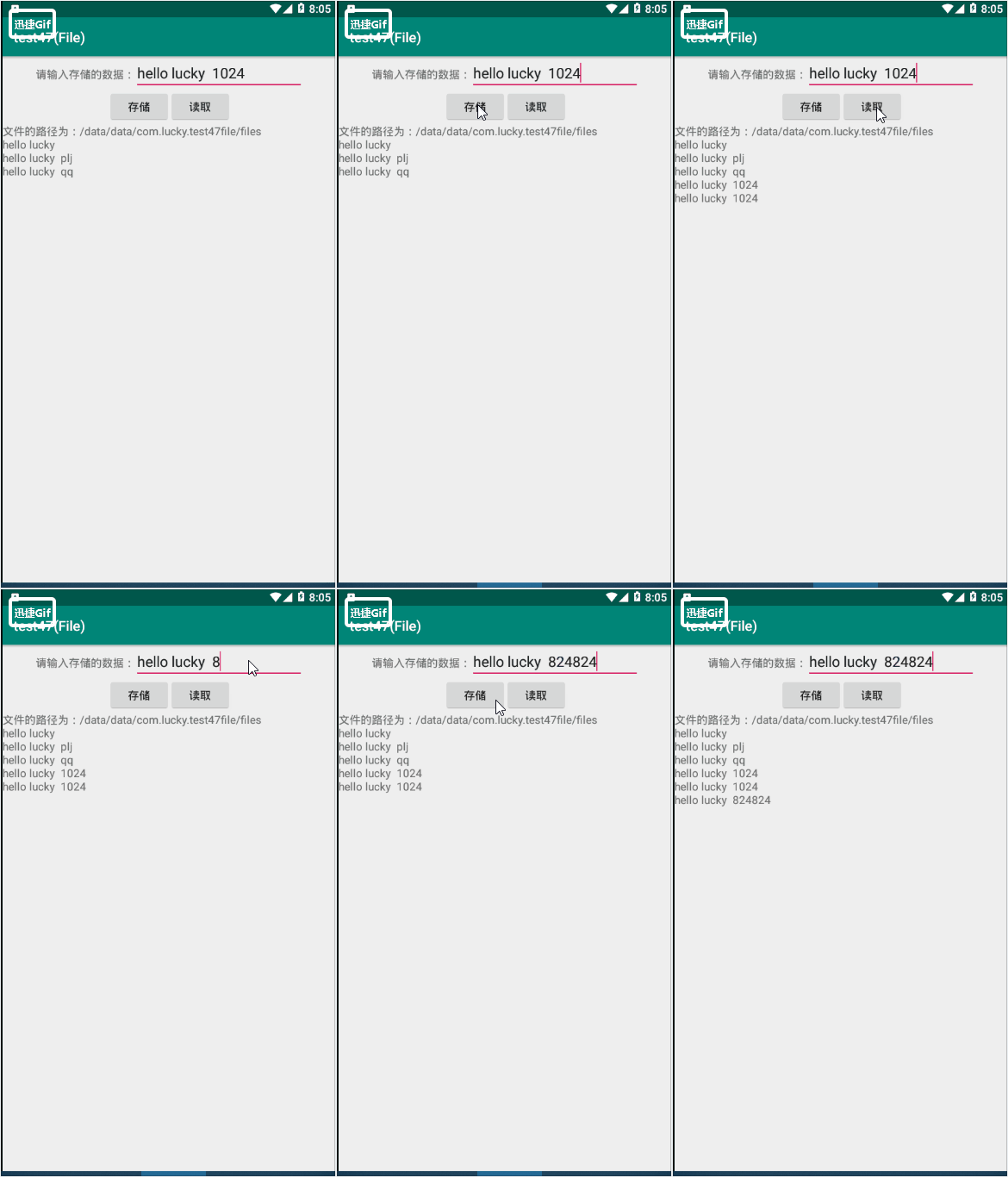
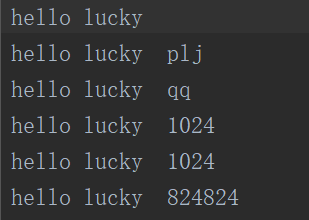
6.效果图
对应项目名为:test47
Android File文件存储功能的更多相关文章
- Android开发--数据存储之File文件存储
转载来自:http://blog.csdn.net/ahuier/article/details/10364757,并进行扩充 引言:Android开发中的数据存储方式 Android提供了5种方式存 ...
- Android学习——文件存储
在Andriod开发中,文件存储和Java的文件存储类似.但需要注意的是,为了防止产生碎片垃圾,在创建文件时,要尽量使用系统给出的函数进行创建,这样当APP被卸载后,系统可以将这些文件统一删除掉.获取 ...
- android 开发-文件存储之读写sdcard
android提供对可移除的外部存储进行文件存储.在对外部sdcard进行调用的时候首先要调用Environment.getExternalStorageState()检查sdcard的可用状态.通过 ...
- Android使用文件存储数据
Android上最基本的存储数据的方式即为使用文件存储数据,使用基本的Java的FileOutStream,BufferedWriter,FileInputStream和BufferedReader即 ...
- 19.Android之文件存储方法学习
Android开发中会用到文件存储,今天来学习下. 先改下布局界面: <?xml version="1.0" encoding="utf-8"?> ...
- File文件存储
文件存储的核心是Context提供了一个openFileOutput()与openFileInput()俩个方法 课程demo public class MainActivity extends Ap ...
- android File文件的读写操作
本程序实现两个文本框和两个按钮,其中一个文本框和一个按钮用于读取文件内容.另一个文本框和另一个按钮用于写入. java代码: package com.example.activity; import ...
- android之文件存储和读取
一.权限问题 手机中存储空间分为ROM和SDcard,ROM中放着操作系统以及我们安装的APP,而sdcard中一般放置着我们APP产生的数据.当然,Android也为每个APP在ROM中创建一个数据 ...
- Android - 读取文件存储的数据
存取手机中的文件数据. 写入和读取的操作格式均为UTF-8. import java.io.File; import java.io.FileInputStream; import java.io.F ...
随机推荐
- LoadRunner 关联和集合点、检查点
1)关联的定义 很多时候,当时录完之后,没有问题.过一段时间再跑脚本,就不会成功.比如session,过期了,再一次使用,就会出错.这个时候,需要在每次访问的时候动态的拿到session,这种情况就需 ...
- SpringAOP03 项目脚手架、自定义注解、织入切面、引介增强
1 项目脚手架 利用 Maven 进行创建 1.1 利用IDEA创建一个Maven原型项目 技巧01:原型Maven项目是没有webapp文件夹和resources项目文件夹的,需要自己手动创建:创建 ...
- 38-最长公共子序列(dp)
最长公共子序列 https://www.nowcoder.com/practice/c996bbb77dd447d681ec6907ccfb488a?tpId=49&&tqId=293 ...
- c语言学习笔记 switch case语句为什么要加break
先来看一个没有break的例子: int main() { int a = 1; switch (a) { case 1: printf("1"); case 2: printf( ...
- grid search
sklearn.metrics.make_scorer(score_func, greater_is_better=True, needs_proba=False, needs_threshold=F ...
- pandas dataframe 满足条件的样本提取
pandas 的dataframe 对 数据查询可以通过3种方式 . 预备知识: 1. pandas 的索引和label都是从0开始的计数的 2. 时间切片都是左闭右开的. [5:6,:] 只会输出 ...
- Luogu 4951 [USACO 2001 OPEN]地震
水个博客玩. $01$分数规划. 题目要求$\frac{F - \sum_{i = 1}^{n}C_i}{T_i}$最大,设$\frac{F - \sum_{i}C_i}{T_i} \geq e$,移 ...
- 我的linux环境
apache2+php+mysql sudo apt-get install apache2 sudo apt-get install libapache2-mod-php5 php5 sudo ap ...
- VMWare、Ubuntu Server 18.04 共享文件夹
背景:VMWare选项中配置了共享文件夹,装完Ubuntu Server 18.04在 /mnt/下都没有 hgfs文件夹,更别提共享文件夹了 参考:Ubuntu16.04版安装VMwareTools ...
- Python基础入门-While循环
讲完了for循环我们继续来看第二个循环,那就是while循环,while循环和for循环虽然都是循环,但是有着本质的不同.我们先来看下她们之间的区别和联系: While循环和for循环区别: 1.fo ...