
springboot 上传图片,地址,在页面展示图片
 package com.cxwlw.zhcs.controller.api;
import org.springframework.stereotype.Controller;
import org.springframework.ui.Model;
import org.springframework.web.bind.annotation.RequestMapping;
import org.springframework.web.bind.annotation.RequestMethod;
import org.springframework.web.bind.annotation.RequestParam;
import org.slf4j.Logger;
import org.slf4j.LoggerFactory;
import org.springframework.web.bind.annotation.ResponseBody;
import org.springframework.web.multipart.MultipartFile;
import org.springframework.web.multipart.MultipartHttpServletRequest;
import javax.servlet.http.HttpServletRequest;
import javax.servlet.http.HttpServletResponse;
import java.io.*;
import java.net.URL;
import java.util.List;
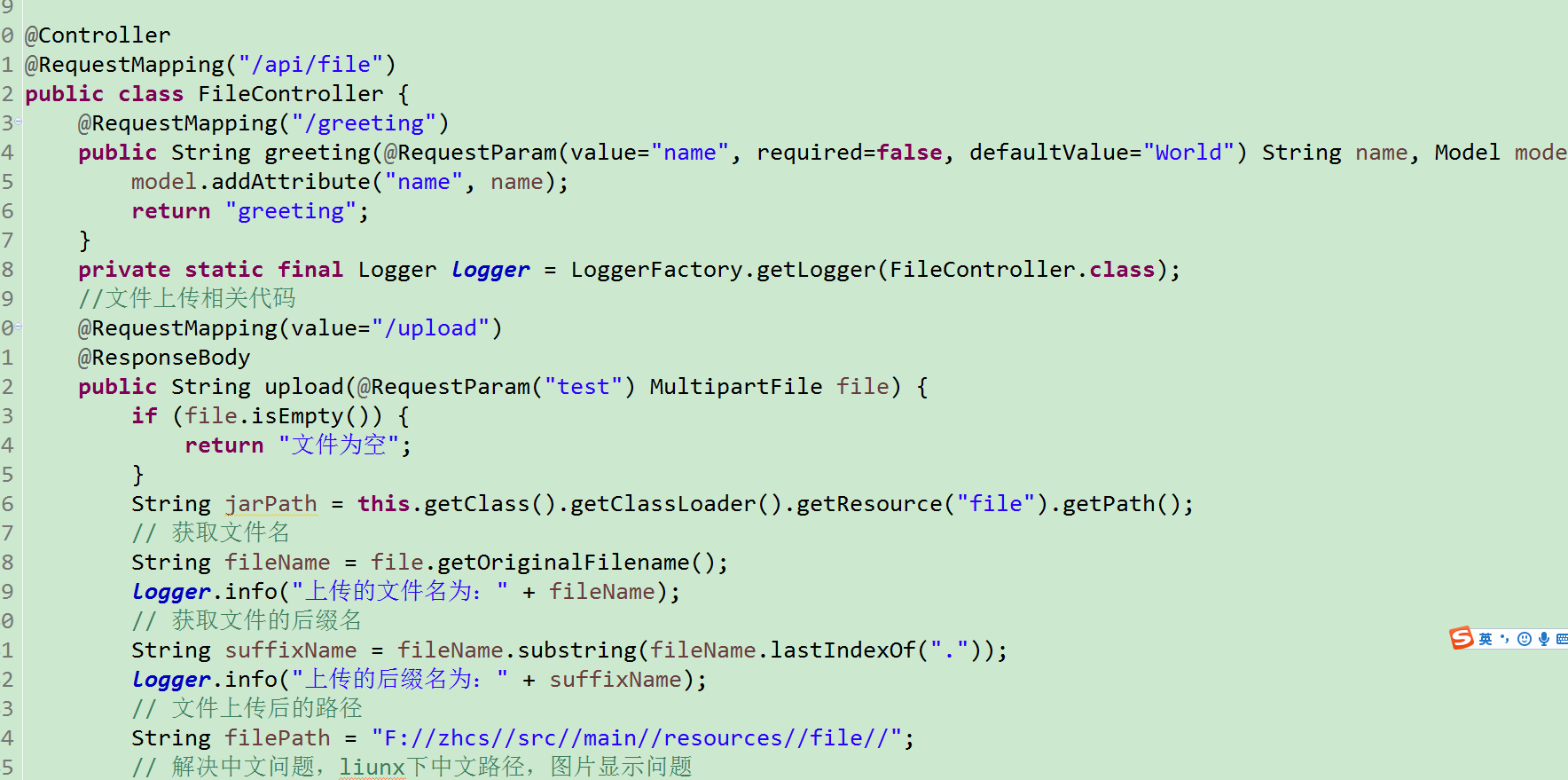
@Controller
@RequestMapping("/api/file")
public class FileController {
@RequestMapping("/greeting")
public String greeting(@RequestParam(value="name", required=false, defaultValue="World") String name, Model model) {
model.addAttribute("name", name);
return "greeting";
}
private static final Logger logger = LoggerFactory.getLogger(FileController.class);
//文件上传相关代码
@RequestMapping(value="/upload")
@ResponseBody
public String upload(@RequestParam("test") MultipartFile file) {
if (file.isEmpty()) {
return "文件为空";
}
String jarPath = this.getClass().getClassLoader().getResource("file").getPath();
// 获取文件名
String fileName = file.getOriginalFilename();
logger.info("上传的文件名为:" + fileName);
// 获取文件的后缀名
String suffixName = fileName.substring(fileName.lastIndexOf("."));
logger.info("上传的后缀名为:" + suffixName);
// 文件上传后的路径
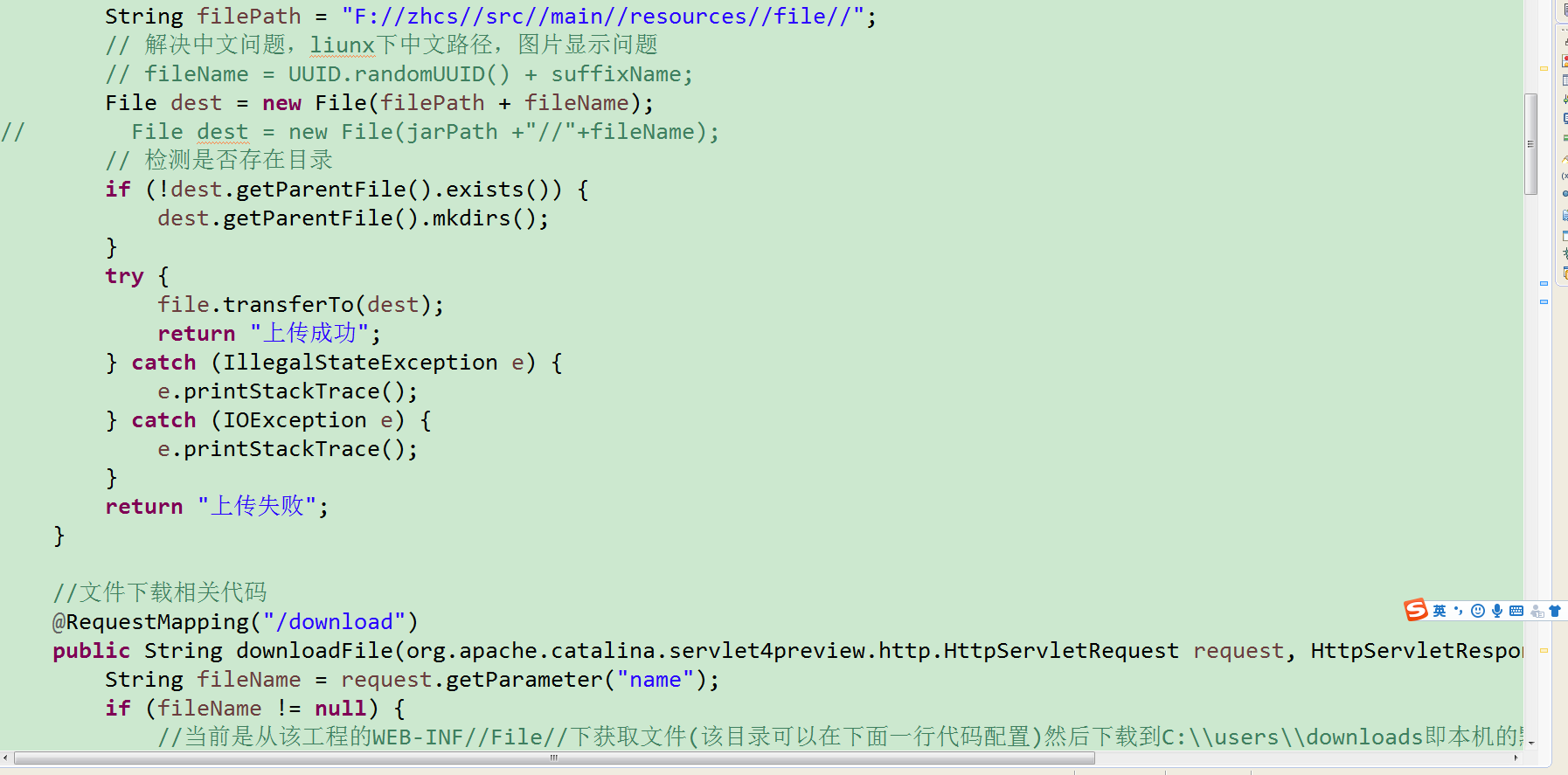
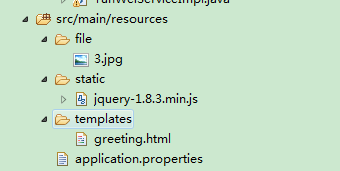
String filePath = "F://zhcs//src//main//resources//file//";
// 解决中文问题,liunx下中文路径,图片显示问题
// fileName = UUID.randomUUID() + suffixName;
File dest = new File(filePath + fileName);
// File dest = new File(jarPath +"//"+fileName);
// 检测是否存在目录
if (!dest.getParentFile().exists()) {
dest.getParentFile().mkdirs();
}
try {
file.transferTo(dest);
return "上传成功";
} catch (IllegalStateException e) {
e.printStackTrace();
} catch (IOException e) {
e.printStackTrace();
}
return "上传失败";
}
//文件下载相关代码
@RequestMapping("/download")
public String downloadFile(org.apache.catalina.servlet4preview.http.HttpServletRequest request, HttpServletResponse response){
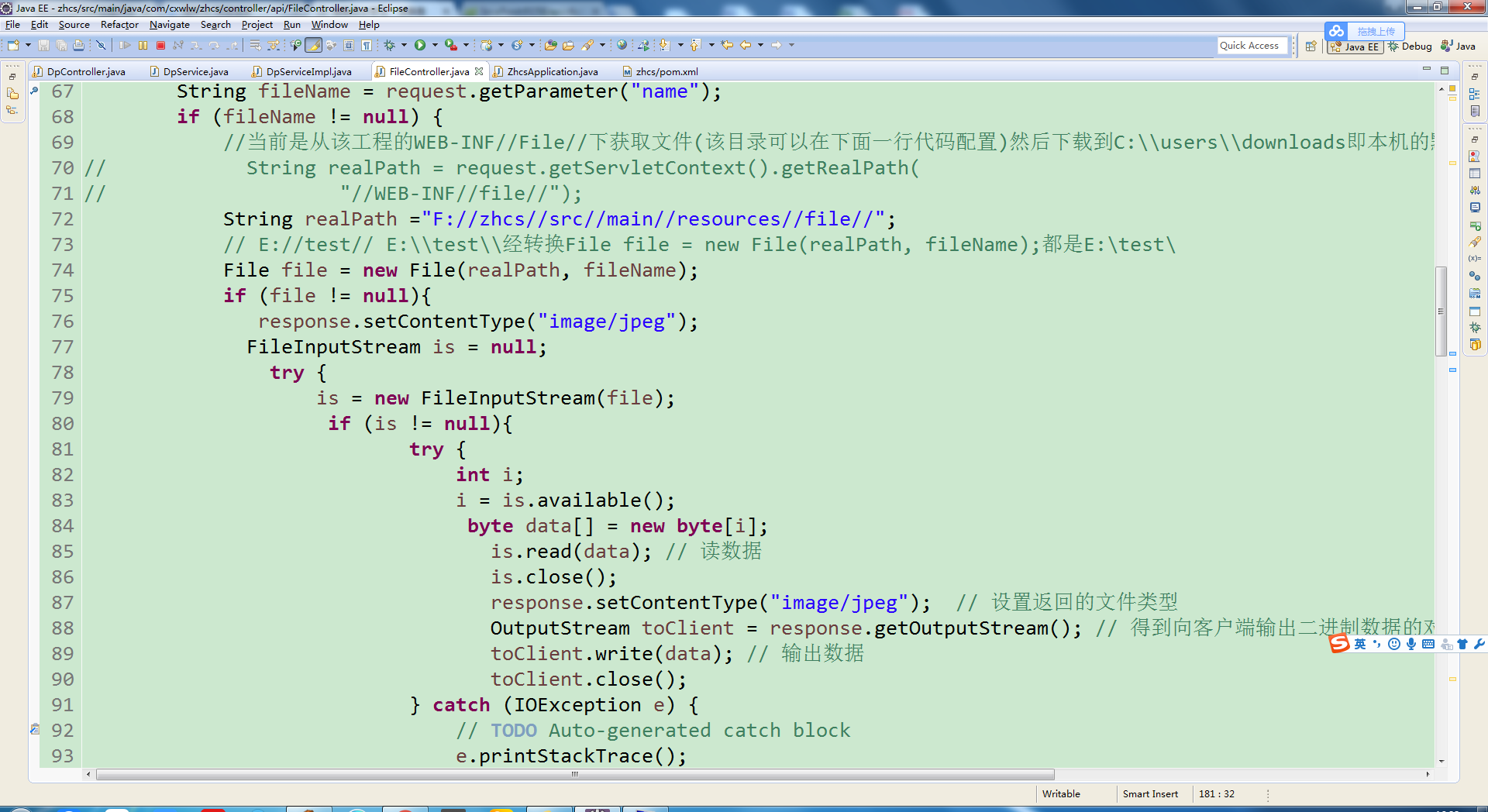
String fileName = request.getParameter("name");
if (fileName != null) {
//当前是从该工程的WEB-INF//File//下获取文件(该目录可以在下面一行代码配置)然后下载到C:\\users\\downloads即本机的默认下载的目录
// String realPath = request.getServletContext().getRealPath(
// "//WEB-INF//file//");
String realPath ="F://zhcs//src//main//resources//file//";
// E://test// E:\\test\\经转换File file = new File(realPath, fileName);都是E:\test\
File file = new File(realPath, fileName);
if (file != null){
response.setContentType("image/jpeg");
FileInputStream is = null;
try {
is = new FileInputStream(file);
if (is != null){
try {
int i;
i = is.available();
byte data[] = new byte[i];
is.read(data); // 读数据
is.close();
response.setContentType("image/jpeg"); // 设置返回的文件类型
OutputStream toClient = response.getOutputStream(); // 得到向客户端输出二进制数据的对象
toClient.write(data); // 输出数据
toClient.close();
} catch (IOException e) {
// TODO Auto-generated catch block
e.printStackTrace();
} // 得到文件大小
}
} catch (FileNotFoundException e) {
// TODO Auto-generated catch block
e.printStackTrace();
}
}
// if (file.exists()) {
// response.setContentType("application/force-download");// 设置强制下载不打开
// response.addHeader("Content-Disposition",
// "attachment;fileName=" + fileName);// 设置文件名
// byte[] buffer = new byte[1024];
// FileInputStream fis = null;
// BufferedInputStream bis = null;
// try {
// fis = new FileInputStream(file);
// bis = new BufferedInputStream(fis);
// OutputStream os = response.getOutputStream();
// int i = bis.read(buffer);
// while (i != -1) {
// os.write(buffer, 0, i);
// i = bis.read(buffer);
// }
// System.out.println("success");
// } catch (Exception e) {
// e.printStackTrace();
// } finally {
// if (bis != null) {
// try {
// bis.close();
// } catch (IOException e) {
// e.printStackTrace();
// }
// }
// if (fis != null) {
// try {
// fis.close();
// } catch (IOException e) {
// e.printStackTrace();
// }
// }
// }
// }
}
return null;
}
//多文件上传方法一 下载到该工程的所在目录下
@RequestMapping(value = "/batch/upload", method = RequestMethod.POST)
@ResponseBody
public String handleFileUpload(HttpServletRequest request) {
List<MultipartFile> files = ((MultipartHttpServletRequest) request)
.getFiles("file");
MultipartFile file = null;
BufferedOutputStream stream = null;
for (int i = 0; i < files.size(); ++i) {
file = files.get(i);
if (!file.isEmpty()) {
try {
byte[] bytes = file.getBytes();
stream = new BufferedOutputStream(new FileOutputStream(
new File(file.getOriginalFilename())));
stream.write(bytes);
stream.close();
} catch (Exception e) {
stream = null;
return "You failed to upload " + i + " => "
+ e.getMessage();
}
} else {
return "You failed to upload " + i
+ " because the file was empty.";
}
}
return "upload successful";
}
//多文件上传方法二
@RequestMapping(value = "/batchupload", method = RequestMethod.POST)
@ResponseBody
public String batchFileUp(HttpServletRequest request)
{
List<MultipartFile> files = ((MultipartHttpServletRequest)request).getFiles("file");
//String contextPath = request.getSession().getServletContext().getRealPath("/")+ "\\uploadsTest";//可以将文件存放在这个目录下 是当前工程下的uploadtest目录下
// System.out.println(contextPath);
// File tempFile = new File(contextPath);
// if(!tempFile.exists())
// {
// tempFile.mkdir();
// }
for(int i=0 ;i<files.size();i++)
{
MultipartFile file = files.get(i);
System.out.println(file.getContentType());
String fileName = file.getOriginalFilename();
String suffixName = fileName.substring(fileName.lastIndexOf("."));
String fullfilePath = "E://test//" +fileName;//自己设定的文件目录
logger.info("fullfilePath:",fullfilePath);
if(!file.isEmpty())
{
try{
BufferedOutputStream stream =new BufferedOutputStream(new FileOutputStream(new File(fullfilePath)));
stream.write(file.getBytes());
stream.close();
}
catch (Exception e){
return "Failed to Upload"+fileName +"=>"+e.getMessage();
}
}
else
{
return "Failed to Upload "+ fileName +"because the file was empty";
}
}
return "Upload Success!";
}
}
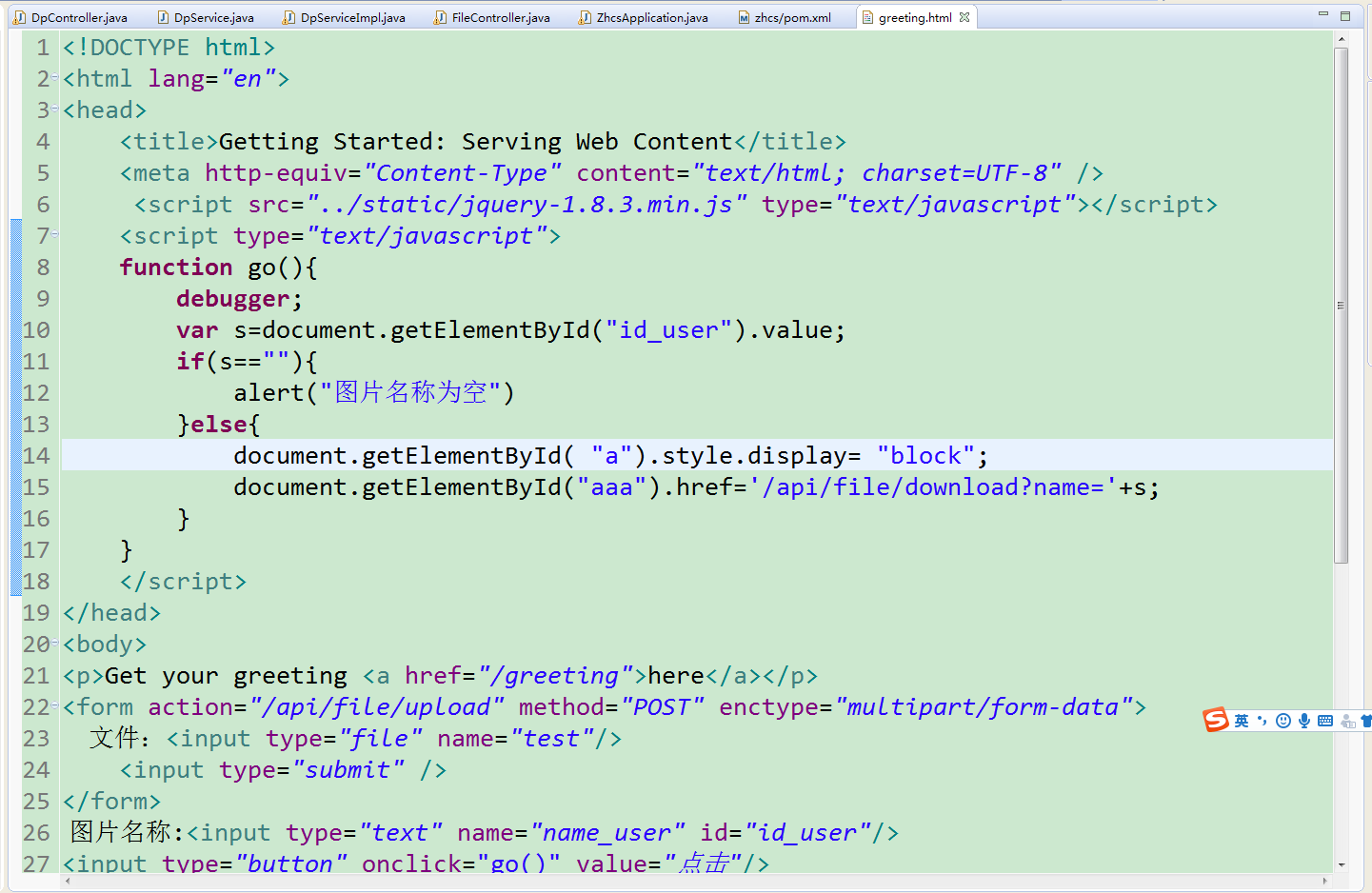
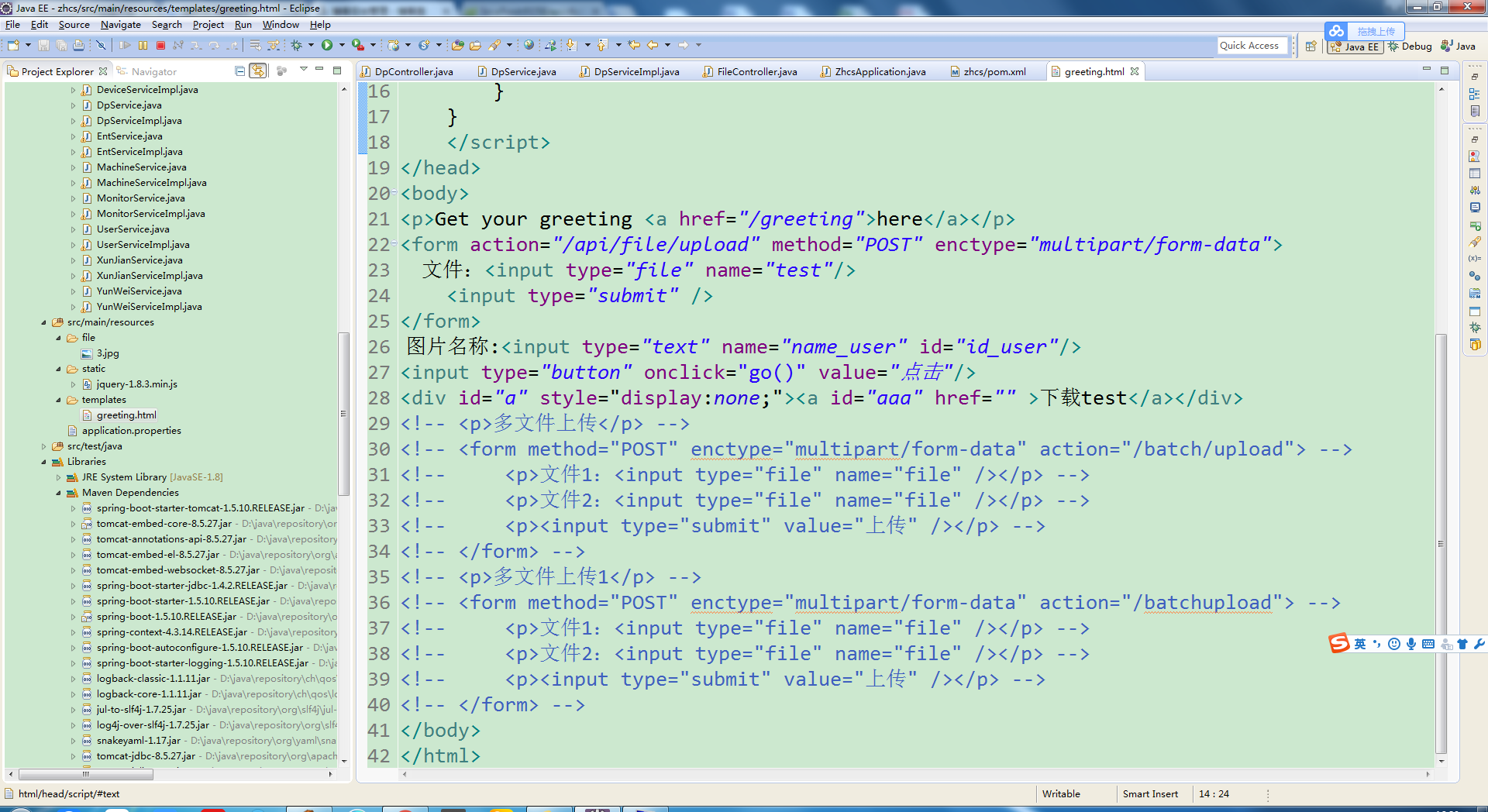
greeting。html
<!DOCTYPE html>
<html lang="en">
<head>
<title>Getting Started: Serving Web Content</title>
<meta http-equiv="Content-Type" content="text/html; charset=UTF-8" />
<script src="../static/jquery-1.8.3.min.js" type="text/javascript"></script>
<script type="text/javascript">
function go(){
debugger;
var s=document.getElementById("id_user").value;
if(s==""){
alert("图片名称为空")
}else{
document.getElementById( "a").style.display= "block";
document.getElementById("aaa").href='/api/file/download?name='+s;
}
}
</script>
</head>
<body>
<p>Get your greeting <a href="/greeting">here</a></p>
<form action="/api/file/upload" method="POST" enctype="multipart/form-data">
文件:<input type="file" name="test"/>
<input type="submit" />
</form>
图片名称:<input type="text" name="name_user" id="id_user"/>
<input type="button" onclick="go()" value="点击"/>
<div id="a" style="display:none;"><a id="aaa" href="" >下载test</a></div>
<!-- <p>多文件上传</p> -->
<!-- <form method="POST" enctype="multipart/form-data" action="/batch/upload"> -->
<!-- <p>文件1:<input type="file" name="file" /></p> -->
<!-- <p>文件2:<input type="file" name="file" /></p> -->
<!-- <p><input type="submit" value="上传" /></p> -->
<!-- </form> -->
<!-- <p>多文件上传1</p> -->
<!-- <form method="POST" enctype="multipart/form-data" action="/batchupload"> -->
<!-- <p>文件1:<input type="file" name="file" /></p> -->
<!-- <p>文件2:<input type="file" name="file" /></p> -->
<!-- <p><input type="submit" value="上传" /></p> -->
<!-- </form> -->
</body>
</html>
springboot 上传图片,地址,在页面展示图片的更多相关文章
- springboot+thymeleaf中前台页面展示中、将不同的数字替换成不同的字符串。使用条件运算符
主要用到的知识就是thyme leaf中的条件运算符 表达式:(condition)?:then:else 当条件condition成立时返回then.否则返回else 具体代码:<td th: ...
- 手把手教小白如何用css+js实现页面中图片放大展示效果
1.前言 很多童鞋会在项目中遇到一些上传图片,展示图片的操作,但是图片呢有大有小,为了页面的美观,有时候我们需要将图片展示成固定宽高度,但是呢,领导就会说,我想看大图片,怎么办?想看就看呀, ...
- 【SpringBoot】转载 springboot使用thymeleaf完成数据的页面展示
版权声明:本文为博主原创文章,遵循 CC 4.0 BY-SA 版权协议,转载请附上原文出处链接和本声明.本文链接:https://blog.csdn.net/weixin_36380516/artic ...
- SpringBoot页面展示Thymeleaf
https://www.jianshu.com/p/a842e5b5012e 开发传统Java WEB工程时,我们可以使用JSP页面模板语言,但是在SpringBoot中已经不推荐使用了.Spring ...
- 【微信小程序云开发】1分钟学会实现上传、下载、预览、删除图片,并且以九宫格展示图片
大家好,我叫小秃僧 这篇文章是讲解云开发如何上传.下载.预览.删除图片,并且以九宫格展示图片的功能 @ 目录 1. 实现效果 2.JavaScript代码 3.wxml代码 4.wxss代码 1. 实 ...
- app——分享wap站,数据处理页面展示
无意中接到了一个小的工作任务:配合手机app端的分享功能做一个wap站,简言之:将手机app端分享的文章id传过来,利用此id再进行一系列的操作,由于文章分为纯文本,图文以及图集的三种类型的文章,因此 ...
- 【原】老生常谈-从输入url到页面展示到底发生了什么
刚开始写这篇文章还是挺纠结的,因为网上搜索“从输入url到页面展示到底发生了什么”,你可以搜到一大堆的资料.而且面试这道题基本是必考题,二月份面试的时候,虽然知道这个过程发生了什么,不过当面试官一步步 ...
- 【转】老生常谈-从输入url到页面展示到底发生了什么
今天看到了一篇很详细地解释了从输入url到页面展示过程的文章,好文章不能错过,所以转到自己这里来了. 原文地址:老生常谈-从输入url到页面展示到底发生了什么 以下为原文: 刚开始写这篇文章还是挺纠结 ...
- (转)老生常谈-从输入url到页面展示到底发生了什么
刚开始写这篇文章还是挺纠结的,因为网上搜索"从输入url到页面展示到底发生了什么",你可以搜到一大堆的资料.而且面试这道题基本是必考题,二月份面试的时候,虽然知道这个过程发生了什么 ...
随机推荐
- linux chown 命令用法
[-cfhvR] [--help] [--version] user[:group] file 比如 chown chown root /home 把/home的属主改成root用户使用权限 : ...
- 阶段5 3.微服务项目【学成在线】_day16 Spring Security Oauth2_10-SpringSecurityOauth2研究-校验令牌&刷新令牌
3.5校验令牌 Spring Security Oauth2提供校验令牌的端点,如下: Get: http://localhost:40400/auth/oauth/check_token?token ...
- 数据结构与算法 Javascript描述
数据结构与算法系列主要记录<数据结构与算法 Javascript描述>学习心得
- rdd的元素打印
在集群上运行spark程序时,rdd的操作都在worker机上,因此输出rdd的元素将在worker机的标准输出上进行,驱动节点上不会运行,故直接才程序中写如下代码 rdd.foreach(print ...
- localStorage 存储 数组
let str = JSON.stringify(data.list); localStorage.setItem("options",str); let optionss=loc ...
- react 打印页面怎么实现?
2017-11-10 react 打印页面怎么实现?
- Docker 容器的资源限制 cgroup(九)
目录 一.cgroup简介 二.CPU资源配额控制 1.CPU份额控制 2.CPU周期控制 3.CPU core控制 4.CPU配额控制参数的混合使用 二.对内存的限额 三.对 Block IO 的限 ...
- windows服务器入门 php的安装
下载PHP安装包(下载地址: http://windows.php.net/download/ ),本文档以5.3版本为例,选择如下图对应的安装包: 下载完成后进行安装PHP,需要选择Web服务时,选 ...
- nginx 安全配置和限制访问
nginx基本安全配置 配置ssl证书 listen 443 ssl; ssl_certificate /usr/local/nginx/conf/server.crt; ssl_certificat ...
- linux中查看磁盘容量的常用操作
linux中查看磁盘容量常用操作 实验室有GPU集群,用户跑数据时候跑着跑着会出现集群挂掉的问题,原因就是,在跑数据时,用户上传文件,数据集,系统产生缓存等一系列操作,消耗了集群空间,师兄让我清理下服 ...