
再记一次经典Net程序的逆向过程
1.前言
上次发完,有网友问了一个问题:如果不绕过编译,而是直接编译怎么办?
记一次Net软件逆向的过程:https://www.cnblogs.com/dotnetcrazy/p/10142315.html
今天就来说说:本次提供样本:链接: https://pan.baidu.com/s/1ekYVKXt_Jz3ShwjoFknW0g 提取码: ywf6
2.调试破解
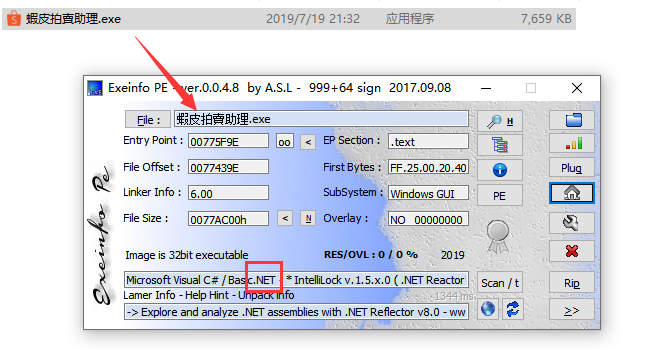
1.查壳知道是Net程序
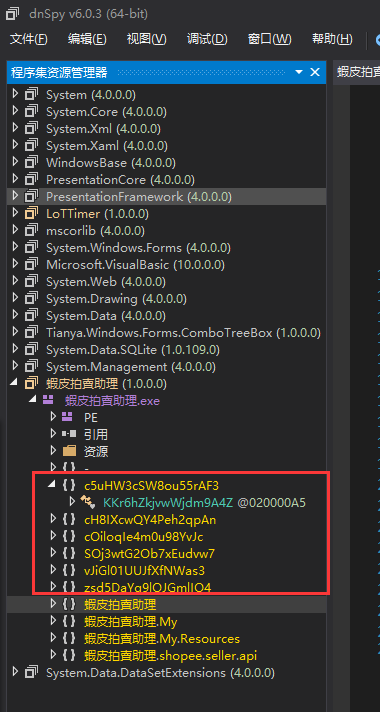
2.dnspy打开发现乱码
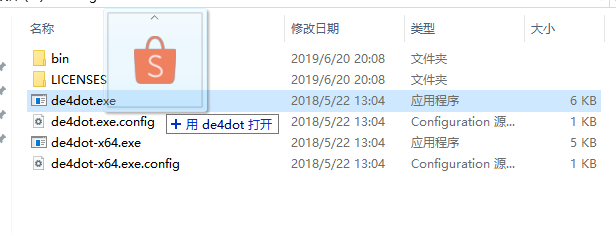
3.de4dot脱壳
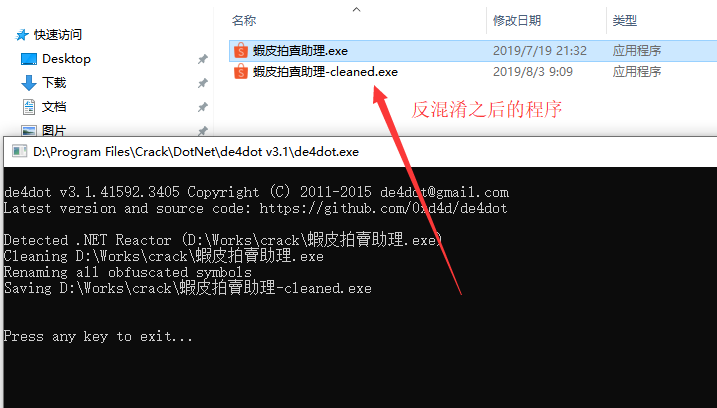
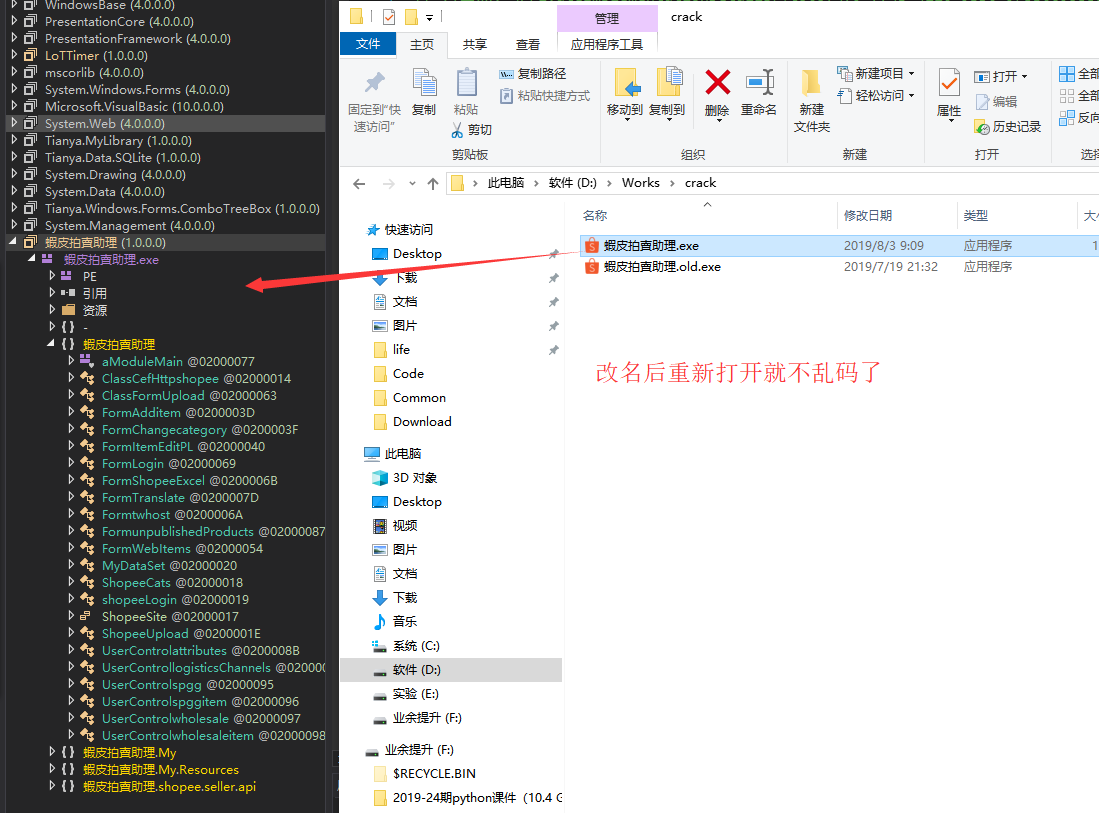
4.这个就是反混淆之后的程序
5.改名后重新打开就不乱码了
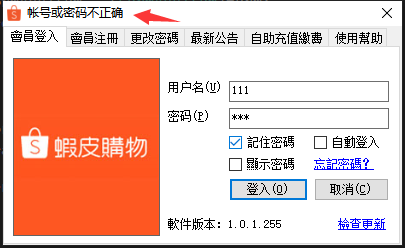
6.直接运行看看效果,找到提示信息
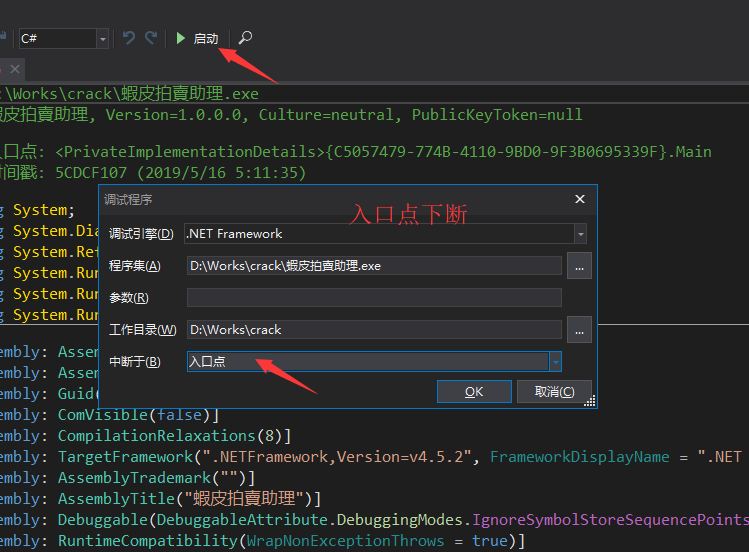
7.入口点下断
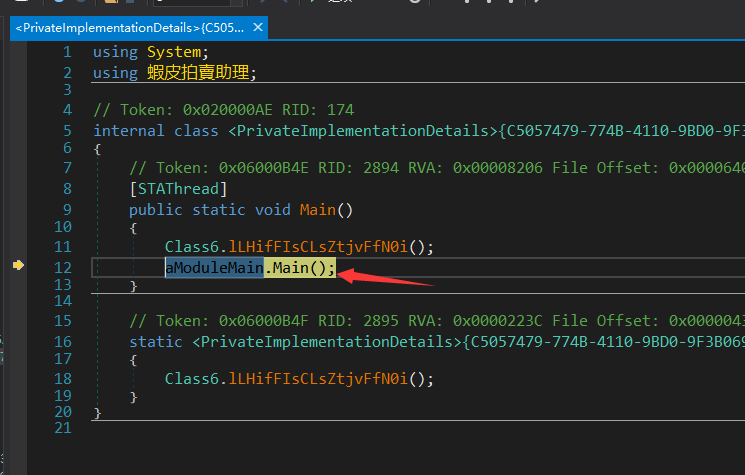
8.单步走一波
9.在疑似关键函数处下断,然后运行
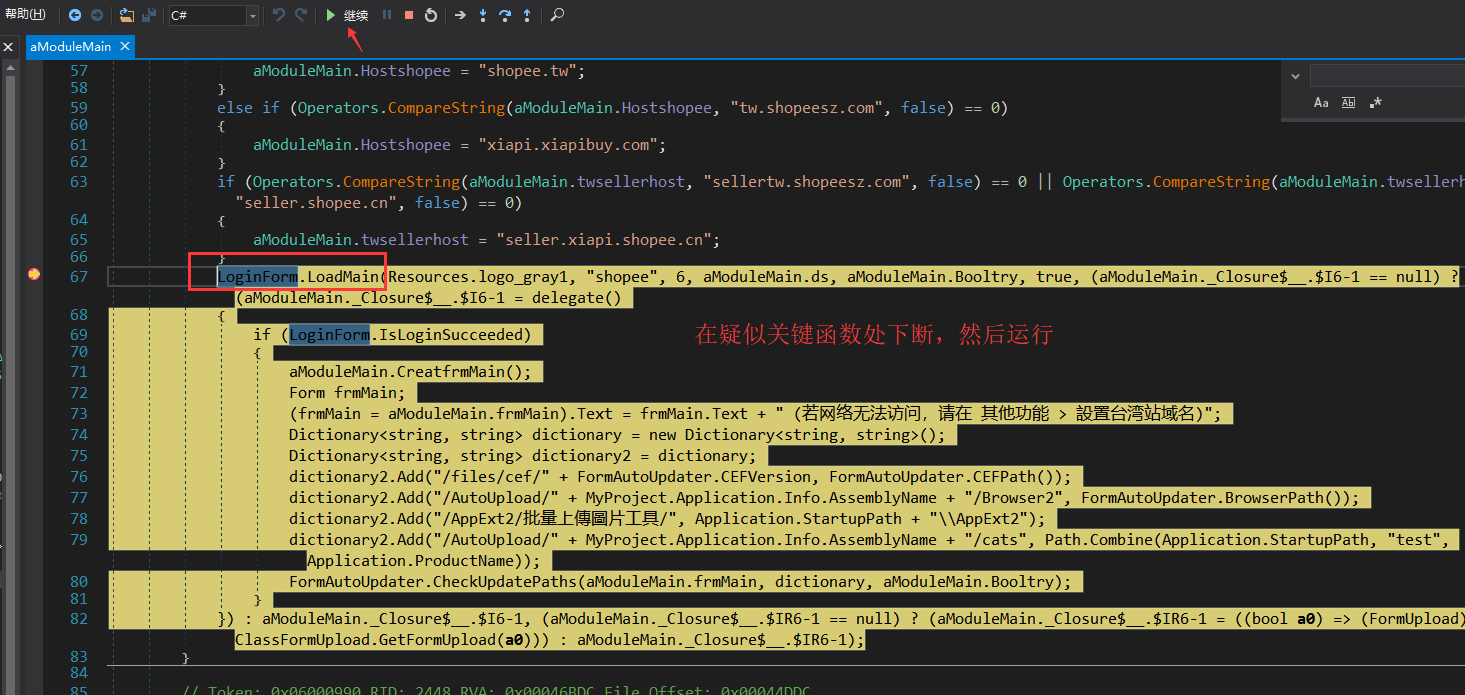
10.单步走了几下发现到动态加载的dll文件中了
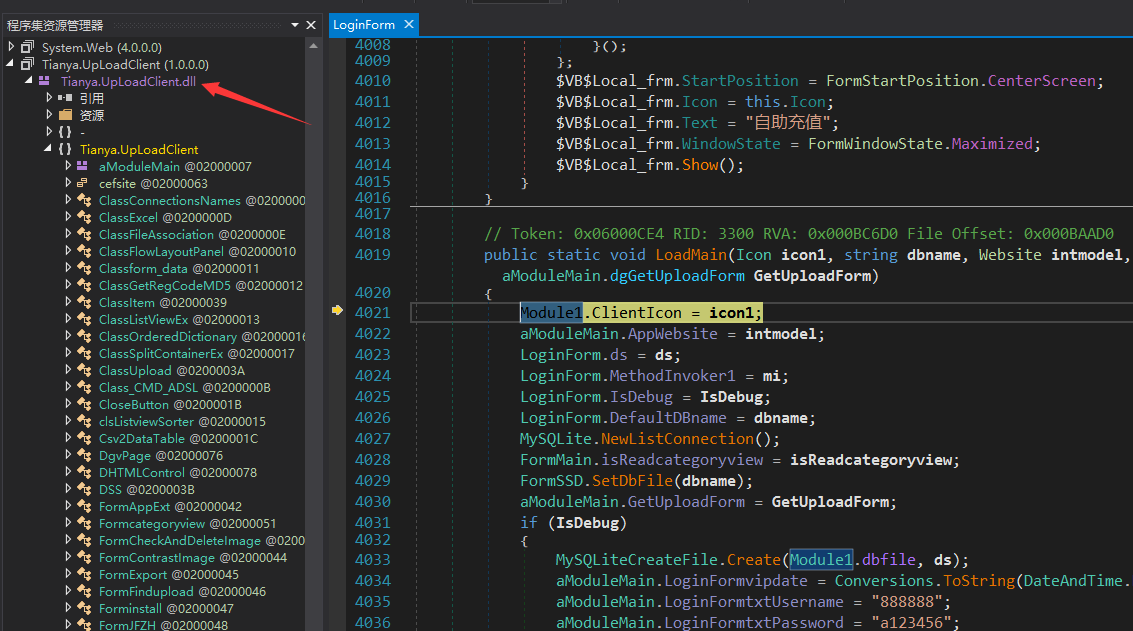
11.在疑是关键点前后下断,然后F11,跟进去看看
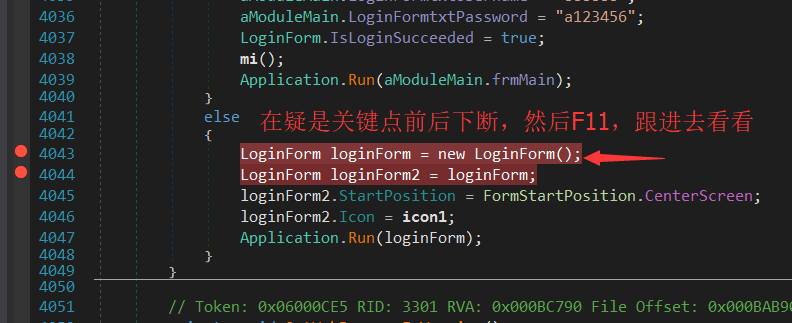
12.到达了Login的页面
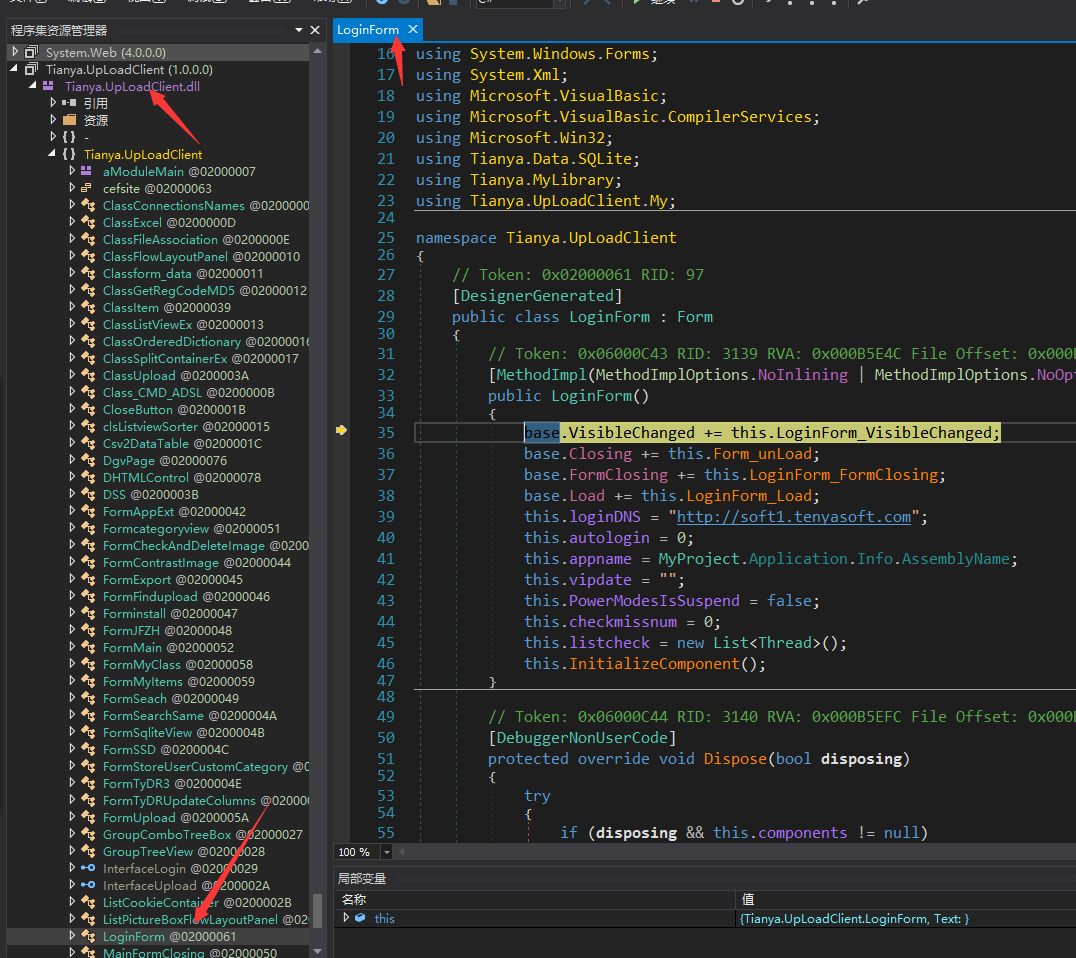
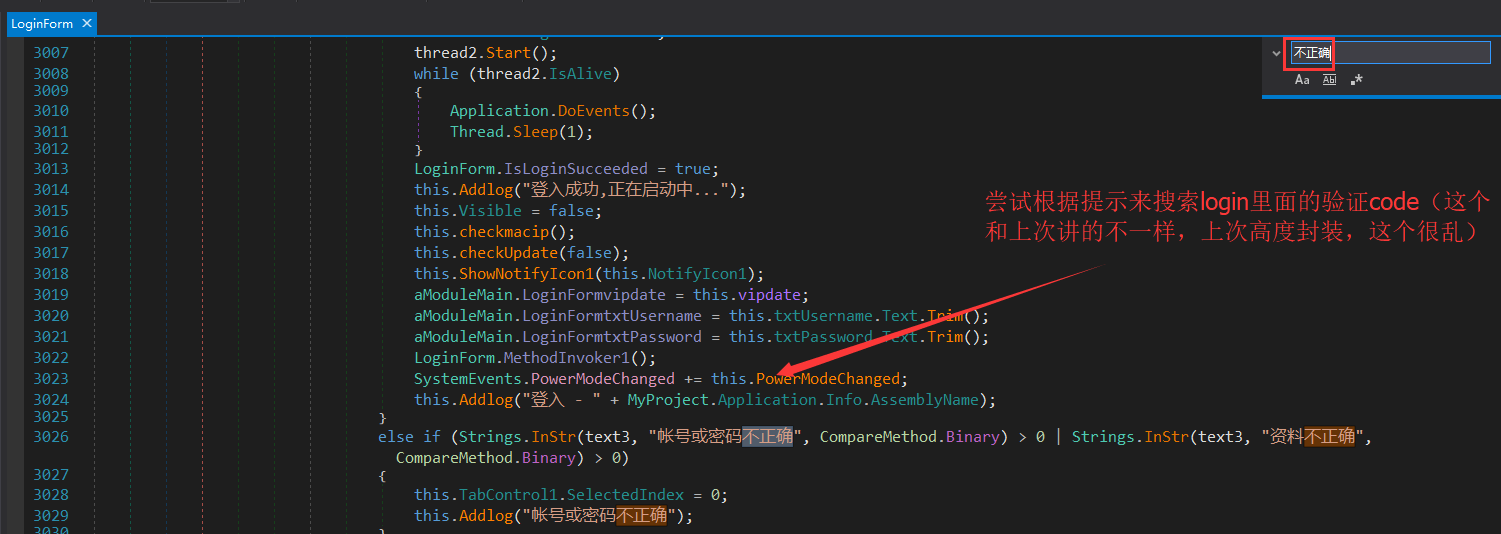
13.尝试根据提示来搜索login里面的验证code(这个和上次讲的不一样,上次高度封装,这个很乱)
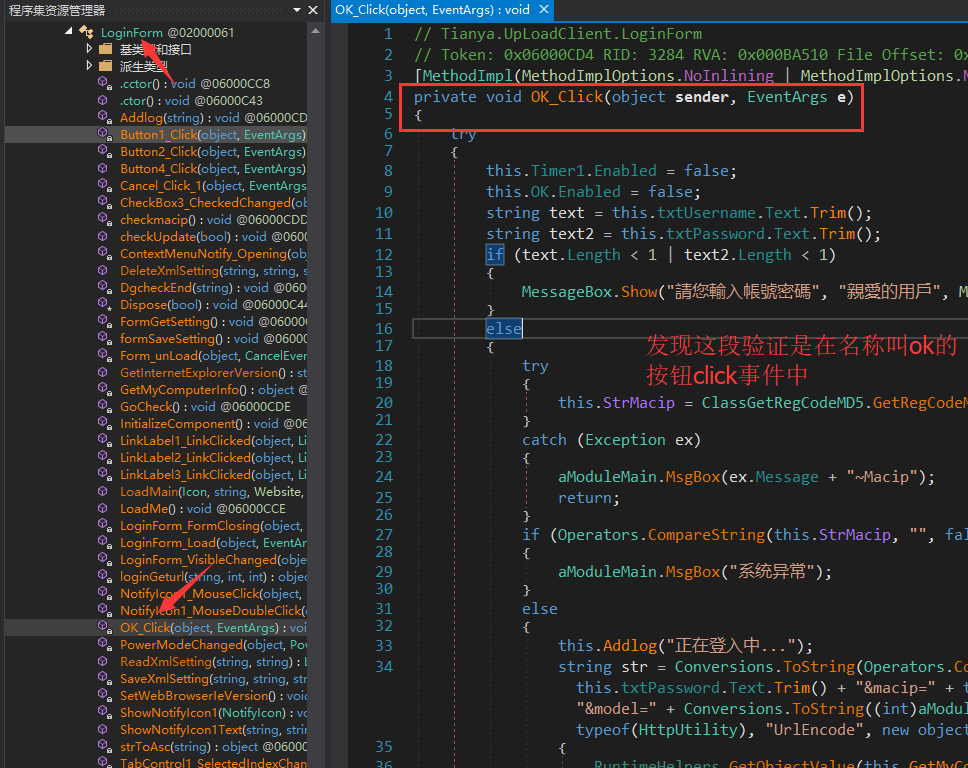
14.发现这段验证是在名称叫ok的按钮click事件中
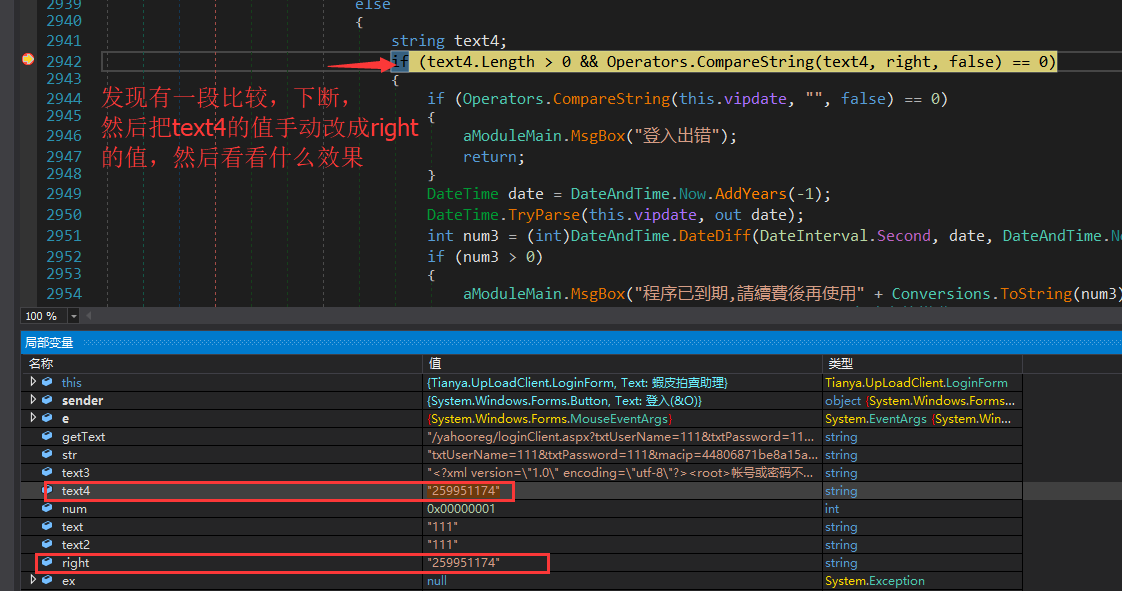
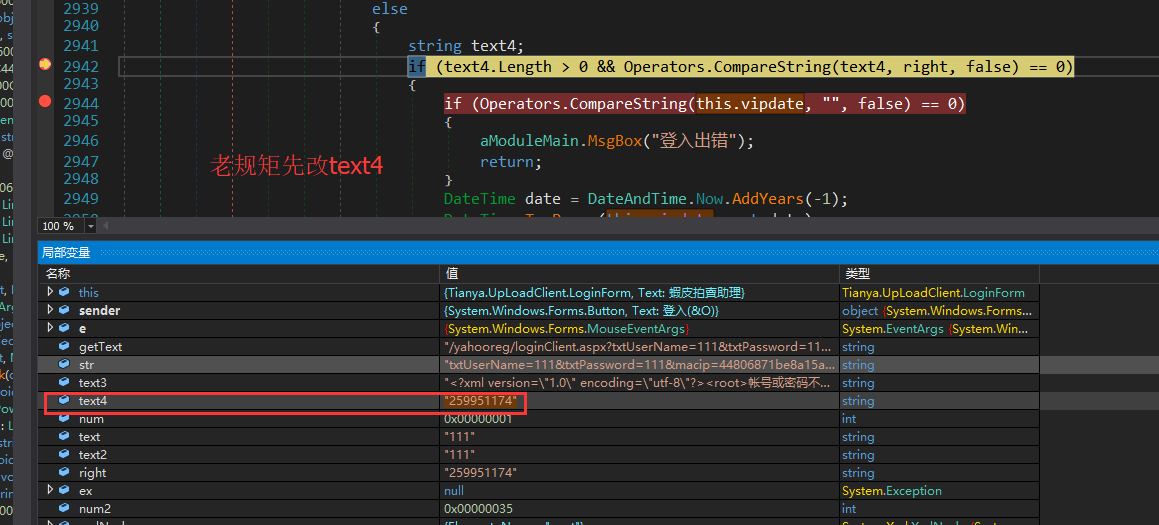
15.发现有一段比较,下断,然后把text4的值改成right的值,看看什么效果
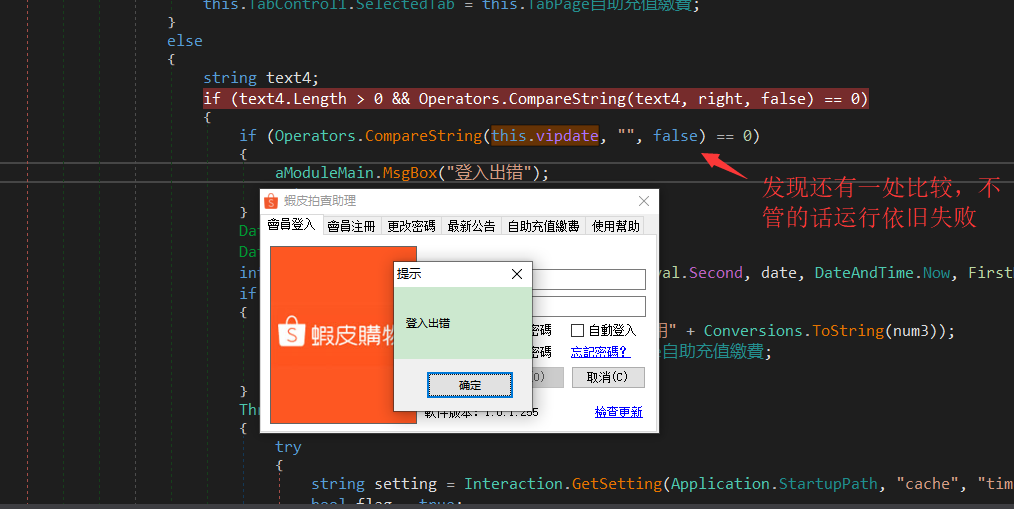
16.发现还有一处比较,不管的话运行依旧失败
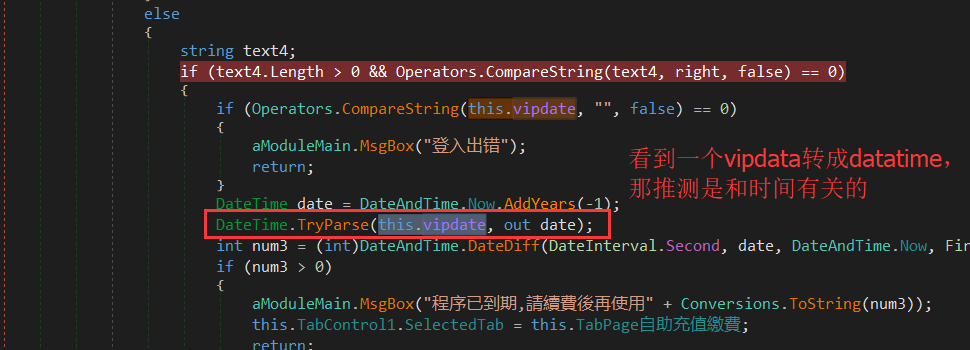
17.看到一个vipdata转成datatime,那推测是和时间有关的
18.在loginfrom中搜索this.vipdate,发现了这处,那么可以确定是时间格式的字符串了(依据:可以转时间,而且可以使用字符串拼接)

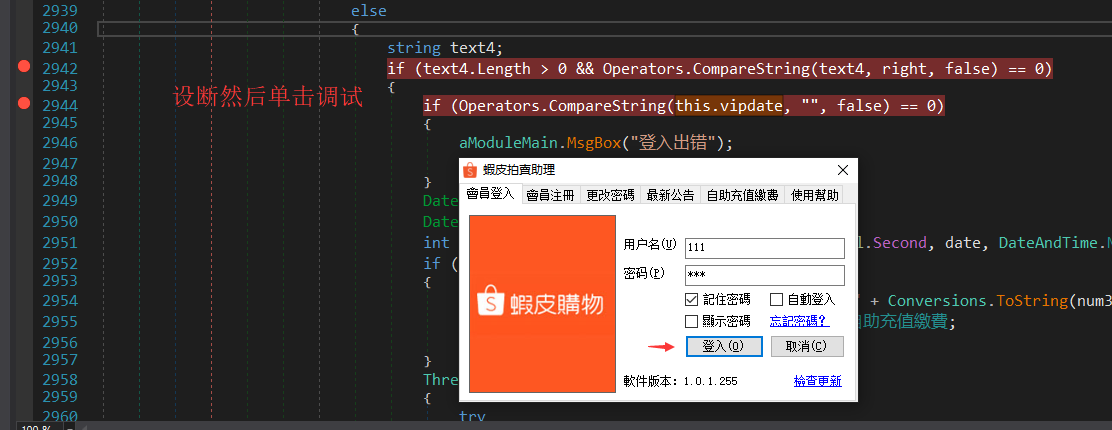
19.设断然后单击调试
20.调试过程中修改值
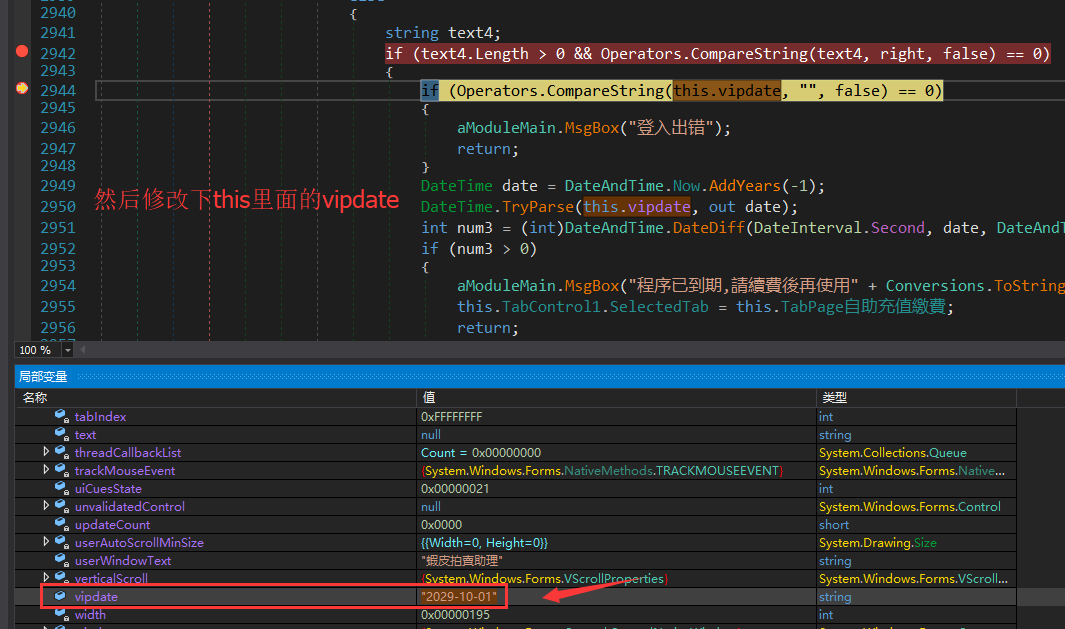
21.再修改下vipdata
22.发现成功了

那么下面就是编译修改了
3.编译修改
1.编辑方法
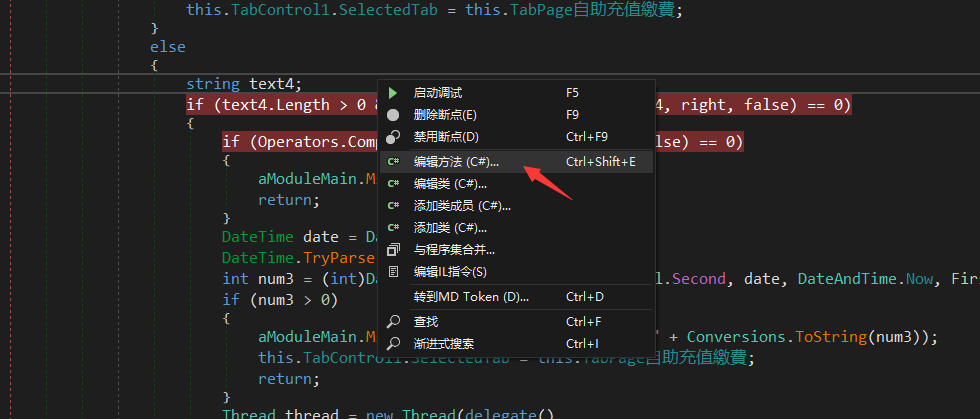
2.修改完发现不能编译

PS:这就是为啥我名字写经典逆向的原因了(解决这个问题就解决了90%的Net逆向问题)
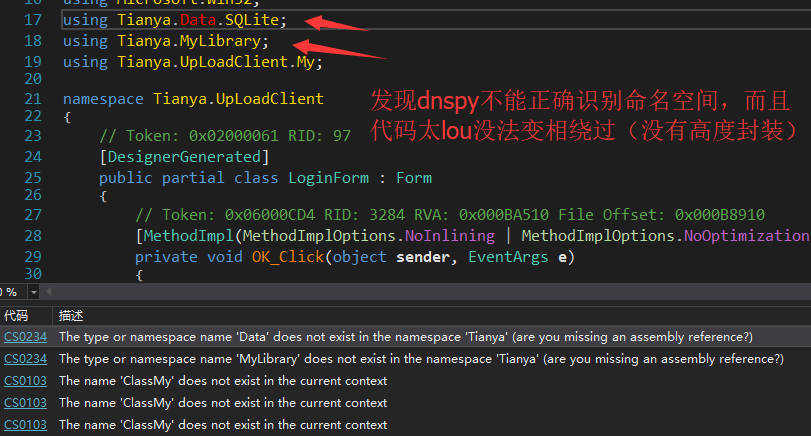
3.发现dnspy不能正确识别命名空间,而且代码太lou没法变相绕过(没有高度封装)
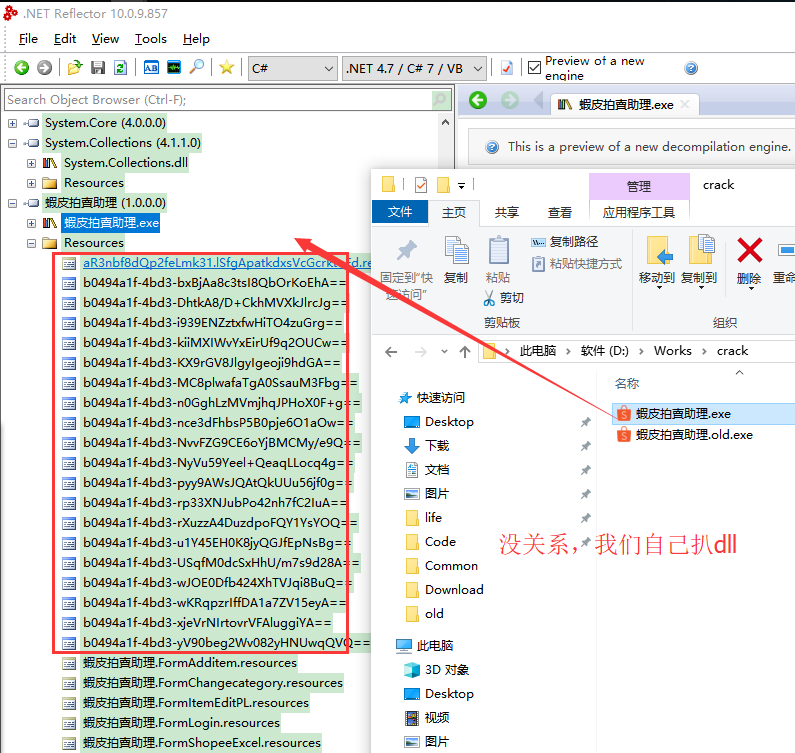
4.没关系,我们自己扒dll
5.把资源文件保存成一个个dll,找到我们需要的dll
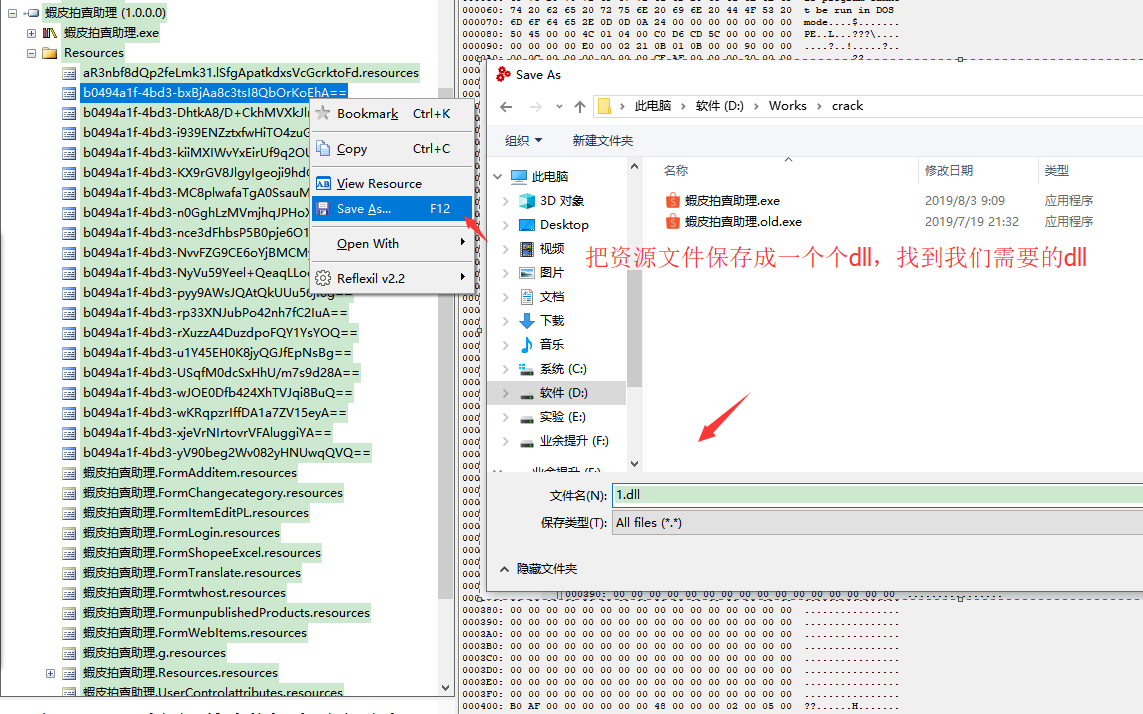
6.那怎么知道dll的真实名字呢?其实也很简单,拖进Reflector就知道了
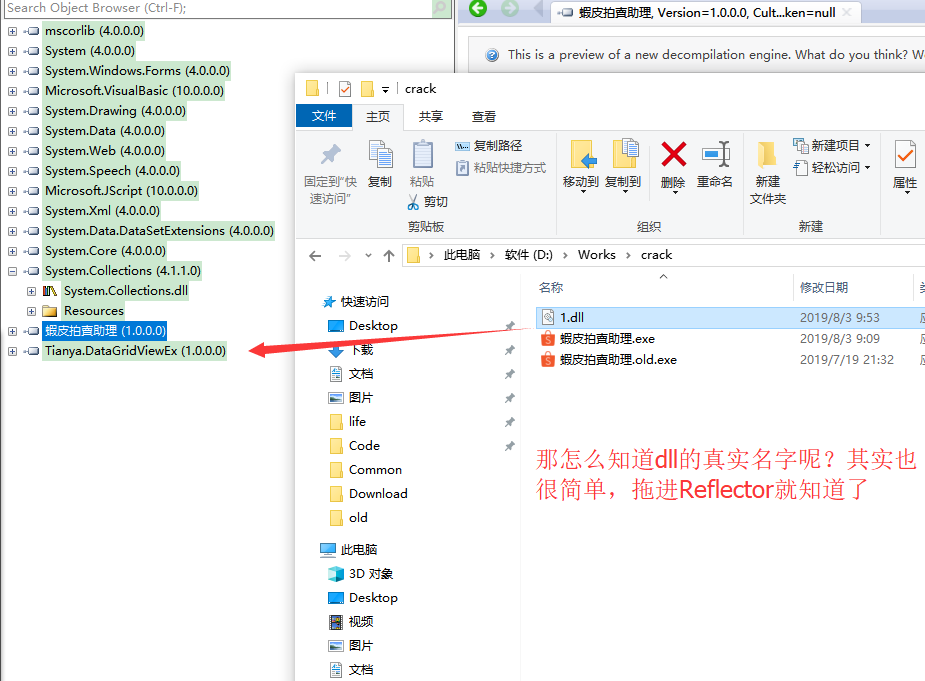
6.1.为了稳妥,我把Tianaya.x的dll都保存了(省得折腾)

7.重新运行后再编译,发现uploadxx.dll的某个方法不能识别
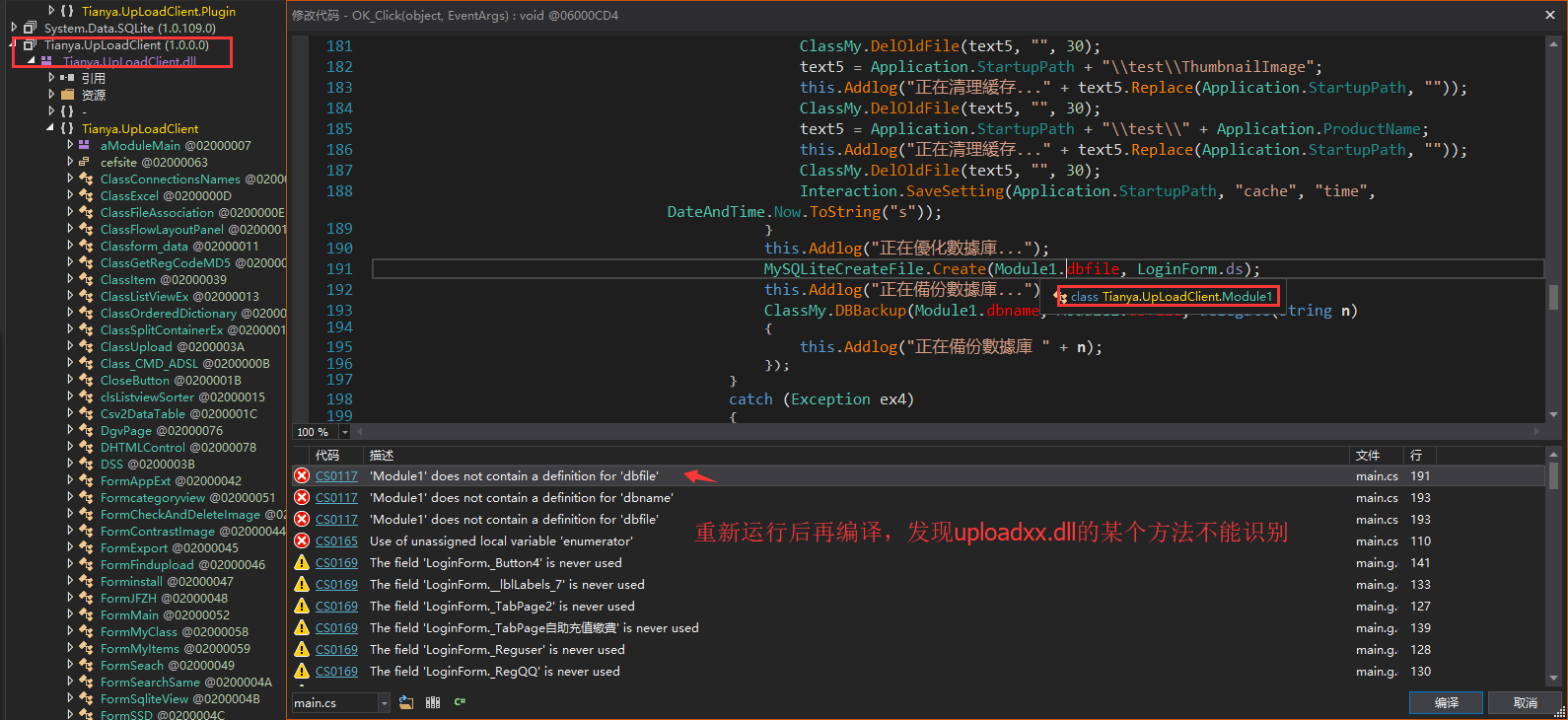
PS:其实你在uploadxx.dll里面搜一下就知道没有这个方法了,然后理想Net里面只有导入命名空间的方法才可以简写
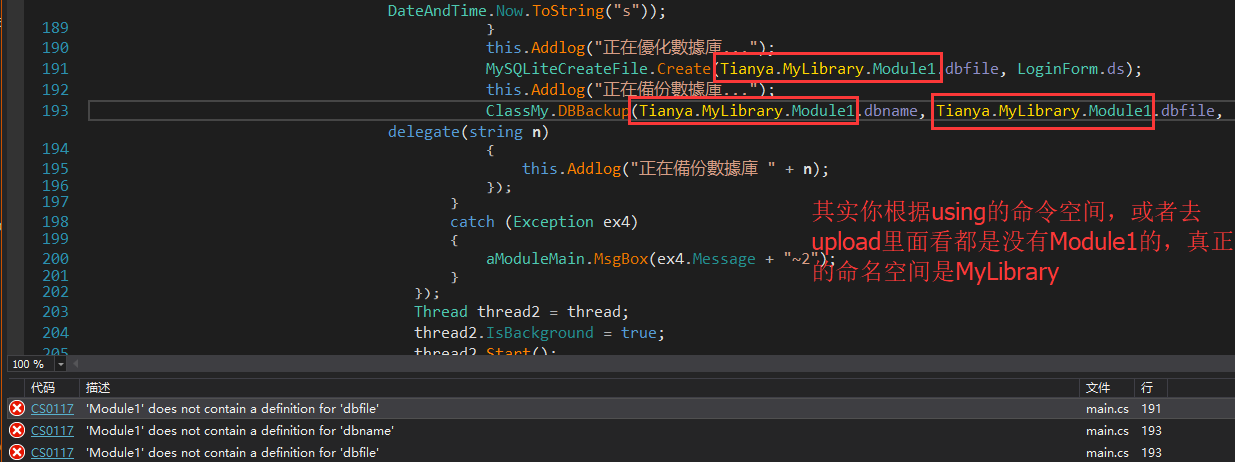
8.其实你根据using的命令空间,或者去upload里面看都是没有Module1的,真正的命名空间是MyLibrary
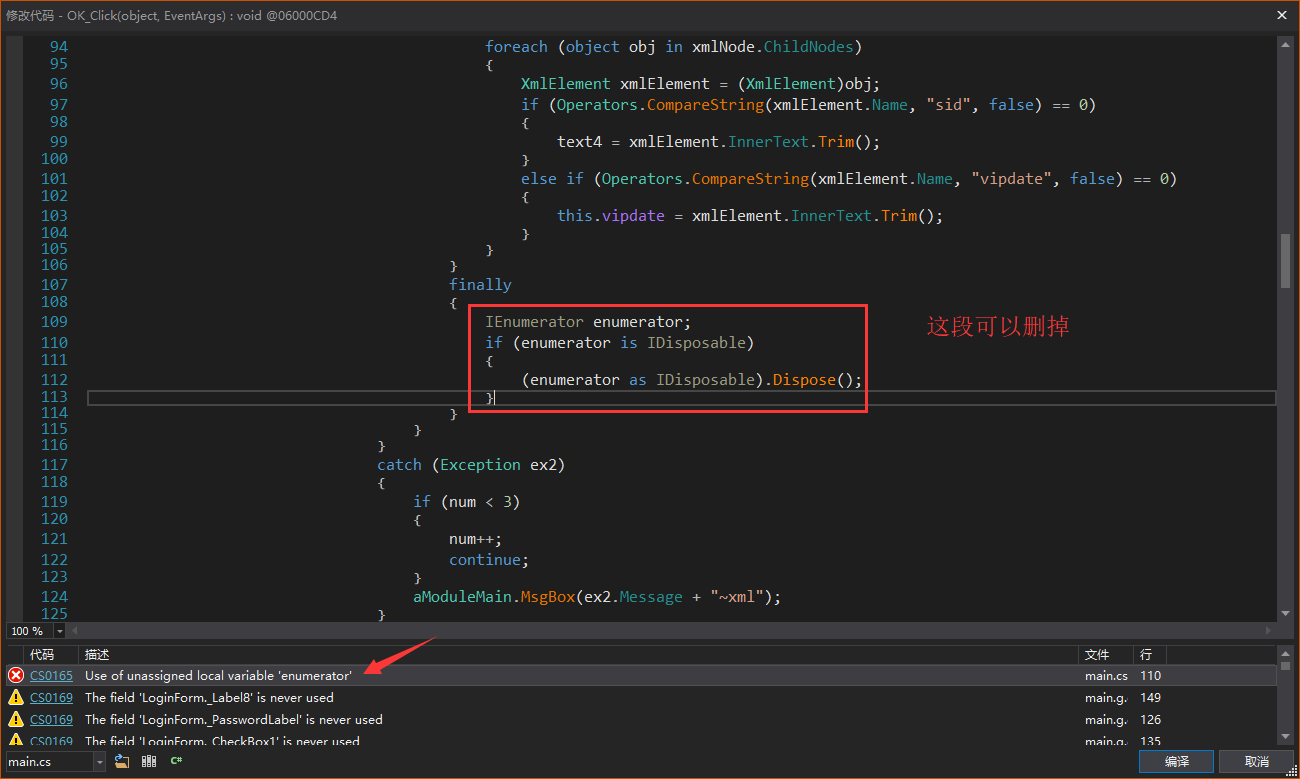
9.这段可以删掉
10.发现已经修改好了,那么保存一下
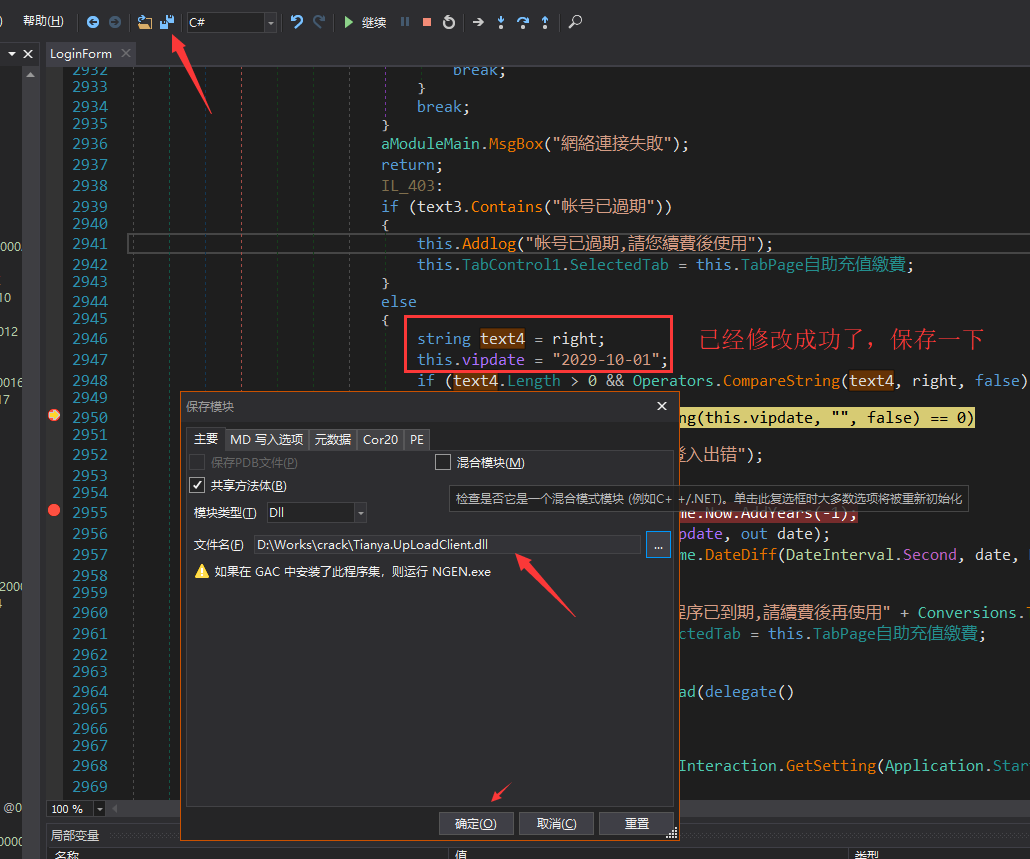
11.只要这个放在原文件的根目录下就可以破解了(如果遇到不能破解的,可以用上次我讲的修改资源文件的方法)

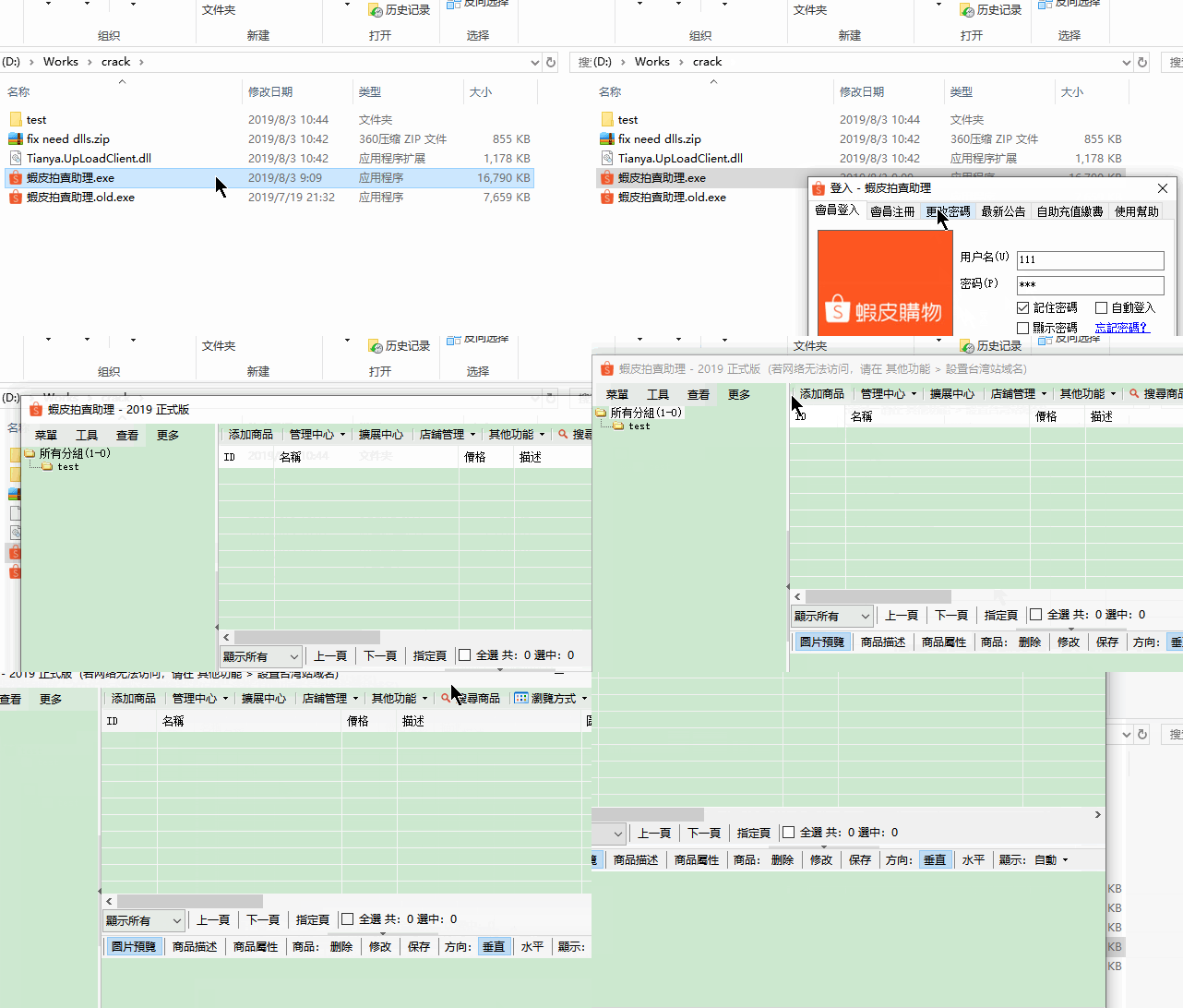
4.小小验证
贴一个GIF结束
附录
贴一下我的ok_click:
using System;

using System.Collections;

using System.Collections.Generic;

using System.ComponentModel;

using System.Data;

using System.Diagnostics;

using System.Drawing;

using System.Runtime.CompilerServices;

using System.Text.RegularExpressions;

using System.Threading;

using System.Web;

using System.Windows.Forms;

using System.Xml;

using Microsoft.VisualBasic;

using Microsoft.VisualBasic.CompilerServices;

using Microsoft.Win32;

using Tianya.Data.SQLite;

using Tianya.MyLibrary;

using Tianya.UpLoadClient.My;

namespace Tianya.UpLoadClient

{

	// Token: 0x02000061 RID: 97

	[DesignerGenerated]

	public partial class LoginForm : Form

	{

		// Token: 0x06000CD4 RID: 3284 RVA: 0x000BA510 File Offset: 0x000B8910

		[MethodImpl(MethodImplOptions.NoInlining | MethodImplOptions.NoOptimization)]

		private void OK_Click(object sender, EventArgs e)

		{

			try

			{

				this.Timer1.Enabled = false;

				this.OK.Enabled = false;

				string text = this.txtUsername.Text.Trim();

				string text2 = this.txtPassword.Text.Trim();

				if (text.Length < 1 | text2.Length < 1)

				{

					MessageBox.Show("請您輸入帳號密碼", "親愛的用戶", MessageBoxButtons.OK, MessageBoxIcon.Hand);

				}

				else

				{

					try

					{

						this.StrMacip = ClassGetRegCodeMD5.GetRegCodeMD5(16);

					}

					catch (Exception ex)

					{

						aModuleMain.MsgBox(ex.Message + "~Macip");

						return;

					}

					if (Operators.CompareString(this.StrMacip, "", false) == 0)

					{

						aModuleMain.MsgBox("系统异常");

					}

					else

					{

						this.Addlog("正在登入中...");

						string str = Conversions.ToString(Operators.ConcatenateObject("txtUserName=" + this.txtUsername.Text.Trim() + "&txtPassword=" + this.txtPassword.Text.Trim() + "&macip=" + this.StrMacip + "&logintime=" + HttpUtility.UrlEncode(Conversions.ToString(DateAndTime.Now)) + "&model=" + Conversions.ToString((int)aModuleMain.AppWebsite) + "&appname=" + this.appname + "&ComputerInfo=", NewLateBinding.LateGet(null, typeof(HttpUtility), "UrlEncode", new object[]

						{

							RuntimeHelpers.GetObjectValue(this.GetMyComputerInfo())

						}, null, null, null)));

						string right = Conversions.ToString(Conversion.Int(Conversions.ToDouble(Strings.Left(Conversions.ToString(this.strToAsc(this.txtUsername.Text.ToString().Trim())), 6)) + Conversion.Int(Conversions.ToDouble(Strings.Left(Conversions.ToString(this.strToAsc(this.txtPassword.Text.ToString().Trim())), 4))) * Conversion.Int(Conversions.ToDouble(Strings.Left(Conversions.ToString(this.strToAsc(Strings.Replace(Strings.Replace(this.StrMacip, ":", "", 1, -1, CompareMethod.Binary), ".", "", 1, -1, CompareMethod.Binary))), 5)))));

						int num = 1;

						checked

						{

							string text3;

							for (;;)

							{

								string getText = "/yahooreg/loginClient.aspx?" + str;

								text3 = Conversions.ToString(this.loginGeturl(getText, num, 30));

								if (text3.Trim().Length < 1)

								{

									break;

								}

								int num2 = Strings.InStr(text3, "</root>", CompareMethod.Binary);

								if (num2 > 0 && Operators.CompareString(Strings.Right(text3, "</root>".Length), "</root>", false) != 0)

								{

									num2 += "</root>".Length;

									text3 = Strings.Left(text3, num2);

								}

								string text4 = "";

								try

								{

									text4 = Regex.Match(text3, "\\[(?<v>[^\\[\\]{}]+)\\]").Groups["v"].Value.Trim();

									this.vipdate = Regex.Match(text3, "\\{(?<v>[^\\[\\]{}]+)\\}").Groups["v"].Value.Trim();

									XmlDocument xmlDocument = new XmlDocument();

									xmlDocument.LoadXml(text3);

									XmlNode xmlNode = xmlDocument.SelectSingleNode("root");

									if (xmlNode.HasChildNodes & xmlNode.ChildNodes.Count > 2)

									{

										try

										{

											foreach (object obj in xmlNode.ChildNodes)

											{

												XmlElement xmlElement = (XmlElement)obj;

												if (Operators.CompareString(xmlElement.Name, "sid", false) == 0)

												{

													text4 = xmlElement.InnerText.Trim();

												}

												else if (Operators.CompareString(xmlElement.Name, "vipdate", false) == 0)

												{

													this.vipdate = xmlElement.InnerText.Trim();

												}

											}

										}

										finally

										{

											 // delete

										}

									}

								}

								catch (Exception ex2)

								{

									if (num < 3)

									{

										num++;

										continue;

									}

									aModuleMain.MsgBox(ex2.Message + "~xml");

								}

								goto IL_439;

							}

							aModuleMain.MsgBox("網絡連接失敗");

							return;

							IL_439:

							if (text3.Contains("帐号已過期"))

							{

								this.Addlog("帐号已過期,請您續費後使用");

								this.TabControl1.SelectedTab = this.TabPage自助充值繳費;

							}

							else

							{

								string text4 = right; // add

								this.vipdate = "2029-10-01"; // add

								if (text4.Length > 0 && Operators.CompareString(text4, right, false) == 0)

								{

									if (Operators.CompareString(this.vipdate, "", false) == 0)

									{

										aModuleMain.MsgBox("登入出错");

										return;

									}

									DateTime date = DateAndTime.Now.AddYears(-1);

									DateTime.TryParse(this.vipdate, out date);

									int num3 = (int)DateAndTime.DateDiff(DateInterval.Second, date, DateAndTime.Now, FirstDayOfWeek.Sunday, FirstWeekOfYear.Jan1);

									if (num3 > 0)

									{

										aModuleMain.MsgBox("程序已到期,請續費後再使用" + Conversions.ToString(num3));

										this.TabControl1.SelectedTab = this.TabPage自助充值繳費;

										return;

									}

									Thread thread = new Thread(delegate()

									{

										try

										{

											string setting = Interaction.GetSetting(Application.StartupPath, "cache", "time", "");

											bool flag = true;

											if (!string.IsNullOrEmpty(setting))

											{

												DateTime now = DateAndTime.Now;

												DateTime.TryParse(setting, out now);

												if (DateAndTime.DateDiff(DateInterval.Day, now, DateAndTime.Now, FirstDayOfWeek.Sunday, FirstWeekOfYear.Jan1) <= 0L)

												{

													flag = false;

												}

											}

											if (flag)

											{

												string text5 = Application.StartupPath + "\\Cache";

												this.Addlog("正在清理緩存..." + text5.Replace(Application.StartupPath, ""));

												ClassMy.DelOldFile(text5, "", 30);

												text5 = Application.StartupPath + "\\upload";

												this.Addlog("正在清理緩存..." + text5.Replace(Application.StartupPath, ""));

												ClassMy.DelOldFile(text5, "", 30);

												text5 = Application.StartupPath + "\\test\\login";

												this.Addlog("正在清理緩存..." + text5.Replace(Application.StartupPath, ""));

												ClassMy.DelOldFile(text5, "", 30);

												text5 = Application.StartupPath + "\\test\\ThumbnailImage";

												this.Addlog("正在清理緩存..." + text5.Replace(Application.StartupPath, ""));

												ClassMy.DelOldFile(text5, "", 30);

												text5 = Application.StartupPath + "\\test\\" + Application.ProductName;

												this.Addlog("正在清理緩存..." + text5.Replace(Application.StartupPath, ""));

												ClassMy.DelOldFile(text5, "", 30);

												Interaction.SaveSetting(Application.StartupPath, "cache", "time", DateAndTime.Now.ToString("s"));

											}

											this.Addlog("正在優化數據庫...");

											 // update

											MySQLiteCreateFile.Create(Tianya.MyLibrary.Module1.dbfile, LoginForm.ds);

											this.Addlog("正在備份數據庫...");

											// update

											ClassMy.DBBackup(Tianya.MyLibrary.Module1.dbname, Tianya.MyLibrary.Module1.dbfile, delegate(string n)

											{

												this.Addlog("正在備份數據庫 " + n);

											});

										}

										catch (Exception ex4)

										{

											aModuleMain.MsgBox(ex4.Message + "~2");

										}

									});

									Thread thread2 = thread;

									thread2.IsBackground = true;

									thread2.Start();

									while (thread2.IsAlive)

									{

										Application.DoEvents();

										Thread.Sleep(1);

									}

									LoginForm.IsLoginSucceeded = true;

									this.Addlog("登入成功,正在启动中...");

									this.Visible = false;

									this.checkmacip();

									this.checkUpdate(false);

									this.ShowNotifyIcon1(this.NotifyIcon1);

									aModuleMain.LoginFormvipdate = this.vipdate;

									aModuleMain.LoginFormtxtUsername = this.txtUsername.Text.Trim();

									aModuleMain.LoginFormtxtPassword = this.txtPassword.Text.Trim();

									LoginForm.MethodInvoker1();

									SystemEvents.PowerModeChanged += this.PowerModeChanged;

									this.Addlog("登入 - " + MyProject.Application.Info.AssemblyName);

								}

								else if (Strings.InStr(text3, "帐号或密码不正确", CompareMethod.Binary) > 0 | Strings.InStr(text3, "资料不正确", CompareMethod.Binary) > 0)

								{

									this.TabControl1.SelectedIndex = 0;

									this.Addlog("帐号或密码不正确");

								}

								else if (Strings.InStr(text3, "帐号未激活", CompareMethod.Binary) > 0)

								{

									this.TabControl1.SelectedIndex = 0;

									this.Addlog("帐号已注册未激活,请联系提供者");

								}

								else

								{

									this.TabControl1.SelectedIndex = 0;

									this.Addlog("登入失败,请稍后重试");

								}

								this.formSaveSetting();

							}

						}

					}

				}

			}

			catch (Exception ex3)

			{

				aModuleMain.MsgBox(ex3.Message + "~login");

			}

			finally

			{

				this.OK.Enabled = !LoginForm.IsLoginSucceeded;

			}

		}

	}

}
再记一次经典Net程序的逆向过程的更多相关文章
- MFC程序的启动过程——先全局对象theApp(第一入口),后WinMain(真正入口),会引爆pApp->InitInstance从而创建窗口(程序员入口)
原文出自:http://blog.csdn.net/yuvmen/article/details/5877271 了解MFC程序的启动过程,对于初学者来讲,了学习MFC很有帮助:对于不常用VC的人来说 ...
- ASP.NET 程序发布详细过程
前言 ASP.NET网站的发布,无论是初学者还是高手,在程序的发布过程中或多或少会存在一些问题,譬如VS发布ASP.NET程序失败.IIS安装失败.IIS发布失败.局域网内不能访问 配置文件错误.权限 ...
- Android应用程序进程启动过程的源代码分析
文章转载至CSDN社区罗升阳的安卓之旅,原文地址: http://blog.csdn.net/luoshengyang/article/details/6747696 Android 应用程序框架层创 ...
- C程序编译执行过程
C程序编译执行过程 认识C编译执行过程,是C学习的开端. 简单说C语言从编码编译到执行要经历一下过程: C源代码 编译---->形成目标代码,目标代码是在目标机器上运行的代码. 连接-- ...
- Python程序的执行过程原理(解释型语言和编译型语言)
Python是一门解释型语言?我初学Python时,听到的关于Python的第一句话就是Python是一门解释型语言,我就这样一直相信下去,直到发现.pyc文件的存在,如果真是解释型语言,那么生成的. ...
- [转帖]浅析java程序的执行过程
浅析java程序的执行过程 转帖来源: https://www.cnblogs.com/wangjiming/p/10315983.html 之前学习过 这一块东西 但是感觉理解的不深刻. copy一 ...
- Python程序的执行过程 解释型语言和编译型语言
转载地址:http://blog.csdn.net/lujiandong1/article/details/50067655 1. Python是一门解释型语言? 我初学Python时,听到的关于Py ...
- Android应用程序进程启动过程(前篇)
在此前我讲过Android系统的启动流程,系统启动后,我们就比较关心应用程序是如何启动的,这一篇我们来一起学习Android7.0 应用程序进程启动过程,需要注意的是“应用程序进程启动过程”,而不是应 ...
- 说说Python程序的执行过程
1. Python是一门解释型语言? 我初学Python时,听到的关于Python的第一句话就是,Python是一门解释性语言,我就这样一直相信下去,直到发现了*.pyc文件的存在.如果是解释型语言, ...
随机推荐
- Spring Boot2从入门到实战:统一异常处理
都说管理的精髓就是“制度管人,流程管事”.而所谓流程,就是对一些日常工作环节.方式方法.次序等进行标准化.规范化.且不论精不精髓,在技术团队中,对一些通用场景,统一规范是必要的,只有步调一致,才能高效 ...
- Python基础-组织列表
1.字符串的几个常用方法 name = ''adb lovelace '' name.title() 首字母大写 name.upper() 全部大写 name.lower() 全部小写 2.组织列表操 ...
- POJ 3155:Hard Life(最大密度子图)
题目链接 题意 给出n个人,和m对有冲突的人.要裁掉一些人,使得冲突率最高,冲突率为存在的冲突数/人数. 思路 题意可以转化为,求出一些边,使得|E|/|V|最大,这种分数规划叫做最大密度子图. 学习 ...
- Gym 101257B:2Trees(DFS+思维)
http://codeforces.com/gym/101257/problem/B 题意:给出两棵叶子数一样的树,在将叶子合并之后,对这个图进行染色,相邻的结点颜色不能相同,问最少需要染的颜色数,并 ...
- redis源码笔记-内存管理zmalloc.c
redis的内存分配主要就是对malloc和free进行了一层简单的封装.具体的实现在zmalloc.h和zmalloc.c中.本文将对redis的内存管理相关几个比较重要的函数做逐一的介绍 参考: ...
- web前端css(二)
一. 标准文档流 标准文档流中会有一些现象: 空白折叠 和 高低不齐边底对齐的现象 标准文档流等级森严, 标签分为两种等级: 行内元素 和 块级元素. 1. 行内元素 和 块级元素的区别: 行内元素 ...
- C语言实现-航空订票系统(飞机订票系统)
开发环境:CodeBlocks 开发语言:C 实现功能:登录,订票,退票 数据存储:文本读写 涉及文件: 相关文件下载: 码云:https://gitee.com/ikaros-521/c_pro ...
- Oracle数据库常用的脚本命令(一)
--连接数据库的命令connect,用于切换连接用户,简写形式conn--语法格式:conn 用户名/密码conn yanln/yanln --显示当前登录的用户show user --执行操作系统的 ...
- 通过Spring整合hibernate并进行单元测试(详细)
一. 没有基础hibernate基础的可以点击这里 ---------->ORM----hibernate入门Demo(无敌详细版) 这里我就不详细介绍了.. 二. hibernat.cfg.x ...
- jekyll搭建个人博客1
目录 配置环境 使用模板 配置环境 简介 jekyll是一个简单的免费的,生成静态网页的工具,不需要数据库支持.但是可以配合第三方服务,例如Disqus.最关键的是jekyll可以免费部署在Githu ...