
🛠 Open Source Instant Messaging (IM) Project OpenIM Source Code
Deploying OpenIM involves multiple components and supports various methods, including source code, Docker, and Kubernetes. This requires ensuring compatibility between different deployment methods while effectively managing differences between versions. Indeed, these are complex issues involving in-depth technical details and precise system configurations. Our goal is to simplify the deployment process while maintaining the system’s flexibility and stability to suit different users’ needs. Currently, version 3.5 has simplified the deployment process, and this version will be maintained for a long time. We welcome everyone to use it.
1. Environment and Component Requirements
NoteDetailed Description
OSLinux system
HardwareAt least 4GB of RAM
Golangv1.19 or higher
Dockerv24.0.5 or higher
Gitv2.17.1 or higher
Storage Component Requirements
Storage ComponentRecommended Version
MongoDBv6.0.2 or higher
Redisv7.0.0 or higher
Zookeeperv3.8
Kafkav3.5.1
MySQLv5.7 or higher
MinIOLatest version
2. Deploying OpenIM Server (IM)
# If the server has an external IPexportOPENIM_IP="external IP"# If only providing internal network servicesexportOPENIM_IP="internal IP"
2.2 ️ Deploying Components (mongodb/redis/zookeeper/kafka/MinIO, etc.)
gitclone https://github.com/OpenIMSDK/open-im-server&&cdopen-im-server# It's recommended to switch to release-v3.5 or later release branchesmakeinit&&docker compose up -d
makebuild
2.4 Starting/Stopping/Checking
# Startmakestart# Stopmakestop# Checkmakecheck
3. Deploying App Server (Chat)
3.1 ️ Deploying Components (mysql)
# Go back to the previous directorycd..# Clone the repository, recommended to switch to release-v1.5 or later release branchesgitclone https://github.com/OpenIMSDK/chat chat&&cdchat# Deploy mysqldocker run -d --name mysql2 -p13306:3306 -p33306:33060 -v"$(pwd)/components/mysql/data:/var/lib/mysql"-v"/etc/localtime:/etc/localtime"-eMYSQL_ROOT_PASSWORD="openIM123"--restart always mysql:5.7
makeinitmakebuild
3.3 Starting/Stopping/Checking
# Startmakestart# Stopmakestop# Checkmakecheck
TCP PortDescriptionAction
TCP:10001ws protocol, messaging port, for client SDKAllow port
TCP:10002API port, like user, friend, group, message interfacesAllow port
TCP:10005Required when choosing MinIO storage (OpenIM defaults to MinIO storage)Allow port
TCP PortDescriptionAction
TCP:10008Business system, like registration, login, etc.Allow port
TCP:10009Management backend, like statistics, account banning, etc.Allow port
PC Web and Management Backend Frontend Resource Ports
TCP PortDescriptionAction
TCP:11001PC Web frontend resourcesAllow port
TCP:11002Management backend frontend resourcesAllow port
TCP PortDescriptionAction
TCP:13000Grafana portAllow port
Note: Enter http://ip:11001 in your browser to access the PC Web. This IP should be the server’s OPENIM_IP to ensure browser accessibility. For first-time use, please register using your mobile phone number, with the default verification code being 666666.
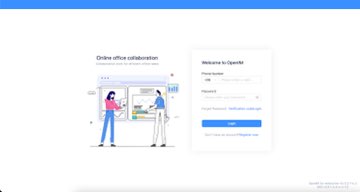
Image: PC Web Interface Example
Scan the following QR code or click here to download.
Image: App Download QR Code
Note: Double-click on OpenIM and change the IP to the server’s OPENIM_IP then restart the App. Please ensure related ports are open, and restart the App after making changes. For first-time use, please register first through your mobile phone number, with the default verification code being 666666.
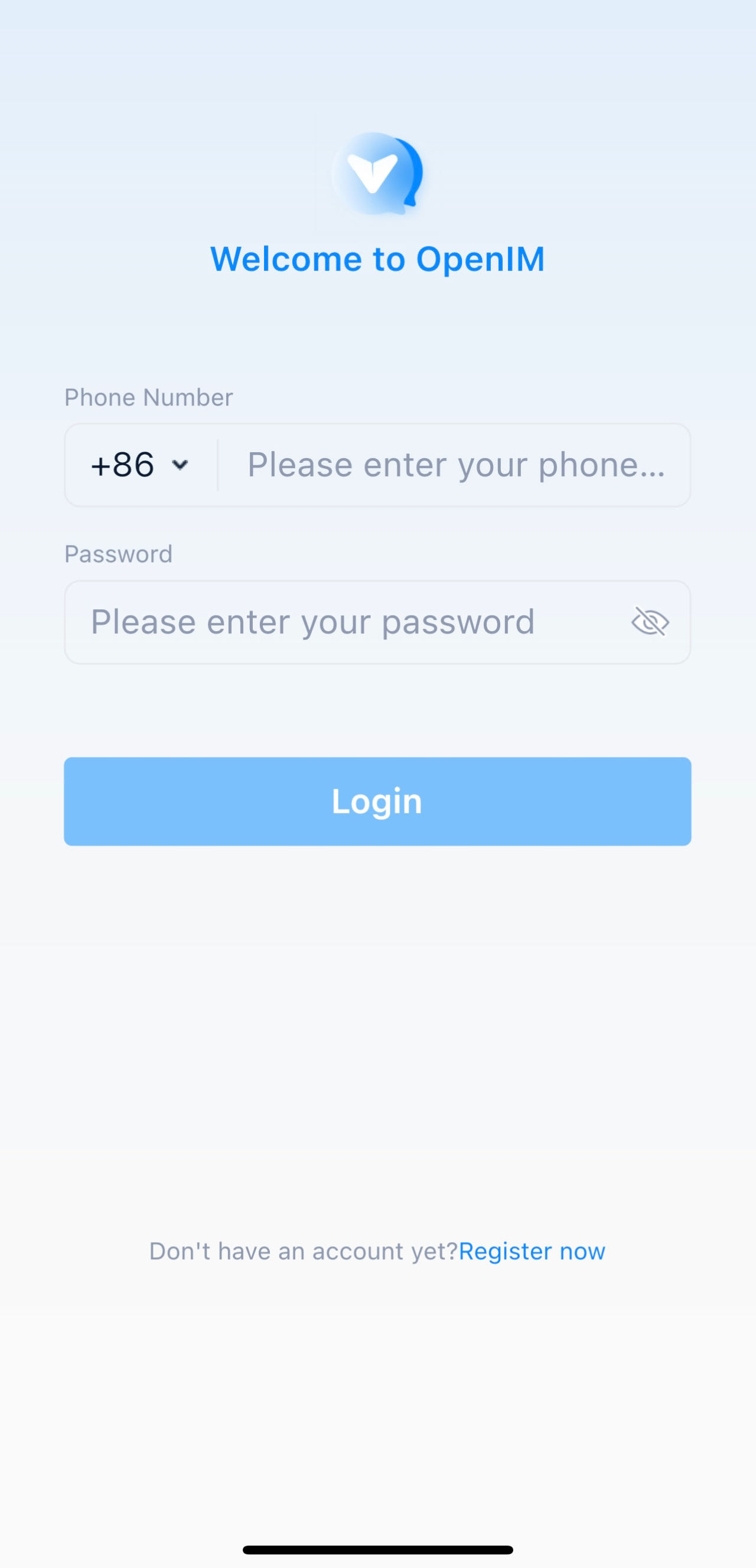
Image: Server Address Modification - Step 1
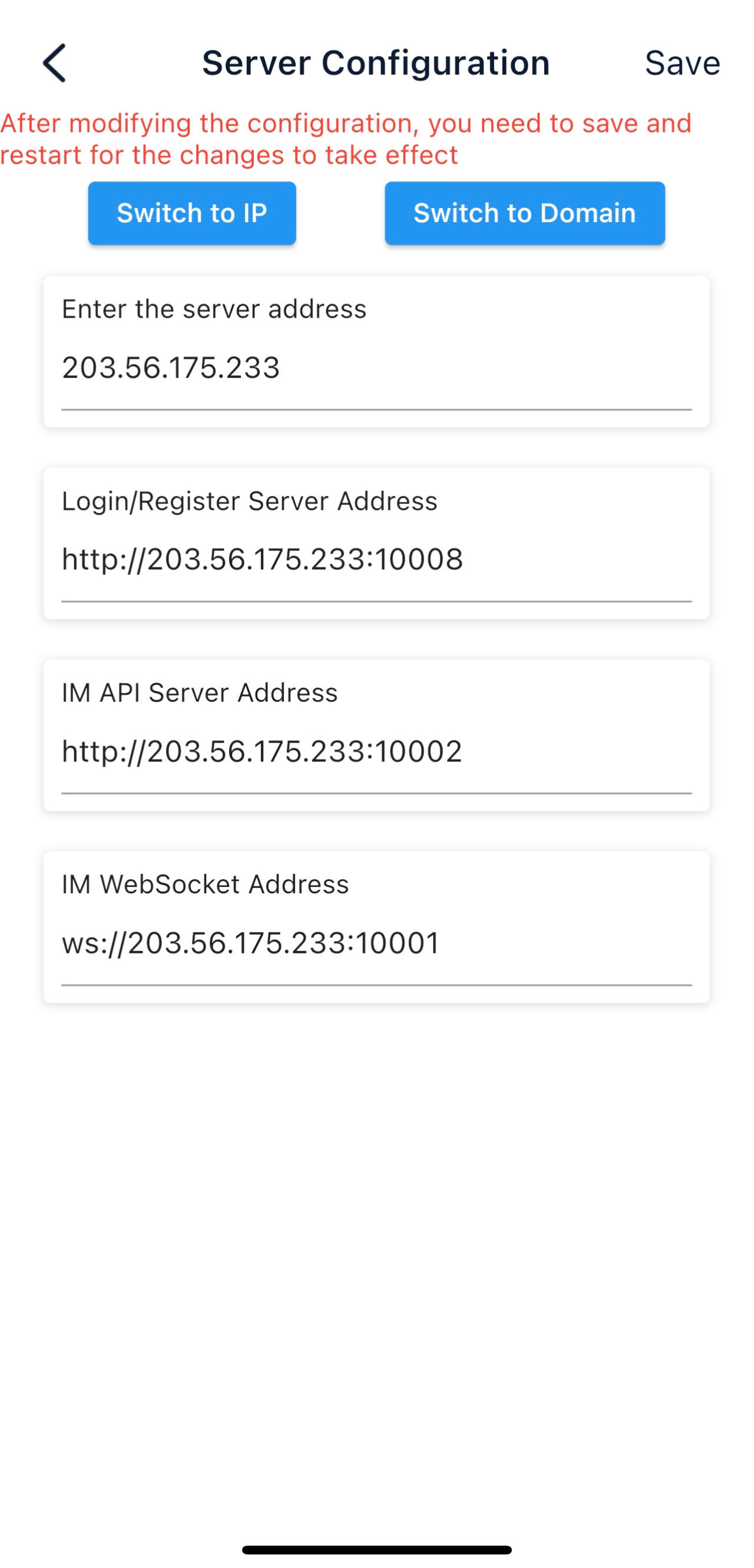
Image: Server Address Modification - Step 2
5. Modifying Configuration Items
5.1 ️ Modifying Shared Configuration Items
Configuration ItemFiles to be ModifiedAction
mongo/kafka/minio related.env, openim-server/config/config.yamlRestart components and IM
redis/zookeeper related.env, openim-server/config/config.yaml, chat/config/config.yamlRestart components, IM, and Chat
SECRETopenim-server/config/config.yaml, chat/config/config.yamlRestart IM and Chat
5.2 Modifying Special Configuration Items
Special configuration items: API_OPENIM_PORT/MINIO_PORT/OPENIM_IP/GRAFANA_PORT
Modify the special configuration items in the .env file
Modify the configuration in openim-server/config/config.yaml according to the rules
Modify the configuration in chat/config/config.yaml according to the rules
Restart IM and Chat
5.3 ️ Modifying Other Configuration Items
For other configuration items in .env, chat/config/config.yaml, and openim-server/config/config.yaml, you can modify these items directly in the respective files.
Note that for any modification of IM-related ports, it’s necessary to synchronize the changes in open-im-server/scripts/install/environment.sh.
Runtime logs: logs/OpenIM.log.all.*
Startup logs: _output/logs/openim_*.log
The startup order is as follows:
Components IM depends on: mongo/redis/kafka/zookeeper/minio, etc.
IM
Components Chat depends on: mysql
Cha
t
The new version of Docker has integrated docker-compose.
Older versions of Docker might not support the gateway feature. It’s recommended to upgrade to a newer version, such as 23.0.1.
Thanks to widespread developer support, OpenIM maintains a leading position in the open-source instant messaging (IM) field, with the number of stars on Github exceeding 12,000. In the current context of increasing attention to data and privacy security, the demand for IM private deployment is growing, which aligns with the rapid development trend of China’s software industry. Especially in government and enterprise sectors, with the rapid development of information technology and the widespread application of innovative
industries, the demand for IM solutions has surged. Further, the continuous expansion of the collaborative office software market has made “secure and controllable” a key attribute.
Repository address: https://github.com/openimsdk
🛠 Open Source Instant Messaging (IM) Project OpenIM Source Code的更多相关文章
- Instant Messaging for Business: Your 10 Best Options
Instant Messaging for Business: Your 10 Best Options By Iaroslav Kudritskiy It's probably not a surp ...
- The source attachment does not contain the source for the file ActionSupport.class 错误
报错 Syntax error, insert ";" to complete FieldDeclaration 报错 The source attachment does ...
- debug网页时小问题The source attachment does not contain the source for the file
第一次debug总是出现下图问题,提示我没加源码... The source attachment does not contain the source for the file ... 解决方法: ...
- ubuntu server激活即时通讯IM服务 Instant Messaging is not activated on this server
转自:http://shine-it.net/index.php/topic,16469.msg28364.html ubuntu server 下 odoo激活及时通讯功能im OpenERP IM ...
- Instant Messaging for OpenERP v7
This module is based on the socket.io real time implementation. It inherit Of the modules web_longpo ...
- Android Project from Existing Code 生成 R 文件错误、失败等问题解决办法 - 持续更新
Android Project from Existing Code 生成 R 文件错误.失败等问题解决办法 - 持续更新 git 上的项目,pull下来之后用Android Project fro ...
- Source Insight 基本使用(1)-使用Source Insight查看Android Framework 源码
一.下载framework源码: google已经把framework源码托管在了gitHub上: https://github.com/android/platform_frameworks_bas ...
- Source Insight 基本使用(2)-修改Source Insight 快捷键
1. 首先,打开source insight主界面. 2. 选择"options->key assignments",进入快捷键设置界面. 3. 此时,可以看到快捷键设置对话 ...
- The source attachment does not contain the source for the file SignatureParser.class错误
在myeclipse整合tomcat的完毕后,再启动tomcat的时候会出现这样的错误,呵呵,错误的大致意思是什么相关联错误,其实是myeclipse新加入的tomcat的模式出现错误了,myecli ...
- A tutorial that will show you how to build an instant messaging app with Sinch.
http://stackoverflow.com/questions/26247986/unsatisfiedlinkerror-couldnt-load-sinch-android-rtc-from ...
随机推荐
- HanLP — HMM隐马尔可夫模型 -- 语料库
隐马尔可可夫模型(Hidden Markov Model,HMM)是统计模型,用于描述一个含有隐含未知参数的马尔可夫过程. HMM由初始概率分布.状态转移概率分布和观测概率分布确定. BMES =&g ...
- flask自定义参数校验、序列化和反序列化
项目总体结构 我的工厂函数factory.py from settings import setting from flask import Flask from models.models impo ...
- C++:如何将 LLVM 嵌套到你的项目中去
IDE: Clion LLVM cmake_minimum_required(VERSION 3.9) project(clang_demo) find_package(LLVM REQUIRED C ...
- SpringBoot 项目实战 | 瑞吉外卖 Day02
该系列将记录一份完整的实战项目的完成过程,该篇属于第二天 案例来自B站黑马程序员Java项目实战<瑞吉外卖>,请结合课程资料阅读以下内容 该篇我们将完成以下内容: 完善登陆系统 新增员工 ...
- 一键在线获取APP公钥、包名、签名及备案信息方法介绍
目录 一键在线获取APP公钥.包名.签名及备案信息方法介绍 摘要 引言 一键获取APP包信息 操作步骤 编辑 解析报告 总结 致谢 关键词 参考资料 声明 摘要 本文介绍了一款在线APP解析工具 ...
- [Vue] Computed property "XXX" was assigned to but it has no setter.
阅读这篇文章:https://blog.csdn.net/weixin_34090562/article/details/91369638 全选,通过计算属性计算得来.结果报错Computed pro ...
- docker 安装 nacos
转载请注明出处: https://www.jianshu.com/p/54f6da71ac48
- wireshark 报文颜色
在使用wireshark抓包分析的过程中,默认会对不同的包进行着色,截图如下: 对不同的颜色有了解,可快速的过滤包或分析请求. 菜单栏选择视图-->着色规则,即可看到不同颜色代表的含义: 大致可 ...
- Clickhouse执行处理查询语句(包括DDL,DML)的过程
Clickhouse执行处理查询语句(包括DDL,DML)的过程 总体过程 启动线程处理客户端接入的TCP连接: 接收请求数据,交给函数executeQueryImpl()处理: executeQue ...
- 同步FIFO设计
FIFO有一个读口和一个写口,读写时钟一致是同步FIFO,时钟不一致就是异步FIFO IP设计中通常使用的是同步FIFO 异步FIFO通常使用在跨时钟域设计中 RAM(Random Access Me ...