
远程桌面连接centos 7
首先安装tigervnc-server:
yum install tigervnc-server
安装好后,设置 vi /etc/sysconfig/vncservers

[root@gateway-001 ~]# cat /etc/sysconfig/vncservers

# The VNCSERVERS variable is a list of display:user pairs.

#

# Uncomment the lines below to start a VNC server on display :2

# as my 'myusername' (adjust this to your own).  You will also

# need to set a VNC password; run 'man vncpasswd' to see how

# to do that.

#

# DO NOT RUN THIS SERVICE if your local area network is

# untrusted!  For a secure way of using VNC, see this URL:

# https://access.redhat.com/knowledge/solutions/7027

# Use "-nolisten tcp" to prevent X connections to your VNC server via TCP.

# Use "-localhost" to prevent remote VNC clients connecting except when

# doing so through a secure tunnel.  See the "-via" option in the

# `man vncviewer' manual page.

VNCSERVERS="1:root"

VNCSERVERARGS[2]="-geometry 800x600 -nolisten tcp -localhost"

VNCSERVERS="2:work"

VNCSERVERARGS[2]="-geometry 1024x768  -nolisten tcp -localhost"
启动vncserver服务器:
[root@gateway-001 ~]# service vncserver start
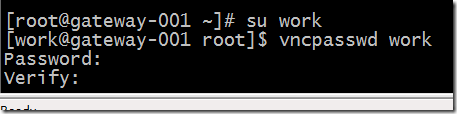
切换到work用户,设置vncpasswd
在服务器上可以看到打开的vnc端口:

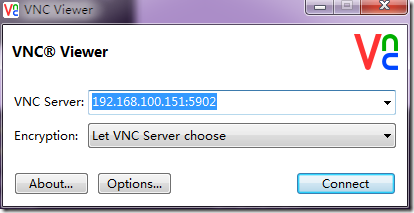
在windows上安装viewvnc,输入ip地址和端口号进行连接:
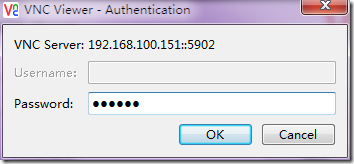
输入密码:
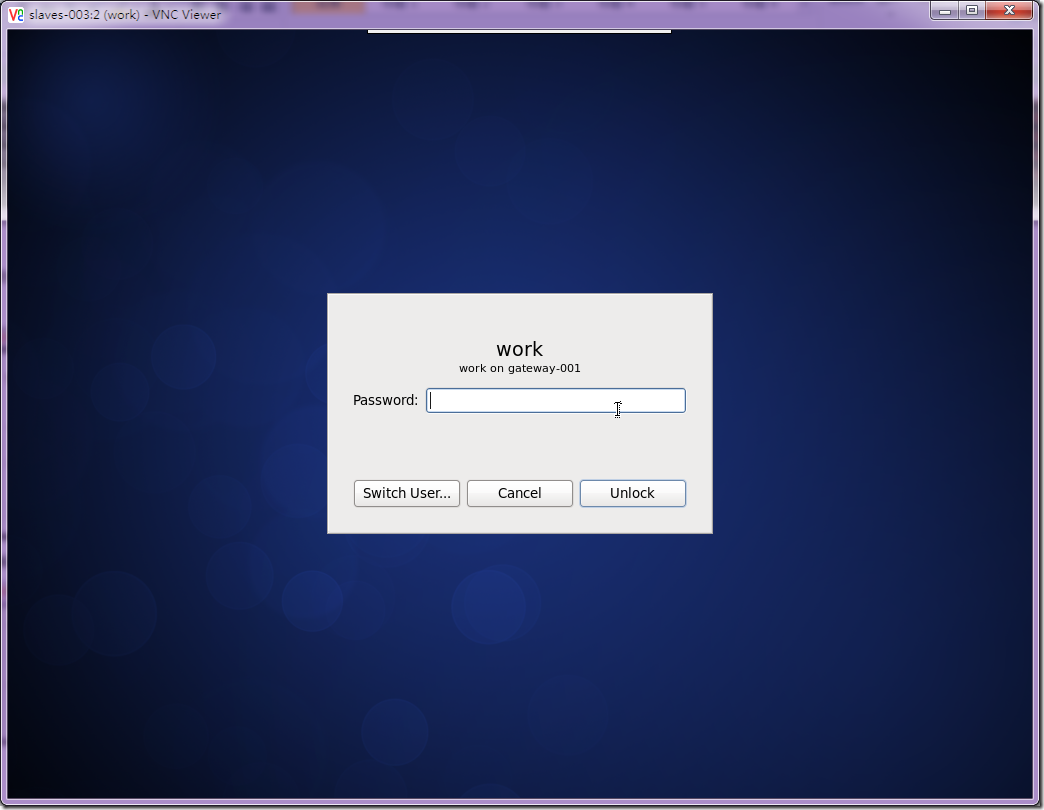
可以看到成功的连接上了centos 6.5的桌面:
/etc/sysconfig/iptables
# Firewall configuration written by system-config-firewall

# Manual customization of this file is not recommended.

*filter

:INPUT ACCEPT [0:0]

:FORWARD ACCEPT [0:0]

:OUTPUT ACCEPT [0:0]

-A INPUT -m state --state ESTABLISHED,RELATED -j ACCEPT

-A INPUT -m state --state NEW -m tcp -p tcp --dport 6000:6010 -j ACCEPT

-A INPUT -m state --state NEW -m udp -p udp --dport 177 -j ACCEPT

-A INPUT -p icmp -j ACCEPT

-A INPUT -i lo -j ACCEPT

-A INPUT -m state --state NEW -m tcp -p tcp --dport 22 -j ACCEPT

-A INPUT -j REJECT --reject-with icmp-host-prohibited

-A FORWARD -j REJECT --reject-with icmp-host-prohibited

COMMIT
关闭防火墙: /etc/init.d/iptables stop 使用root账号
远程桌面连接centos 7的更多相关文章
- win7 远程桌面连接centos 6.5
首先安装tigervnc-server: yum install tigervnc-server 安装好后,设置 vi /etc/sysconfig/vncservers 'man vncpasswd ...
- windows下远程桌面连接centos
最近,由于项目需要,必须要在centos下进行操作.习惯了图形界面的我,通过黑框框来远程操作服务器,着实让人难受.但是,windows自带的远程桌面工具貌似不能直接连centos.所以,只能借助其他工 ...
- 通过windows远程桌面连接CentOS系统
前提: CentOS安装桌面,如果无桌面,请执行 # yum -y groups install "GNOME Desktop" # startx 1 2 配置源 # yum in ...
- Windows远程桌面连接CentOS 7
1. 安装tigervnc-server yum install tigervnc-server 2. 设置vncserver服务器 将默认提供的文件复制到/etc/systemd/system,命令 ...
- windows server 2012 r2 远程桌面连接指南
具体详情请阅览文档 http://pan.baidu.com/s/1jHTCpW6 windows server 2012 r2 远程桌面连接指南 - 作者 rick·bao - 日期 2016-0 ...
- xmanager远程桌面连接Linux
远程桌面连接Linux,两种工具:vnc.xmanager xmanager使用参考如下,暂未整理: Xmanager连接Centos的远程桌面 | 大爱 http://lovesoo.org/xma ...
- 在 Windows 下远程桌面连接 Linux - XManager 篇
XManager是一个简单易用的高性能的运行在Windows平台上的X-Server软件,而Gnome和KDE就是X-Client,Linux下的X-Server则为Xorg.它能把远端Unix/Li ...
- centos6.5远程桌面连接(VNC\SPice)
在Linux下用vnc远程桌面,centos中默认没有安装VNC 查询系统是否安装VNC # rpm -q tigervnc tigervnc-server 安装VNC服务 # yum install ...
- CentOS中配置xrdp,通过微软远程桌面访问CentOS桌面
环境:CentOS 6.4 1.安装相关软件 yum groupinstall "Desktop" (已安装桌面的就可以缺略这条命令) yum install xrdp yum i ...
随机推荐
- Excel的数据批量替换
该篇文章照抄自:http://www.cnblogs.com/xwgli/p/5845317.html 在 Excel 中使用正则表达式进行查找与替换 在 Excel 中,使用 Alt+F11 快捷 ...
- 习题:Wormhole(思路题)
tyvj1763 描述 一维的世界就是一个数轴.这个世界的狭小我们几乎无法想象.在这个数轴上,有N个点.从左到右依次标记为点1到N.第i个点的坐标为Xi.经过漫长时间的物理变化和化学变化,这个一维世界 ...
- 生成比较短的Token字符串
有的时候,我们需要生成一些Token作为标识:如认证后的标识符,资源的提取码等.一个比较常见的算法是生成一个GUID来作为Token,由于GUID的随机性和唯一性特点,作为Token是一个非常可靠的选 ...
- 笔记:CS231n+assignment1(作业一)
CS231n的课后作业非常的好,这里记录一下自己对作业一些笔记. 一.第一个是KNN的代码,这里的trick是计算距离的三种方法,核心的话还是python和machine learning中非常实用的 ...
- python 小爬虫
import reimport urllibdef getHtml(url): page=urllib.urlopen(url); html=page.read() return htmldef ge ...
- THUWC 2018(游记)
这次是在雅礼洋湖中学举行的,一所2017年才创办的学校,新的学校, 貌似有些危险,积雪过多屋顶上的冰块砸下来,很容易砸到人, 听说最近就有一个人被砸死了. Day1 昨天睡的比较迟,12点吧,今天早上 ...
- 【HDOJ5521】Meeting(最短路)
题意:有n个点,m个点集,每个点集中有e[i]个点,同一点集的点互相之间到达需要t[i]单位的时间,求min(max(dis(1,i),dis(i,n))),i属于[1,n] 输出最小值并増序输出所有 ...
- [CODEVS1051]接龙游戏
题目描述 给出了N个单词,已经按长度排好了序.如果某单词i是某单词j的前缀,i->j算一次接龙(两个相同的单词不能算接龙). 你的任务是:对于输入的单词,找出最长的龙. 输入描述 Input D ...
- 802.11 MAC层
1. 介绍 本文主要介绍了802.11 MAC层 2. 访问机制 CSMA/CA: Carrier Sense Multiple Access with Collision Avoidance Wi ...
- 树莓派个人实测 Q&A(最新修改使用Manjaro连接远程桌面) (二)
以下内容使用和http://www.eeboard.com/bbs/thread-5191-1-1.html所在的帖子一样的风格,不过原作者是window下的操作,本人的都是在manjaro linu ...