
将React Native 集成进现有OC项目中(过程记录) 、jsCodeLocation 生成方式总结
将RN集成到现有OC项目应该是最常见的,特别是已经有OC项目的,不太可能会去专门搞个纯RN的项目。又因为RN不同版本,引用的依赖可能不尽相同,所以特别说明下,本文参考的文档是React Native (0.57)相关文档。
一、准备工作
本文演示项目基于如下版本:
"react": "16.5.0",
"react-native": "0.57.1"
1、RN搭建开发环境
如果你已经创建过RN项目,并且运行成功了,那么你的环境配置应该是没有问题的,但是如果你是第一次进行学习,那么就要搭建开发环境了,具体的可以参考: React Native (0.57)开发环境搭建(过程记录)
2、安装CocoaPods
没有安装过CocoaPods的,可以参考:CocoaPods :为iOS程序提供依赖管理的工具(yoowei)
二、集成ReactNative
1、新建一个OC项目
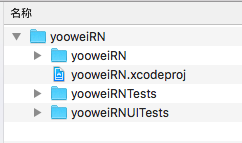
任意地方,创建一个文件夹“OC项目集成RN”,创建一个yooweiRN的OC项目,用为已有OC项目。如下:
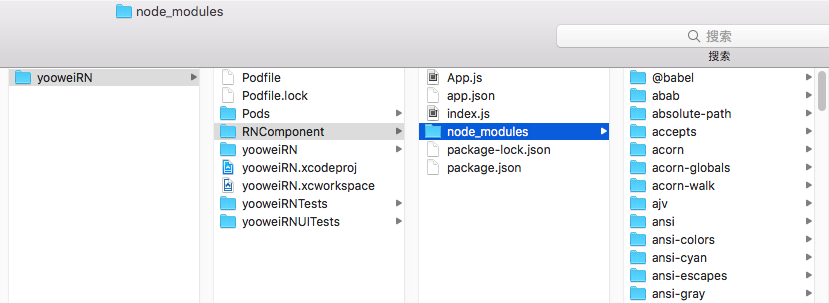
2、终端命令 cd 到该项目跟目录。创建文件夹RNComponent (文件夹名字可以自定义,主要用来存放RN相关的文件)和配置文件package.json
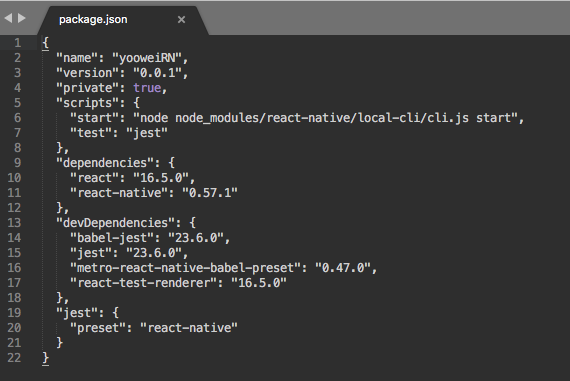
3、安装React Native依赖包
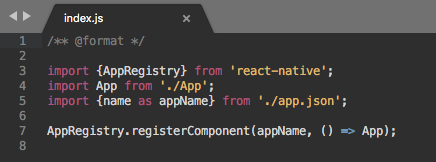
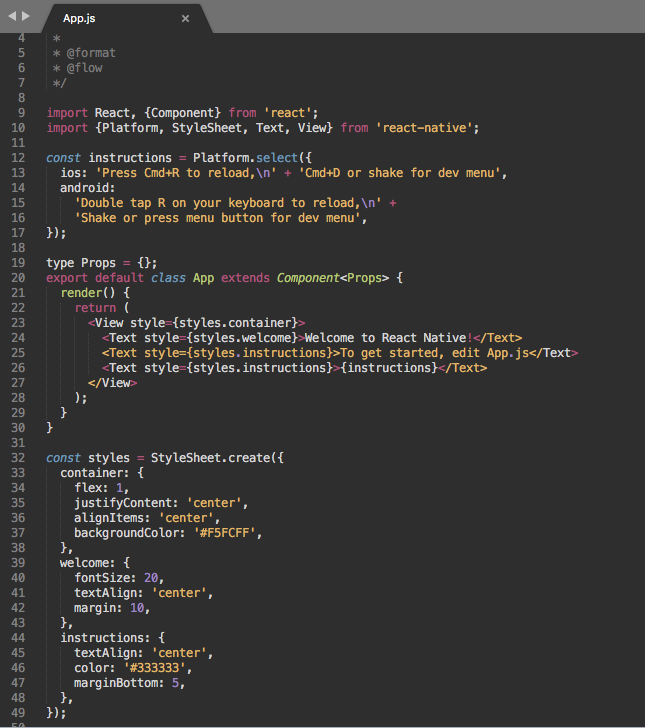
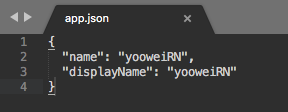
5. Cocoapods集成React Native
终端命令cd 到项目跟目录
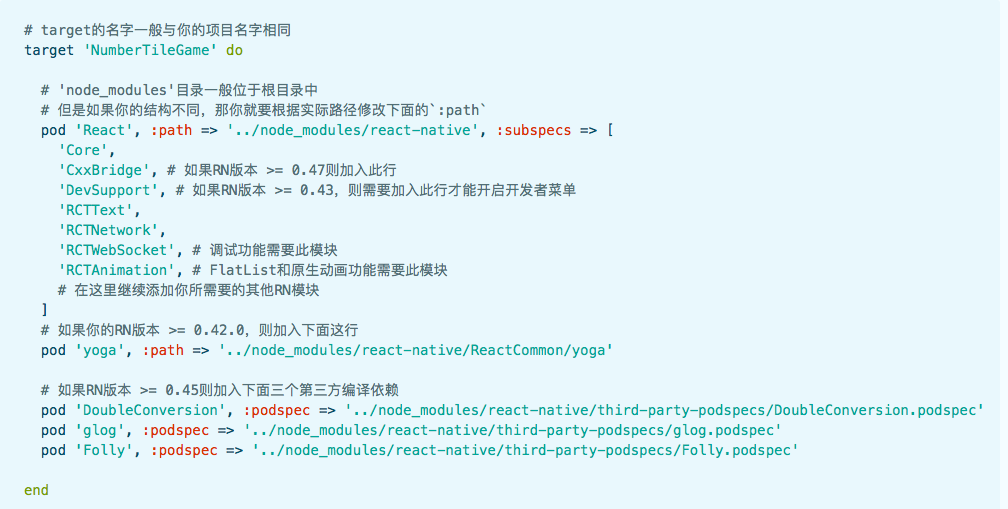
source 'https://github.com/CocoaPods/Specs.git'
platform :ios, '9.0'
use_frameworks!
target 'yooweiRN' do
# 'node_modules'目录一般位于根目录中 。但是如果你的结构不同,那你就要根据实际路径修改下面的`:path`
pod 'React', :path => './RNComponent/node_modules/react-native', :subspecs => [
'Core',
'ART',
'RCTActionSheet',
'RCTGeolocation',
'RCTImage',
'RCTNetwork',
'RCTPushNotification',
'RCTSettings',
'RCTText',
'RCTVibration',
'RCTWebSocket',
'RCTLinkingIOS',
'RCTAnimation',
'CxxBridge',
'DevSupport',
]
pod 'yoga', :path => './RNComponent/node_modules/react-native/ReactCommon/yoga'
pod 'DoubleConversion', :podspec => './RNComponent/node_modules/react-native/third-party-podspecs/DoubleConversion.podspec'
pod 'glog', :podspec => './RNComponent/node_modules/react-native/third-party-podspecs/glog.podspec'
pod 'Folly', :podspec => './RNComponent/node_modules/react-native/third-party-podspecs/Folly.podspec'
target 'yooweiRNTests' do
inherit! :search_paths
# Pods for testing
end
target 'yooweiRNUITests' do
inherit! :search_paths
# Pods for testing
end
end
三、项目处理
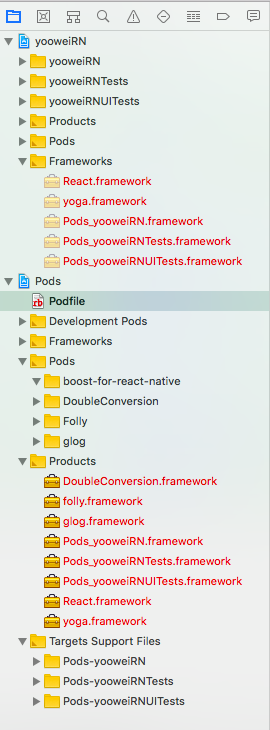
在iOS 9以上的系统中,除非明确指明,否则应用无法通过http协议连接到localhost主机。 建议在Info.plist进行如下设置,否则会报Could not connect to development server错误。
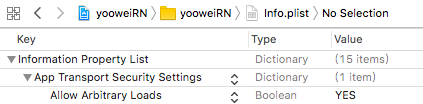
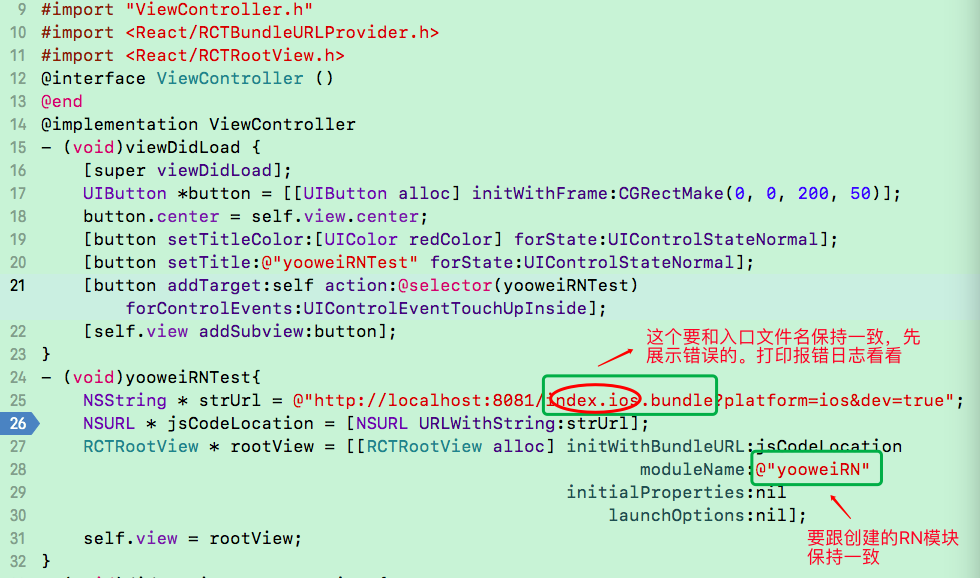
3、开启RN本地服务(cd 到RNComponent目录)
$ cd /Users/galahad/Desktop/ziliao/OC项目集成RN演练/yooweiRN/RNComponent
$ react-native start
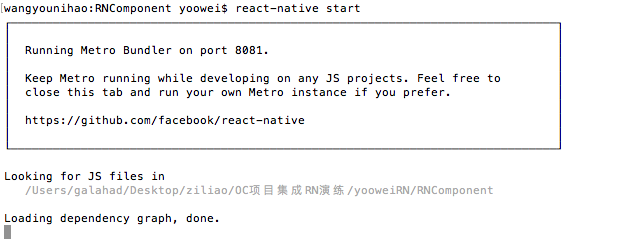
不出意外的是下面这个场景

原因:打印日志看看
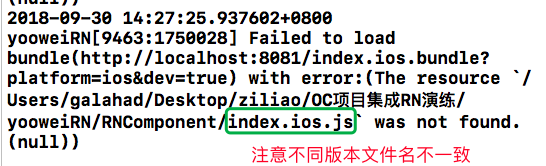
由于RN不同版本,入口文件名不同,根据实际入口文件名,修改之后。

模拟器展示如下:
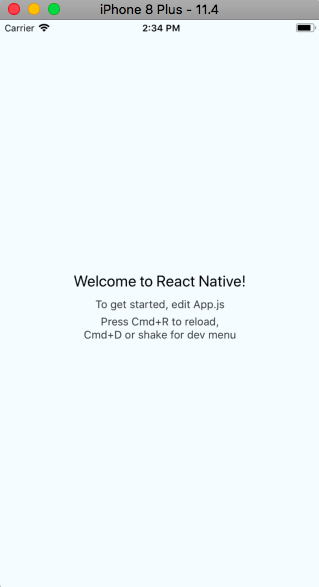
4G真机上面运行失败 :(正常现象)
Failed to load bundle(http://localhost:8081/index.bundle?platform=ios&dev=true) with error:(Could not connect to development server.
wifi真机上面运行失败:
Ensure the following:
- Node server is running and available on the same network - run 'npm start' from react-native root
- Node server URL is correctly set in AppDelegate
- WiFi is enabled and connected to the same network as the Node Server
URL: http://localhost:8081/index.bundle?platform=ios&dev=true Could not connect to the server.)
打开偏好设置-网络-查看当前ip地址,将项目中的localhost改为当前ip(注意,手机的wifi应当和电脑连接的是同一个网络才可以)


至此,将RN集成进OC项目中,并简单的运行起来,告一段落。下面待续......
jsCodeLocation生成方式总结:
NSURL *jsCodeLocation;
/**
* OPTION 1: development
* Load from development server. Start the server from the repository root:
* $ npm start
* To run on device, change `localhost` to the IP address of your computer, and make sure your computer and iOS device are on the same Wi-Fi network.
*/
jsCodeLocation = [NSURL URLWithString:@"http://localhost:8081/index.bundle?platform=ios&dev=true"];
/**
* OPTION 2:Release
* Load from pre-bundled file on disk. The static bundle is automatically generated by the "Bundle React Native code and images" build step when running the project on an actual device or running the project on the simulator in the "Release" build configuration.
*/
jsCodeLocation = [[NSBundle mainBundle] URLForResource:@"main" withExtension:@"jsbundle"];
另外实际项目中,还有如下写法:
#ifdef DEBUG
jsCodeLocation = [[RCTBundleURLProvider sharedSettings] jsBundleURLForBundleRoot:@"index.ios" fallbackResource:nil];
#else
jsCodeLocation = [[NSBundle mainBundle] URLForResource:@"bundle/index.ios" withExtension:@"jsbundle"];
#endif
如果项目中使用了CodePush的话,还有如下写法
#ifdef DEBUG
jsCodeLocation = [[RCTBundleURLProvider sharedSettings] jsBundleURLForBundleRoot:@"index" fallbackResource:nil];
#else
jsCodeLocation = [CodePush bundleURL];
#endif
说明:
jsCodeLocation = [[RCTBundleURLProvider sharedSettings] jsBundleURLForBundleRoot:@"index" fallbackResource:nil];去获取JS代码包URL时,会首先检查是否有正在运行的Packager Server,如果有则返回相应Packager Server中JS代码包的绝对路径;如果没有正在运行的Packager Server,则会返回一个本地JS代码包的文件路径,不传递fallbackResource参数时,默认返回 本地main.jsbundle的文件路径。将React Native 集成进现有OC项目中(过程记录) 、jsCodeLocation 生成方式总结的更多相关文章
- 将React Native集成至Android原生应用
将React Native集成至Android原生应用 Android Studio 2.1 Preview 4生成的空项目 react-native 环境 0.22.2 初次编译后apk有1.1M, ...
- Angular团队公布路线图,并演示怎样与React Native集成
本文来源于我在InfoQ中文站翻译的文章,原文地址是:http://www.infoq.com/cn/news/2015/06/angular-2-react-native-roadmap 前不久在旧 ...
- react native 0.50与OC交互 && Swift与RN交互
新公司也打算做rn,还是得捡起来再度学习.开撸! react native一个版本一个样子,之前写的rn与iOS交互系列在最新版本中有点出入(0.50.4版本).今天填一下坑. 首先上npm版本,re ...
- React Native 0.56.1初始化项目运行出现错误(Module `AccessibilityInfo` does not exist in the Haste module map)
当使用react-native init myApp初始化项目时,出现以下错误 出现以上错误的原因是因为0.56.1版本初始化项目就有问题,请见 https://github.com/facebook ...
- React Native集成Redux框架讲解与应用
学过React Native的都知道,RN的UI是根据相应组件的state进行render的,而页面又是由大大小小的组件构成,导致每个组件都必须维护自身的一套状态,因此当页面复杂化的时候,管理stat ...
- React Native环境配置、初始化项目、打包安装到手机,以及开发小知识
1.前言 环境:Win10 + Android 已经在Windows电脑上安装好 Node(v14+).Git.Yarn. JDK(v11) javac -version javac 11.0.15. ...
- React Native技术做的一个项目“微笑阅读”
最近用React Native做了一个APP应用,有点心得: React Native确实比Hybrid应用渲染快,响应快,用户体验更好: React Native比原生简单多了,会Js就可以了,开发 ...
- react native定报预披项目知识点总结
1.TextInput组件对安卓的适配问题 textInput 在iOS 显示正常,但是在android下会出现下横线,并且字会被遮盖 因此一般都这么用该组件 <TextInput style= ...
- React-Native集成到已有项目中的总结
安装Python 从官网下载并安装python 2.7.x(3.x版本不行) 安装node.js 从官网下载node.js的官方V6.X.X版本或更高版本.安装完成后检测是否安装成功:node -v ...
随机推荐
- 常用命令 tcl & shell
TCL 常用命令: 1. 当前时间 [exec date +%m%d_%H%M] (实际是调用shell命令 date),比如在 icc 中保存cell 时可以用:save_mw_cel ...
- Altium Ddesigner 栅格 含义
栅格分为可视栅格(Visible Grid).捕获栅格(snap grid).元件放置捕获栅格(Component Grid).电气栅格(Electrical Grid). 可视栅格:就是编辑过程中看 ...
- Ext4文件系统架构分析(二)
接着上一篇博文,继续分析Ext4磁盘布局中的元数据. 1.7 超级块 超级块记录整个文件系统的大量信息,如数据块个数.inode个数.支持的特性.管理信息,等待. 如果设置sparse_super特性 ...
- Cannot find an exact (case-sensitive) match for 'crtbp.m
http://www.ilovematlab.cn/forum.php?mod=viewthread&tid=277326&page=1&extra=#pid3296048
- 11 stark组件之delete按钮、filter过滤
1.构建批量删除按钮 1.admin中每个页面默认都有 2.stark之构建批量删除 3.coding {% extends 'base.html' %} {% block title %} < ...
- 4008: [HNOI2015]亚瑟王
4008: [HNOI2015]亚瑟王 链接 分析: 根据期望的线性性,直接求出每张牌出现的概率,最后乘以攻击力就是答案. 每张牌出现的概率只与它前面的牌有关,与后面的没有关系,于是按顺序考虑每张牌. ...
- element-ui 点击行如何获取table的行索引
文档中有一个tableRowClassName方法,可以获取到当前行的index, tableRowClassName ({row, rowIndex}) { //把每一行的索引放进row row.i ...
- 2_C语言中的数据类型 (五)char
1.1 char类型 1.1.1 char常量,变量 char c:定义一个char变量 ‘a’,char的常量 Char的本质就是一个整数,一个只有1个字节大小的整数 ...
- Using the Console[译]
由于最近的项目需要大量用到浏览器端的js编码和调试,所以仔细阅读了一下Chrome对于开发者工具中js部分的说明.虽然原来也用这个工具,但读后仍然觉得受益匪浅.于是抽空翻译一下,与大家分享. 本人英文 ...
- 微信小程序云开发
什么是云开发? 云开发是由腾讯云联合微信团队为开发者提供的 包含 云函数.云数据库和云文件存储能力的后端云服务 云开发为开发者提供完整的云端支持,弱化后端和运维概念,无需搭建服务器,使用平台提供的 A ...