
10分钟 5步 发布以太坊 ERC20 代币
1.安装 METAMASK
Brings Ethereum to your browser
一个可以浏览器上进行操作的以太坊钱包,推荐 Chrome。
Chrome 插件安装地址:
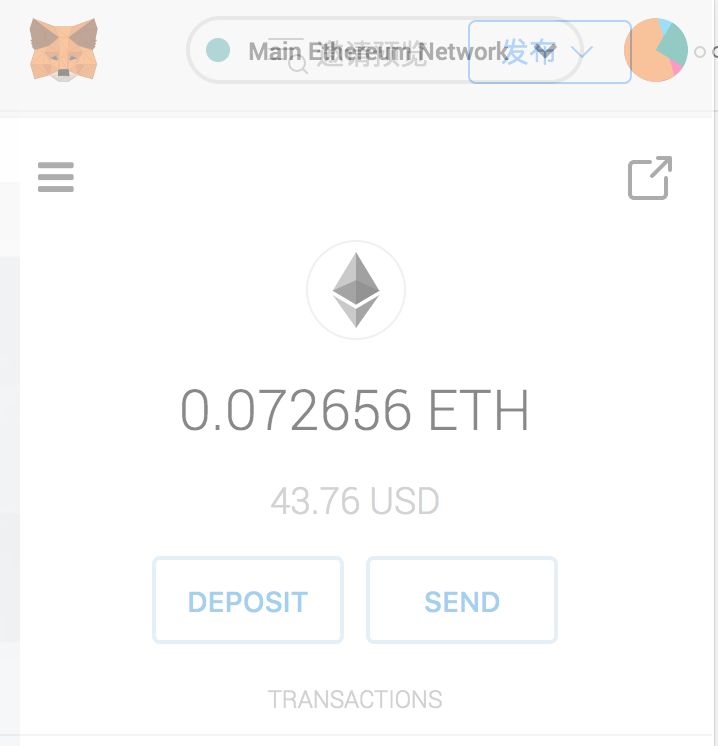
2.在 METAMASK 创建钱包
3.从以太坊官网复制代币代码模板
Create a cryptocurrency contract in Ethereumwww.ethereum.org
https://www.ethereum.org/token
从以太坊官网复制的代码模板
pragma solidity ^0.4.16;

interface tokenRecipient { function receiveApproval(address _from, uint256 _value, address _token, bytes _extraData) external; }

contract TokenERC20 {

    // Public variables of the token

    string public name;

    string public symbol;

    uint8 public decimals = 18;

    // 18 decimals is the strongly suggested default, avoid changing it

    uint256 public totalSupply;

    // This creates an array with all balances

    mapping (address => uint256) public balanceOf;

    mapping (address => mapping (address => uint256)) public allowance;

    // This generates a public event on the blockchain that will notify clients

    event Transfer(address indexed from, address indexed to, uint256 value);

    // This notifies clients about the amount burnt

    event Burn(address indexed from, uint256 value);

    /**

     * Constructor function

     *

     * Initializes contract with initial supply tokens to the creator of the contract

     */

    function TokenERC20(

        uint256 initialSupply,

        string tokenName,

        string tokenSymbol

    ) public {

        totalSupply = initialSupply * 10 ** uint256(decimals);  // Update total supply with the decimal amount

        balanceOf[msg.sender] = totalSupply;                // Give the creator all initial tokens

        name = tokenName;                                   // Set the name for display purposes

        symbol = tokenSymbol;                               // Set the symbol for display purposes

    }

    /**

     * Internal transfer, only can be called by this contract

     */

    function _transfer(address _from, address _to, uint _value) internal {

        // Prevent transfer to 0x0 address. Use burn() instead

        require(_to != 0x0);

        // Check if the sender has enough

        require(balanceOf[_from] >= _value);

        // Check for overflows

        require(balanceOf[_to] + _value >= balanceOf[_to]);

        // Save this for an assertion in the future

        uint previousBalances = balanceOf[_from] + balanceOf[_to];

        // Subtract from the sender

        balanceOf[_from] -= _value;

        // Add the same to the recipient

        balanceOf[_to] += _value;

        emit Transfer(_from, _to, _value);

        // Asserts are used to use static analysis to find bugs in your code. They should never fail

        assert(balanceOf[_from] + balanceOf[_to] == previousBalances);

    }

    /**

     * Transfer tokens

     *

     * Send `_value` tokens to `_to` from your account

     *

     * @param _to The address of the recipient

     * @param _value the amount to send

     */

    function transfer(address _to, uint256 _value) public {

        _transfer(msg.sender, _to, _value);

    }

    /**

     * Transfer tokens from other address

     *

     * Send `_value` tokens to `_to` on behalf of `_from`

     *

     * @param _from The address of the sender

     * @param _to The address of the recipient

     * @param _value the amount to send

     */

    function transferFrom(address _from, address _to, uint256 _value) public returns (bool success) {

        require(_value <= allowance[_from][msg.sender]);     // Check allowance

        allowance[_from][msg.sender] -= _value;

        _transfer(_from, _to, _value);

        return true;

    }

    /**

     * Set allowance for other address

     *

     * Allows `_spender` to spend no more than `_value` tokens on your behalf

     *

     * @param _spender The address authorized to spend

     * @param _value the max amount they can spend

     */

    function approve(address _spender, uint256 _value) public

        returns (bool success) {

        allowance[msg.sender][_spender] = _value;

        return true;

    }

    /**

     * Set allowance for other address and notify

     *

     * Allows `_spender` to spend no more than `_value` tokens on your behalf, and then ping the contract about it

     *

     * @param _spender The address authorized to spend

     * @param _value the max amount they can spend

     * @param _extraData some extra information to send to the approved contract

     */

    function approveAndCall(address _spender, uint256 _value, bytes _extraData)

        public

        returns (bool success) {

        tokenRecipient spender = tokenRecipient(_spender);

        if (approve(_spender, _value)) {

            spender.receiveApproval(msg.sender, _value, this, _extraData);

            return true;

        }

    }

    /**

     * Destroy tokens

     *

     * Remove `_value` tokens from the system irreversibly

     *

     * @param _value the amount of money to burn

     */

    function burn(uint256 _value) public returns (bool success) {

        require(balanceOf[msg.sender] >= _value);   // Check if the sender has enough

        balanceOf[msg.sender] -= _value;            // Subtract from the sender

        totalSupply -= _value;                      // Updates totalSupply

        emit Burn(msg.sender, _value);

        return true;

    }

    /**

     * Destroy tokens from other account

     *

     * Remove `_value` tokens from the system irreversibly on behalf of `_from`.

     *

     * @param _from the address of the sender

     * @param _value the amount of money to burn

     */

    function burnFrom(address _from, uint256 _value) public returns (bool success) {

        require(balanceOf[_from] >= _value);                // Check if the targeted balance is enough

        require(_value <= allowance[_from][msg.sender]);    // Check allowance

        balanceOf[_from] -= _value;                         // Subtract from the targeted balance

        allowance[_from][msg.sender] -= _value;             // Subtract from the sender's allowance

        totalSupply -= _value;                              // Update totalSupply

        emit Burn(_from, _value);

        return true;

    }

}
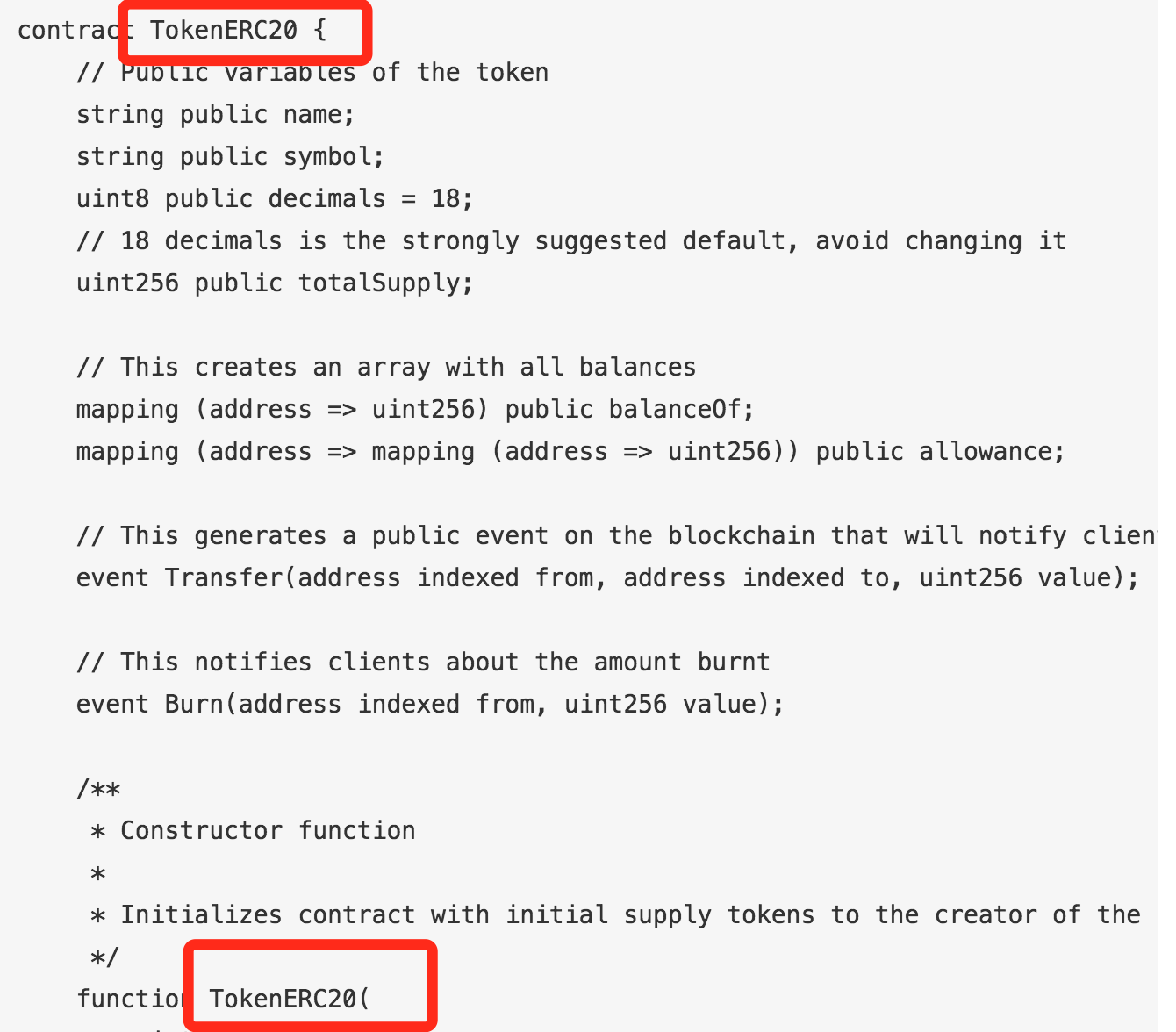
4.修改代币参数
主要是修改名称,如截图所示,修改为你的代币名称。
5.发布到以太坊网络
以太坊在线开发环境,可以自动连接到 METAMASK。
如果你的以太坊账号上已经有余额的话,就可以直接进行部署了。
发布之后可以在 METAMASK 直接看到自己刚发布的代币:
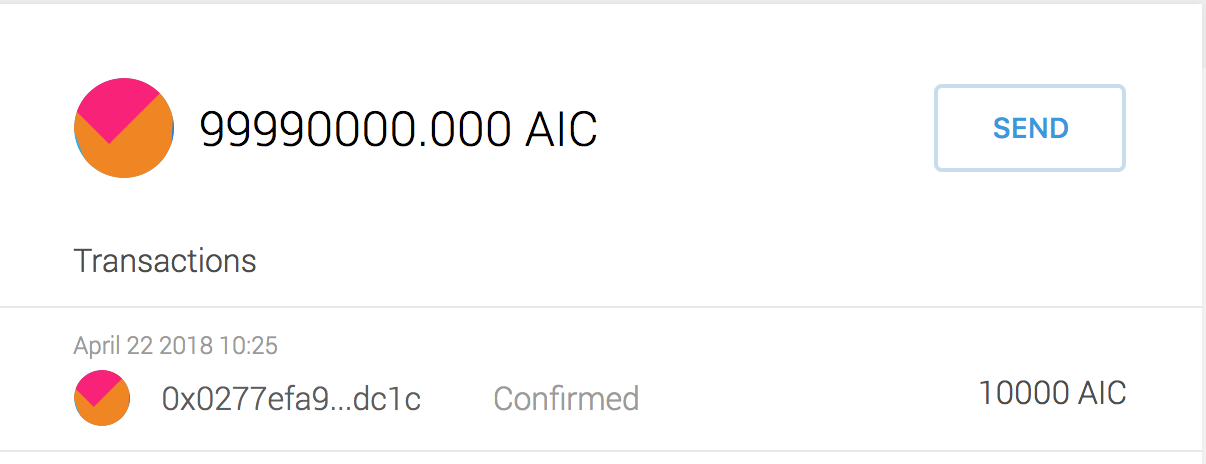
AICoin 是为了促进人工智能社区发展诞生的代币,代币的主要用途是奖励人工智能开发者分享数据和模型。
英文名:AICoin
中文名:人工智能币
简称:AIC
总量:100000000.000AIC
原文链接:http://dappchina.cn/
10分钟 5步 发布以太坊 ERC20 代币的更多相关文章
- 以太坊ERC20代币开发
以太坊ERC20代币开发首先需要对以太坊,代币,ERC20,智能合约等以太坊代币开发中的基本概念有了解.根据我们的示例代码就可以发行自己的以太坊代币. 什么是ERC20 可以把ERC20简单理解成以太 ...
- 一键创建以太坊ERC20代币教程
30秒极速创建以太坊ERC20代币 傻瓜式创建,界面化创建,自动创建代币,简单好用 合约采用新版 5.10 新版合约编译器,合约代码100%安全无任何漏洞 下面是详细的使用和创建教程 1.点击创建ER ...
- 以太坊ERC20代币合约案例
一.ERC20代币合约与web3调用 ERC20代币合约在小白看来觉得很高大上,但其实就是一个代币的定义标准,方便其他dapp统一调用各种代币的方法.如图: 二.ERC20合约标准 [官方链接] co ...
- 通过以太坊发行代币(token)
2017年开始,区块链ICO项目层出不穷,市场热度一波更胜一波,很多ICO都是通过以太坊智能合约发行自己的代币(token),具体怎样才能发行代币呢?本文进行具体详细的介绍. 准备工作 以太坊官网ER ...
- 零门槛,包教会。让你在5分钟内使用以太坊ERC20智能合约发行属于自己的空气币
前言 目前区块链是互联网中最最火的风口,没有之一.我周围的很多朋友也加入了“炒币”行列,但很不幸,几乎都被“割韭菜”了.而经过我的几天研究,发现,如果自己要发行一种空气币,简直太简单了.只需要下面几个 ...
- 以太坊上发行ERC20代币
ERC20 代币生成 环境 虚拟主机: ubuntu 18虚拟机 宿主主机: win10; ip:192.168.0.160 1.部署以太坊 1.1 安装GO 安装go,并编译geth 将下载好的go ...
- 以太坊erc20转账失败的情况和原因
以太坊erc20转账失败的情况和原因 eth转账失败有多种情况,除了手续费过低以外(Out of gas),众筹额度满了(Bad instruction)也会失败链上转账有可能失败,转账失败转账的币退 ...
- erc20代币合约
看这篇文章需要对以太坊,智能合约,代币等概念有基本的了解. 什么是ERC20 可以把ERC20简单理解成以太坊上的一个代币协议,所有基于以太坊开发的代币合约都遵守这个协议.遵守这些协议的代币我们可以认 ...
- ERC20代币(ETH)空投工具-创建代币
代币空投工具地址:http://tool.ethhelp.cn 适用币种: ETH和ERC20代币 使用建议: ERC代币空投,直投,ETH批量转小号 优势介绍: 1.可节省30%手续费 2.转几千地 ...
随机推荐
- JAVA_SE基础——21.二维数组的定义
2 二维数组的定义 基本与一维数组类似 //定义一个3行5列的二维数组 //方法1,先new对象,然后再初始化每个元素 int[][] a = new int[3][5]; a[0][0]=1; a[ ...
- 用anaconda安装最新的TensorFlow版本
Google发布了TensorFlow1.4正式版 在anaconad搜索依旧是1.2的版本,通过一番查阅,找到了方法 1,打开anaconda-prompt 2,激活你要安装的环境 activate ...
- javaScript识别网址文本并转为链接文本
最近项目有个需求:用户之间发送消息时,如果发送者输入的信息中含有网址文本,要在接受者界面中显示网址链接,点击该链接直接跳转到网页.这个功能和 QQ 发送网址文本的效果非常像,可以说是一模一样的. 思路 ...
- 关于PHP7
目前一直使用php7也看了许多文档视频等,整理一下相关细节(仅为记录-),对于PHP7性能,如下图所示. * 在wordpress3.0.1中 php7比php5.6性能提升约3倍左右 新特性 一.变 ...
- 以太坊挖矿源码:clique算法
上文我们总结了以太坊最主要的共识算法:ethash算法,本文将重点分析以太坊的另一个共识算法:clique. 关键字:clique,共识算法,puppeth,以太坊地址原理,区块校验,认证结点,POA ...
- java线程池01-ThreadPoolExecutor构造方法参数的使用规则
为了更好的使用多线程,JDK提供了线程池供开发人员使用,目的在于减少线程的创建和销毁次数,以此达到线程的重复利用. 其中ThreadPoolExecutor是线程池中最核心的一个类,我们先简单看一下这 ...
- 谈谈自己的理解:python中闭包,闭包的实质
闭包这个概念好难理解,身边朋友们好多都稀里糊涂的,稀里糊涂的林老冷希望写下这篇文章能够对稀里糊涂的伙伴们有一些帮助~ 请大家跟我理解一下,如果在一个函数的内部定义了另一个函数,外部的我们叫他外函数,内 ...
- Python之函数的进阶(带参数的装饰器)
函数篇--装饰器二 带参数的装饰器 def outer(flag): def timer(func): def inner(*args,**kwargs): if flag: print('''执行函 ...
- 脱upx壳--初试--单步追踪
脱upx壳--初试--单步追踪 这里的练习题目是reversing.kr 的Easy Crack 我自己用upx加壳工具给它加了个壳,由于原文件逻辑简单,所以用它来练练手 之后用到的工具是IDA和Ol ...
- c#:实现动态编译,并实现动态MultiProcess功能(来自python multiprocess的想法)
由于之前一直遇到一些关于并行进行数据处理的时效果往往不好,不管是c#还是java程序都是一样,但是在Python中通过multiprocess实现同样的功能时,却发现确实可以提高程序运行的性能,及服务 ...