
iOS开发:UIImageView常用操作
UIImageView,顾名思义,是用来放置图片的。使用Interface Builder设计界面时,当然可以直接将控件拖进去并设置相关属性,这就不说了,这里讲的是用代码。
1、创建一个UIImageView:
创建一个UIImageView对象有五种方法:
UIImageView *imageView1 = [[UIImageView alloc] init];

UIImageView *imageView2 = [[UIImageView alloc] initWithFrame:(CGRect)];

UIImageView *imageView3 = [[UIImageView alloc] initWithImage:(UIImage *)];

UIImageView *imageView4 = [[UIImageView alloc] initWithImage:(UIImage *) highlightedImage:(UIImage *)];

UIImageView *imageView5 = [[UIImageView alloc] initWithCoder:(NSCoder *)];
比较常用的是前边三个。至于第四个,当这个ImageView的highlighted属性是YES时,显示的就是参数highlightedImage,一般情况下显示的是第一个参数UIImage。
2、frame与bounds属性:
上述创建一个UIImageView的方法中,第二个方法是在创建时就设定位置和大小。
当之后想改变位置时,可以重新设定frame属性:
imageView.frame = CGRectMake(CGFloat x, CGFloat y, CGFloat width, CGFloat heigth);
注意到UIImageView还有一个bounds属性
imageView.bounds = CGRectMake(CGFloat x, CGFloat y, CGFloat width, CGFloat heigth);
那么这个属性跟frame有什么区别呢?
我的理解是,frame设置其位置和大小,而bounds只能设置其大小,其参数中的x、y不起作用即便是之前没有设定frame属性,控件最终的位置也不是bounds所设定的参数。bounds实现的是将UIImageView控件以原来的中心为中心进行缩放。例如有如下代码:
imageView.frame = CGRectMake(0, 0, 320, 460);

imageView.bounds = CGRectMake(100, 100, 160, 230);
执行之后,这个imageView的位置和大小是(80, 115, 160, 230)。
3、contentMode属性:
这个属性是用来设置图片的显示方式,如居中、居右,是否缩放等,有以下几个常量可供设定:
UIViewContentModeScaleToFill

UIViewContentModeScaleAspectFit

UIViewContentModeScaleAspectFill

UIViewContentModeRedraw

UIViewContentModeCenter

UIViewContentModeTop

UIViewContentModeBottom

UIViewContentModeLeft

UIViewContentModeRight

UIViewContentModeTopLeft

UIViewContentModeTopRight

UIViewContentModeBottomLeft

UIViewContentModeBottomRight
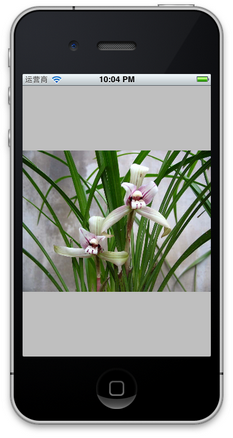
注意以上几个常量,凡是没有带Scale的,当图片尺寸超过 ImageView尺寸时,只有部分显示在ImageView中。UIViewContentModeScaleToFill属性会导致图片变形。UIViewContentModeScaleAspectFit会保证图片比例不变,而且全部显示在ImageView中,这意味着ImageView会有部分空白。UIViewContentModeScaleAspectFill也会证图片比例不变,但是是填充整个ImageView的,可能只有部分图片显示出来。
前三个效果如下图:
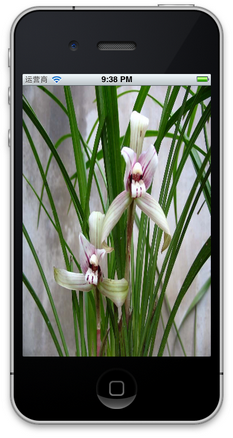
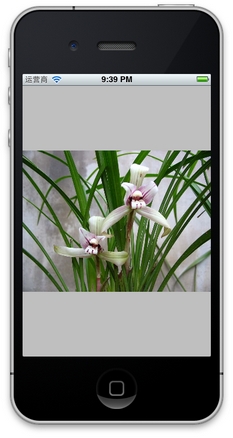

UIViewContentModeScaleToFill UIViewContentModeScaleAspectFit UIViewContentModeScaleAspectFill
4、更改位置
更改一个UIImageView的位置,可以
4.1 直接修改其frame属性
4.2 修改其center属性:
imageView.center = CGPointMake(CGFloat x, CGFloat y);
center属性指的就是这个ImageView的中间点。
4.3 使用transform属性
imageView.transform = CGAffineTransformMakeTranslation(CGFloat dx, CGFloat dy);
其中dx与dy表示想要往x或者y方向移动多少,而不是移动到多少。
5、旋转图像
imageView.transform = CGAffineTransformMakeRotation(CGFloat angle);
要注意它是按照顺时针方向旋转的,而且旋转中心是原始ImageView的中心,也就是center属性表示的位置。
这个方法的参数angle的单位是弧度,而不是我们最常用的度数,所以可以写一个宏定义:
#define degreesToRadians(x) (M_PI*(x)/180.0)
用于将度数转化成弧度。下图是旋转45度的情况:
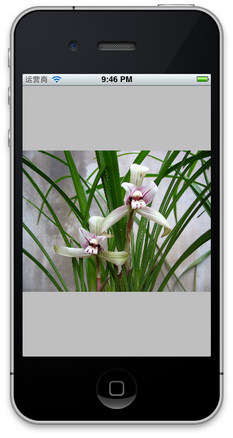
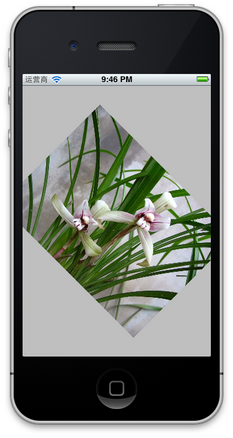
6、缩放图像
还是使用transform属性:
imageView.transform = CGAffineTransformMakeScale(CGFloat scale_w, CGFloat scale_h);
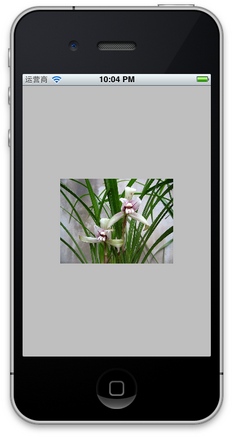
其中,CGFloat scale_w与CGFloat scale_h分别表示将原来的宽度和高度缩放到多少倍,下图是缩放到原来的0.6倍的示意图:
7、播放一系列图片
imageView.animationImages = imagesArray;

// 设定所有的图片在多少秒内播放完毕

imageView.animationDuration = [imagesArray count];

// 不重复播放多少遍,0表示无数遍

imageView.animationRepeatCount = 0;

// 开始播放

[imageView startAnimating];
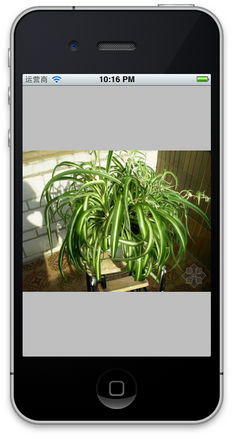
其中,imagesArray是一些列图片的数组。如下图:


8、为图片添加单击事件:
imageView.userInteractionEnabled = YES;

UITapGestureRecognizer *singleTap = [[UITapGestureRecognizer alloc] initWithTarget:self action:@selector(tapImageView:)];

[imageView addGestureRecognizer:singleTap];
一定要先将userInteractionEnabled置为YES,这样才能响应单击事件。
9、其他设置
imageView.hidden = YES或者NO;    // 隐藏或者显示图片

imageView.alpha = (CGFloat) al;    // 设置透明度

imageView.highlightedImage = (UIImage *)hightlightedImage; 	// 设置高亮时显示的图片

imageView.image = (UIImage *)image;	// 设置正常显示的图片

[imageView sizeToFit];    // 将图片尺寸调整为与内容图片相同
iOS开发:UIImageView常用操作的更多相关文章
- iOS开发之常用第三方框架(下载地址,使用方法,总结)
iOS开发之常用第三方框架(下载地址,使用方法,总结) 说句实话,自学了这么久iOS,如果说我不知道的但是又基本上都摸遍了iOS相关知识,但是每次做项目的时候,遇到难一点的地方或者没试过的东西就闷了. ...
- iOS开发之----常用函数和常数
介绍一下Objective-c常用的函数,常数变量 算术函数 [算术函数] 函数名 说明 int rand() 随机数生成.(例)srand(time(nil)); //随机数初期化int val = ...
- iOS开发中常用的数学函数
iOS开发中常用的数学函数 /*---- 常用数学公式 ----*/ //指数运算 3^2 3^3 NSLog(,)); //result 9 NSLog(,)); //result 27 //开平方 ...
- iOS开发API常用英语名词
iOS开发API常用英语名词 0. indicating 决定 1.in order to 以便 2.rectangle bounds 矩形尺寸 3.applied 应用 4.entirety 全部 ...
- iOS 开发设计常用软件及工具整理
1, xCode 2, AppCode 3, Skech 原型设计软件 4, Hype 动画设计工具 5, fontawsome 免费图表 6, Prepo icon, images.catlog 生 ...
- java集成开发环境常用操作集
1.简单搭建maven集成开发环境 一. Jetty安装 下载地址(包涵windows和Linux各版本,Jetty9需要JDK7):http://download.eclipse.org/j ...
- IOS开发之----常用的基本GDB命令【转】
原文地址:http://blog.sina.com.cn/s/blog_71715bf801016d2y.html gdb不是万能的,可是没有gdb却是万万不能的.这里给大家简单介绍下iOS开发中最基 ...
- iOS开发(Objective-C)常用库索引
code4app.com 这网站不错,收集各种 iOS App 开发可以用到的代码示例 cocoacontrols.com/ 英文版本的lib收集 objclibs.com/ 精品lib的收集网站 h ...
- iOS开发--整理常用的第三方资源
一:第三方插件 1:基于响应式编程思想的oc 地址:https://github.com/ReactiveCocoa/ReactiveCocoa 2:hud提示框 地址:https://github. ...
随机推荐
- 肾果手机App Store切换区域(无需Visa或者万事达)
8月份在肾果官网买了个touch6,有时候需要换区去墙外下载app,然而一个个国家都要输入Visa或者万事达卡...今天终于找到一个不用输入信用卡号的区域:Canada!!! 办法(适用于8.X,7. ...
- JDBC之PreparedStatement模糊查询
今天要做一个关于模糊查询的需求,以前用JDBC做精确查询都是用 "SELECT * FROM test WHERE id = ?",所以用模糊查询时理所当然的也用了"SE ...
- js实现方法的链式调用
假如这里有三个方法:person.unmerried();person.process();person.married();在jQuery中通常的写法是:person.unmerried().pro ...
- 背景CSS
.op_weather4_twoicon_day:hover .op_weather4_twoicon_hover { background-image: -webkit-linear-gradien ...
- C#语法中一个问号(?)和两个问号(??)的运算符是什么意思?
(1).C#语法中一个个问号(?)的运算符是指:可以为 null 的类型. MSDN上面的解释: 在处理数据库和其他包含不可赋值的元素的数据类型时,将 null 赋值给数值类型或布尔型以及日期类型的功 ...
- Mybatis bug修正
http://1358440610-qq-com.iteye.com/blog/1827391
- ANDROID_MARS学习笔记_S01原始版_005_ProgressBar
一.代码 1.xml(1)main.xml <?xml version="1.0" encoding="utf-8"?> <LinearLay ...
- 关于CPU亲和性的测试
今天看到运维的同事在配置nginx的CPU亲和性时候,运维同事说他在所有的机器上都是按照8核的方式来配置worker进程的CPU亲和性的. 但我觉得就是有点不太对劲,就查了一下nginx的处理work ...
- .htaccess文件的详解以及404页面的设置
打开记事本,写入以下代码: ErrorDocument 404 /404.html保存成.htaccess文件上传到网站的根目录. /404.html是目录名和文件名,可以改成自己的名字.QUOTE: ...
- java比较器Comparable接口和Comaprator接口
Comparable故名思意是比较,意思就是做比较的,然后进行排序. 1.什么是comparable接口 此接口强行对实现它的每个类的对象进行整体排序.此排序被称为该类的自然排序 ,类的 compar ...