
MiniWord .NET Word模板引擎,藉由Word模板和数据简单、快速生成文件。
Github / Gitee
QQ群(1群) : 813100564 / QQ群(2群) : 579033769
介绍
MiniWord .NET Word模板引擎,藉由Word模板和数据简单、快速生成文件。
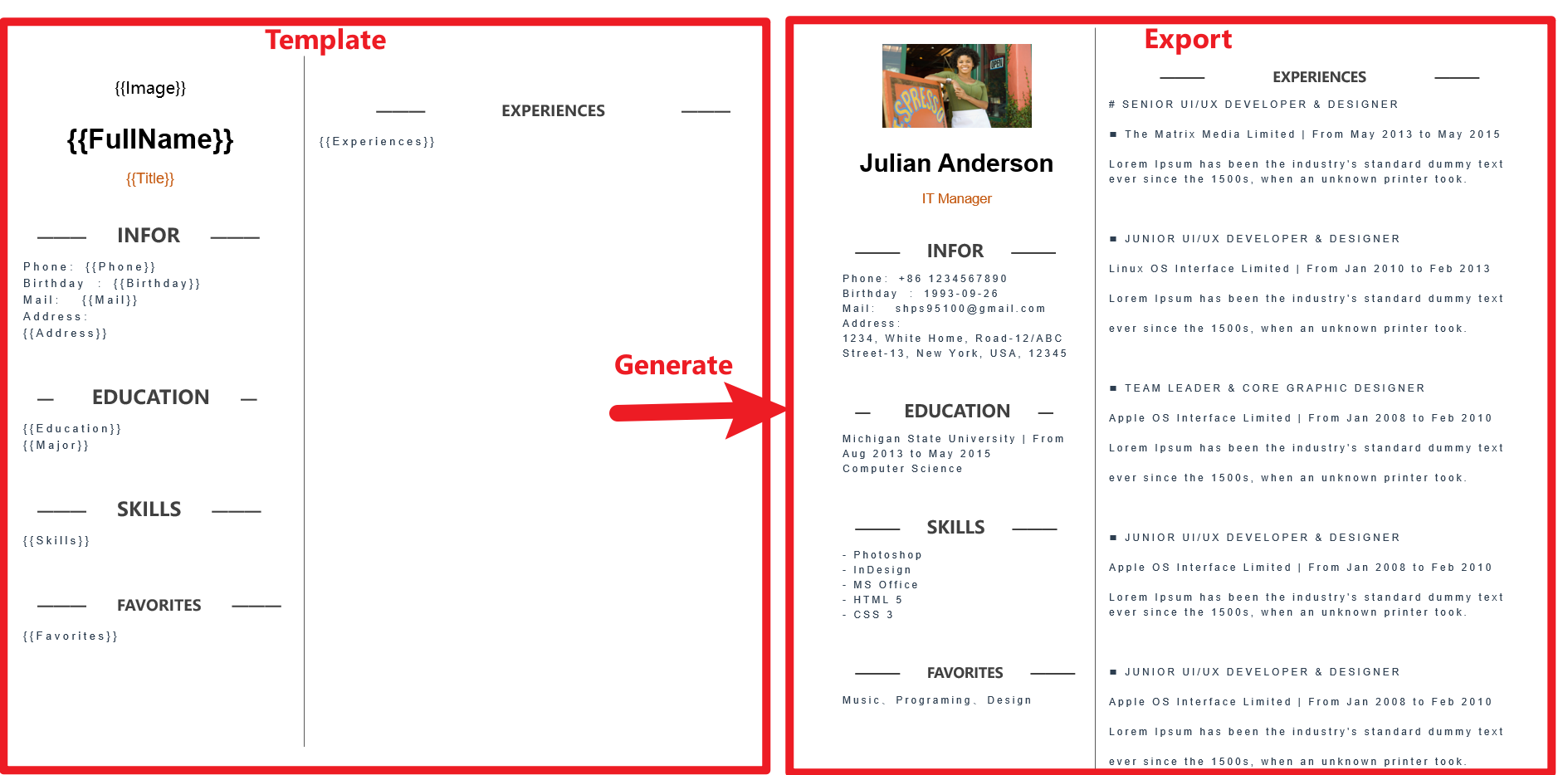
Getting Started
安装
- nuget link : https://www.nuget.org/packages/MiniWord
- Packge xml
<PackageReference Include="MiniWord" Version="0.4.0" /> - Or .NET CLI :
dotnet add package MiniWord --version 0.4.0
快速入门
模板遵循“所见即所得”的设计,模板和标签的样式会被完全保留
var value = new Dictionary<string, object>(){["title"] = "Hello MiniWord"};

MiniSoftware.MiniWord.SaveAsByTemplate(outputPath, templatePath, value);
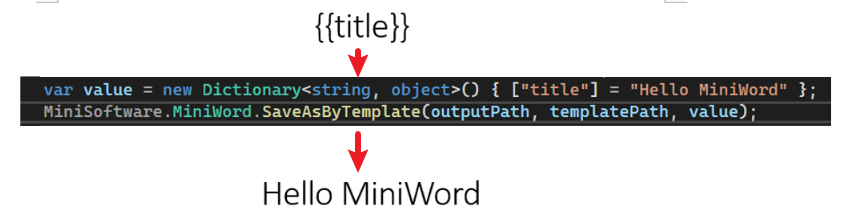
输入、输出
- 输入系统支持模版路径或是Byte[]
- 输出支持文件路径、Byte[]、Stream
SaveAsByTemplate(string path, string templatePath, Dictionary<string, object> value)

SaveAsByTemplate(string path, byte[] templateBytes, Dictionary<string, object> value)

SaveAsByTemplate(this Stream stream, string templatePath, Dictionary<string, object> value)

SaveAsByTemplate(this Stream stream, byte[] templateBytes, Dictionary<string, object> value)
标签
MiniWord 使用类似 Vue, React 的模版字串 {{tag}},只需要确保 tag 与 value 参数的 key 一样(大小写敏感),系统会自动替换字串。
文本
{{tag}}
代码例子
var value = new Dictionary<string, object>()

{

    ["Name"] = "Jack",

    ["Department"] = "IT Department",

    ["Purpose"] = "Shanghai site needs a new system to control HR system.",

    ["StartDate"] = DateTime.Parse("2022-09-07 08:30:00"),

    ["EndDate"] = DateTime.Parse("2022-09-15 15:30:00"),

    ["Approved"] = true,

    ["Total_Amount"] = 123456,

};

MiniWord.SaveAsByTemplate(path, templatePath, value);
模版

导出

图片
标签值为 MiniWordPicture 类别
代码例子
var value = new Dictionary<string, object>()

{

    ["Logo"] = new MiniWordPicture() { Path= PathHelper.GetFile("DemoLogo.png"), Width= 180, Height= 180 }

};

MiniWord.SaveAsByTemplate(path, templatePath, value);
模版
导出

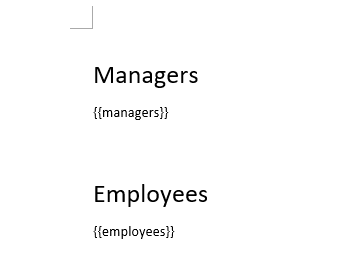
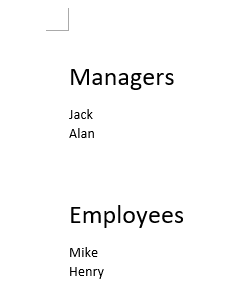
列表
标签值为 string[] 或是 IList<string>类别
代码例子
var value = new Dictionary<string, object>()

{

    ["managers"] = new[] { "Jack" ,"Alan"},

    ["employees"] = new[] { "Mike" ,"Henry"},

};

MiniWord.SaveAsByTemplate(path, templatePath, value);
模版
导出
表格
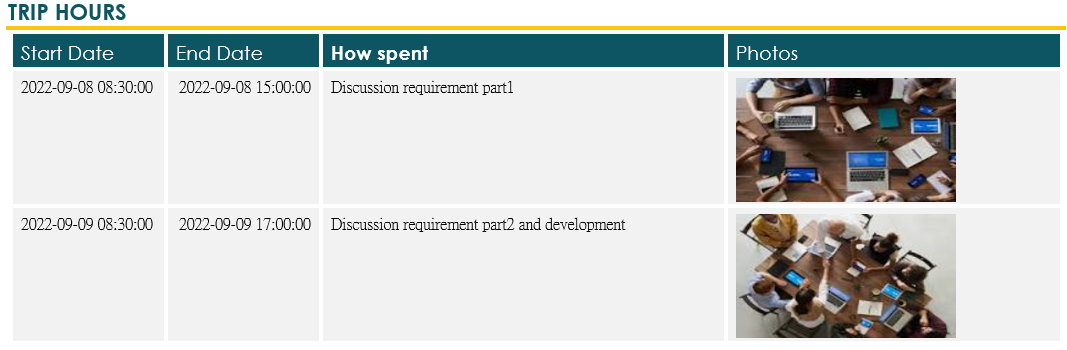
标签值为 IEmerable<Dictionary<string,object>>类别
代码例子
var value = new Dictionary<string, object>()

{

    ["TripHs"] = new List<Dictionary<string, object>>

    {

        new Dictionary<string, object>

        {

            { "sDate",DateTime.Parse("2022-09-08 08:30:00")},

            { "eDate",DateTime.Parse("2022-09-08 15:00:00")},

            { "How","Discussion requirement part1"},

            { "Photo",new MiniWordPicture() { Path = PathHelper.GetFile("DemoExpenseMeeting02.png"), Width = 160, Height = 90 }},

        },

        new Dictionary<string, object>

        {

            { "sDate",DateTime.Parse("2022-09-09 08:30:00")},

            { "eDate",DateTime.Parse("2022-09-09 17:00:00")},

            { "How","Discussion requirement part2 and development"},

            { "Photo",new MiniWordPicture() { Path = PathHelper.GetFile("DemoExpenseMeeting01.png"), Width = 160, Height = 90 }},

        },

    }

};

MiniWord.SaveAsByTemplate(path, templatePath, value);
模版

导出
其他
POCO or dynamic 参数
v0.5.0 支持 POCO 或 dynamic parameter
var value = new { title = "Hello MiniWord" };

MiniWord.SaveAsByTemplate(outputPath, templatePath, value);
字体FontColor和HighlightColor
var value = new

{

    Company_Name = new MiniWordColorText { Text = "MiniSofteware", FontColor = "#eb70AB" },

    Name = new MiniWordColorText { Text = "Jack", HighlightColor = "#eb70AB" },

    CreateDate = new MiniWordColorText { Text = new DateTime(2021, 01, 01).ToString(), HighlightColor = "#eb70AB", FontColor = "#ffffff" },

    VIP = true,

    Points = 123,

    APP = "Demo APP",

};
HyperLink
我们可以尝试使用 MiniWodrHyperLink 类,用模板测试替换为超链接。
MiniWordHyperLink 提供了两个主要参数。
- Url: HyperLink URI 目标路径
- 文字:超链接文字
var value = new

{

    ["Name"] = new MiniWordHyperLink(){

        Url = "https://google.com",

        Text = "測試連結!!"

    },

    ["Company_Name"] = "MiniSofteware",

    ["CreateDate"] = new DateTime(2021, 01, 01),

    ["VIP"] = true,

    ["Points"] = 123,

    ["APP"] = "Demo APP",

};

MiniWord.SaveAsByTemplate(path, templatePath, value);
例子
ASP.NET Core 3.1 API Export
using Microsoft.AspNetCore.Builder;

using Microsoft.AspNetCore.Hosting;

using Microsoft.AspNetCore.Mvc;

using Microsoft.Extensions.DependencyInjection;

using Microsoft.Extensions.Hosting;

using System;

using System.Collections.Generic;

using System.IO;

using System.Net;

using MiniSoftware;

public class Program

{

    public static void Main(string[] args) => CreateHostBuilder(args).Build().Run();

    public static IHostBuilder CreateHostBuilder(string[] args) => Host.CreateDefaultBuilder(args).ConfigureWebHostDefaults(webBuilder => webBuilder.UseStartup<Startup>());

}

public class Startup

{

    public void ConfigureServices(IServiceCollection services) => services.AddMvc();

    public void Configure(IApplicationBuilder app, IWebHostEnvironment env)

    {

        app.UseStaticFiles();

        app.UseRouting();

        app.UseEndpoints(endpoints =>

        {

            endpoints.MapControllerRoute(

                name: "default",

                pattern: "{controller=api}/{action=Index}/{id?}");

        });

    }

}

public class ApiController : Controller

{

    public IActionResult Index()

    {

        return new ContentResult

        {

            ContentType = "text/html",

            StatusCode = (int)HttpStatusCode.OK,

            Content = @"<html><body>

<a href='api/DownloadWordFromTemplatePath'>DownloadWordFromTemplatePath</a><br>

<a href='api/DownloadWordFromTemplateBytes'>DownloadWordFromTemplateBytes</a><br>

</body></html>"

        };

    }

    static Dictionary<string, object> defaultValue = new Dictionary<string, object>()

    {

        ["title"] = "FooCompany",

        ["managers"] = new List<Dictionary<string, object>> {

            new Dictionary<string, object>{{"name","Jack"},{ "department", "HR" } },

            new Dictionary<string, object> {{ "name", "Loan"},{ "department", "IT" } }

        },

        ["employees"] = new List<Dictionary<string, object>> {

            new Dictionary<string, object>{{ "name", "Wade" },{ "department", "HR" } },

            new Dictionary<string, object> {{ "name", "Felix" },{ "department", "HR" } },

            new Dictionary<string, object>{{ "name", "Eric" },{ "department", "IT" } },

            new Dictionary<string, object> {{ "name", "Keaton" },{ "department", "IT" } }

        }

    };

    public IActionResult DownloadWordFromTemplatePath()

    {

        string templatePath = "TestTemplateComplex.docx";

        Dictionary<string, object> value = defaultValue;

        MemoryStream memoryStream = new MemoryStream();

        MiniWord.SaveAsByTemplate(memoryStream, templatePath, value);

        memoryStream.Seek(0, SeekOrigin.Begin);

        return new FileStreamResult(memoryStream, "application/vnd.openxmlformats-officedocument.wordprocessingml.document")

        {

            FileDownloadName = "demo.docx"

        };

    }

    private static Dictionary<string, Byte[]> TemplateBytesCache = new Dictionary<string, byte[]>();

    static ApiController()

    {

        string templatePath = "TestTemplateComplex.docx";

        byte[] bytes = System.IO.File.ReadAllBytes(templatePath);

        TemplateBytesCache.Add(templatePath, bytes);

    }

    public IActionResult DownloadWordFromTemplateBytes()

    {

        byte[] bytes = TemplateBytesCache["TestTemplateComplex.docx"];

        Dictionary<string, object> value = defaultValue;

        MemoryStream memoryStream = new MemoryStream();

        MiniWord.SaveAsByTemplate(memoryStream, bytes, value);

        memoryStream.Seek(0, SeekOrigin.Begin);

        return new FileStreamResult(memoryStream, "application/vnd.openxmlformats-officedocument.wordprocessingml.document")

        {

            FileDownloadName = "demo.docx"

        };

    }

}
常见问题
模版字串没有生效
建议 {{tag}} 复制重新整串复制贴上,有时打字 word 在底层 {{}}会被切开变成<w:t>{</w:t><w:t>{<w:/t><w:t>Tag</w:t><w:t>}</w:t><w:t>}<w:/t> 如图片

MiniWord .NET Word模板引擎,藉由Word模板和数据简单、快速生成文件。的更多相关文章
- 写一个迷你版Smarty模板引擎,对认识模板引擎原理非常好(附代码)
前些时间在看创智博客韩顺平的Smarty模板引擎教程,再结合自己跟李炎恢第二季开发中CMS系统写的tpl模板引擎.今天就写一个迷你版的Smarty引擎,虽然说我并没有深入分析过Smarty的源码,但是 ...
- Java 前端模板引擎学习:thymeleaf 模板引擎
模板引擎接口 ITemplateEngine 一.后台数据与外部数据 1.处理后台数据 $表达式是个变量表达式,用于处理在 request parameters and the request, s ...
- 【转链接】Handlebars模板引擎以及浅谈模板引擎的实现原理
什么叫做“模板引擎“?我是这么理解的:就是对一些待填入数据的占位符的解析.如果你使用过Python的django框架,那你肯定是模板一点也不陌生.模板引擎就是解析模板的,把后端数据塞到前端页面模板. ...
- 后台模板引擎ejs与前台模板引擎artTemplate的简单介绍
动态网页是指前端页面当中的数据内容来源于后台数据库,前端的html代码会随着后台数据的变化而变化,是动态生成的.制作动态网页有两种方式,一种方式是在后台拿到前端的html模板,利用后台模板引擎(如ej ...
- Thymeleaf模板引擎绕过浏览器缓存加载静态资源js,css文件
浏览器会缓存相同文件名的css样式表或者javascript文件.这给我们调试带来了障碍,好多时候修改的代码不能在浏览器正确显示. 静态常见的加载代码如下: <link rel="st ...
- SpringBoot集成文件 - 如何基于POI-tl和word模板导出庞大的Word文件?
前文我们介绍了通过Apache POI通过来导出word的例子:那如果是word模板方式,有没有开源库通过模板方式导出word呢?poi-tl是一个基于Apache POI的Word模板引擎,也是一个 ...
- Express全系列教程之(十):jade模板引擎
一.前言 随着前端业务的不断发展,页面交互逻辑的不断提高,让数据和界面实现分离渐渐被提了出来.JavaScript的MVC思想也流行了起来,在这种背景下,基于node.js的模板引擎也随之出现. 什么 ...
- JavaScript学习笔记(一)——延迟对象、跨域、模板引擎、弹出层、AJAX示例
一.AJAX示例 AJAX全称为“Asynchronous JavaScript And XML”(异步JavaScript和XML) 是指一种创建交互式网页应用的开发技术.改善用户体验,实现无刷新效 ...
- Handlebars 模板引擎之前后端用法
前言 不知不觉间,居然已经这么久没有写博客了,坚持还真是世界上最难的事情啊. 不过我最近也没闲着,辞工换工.恋爱失恋.深圳北京都经历了一番,这有起有落的生活实在是太刺激了,就如拿着两把菜刀剁洋葱一样, ...
随机推荐
- 开源数据质量解决方案——Apache Griffin入门宝典
提到格里芬-Griffin,大家想到更多的是篮球明星或者战队名,但在大数据领域Apache Griffin(以下简称Griffin)可是数据质量领域响当当的一哥.先说一句:Griffin是大数据质量监 ...
- APISpace 尾号限行API接口 免费好用
尾号限行是一种为了缓解城市交通压力而催生的交通制度,措施实施以后对城市交通拥堵起到缓解作用.每个地区的尾号限行规定都有所不同,具体的以当地的为准. 尾号限行API,提供已知所有执行限行政策的共计6 ...
- 基于EasyExcel的大数据量导入并去重
源码:https://gitee.com/antia11/excel-data-import-demo 背景:客户需要每周会将上传一个 Excel 数据文件,数据量单次为 20W 以上,作为其他模块和 ...
- python zip、*、**理解
zip函数 zip()一般传入可迭代对象(不止一个),将对象中对应的元素打包成一个个元组,然后返回由这些元组组成的zip对象(python2返回元组),需要手动使用tuple.list等序列转换成可使 ...
- ES6中class方法及super关键字
ES6 class中的一些问题 记录下class中的原型,实例,super之间的关系 //父类 class Dad { constructor(x, y) { this.x = 5; this.y = ...
- Pulsar Summit Asia 2020 中文专场议题出炉!
关于 Apache Pulsar Apache Pulsar 是 Apache 软件基金会顶级项目,是下一代云原生分布式消息流平台,集消息.存储.轻量化函数式计算为一体,采用计算与存储分离架构设计,支 ...
- 【NOI P模拟赛】(要素过多的标题)(容斥原理)
题面 0 题目背景 [ 数 据 删 除 ] _{^{[数\,据\,删\,除]}} [数据删除] 1 题目描述 在执行任务时,收集到了 n n n 份能源,其中第 i i i 份的能量值是 ...
- Python条件语句的用法
python条件语句使用 if 表达式,难度不高,需要注意的是嵌套用法,以及如何设置对应的条件. if 条件判断语句 python 语句是按固定顺序执行的,先执行前面的语句,再执行后面的语句.如果你像 ...
- dotnet 设计规范 · 抽象定义
严格来说,只有一个类被其他的类继承,那么这个类就是基类.在很多时候,基类的定义是提供足够的抽象和通用方法和属性.默认实现.在继承关系中,基类定义在上层抽象和底层自定义之间. 他们充当抽象实现的实现帮助 ...
- WebGPU实现Ray Packet
大家好~本文在如何用WebGPU流畅渲染百万级2D物体?基础上进行优化,使用WebGPU实现了Ray Packet,也就是将8*8=64条射线作为一个Packet一起去访问BVH的节点.这样做的好处是 ...