
【Linux】RedHat换源(转)
版权声明:本文为博主原创文章,遵循 CC 4.0 BY-SA 版权协议,转载请附上原文出处链接和本声明。
原本链接:https://blog.csdn.net/otmqixi/article/details/81564515
我们安装好RHEL的Linux后,执行yum命令安装软件,如果是未注册的肯定会出现This system is not registered with an entitlement server. You can use subscription-manager to register. 类似这样的问题
具体如下图:

这是因为红帽的企业版Linux系统RHEL是收费的,必须要注册才可正常使用。
这时我们就得想办法了。替换掉原版的yum,安装一个免费的yum源-->CentOS(CentOS已经被红帽收购,且跟RHEL系统没多大区别,最主要还是可以免费使用)
我们将RHEL7的yum源更换为CentOS7的!
具体流程:
1.检查并删除原有的yum源
2.下载安装CentOS的yum相关软件包
3.配置repo文件
1.检查并删除原有的yum源
检查yum源:rpm -qa | grep yum
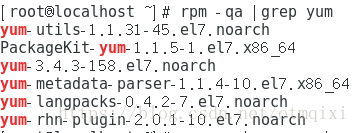
删除原有的yum源: rpm -qa|grep yum|xargs rpm -e --nodeps
2.下载安装CentOS的yum源
网上找的这几个可以下载的网站
阿里云网络源地址:https://mirrors.aliyun.com/centos/7/os/x86_64/Packages/
网易163网络源地址:http://mirrors.163.com/
CentOS网络源地址:http://centos.ustc.edu.cn/centos/
我这里用了网易的。
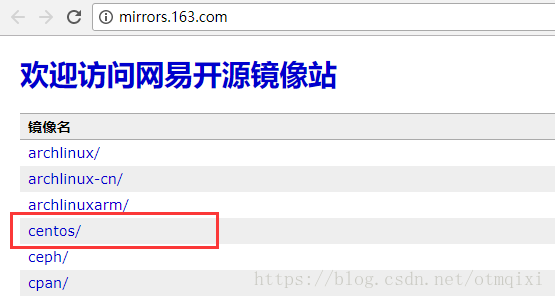
①点击centos进入
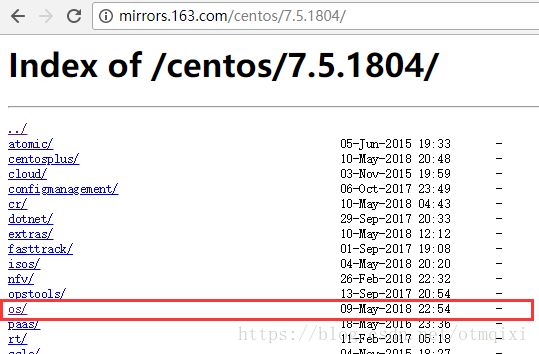
②找到7.5版本的

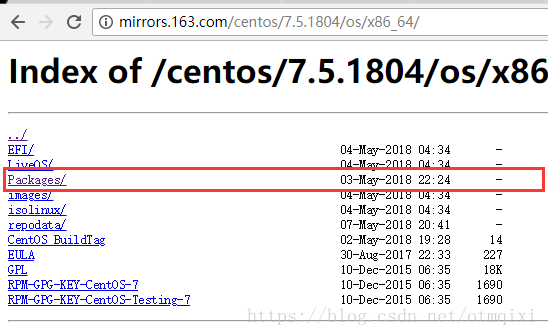
③依此进入到os/x86_64/Packages中

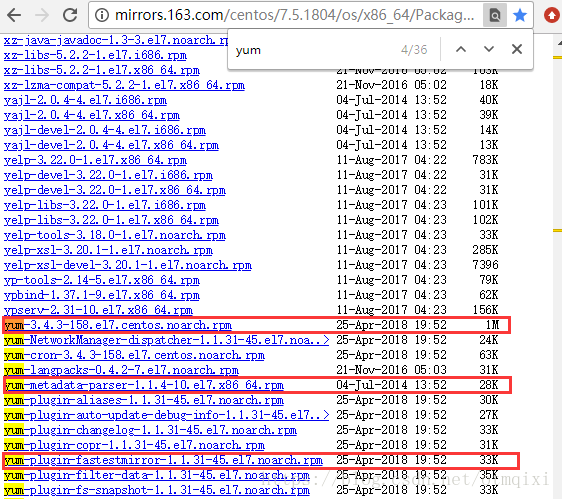
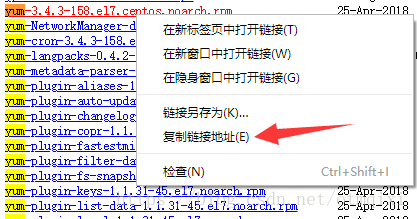
④Ctrl+F搜索yum-->找到下面几个-->点击鼠标右键-->复制链接地址
http://mirrors.163.com/centos/7.5.1804/os/x86_64/Packages/yum-3.4.3-158.el7.centos.noarch.rpm
http://mirrors.163.com/centos/7.5.1804/os/x86_64/Packages/yum-metadata-parser-1.1.4-10.el7.x86_64.rp
http://mirrors.163.com/centos/7.5.1804/os/x86_64/Packages/yum-plugin-fastestmirror-1.1.31-45.el7.noarch.rpm
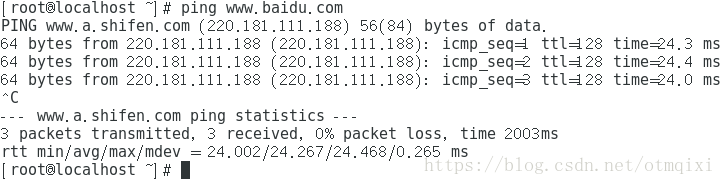
⑤在终端中通过wget指令下载(确保联网,可通过ping一下百度服务器看看联网没,Crtl+c终止命令)
- wget http://mirrors.163.com/centos/7.5.1804/os/x86_64/Packages/yum-3.4.3-158.el7.centos.noarch.rpm
- wget http://mirrors.163.com/centos/7.5.1804/os/x86_64/Packages/yum-metadata-parser-1.1.4-10.el7.x86_64.rpm
- wget http://mirrors.163.com/centos/7.5.1804/os/x86_64/Packages/yum-plugin-fastestmirror-1.1.31-45.el7.noarch.rpm
⑥为了防止几个包安装时有互相依赖,使用 rpm -ivh yum-* 命令一次性安装三个包
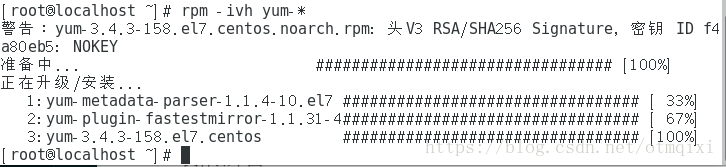
⑦使用第一条命令检查yum是否安装成功:rpm -qa |grep yum

3.配置repo文件(关键!前面的能不能起作用就看这一步了)
①在/etc目录下重命名备份原来的repo:mv yum.repos.d yum.repos.d.backup
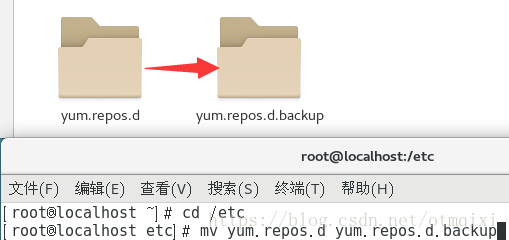
②建一个新的yum.repos.d目录(确保在/etc目录下)

③下载一个CentOS的repo(我们可以在网易镜像站的centos使用帮助中下载学习)

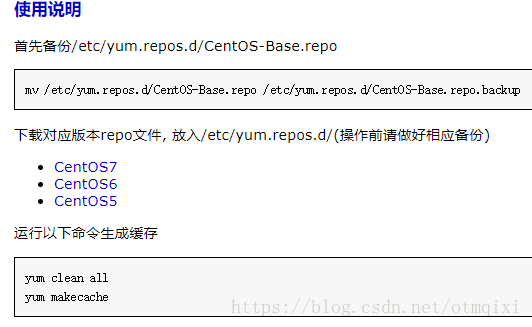
和下载软件包一样下载CentOS7的repo
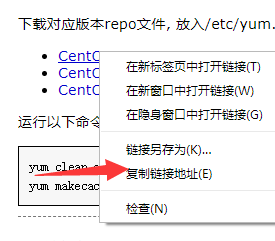
通过 wget http://mirrors.163.com/.help/CentOS7-Base-163.repo 下载

④通过vim打开并编辑repo
打开如下样子
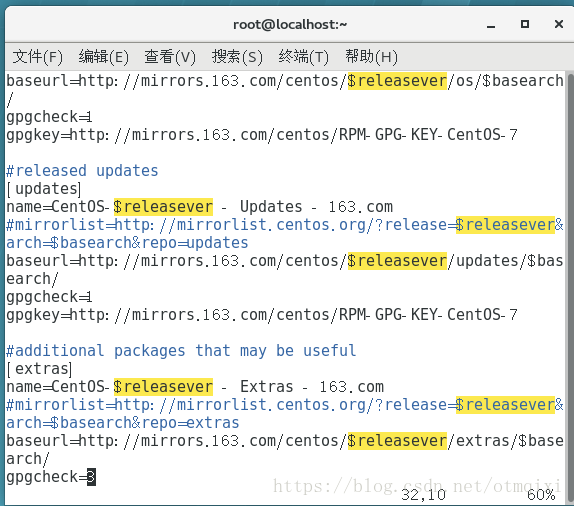
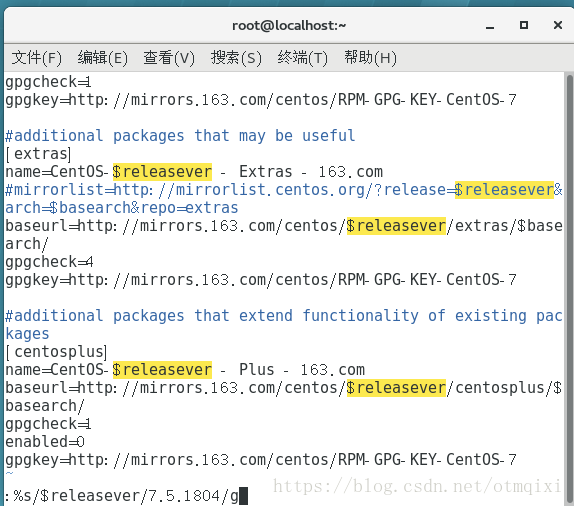
将所有的$releasever全部替换成版本号-->7.5.1804:
shift+: 编辑 输入下面的指令
%s/$releasever/7.5.1804/g
# CentOS-Base.repo

#

# The mirror system uses the connecting IP address of the client and the

# update status of each mirror to pick mirrors that are updated to and

# geographically close to the client.  You should use this for CentOS updates

# unless you are manually picking other mirrors.

#

# If the mirrorlist= does not work for you, as a fall back you can try the

# remarked out baseurl= line instead.

#

#

[base]

name=CentOS-7.5.1804 - Base - 163.com

#mirrorlist=http://mirrorlist.centos.org/?release=7.5.1804&arch=$basearch&repo=os

baseurl=http://mirrors.163.com/centos/7.5.1804/os/$basearch/

gpgcheck=1

gpgkey=http://mirrors.163.com/centos/RPM-GPG-KEY-CentOS-7

#released updates

[updates]

name=CentOS-7.5.1804 - Updates - 163.com

#mirrorlist=http://mirrorlist.centos.org/?release=7.5.1804&arch=$basearch&repo=updates

baseurl=http://mirrors.163.com/centos/7.5.1804/updates/$basearch/

gpgcheck=1

gpgkey=http://mirrors.163.com/centos/RPM-GPG-KEY-CentOS-7

#additional packages that may be useful

[extras]

name=CentOS-7.5.1804 - Extras - 163.com

#mirrorlist=http://mirrorlist.centos.org/?release=7.5.1804&arch=$basearch&repo=extras

baseurl=http://mirrors.163.com/centos/7.5.1804/extras/$basearch/

gpgcheck=1

gpgkey=http://mirrors.163.com/centos/RPM-GPG-KEY-CentOS-7

#additional packages that extend functionality of existing packages

[centosplus]

name=CentOS-7.5.1804 - Plus - 163.com

baseurl=http://mirrors.163.com/centos/7.5.1804/centosplus/$basearch/

gpgcheck=1

enabled=0

gpgkey=http://mirrors.163.com/centos/RPM-GPG-KEY-CentOS-7
wq保存退出
⑥根据使用说明文档,我们要清除缓存
yum clean all ##清理缓存

yum makecache ##重新生成缓存
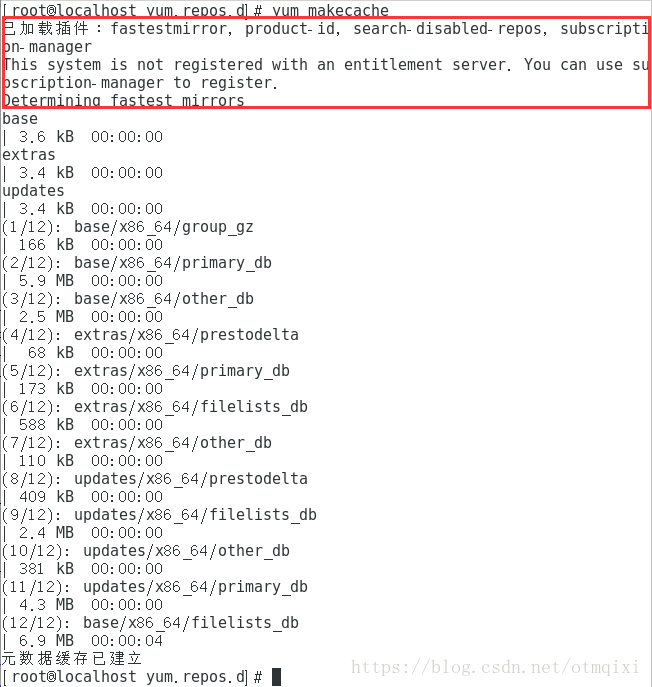
这一步可能还会出现未注册的提示,我们不用在意
⑦使用yum repolist all查看是否成功

⑧安装一个mysql试试

————————————————
版权声明:本文为CSDN博主「学编程的鹿」的原创文章,遵循 CC 4.0 BY-SA 版权协议,转载请附上原文出处链接及本声明。
原文链接:https://blog.csdn.net/otmqixi/article/details/81564515
【Linux】RedHat换源(转)的更多相关文章
- Linux换源+编译内核总结
换源: 我用的是CentOS,所以下面以其为例,其它OS做法类似,可作参考: 在主机能联网的情况下 进入存放源配置的文件夹 cd /etc/yum.repos.d 备份默认源 mv ./CentOS- ...
- Linux Redhat 安装免费yum源
Linux Redhat 安装免费yum源 出处地址:http://www.cnblogs.com/nbartchen/p/8565816.html 1.查看是否安装相关包 rpm -qa|grep ...
- Linux换源
Linux换源 前言 最近学校的ipv6坏了,导致从deepin本身获取的源速度极慢,笔者实在忍无可忍,随后在同学指导下换了清华大学ipv4的源 步骤 sudo gedit /etc/apt/sour ...
- linux 换源
Ubuntu换源 ubuntu 的默认源是美国的,所以下载起来特别慢.更换国内源:用vi和gedit 打开 /etc/apt/sources.list 将其中的us.archive 全部替换为 cn. ...
- Linux 配置163yum源epel 源
今天一个小伙伴询问博主,想换个163源(阿里源.亚马逊应该都是一样,博主没有一一验证)怎么换!博主当然兴致勃勃的准备好了指点小伙伴...但是,你没猜错,打脸了.而且最后还是和小伙伴一起配置好的,所以就 ...
- Linux 本地yum源搭建和网络yum源搭建
一.本地yum源搭建 首先挂载上光盘 [root@www /]# mount /dev/cdrom /media/cdrom/ 系统默认已经安装了可使用yum的软件包,所以可以直接配置: [root@ ...
- Linux 配置yum源.
Linux 配置yum源. 环境:虚拟机中安装了RedHat ,在进行安装mariadb的时候,出现如下错误.是因为yum源的问题,需要进行配置yum源.本教程是配置本地yum源. [root@loc ...
- python pip 升级 或者换源
1. 临时换源python -m pip install --upgrade pip -i https://pypi.douban.com/simple pip国内的一些镜像 阿里云 https ...
- centos7 安装docker(手动和脚本安装)换源 卸载
centos7 安装docker(手动和脚本安装)换源 卸载 Docker 要求 CentOS 系统的内核版本高于 3.10 ,查看本页面的前提条件来验证你的CentOS 版本是否支持 Docker ...
随机推荐
- Python web自动化测试框架搭建(功能&接口)——unittest介绍
Python UnitTest测试框架介绍 1) TestCase:所有测试用例类继承的基本类, TestCase的实例就是测试用例 2) TestSuite:测试套件 ...
- MySQL- 查询总结
查询总结 语法: select 查询字段 from 表 别名 连接类型inner|left|right join on 连接条件 where 筛选 group by 分组列表 having 筛选(二次 ...
- 【题解】Intervals
题目大意 有\(n\)个区间(\(1 \leq n \leq 200\)),第\(i\)个区间覆盖\((a_{i}, b_{i})\)且有权值\(w_{i}\)(\(1 \leq a_{i} &l ...
- Topcoder SRM653div2
A . 250 Problem Statement Some people are sitting in a row. Each person came here from some cou ...
- 2019 Multi-University Training Contest 1 - 1004 - Vacation - 二分 - 思维
http://acm.hdu.edu.cn/showproblem.php?pid=6581 一开始想了好几个假算法.但是启发了一下潘哥,假如时间知道的话就可以从头开始确定各个车的位置.那么直接 \( ...
- Java 小技巧和在Java避免NullPonintException的最佳方法(翻译)
前几天就g+里面看到有人引用这篇博文.看了一下.受益颇多. 所以翻译过来,希望和大家一起学习.本人英语水平有限,假设有错,请大家指正. 原文地址(须要翻墙):http://ja ...
- 道路模型--linear-parabolic model
读过很多道路追踪的论文,经常都需要道路模型的建模.我不知道是不是因为自己太笨还是怎样,好多人建的模型我实在无法理解他的用意何在,而且我真的深刻怀疑他们那些模型的参数是不是真的可以求出来.就比如这篇文章 ...
- git stash--在不想commit的情况下进行git pull
公司的git开发模式是“主干发布,分支开发”,大多数情况下是多个开发在同一dev分支上进行开发,因此需要经常pull代码,如果本地工作区存在代码修改,那么pull肯定失败,提示需要先commit已修改 ...
- 一网打尽 @ExceptionHandler、HandlerExceptionResolver、@controlleradvice 三兄弟!
把 @ExceptionHandler.HandlerExceptionResolver.@controlleradvice 三兄弟放在一起来写更有比较性.这三个东西都是用来处理异常的,但是它们使用的 ...
- 295-Xilinx Kintex-7 X7K325T的半高PCIe x4双路万兆光纤收发卡
Xilinx Kintex-7 X7K325T的半高PCIe x4双路万兆光纤收发卡 一.板卡概述 本板卡系我公司自主研发,采用Xilinx公司的XC7K325T-2FFG676I芯片作为 ...