
windows hbase installation
In the previous post, I have introduced how to install hadoop on windows based system. Now, I will introduce how to install hbase on windows.
1. Preparation:
before the installation, let's take a look at the hadoop-hbase suppot matrix below:
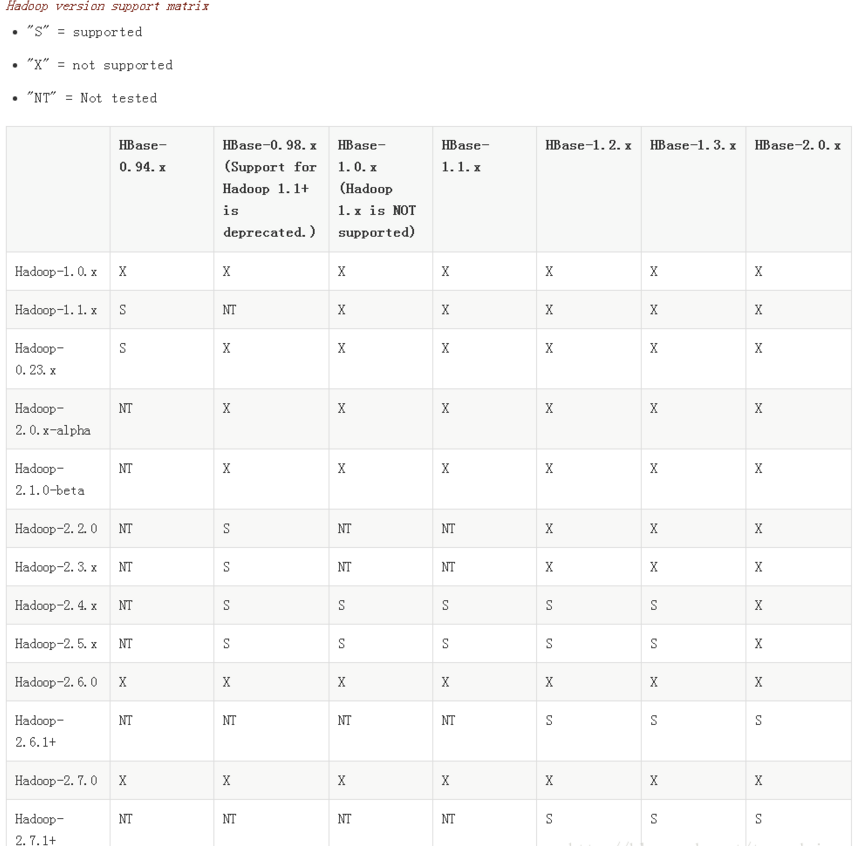
you can choose the apropriate version of hbase which is supported by your hadoop system. Because I have installed hadoop 2.7.1 in the previous post, so I choose to install hbase 1.3.1 which is supported by hadoop 2.7.1.
2. Download hbase 1.3.1.tar.gz from apache official site.
3. Unzip the hbase 1.3.1.tar.gz into your local computer.
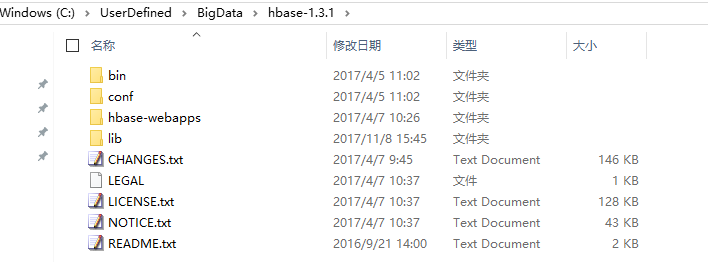
On my computer, I unzipped in folder: C:\UserDefined\BigData\hbase-1.3.1 which is the hbase root.
4. Configuration
The configuration mainly about two files which located at %HBASE_HOME%\conf folder hbase-site.xml hbase-env.cmd
4.1) hbase-site.xml
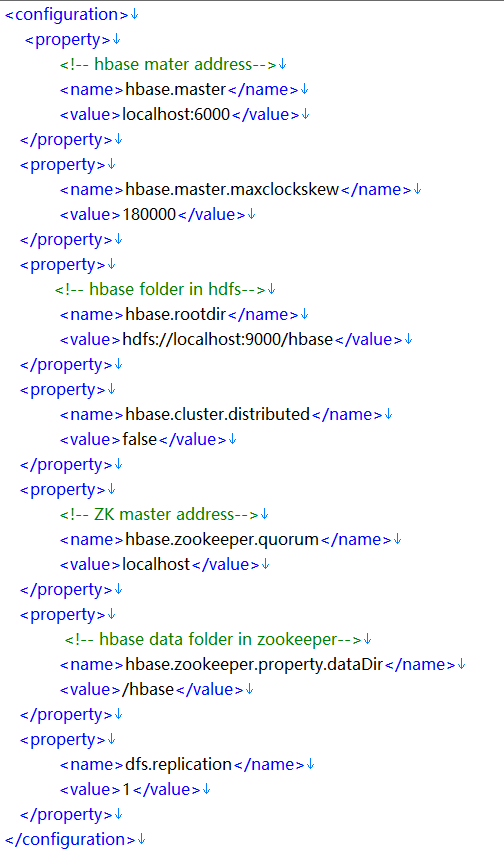
<configuration>
<property>
<!-- hbase mater address-->
<name>hbase.master</name>
<value>localhost:6000</value>
</property>
<property>
<name>hbase.master.maxclockskew</name>
<value>180000</value>
</property>
<property>
<!-- hbase folder in hdfs-->
<name>hbase.rootdir</name>
<value>hdfs://localhost:9000/hbase</value>
</property>
<property>
<name>hbase.cluster.distributed</name>
<value>false</value>
</property>
<property>
<!-- ZK master address-->
<name>hbase.zookeeper.quorum</name>
<value>localhost</value>
</property>
<property>
<!-- hbase data folder in zookeeper-->
<name>hbase.zookeeper.property.dataDir</name>
<value>/hbase</value>
</property>
<property>
<name>dfs.replication</name>
<value>1</value>
</property>
</configuration>
4.2) hbase-env.cmd
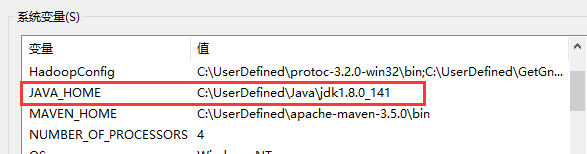
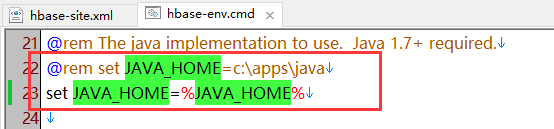
set the JAVA_HOME path.
Note:
you can use fullpath of the jdk installation root dir. or if you have configurate the JAVA_HOME path, you can also reference the system variable.
because I have configurate the java_home variable, so I reference the system var directly.
5. Operation
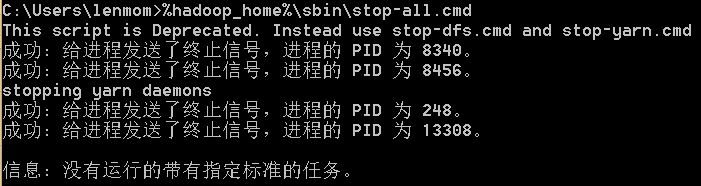
5.1) stop hadoop if hadoop has been started. command as follows:
%hadoop_home%\sbin\stop-all.cmd
Note:
%hadoop_home% referes to the root dir of your hadoop install location.
5.2) start hadoop using command as follows:
%hadoop_home%\sbin\start-all.cmd
Note:
%hadoop_home% referes to the root dir of your hadoop install location.

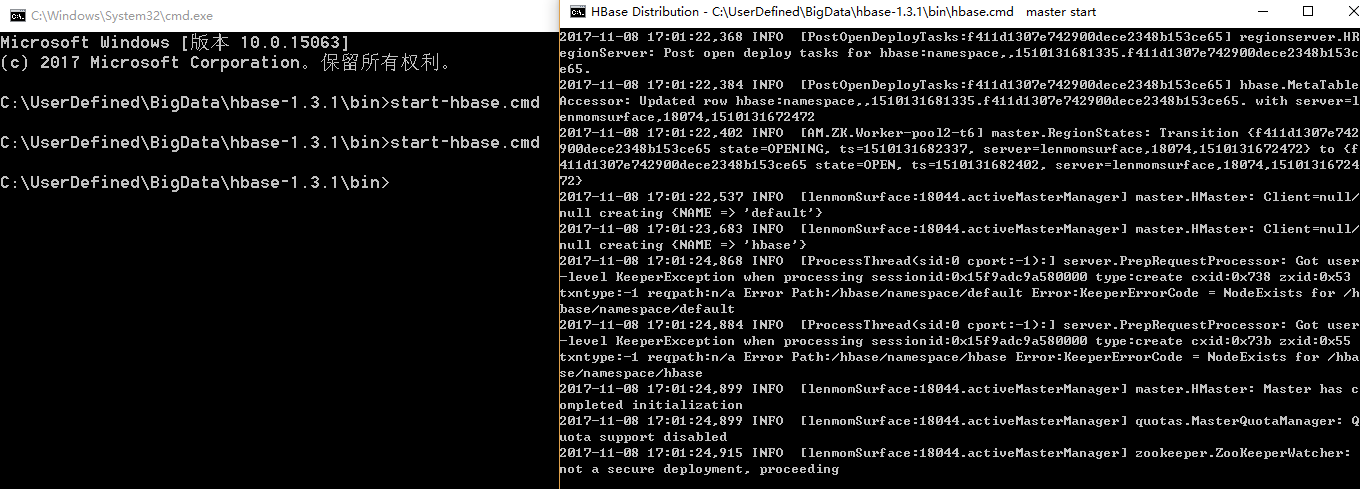
5.3) start hbase using command as follows:
%hbase_home%start-hbase.cmd
Note:
%hbase_home% referes to the root dir of your hbase install location.

5.4) start hbase restfull service
%hbase_home%\hbase rest start -p 6000
Note:
%hbase_home% referes to the root dir of your hbase install location.

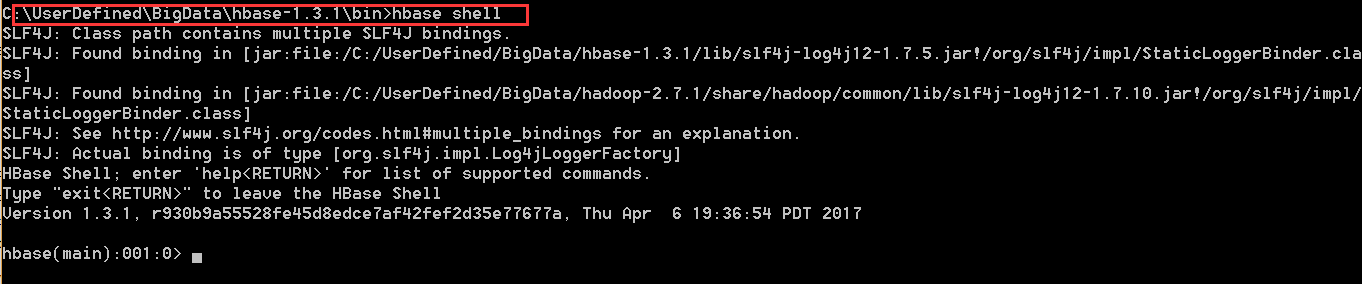
5.5 start hbase shell
%hbase_home%\hbase shell
Note:
%hbase_home% referes to the root dir of your hbase install location.
windows hbase installation的更多相关文章
- 【英文文档】Solidifier for Windows Installation Guide
Page 1Solidifier for Windows Installation Guide Page 2McAfee, Inc.McAfee® Solidifier for Windows In ...
- 使用Phoenix将SQL代码移植至HBase
1.前言 HBase是云计算环境下最重要的NOSQL数据库,提供了基于Hadoop的数据存储.索引.查询,其最大的优点就是可以通过硬件的扩展从而几乎无限的扩展其存储和检索能力.但是HBase与传统的基 ...
- UEFI Bootable USB Flash Drive - Create in Windows(WIN7 WIN8)
How to Create a Bootable UEFI USB Flash Drive for Installing Windows 7, Windows 8, or Windows 8.1 In ...
- Git在Windows环境下配置Diff以及Merge工具---DiffMerge
参考出处:http://coding4streetcred.com/blog/post/Configure-DiffMerge-for-Your-Git-DiffTool主要转自:http://blo ...
- windows 精简/封装/部署
给一个精简过的Windows7安装net35,提示自己到『打开或关闭Windows功能』里打开,然而发现并没有,只有一个ie9的功能.搜索尝试各种办法,显然都不行.用dism部署功能的工具,挂载一个完 ...
- HOWTO:制作 Windows 7 加速部署映像(作者:苏繁)
加速部署映像 - 也就是我们通常说的系统模板,通常我们为了提高 Windows 的安装速度,会事先制作一套包含驱动.应用软件.补丁程序以及自定义设置的标准化系统.这样我们在使用该加速部署映像完成安装后 ...
- windows tomcat配置大全
Tomcat下JSP.Servlet和JavaBean环境的配置 第一步:下载j2sdk和tomcat:到sun官方站点()下载j2sdk,注意下载版本为Windows Offline Install ...
- 安装Windows Metasploit Framework
Installing the Metasploit Framework on Windows 1. Visit http://windows.metasploit.com/metasploitfram ...
- Mac下安装HBase及详解
Mac下安装HBase及详解 1. 千篇一律的HBase简介 HBase是Hadoop的数据库, 而Hive数据库的管理工具, HBase具有分布式, 可扩展及面向列存储的特点(基于谷歌BigTabl ...
随机推荐
- Python 字典的嵌套
wf = { "name":"汪峰", "age":52, "hobby":["唱歌", " ...
- nw 系统托盘的添加方式,以及ajax失效问题
1.nw 系统托盘的添加方式 /** ------------------------------------------------------------ 最小化托盘 -------------- ...
- Pandas 命令整理
在网上看到一个整理的很好的pandas命令合集,转一份供自己查找与参考
- 3.2 shell输入输出
shell输入与输出: read : read语句可以从键盘或者文件的某一行文本中读入信息,并将其赋值给一个变量. read var1 var2 ... 若只指定了一个变量,那么read将 ...
- C语言与VT100控制码编程
C语言与VT100控制码编程 声明: . 如果您打算阅读本文,希望您已经了解过C语言的基本语法,本文不对C语言的基本语法进行说明,因为那些东西几乎唾手可得; . 本文在vim中编辑,请尽量是用vim进 ...
- [LeetCode&Python] Problem 872. Leaf-Similar Trees
Consider all the leaves of a binary tree. From left to right order, the values of those leaves form ...
- 转:三种状态对象的使用及区别(Application,Session,Cookie)
Application状态对象 Application 对象是HttpApplication 类的实例,将在客户端第一期从某个特定的ASP.NET应用程序虚拟目录中请求任何URL 资源时创建.对于We ...
- ElasticSearch(六):IK分词器的安装与使用IK分词器创建索引
之前我们创建索引,查询数据,都是使用的默认的分词器,分词效果不太理想,会把text的字段分成一个一个汉字,然后搜索的时候也会把搜索的句子进行分词,所以这里就需要更加智能的分词器IK分词器了. 1. i ...
- Rx.NET响应式编程
响应式编程 Rx.NET 了解下 1. 引言 An API for asynchronous programming with observable streams.ReactiveX is a co ...
- list.stream().parallel() 并行流
https://blog.csdn.net/u011001723/article/details/52794455/ : parallel()其实就是一个并行执行的流.它通过默认的ForkJoin ...