
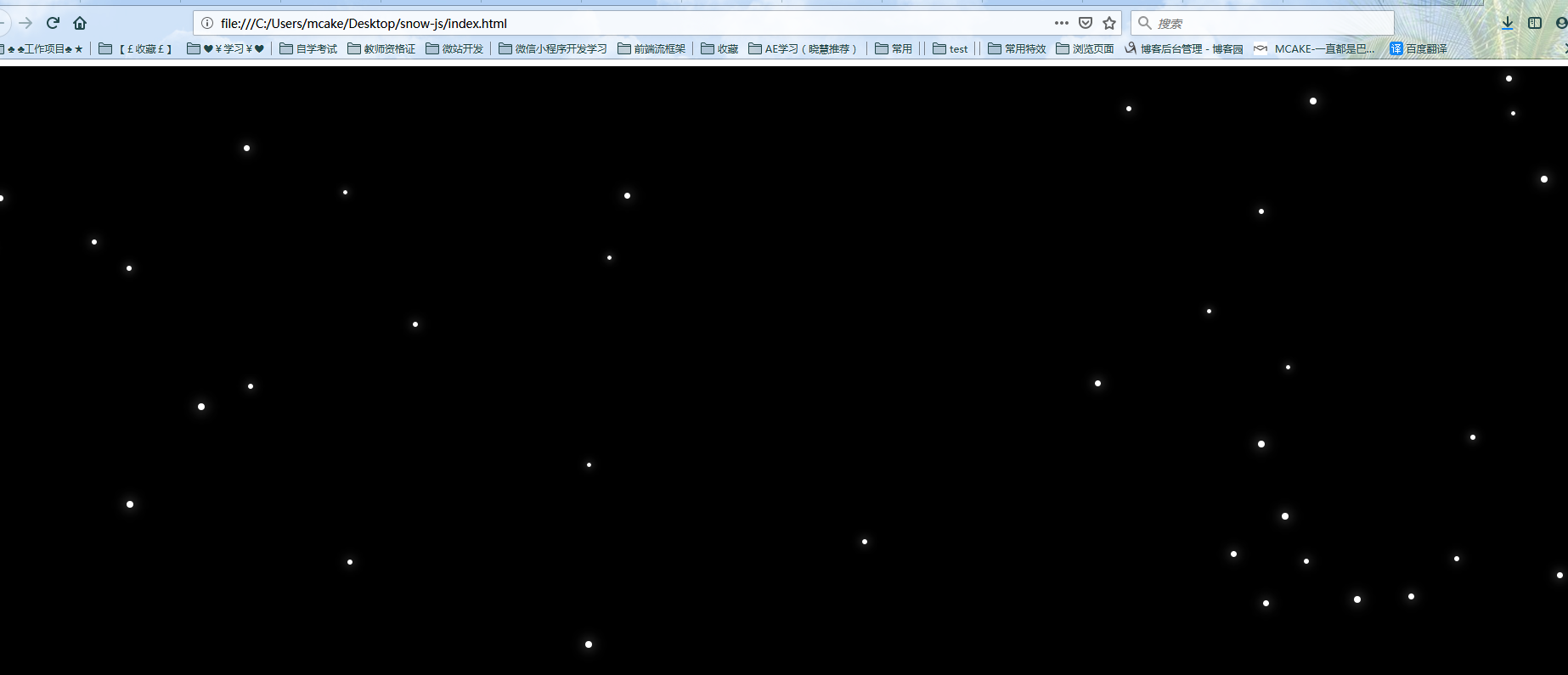
圣诞节雪花效果,pc端
<!doctype html>

<html lang="en">

<head>

    <meta charset="UTF-8">

    <title>Document</title>

    <link rel="stylesheet" type="text/css" href="css/snow.css">

    <style type="text/css">

        .box{width: 100%; height: 900px; background: #000;}

    </style>

</head>

<body>

<div class="box"></div>

    <script type="text/javascript" src="js/jquery.min.js"></script>

    <script type="text/javascript" src="js/snow.js"></script>

</body>

</html>
snow.css
/*雪花飘落*/

.snow-container {

    position: fixed;

    top:;

    left:;

    width: 100%;

    pointer-events: none;

    z-index:;

}

.snow-container .snow {

    position: absolute;

    background: #fff;

    -webkit-border-radius: 50%;

    border-radius: 50%;

    -webkit-box-shadow: 0 0 15px rgba(255, 255, 255, 0.8);

    box-shadow: 0 0 15px rgba(255, 255, 255, 0.8);

    background: url(../images/snow.png) no-repeat\9;

}

:root .snow-container .snow {

}
snow.js
var isSupportCss3 = (function(){

    var ret = /MSIE (\d+\.\d+)/.exec(navigator.userAgent);

    if( !ret || ret[1] > 9 ){

        return true;

    }

    return false;

})();

(function () {

  Function.prototype.bind = Function.prototype.bind || function(){

      var self = this,

        context = [].shift.call(arguments),

        args = [].slice.call(arguments);

      return function(){

        return self.apply(context, [].concat.call(args, [].slice.call(arguments)));

      }

    };

  function getRandom(min, max) {

    return min + Math.random()*(max-min);

  }

  function getWindowSize() {

    return {

      clientW: window.innerWidth || document.documentElement.clientWidth,

      clientH: window.innerHeight || document.documentElement.clientHeight

    }

  }

  var clientSize = getWindowSize();

  var body = document.body;

  function Snow(container, opts) {

    this.container = container;

    this.opts = opts;

    this.create();

  }

  Snow.prototype = {

    create: function () {

      this.el = document.createElement("div");

      this.el.className = 'snow';

      this.el.style["width"] = this.opts.snowWidth + "px";

      this.el.style["height"] = this.opts.snowHeight + "px";

      this.el.style["top"] = -this.opts.snowHeight + "px";

      this.el.style["-webkit-transition"] = "all " + this.opts.speed + "ms linear";

      this.el.style["transition"] = "all " + this.opts.speed + "ms linear";

      this.container.appendChild(this.el);

      this.fall();

    },

    fall: function () {

      var self = this;

      var left = getRandom(0, clientSize.clientW - this.opts.snowWidth);

      var destLeft = getRandom(-300, 300);

      var scale = getRandom(0.6, 1);

      this.el.style["left"] = left + "px";

      this.el.style["-ms-transform"] = "scale("+ scale +")";

      this.el.style["-webkit-transform"] = "scale("+ scale +")";

      this.el.style["transform"] = "scale("+ scale +")";

      body.offsetWidth;

      var transformStyle = "scale("+ scale +") translate3d("+ destLeft +"px,"+ (clientSize.clientH + this.opts.snowHeight)*2 +"px,0px)";

      this.el.style["-webkit-transform"] = transformStyle;

      this.el.style["transform"] = transformStyle;

      //当前页面失去焦点时,通过transitionend的方式移除this.el会有问题,因此通过这种方式移除

      $({y: -this.opts.snowHeight, left: left}).animate({

        y: (clientSize.clientH + this.opts.snowHeight)*(1/scale),

        left: left + destLeft

      }, {

        easing: 'linear',

        duration: this.opts.speed,

        step: function ( value, obj) {

          if( !isSupportCss3 ){

            if( obj.prop == 'y' ) {

              self.el.style.top = obj.now + "px";

            }

            if( obj.prop == 'left' ){

              self.el.style.left = obj.now + "px";

            }

          }

        },

        complete: function () {

          self.reset();

        }

      });

    },

    reset: function () {

      try {

        this.container.removeChild(this.el);

      } catch (e){

        console.error(e.message);

      }

    }

  };

  function SnowFall(opts){

    this.opts = $.extend({

      interval: 200,

      speed: 15000,

      snowWidth: 8,

      snowHeight: 8

    }, opts||{});

    this.timer = null;

    this.body = document.body;

    this.init();

  }

  SnowFall.prototype = {

    init: function () {

      this.createLayout();

      this.start();

    },

    start: function () {

      new Snow(this.container, this.opts);

      this.timer = setTimeout(function () {

        this.start();

      }.bind(this), this.opts.interval);

    },

    createLayout:function () {

      this.container = document.createElement("div");

      this.container.className = 'snow-container';

      this.body.appendChild(this.container);

    },

    destroy: function () {

      if( this.timer ) clearTimeout(this.timer);

      this.container.parentNode.removeChild(this.container);

    }

  };

  $(function () {

    $(window).on("resize", function () {

      clientSize = getWindowSize();

    });

  });

  new SnowFall();

})();
圣诞节雪花效果,pc端的更多相关文章
- js实现一个可以兼容PC端和移动端的div拖动效果
前段时间写了一个简单的div拖动效果,不料昨天项目上正好需要一个相差不多的需求,就正好用上了,但是在移动端的时候却碰到了问题,拖动时候用到的三个事件:mousedown.mousemove.mouse ...
- Html5实现移动端、PC端 刮刮卡效果
刚从南方回来就分了一个刮刮卡效果的页面,特么的我在烦恼怎么用H5去实现这个效果呢,好不容易写出来了,产品居然说:“既然你可以写出来这个效果那当然好了,开始我只是打算让你实现点击就出现呢!”… … 尼玛 ...
- jquery简单的图片切换效果,支持pc端、移动端的banner图片切换开发
详细内容请点击 无意中看见了两年前写的一个图片切换,那会儿刚刚学习网页制作,可以说是我的第一个处女座的jquery图片切换效果.无聊之余对它的宽度稍稍做了一下修改,变成了支持pc端.手机端全屏的ban ...
- CSS3及JS简单实现选项卡效果(适配手机端和pc端)
想要适配手机端和pc端,有几种简单的方法,本人使用的是百分比分配的方法. *{ padding: 0; margin: 0; } body,html{ width: 100%; height: 100 ...
- 移动端页面a input去除点击效果及pc端切换
1 手机端页面a button input去除点击效果以及闪屏问题 添加: a, button, input { -webkit-tap-highlight-color: rgba(255, 0, 0 ...
- PC端触底效果反复触发的解决方案
最近在做一个PC端的项目,要求是在滑动到页面的底部的时候就动态的加载下一页的数据,代码实现思路如下: 首先,我们需要知道浏览器中有三个高度,分别是屏幕高度(outerHeight),文档容器高度(in ...
- 页面PC端 / 移动端整屏纵向翻页,点击/触摸滑动效果功能代码非插件
页面翻页,滑动功能示范代码 <!DOCTYPE html> <html lang="en"> <head> <meta charset=& ...
- 关于pc端直播
写这篇文章首先是想给自己一个总结.整理,还有就是给那些 没有特别明白直播是怎么回事的人一点 思路 最近公司想要做pc端直播,作为一个自认为很菜的前端实在是不知从何下手,所以只能用国人最爱的百度,搜索了 ...
- JavaScript判断移动端及pc端访问不同的网站
JavaScript判断移动端及pc端访问不同的网站 现在很多网站都是分为两个版本,一个pc端的一个移动端的(响应式除外),针对这两个版本,就需要对访问的设备进行判断,如果是pc,就直接访问pc网站, ...
随机推荐
- win10 64下anaconda4.2.0(python3.5)
python环境:win10 64下anaconda4.2.0(python3.5).安装tensorflow过程是在Anaconda Prompt中进行安装 1:打开Anaconda Prompt ...
- 使用 create-react-app 快速构建 React 开发环境
在终端执行以下命令创建项目: 1.指定创建的项目位置(这里以桌面为例) cd Desktop 2.创建 React 项目 npx create-react-app my-app 3.进入项目并启动 c ...
- 剑指offer:从尾到头打印链表
题目 输入一个链表,按链表值从尾到头的顺序返回一个ArrayList. 解题思路 在不改变链表结构的前提下,因为单向链表本身的结构是从头到尾的,现在用从尾到头遍历打印,可以联想到“先进后出”, 因此我 ...
- ContextLoaderListener解析
推荐:spring源码 每一个整合spring框架的项目中,总是不可避免地要在web.xml中加入这样一段配置. <!-- Spring配置文件开始 --> <context-par ...
- ps -p {pid} -o etime获取进程运行时间是如何计算出来的?
ps -p 986 -o etime可以获取进程986的执行时间,不论系统时间有没有发生改变,它都可以返回正确的结果: -bash-4.2$ ps -p 986 -o etime ELAPSED 13 ...
- web实现大文件上传分片上传断点续传
需求:项目要支持大文件上传功能,经过讨论,初步将文件上传大小控制在500M内,因此自己需要在项目中进行文件上传部分的调整和配置,自己将大小都以501M来进行限制. 第一步: 前端修改 由于项目使用的是 ...
- noi.ac #32 快速排序归并排序应用
\(des\) 给定长度为 \(n\) 的数组,要求翻转一段区间 \([l, r]\) 使其升序排列. 要求 \(\sum r - l + 1 <= 2e7\) \(sol\) 考虑快速排序,每 ...
- Codeforces Round #383 D
传送门 Description Arpa has a rooted tree (connected acyclic graph) consisting of n vertices. The verti ...
- QuartzNet 远程管理持久化job 项目, 源码在Github..希望对大家有所帮助
文章目录 为了方便大家去学习 QuartzNet 与 CrystalQuartz 更多信息请点击链接查看 简介 结构图 为了方便大家去学习 QuartzNet 与 CrystalQuartz 更多信息 ...
- 主要排序算法(Python实现)
1. 冒泡排序 算法描述:1. 比较相邻的两个数,对升序(/降序)而言,若当前数小于(大于)后一个数则交换两者的位置. 2.那么循环长度为L的列表,从第一个元素到倒数第(L-1)元素进行第1步操作,其 ...