
Android之通知使用权
通知使用权打开方式
设置——提示音和通知——通知使用权。
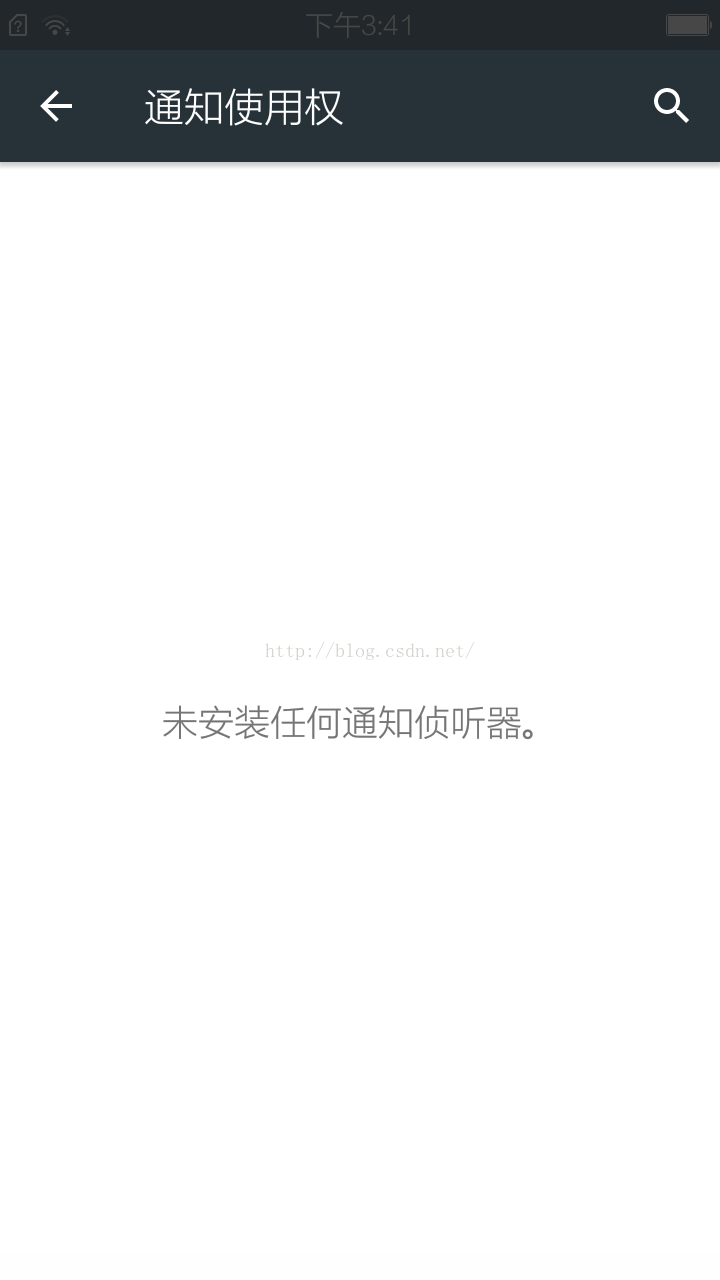
具体界面如图:
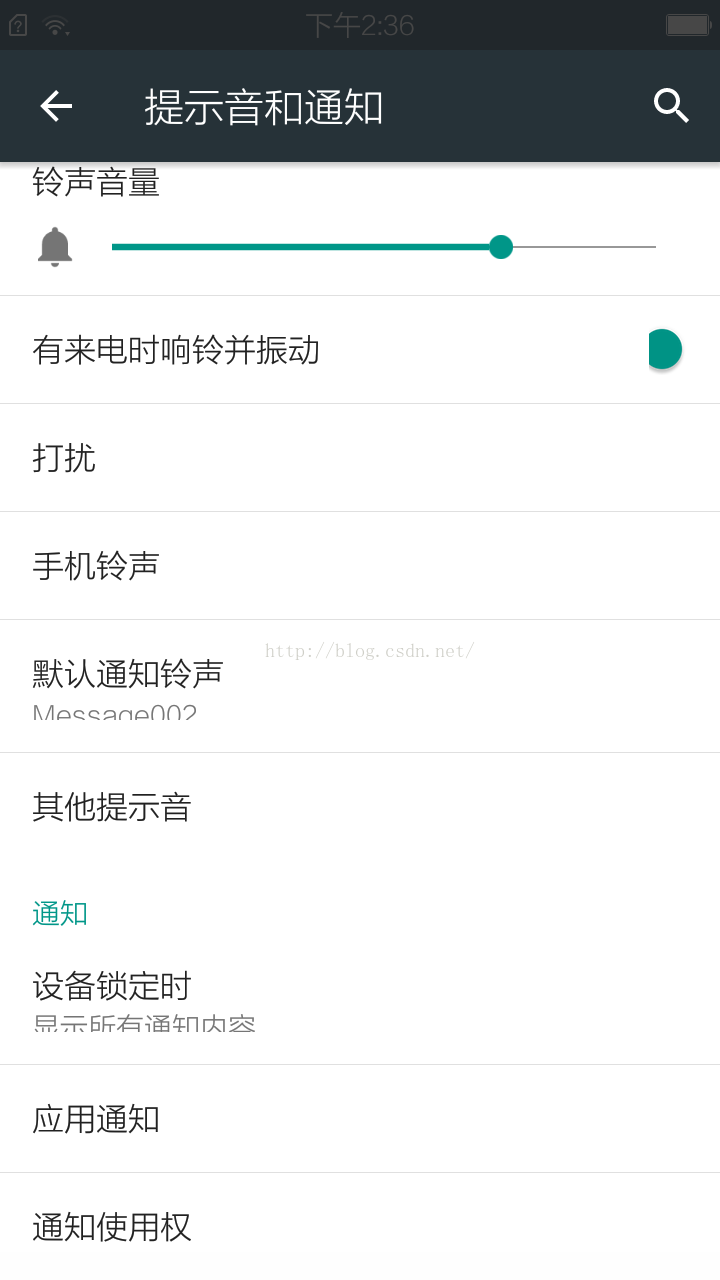
存在须要拥有通知使用权应用时:
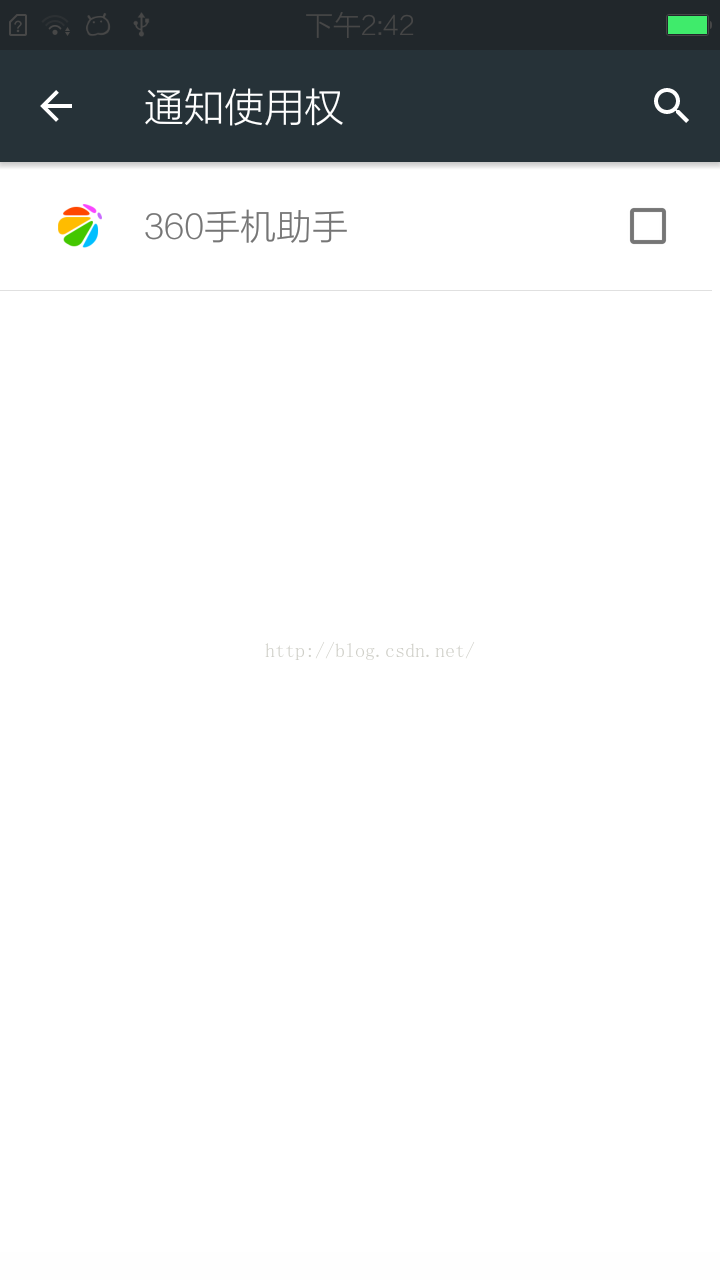
不存在须要拥有通知使用权应用时:
用户为应用勾选复选框后系统弹dialog须要用户进一步确认时:
watermark/2/text/aHR0cDovL2Jsb2cuY3Nkbi5uZXQv/font/5a6L5L2T/fontsize/400/fill/I0JBQkFCMA==/dissolve/70/gravity/Center" alt="" />
主要涉及文件:
/packages/apps/Settings/src/com/android/settings/notification/NotificationAccessSettings.java
/packages/apps/Settings/src/com/android/settings/notification/ManagedServiceSettings.java
涉及数据库:
data/data/com.android.providers.settings
具体解说:
public class NotificationAccessSettings extends ManagedServiceSettings {

    private static final String TAG = NotificationAccessSettings.class.getSimpleName();

    private static final Config CONFIG = getNotificationListenerConfig();

    private static Config getNotificationListenerConfig() {

        final Config c = new Config();

        c.tag = TAG;

        /*Settings.Secure.ENABLED_NOTIFICATION_LISTENERS =

         *数据库字段。通过读取数据库中字段推断应用是否有通知使用权。有则界面中应用相应的checkbox为勾选状态,

         *应用相应checkbox不勾选时,时用户勾选后会有提示框弹出。确定后通过此字段向数据库写入此应用信息。

         * */

        c.setting = Settings.Secure.ENABLED_NOTIFICATION_LISTENERS;

        c.intentAction = NotificationListenerService.SERVICE_INTERFACE;

        /*

         * 应用须要在manifest文件里声明这个服务权限才会被检測到, 才会显示到同一时候使用权界面

         * */

        c.permission = android.Manifest.permission.BIND_NOTIFICATION_LISTENER_SERVICE;

        c.noun = "notification listener";

        /*用户勾选后弹出的dialog中的标题*/

        c.warningDialogTitle = R.string.notification_listener_security_warning_title;

        /*用户勾选后弹出的dialog中的内容*/

        c.warningDialogSummary = R.string.notification_listener_security_warning_summary;

        /*当前系统中不存在不论什么须要使用通知使用权的应用时,通知使用权界面会有相应提示*/

        c.emptyText = R.string.no_notification_listeners;

        return c;

    }

    @Override

    protected Config getConfig() {

        return CONFIG;

    }

    public static int getListenersCount(PackageManager pm) {

        return getServicesCount(CONFIG, pm);

    }

    public static int getEnabledListenersCount(Context context) {

        return getEnabledServicesCount(CONFIG, context);

    }

}
/packages/apps/Settings/src/com/android/settings/notification/ManagedServiceSettings.java
public abstract class ManagedServiceSettings extends ListFragment {

    private static final boolean SHOW_PACKAGE_NAME = false;

    private final Config mConfig;

    private PackageManager mPM;

    private ContentResolver mCR;

    private final HashSet<ComponentName> mEnabledServices = new HashSet<ComponentName>();

    private ServiceListAdapter mListAdapter;

    abstract protected Config getConfig();

    public ManagedServiceSettings() {

        mConfig = getConfig();

    }

    private final ContentObserver mSettingsObserver = new ContentObserver(new Handler()) {

        @Override

        public void onChange(boolean selfChange, Uri uri) {

            updateList();

        }

    };

    /*监听到应用的数量增减等改变时须要更新应用列表*/

    private final BroadcastReceiver mPackageReceiver = new BroadcastReceiver() {

        @Override

        public void onReceive(Context context, Intent intent) {

            updateList();

        }

    };

    /*用户勾选后弹出相应dialog等待用户进一步确认要为此应用打开通知使用权*/

    public class ScaryWarningDialogFragment extends DialogFragment {

        static final String KEY_COMPONENT = "c";

        static final String KEY_LABEL = "l";

        public ScaryWarningDialogFragment setServiceInfo(ComponentName cn, String label) {

            Bundle args = new Bundle();

            args.putString(KEY_COMPONENT, cn.flattenToString());

            args.putString(KEY_LABEL, label);

            setArguments(args);

            return this;

        }

        @Override

        public Dialog onCreateDialog(Bundle savedInstanceState) {

            super.onCreate(savedInstanceState);

            final Bundle args = getArguments();

            final String label = args.getString(KEY_LABEL);

            final ComponentName cn = ComponentName.unflattenFromString(args.getString(KEY_COMPONENT));

            final String title = getResources().getString(mConfig.warningDialogTitle, label);

            final String summary = getResources().getString(mConfig.warningDialogSummary, label);

            return new AlertDialog.Builder(getActivity())

                    .setMessage(summary)

                    .setTitle(title)

                    .setCancelable(true)

                    .setPositiveButton(android.R.string.ok,//

                            new DialogInterface.OnClickListener() {

                                public void onClick(DialogInterface dialog, int id) {

                                    mEnabledServices.add(cn);//加入应用信息到HashSet<ComponentName>中

                                    saveEnabledServices();//数据库写操作

                                }

                            })

                    .setNegativeButton(android.R.string.cancel,

                            new DialogInterface.OnClickListener() {

                                public void onClick(DialogInterface dialog, int id) {

                                    // pass

                                }

                            })

                    .create();

        }

    }

    @Override

    public void onCreate(Bundle icicle) {

        super.onCreate(icicle);

        mPM = getActivity().getPackageManager();

        mCR = getActivity().getContentResolver();

        mListAdapter = new ServiceListAdapter(getActivity());

    }

    @Override

    public View onCreateView(LayoutInflater inflater, ViewGroup container,

            Bundle savedInstanceState) {

        View v =  inflater.inflate(R.layout.managed_service_settings, container, false);

        TextView empty = (TextView) v.findViewById(android.R.id.empty);

        empty.setText(mConfig.emptyText);

        return v;

    }

    @Override

    public void onResume() {

        super.onResume();

        updateList();

        // listen for package changes

        IntentFilter filter = new IntentFilter();

        filter.addAction(Intent.ACTION_PACKAGE_ADDED);//应用加入

        filter.addAction(Intent.ACTION_PACKAGE_CHANGED);//应用改变

        filter.addAction(Intent.ACTION_PACKAGE_REMOVED);//应用卸载

        filter.addAction(Intent.ACTION_PACKAGE_REPLACED);//应用更新

        filter.addDataScheme("package");

        getActivity().registerReceiver(mPackageReceiver, filter);

        mCR.registerContentObserver(Settings.Secure.getUriFor(mConfig.setting),

                false, mSettingsObserver);

    }

    @Override

    public void onPause() {

        super.onPause();

        getActivity().unregisterReceiver(mPackageReceiver);

        mCR.unregisterContentObserver(mSettingsObserver);

    }

    /*从数据库中载入拥有通知使用权的应用,并将其信息存入到HashSet<ComponentName>中。*/

    private void loadEnabledServices() {

        mEnabledServices.clear();//首先清空HashSet<ComponentName>。确保数据最新从数据库读取

        final String flat = Settings.Secure.getString(mCR, mConfig.setting);//数据库读操作

        if (flat != null && !"".equals(flat)) {

            final String[] names = flat.split(":");

            for (int i = 0; i < names.length; i++) {

                final ComponentName cn = ComponentName.unflattenFromString(names[i]);

                if (cn != null) {

                    mEnabledServices.add(cn);

                }

            }

        }

    }

    /*数据库存操作*/

    private void saveEnabledServices() {

        StringBuilder sb = null;

        for (ComponentName cn : mEnabledServices) {

            if (sb == null) {

                sb = new StringBuilder();

            } else {

                sb.append(':');

            }

            sb.append(cn.flattenToString());

        }

        /*数据库存操作*/

        Settings.Secure.putString(mCR,

                mConfig.setting,

                sb != null ? sb.toString() : "");

    }

    /*更新应用显示列表*/

    private void updateList() {

        loadEnabledServices();

        getServices(mConfig, mListAdapter, mPM);

        mListAdapter.sort(new PackageItemInfo.DisplayNameComparator(mPM));

        getListView().setAdapter(mListAdapter);

    }

    protected static int getEnabledServicesCount(Config config, Context context) {

        final String flat = Settings.Secure.getString(context.getContentResolver(), config.setting);

        if (flat == null || "".equals(flat)) return 0;

        final String[] components = flat.split(":");

        return components.length;

    }

    protected static int getServicesCount(Config c, PackageManager pm) {

        return getServices(c, null, pm);

    }

    private static int getServices(Config c, ArrayAdapter<ServiceInfo> adapter, PackageManager pm) {

        int services = 0;

        if (adapter != null) {

            adapter.clear();

        }

        final int user = ActivityManager.getCurrentUser();

        List<ResolveInfo> installedServices = pm.queryIntentServicesAsUser(

                new Intent(c.intentAction),

                PackageManager.GET_SERVICES | PackageManager.GET_META_DATA,

                user);

        for (int i = 0, count = installedServices.size(); i < count; i++) {

            ResolveInfo resolveInfo = installedServices.get(i);

            ServiceInfo info = resolveInfo.serviceInfo;

            if (!c.permission.equals(info.permission)) {

                Slog.w(c.tag, "Skipping " + c.noun + " service "

                        + info.packageName + "/" + info.name

                        + ": it does not require the permission "

                        + c.permission);

                continue;

            }

            if (adapter != null) {

                adapter.add(info);

            }

            services++;

        }

        return services;

    }

    private boolean isServiceEnabled(ServiceInfo info) {

        final ComponentName cn = new ComponentName(info.packageName, info.name);

        return mEnabledServices.contains(cn);

    }

    @Override

    public void onListItemClick(ListView l, View v, int position, long id) {

        ServiceInfo info = mListAdapter.getItem(position);

        final ComponentName cn = new ComponentName(info.packageName, info.name);

        if (mEnabledServices.contains(cn)) {

        	//取消勾选

            // the simple version: disabling

            mEnabledServices.remove(cn);

            saveEnabledServices();

        } else {

        	//选择勾选后填出dialog

            // show a scary dialog

            new ScaryWarningDialogFragment()

                .setServiceInfo(cn, info.loadLabel(mPM).toString())

                .show(getFragmentManager(), "dialog");

        }

    }

    private static class ViewHolder {

        ImageView icon;

        TextView name;

        CheckBox checkbox;

        TextView description;

    }

    /*用于应用列表载入显示*/

    private class ServiceListAdapter extends ArrayAdapter<ServiceInfo> {

        final LayoutInflater mInflater;

        ServiceListAdapter(Context context) {

            super(context, 0, 0);

            mInflater = (LayoutInflater)

                    getActivity().getSystemService(Context.LAYOUT_INFLATER_SERVICE);

        }

        public boolean hasStableIds() {

            return true;

        }

        public long getItemId(int position) {

            return position;

        }

        public View getView(int position, View convertView, ViewGroup parent) {

            View v;

            if (convertView == null) {

                v = newView(parent);

            } else {

                v = convertView;

            }

            bindView(v, position);

            return v;

        }

        public View newView(ViewGroup parent) {

            View v = mInflater.inflate(R.layout.managed_service_item, parent, false);

            ViewHolder h = new ViewHolder();

            h.icon = (ImageView) v.findViewById(R.id.icon);//应用图标

            h.name = (TextView) v.findViewById(R.id.name);//应用名

            h.checkbox = (CheckBox) v.findViewById(R.id.checkbox);//勾选框

            h.description = (TextView) v.findViewById(R.id.description);//应用描写叙述

            v.setTag(h);

            return v;

        }

        public void bindView(View view, int position) {

            ViewHolder vh = (ViewHolder) view.getTag();

            ServiceInfo info = getItem(position);

            vh.icon.setImageDrawable(info.loadIcon(mPM));

            vh.name.setText(info.loadLabel(mPM));

            if (SHOW_PACKAGE_NAME) {

                vh.description.setText(info.packageName);

                vh.description.setVisibility(View.VISIBLE);

            } else {

                vh.description.setVisibility(View.GONE);

            }

            vh.checkbox.setChecked(isServiceEnabled(info));

        }

    }

    protected static class Config {

        String tag;

        String setting;

        String intentAction;

        String permission;

        String noun;

        int warningDialogTitle;

        int warningDialogSummary;

        int emptyText;

    }

<p>}

</p>
数据库相关信息
watermark/2/text/aHR0cDovL2Jsb2cuY3Nkbi5uZXQv/font/5a6L5L2T/fontsize/400/fill/I0JBQkFCMA==/dissolve/70/gravity/Center" alt="" />
数据库字段相应应用信息格式:包名/service:包名/service。两应用间信息用”:“隔开。
Android之通知使用权的更多相关文章
- android: 使用通知
8.1 使用通知 通知(Notification)是 Android 系统中比较有特色的一个功能,当某个应用程序希望向 用户发出一些提示信息,而该应用程序又不在前台运行时,就可以借助通知来实现.发 ...
- Android消息通知(notification)和PendingIntent传值
通知栏的自定义布局:转:http://blog.csdn.net/vipzjyno1/article/details/25248021 拓展 实现自定义的通知栏效果: 这里要用到RemoteViews ...
- Android Notification通知详细解释
Android Notification通知具体解释 Notification: (一).简单介绍: 显示在手机状态栏的通知. Notification所代表的是一种具有全局效果的通 ...
- Android灯光系统--通知灯深入分析【转】
本文转自:https://www.cnblogs.com/lkq1220/p/6406261.html Android灯光系统--通知灯深入分析 通知的类别 声音 振动 闪灯 APP如何发出通知灯请求 ...
- 【转】Android中通知的提示音、震动和LED灯效果小例子
通知(Notification)是 Android 系统中比较有特色的一个功能,当某个应用程序希望向用户发出一些提示信息,而该应用程序又不在前台运行时,就可以借助通知来实现.发出一条通知后,手机最上方 ...
- Android灯光系统--通知灯深入分析
Android灯光系统--通知灯深入分析 通知的类别 声音 振动 闪灯 APP如何发出通知灯请求 getSystemService(获得通知服务) 构造notification 类别 其他参数(颜色, ...
- Android Service 通知Activity更新界面的方法研究
Android Service 通知Activity更新界面的方法研究 Android的最重要的组件式service和activity,那么在使用的过程中,我们最常遇到的问题是他们之间的通信问题. ...
- Android Notification通知简介
Android Notification通知简介 根据activity的生命周期,在activity不显示时,会执行onStop函数(比如按下home键),所以你在onStop函数(按退出键除外)里面 ...
- Android Notification通知详解
根据activity的生命周期,在activity不显示时,会执行onStop函数(比如按下home键),所以你在onStop函数(按退出键除外)里面把notification放在通知栏里,再此显示时 ...
随机推荐
- poj 1742(好题,楼天城男人八题,混合背包)
Coins Time Limit: 3000MS Memory Limit: 30000K Total Submissions: 33269 Accepted: 11295 Descripti ...
- 判断ios当前的sdk版本的方法
#if __IPHONE_OS_VERSION_MAX_ALLOWED < __IPHONE_6_0 // 当前支持的sdk版本是否低于6.0 //ios 6.0以下的处理 #else //io ...
- python webpy 框架环境架设
前几年使用过 webpy做个些小东西,今天有个东西从拾webpy.但是基本上都忘记了,还是那句古话“好记性不如烂笔头”.这里把相应的步骤梳理下. 前提: 操作系统 windows 一.webpy 方面 ...
- AC日记——[SDOI2010]大陆争霸 洛谷 P3690
[SDOI2010]大陆争霸 思路: dijkstra模板: 代码: #include <bits/stdc++.h> using namespace std; #define maxn ...
- netcore 配置文件使用
一直在记录整理接口调用,但是最近发现关于项目在vs中本地启动也有许多方便的地方. 首先由于使用的是Java的Eureka和网关来做的服务基础, 然后服务就涉及到注册一说, 问题是,如果appsetti ...
- 让你完全理解Base-64是怎么回事
HTTP将BASE64-编码用于基本认证和摘要认证,在几种HTTP扩展中也使用了该编码. Base-64编码保证了二进制数据的安全 Base-64编码可以将任意一组字节转换为较长的常见文本字符序列,从 ...
- 山东BOSS性能压力测试
1. 概述 在山东BOSS性能压力测试过程中,发现脚本对于整个压力测试过程的重要性,一个压力测试脚本录制和编辑修改得怎么样直接影响后面压力测试的执行.通常情况下,脚本应尽可能的精简,就像写代码一样.针 ...
- windows安装elasticsearch和elasticsearch-head插件
1.去官网下载最新软件 选择zip包,https://www.elastic.co/downloads/elasticsearch 2.下载node 必须 > 6.0已上 3.解压elastic ...
- H264 帧边界识别简介
http://blog.csdn.net/wzw88486969/article/details/50364017
- 跨域请求方式之Jsonp形式
在浏览器端才有跨域安全限制一说,而在服务器端是没有跨域安全限制的. 在两个异构系统(开发语言不同)之间达到资源共享就需要发起一个跨域请求. 而浏览器的同源策略却限制了从一个源头的文档资源或脚本资源与来 ...