
python之网络爬虫
一、演绎自已的北爱
踏上北漂的航班,开始演奏了我自已的北京爱情故事
二、爬虫1
1、网络爬虫的思路
首先:指定一个url,然后打开这个url地址,读其中的内容。
其次:从读取的内容中过滤关键字;这一步是关键,可以通过查看源代码的方式获取。
最后:下载获取的html的url地址,或者图片的url地址保存到本地
2、针对指定的url来网络爬虫
分析:
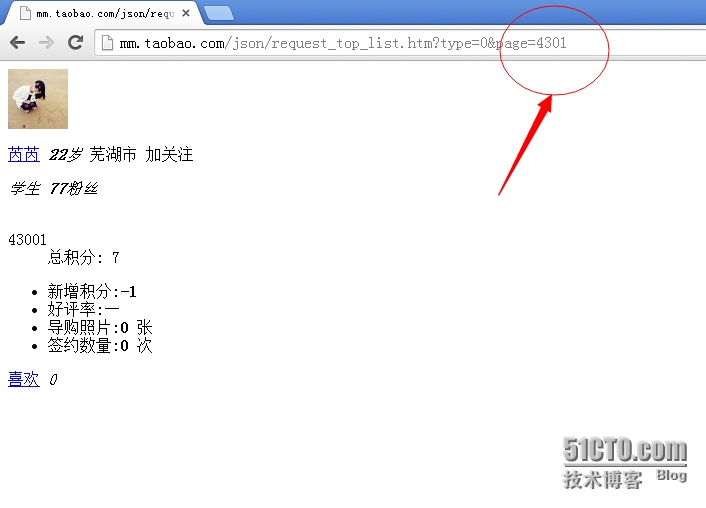
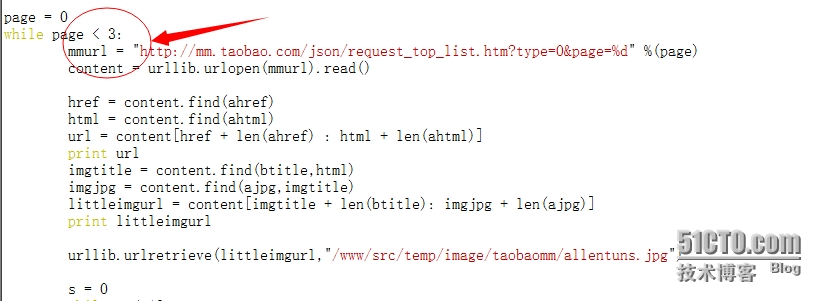
第一步:大约共有4300个下一页。
第二步:一个页面上有10个个人头像
第三步:一个头像内大约有100张左右的个人图片
指定的淘宝mm的url为:http://mm.taobao.com/json/request_top_list.htm?type=0&page=1
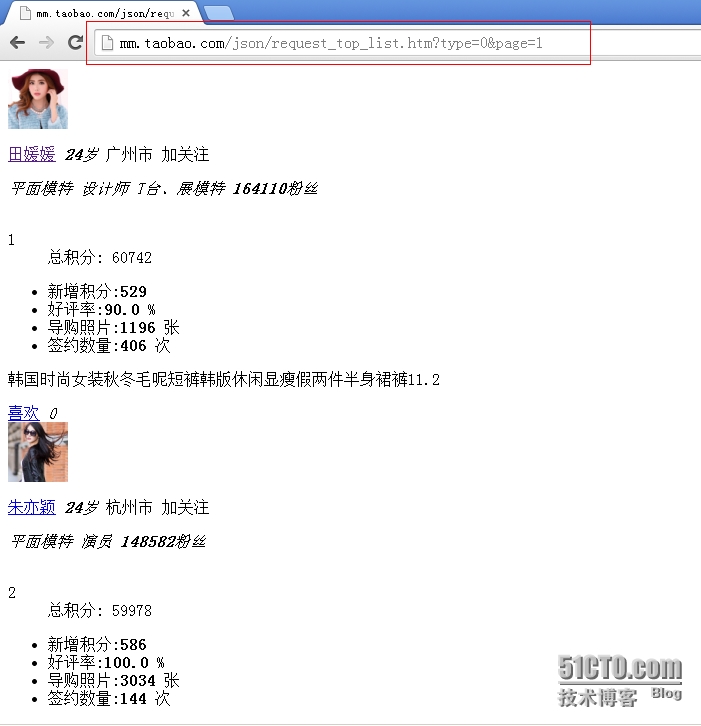
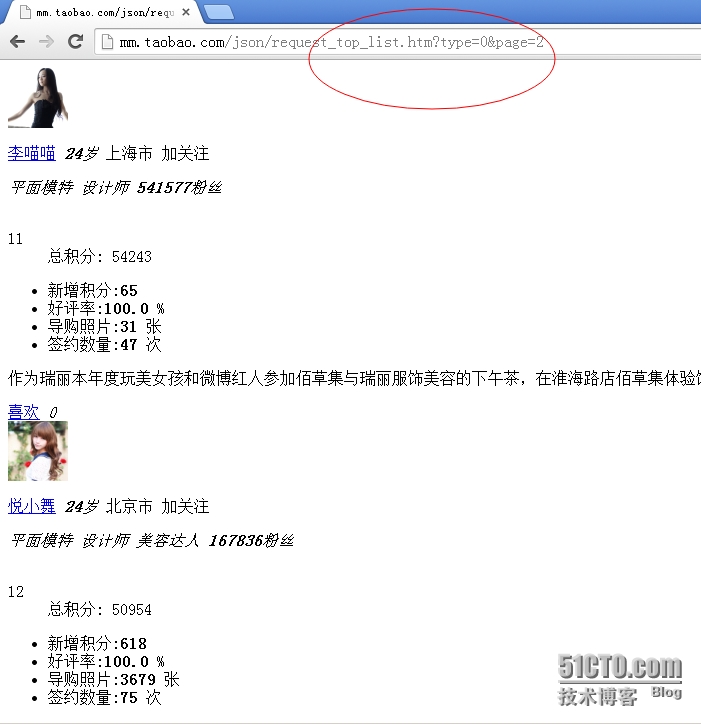
这个页面默认是没有下一页按钮的,我们可以通过修改其url地址来进行查看下一个页面
最后一页的url地址和页面展示如下图所示:
点击任意一个头像来进入个人的主页,如下图

3、定制的脚本
|
1
2
3
4
5
6
7
8
9
10
11
12
13
14
15
16
17
18
19
20
21
22
23
24
25
26
27
28
29
30
31
32
33
34
35
36
37
38
39
40
41
42
43
44
45
46
47
48
49
50
51
52
53
54
55
56
57
58
59
60
61
62
63
64
65
66
67
68
69
70
71
72
73
74
75
76
77
78
79
80
81
82
83
84
85
86
87
88
89
|
#!/usr/bin/env python#coding:utf-8#Author:Allentuns#Email:zhengyansheng@hytyi.comimport urllibimport osimport sysimport timeahref = '<a href="'ahrefs = '<a href="h'ahtml = ".htm"atitle = "<img style"ajpg = ".jpg"btitle = '<img src="'page = 0while page < 4300: #这个地方可以修改;最大值为4300,我测试的时候写的是3. mmurl = "http://mm.taobao.com/json/request_top_list.htm?type=0&page=%d" %(page) content = urllib.urlopen(mmurl).read() href = content.find(ahref) html = content.find(ahtml) url = content[href + len(ahref) : html + len(ahtml)] print url imgtitle = content.find(btitle,html) imgjpg = content.find(ajpg,imgtitle) littleimgurl = content[imgtitle + len(btitle): imgjpg + len(ajpg)] print littleimgurl urllib.urlretrieve(littleimgurl,"/www/src/temp/image/taobaomm/allentuns.jpg") s = 0 while s < 18: href = content.find(ahrefs,html) html = content.find(ahtml,href) url = content[href + len(ahref): html + len(ajpg)] print s,url imgtitle = content.find(btitle,html) imgjpg = content.find(ajpg,imgtitle) littleimgurl = content[imgtitle : imgjpg + len(ajpg)] littlesrc = littleimgurl.find("src") tureimgurl = littleimgurl[littlesrc + 5:] print s,tureimgurl if url.find("photo") == -1: content01 = urllib.urlopen(url).read() imgtitle = content01.find(atitle) imgjpg = content01.find(ajpg,imgtitle) littleimgurl = content01[imgtitle : imgjpg + len(ajpg)] littlesrc = littleimgurl.find("src") tureimgurl = littleimgurl[littlesrc + 5:] print tureimgurl imgcount = content01.count(atitle) i = 20 try: while i < imgcount: content01 = urllib.urlopen(url).read() imgtitle = content01.find(atitle,imgjpg) imgjpg = content01.find(ajpg,imgtitle) littleimgurl = content01[imgtitle : imgjpg + len(ajpg)] littlesrc = littleimgurl.find("src") tureimgurl = littleimgurl[littlesrc + 5:] print i,tureimgurl time.sleep(1) if tureimgurl.count("<") == 0: imgname = tureimgurl[tureimgurl.index("T"):] urllib.urlretrieve(tureimgurl,"/www/src/temp/image/taobaomm/%s-%s" %(page,imgname)) else: pass i += 1 except IOError: print '/nWhy did you do an EOF on me?' break except: print '/nSome error/exception occurred.' s += 1 else: print "---------------{< 20;1 page hava 10 htm and pic }-------------------------}" page = page + 1 print "****************%s page*******************************" %(page)else: print "Download Finshed." |
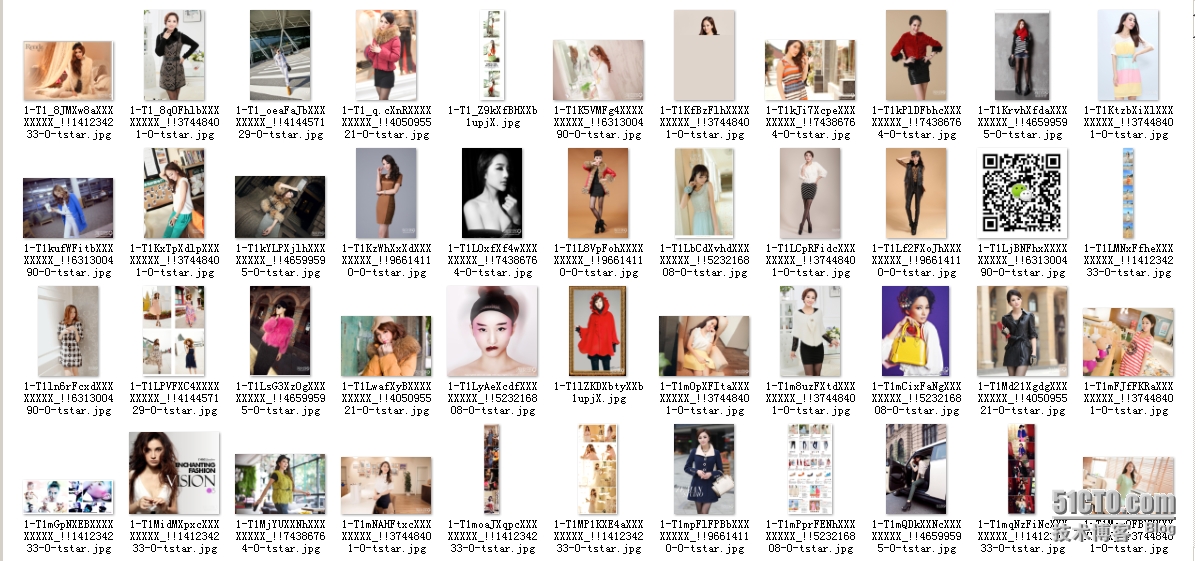
4、图片展示(部分图片)
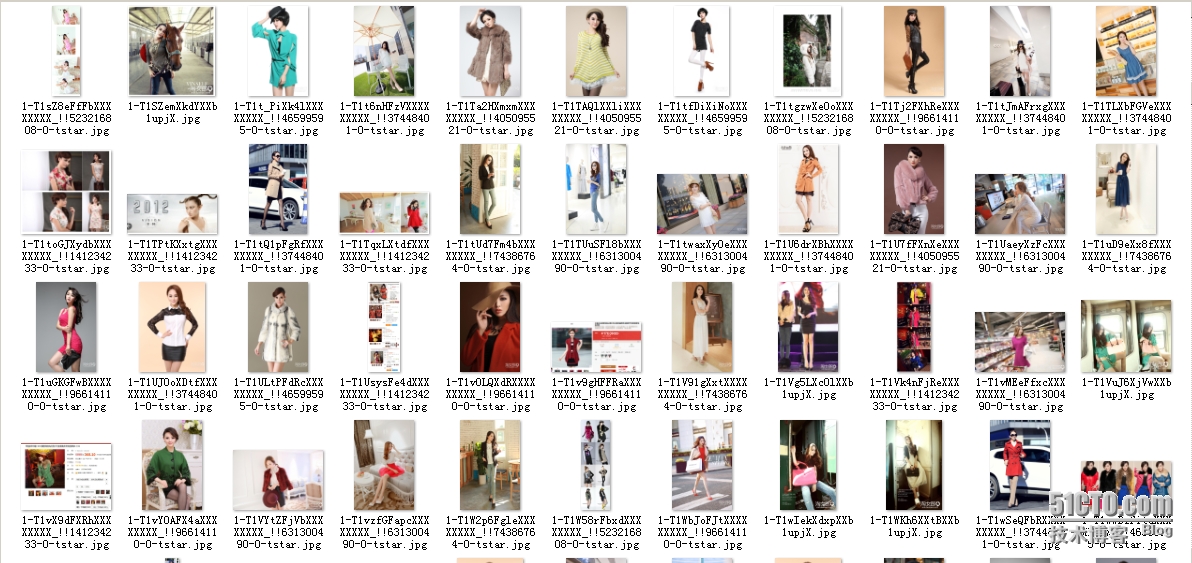
5、查看下载的图片数量
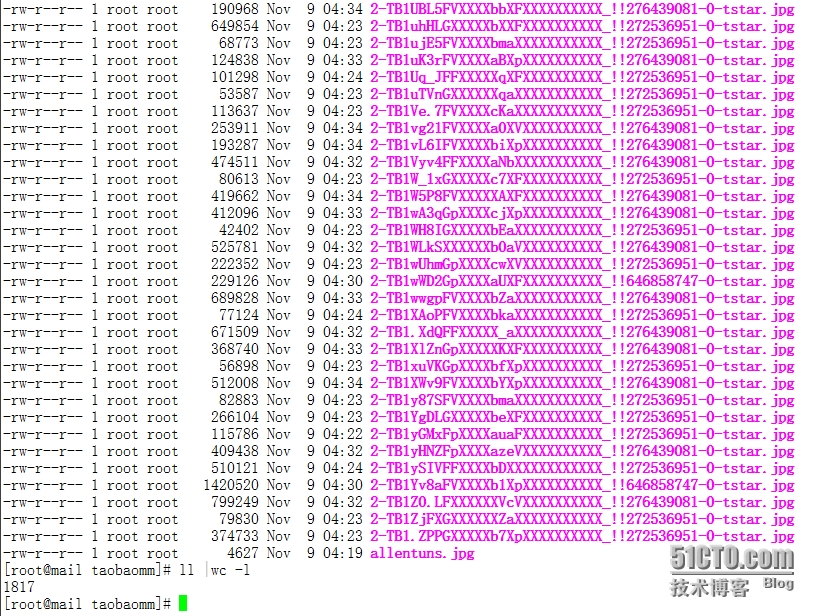
二、爬虫2
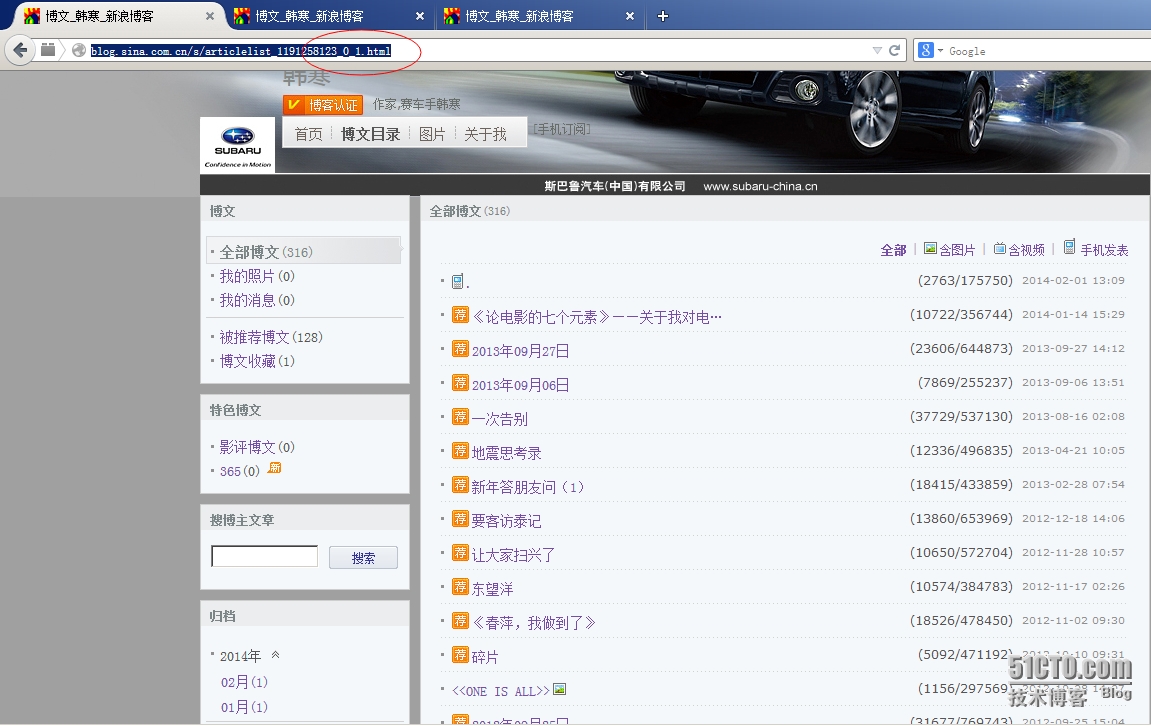
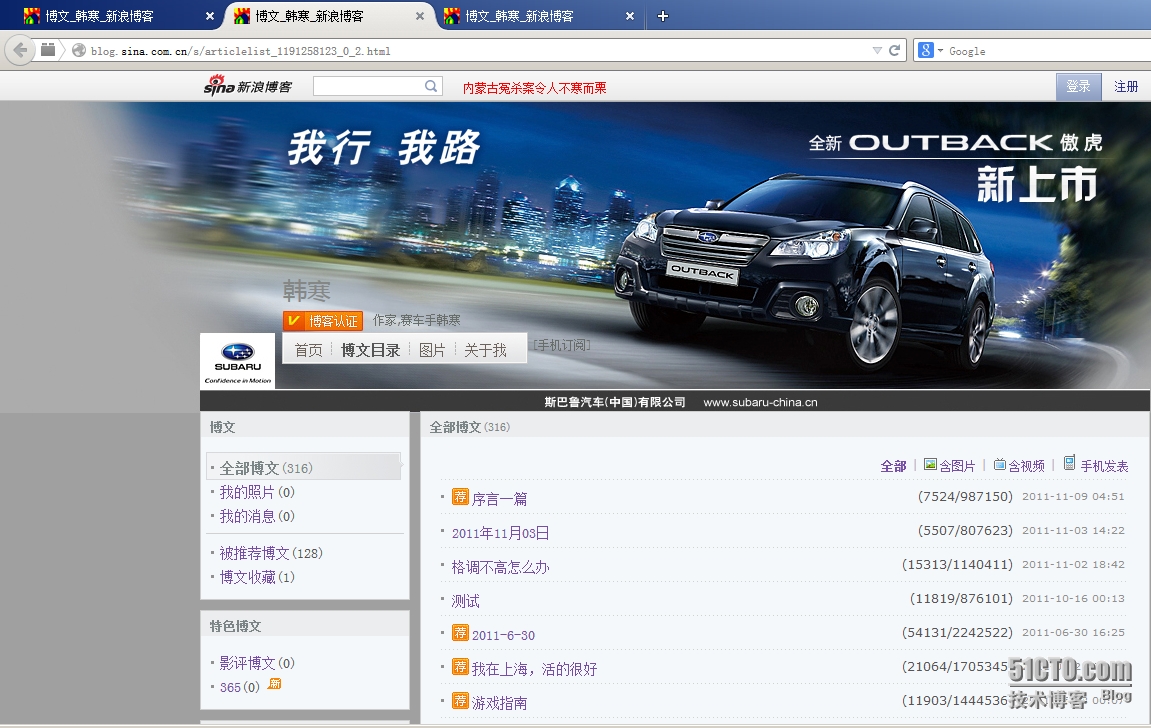
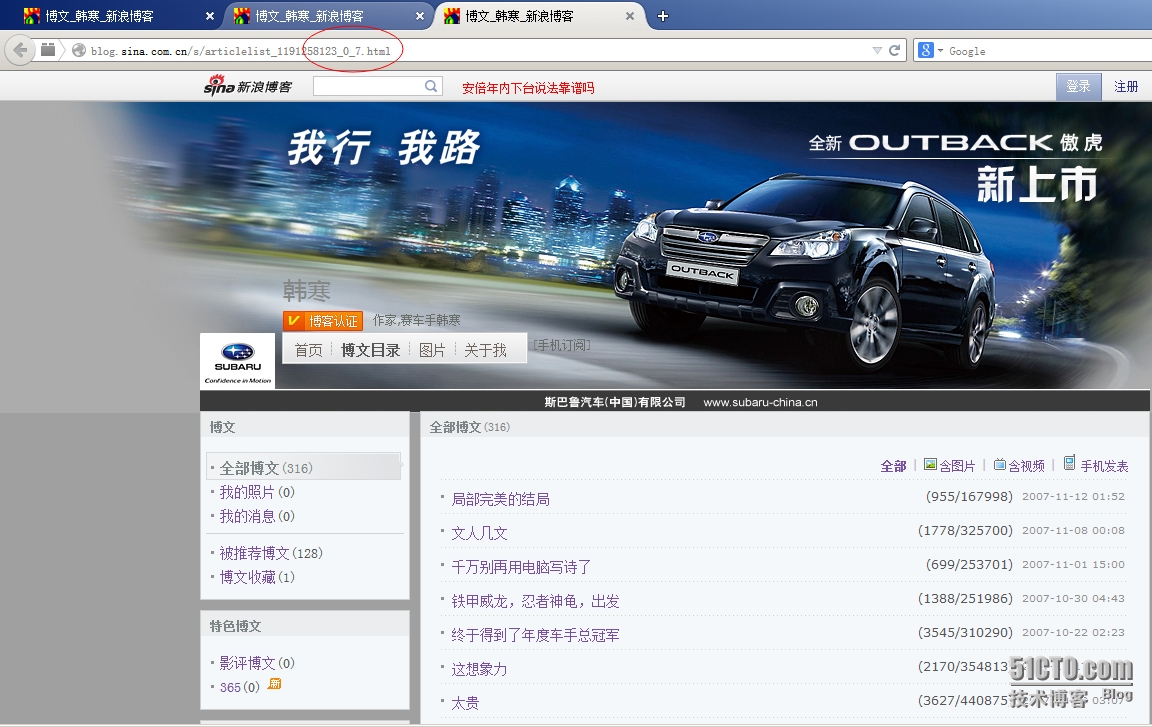
1、首先来分析url
第一步:总共有7个页面;
第二步:每个页面有20篇文章
第三步:查看后总共有317篇文章
2、python脚本
脚本的功能:通过给定的url来将这片博客里面的所有文章下载到本地
|
1
2
3
4
5
6
7
8
9
10
11
12
13
14
15
16
17
18
19
20
21
22
23
24
25
26
27
28
29
30
31
32
33
34
35
36
37
38
39
40
41
42
43
44
45
46
47
48
49
50
51
52
53
54
55
56
57
58
59
60
61
62
|
#!/usr/bin/env python#coding: utf-8import urllibimport timelist00 = []i = j = 0page = 1while page < 8: str = "http://blog.sina.com.cn/s/articlelist_1191258123_0_%d.html" %(page) content = urllib.urlopen(str).read() title = content.find(r"<a title") href = content.find(r"href=",title) html = content.find(r".html",href) url = content[href + 6:html + 5] urlfilename = url[-26:] list00.append(url) print i, url while title != -1 and href != -1 and html != -1 and i < 350: title = content.find(r"<a title",html) href = content.find(r"href=",title) html = content.find(r".html",href) url = content[href + 6:html + 5] urlfilename = url[-26:] list00.append(url) i = i + 1 print i, url else: print "Link address Finshed." print "This is %s page" %(page) page = page + 1else: print "spage=",list00[50] print list00[:51] print list00.count("") print "All links address Finshed."x = list00.count('')a = 0while a < x: y1 = list00.index('') list00.pop(y1) print a a = a + 1print list00.count('')listcount = len(list00)while j < listcount: content = urllib.urlopen(list00[j]).read() open(r"/tmp/hanhan/"+list00[j][-26:],'a+').write(content) print "%2s is finshed." %(j) j = j + 1 #time.sleep(1)else: print "Write to file End." |
3、下载文章后的截图
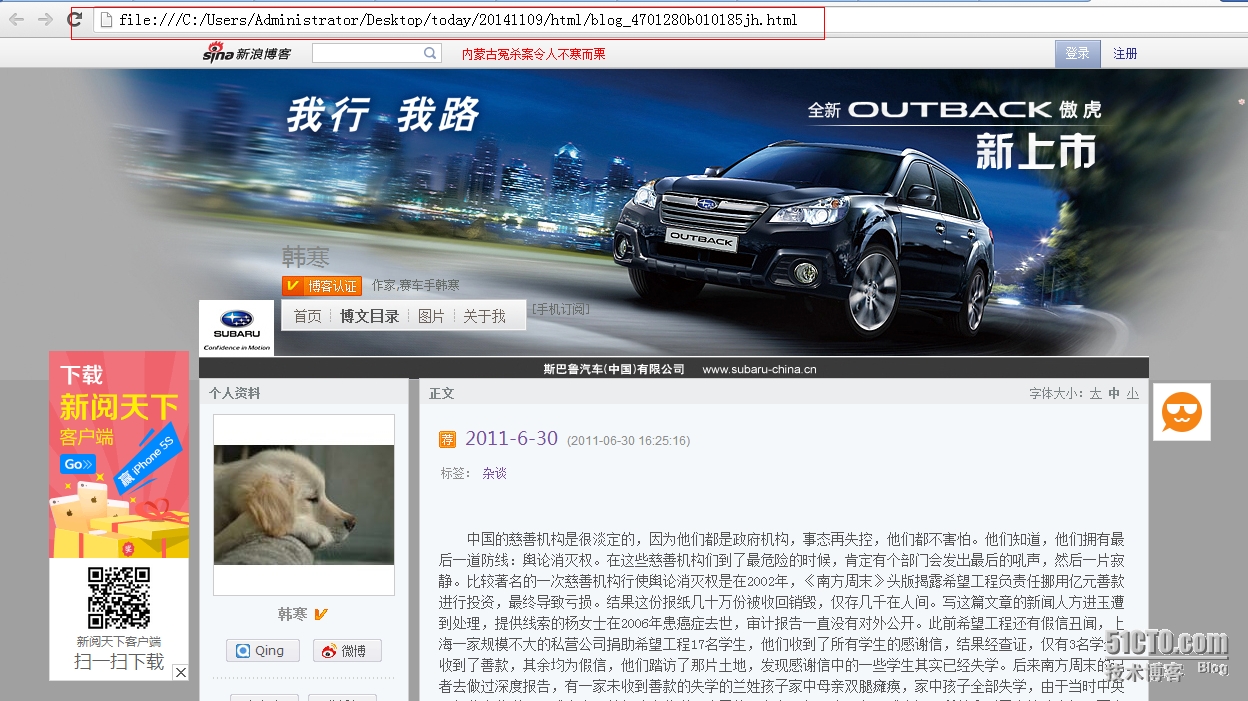
 4、从linux下载到windows本地,然后打开查看;如下截图
python之网络爬虫的更多相关文章
- 读书笔记汇总 --- 用Python写网络爬虫
本系列记录并分享:学习利用Python写网络爬虫的过程. 书目信息 Link 书名: 用Python写网络爬虫 作者: [澳]理查德 劳森(Richard Lawson) 原版名称: web scra ...
- Python即时网络爬虫项目启动说明
作为酷爱编程的老程序员,实在按耐不下这个冲动,Python真的是太火了,不断撩拨我的心. 我是对Python存有戒备之心的,想当年我基于Drupal做的系统,使用php语言,当语言升级了,推翻了老版本 ...
- Python即时网络爬虫项目: 内容提取器的定义(Python2.7版本)
1. 项目背景 在Python即时网络爬虫项目启动说明中我们讨论一个数字:程序员浪费在调测内容提取规则上的时间太多了(见上图),从而我们发起了这个项目,把程序员从繁琐的调测规则中解放出来,投入到更高端 ...
- Python即时网络爬虫项目: 内容提取器的定义
1. 项目背景 在python 即时网络爬虫项目启动说明中我们讨论一个数字:程序员浪费在调测内容提取规则上的时间,从而我们发起了这个项目,把程序员从繁琐的调测规则中解放出来,投入到更高端的数据处理工作 ...
- Python即时网络爬虫:API说明
API说明——下载gsExtractor内容提取器 1,接口名称 下载内容提取器 2,接口说明 如果您想编写一个网络爬虫程序,您会发现大部分时间耗费在调测网页内容提取规则上,不讲正则表达式的语法如何怪 ...
- Python学习网络爬虫--转
原文地址:https://github.com/lining0806/PythonSpiderNotes Python学习网络爬虫主要分3个大的版块:抓取,分析,存储 另外,比较常用的爬虫框架Scra ...
- Python 3网络爬虫开发实战》中文PDF+源代码+书籍软件包
Python 3网络爬虫开发实战>中文PDF+源代码+书籍软件包 下载:正在上传请稍后... 本书书籍软件包为本人原创,在这个时间就是金钱的时代,有些软件下起来是很麻烦的,真的可以为你们节省很多 ...
- Python 3网络爬虫开发实战中文 书籍软件包(原创)
Python 3网络爬虫开发实战中文 书籍软件包(原创) 本书书籍软件包为本人原创,想学爬虫的朋友你们的福利来了.软件包包含了该书籍所需的所有软件. 因为软件导致这个文件比较大,所以百度网盘没有加速的 ...
- Python 3网络爬虫开发实战中文PDF+源代码+书籍软件包(免费赠送)+崔庆才
Python 3网络爬虫开发实战中文PDF+源代码+书籍软件包+崔庆才 下载: 链接:https://pan.baidu.com/s/1H-VrvrT7wE9-CW2Dy2p0qA 提取码:35go ...
- 《Python 3网络爬虫开发实战中文》超清PDF+源代码+书籍软件包
<Python 3网络爬虫开发实战中文>PDF+源代码+书籍软件包 下载: 链接:https://pan.baidu.com/s/18yqCr7i9x_vTazuMPzL23Q 提取码:i ...
随机推荐
- 在eclipse中安装freemarker插件及html使用freemarker编辑器
freemarker模板文件使用jboss tools下提供的FreeMarker IDE,在线安装的方法是:Help –> Install New Software 点击and,再出来的对话框 ...
- Web端测试和移动端测试的区别
1.记录bug 在Web端可以通过系统自带的截图和QQ截图等方式来截取bug的图片,对于错误的地方可以用工具自带的标识来重点标记. 对于移动端设备可以用手机自带的截图工具来截图然后传到电脑上,个人一般 ...
- Maven之打包时配置文件替换
在JavaWeb项目中,使用maven打包.在打正式包时,需要手动修改数据库配置为线上环境的地址,这样每次修改起来比较麻烦. 搜索了一些资料后,大部分的做法或原理都是预先使用表达式占位符,然后在打包时 ...
- android: 使用 IntentService
9.5.2 使用 IntentService 话说回来,在本章一开始的时候我们就已经知道,服务中的代码都是默认运行在主线程 当中的,如果直接在服务里去处理一些耗时的逻辑,就很容易出现 ANR(Appl ...
- delegate 集成在类中,还是单独写在.h文件中?
转:http://stackoverflow.com/questions/11382057/declaring-a-delegate-protocol There definitely are sub ...
- LPC4370 ACDHS speed and DMA
LPC4370 ACDHS speed AHB clock BASE_M4_CLK CLK_M4_ADCHS up to 204 MHz. For register interface. ADCHS ...
- 多看Kindle的“导出失败,请检查网络或账号”错误的解决
一直都用得好好的,今天突然不行了,报错“导出失败,请检查网络或账号”. 网上搜索,试了一下这个方法: 我目前的解决办法是:先同步至小米账户(需要联网,并在Kindle系统设置 -> 阅读 -&g ...
- Swift入门篇-集合
一:数组 一:可变数组 定义:数组使用有序列表存储相同类型的多重数据. 格式: 第一种格式 var 变量: 类型[] = [变量值,变量值,...] 第二种格式 var 变量 =[变量值,变量值,.. ...
- [ay原创作品]用wpf写了个模仿36Kr网站登录背景的效果
这里我借鉴了,上周比较火的一个前端文章,人家用js去写的,地址 自己用wpf也写了一个,但是它的 粒子比较,然后连线算法真的很差,他创建了一个加入鼠标点的集合,2个集合进行比较,并且粒子会向鼠标靠近 ...
- jsnop
<script src="http://libs.baidu.com/jquery/1.6.1/jquery.min.js"></script> <d ...