
ext图片预览功能实现,前端代码
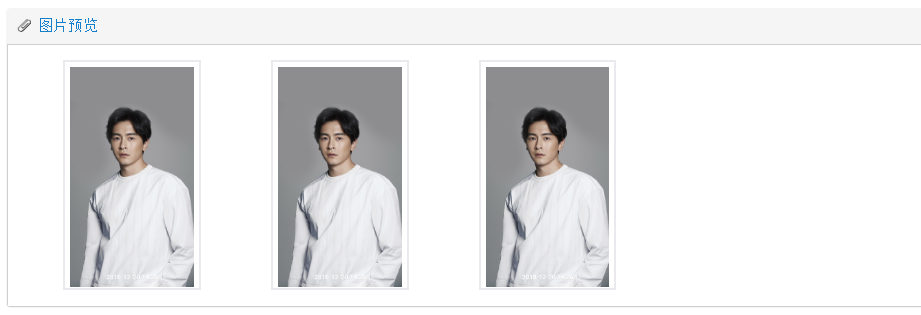
效果图:
extjs代码:
// 模型

Ext.define('ParkingAttachment', {extend: "Ext.data.Model",

    idProperty: 'id',

    fields:[

        {name:'id'},

        {name:'parkingId'},

        {name:'attachment'},

        {name:'attachmentName'},

        {name:'attachmentUrl'}

    ]

});

// 存储

var parkingAttachmentStore = Ext.create('Ext.data.Store', {

    model: 'ParkingAttachment',

    autoLoad: true,

    proxy: {

        type: 'ajax',

        actionMethods: {

            read: "POST"

        },

        url: securedroot + 'squadron/getParkingAttachment',

        reader: {

            type: 'json'

        }

    }

});

// 面板

var attachmentPanel = Ext.create('Ext.Panel', {

        id: 'images-view',

        iconCls: 'silk-attach',

        autoScroll: true,

        frame: true,

        margin: '-5 20 5 10',

        height: 300,

        title: '图片预览',

        items: Ext.create('Ext.view.View', {

            store: parkingAttachmentStore,

            margin: '5 20 5 20',

            tpl: [

                '<tpl for=".">',

                '<div class="thumb-wrap x-view-item-focused" id="{attachmentName}" style="height: 230px; margin:10px 35px 10px 35px;cursor:pointer;>',

                '<div class="thumb"><img style="max-height: 220px;max-width: 275px;vertical-align:middle;" src="' + ORCH_SYSCONTANT.FILE_VIEW_URI + '{attachmentUrl}" title="{attachmentName}"></div>',

                '</div>',

                '</tpl>',

                '<div class="x-clear"></div>'

            ],

            multiSelect: false,

            trackOver: true,

            itemSelector: 'div.thumb-wrap',

            emptyText: '没有图片显示',

            plugins: [

                Ext.create('Ext.ux.DataView.DragSelector', {})

            ],

            prepareData: function (data) {

                Ext.apply(data, {

                    shortName: Ext.util.Format.ellipsis(data.attachmentName, 15),

                });

                return data;

            },

            listeners: {

                itemclick: function (dv, nodes) {

                    var url = nodes.data.attachmentUrl;

                    window.open(ORCH_SYSCONTANT.FILE_VIEW_URI + url);

                }

            }

        })

    });
以下是上述代码中用到的变量:
// 国际化:

FILE_VIEW_URI:  'http://10.10.1.212:5980/sitefiles/lhzhzfpro/zf/file/'


// CSS样式

.thumb {

    background-color: #ffffff;

    border-radius: 3px;

    box-shadow: 0 1px 1px 0 rgba(0, 0, 0, 0.1);

    margin-top: 30px;

    padding-bottom: 10px;

    padding-left: 10px;

    padding-right: 10px;

    padding-top: 10px;

    width: 100%;

}

#images-view .thumb-wrap {

    border: 2px solid #EAEAEE;

    float: left;

    margin-right:;

    padding: 5px;

    height: 120px;

}

.x-view-item-focused {

    outline: 1px dashed #c0d4ed!important;

    outline-offset: -1px;

}
ext图片预览功能实现,前端代码的更多相关文章
- 如何通过js实现图片预览功能
一.效果预览 效果图: 二.实现代码: <!DOCTYPE html PUBLIC "-//W3C//DTD XHTML 1.0 Transitional//EN" &quo ...
- 原生JS实现图片预览功能
html代码: <div class="album-new fr"> <div class="upload-btn btn-new container& ...
- 原生js实现ajax的文件异步提交功能、图片预览功能.实例
采用html5使得选择图片改变时,预览框中图片随之改变.input文件选择框美化.原生js完成文件异步提交 效果图: 代码如下,可直接复制并保存为html文件打开查看效果 <html> & ...
- HTML5实现图片预览功能
两种方式实现 URL FileReader Index.jsp文件 <%@page contentType="text/html" pageEncoding="UT ...
- H5图片预览功能
<html> <head> <meta http-equiv="Content-Type" content="text/html; char ...
- JavaScript图片上传前的图片预览功能
JS代码: //js本地图片预览,兼容ie[6-9].火狐.Chrome17+.Opera11+.Maxthon3 function PreviewImage(fileObj, imgPreviewI ...
- 34)django-上传文件,图片预览功能实现
目录 文件上传 1)form表单提交上传(会刷新) 2)ajax上传 3)iframe 4)图片上传预览(思路保存文件的时候,把文件保存文件的路径反馈回,客户端 ...
- 自定义type为file型input控件+该控件具有本地图片预览功能
最近的一个项目需求是写一个type为filex型的input控件,这个控件: 第一,要自定义样式: 第二,要能直接在本地预览上传的图片: 第三,要能检测图片的尺寸是否符合要求. 故综合网上的资源写了下 ...
- html页面选择图片上传时实现图片预览功能
实现效果如下图所示 只需要将下面的html部分的代码放入你的代码即可 (注意引入jQuery文件和html头部的css样式,使用的是ajax提交) <!-- 需引入jQuery 引入样式文件 引 ...
随机推荐
- [Swift]LeetCode199. 二叉树的右视图 | Binary Tree Right Side View
Given a binary tree, imagine yourself standing on the right side of it, return the values of the nod ...
- [Swift]LeetCode276. 粉刷栅栏 $ Paint Fence
There is a fence with n posts, each post can be painted with one of the k colors. You have to paint ...
- [Swift]LeetCode519. 随机翻转矩阵 | Random Flip Matrix
You are given the number of rows n_rows and number of columns n_cols of a 2D binary matrix where all ...
- [Swift]LeetCode902. 最大为 N 的数字组合 | Numbers At Most N Given Digit Set
We have a sorted set of digits D, a non-empty subset of {'1','2','3','4','5','6','7','8','9'}. (Not ...
- MySQL面试必考知识点:揭秘亿级高并发数据库调优与最佳实践法则
做业务,要懂基本的SQL语句: 做性能优化,要懂索引,懂引擎: 做分库分表,要懂主从,懂读写分离... 数据库的使用,是开发人员的基本功,对它掌握越清晰越深入,你能做的事情就越多. 今天我们用10分钟 ...
- scala的break和continue
scala 是没有 continue 的,但是包含 break,可以用 break 构造出 continue 的效果 这里用到了库: import scala.util.control.Breaks. ...
- CDN边缘节点容器调度实践(下)
5月27日,OSC 源创会在上海成功举办.又拍云系统开发高级工程师黄励博在大会分享了<CDN 边缘节点容器调度的实践>.主要介绍又拍云自主开发的边缘节点容器调度方案,从 0 到 1 ,实现 ...
- 【转】msfvenom使用指南
msfvenom命令行选项如下: Options: -p, --payload <payload> 指定需要使用的payload(攻击荷载).如果需要使用自定义的payload,请使用'- ...
- Spring Boot Cache配置 序列化成JSON字符串
当我们使用@Cacheable注解的时候会将返回的对象缓存起来,我们会发现默认缓存的值是二进制的,不方便查看,为此我们自定义序列化配置,改成JSON格式的 配置如下: pom.xml <?xml ...
- C++中的to_string()函数[C++11支持]
C++ -> 字符串库 -> std::basic_string 定义于头文件 std::string to_string(int value); (1) (C++11起) std::st ...