
Create side-by-side stereo pairs in the Unity game engine
Create side-by-side stereo pairs in the Unity game engine
Paul Bourke
December 2008
Sample Island project: Island_stereo.zip
See also: Using Unity in the iDome
In the following I will outline one way of creating stereo pairs within the Unity game engine. Since Unity does not support quad buffer stereo (also known as frame sequential stereo) the approach here is suited to dual projector stereoscopic projection, most commonly this would be a polaroid or Infitec based stereoscopic systems. The technique outlined below involves parallel cameras (as opposed to toe-in) and as such creates optimal stereo pairs without vertical parallax.
The reader is assumed to be moderately familiar with Unity3D, screen shots are provided along with each step discussed. The reader is also assumed to be familiar with the basic theory required to generate "easy on the eye" stereoscopic pairs, this includes the relationship between eye separation and the distance to zero parallax. The method here requires render to texture and as such Unity-Pro is required. The example adds stereoscopic support to the demo environment that ships with Unity.
The first step is to create two cameras, one for each eye. In the following, one of the cameras of the standard first person controller is duplicated. Each camera is offset horizontally about the central position of the original camera (in this case by +-0.03 units). Two render textures are created and the cameras set to render to each one. The stereo projection system is XGA (1024x768) so 1K render textures are adequate. An open question is what eye/camera separation to use. For strictly correct stereoscopic projection a knowledge of the viewing screen is required, for this more casual setup one commonly used strategy is to choose a zero parallax distance that is equal to the distance of the camera to the ground. The eye separation then is typically (a common standard) 1/30 of this zero parallax distance. In order to give the most realistic sense of depth the field of view of the two game controller cameras should be close to the field of view of the players eyes to the bounds of the real stereoscopic display.
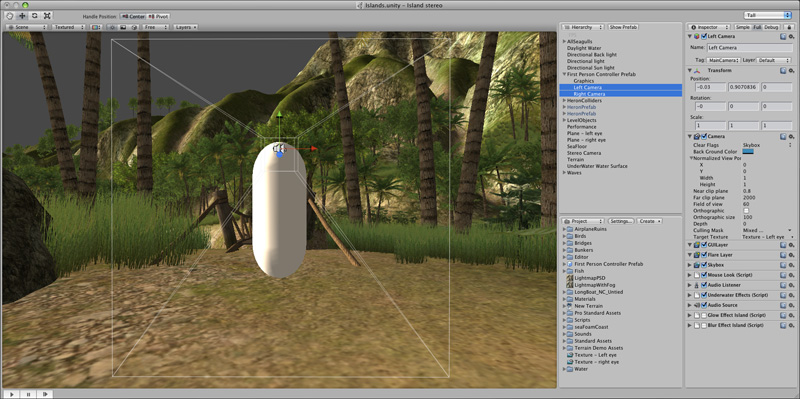
Click on any of the images for a larger version
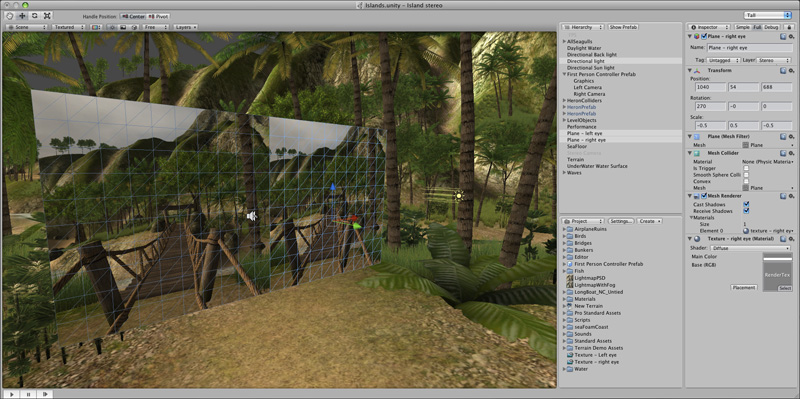
The two render textures are applied to side by side square planes. These are both placed on a separate layer so they can be precluded from the first person controller cameras, and can have independent lighting applied. While not strictly necessary, a parallel light is also applied to the "stereo" layer, this provides additional control over brightness and even can apply colour (mood) effects.
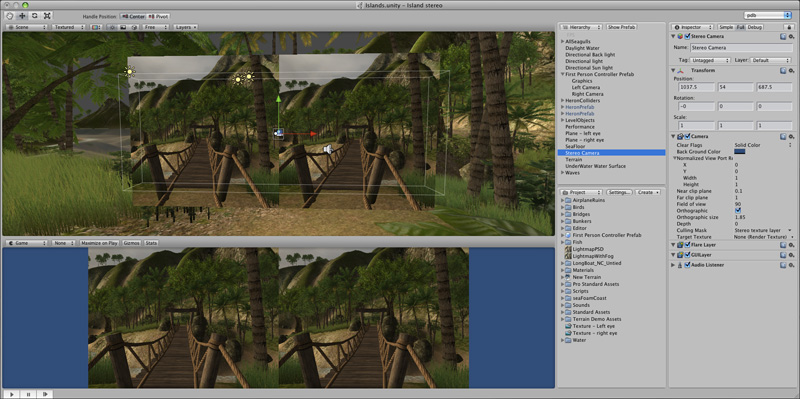
Finally an orthographic camera is positioned centered on the two render texture planes. It is set to cull all layers except the stereo layer. The zero parallax is controlled by trimming columns from the left of the left image and off the right of the right image, this is described here. This trimming is controlled by the "orthographic size". However, the relationship between the player window aspect ratio and the correct orthographic size (for a particular zero parallax distance) is somewhat convoluted due to some "magic" in the choices made by Unity. The solution is simply to place an object like a small sphere temporarily in front of the camera rig at the desired zero parallax distance and adjust the orthographic size until it is indeed appears to be at zero parallax. Note that the game window below is not filled with the stereo pairs, this is because it doesn't have the right aspect ratio of 8:3 (2048x768).
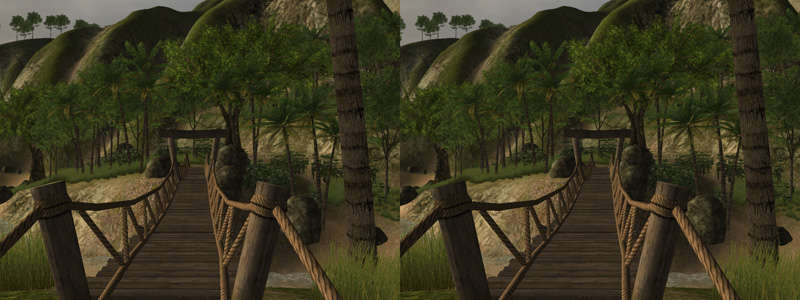
The following shows the left and right image side by side. The left hand image is sent to the left eye projector and the right hand image sent to the right eye projector. In this case the splitting effect is accomplished by using the Matrox dualhead2go cards to give the desired 2048x768 pixel buffer.
The two images overlaid with 50% transparency shows how the parallax increases with distance and the front posts are at the intended zero parallax distance, and there is no vertical parallax.
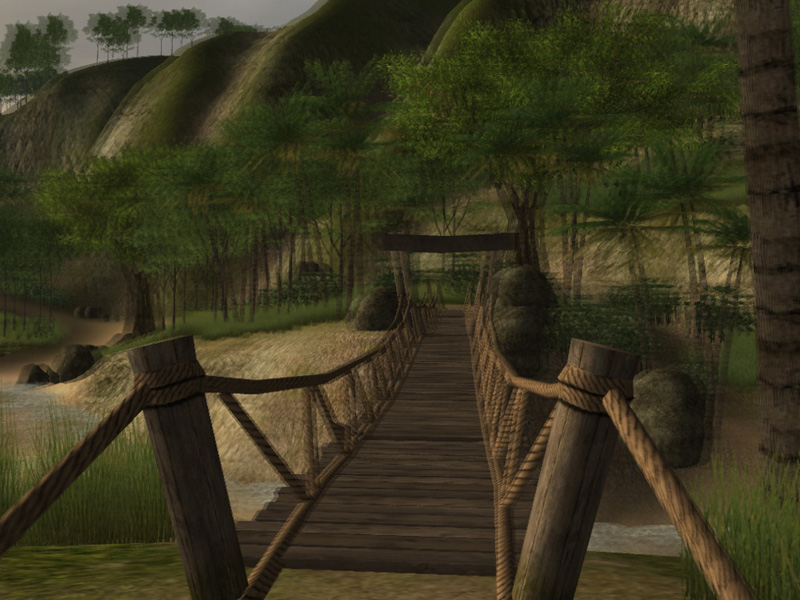
In order to avoid excessive negative parallax for objects that approach the cameras one may choose to increase the front cutting plane of the two controller cameras to be some reasonable fraction of the zero parallax distance. This depends on the ghosting of the projection system, for polaroid systems this cutting plane may conservatively be set to 1/2 the zero parallax distance, this ensures that the maximum negative parallax equals the maximum positive parallax. For lower ghosting systems such as Infitec the cutting planes can be set closer to the camera.
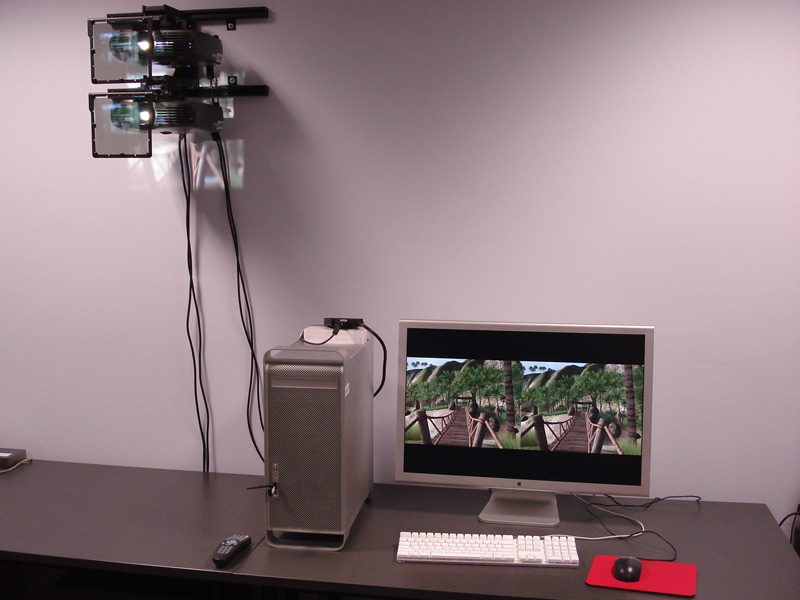
The authors stereoscopic viewing system, rear projection linear polaroid.
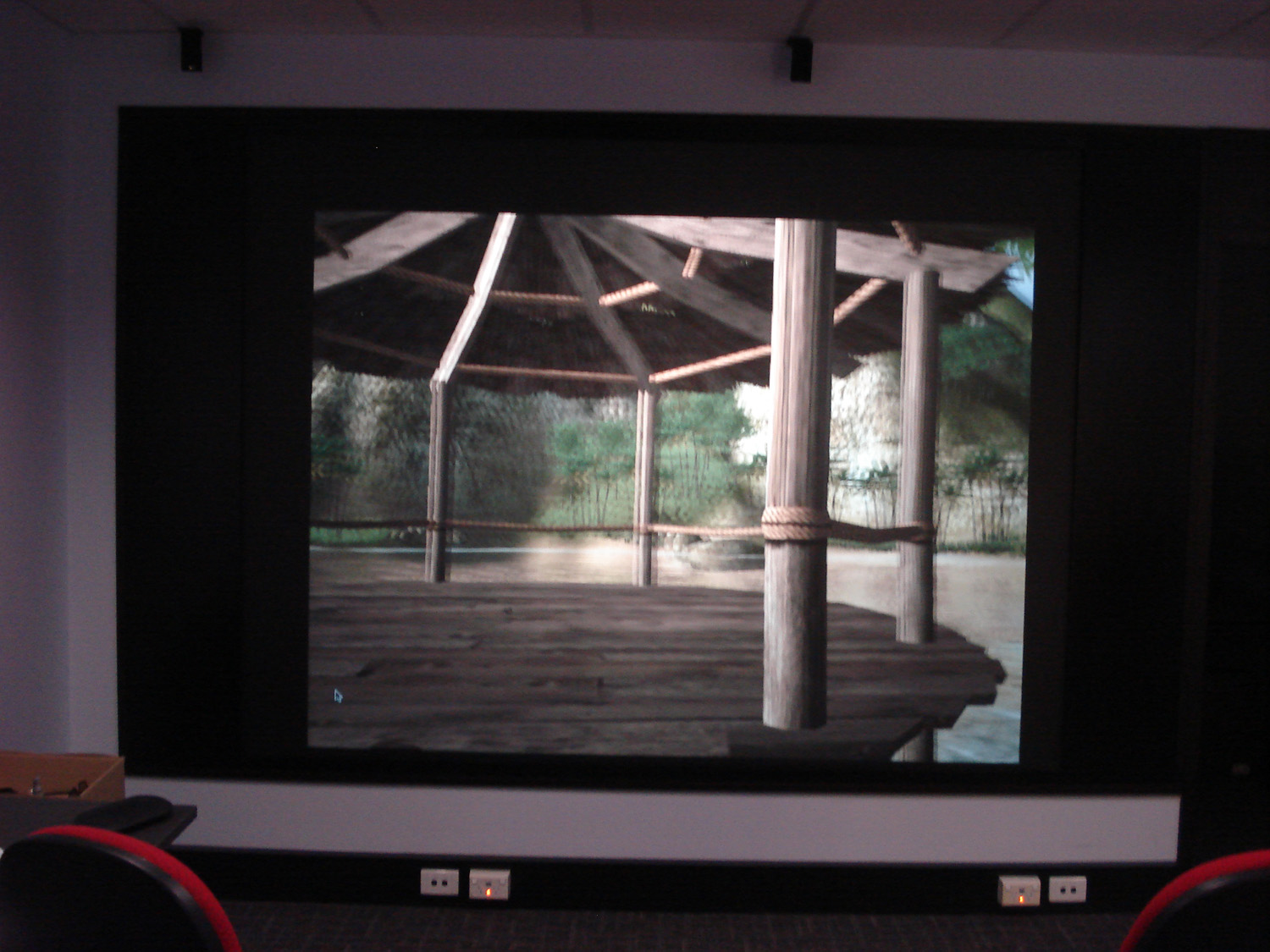
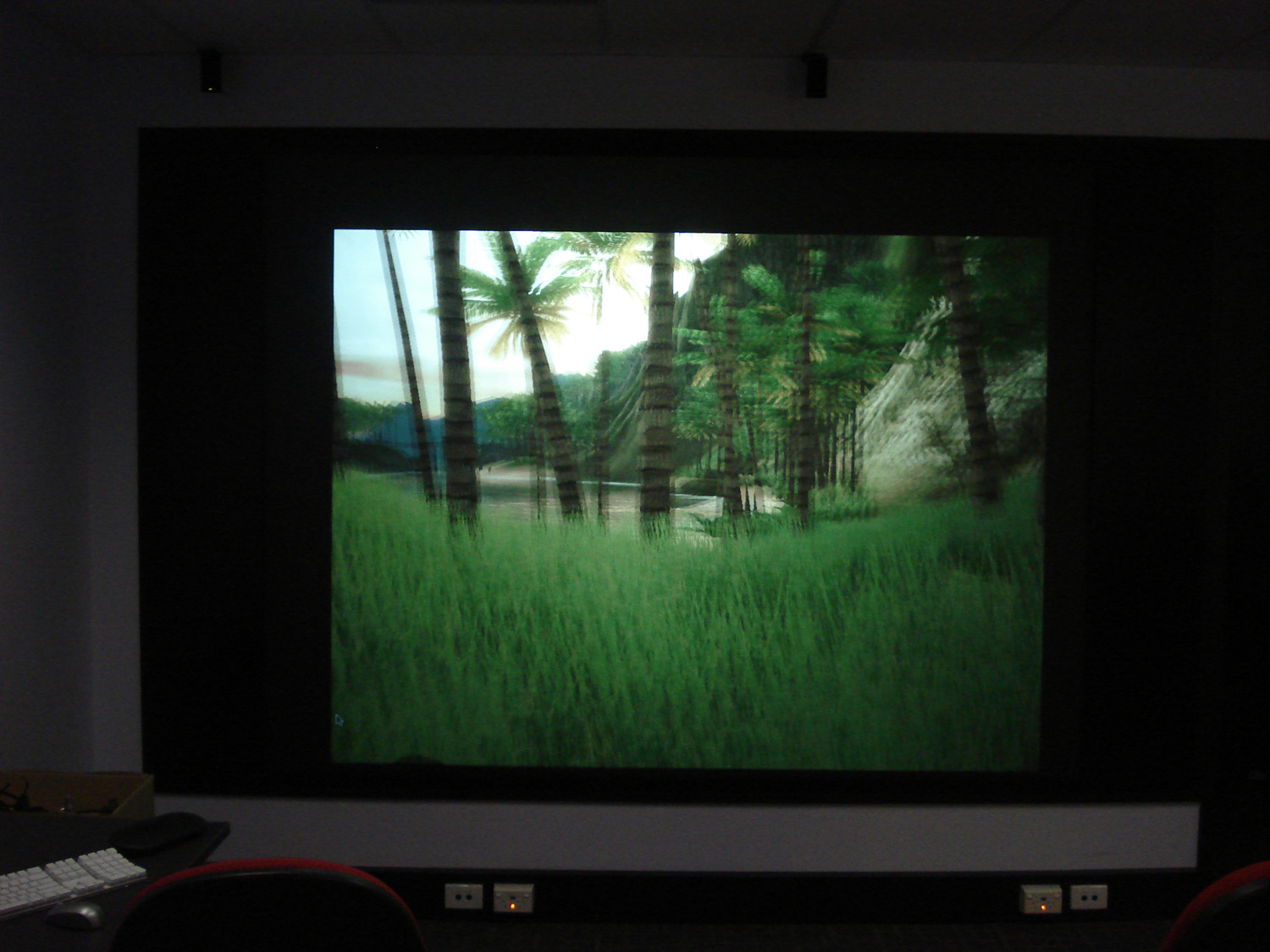
Photographs of the display.
 |
 |
Create side-by-side stereo pairs in the Unity game engine的更多相关文章
- Calculating Stereo Pairs
Calculating Stereo Pairs Written by Paul BourkeJuly 1999 Introduction The following discusses comput ...
- CREATE A ENERGY / HEALTH BAR HUD
Now then, let's get started. 1. Open the Play scene which you had created in the previous post. If y ...
- 13.1.17 CREATE TABLE Syntax
13.1.17 CREATE TABLE Syntax 13.1.17.1 CREATE TABLE ... LIKE Syntax 13.1.17.2 CREATE TABLE ... SELECT ...
- MySQL create table 语法
MySQL中create table语句的基本语法是: CREATE [TEMPORARY] TABLE [IF NOT EXISTS] tbl_name [(create_definitio ...
- (转) Awesome Deep Learning
Awesome Deep Learning Table of Contents Free Online Books Courses Videos and Lectures Papers Tutori ...
- 计算机视觉code与软件
Research Code A rational methodology for lossy compression - REWIC is a software-based implementatio ...
- What are some good books/papers for learning deep learning?
What's the most effective way to get started with deep learning? 29 Answers Yoshua Bengio, ...
- Halcon四 双目视觉的标定
原文作者写的一系列博客,挺不错的学习halcon:http://blog.sina.com.cn/s/blog_442bfe0e0100yjtn.html 1.get_image_pointer1(I ...
- Computer Generated Angular Fisheye Projections [转]
Computer GeneratedAngular Fisheye Projections Written by Paul Bourke May 2001 There are two main ide ...
随机推荐
- CSS3中box-sizing的理解
box-sizing属性可以为三个值之一:content-box(默认),border-box,padding-box,inherit(继承父级box-sizing 属性的值.) content-bo ...
- xml 配置文件规范 校验
背景:做的数据同步框架,数据同步种类通过xml配置文件添加.为了系统的稳定性,我们只能认为将来写这个运行配置xml的人是一个傻瓜,那么对xml格式校验就很重要. 通过dom4j,是可以完成对xml格式 ...
- Java位运算经典实例
一 源码.反码.补码 正数的源码.反码.补码相同,例如5: 5的源码:101 5的反码:101 5的补码:101 负数的源码.反码.补 ...
- SDcard
import java.io.ByteArrayOutputStream; import java.io.File; import java.io.FileInputStream; import ja ...
- 关于.net Microsoft.Office.Interop.Word组建操作word的问题,如何控制word表格单元格内部段落的样式。
控制word表格单元格内部文字样式.我要将数据导出到word当中,对于word表格一个单元格中的一段文字,要设置不同的样式,比如第一行文字作为标题要居中,加粗,第二行为正常的正文. 代码如下 publ ...
- maven使用阿里云仓库
1.修改maven的conf/settings.xml文件,在<mirrors></mirrors>标签里加入: <mirror> <id>nexus- ...
- WeedFS依赖库 0.6.1
WeedFS依赖库 版本 0.6.1 =======================================================================glog====== ...
- android中dx、dp、dip、sp单位的区别
1.dp=dip 2.px基于像素,后两者基于像素密度. 3.px既可用于宽度高度,也可用于字体,dp用于宽高,sp用于字体4.android中以320*480屏幕为基准.在相同值的px和dp,在32 ...
- const char **
foo (const char **p){ } main (int argh,char **argv) { foo(argv); } warning : argument is i ...
- Net分布式系统之五:C#使用Redis集群缓存
本文介绍系统缓存组件,采用NOSQL之Redis作为系统缓存层. 一.背景 系统考虑到高并发的使用场景.对于并发提交场景,通过上一章节介绍的RabbitMQ组件解决.对于系统高并发查询,为了提供性能减 ...