
npm-run-all
npm-run-all
npm scripts
https://www.npmjs.com/package/npm-run-all
A CLI tool to run multiple npm-scripts in parallel or sequential.
$ yarn add npm-run-all

# or

$ npm i npm-run-all
https://github.com/mysticatea/npm-run-all
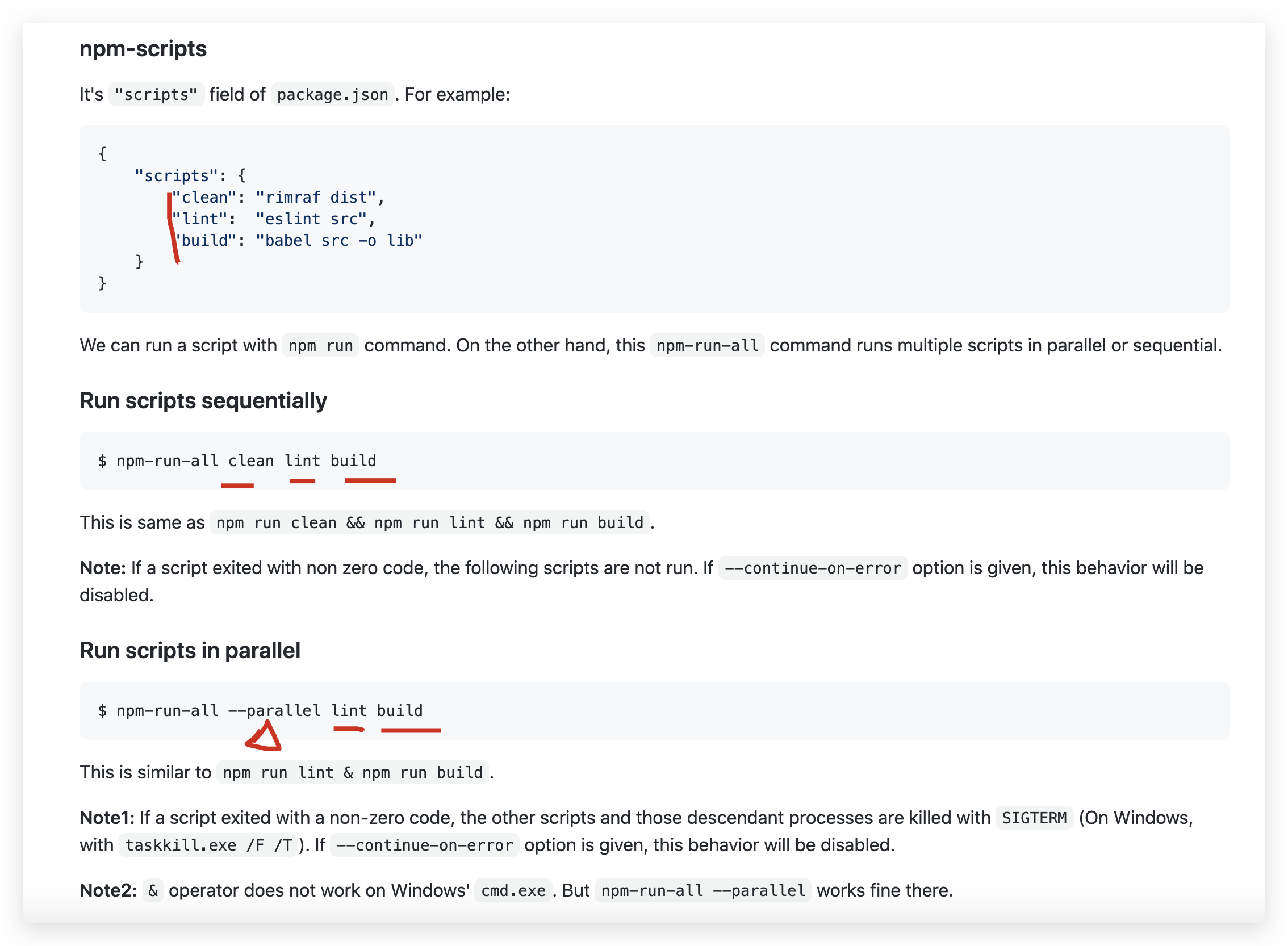
$ npm-run-all -h

Usage:

    $ npm-run-all [--help | -h | --version | -v]

    $ npm-run-all [tasks] [OPTIONS]

    Run given npm-scripts in parallel or sequential.

    <tasks> : A list of npm-scripts' names and Glob-like patterns.

Options:

    --aggregate-output   - - - Avoid interleaving output by delaying printing of

                               each command's output until it has finished.

    -c, --continue-on-error  - Set the flag to continue executing

                               other/subsequent tasks even if a task threw an

                               error. 'npm-run-all' itself will exit with

                               non-zero code if one or more tasks threw error(s)

    --max-parallel <number>  - Set the maximum number of parallelism. Default is

                               unlimited.

    --npm-path <string>  - - - Set the path to npm. Default is the value of

                               environment variable npm_execpath.

                               If the variable is not defined, then it's "npm."

                               In this case, the "npm" command must be found in

                               environment variable PATH.

    -l, --print-label  - - - - Set the flag to print the task name as a prefix

                               on each line of output. Tools in tasks may stop

                               coloring their output if this option was given.

    -n, --print-name   - - - - Set the flag to print the task name before

                               running each task.

    -p, --parallel <tasks>   - Run a group of tasks in parallel.

                               e.g. 'npm-run-all -p foo bar' is similar to

                                    'npm run foo & npm run bar'.

    -r, --race   - - - - - - - Set the flag to kill all tasks when a task

                               finished with zero. This option is valid only

                               with 'parallel' option.

    -s, --sequential <tasks> - Run a group of tasks sequentially.

        --serial <tasks>       e.g. 'npm-run-all -s foo bar' is similar to

                                    'npm run foo && npm run bar'.

                               '--serial' is a synonym of '--sequential'.

    --silent   - - - - - - - - Set 'silent' to the log level of npm.

Examples:

    $ npm-run-all --serial clean lint build:**

    $ npm-run-all --parallel watch:**

    $ npm-run-all clean lint --parallel "build:** -- --watch"

    $ npm-run-all -l -p start-server start-browser start-electron
React SSR
{

  "name": "react-ssr-app",

  "version": "1.0.1",

  "private": true,

  "author": "xgqfrms",

  "license": "MIT",

  "esm-type": "module",

  "scripts": {

    "dev:build-server": "NODE_ENV=development webpack --config webpack.server.js --mode=development -w",

    "dev:start": "nodemon ./server-build/index.js",

    "dev": "npm-run-all --parallel build dev:*",

    "server:dev": "node --experimental-modules server/index.mjs",

    "start": "react-scripts start",

    "build": "react-scripts build",

    "test": "react-scripts test",

    "eject": "react-scripts eject"

  },

  "dependencies": {

    "@testing-library/jest-dom": "^4.2.4",

    "@testing-library/react": "^9.3.2",

    "@testing-library/user-event": "^7.1.2",

    "express": "^4.17.1",

    "react": "^16.14.0",

    "react-dom": "^16.14.0",

    "react-scripts": "3.4.3"

  },

  "devDependencies": {

    "@babel/core": "^7.12.0",

    "@babel/preset-env": "^7.12.0",

    "@babel/preset-react": "^7.10.4",

    "babel-loader": "^8.1.0",

    "nodemon": "^2.0.5",

    "npm-run-all": "^4.1.5",

    "webpack": "4.42.0",

    "webpack-cli": "^4.0.0",

    "webpack-node-externals": "^2.5.2"

  },

  "eslintConfig": {

    "extends": "react-app"

  },

  "browserslist": {

    "production": [

      ">0.2%",

      "not dead",

      "not op_mini all"

    ],

    "development": [

      "last 1 chrome version",

      "last 1 firefox version",

      "last 1 safari version"

    ]

  }

}
refs
xgqfrms 2012-2020
www.cnblogs.com 发布文章使用:只允许注册用户才可以访问!
npm-run-all的更多相关文章
- 在package.json中配置Script执行npm run tslint报错问题
今天在学习tslint的时候,按照git clone下angular2-webpack-starter的代码执行npm run lint时,虽然代码进行了检测,但检测完成后npm始终报错, //pac ...
- [Whole Web] [Node.js] Using npm run to launch local scripts
npm run allows you to configure scripts inside of your package.json file which can access locally in ...
- 执行 npm run update-webdriver 提示文件不能获取错误
按照angularjs官网的入门教程中输入 npm run update-webdriver 总是提示 https://chromedriver.storage.googleapis.com/2.1 ...
- vue-cli 官方模板webpack-simple的npm run dev 与npm run bulid的一些问题
npm run dev命令后并不会在dist目录下生成build.js文件,开发环境下build.js是在运行内存中的. 在package.json的scripts属性的dev后面加上--port 8 ...
- 关于vue-clidown到本地后,拷贝文件库到另外一台电脑上npm run dev编译报错的处理
这些天自己在用vue-cli项目,在家里的电脑下下来后写了一些demo,拿到公司继续开发的时候发现删除node_modules文件,运行npm install和npm run 百度,搜狗了好久都没有找 ...
- npm run build生成路径问题
vue项目中可以使用npm run build 命令生成静态文件夹dist,开发者可以直接点击dist文件夹下面的index.html问价来访问自己的项目,但是用vue-cli生成的项目,当运行npm ...
- VUE-CLI Vue安装及开发,npm run build无法查看项目的问题
Vue-cli 本地安装vue项目 需要安装node.js,用node命令行npm的方式安装Vue 步骤: 1.进入项目地址安装 npm install vue-cli -g 2.初始化一下 ESli ...
- vuejs中执行npm run dev出现页面cannot GET/问题
1.问题描述 最近用vue-cli搭建了一个小项目,其中在对项目进行打包测试时修改了webpack.base.conf.js中的配置信息,之后再用npm run dev之后出现如下的情况: 最近又有网 ...
- 使用vue框架运行npm run dev 时报错解决
使用使用vue框架运行npm run dev 时报错 如下: 原因: localhost:8080 有可能其他软件占用了,导致其他问题的出现 我们可以动态修改地址 解决: 进入项目文件的config文 ...
- Electron 桌面应用打包(npm run build)简述(windows + mac)
最近一段时间在用electron+vue做内部项目的一键构建发布系统的桌面应用,现就其中打包流程写个备注,以示记录. Windows环境打包:1.首先贴一下package.json. { " ...
随机推荐
- 。SLI,Service Level Indicator,服务等级指标,其实就是我们选择哪些指标来衡量我们的稳定性。而 SLO,Service Level Objective,服务等级目标,指的就是我们设定的稳定性目标,比如“几个 9”这样的目标。
.SLI,Service Level Indicator,服务等级指标,其实就是我们选择哪些指标来衡量我们的稳定性.而 SLO,Service Level Objective,服务等级目标,指的就是我 ...
- UserControl和CustomControl两者区别
UserControl 将多个WPF控件(例如:TextBox,TextBlock,Button)进行组合成一个可复用的控件组: 由XAML和Code Behind代码组成: 不支持样式/模板重写: ...
- Python学习【第2篇】:循环
For循环 pass while 循环 pass 练习题: 1.使用while循环输入 1 2 3 4 5 6 8 9 10,不输出7 n = 1while n< 11: if n == ...
- Hash Map集合和Hash Set集合
HashMap集合的使用 1.1.每个集合对象的创建(new) 1.2.从集合中添加元素 1.3.从集合中取出某个元素 1.4.遍历集合 public class HashMapTest { publ ...
- 洛谷P4981
Description 给定 n 个点,组成一棵树,有多少种组合方法: Analysis 首先,结合题目简化意义和这句话 最多可能存在多少种父子关系 我们可以知道当且仅当有至少一个节点的儿子不同时称他 ...
- 最简单直接地理解Java软件设计原则之开闭原则
写在前面 本文属于Java软件设计原则系列文章的其中一篇,后续会继续分享其他的原则.想以最简单的方式,最直观的demo去彻底理解设计原则.文章属于个人整理.也欢迎大家提出不同的想法. 首先是一些理论性 ...
- (29)Vim 5
Vim显示行号方法详解1.编辑时显示行号 在命令模式下输入":set nu"即可显示每一行的行号 如果想要取消行 号,则再次输入":set nonu"即可.2. ...
- 第2层交换和生成树协议(STP)__散知识点
1.交换式服务 网桥是基于软件的,而交换机使用专用集成电路(ASIC)来创建并维护其过滤表.2层交换机和网桥转发数据的速度比路由器快一些,因为它们不查看网络层报头的信息,不对数据包做任何修改.相反,在 ...
- C语言之数据在内存中的存储
C语言之数据在内存中的存储 在我们学习此之前,我们先来回忆一下C语言中都有哪些数据类型呢? 首先我们来看看C语言中的基本的内置类型: char //字符数据类型 short //短整型 int //整 ...
- 弱网测试之Fidder
是用Fidder可以模拟若罔测试. 1.Fiider设置 fiddler中选中Rules->Cutomize Rules,在文件中搜索关键字:m_SimulateModem: 修改m_Simul ...