
MongoDB 在Node中的应用
转:
MongoDB 在Node中的应用
文章目录
- 一 、什么是 MongoDB?
- 二、小Demo
- 三、Demo 增删改查
- 3.1 新增
- 3.2 查询
- 3.2.1 查询所有 [{},{}] 找不到返回 []
- 3.2.2 按条件查询 [{}] 即使只有一条数据也会放到一个数组当中
- 3.2.3 返回找到的第一个元素
- 3.3 删除数据 有多少个删除多少个
- 3.4 更新数据
- 3.4.1 User.findByIdAndUpdate() 根据id来更新
- 3.5 一览
- 四、模块化
- 4.1 介绍
- 4.2、模块化解决方法
- 2.1 App.js
- 2.2 db.js
- 2.3 user.js
- 2.4 news.js
- 2.5 关于性能问题
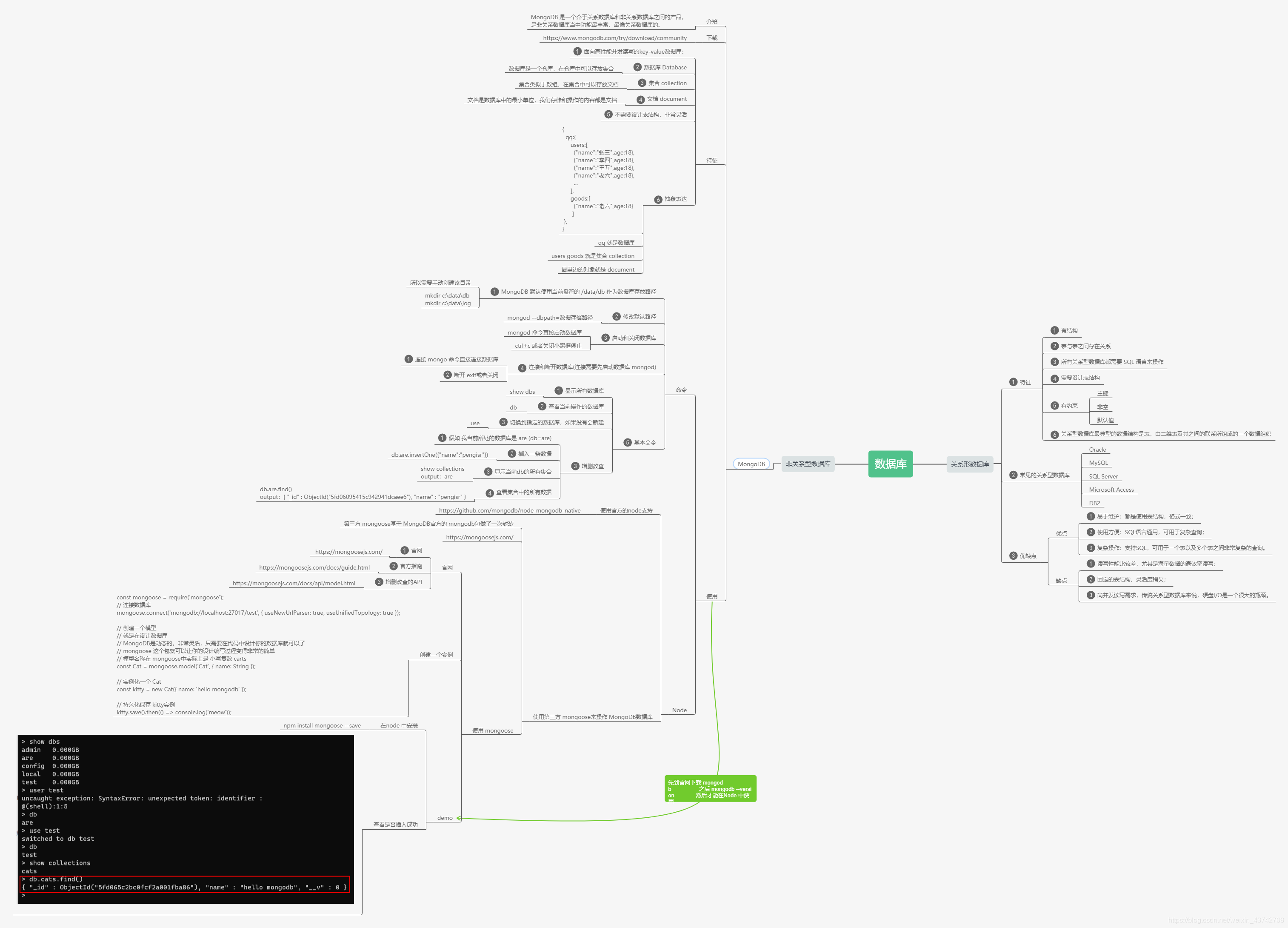
一 、什么是 MongoDB?
二、小Demo
提示需要先在官网下载,安装。
MongoDB官网下载
然后配置环境变量
之后如果能看到版本信息就没问题了。
mongod --version
const mongoose = require('mongoose');

// 连接数据库

mongoose.connect('mongodb://localhost:27017/test', { useNewUrlParser: true, useUnifiedTopology: true });

// 创建一个模型

// 就是在设计数据库

// MongoDB是动态的,非常灵活,只需要在代码中设计你的数据库就可以了

// mongoose 这个包就可以让你的设计编写过程变得非常的简单

// 模型名称在 mongoose中实际上是 小写复数 carts

const Cat = mongoose.model('Cat', { name: String });

for (let i = 0; i < 101; i++) {

  // 实例化一个 Cat

  const kitty = new Cat({ name: '我是' + i});

  // 持久化保存 kitty实例

  kitty.save().then(() => console.log('meow'));

}
效果:

三、Demo 增删改查
先创建一个基本的实例
const mongoose = require('mongoose')

// 1. 连接数据库 连接本机的are数据库

// 如果没有该数据库 则会自动创建,不过不是立马创建,而是当你插入第一条数据的时候创建

mongoose.connect('mongodb://localhost/are')

// 2. 设计文档结构(表结构) Schema理解为架构 结构

// 字段名称就是表结构中的属性名称

// 约束的目的是保持数据的完整性 统一性

const userSchema = new mongoose.Schema({

  username: {

    type: String,

    require: true,//必须有

  },

  password: {

    type: String,

    require: true

  },

  email: {

    type: String

  }

});

// 3. 将文档架构发布为模型

// mongoose.model 方法就是将一个架构发布为 model

// 第一参数:传入一个 大写名词单数字符串用 来表示数据库名称 User

//    mongoose会自动将大写名称的字符串生成 小写复数 的集合名称 users

// 第二个参数: 架构 Schema

// 返回值:模型构造函数

const User = mongoose.model('User', userSchema);

// 4.当我们有了模型构造函数,就可以对 User 集合中的数据为所欲为了
有关增删改查的相关API
MongoDB API
3.1 新增
const admin = new User({

  username: 'zs',

  password: '123456',

  email: 'admin@admin.com'

})

// 持久化保存起来 返回值是刚刚插入的数据

admin.save().then(value => {

  console.log("存储成功:",value);

}, reason => {

  console.log('存储失败:',reason);

})
3.2 查询
3.2.1 查询所有 [{},{}] 找不到返回 []
User.find().then(value => {

  console.log('查询结果:', value);

}, reason => {

  console.log('查询失败:', reason);

})
3.2.2 按条件查询 [{}] 即使只有一条数据也会放到一个数组当中
找不到返回 []
User.find({

  username: 'zs2134'

}).then(value => {

  console.log('查询结果:', value);

}, reason => {

  console.log('查询失败:', reason);

})
3.2.3 返回找到的第一个元素
返回值:对象 {} 只返回查询到的第一个数据
找不到返回 null
User.findOne({

  username: 'zs',

  password: '2'

}).then(value => {

  console.log('查询结果:', value);

}, reason => {

  console.log('查询失败:', reason);

})
3.3 删除数据 有多少个删除多少个
返回值 { n: 3, ok: 1, deletedCount: 3 }
User.remove({

  username: 'admin'

}).then(result => {

  console.log('删除成功', result);

}, err => {

  console.log('删除失败', err);

})
3.4 更新数据
3.4.1 User.findByIdAndUpdate() 根据id来更新
new: true 表示返回的是更新后的数据,不写返回的是更新之前的数据
User.findByIdAndUpdate('5fd0756d944530385829b677', {

  password: '000'

}, { new: true }).then(result => {

  console.log('更新成功', result);

}, err => {

  console.log('更新失败', err);

})
3.5 一览
原文件
// 1.引入 mongoose

const mongoose = require('mongoose')

// 2.建立连接

mongoose.connect('mongodb://127.0.0.1:27017/eggcms', { useNewUrlParser: true, useUnifiedTopology: true })

// 3.操作users表(集合) 定义一个 Schema

let UserSchme = mongoose.Schema({

  name: String,

  age: Number,

  status: Number

})

// 4.定义数据库模型 操作数据库

// model里面的第一个参数 要注意:1.首字母大写 2.要和集合名称对应(数据库表名)

// 第三个参数指定连接的集合名称 小写没有复数

let User = mongoose.model('User', UserSchme, 'user')

// 5.查询数据

// User.find({}).then(res => {

//   console.log('res:', res);

// }, err => {

//   console.log('err:', err);

// })

// 定义一个新的 Schema

let NewsSchema = mongoose.Schema({

  title: 'string',

  author: String,

  pic: String,

  content: String,

  status: Number

})

// 定义操作数据库的 Model

let News = mongoose.model('News', NewsSchema, 'news')

// 增加数据

// let news = new News({

//   title: '我是新闻标题2',

//   author: "我是作者2",

//   pic: "images2",

//   content: "hhh2",

//   status: 1

// })

// news.save().then(res => {

// //返回值是新增的数据

//   console.log('res:', res);

// }, err => {

//   console.log('err:', err);

// })

// 修改数据

// News.updateOne({

//   "_id": "5fd2ee9f29c50109b0e2e828"

// }, {

//   content: "哈哈哈"

// }).then(res => {

//   // { n: 1, nModified: 1, ok: 1 }

//   console.log('res:', res);

// }, err => {

//   console.log('err:', err);

// })

// 删除数据

News.deleteOne({ "_id": "5fd2f086969fdb0680ac9fd6" }).then(res => {

  // { n: 1, ok: 1, deletedCount: 1 }

  console.log('res:', res);

}, err => {

  console.log('err:', err);

})
四、模块化
4.1 介绍
在使用 mongosee 操作 mongodb 数据库时,要准备4个比较繁琐的过程,分别是
// 第一步:引入模块

const mongoose = require('mongoose')

// 第二步:建立连接

mongoose.connect('mongodb://127.0.0.1:27017/eggcms', { useNewUrlParser: true, useUnifiedTopology: true })

// 第三步:定义 Schema

const UserSchme = mongoose.Schema({

  name: String,

  age: Number,

  status: {

    type: Number,

    default: 1

  }

})

//第四步:定义数据库模型

const UserModel = mongoose.model('User', UserSchme, 'user')
当我们在实际开发项目中,如果要操作多个集合(表)的话,结构就会变得非常的混乱,那么怎样解决这个问题呢?
这个时候 模块化就登场了。
4.2、模块化解决方法
目录结构
├─App.js

├─model

|   ├─db.js

|   ├─news.js

|   └─user.js
2.1 App.js
const UserModel = require('./model/user')

const NewsModel = require('./model/news')

// 查找所有数据

// UserModel.find({}).then(res => {

//   console.log(res);

// }, err => {

//   console.log(err);

// })

const addNews = new NewsModel({

  title: '测试1',

  content: 20

})

addNews.save().then(res => {

  NewsModel.find({}).then(res => {

    console.log(res);

  }, err => {

    console.log(err);

  })

}, err => {

  console.log('增加数据失败:', err);

})
2.2 db.js
// 连接数据库

// 1.引入

const mongoose = require('mongoose')

// 2.连接

mongoose.connect('mongodb://127.0.0.1:27017/eggcms', { useNewUrlParser: true, useUnifiedTopology: true }).then(res => {

  console.log("连接成功");

}, err => {

  console.log("连接失败:", err);

})

module.exports = mongoose
2.3 user.js
let mongoose = require('./db')

// 配置 schema 和数据模型

const UserSchema = mongoose.Schema({

  name: String,

  age: Number,

  status: {

    type: Number,

    default: 1

  }

})

// const UserModel = mongoose.model('User', UserSchema, 'user')

// module.exports = UserModel

// 简写

module.exports = mongoose.model('User', UserSchema, 'user')
2.4 news.js
let mongoose = require('./db')

// 配置 schema 和数据模型

const NewsSchema = mongoose.Schema({

  title: 'string',

  author: String,

  pic: String,

  content: String,

  status: {

    type: Number,

    default: 1

  }

})

module.exports = mongoose.model('News', NewsSchema, 'news')
2.5 关于性能问题
你可能已经注意到了,我们在 user.js 和 news.js 都引入了 db.js, 那么会不会造成资源浪费或性能降低的问题呢?
答案是不会的,这里实践看一下:
App.js
console.time('user')

const UserModel = require('./model/user')

console.timeEnd('user');

console.time('news')

const NewsModel = require('./model/news')

console.timeEnd('news');
output:
user: 303.144ms

news: 1.35ms
可以非常直观的看到 news.js里边第二次引入的 db.js 并没有照成资源浪费,因为 mongoose 底层做出了相应的处理。
好了,本文就到这里,如果对你有帮助的话,亲,还请点个赞哦(会回赞的),
文章目录
- 一 、什么是 MongoDB?
- 二、小Demo
- 三、Demo 增删改查
- 3.1 新增
- 3.2 查询
- 3.2.1 查询所有 [{},{}] 找不到返回 []
- 3.2.2 按条件查询 [{}] 即使只有一条数据也会放到一个数组当中
- 3.2.3 返回找到的第一个元素
- 3.3 删除数据 有多少个删除多少个
- 3.4 更新数据
- 3.4.1 User.findByIdAndUpdate() 根据id来更新
- 3.5 一览
- 四、模块化
- 4.1 介绍
- 4.2、模块化解决方法
- 2.1 App.js
- 2.2 db.js
- 2.3 user.js
- 2.4 news.js
- 2.5 关于性能问题
一 、什么是 MongoDB?
二、小Demo
提示需要先在官网下载,安装。
MongoDB官网下载
然后配置环境变量
之后如果能看到版本信息就没问题了。
mongod --version
const mongoose = require('mongoose');
// 连接数据库
mongoose.connect('mongodb://localhost:27017/test', { useNewUrlParser: true, useUnifiedTopology: true });
// 创建一个模型
// 就是在设计数据库
// MongoDB是动态的,非常灵活,只需要在代码中设计你的数据库就可以了
// mongoose 这个包就可以让你的设计编写过程变得非常的简单
// 模型名称在 mongoose中实际上是 小写复数 carts
const Cat = mongoose.model('Cat', { name: String });
for (let i = 0; i < 101; i++) {
// 实例化一个 Cat
const kitty = new Cat({ name: '我是' + i});
// 持久化保存 kitty实例
kitty.save().then(() => console.log('meow'));
}
效果:
三、Demo 增删改查
先创建一个基本的实例
const mongoose = require('mongoose')
// 1. 连接数据库 连接本机的are数据库
// 如果没有该数据库 则会自动创建,不过不是立马创建,而是当你插入第一条数据的时候创建
mongoose.connect('mongodb://localhost/are')
// 2. 设计文档结构(表结构) Schema理解为架构 结构
// 字段名称就是表结构中的属性名称
// 约束的目的是保持数据的完整性 统一性
const userSchema = new mongoose.Schema({
username: {
type: String,
require: true,//必须有
},
password: {
type: String,
require: true
},
email: {
type: String
}
});
// 3. 将文档架构发布为模型
// mongoose.model 方法就是将一个架构发布为 model
// 第一参数:传入一个 大写名词单数字符串用 来表示数据库名称 User
// mongoose会自动将大写名称的字符串生成 小写复数 的集合名称 users
// 第二个参数: 架构 Schema
// 返回值:模型构造函数
const User = mongoose.model('User', userSchema);
// 4.当我们有了模型构造函数,就可以对 User 集合中的数据为所欲为了
有关增删改查的相关API
MongoDB API
3.1 新增
const admin = new User({
username: 'zs',
password: '123456',
email: 'admin@admin.com'
})
// 持久化保存起来 返回值是刚刚插入的数据
admin.save().then(value => {
console.log("存储成功:",value);
}, reason => {
console.log('存储失败:',reason);
})
3.2 查询
3.2.1 查询所有 [{},{}] 找不到返回 []
User.find().then(value => {
console.log('查询结果:', value);
}, reason => {
console.log('查询失败:', reason);
})
3.2.2 按条件查询 [{}] 即使只有一条数据也会放到一个数组当中
找不到返回 []
User.find({
username: 'zs2134'
}).then(value => {
console.log('查询结果:', value);
}, reason => {
console.log('查询失败:', reason);
})
3.2.3 返回找到的第一个元素
返回值:对象 {} 只返回查询到的第一个数据
找不到返回 null
User.findOne({
username: 'zs',
password: '2'
}).then(value => {
console.log('查询结果:', value);
}, reason => {
console.log('查询失败:', reason);
})
3.3 删除数据 有多少个删除多少个
返回值 { n: 3, ok: 1, deletedCount: 3 }
User.remove({
username: 'admin'
}).then(result => {
console.log('删除成功', result);
}, err => {
console.log('删除失败', err);
})
3.4 更新数据
3.4.1 User.findByIdAndUpdate() 根据id来更新
new: true 表示返回的是更新后的数据,不写返回的是更新之前的数据
User.findByIdAndUpdate('5fd0756d944530385829b677', {
password: '000'
}, { new: true }).then(result => {
console.log('更新成功', result);
}, err => {
console.log('更新失败', err);
})
3.5 一览
原文件
// 1.引入 mongoose
const mongoose = require('mongoose')
// 2.建立连接
mongoose.connect('mongodb://127.0.0.1:27017/eggcms', { useNewUrlParser: true, useUnifiedTopology: true })
// 3.操作users表(集合) 定义一个 Schema
let UserSchme = mongoose.Schema({
name: String,
age: Number,
status: Number
})
// 4.定义数据库模型 操作数据库
// model里面的第一个参数 要注意:1.首字母大写 2.要和集合名称对应(数据库表名)
// 第三个参数指定连接的集合名称 小写没有复数
let User = mongoose.model('User', UserSchme, 'user')
// 5.查询数据
// User.find({}).then(res => {
// console.log('res:', res);
// }, err => {
// console.log('err:', err);
// })
// 定义一个新的 Schema
let NewsSchema = mongoose.Schema({
title: 'string',
author: String,
pic: String,
content: String,
status: Number
})
// 定义操作数据库的 Model
let News = mongoose.model('News', NewsSchema, 'news')
// 增加数据
// let news = new News({
// title: '我是新闻标题2',
// author: "我是作者2",
// pic: "images2",
// content: "hhh2",
// status: 1
// })
// news.save().then(res => {
// //返回值是新增的数据
// console.log('res:', res);
// }, err => {
// console.log('err:', err);
// })
// 修改数据
// News.updateOne({
// "_id": "5fd2ee9f29c50109b0e2e828"
// }, {
// content: "哈哈哈"
// }).then(res => {
// // { n: 1, nModified: 1, ok: 1 }
// console.log('res:', res);
// }, err => {
// console.log('err:', err);
// })
// 删除数据
News.deleteOne({ "_id": "5fd2f086969fdb0680ac9fd6" }).then(res => {
// { n: 1, ok: 1, deletedCount: 1 }
console.log('res:', res);
}, err => {
console.log('err:', err);
})
四、模块化
4.1 介绍
在使用 mongosee 操作 mongodb 数据库时,要准备4个比较繁琐的过程,分别是
// 第一步:引入模块
const mongoose = require('mongoose')
// 第二步:建立连接
mongoose.connect('mongodb://127.0.0.1:27017/eggcms', { useNewUrlParser: true, useUnifiedTopology: true })
// 第三步:定义 Schema
const UserSchme = mongoose.Schema({
name: String,
age: Number,
status: {
type: Number,
default: 1
}
})
//第四步:定义数据库模型
const UserModel = mongoose.model('User', UserSchme, 'user')
当我们在实际开发项目中,如果要操作多个集合(表)的话,结构就会变得非常的混乱,那么怎样解决这个问题呢?
这个时候 模块化就登场了。
4.2、模块化解决方法
目录结构
├─App.js
├─model
| ├─db.js
| ├─news.js
| └─user.js
2.1 App.js
const UserModel = require('./model/user')
const NewsModel = require('./model/news')
// 查找所有数据
// UserModel.find({}).then(res => {
// console.log(res);
// }, err => {
// console.log(err);
// })
const addNews = new NewsModel({
title: '测试1',
content: 20
})
addNews.save().then(res => {
NewsModel.find({}).then(res => {
console.log(res);
}, err => {
console.log(err);
})
}, err => {
console.log('增加数据失败:', err);
})
2.2 db.js
// 连接数据库
// 1.引入
const mongoose = require('mongoose')
// 2.连接
mongoose.connect('mongodb://127.0.0.1:27017/eggcms', { useNewUrlParser: true, useUnifiedTopology: true }).then(res => {
console.log("连接成功");
}, err => {
console.log("连接失败:", err);
})
module.exports = mongoose
2.3 user.js
let mongoose = require('./db')
// 配置 schema 和数据模型
const UserSchema = mongoose.Schema({
name: String,
age: Number,
status: {
type: Number,
default: 1
}
})
// const UserModel = mongoose.model('User', UserSchema, 'user')
// module.exports = UserModel
// 简写
module.exports = mongoose.model('User', UserSchema, 'user')
2.4 news.js
let mongoose = require('./db')
// 配置 schema 和数据模型
const NewsSchema = mongoose.Schema({
title: 'string',
author: String,
pic: String,
content: String,
status: {
type: Number,
default: 1
}
})
module.exports = mongoose.model('News', NewsSchema, 'news')
2.5 关于性能问题
你可能已经注意到了,我们在 user.js 和 news.js 都引入了 db.js, 那么会不会造成资源浪费或性能降低的问题呢?
答案是不会的,这里实践看一下:
App.js
console.time('user')
const UserModel = require('./model/user')
console.timeEnd('user');
console.time('news')
const NewsModel = require('./model/news')
console.timeEnd('news');
output:
user: 303.144ms
news: 1.35ms
可以非常直观的看到 news.js里边第二次引入的 db.js 并没有照成资源浪费,因为 mongoose 底层做出了相应的处理。
好了,本文就到这里,如果对你有帮助的话,亲,还请点个赞哦(会回赞的),
转:
MongoDB 在Node中的应用
MongoDB 在Node中的应用的更多相关文章
- 在node中使用MongoDB
1.下载安装包,进行安装: https://www.mongodb.com/download-center/community 参考网址:https://www.cnblogs.com/ymwange ...
- Node中使用MongoDB
简介 MongoDB 中文文档 MongoDB是一个介于关系数据库和非关系数据库(nosql)之间的产品,是非关系数据库当中功能最丰富,最像关系数据库的. Mongoose 在Node中可以使用 Mo ...
- Node中的定时器详解
在大多数的业务中,我们都会有一些需求,例如几秒钟实现网页的跳转,几分钟对于后台数据进行清理,node与javascript都具有将代码延迟一段时间的能力.在node中可以使用三种方式实现定时功能:超时 ...
- MongoDB Native Node.js Driver
写在前面 最近读<node.js学习指南>,对于mongodb没有介绍太多的工作原理,但是对于一个前端开发者,即使你还没有用过这种数据库也可以让你很好的理解和使用 一本非常好的 ...
- mongodb原生node驱动
写在前面 最近读<node.js学习指南>,对于mongodb没有介绍太多的工作原理,但是对于一个前端开发者,即使你还没有用过这种数据库也可以让你很好的理解和使用 一本非常好的 ...
- node 进阶 | 通过node中如何捕获异常阐述express的特点
node如何捕获异常 node基于js的单线程,有了非阻塞异步回调的概念,但是在处理多个并发连接时,并发环境要求高,最重要的是单线程,单核CPU,一个进程crash则web服务都crash,但是为什么 ...
- node中的Stream-Readable和Writeable解读
在node中,只要涉及到文件IO的场景一般都会涉及到一个类-Stream.Stream是对IO设备的抽象表示,其在JAVA中也有涉及,主要体现在四个类-InputStream.Reader.Outpu ...
- 深入理解jQuery、Angular、node中的Promise
最初遇到Promise是在jQuery中,在jQuery1.5版本中引入了Deferred Object,这个异步队列模块用于实现异步任务和回调函数的解耦.为ajax模块.队列模块.ready事件提供 ...
- (转载)MongoDB C#驱动中Query几个方法
MongoDB C#驱动中Query几个方法 Query.All("name", "a", "b");//通过多个元素来匹配数组 Query ...
随机推荐
- 【hdu 1576】A/B(数论--拓展欧几里德 求逆元 模版题)
题意:给出 A%9973 和 B,求(A/B)%9973的值. 解法:拓展欧几里德求逆元.由于同余的性质只有在 * 和 + 的情况下一直成立,我们要把 /B 转化为 *B-1,也就是求逆元. 对于 B ...
- 洛谷P3796
题目链接 题意:有n个由小写字母组成的模式串以及一个文本串T.每个模式串可能会在文本串中出现多次.哪些模式串在文本串T中出现的次数最多. 题解:ac自动机模板加强版,开一个数组单独记录各个字符串出现 ...
- P1387 最大正方形 && P1736 创意吃鱼法(DP)
题目描述 在一个n*m的只包含0和1的矩阵里找出一个不包含0的最大正方形,输出边长. 输入输出格式 输入格式: 输入文件第一行为两个整数n,m(1<=n,m<=100),接下来n行,每行m ...
- 洛谷 P1135 奇怪的电梯 (DFS)
题意:有一\(n\)层高的大楼,每层楼都只能在合法情况下上\(x\)层或者下\(x\)层,问你是否能从\(a\)层楼坐电梯到\(b\)层楼,输出最小步数. 题解:直接dfs搜,\(flo\)表示层数, ...
- python代理池的构建1——代理IP类的构建,以及配置文件、日志文件、requests请求头
一.整体结构 二.代理IP类的构建(domain.py文件) ''' 实现_ init_ 方法, 负责初始化,包含如下字段: ip: 代理的IP地址 port:代理IP的端口号 protocol: 代 ...
- 力扣119.杨辉三角II-C语言实现
题目 给定一个非负索引 k,其中 k ≤ 33,返回杨辉三角的第 k 行. 在杨辉三角中,每个数是它左上方和右上方的数的和. 示例: 输入: 3 输出: [1,3,3,1] 来源:力扣(LeetCod ...
- 从.NET看微软的焦虑
节日没事,就像聊聊微软的NET. 1.孩子静悄悄,必定在作妖 截止目前,微软的市值达到1.85万亿美元,按说,这样一个宙斯级的巨无霸应该过的非常舒坦, 但是,和微软市值成鲜明的反差,我们从.NET的发 ...
- Kconfig 配置文件编码规则
最早接触到Kconfig是在u-boot的移植过程中.所今天来好好学习一下如何编写一个符合Kconffigde 配置文件.Kbuild或者是Kconfig的中文翻译意思是内核配置/构建系统.他最早出自 ...
- 2021-2-16:请问你知道分布式设计模式中的Quorum思想么?
有效个数(Quorum) 有效个数(Quorum)这个设计模式一般是指分布式系统的每一次修改都要在大多数实例上通过来确定修改通过. 问题背景 在一个分布式存储系统中,用户请求会发到一个实例上.通常在一 ...
- 关于 TCP 三次握手和四次挥手,满分回答在此
尽人事,听天命.博主东南大学研究生在读,热爱健身和篮球,正在为两年后的秋招准备中,乐于分享技术相关的所见所得,关注公众号 @ 飞天小牛肉,第一时间获取文章更新,成长的路上我们一起进步 本文已收录于 C ...