
spring security 动态 修改当前登录用户的 权限
1.前言
spring security 可以获取当前登录的用户信息,同时提供了接口 来修改权限列表信息 ,
使用这个方法 ,可以动态的修改当前登录用户权限。
那么问题来了。。。
如果我是管理员 ,如何动态地修改用户的权限?比如vip权限?
按照以前的权限使用方法 ,修改数据库的权限信息后,当前用户需要重新登录,才能从数据库获取新的权限信息后再更新当前用户的权限列表,一般是管理员修改权限后,强制用户重新登录,
这样对用户很不友好 ,使用spring security 可以直接更新当前用户的权限 ,其实就是重新注册权限列表信息。
可是问题又来了。。。
spring security 不是只能修改当前登录用户的信息么?那么怎么修改别人的?
有两个解决方案:
(1)方案一:管理员在数据库修改用户权限数据后,检查该用户是否已经登录,未登录则操作结束,
如果已经登录,则使用websocket通知用户前端向后端Ajax发送一个修改当前权限的请求。
(2)方案二:管理员在数据库修改用户权限数据,检查该用户是否已经登录,未登录则操作结束,
如果已经登录,获取当前用户存在内存的session,根据session获取该用户的认证信息 ,取出权限列表后对其修改,然后重新注册权限列表。
2.操作
准备一个配置好的spring boot+ spring security的工程 ,详细操作这里不演示 ,在我的其他随笔有详细记录
(1)目录结构
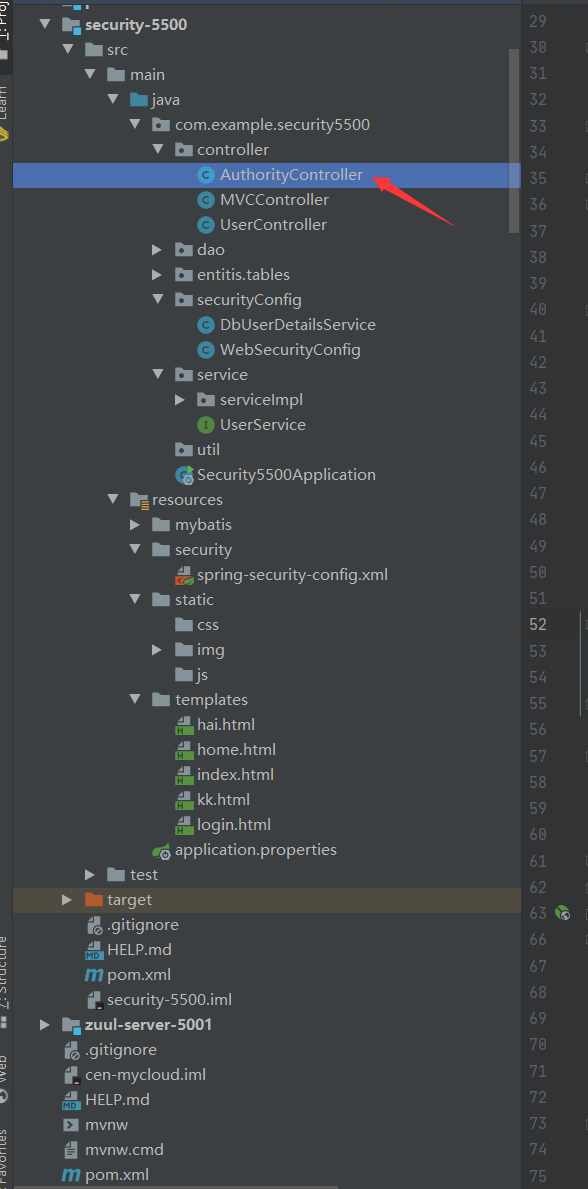
(2)添加方法

源码
package com.example.security5500.controller;

import org.apache.commons.lang3.StringUtils;

import org.springframework.security.authentication.UsernamePasswordAuthenticationToken;

import org.springframework.security.core.Authentication;

import org.springframework.security.core.GrantedAuthority;

import org.springframework.security.core.annotation.AuthenticationPrincipal;

import org.springframework.security.core.authority.SimpleGrantedAuthority;

import org.springframework.security.core.context.SecurityContextHolder;

import org.springframework.web.bind.annotation.RequestMapping;

import org.springframework.web.bind.annotation.ResponseBody;

import org.springframework.web.bind.annotation.RestController;

import java.security.Principal;

import java.util.ArrayList;

import java.util.HashMap;

import java.util.List;

import java.util.Map;

/**

 * 作为授权类 ,用来动态更新权限

 */

@RestController

public class AuthorityController {

    //添加权限 ,参数是需要新增的权限名

    @RequestMapping("/addAuth")

    public Map<String,Object> addAuth(String authName){

        Map<String,Object> map = new HashMap<>();

        if (StringUtils.isBlank(authName)){

            map.put("data","权限名称不可空,参数名authName");

            return map;

        }

        try {

            //========================================================

            //这一段仅仅是更新当前登录用户的权限列表 ,登出后将释放 ,当再次从数据库获取权限数据时将还原 ,因此如果需要持久性的更改权限,

            // 还需要修改数据库信息 ,懒得写 ,这里就不做修改数据库演示了

            //

            // 得到当前的认证信息

            Authentication auth = SecurityContextHolder.getContext().getAuthentication();

            //  生成当前的所有授权

            List<GrantedAuthority> updatedAuthorities = new ArrayList<>(auth.getAuthorities());

            // 添加 ROLE_VIP 授权

            updatedAuthorities.add(new SimpleGrantedAuthority("ROLE_" + authName));

            // 生成新的认证信息

            Authentication newAuth = new UsernamePasswordAuthenticationToken(auth.getPrincipal(), auth.getCredentials(), updatedAuthorities);

            // 重置认证信息

            SecurityContextHolder.getContext().setAuthentication(newAuth);

            //========================================================

            map.put("data","权限 "+authName+" 添加成功");

        }catch (Exception e){

            e.printStackTrace();

            map.put("data","权限添加失败");

        }

        return map;

    }

    //获取用户权限信息

    @RequestMapping({"/info"})

    @ResponseBody

    public Object info(@AuthenticationPrincipal Principal principal) {

        return principal;

    }

    /*

    {"authorities":[{"authority":"admin"},{"authority":"user"}],

    "details":{"remoteAddress":"0:0:0:0:0:0:0:1","sessionId":"1F57B8E39C5D1DB1F875D57D533DB982"},

    "authenticated":true,"principal":{"password":null,"username":"xi","authorities":[{"authority":"admin"},

    {"authority":"user"}],"accountNonExpired":true,"accountNonLocked":true,

    "credentialsNonExpired":true,"enabled":true},"credentials":null,"name":"xi"}

     */

    //http://localhost:5500/addAuth?authName=love1

    //http://localhost:5500/info

}
(3)拦截位置 ,需要权限 ROLE_love1 才可以访问

3.测试

启动工程
(1)访使用一个 有 权限 ROLE_love1 的账户
username = cen
password = 11
访问网址 http://localhost:5500/home
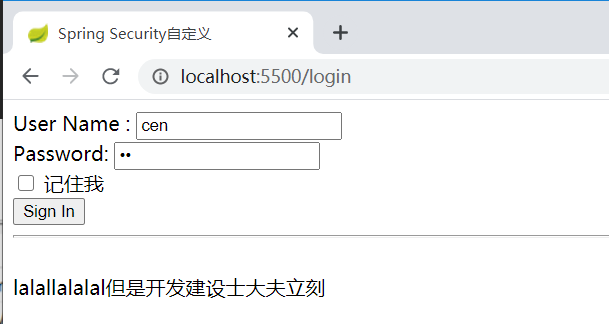
点击登录
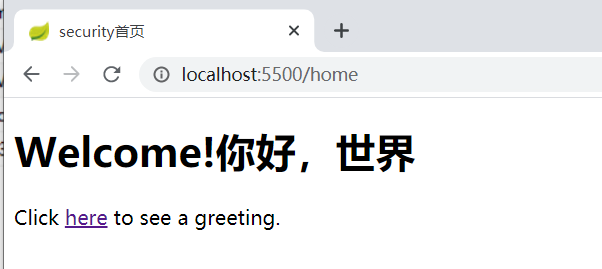
显然可以正常运行
访问网址 http://localhost:5500/info 查看当前登录用户的认证信息 ,是有 ROLE_love1 权限的

(2)访使用一个 没有 权限 ROLE_love1 的账户
username = yue
password = 11
访问网址 http://localhost:5500/home
选择 “记住我” ,可以自动登录

提示 403 ,
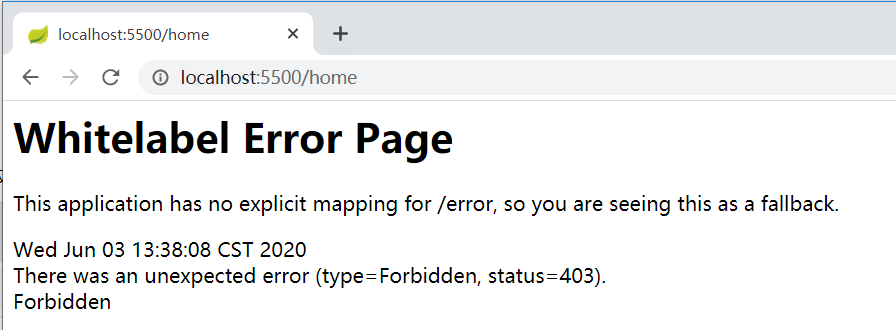
访问网址 http://localhost:5500/info 查看当前登录用户的认证信息 ,是 没有 ROLE_love1 权限的

现在添加权限
访问网址 http://localhost:5500/addAuth?authName=love1

再次 访问网址 http://localhost:5500/info 查看当前登录用户的认证信息 ,发现 有 ROLE_love1 权限了

再次 访问网址 http://localhost:5500/home ,发现访问成功啦
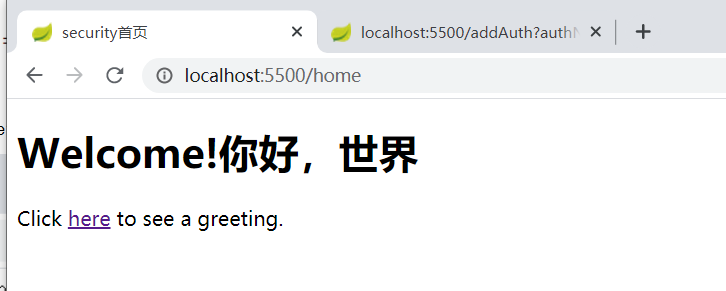
(2)那么现在问题来了,现在是开启了自动登录模式 ,那么关闭浏览器后 cookie是否会删除? 如果不删除 ,新加的权限是否会删除?
继续上面yue的登录页面 直接关闭浏览器,再访问 http://localhost:5500/home
发现被拦截进入 登录页面了
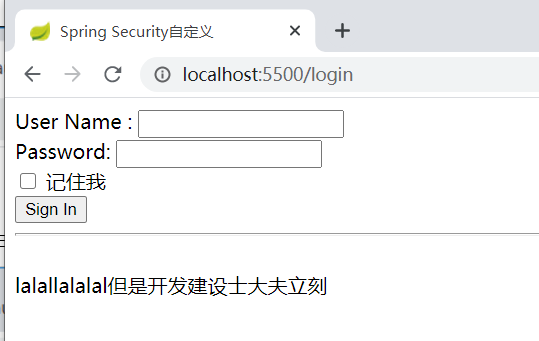
难道被强制登出了?
不 ,查看cookie ,并没有被删除

继续 访问 http://localhost:5500/hai ,发现是已经自动登录了
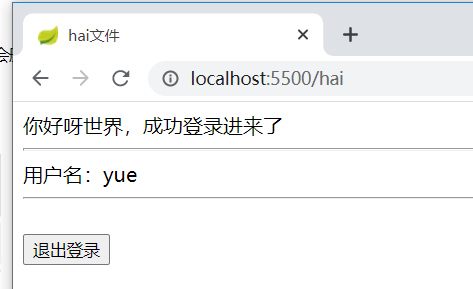
于是查看 认证信息 ,访问网址 http://localhost:5500/info

发现 ROLE_love1 权限被清除了
(3)为什么会这样?
有两个猜测 :
猜测一:在第一次登录时 ,没有权限的 认证信息已经存在cookie ,不再修改,自动登录不再从数据库获取权限信息。
猜测二 : 即便是自动登录 ,每次登录的都会从数据库获取用户信息并更新 ,以前登录时存在内存的信息会在浏览器销毁后释放。
证明:
我在注册权限的地方加了指令将添加到注册列表的权限名打印

源码
package com.example.security5500.securityConfig;

import com.example.security5500.entitis.tables.TUser;

import com.example.security5500.service.UserService;

import org.springframework.beans.factory.annotation.Autowired;

import org.springframework.security.core.GrantedAuthority;

import org.springframework.security.core.authority.SimpleGrantedAuthority;

import org.springframework.security.core.userdetails.UserDetails;

import org.springframework.security.core.userdetails.UserDetailsService;

import org.springframework.security.core.userdetails.UsernameNotFoundException;

import org.springframework.stereotype.Service;

import java.util.ArrayList;

import java.util.List;

@Service

public class DbUserDetailsService implements UserDetailsService {

   @Autowired

   private UserService userService;

    @Override

    public UserDetails loadUserByUsername(String username) throws UsernameNotFoundException {

        //根据用户名查询用户信息

        TUser tUser = userService.getByUsername(username);

        if (tUser == null){

            throw new UsernameNotFoundException("用户不存在!");

        }

        //权限设置

//        List<GrantedAuthority> simpleGrantedAuthorities = new ArrayList<>();

        List<SimpleGrantedAuthority> simpleGrantedAuthorities = new ArrayList<>();

        String role = tUser.getRole();

        //分割权限名称,如 user,admin

        String[] roles = role.split(",");

        System.out.println("注册该账户权限");

        for (String r :roles){

            System.out.println(r);

            //添加权限

            simpleGrantedAuthorities.add(new SimpleGrantedAuthority(r));

        }

//        simpleGrantedAuthorities.add(new SimpleGrantedAuthority("USER"));

        /**

         * 创建一个用于认证的用户对象并返回,包括:用户名,密码,角色

         */

        //输入参数

        return new org.springframework.security.core.userdetails.User(tUser.getUsername(), tUser.getPsw(), simpleGrantedAuthorities);

    }

}
自动登录后
控制台打印的结果:

因此 ,猜测二是正确的 。
4.总结:
更新当前登录用户的权限列表 ,登出后将释放 ,当再次从数据库获取权限数据时将还原【包括自动登录】 ,因此如果需要持久性的更改权限,

还需要修改数据库信息
spring security 动态 修改当前登录用户的 权限的更多相关文章
- spring security中当已登录用户再次访问登录界面时,应跳转到home
@RequestMapping("/login") public String login(){ Authentication auth = SecurityContextHold ...
- Spring Security 动态url权限控制(三)
一.前言 本篇文章将讲述Spring Security 动态分配url权限,未登录权限控制,登录过后根据登录用户角色授予访问url权限 基本环境 spring-boot 2.1.8 mybatis-p ...
- Spring Security之多次登录失败后账户锁定功能的实现
在上一次写的文章中,为大家说到了如何动态的从数据库加载用户.角色.权限信息,从而实现登录验证及授权.在实际的开发过程中,我们通常会有这样的一个需求:当用户多次登录失败的时候,我们应该将账户锁定,等待一 ...
- Spring Security 入门(1-3-1)Spring Security - http元素 - 默认登录和登录定制
登录表单配置 - http 元素下的 form-login 元素是用来定义表单登录信息的.当我们什么属性都不指定的时候 Spring Security 会为我们生成一个默认的登录页面. 如果不想使用默 ...
- Spring Security OAuth2 SSO 单点登录
基于 Spring Security OAuth2 SSO 单点登录系统 SSO简介 单点登录(英语:Single sign-on,缩写为 SSO),又译为单一签入,一种对于许多相互关连,但是又是各自 ...
- 七:Spring Security 前后端分离登录,非法请求直接返回 JSON
Spring Security 前后端分离登录,非法请求直接返回 JSON 解决方案 在 Spring Security 中未获认证的请求默认会重定向到登录页,但是在前后端分离的登录中,这个默认行为则 ...
- Spring Security(17)——基于方法的权限控制
目录 1.1 intercept-methods定义方法权限控制 1.2 使用pointcut定义方法权限控制 1.3 使用注解定义方法权限控制 1.3.1 JSR-25 ...
- Spring Security 实战干货:图解用户是如何登录的
1. 前言 欢迎阅读Spring Security 实战干货系列文章,在集成Spring Security安全框架的时候我们最先处理的可能就是根据我们项目的实际需要来定制注册登录了,尤其是Http登录 ...
- spring security 管理会话 多个用户不可以使用同一个账号登录系统
多个用户不能使用同一个账号同时登陆系统. 1. 添加监听器 在web.xml中添加一个监听器,这个监听器会在session创建和销毁的时候通知Spring Security. <listener ...
随机推荐
- 解决“该Jenkins实例似乎已离线”
在jenkins/pluginManager/advanced最下面 把:https://updates.jenkins-ci.org/update-center.json 换成: 1.http:// ...
- Nginx 中 location 的匹配顺序
nginx中location的匹配模式有以下几种: 精确匹配:以=开头,只有完全匹配才能生效,例子location = /uri 非正则匹配:以^~开头,^表示非.~表示正则,例子location ^ ...
- 追踪工具strace
目录 一.简介 二.例子 找出程序读取的文件 查看现在程序在做什么 查看程序中哪个部分消耗大量cpu 无法连接服务器查看信息 一.简介 Linux 操作系统有很多用来跟踪程序行为的工具,内核态的函数调 ...
- [BUUCTF]PWN——jarvisoj_fm
jarvisoj_fm 附件 步骤: 例行检查,32位,开启了canary和nx保护 运行一下程序,看看大概的情况 32位ida载入,shift+f12检索程序里的字符串,看见了 " /bi ...
- KYOCERA Programming Contest 2021(AtCoder Beginner Contest 200) 题解
KYOCERA Programming Contest 2021(AtCoder Beginner Contest 200) 题解 哦淦我已经菜到被ABC吊打了. A - Century 首先把当前年 ...
- Spring5 AOP编程:关于org.springframework.beans.factory.BeanNotOfRequiredTypeException报错
Spring5 AOP编程:关于org.springframework.beans.factory.BeanNotOfRequiredTypeException报错 先上错误详细信息: org.spr ...
- 在react项目中实现表格导出为Excel
需求背景 数据表格有时需要增加导出Excel功能,大多数情况下都是后端出下载接口,前端去调用. 对于数据量少的数据,可以通过前端技术实现,减少后端工作. 实现方式 使用插件--xlsx 根据自己项目情 ...
- FastAPI 学习之路(六十)打造系统的日志输出
我们要搭建日志系统,我们使用loguru,挺不错的一个开源的日志系统.可以使用 pip install loguru 我们在common创建log.py使用方式也很简单 import os impor ...
- 【LeetCode】1065. Index Pairs of a String 解题报告(C++)
作者: 负雪明烛 id: fuxuemingzhu 个人博客:http://fuxuemingzhu.cn/ 目录 题目描述 题目大意 解题方法 遍历 日期 题目地址:https://leetcode ...
- 【LeetCode】168. Excel Sheet Column Title 解题报告(Java & Python & C++)
作者: 负雪明烛 id: fuxuemingzhu 个人博客: http://fuxuemingzhu.cn/ 目录 题目描述 题目大意 迭代 递归 日期 [LeetCode] 题目地址:https: ...