
v-bind指令动态绑定class和内联样式style
动态绑定class—概述
数据绑定(v-bind指令)一个常见需求是操作元素的 class 列表。因为class是元素的一个属性,我们可以用 v-bind 处理它们
我们只需要计算出表达式最终的字符串。不过,字符串拼接麻烦又易错。
因此,在v-bind 用于 class 时,Vue.js 专门增强了它。表达式的结果类型除了字符串之外,还可以是对象或数组。
动态绑定class—对象语法
我们可以传给 v-bind:class 一个对象,以动态地切换 class 。v-bind:class 指令可以与普通的 class 属性共存
下面的语法表示 class ,active是否添加将取决于数据属性 isActive 是否为真值 。也可以在对象中传入更多属性用来动态切换多个 class 。
下面代码中当 isActive 或者 isFontSize变化时,class 列表将相应地更新。例如,如果 isFontSize的值为 true , class列表将变为 "bg active font-size"
需要注意的是当class的名字是xx-xxx这种带横线的类名时,需要加上单引号,不然会报错
<template>

  <!--template模板只能有一个根元素-->

  <div id="app">

    <p class="bg" v-bind:class="{active:isActive,'font-size':isFontSize}">

      例如,如果 isFontSize的值为 true , class列表将变为 "bg active font-size"

    </p>

  </div>

</template>

<script>

export default {

  name: 'app',

  data () {

    return {

      isActive: true,

      isFontSize: true

    }

  }

}

</script>

<style>

  .active{

    color: red;

  }

  .bg{

    background-color: blue;

  }

  .font-size{

    font-size: 18px;

  }

</style>
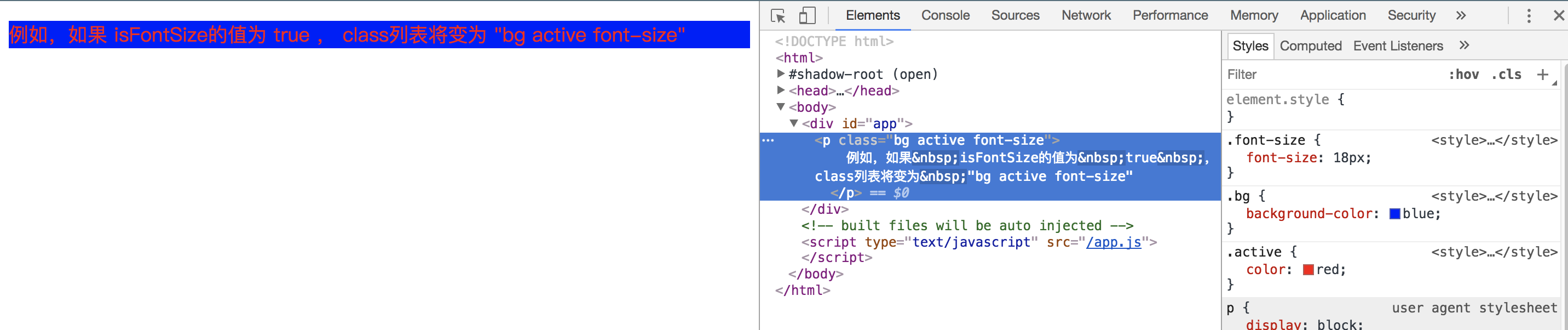
也可以直接绑定数据里的一个对象,这种写法是将样式的class名字放在这个对象中,然后是用v-bind绑定的时候绑定这个对象名字
<template>

  <!--template模板只能有一个根元素-->

  <div id="app">

    <p class="bg" v-bind:class="classObject">

      例如,如果 isFontSize的值为 true , class列表将变为 "bg active font-size"

    </p>

  </div>

</template>

<script>

export default {

  name: 'app',

  data () {

    return {

      classObject: {

        active: true,

        'font-size': true

      }

    }

  }

}

</script>

<style>

  .active{

    color: red;

  }

  .bg{

    background-color: blue;

  }

  .font-size{

    font-size: 18px;

  }

</style>
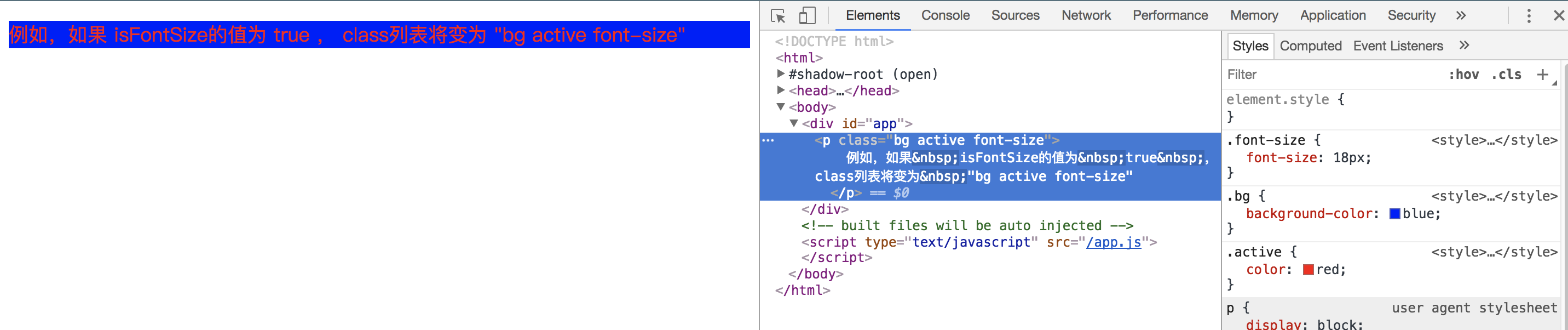
也可以在这里绑定返回对象的计算属性。这是一个常用且强大的模式
<template>

  <!--template模板只能有一个根元素-->

  <div id="app">

    <p class="bg" v-bind:class="classObject">

      例如,如果 isFontSize的值为 true , class列表将变为 "bg active font-size"

    </p>

  </div>

</template>

<script>

export default {

  name: 'app',

  data () {

    return {

      active: true,

      isActive: false

    }

  },

  computed: {

    classObject: function () {

      return {

        active: this.active && !this.isActive,

        'font-size': this.active || this.isActive

      }

    }

  }

}

</script>

<style>

  .active{

    color: red;

  }

  .bg{

    background-color: blue;

  }

  .font-size{

    font-size: 18px;

  }

</style>
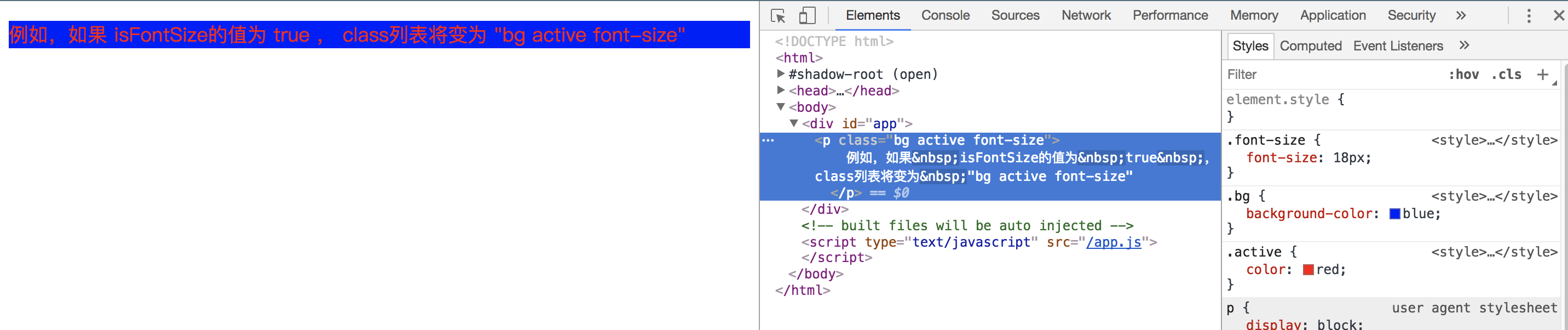
动态绑定class—数组语法
我们可以把一个数组传给 v-bind:class ,给应用一个 class 列表
<template>

  <!--template模板只能有一个根元素-->

  <div id="app">

    <p class="bg" v-bind:class="[isActive,isFontSize]">

      例如,如果 isFontSize的值为 true , class列表将变为 "bg active font-size"

    </p>

  </div>

</template>

<script>

export default {

  name: 'app',

  data () {

    return {

      isActive: 'active',

      isFontSize: 'font-size'

    }

  }

}

</script>

<style>

  .active{

    color: red;

  }

  .bg{

    background-color: blue;

  }

  .font-size{

    font-size: 18px;

  }

</style>
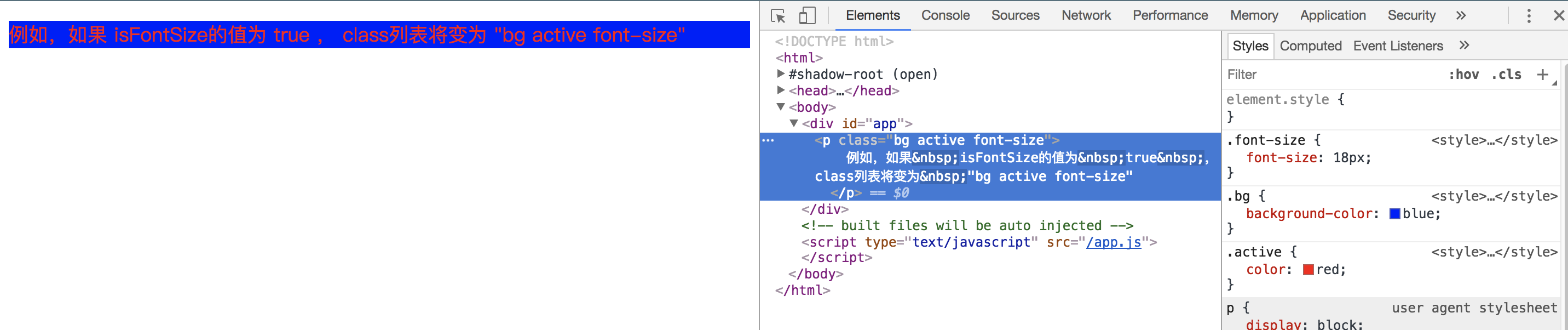
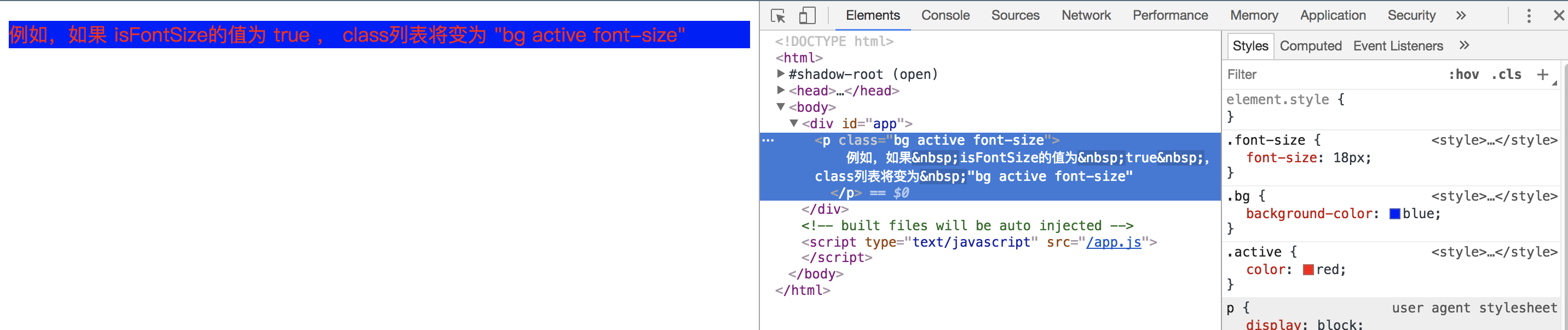
根据条件切换列表中的 class ,可以用三元表达式。下面此例始终添加 font-size这个class ,但是只有在 isActive 是 true 时才添加 active这个class
<template>

  <!--template模板只能有一个根元素-->

  <div id="app">

    <p class="bg" v-bind:class="[isActive ? activeClass : '',isFontSize]">

      例如,如果 isFontSize的值为 true , class列表将变为 "bg active font-size"

    </p>

  </div>

</template>

<script>

export default {

  name: 'app',

  data () {

    return {

      isActive: true,

      activeClass: 'active',

      isFontSize: 'font-size'

    }

  }

}

</script>

<style>

  .active{

    color: red;

  }

  .bg{

    background-color: blue;

  }

  .font-size{

    font-size: 18px;

  }

</style>
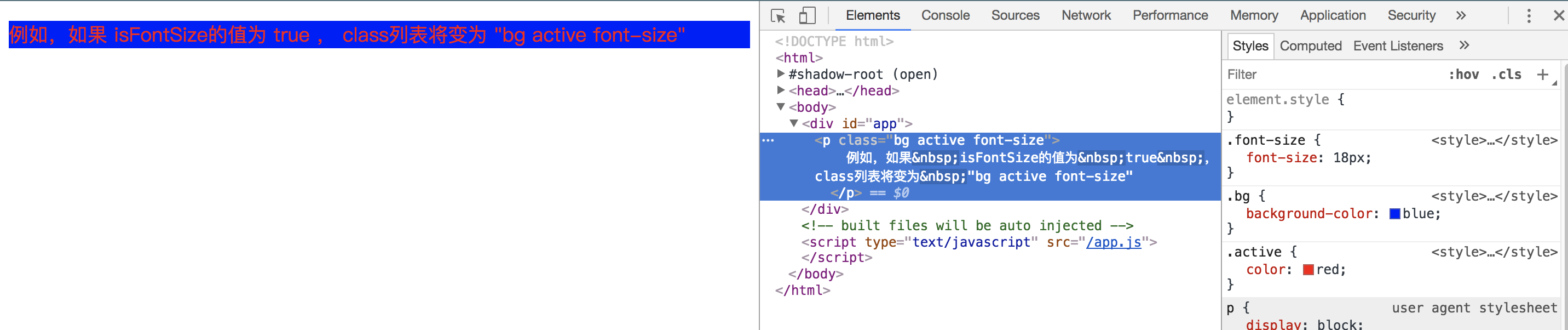
当有多个条件 class 时这样写有些繁琐。可以在数组语法中使用对象语法
<template>

  <!--template模板只能有一个根元素-->

  <div id="app">

    <p class="bg" v-bind:class="[{active:isActive},isFontSize]">

      例如,如果 isFontSize的值为 true , class列表将变为 "bg active font-size"

    </p>

  </div>

</template>

<script>

export default {

  name: 'app',

  data () {

    return {

      isActive: true,

      isFontSize: 'font-size'

    }

  }

}

</script>

<style>

  .active{

    color: red;

  }

  .bg{

    background-color: blue;

  }

  .font-size{

    font-size: 18px;

  }

</style>
动态绑定内联样式style—概述
数据绑定(v-bind指令)另一个常见需求是操作元素的内联样式。因为它是属性,我们可以用 v-bind 处理它们
我们只需要计算出表达式最终的字符串。不过,字符串拼接麻烦又易错。因此,在v-bind 用于 style 时,Vue.js 专门增强了它。表达式的结果类型除了字符串之外,还可以是对象或数组。
动态绑定内联样式style—对象语法
v-bind:style 的对象语法十分直观——看着非常像 CSS ,其实它是一个 JavaScript 对象。 CSS 属性名可以用驼峰式(camelCase)或短横分隔命名(kebab-case)
<template>

  <div id="app">

    <p v-bind:style="{color:colorStyle,fontSize:fontSizeStyle+'px'}">

      例如,如果isFontSize的值为true,class列表将变为 "bg active font-size"

    </p>

  </div>

</template>

<script>

export default {

  name: 'app',

  data () {

    return {

      colorStyle: 'red',

      fontSizeStyle: 20

    }

  }

}

</script>

<style></style>

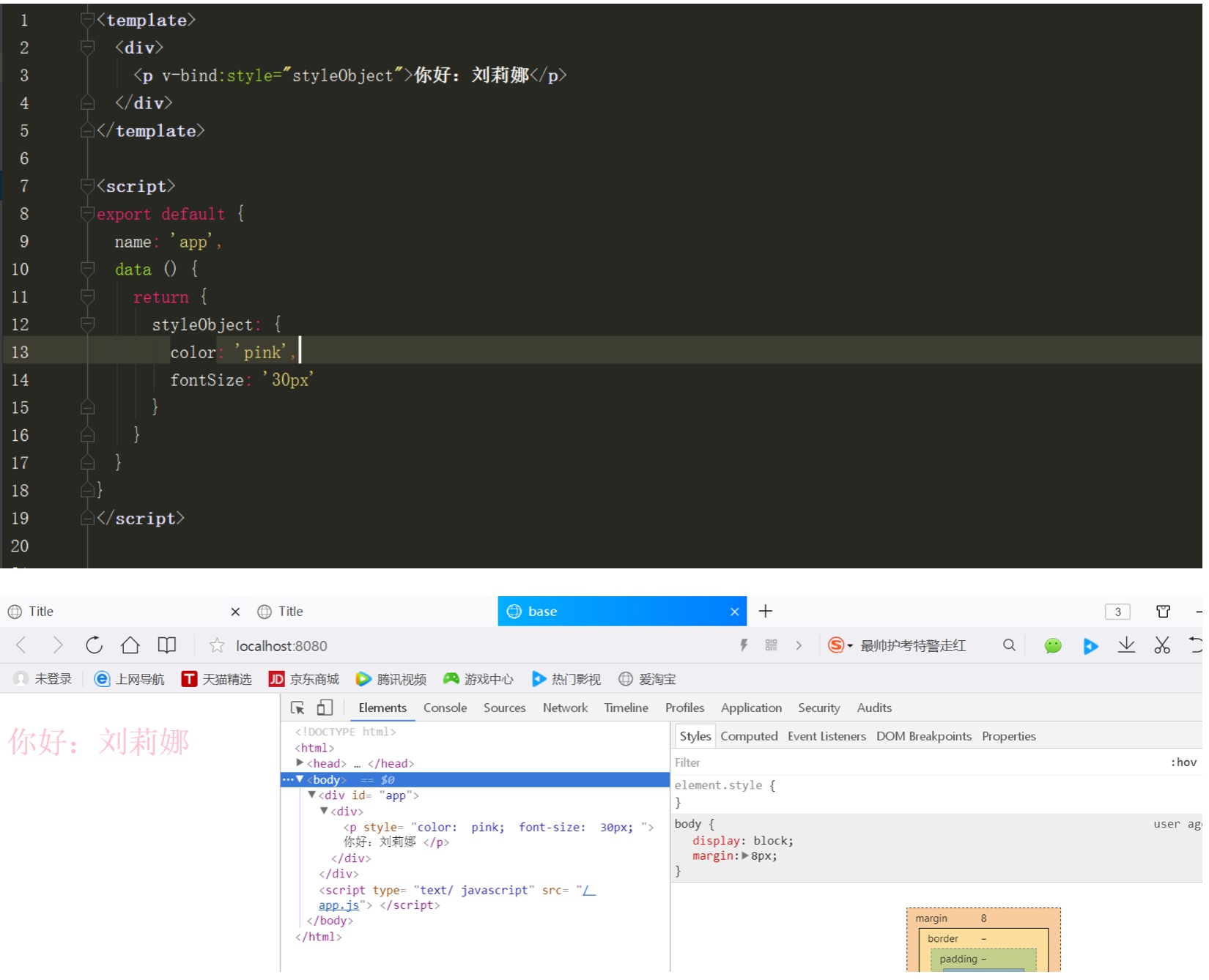
直接绑定到一个样式对象通常更好,让模板更清晰
同样的,对象语法常常结合返回对象的计算属性使用
动态绑定内联样式style—数组语法
v-bind:style 的数组语法可以将多个样式对象应用到一个元素上

v-bind指令动态绑定class和内联样式style的更多相关文章
- vue 内联样式style中的background
在我们使用vue开发的时候 有很多时候我们需要用到背景图 这个时候会直接使用 内联样式 直接把你拿到的数据拼接上去 注意 在vue中直接使用style时 花括号一定别忘记 还有就是你的url一定 ...
- vue 内联样式style三元表达式(动态绑定样式)
<span v-bind:style="{'display':config.isHaveSearch ? 'block':'none'}" >动态绑定样式</sp ...
- vue.js中内联样式style三元表达式
<span v-bind:style="{'display':config.isHaveSearch ? 'block':'none'}" >搜索</span&g ...
- Vue 内联样式
前置说明 Vue 绑定HTML 全局属性style,可以动态地改变属性值.这里就不讲内联样式的基础了,具体轻查看官网文档 Class 与 Style 绑定. 主要分为以下两个步骤进行: v-bind ...
- DOM与元素节点内联样式
获取.设置及移除单个内联 CSS 属性 每个 HTML 元素都有个 style 属性,可以用来插入针对该元素的内联 CSS 属性. <div style='background-color:bl ...
- 如何获取内联样式的width值
如图,如何获取内联样式的width值 不用attr 用css这样写
- 内联样式自动出现,一般是js控制写入的
内联样式自动出现,一般是js控制写入的
- 你真的知道css三种存在样式(外联样式、内部样式、内联样式)的区别吗?
css样式在html中有三种存在形态: 内联样式:<div style="display: none"></div> 内部样式: <style> ...
- 如何修改element.style内联样式;
如何修改element.style内联样式: 我们在写前面 web页面样式的时候,会发现有些时候,我们怎么修改 style里面的值,页面上的样式都不会修改,当你用工具查看时,会发现里面会有 eleme ...
随机推荐
- linux下软件包管理
挂载光盘:mkdir /mnt/cdrommount /dev/cdrom /mnt/cdrom 1.rpm包管理1.安装一个包 rpm –ivh < rpm package name> ...
- 深度学习论文翻译解析(四):Faster R-CNN: Down the rabbit hole of modern object detection
论文标题:Faster R-CNN: Down the rabbit hole of modern object detection 论文作者:Zhi Tian , Weilin Huang, Ton ...
- link rel=alternate网站换肤功能
此方法借助HTML rel属性的alternate属性值实现. <link href="reset.css" rel="stylesheet" type= ...
- .net敏捷开发框架 力软(learun) 让开发变的更简单
版本:6.1.6.2 体验地址:www.fishcmonkey.com 联系QQ:6539471
- SQL SERVER 如何声明一个变量
DECLARE @i AS INT; ; GO 或者 ; GO 表表达式形式 ); SET @empname = (SELECT firstname + N' ' + lastname FROM HR ...
- foreach 引发的值类型与引用类型思考
用都知道的一句话概括:“引用类型在堆上,栈上只保存引用:值类型即可存放于栈上也可存放于堆上,值类型变量直接存储值本身”. class Program { static void Main(string ...
- .net 服务端 访问共享文件夹
共享文件夹所在电脑为A服务器,网站部署在B服务器 A,B服务器上拥有同名账户,且密码也要相同.如账户名share,密码123. A服务器上,共享文件夹设置share账户有读写权限 B服务器上,IIS中 ...
- Python入门到精通学习书籍推荐!
1.Python基础教程(第2版 修订版)<Python基础教程(第2版修订版)>包括Python程序设计的方方面面,内容涉及的范围较广,既能为初学者夯实基础,又能帮助程序员提升技能,适合 ...
- 【Spring】30、Spring,SpringMVC用法汇总
SpringMVC的工作原理图: springMVC中的几个组件: 前端控制器(DispatcherServlet):接收请求,响应结果,相当于电脑的CPU. 处理器映射器(HandlerMappin ...
- 漫画 | Spring AOP的底层原理是什么?
1.Spring中配置的bean是在什么时候实例化的? 2.描述一下Spring中的IOC.AOP和DI IOC和AOP是Spring的两大核心思想 3.谈谈IOC.AOP和DI在项目开发中的应用场景 ...