
maven安装cucumber的pom文件设置
1.在windows上安装maven
2.安装Eclipse
3.在eclipse上面配置maven,并新建一个maven项目
4.在maven项目里面找到pom.xml,编辑pom.xml,之后点击保存.
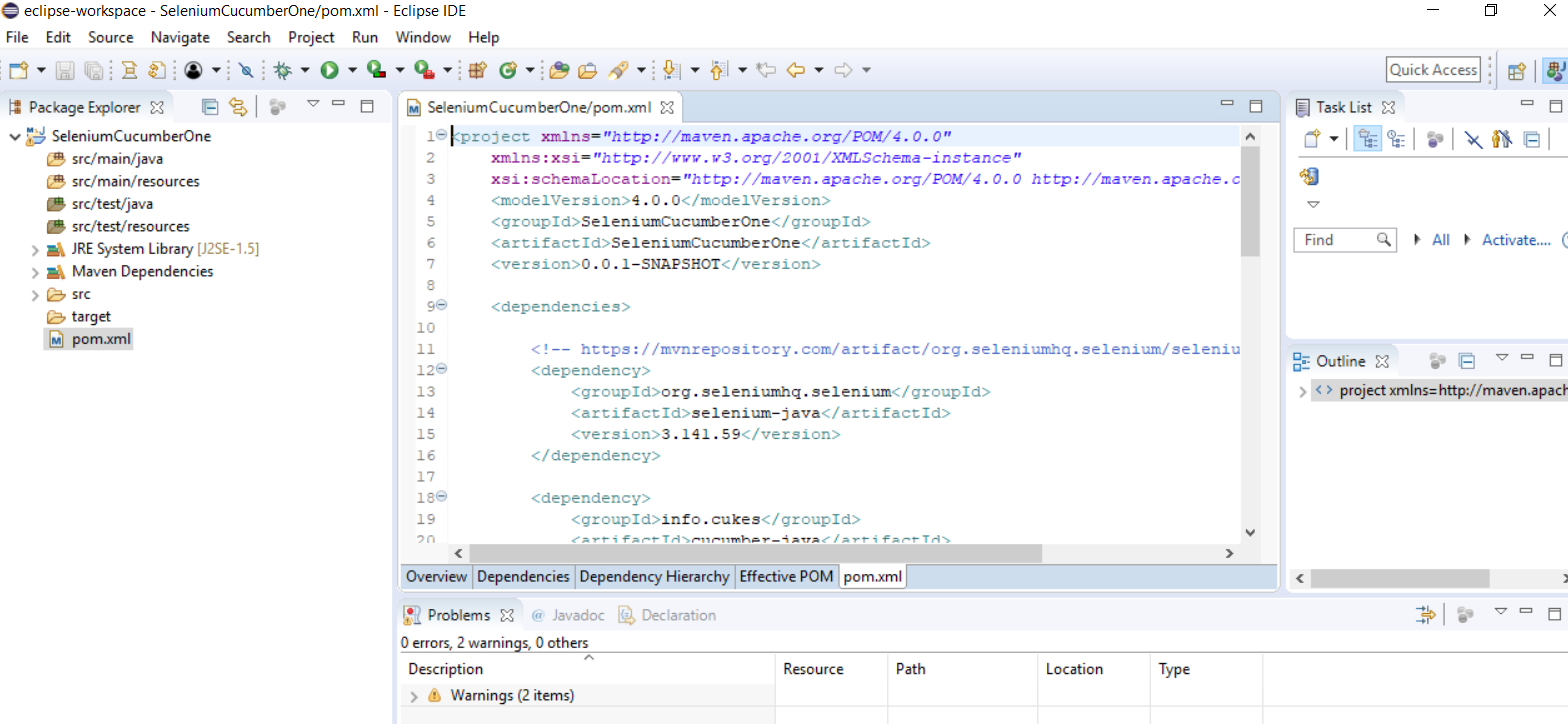
截图中使用到的dependencis:
<project xmlns="http://maven.apache.org/POM/4.0.0"

	xmlns:xsi="http://www.w3.org/2001/XMLSchema-instance"

	xsi:schemaLocation="http://maven.apache.org/POM/4.0.0 http://maven.apache.org/xsd/maven-4.0.0.xsd">

	<modelVersion>4.0.0</modelVersion>

	<groupId>SeleniumCucumberOne</groupId>

	<artifactId>SeleniumCucumberOne</artifactId>

	<version>0.0.1-SNAPSHOT</version>

	<dependencies>

		<!-- https://mvnrepository.com/artifact/org.seleniumhq.selenium/selenium-java -->

		<dependency>

			<groupId>org.seleniumhq.selenium</groupId>

			<artifactId>selenium-java</artifactId>

			<version>3.141.59</version>

		</dependency>

		<dependency>

			<groupId>info.cukes</groupId>

			<artifactId>cucumber-java</artifactId>

			<version>1.2.5</version>

		</dependency>

		<dependency>

			<groupId>info.cukes</groupId>

			<artifactId>cucumber-jvm</artifactId>

			<version>1.2.5</version>

			<type>pom</type>

		</dependency>

		<dependency>

			<groupId>info.cukes</groupId>

			<artifactId>cucumber-junit</artifactId>

			<version>1.2.5</version>

			<scope>test</scope>

		</dependency>

		<dependency>

			<groupId>info.cukes</groupId>

			<artifactId>cucumber-jvm-deps</artifactId>

			<version>1.0.5</version>

			<scope>provided</scope>

		</dependency>

		<dependency>

			<groupId>net.masterthought</groupId>

			<artifactId>cucumber-reporting</artifactId>

			<version>4.3.0</version>

		</dependency>

		<dependency>

			<groupId>junit</groupId>

			<artifactId>junit</artifactId>

			<version>4.12</version>

			<scope>test</scope>

		</dependency>

		<dependency>

			<groupId>info.cukes</groupId>

			<artifactId>gherkin</artifactId>

			<version>2.12.2</version>

			<scope>provided</scope>

		</dependency>

	</dependencies>

</project>
maven安装cucumber的pom文件设置的更多相关文章
- 选择“保留window设置、个人文件及应用”或者“升级安装windows并保留文件设置和应用程序”的 处理干净以后用ghost备份
个人经验 第一次装好以后 把所有常用软件什么的 还有系统的更新全部装好 删去乱七八糟的临时文件啊什么的 处理干净以后用ghost备份下次需要重装直接从ghost镜像恢复 然后更新软件 打补丁 再备份 ...
- (转)通过maven,给没有pom文件的jar包生成pom文件,maven项目引入本地jar包
文章完全转载自 : https://blog.csdn.net/qq_31289187/article/details/81117478 问题一: 经常遇到公司私服或者中央仓库没有的jar包,然后通过 ...
- 【maven】maven创建web项目-pom文件提示web.xml is missing and <failOnMissingWebXml> is set to true
使用maven创建web项目,选择war类型后,pom文件红叉 提示web.xml is missing and <failOnMissingWebXml> is set to true ...
- 【IDEA】Maven踩坑:pom文件中的默认profiles不生效+IDEA中Maven的profiles使用说明
一.问题即分析 项目pom文件中的profiles有3个配置:dev.test和production 默认配置的是dev,如下图: 但在本地起服务时,读取的配置始终是test里的. 二.原因 2.1 ...
- 【maven】idea的pom文件修改,引入新的jar包,无效,本地仓库始终没有下载新jar包的问题解决【idea pom Dependency not found】
引入问题: idea的pom文件修改,引入新的jar包,无效,本地仓库始终没有下载新jar包的问题解决[idea pom Dependency not found] 如题,引入一个新的jar包,在 ...
- maven 依赖显示红线 pom文件不显示红线的一种可能问题
pom文件引用的是CDH的jar包 而没有配置CDH的仓库 导致maven找不到资源 ,依赖显示红色波浪,并且在仓库内生成了一堆.lastupdate文件 解决: 1. 删除本地仓库内所有的.las ...
- Maven无法导入插件,pom文件报错
最近在使用IDEA导入开源项目bootshiro,更新依赖的时候,发现有些插件无法导入,以致于pom文件一直报找不到该插件的错误 一开始就网上各种百度,无论怎么更换阿里云的镜像都导不进,最后想着试试自 ...
- 基于maven的spring-boot的pom文件详解
Spring Boot 推荐的基础 POM 文件 名称 说明 spring-boot-starter 核心 POM,包含自动配置支持.日志库和对 YAML 配置文件的支持. spring-boot-s ...
- Maven项目pom文件设置JDK版本
maven项目创建之后有时候默认设定了java的低版本,每次导入项目或者更新maven的时候可能或出现一些报错,在pom.xml设定版本免除这个问题 <build> <finalNa ...
随机推荐
- 云南-第一个应用节点-ssh登录-卡顿的问题
云南电信,从管理节点ssh连接到第一个应用节点,出现延迟卡顿的问题,解决方法: systemctl restart systemd-logind.service 附: 操作系统类型: SLES ...
- latex之插入向量、图片、编号
1.向量 $\vec a$\qquad $\overleftarrow{AB}$\qquad $\overleftrightarrow{AB}$\qquad $\overrightarrow{AB}$ ...
- 关于c风格的字符串的基本函数
1.两个字符串的比较 //如果两个字符串相等 strcmp(s1,s2)=; //如果s1>s2 strcmp(s1,s2)>; //如果s1<s2 strcmp(s1,s2)< ...
- 2018.4.26 lvm
lvm(Logical Volume Manager)逻辑卷管理,是Linux环境下对磁盘分区进行管理的一种机制. 基本概念: 1. 物理卷-----PV(Physical Volume)物理卷在逻辑 ...
- [Java] 方法 -- 繼承關係
public class test { void show() { System.out.println("父類別"); } } public class test2 extend ...
- Java_初入IO流_字符流_Write-Read_小笔记
package IO; import java.io.FileWriter; import java.io.IOException; class File_Writer { public static ...
- 用jquery得到select选中的值
<select class="pushtype" name="push_type" onchange="pushType(this)" ...
- Maven项目构建过程练习
转载于:http://www.cnblogs.com/xdp-gacl/p/4051690.html 上一篇只是简单介绍了一下maven入门的一些相关知识,这一篇主要是体验一下Maven高度自动化构建 ...
- Azure Redis Cache (5) Redis Cache Cluster集群模式
<Windows Azure Platform 系列文章目录> Redis Cluster 3.0之后的版本,已经支持Redis Cluster集群模式,Redis Cluster采用无中 ...
- pyhton3.5将汉字转成二进制的方法
直接上代码:name = "你好,中国人"byteName = bytes(name.encode("utf-8"))print(byteName)for b ...