
Android动画效果之自定义ViewGroup添加布局动画
前言:
前面几篇文章介绍了补间动画、逐帧动画、属性动画,大部分都是针对View来实现的动画,那么该如何为了一个ViewGroup添加动画呢?今天结合自定义ViewGroup来学习一下布局动画。本文将通过对自定义图片选择控件设置动画为例来学习布局动画。
其他几种动画效果:
- Android动画效果之Tween Animation(补间动画)
- Android动画效果之Frame Animation(逐帧动画)
- Android动画效果之初识Property Animation(属性动画)
- Android动画效果之Property Animation进阶(属性动画)
- Android动画效果之自定义ViewGroup添加布局动画
自定义一个显示多行图片的ViewGroup:
这里不再对自定义控件做解说,想了解的可以看下以下几篇文章
- Android自定义控件之基本原理(一)
- Android自定义控件之自定义属性(二)
- Android自定义控件之自定义组合控件(三)
- Android自定义控件之自定义ViewGroup实现标签云(四)
声明几个属性值:
    <declare-styleable name="GridImageViewGroup">

        <attr name="childVerticalSpace" format="dimension"/>

        <attr name="childHorizontalSpace" format="dimension"/>

        <attr name="columnNum" format="integer"/>

    </declare-styleable>
GridImageViewGroup.java 代码
public class GridImageViewGroup extends ViewGroup {

    private int childVerticalSpace = 0;

    private int childHorizontalSpace = 0;

    private int columnNum = 3;

    private int childWidth = 0;

    private int childHeight = 0;

    public GridImageViewGroup(Context context, AttributeSet attrs) {

        super(context, attrs);

        TypedArray attributes = context.obtainStyledAttributes(attrs, R.styleable.GridImageViewGroup);

        if (attributes != null) {

            childVerticalSpace = attributes.getDimensionPixelSize(R.styleable.GridImageViewGroup_childVerticalSpace, 0);

            childHorizontalSpace = attributes.getDimensionPixelSize(R.styleable.GridImageViewGroup_childHorizontalSpace, 0);

            columnNum = attributes.getInt(R.styleable.GridImageViewGroup_columnNum, 3);

            attributes.recycle();

        }

    }

    @Override

    protected void onMeasure(int widthMeasureSpec, int heightMeasureSpec) {

        super.onMeasure(widthMeasureSpec, heightMeasureSpec);

        int rw = MeasureSpec.getSize(widthMeasureSpec);

        int rh = MeasureSpec.getSize(heightMeasureSpec);

        int childCount = getChildCount();

        if (childCount > 0) {

            childWidth = (rw - (columnNum - 1) * childHorizontalSpace) / columnNum;

            childHeight = childWidth;

            int vw = rw;

            if (childCount < columnNum) {

                vw = childCount * (childHeight + childVerticalSpace);

            }

            int rowCount = childCount / columnNum + (childCount % columnNum != 0 ? 1 : 0);

            int vh = rowCount * childHeight + (rowCount > 0 ? rowCount - 1 : 0) * childVerticalSpace;

            setMeasuredDimension(vw, vh);

        }

    }

    @Override

    protected void onLayout(boolean changed, int l, int t, int r, int b) {

        int left = 0;

        int top = 0;

        int count = getChildCount();

        for (int i = 0; i < count; i++) {

            View child = getChildAt(i);

            left = (i % columnNum) * (childWidth + childHorizontalSpace);

            top = (i / columnNum) * (childHeight + childVerticalSpace);

            child.layout(left, top, left + childWidth, top + childHeight);

        }

    }
GridImageViewGroup.java
在xml中引用:
<com.whoislcj.animation.GridImageViewGroup

            android:id="@+id/image_layout"

            android:layout_width="match_parent"

            android:layout_height="wrap_content"

            android:layout_margin="10dp"

            android:animateLayoutChanges="true"

            lee:childHorizontalSpace="10dp"

            lee:childVerticalSpace="10dp"

            lee:columnNum="3"/>
在Activity中调用:
 private void initViews() {

        mImageViewGroup = (GridImageViewGroup) findViewById(R.id.image_layout);

        ImageView imageView = new ImageView(this);

        imageView.setImageResource(R.mipmap.add_image);

        imageView.setOnClickListener(new View.OnClickListener() {

            @Override

            public void onClick(View v) {

                addImageView();

            }

        });

        mImageViewGroup.addView(imageView);

    }

    public void addImageView() {

        final ImageView imageView = new ImageView(MainActivity4.this);

        imageView.setImageResource(R.mipmap.lottery);

        imageView.setOnClickListener(new View.OnClickListener() {

            @Override

            public void onClick(View v) {

                mImageViewGroup.removeView(imageView);

            }

        });

        mImageViewGroup.addView(imageView, 0);

    }
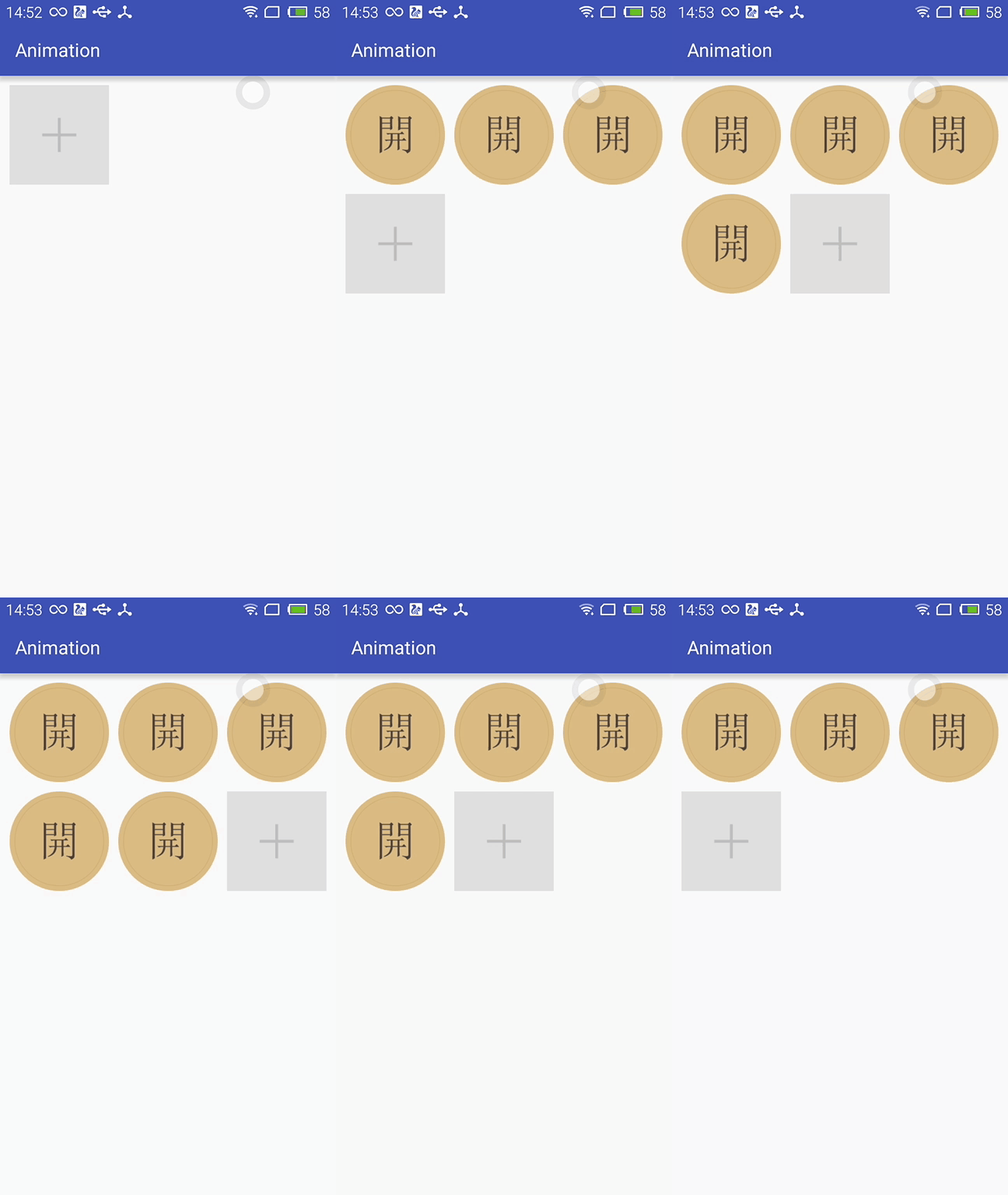
实现效果如下:
布局动画产生的背景:
凡事总要问个明白,为何要引入布局动画呢?其实通过上面的实现效果可以看出,在添加和删除图片时都显得很突兀,不知道该用什么语言形容了,总之就是感觉不舒服。其实我平时在开发中调用View.setVisibility()方法时也会有这种感受,这也是布局动画产生的一个背景吧。
布局动画:
布局动画是指ViewGroup在布局时产生的动画效果 。实现布局动画有如下几种方式
第一种方式:在xml中,对ViewGrope设置android:animateLayoutChanges="true"属性:
    <com.whoislcj.animation.GridImageViewGroup

            android:id="@+id/image_layout"

            android:layout_width="match_parent"

            android:layout_height="wrap_content"

            android:layout_margin="10dp"

            android:animateLayoutChanges="true"

            lee:childHorizontalSpace="10dp"

            lee:childVerticalSpace="10dp"

            lee:columnNum="3"/>
就这么简单的一句话实现的效果就可以实现了,看看效果如何
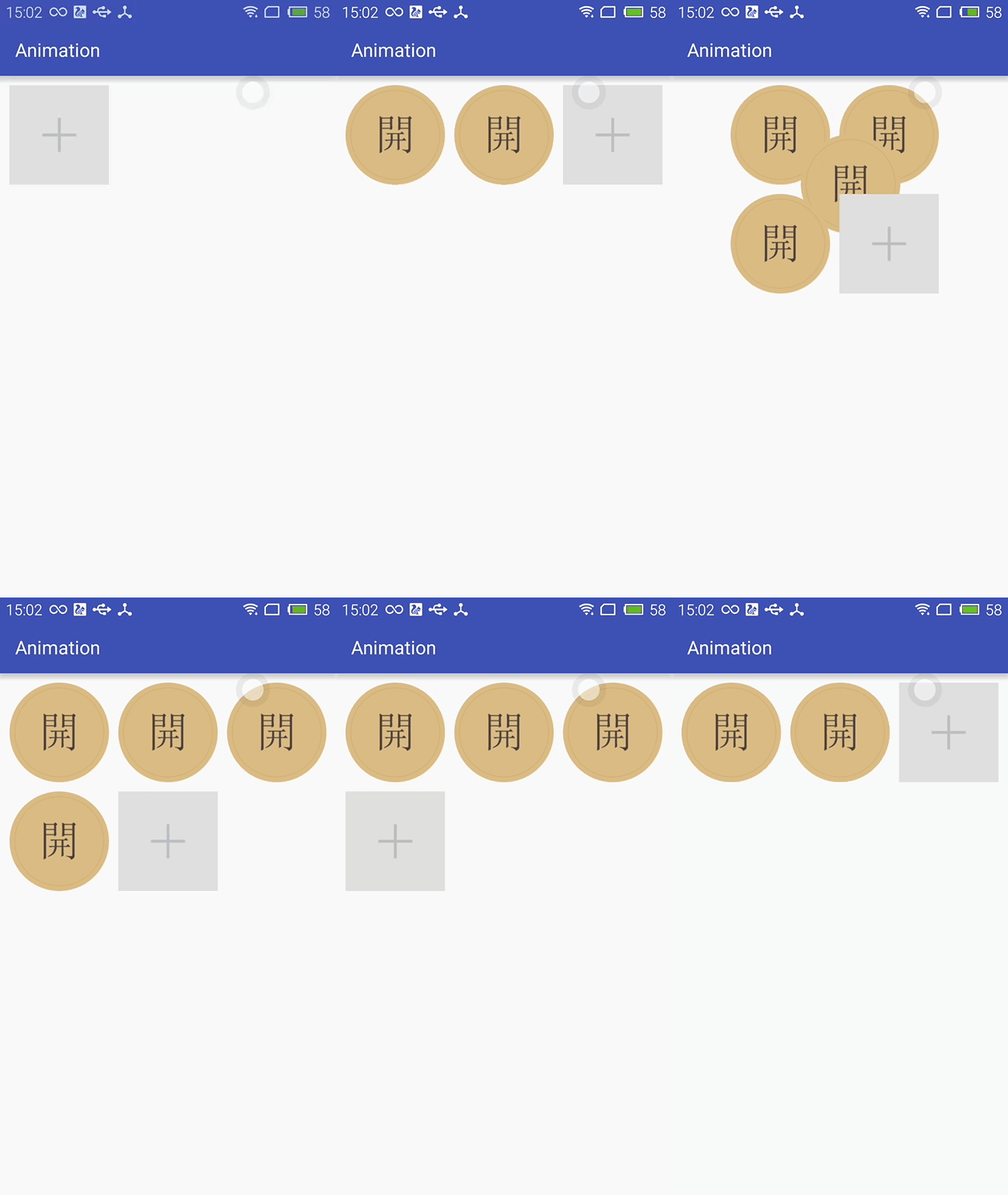
这种方式虽然简单但是实现的布局动画比较单一,下面看第二种方式。
第二种方式:LayoutTransition实现
 LayoutTransition mLayoutTransition = new LayoutTransition();

        //设置每个动画持续的时间

        mLayoutTransition.setStagger(LayoutTransition.CHANGE_APPEARING, 50);

        mLayoutTransition.setStagger(LayoutTransition.CHANGE_DISAPPEARING, 50);

        mLayoutTransition.setStagger(LayoutTransition.APPEARING, 50);

        mLayoutTransition.setStagger(LayoutTransition.DISAPPEARING, 50);

        PropertyValuesHolder appearingScaleX = PropertyValuesHolder.ofFloat("scaleX", 0.5f, 1.0f);

        PropertyValuesHolder appearingScaleY = PropertyValuesHolder.ofFloat("scaleY", 0.5f, 1.0f);

        PropertyValuesHolder appearingAlpha = PropertyValuesHolder.ofFloat("alpha", 0f, 1f);

        ObjectAnimator mAnimatorAppearing = ObjectAnimator.ofPropertyValuesHolder(this, appearingAlpha, appearingScaleX, appearingScaleY);

        //为LayoutTransition设置动画及动画类型

        mLayoutTransition.setAnimator(LayoutTransition.APPEARING, mAnimatorAppearing);

        PropertyValuesHolder disappearingAlpha = PropertyValuesHolder.ofFloat("alpha", 1f, 0f);

        PropertyValuesHolder disappearingRotationY = PropertyValuesHolder.ofFloat("rotationY", 0.0f, 90.0f);

        ObjectAnimator mAnimatorDisappearing = ObjectAnimator.ofPropertyValuesHolder(this, disappearingAlpha, disappearingRotationY);

        //为LayoutTransition设置动画及动画类型

        mLayoutTransition.setAnimator(LayoutTransition.DISAPPEARING, mAnimatorDisappearing);

        ObjectAnimator mAnimatorChangeDisappearing = ObjectAnimator.ofFloat(null, "alpha", 1f, 0f);

        //为LayoutTransition设置动画及动画类型

        mLayoutTransition.setAnimator(LayoutTransition.CHANGE_DISAPPEARING, mAnimatorChangeDisappearing);

        ObjectAnimator mAnimatorChangeAppearing = ObjectAnimator.ofFloat(null, "alpha", 1f, 0f);

        //为LayoutTransition设置动画及动画类型

        mLayoutTransition.setAnimator(LayoutTransition.CHANGE_APPEARING, mAnimatorChangeAppearing);

        //为mImageViewGroup设置mLayoutTransition对象

        mImageViewGroup.setLayoutTransition(mLayoutTransition);
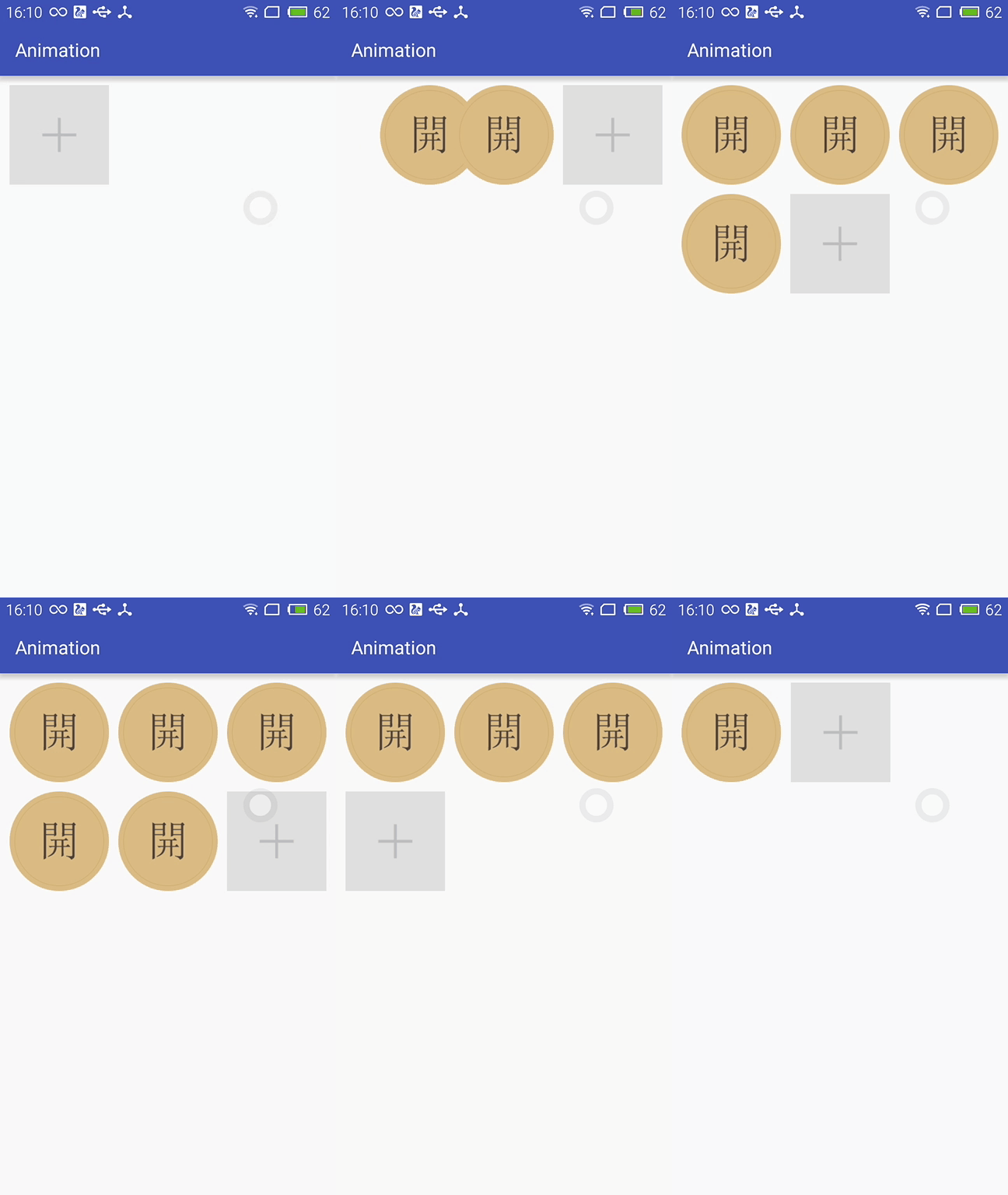
上面通过自定义LayoutTransition 修改系统提高的默认动画效果,如果不需要自定义的动画效果的话,不调用mLayoutTransition.setAnimator(LayoutTransition.DISAPPEARING, mAnimatorDisappearing);就行了。
LayoutTransition 提供了以下几种过渡类型:
- APPEARING —— 元素在容器中显现时需要动画显示。
- CHANGE_APPEARING —— 由于容器中要显现一个新的元素,其它元素的变化需要动画显示。
- DISAPPEARING —— 元素在容器中消失时需要动画显示。
- CHANGE_DISAPPEARING —— 由于容器中某个元素要消失,其它元素的变化需要动画显示。
看下修改过的动画效果:
第三种方式:通过设置LayoutAnimation来实现布局动画
 AlphaAnimation alphaAnimation = new AlphaAnimation(0f, 1f);

        alphaAnimation.setDuration(200);

        LayoutAnimationController animationController = new LayoutAnimationController(alphaAnimation, 0.5f);

        animationController.setOrder(LayoutAnimationController.ORDER_NORMAL);

        mImageViewGroup.setLayoutAnimation(animationController);
显示顺序有以下几种:
- ORDER_NORMAL;//顺序显示
- ORDER_REVERSE;//反显示
- ORDER_RANDOM//随机显示
也可以通过xml实现
<?xml version="1.0" encoding="utf-8"?>

<layoutAnimation

    xmlns:android="http://schemas.android.com/apk/res/android"

    android:delay="0.5"

    android:animationOrder="normal"

    android:animation="@anim/alpha"

    />
ViewGroup xml添加android:layoutAnimation属性
    <com.whoislcj.animation.GridImageViewGroup

            android:id="@+id/image_layout"

            android:layout_width="match_parent"

            android:layout_height="wrap_content"

            android:layout_margin="10dp"

            android:layoutAnimation="@anim/layoutanimation"

            lee:childHorizontalSpace="10dp"

            lee:childVerticalSpace="10dp"

            lee:columnNum="3"/>
由于这种方式采用的是补间动画,个人不再推荐使用这种方式,原因很简单实现的动画效果相对单一。
总结:
本篇学习了布局动画,自此Android的动画学习也将告一段落了,接下来准备总结一下学习动画的过程中遇见的编程知识,比如链式编程,TreadLocal等。
Android动画效果之自定义ViewGroup添加布局动画的更多相关文章
- 自定义ViewGroup添加布局动画
声明几个属性值: <declare-styleable name="GridImageViewGroup"> <attr name="childVert ...
- Android笔记之为自定义对话框添加移动动画效果
给底部的对话框添加移动动画效果 可通过Window.setWindowAnimations(int resId)设置 SharingDialog.java package com.bu_ish.sha ...
- Android 动画效果 及 自定义动画
1. View动画-透明动画效果2. View动画-旋转动画效果3. View动画-移动动画效果4. View动画-缩放动画效果5. View动画-动画效果混合6. View动画-动画效果侦听7. 自 ...
- Android ViewDragHelper完全解析 自定义ViewGroup神器
Android ViewDragHelper完全解析 自定义ViewGroup神器 转载请标明出处: http://blog.csdn.net/lmj623565791/article/detai ...
- [Swift通天遁地]五、高级扩展-(11)图像加载Loading动画效果的自定义和缓存
★★★★★★★★★★★★★★★★★★★★★★★★★★★★★★★★★★★★★★★★➤微信公众号:山青咏芝(shanqingyongzhi)➤博客园地址:山青咏芝(https://www.cnblogs. ...
- Android -- 自定义ViewGroup+贝塞尔+属性动画实现仿QQ点赞效果
1,昨天我们写了篇简单的贝塞尔曲线的应用,今天和大家一起写一个QQ名片上常用的给别人点赞的效果,实现效果图如下: 红心的图片比较丑,见谅见谅(哈哈哈哈哈哈).... 2,实现的思路和原理 从上面的效果 ...
- AndroidUI 布局动画-为列表添加布局动画效果
新建一个Android project ,使MainActivity 继承自 ListActivity: public class MainActivity extends ListActivity ...
- 【Android初级】如何实现一个有动画效果的自定义下拉菜单
我们在购物APP里面设置收货地址时,都会有让我们选择省份及城市的下拉菜单项.今天我将使用Android原生的 Spinner 控件来实现一个自定义的下拉菜单功能,并配上一个透明渐变动画效果. 要实现的 ...
- Android开发UI之给ListView设置布局动画效果
1.通过JAVA代码添加,资源文件基本上不修改 XML文件,只添加了一个ListView,就不贴XML文件的代码了. java代码: public class MainActivity extends ...
随机推荐
- 深入浅出Redis-redis哨兵集群
1.Sentinel 哨兵 Sentinel(哨兵)是Redis 的高可用性解决方案:由一个或多个Sentinel 实例 组成的Sentinel 系统可以监视任意多个主服务器,以及这些主服务器属下的所 ...
- go语言:多个[]byte数组合并成一个[]byte
场景:在开发中,要将多个[]byte数组合并成一个[]byte,初步实现思路如下: 1.获取多个[]byte长度 2.构造一个二维码数组 3.循环将[]byte拷贝到二维数组中 package gst ...
- 介绍一款原创的四则运算算式生成器:CalculateIt2
家里小朋友读一年级了,最近每天都有一些10以内的加减法口算练习,作为程序员爸爸,自然也是想办法能够偷懒,让电脑出题,给小朋友做些练习.于是,自己在业余时间开发了一个四则运算算式生成器,名为:Calcu ...
- 解决:win10_x64 VMware Workstation and Hyper-V are not compatible. Remove the Hyper-V role from the system before running VMware Workstation
bcdedit /set hypervisorlaunchtype off A reboot of of the Windows OS is necessary 必须重启才能生效 To enab ...
- gulp 自动添加版本号
本文介绍利用 gulp-rev 和 gulp-rev-collector 进行版本管理 npm官网介绍使用后的效果如下: "/css/style.css" => " ...
- MSSQL 事务,视图,索引,存储过程,触发器
事务 事务是一种机制.是一种操作序列,它包含了一组数据库操作命令,这组命令要么全部执行,要么全部不执行. 在数据库系统上执行并发操作时事务是作为最小的控制单元来使用的.这特别适用于多用户同时操作的数据 ...
- 【repost】JS错误类型的学习
SyntaxError是解析代码时发生的语法错误 // 变量名错误 var 1a; // 缺少括号 console.log 'hello'); (2)ReferenceError Referen ...
- [LeetCode] Longest Substring with At Least K Repeating Characters 至少有K个重复字符的最长子字符串
Find the length of the longest substring T of a given string (consists of lowercase letters only) su ...
- Android(3)—Mono For Android App版本自动更新(2)
0.前言 这篇博文是上一篇的延续,主要是修改上一个版中的BUG和优化一些待完善的项,也算是结贴,当然还有需要完善的,等日后项目中用到的时候再单独写出来吧,本篇主要写升级改进的部分: 改进1.修复[BU ...
- 《徐徐道来话Java》:PriorityQueue和最小堆
在讲解PriorityQueue之前,需要先熟悉一个有序数据结构:最小堆. 最小堆是一种经过排序的完全二叉树,其中任一非终端节点数值均不大于其左孩子和右孩子节点的值. 可以得出结论,如果一棵二叉树满足 ...