
swift 触摸与手势
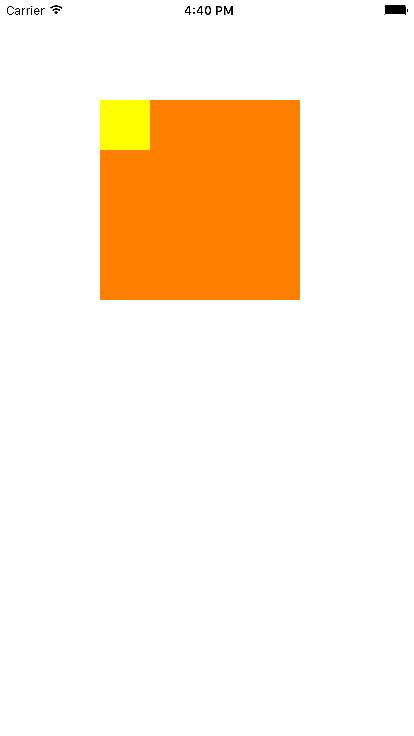
class MyView: UIView {
var lView:UIView!
var time:NSTimer!
override init(frame: CGRect) {
super.init(frame: frame)
//开启多点触控
self.multipleTouchEnabled = true
lView = UIView(frame: CGRect(x: 0, y: 0, width: 50, height: 50));
lView.backgroundColor = UIColor.yellowColor();
self.addSubview(lView)
}
required init?(coder aDecoder: NSCoder) {
super.init(coder: aDecoder)
}
//开始点击时,调用的方法
override func touchesBegan(touches: Set<UITouch>, withEvent event: UIEvent?) {
// println(count)
//拿到一个UITouch对象
// let touch:UITouch = touches.anyObject() as! UITouch;
let touch = touches.first as UITouch!
//拿到点击次数
let tapCount = touch.tapCount;
if (tapCount == 1)
{
// 单击 singleTap()
//使用定时器延时调用
time = NSTimer.scheduledTimerWithTimeInterval(0.5, target: self, selector:"singleTap", userInfo: nil, repeats: false)
}else
{
//终止定时器
time.invalidate()
doubleTap()
}
}
func singleTap() {
print("单击")
}
func doubleTap() {
print("双击")
}
//触摸移动时,调用的方法
override func touchesMoved(touches: Set<UITouch>, withEvent event: UIEvent?) {
// var touch = touches.anyObject() as! UITouch
let touch = touches.first as UITouch!
let location = touch.locationInView(self)
// println("location: \(location.x), \(location.y), \(location)")
let lastLocation = touch.previousLocationInView(self)
// println("lastLocation: \(lastLocation.x), \(lastLocation.y), \(lastLocation)")
let sub = location.x - lastLocation.x
if sub > 0{
print("right")
}else if sub < 0 {
print("left")
}else {
print("move")
}
//让小矩形跟着手势移动 lView.center = location
lView.frame.origin = location
}
}
swift 触摸与手势的更多相关文章
- IOS 手势-轻点、触摸、手势、事件
1.概念 手势是从你用一个或多个手指接触屏幕时开始,直到手指离开屏幕为止所发生的所有事件.无论手势持续多长时间,只要一个或多个手指仍在屏幕上,这个手势就存在. 触摸是指把手指放到IOS设备的屏幕上,从 ...
- JavaScript触摸与手势事件
JavaScript触摸与手势事件 发表于 2012-12-10 由 admin iOS版Safari为了向开发人员传达一些特殊信息,新增了一些专有事件.因为iOS设备既没有鼠标也没有键盘,所以在为移 ...
- js监听事件 上滑消失下滑出现的效果 触摸与手势事件
https://www.w3cmm.com/javascript/touch.html //触摸与手势事件连接tinyscrollbar //方法1var _this = $('#fabu');var ...
- Flex中处理多点触摸和手势
在Flex中多点触摸和手势都需要利用Multitiouch类来完成:1.supportsGestureEvents:判断是否支持手势2.supportsTouchEvents:判断是否支持多点触摸可以 ...
- Javascript高级编程学习笔记(69)—— 事件(13)触摸与手势事件
触摸与手势事件 由于移动设备既没有鼠标也没有键盘,所以在为移动浏览器开发交互性网页时,常规的鼠标键盘事件根本不够用 所以早期的苹果为Safari 添加了一些与触摸相关的事件 随着后面Android的W ...
- T470 Win10下触摸板手势
T470 Win10下触摸板手势 学习了:https://forum.51nb.com/thread-1742490-1-1.html 三指横向竟然是alt+tab 学习了:http://www.xi ...
- 小米和MAC触摸板手势汇总
小米的触摸手势: 左键:单指单击 右键:双指单击 选取并打开:单指双击 滚动页面:双指 移动 拖拽项目:双击并拖拽 放大/缩小:双指张开,双指捏合 MAC触摸板手势: http://www.cr173 ...
- 触摸与手势学习-swift
触摸是一个UITouch对象,该对象放在一个UIEvent中,每个UIEvent包含一个或多个UITouch对象,每个UITouch对象对应一个手指.系统将UIEvent发送到应用程序上,最后应用程序 ...
- iOS之触摸及手势
触摸事件 iOS中的事件: 在用户使用app过程中,会产生各种各样的事件.iOS中的事件可以分为3大类型: view的触摸事件处理: 响应者对象: 在iOS中不是任何对象都能处理事件,只有继承了 ...
随机推荐
- 【转】Deep Learning(深度学习)学习笔记整理系列之(六)
9.3.Restricted Boltzmann Machine (RBM)限制波尔兹曼机 假设有一个二部图,每一层的节点之间没有链接,一层是可视层,即输入数据层(v),一层是隐藏层(h),如果假设所 ...
- SQL Server 一些使用小技巧
1.查询的时候把某一个字段的值拼接成字符串 以下是演示数据. 第一种方式:使用自定义变量 ) SET @Names='' -- 需要先赋值为空字符串,不然结果会是 null SELECT @Names ...
- CCF地铁修建
问题描述 A市有n个交通枢纽,其中1号和n号非常重要,为了加强运输能力,A市决定在1号到n号枢纽间修建一条地铁. 地铁由很多段隧道组成,每段隧道连接两个交通枢纽.经过勘探,有m段隧道作为候选,两个交通 ...
- zw版【转发·台湾nvp系列Delphi例程】HALCON union1
zw版[转发·台湾nvp系列Delphi例程]HALCON union1 unit Unit1;interfaceuses Windows, Messages, SysUtils, Variants, ...
- bootstrap详解 见网址
http://caibaojian.com/bootstrap/base-css.html?#forms
- 封装JS实现Ajax
这两天仔细理解了一下Ajax,然后整理封装了一下,如果有什么不对的地方,请指教,谢谢! AJAX AJAX = Asynchronous JavaScript and XML(异步的 JavaScri ...
- Intellij IDEA 创建控制台项目,断点调试快捷方式
在idea 2016中创建一个控制台项目(经常会忘) 打开创建界面 注意,什么都不要选,点击next(最坑的地方,经常忘) 再次点击next ============================= ...
- 【bzoj2721】[Violet 5]樱花
题目传送门:https://www.lydsy.com/JudgeOnline/problem.php?id=2721 好久没做数学题了,感觉有些思想僵化,走火入魔了. 这道题就是求方程$ \frac ...
- 《EMCAScript6入门》读书笔记——2.let和const命令
- ImportError: cannot import name 'izip & TypeError: 'float' object cannot be interpreted as an integer
ImportError: cannot import name 'izip' 参考:https://codereview.stackexchange.com/questions/26271/impor ...