
Android 时间计算工具 通用类TimeUtil
1.整体分析
1.1.源代码如下,可以直接Copy。
public class TimeUtil {

    private static final String TAG = "TimeUtil";

    public static String computePastTime(String time) {

        // Log.v(TAG, "computePastTime: " + time);

        String result = "刚刚";

        //2017-02-13T01:20:13.035+08:00

        time = time.replace("T", " ");

        time = time.substring(0, 22);

        // Log.v(TAG, "computePastTime time: " + time);

        SimpleDateFormat simpleDateFormat =

                new SimpleDateFormat("yyyy-MM-dd HH:mm:ss.SSS", Locale.SIMPLIFIED_CHINESE);

        try {

            Date t = simpleDateFormat.parse(time);

            Date now = new Date(System.currentTimeMillis());

            long diff = (now.getTime() - t.getTime()) / 1000;

            if (diff < 60) {

                result = "刚刚";

            } else if ((diff /= 60) < 60) {

                result = diff + "分钟前";

            } else if ((diff /= 60) < 24) {

                result = diff + "小时前";

            } else if ((diff /= 24) < 30) {

                result = diff + "天前";

            } else if ((diff /= 30) < 12) {

                result = diff + "月前";

            } else {

                diff /= 12;

                result = diff + "年前";

            }

        } catch (ParseException e) {

            e.printStackTrace();

        }

        // Log.v(TAG, "computePastTime result: " + result);

        return result;

    }

    public static String formatTime(String time) {

        // Log.v(TAG, "formatTime: " + time);

        //2017-02-13T01:20:13.035+08:00

        time = time.replace("T", " ");

        time = time.substring(0, 16);

        // Log.v(TAG, "formatTime result: " + time);

        return time;

    }

}
1.2.主要方法
- computePastTime(String time)==>字符串转化为汉字的时间。
- formatTime(String time)==>格式化字符串时间
1.3.参考其他时间类。
public class MyTimeUtils {

    //获取时间戳

    public static long getTime() {

        Calendar calendar = Calendar.getInstance();// 获取当前日历对象

        long unixTime = calendar.getTimeInMillis();// 获取当前时区下日期时间对应的时间戳

        return unixTime;

    }

    public static String getTimeString() {

        return Long.toString(new Date().getTime());

    }

    //获取标准时间

    public static String getStandardTime() {

        SimpleDateFormat formatter = new SimpleDateFormat(BaseApplication.getInstance().getString(R.string.date_show_type_one));

        Date curDate = new Date(System.currentTimeMillis());// 获取当前时间

        return formatter.format(curDate);

    }

    // 获取与现在时间的时间差(秒)

    public static int getDurationSecond(String time) {

        int durationSecond = 0;

        SimpleDateFormat df = new SimpleDateFormat(<span style="font-family: SimHei;">"yyyy-MM-dd HH:mm:ss"</span>);

        Date date;

        try {

            date = df.parse(time);

            MyLog.i("TimeUtils getDurationSecond Date=" + new Date().toString());

            durationSecond = (int) ((new Date().getTime() - date.getTime()) / 1000);

        } catch (Exception e) {

            MyLog.e("TimeUtils getDurationSecond error=" + e);

        }

        return durationSecond;

    }

    // 获取时间差

    public static String getDuration(String one, String two) {

        String duration = "";

        SimpleDateFormat df = new SimpleDateFormat(<span style="font-family: SimHei;">"yyyy-MM-dd HH:mm:ss"</span><span style="font-family: SimHei;">);</span>

        Date date1;

        Date date2;

        try {

            date1 = df.parse(one);

            date2 = df.parse(two);

            int l = (int) ((date2.getTime() - date1.getTime()) / 1000 / 60);

            if (l > 60) {

                int hr = l / 60;

                int min = l % 60;

                duration = <span style="font-family: SimHei;">hr + "小时" + min + "分钟"</span>;

            } else {

                duration = <span style="font-family: SimHei;">l + "分钟";</span>

            }

        } catch (Exception e) {

            e.printStackTrace();

        }

        return duration;

    }

    // 获取与当前时间差

    public static String getcurDuration(String one) {

        String duration = "";

        SimpleDateFormat df = new SimpleDateFormat(<span style="font-family: SimHei;">"yyyy-MM-dd HH:mm:ss"</span>);

        Date date1;

        Date date2;

        try {

            date1 = df.parse(one);

            date2 = new Date();

            int l = (int) ((date2.getTime() - date1.getTime()) / 1000 / 60);

            if (l > 60) {

                int hr = l / 60;

                int min = l % 60;

                duration = <span style="font-family: SimHei;">hr + "小时" + min + "分钟"</span><span style="font-family: SimHei;">;</span>

            } else {

                duration =<span style="font-family: SimHei;"> l + "分钟";</span>

            }

        } catch (Exception e) {

            e.printStackTrace();

        }

        return duration;

    }

    /**

     * @return格式化当前日期和时间为字符串

     */

    public static String mCurrentTime() {

        SimpleDateFormat df = new SimpleDateFormat(<span style="font-family: SimHei;">"yyyy-MM-dd HH:mm:ss"</span>);

        String currenttime = df.format(new Date());

        return currenttime;

    }

    public static String parseBangTime(long time) {

        MyLog.out("time==>" + time);

        String timeTemp = "";

        if (time < 60) {

            timeTemp = time + BaseApplication.getInstance().getString(R.string.seconds_before);

        } else if (time < (60 * 60)) {

            timeTemp = time / 60 + BaseApplication.getInstance().getString(R.string.minutes_before);

        } else if (time < (3600 * 24)) {

            timeTemp = time / 3600 + BaseApplication.getInstance().getString(R.string.hour_before);

        } else if (time < (60 * 60 * 24 * 30)) {

            timeTemp = time / (3600 * 24) + BaseApplication.getInstance().getString(R.string.today_before);

        } else {

            timeTemp = time / (3600 * 24 * 30) + BaseApplication.getInstance().getString(R.string.month_before);

        }

        return timeTemp;

    }

    public static String getTimeStamp() {

        SimpleDateFormat dateFormat = new SimpleDateFormat(BaseApplication.getInstance().getString(R.string.date_show_type_two));

        String timeStamp = dateFormat.format(new Date());

        MyLog.e("getTimeStamp=" + timeStamp);

        return timeStamp;

    }

    public static String getCurrentDate(){

        SimpleDateFormat df = new SimpleDateFormat(BaseApplication.getInstance().getString(R.string.date_show));

        String currentDate = df.format(new Date());

        return currentDate;

    }

}
2.局部分析
2.1.字符串转化为汉字的时间
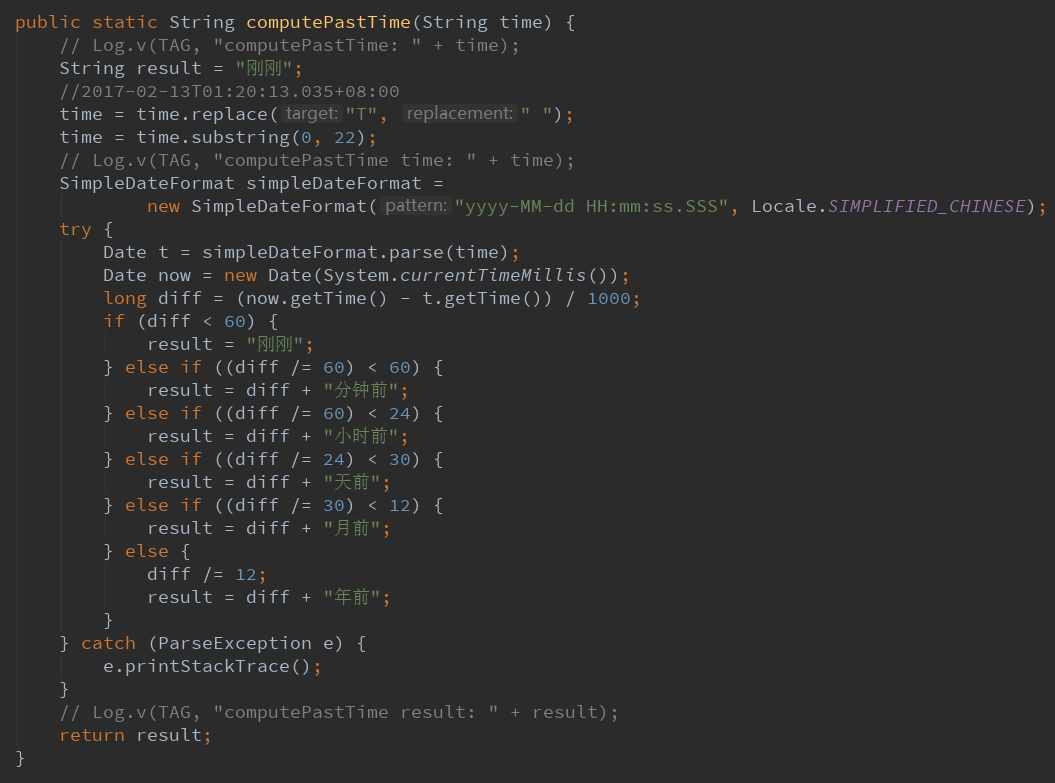
服务器返回的时间一般是一个字符串,如:2017-02-13T01:20:13.035+08:00
然后我要解析这段字符串,首先将T变成空格,然后截取前22个字符即可
然后利用SimpleDataFormat转化一下想要的格式
然后将字符串转化为Date
然后比较Dta和当前的时间差
从小到大排序:刚刚、分钟前、小时前、天前、月前、年前。
2.1.格式化字符串time
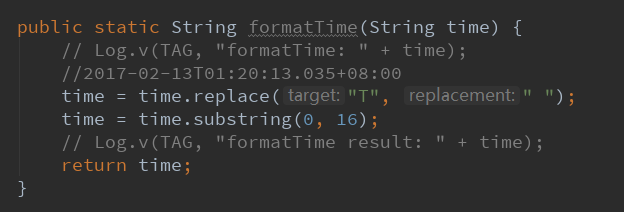
这个函数的作用也是解析一段字符串:2017-02-13T01:20:13.035+08:00
然后替换T为空格
然后截取前16个字符即可。
3.案例
3.1.写一个测试函数
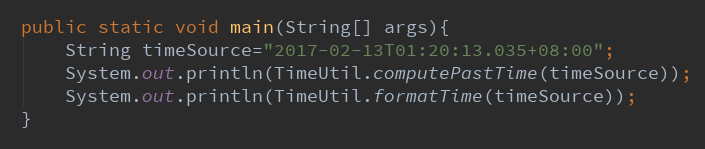
当前时间为:2017-11-28 16:15
3.2.执行结果
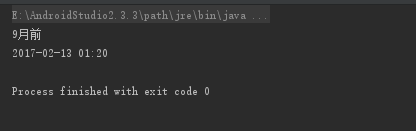
没问题,Over!
Android 时间计算工具 通用类TimeUtil的更多相关文章
- Android随笔之——Android时间、日期相关类和方法
今天要讲的是Android里关于时间.日期相关类和方法.在Android中,跟时间.日期有关的类主要有Time.Calendar.Date三个类.而与日期格式化输出有关的DateFormat和Simp ...
- Android 时间与日期操作类
获取本地日期与时间 public String getCalendar() { @SuppressLint("SimpleDateFormat") SimpleDateFormat ...
- DataTable转任意类型对象List数组-----工具通用类(利用反射和泛型)
public class ConvertHelper<T> where T : new() { /// <summary> /// 利用反射和泛型 /// </summa ...
- jdk8 时间日期工具类(转)
package com.changfu.common.util; import org.slf4j.Logger; import org.slf4j.LoggerFactory; import jav ...
- Java 高精度浮点数计算工具
说起编程中的高精度数值,我第一反应就是double类型了.的确,double阶码11位,尾数52位,几乎能应对任何苛刻的要求......然而,当我天真地尝试用double来算泰勒展开式的函数值,离散代 ...
- 代码片段:基于 JDK 8 time包的时间工具类 TimeUtil
摘要: 原创出处:www.bysocket.com 泥瓦匠BYSocket 希望转载,保留摘要,谢谢! “知识的工作者必须成为自己时间的首席执行官.” 前言 这次泥瓦匠带来的是一个好玩的基于 JDK ...
- 时间处理工具类TimeUtil
转自:https://cnblogs.com/ityouknow/p/5662753.html 功能 Date与String之间的互相转换,以及一些特殊格式的时间字符串处理 代码 /** * 类名:T ...
- Java日期时间实用工具类
Java日期时间实用工具类 1.Date (java.util.Date) Date(); 以当前时间构造一个Date对象 Date(long); 构造函数 ...
- (转载)实例详解Android快速开发工具类总结
实例详解Android快速开发工具类总结 作者:LiJinlun 字体:[增加 减小] 类型:转载 时间:2016-01-24我要评论 这篇文章主要介绍了实例详解Android快速开发工具类总结的相关 ...
随机推荐
- 什么是 pwd
pwd print work directory, 指linux terminal的当前目录 $ pwd
- 使用g++ 编译C++程序
在命令行下,编译C++程序 g++ main.cpp -o main.exe
- MySQL入门很简单: 1 数据库概述
1. 数据库概述 1.1 数据存储方式: 1)人工管理阶段 2)文件系统阶段: 文件系统通过文件的存储路径和文件名称访问文件中的数据 3)数据库系统阶段:Oracle, SQL Server, MyS ...
- leetcode: 哈希——two-sum,3sum,4sum
1). two-sum Given an array of integers, find two numbers such that they add up to a specific target ...
- 罗技G502设置
这个鼠标默认内置了3个档案模式,用G9键来调节. p2 蓝色 1个灯 p2 蓝色 2个灯 p3 蓝色 3个灯 如此循环设置
- IOS 九宫格算法
@interface ViewController () @property (nonatomic,strong) NSArray *apps; //获取.plist数据 @end @implemen ...
- 【转】Xcode真机测试could not find developer disk image解决方法
在使用Xcode进行真机调试的时候,有时根据真机的系统不同,会出现could not find developer disk image 错误,这是由于真机系统过高或者过低,Xcode中没有匹配的配置 ...
- python 面向对象(四)--实例属性和类属性
由于Python是动态语言,根据类创建的实例可以任意绑定属性. 给实例绑定属性的方法是通过实例变量,或者通过self变量: class Student(object): def __init__(se ...
- 2018年第九届蓝桥杯【C++省赛B组】第四题 测试次数
x星球的居民脾气不太好,但好在他们生气的时候唯一的异常举动是:摔手机.各大厂商也就纷纷推出各种耐摔型手机.x星球的质监局规定了手机必须经过耐摔测试,并且评定出一个耐摔指数来,之后才允许上市流通.x星球 ...
- 剑指offer 33 把数组排成最小的数
错误代码 class Solution { public: int FindGreatestSumOfSubArray(vector<int> array) { int length = ...