
二.spring boot第一个web服务
通过《一.spring boot初始化项目》我们已经会初始化spring boot项目,那本篇文章就说明下初始化项目的具体内容,并编写第一个Hello页面。
项目结构
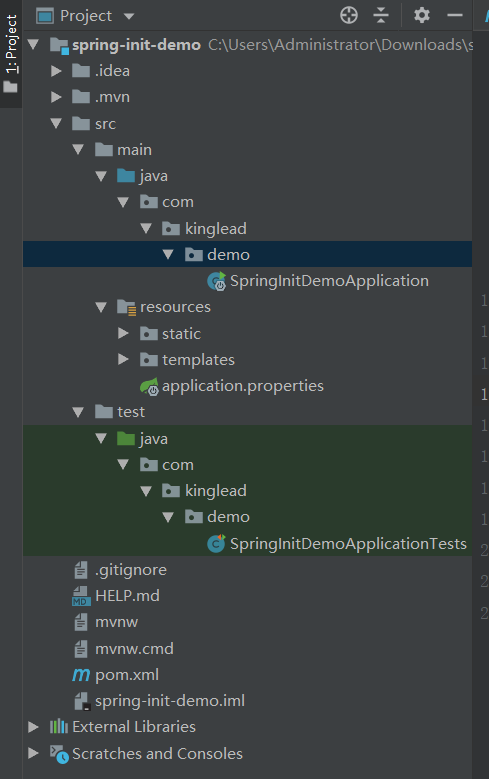
mvnw、mvnw.cmd:Maven包装器脚本,实现本机不安装Maven,也可以构建项目
pom.xml文件:相信使用maven的同学们应该都知道这个文件的重要性,主要用于引入依赖。本文用例是web项目,所以初始化项目时,添加的依赖是web和thymeleaf,具体如下
<?xml version="1.0" encoding="UTF-8"?>
<project xmlns="http://maven.apache.org/POM/4.0.0" xmlns:xsi="http://www.w3.org/2001/XMLSchema-instance"
xsi:schemaLocation="http://maven.apache.org/POM/4.0.0 https://maven.apache.org/xsd/maven-4.0.0.xsd">
<!--POM使用的对象模型版本,强制性的,一般很少改变-->
<modelVersion>4.0.0</modelVersion>
<!--spring boot项目信息-->
<groupId>com.kinglead</groupId>
<artifactId>spring-init-demo</artifactId>
<version>0.0.1-SNAPSHOT</version>
<name>spring-init-demo</name>
<description>Demo project for Spring Boot</description>
<packaging>jar</packaging> <!--打包方式,默认是jar-->
<!--spring boot信息-->
<parent>
<groupId>org.springframework.boot</groupId>
<artifactId>spring-boot-starter-parent</artifactId>
<version>2.3.3.RELEASE</version> <!--spring boot版本号-->
<relativePath/> <!-- lookup parent from repository -->
</parent>
<!--版本号维护-->
<properties>
<java.version>1.8</java.version>
</properties>
<!--依赖信息-->
<!--spring-boot-starter-xxx是对某一功能的依赖包的集合
用于解决3大问题:1.简化依赖配置,让依赖更易管理
2.针对某一功能统一管理,方便依赖引入
3.解决依赖版本冲突问题
-->
<dependencies>
<!--web项目依赖-->
<dependency>
<groupId>org.springframework.boot</groupId>
<artifactId>spring-boot-starter-web</artifactId>
</dependency>
<!--thymeleaf依赖包-->
<dependency>
<groupId>org.springframework.boot</groupId>
<artifactId>spring-boot-starter-thymeleaf</artifactId>
</dependency>
<!--test-->
<dependency>
<groupId>org.springframework.boot</groupId>
<artifactId>spring-boot-starter-test</artifactId>
<scope>test</scope>
<exclusions>
<exclusion>
<groupId>org.junit.vintage</groupId>
<artifactId>junit-vintage-engine</artifactId>
</exclusion>
</exclusions>
</dependency>
</dependencies>
<!--插件-->
<build>
<plugins>
<!--spring boot maven插件
作用:1.允许使用maven允许应用
2.将所有依赖打入到jar包中
3.在jar包中生成manifest文件,指明引导类
-->
<plugin>
<groupId>org.springframework.boot</groupId>
<artifactId>spring-boot-maven-plugin</artifactId>
</plugin>
</plugins>
</build> </project>SpringInitDemoApplication:spring boot项目启动类
package com.kinglead.demo;
import org.springframework.boot.SpringApplication;
import org.springframework.boot.autoconfigure.SpringBootApplication;
//@SpringBootApplication注解代表这是一个spring boot应用
//它是一个组合注解
//@SpringBootConfiguration注解将该类声明为配置类,相当于@Configuration的特殊形式
//@EnableAutoConfiguration启动spring boot的自动配置
//@ComponentScan启动组件扫描:将通过@Component、@Controller、@Service这样注解的类,注册为spring应用上下文的组件
@SpringBootApplication
public class SpringInitDemoApplication {
/**
* @param args 命令行参数
*/
public static void main(String[] args) {
SpringApplication.run(SpringInitDemoApplication.class, args);
}
}resources:资源文件
static:静态文件目录,如image、css
templates:模板文件,如html
application.properties:配置文件(开始是空的)
SpringInitDemoApplicationTests:测试类
package com.kinglead.demo;
import org.junit.jupiter.api.Test;
import org.springframework.boot.test.context.SpringBootTest;
@SpringBootTest
class SpringInitDemoApplicationTests {
@Test
void contextLoads() {
}
}
编写控制器(Controller)
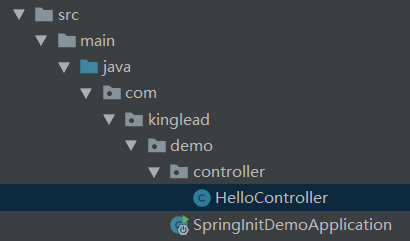
package com.kinglead.demo.controller;
import org.springframework.stereotype.Controller;
import org.springframework.web.bind.annotation.GetMapping;
import org.springframework.web.bind.annotation.RequestMapping;
/**
* @author kinglead
* @date 2020-09-08 下午 15:16
* @describe 欢迎页控制器
*/
//@Controller标记类为控制器,能让spring自动扫描到它,添加到容器中
//另外@RestController = @Controller + @ResponseBody,@ResponseBody标记返回报文是json格式
//@RequestMapping是请求url路径映射
@Controller
@RequestMapping("/")
public class HelloController {
//@GetMapping get请求方法路径映射
@GetMapping("/")
public String hello(){
return "hello"; //返回的string值,将会被解析为视图的逻辑名
}
}编写欢迎页(Hello.html)
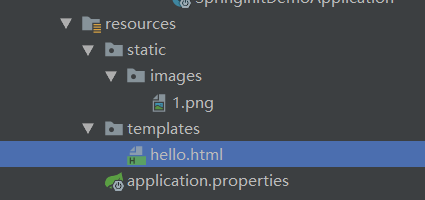
 <!DOCTYPE html>

 <html xmlns="http://www.w3.org/1999/xhtml"

       xmlns:th="http://www.thymelead.org">

 <head>

     <meta charset="UTF-8">

     <title>Spring Demo</title>

 </head>

 <body>

 <h1>Welcome to Spring</h1>

 <img th:src="@{/images/1.png}">

 </body>

 </html>
启动应用
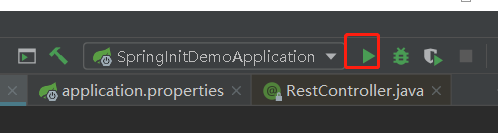
如果是使用IDEA开发,直接在启动类上Run或在工具类点击Run
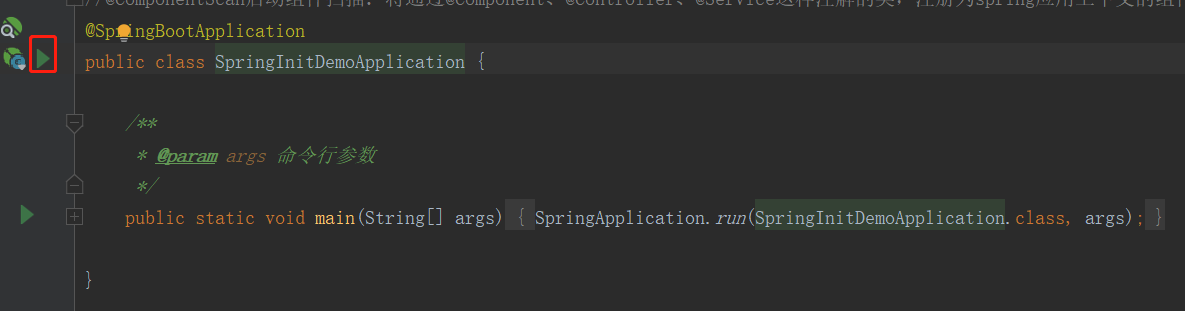
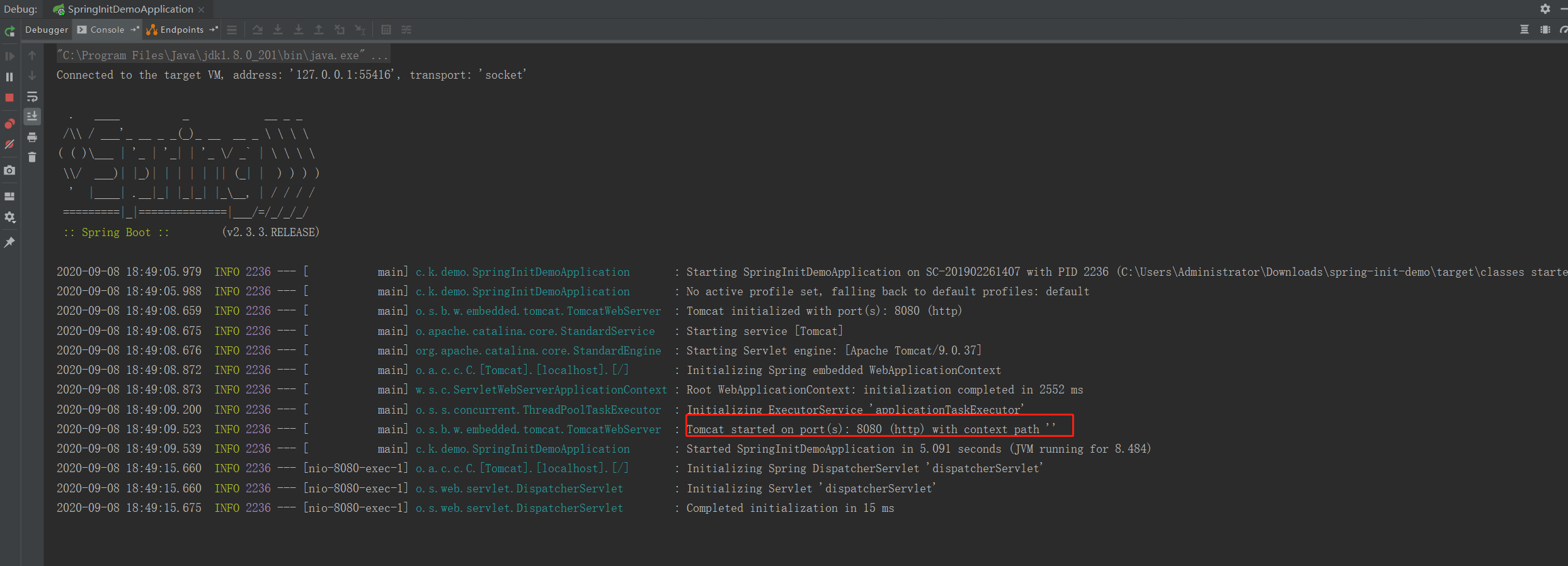
下面是启动日志
测试请求
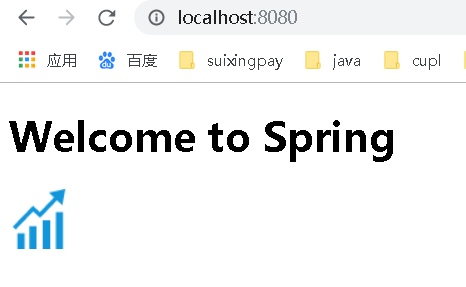
网页正常显示hello欢迎界面。
二.spring boot第一个web服务的更多相关文章
- Spring Boot(一):如何使用Spring Boot搭建一个Web应用
Spring Boot Spring Boot 是Spring团队旗下的一款Web 应用框架 其优势可以更快速的搭建一个Web应用 从根本上上来讲 Spring Boot并不是什么新的框架技术 而是在 ...
- Springboot监控之二:Spring Boot Admin对Springboot服务进行监控
概述 Spring Boot 监控核心是 spring-boot-starter-actuator 依赖,增加依赖后, Spring Boot 会默认配置一些通用的监控,比如 jvm 监控.类加载.健 ...
- Spring Boot 入门之 Web 篇(二)
原文地址:Spring Boot 入门之 Web 篇(二) 博客地址:http://www.extlight.com 一.前言 上一篇<Spring Boot 入门之基础篇(一)>介绍了 ...
- Spring Boot构建的Web项目如何在服务端校验表单输入
本文首发于个人网站:Spring Boot构建的Web项目如何在服务端校验表单输入 这个例子用于演示在Spring Boot应用中如何验证Web 应用的输入,我们将会建立一个简单的Spring MVC ...
- 从 Spring Cloud 看一个微服务框架的「五脏六腑」
原文:https://webfe.kujiale.com/spring-could-heart/ Spring Cloud 是一个基于 Spring Boot 实现的微服务框架,它包含了实现微服务架构 ...
- Spring Boot快速搭建Web工程
先想一下,正常我们想要创建一个web服务,首先需要下载tomcat,创建web工程,配置各种web.xml,引入spring的配置,各种配置文件一顿倒腾.....下载有了spring boot,你创建 ...
- 如何基于Spring Boot搭建一个完整的项目
前言 使用Spring Boot做后台项目开发也快半年了,由于之前有过基于Spring开发的项目经验,相比之下觉得Spring Boot就是天堂,开箱即用来形容是绝不为过的.在没有接触Spring B ...
- 从 Spring Cloud 看一个微服务框架的「五脏六腑」(转)
Spring Cloud 是一个基于 Spring Boot 实现的微服务框架,它包含了实现微服务架构所需的各种组件. 本文将从 Spring Cloud 出发,分两小节讲述微服务框架的「五脏六腑」: ...
- 安装使用Spring boot 写一个hello1
一.创建springboot 项目 二.进行代编写 1.连接数据库:application.properties里配置 spring.datasource.driverClassName=com.my ...
随机推荐
- Windows10 无法完全关闭Hyper-V导致VirtualBox 虚拟机无法启动
win10本来已经安装使用了VirtualBox. 突然心血来潮决定试试系统自带的虚拟机Hyper-V.发现并没有想象中的好用.随后在启用或关闭 Windows功能中关闭了Hyper-V. 这时我发现 ...
- Spring IOC 剖析
模拟实现 Spring Ioc 控制反转功能 使用 => 原理 => 源码 => 模拟实现 使用:了解 原理:熟悉 源码 And 模拟实现: 精通 对照 Spring 功能点 Spr ...
- linux7手动添加systemctl启动程序
1.路径 [root@angrymushrooms01 system]# pwd /usr/lib/systemd/system 2.脚本内容 vim xxx.service ------------ ...
- redis(二)redis的主从模式和集群模式
redis(二)redis的主从模式和集群模式 主从模式 集群模式 主从模式 redis的主从模式,指的是针对多台redis实例时候,只存在一台主服务器master,提供读写的功能,同时存在依附在这台 ...
- Ambiguous mapping. Cannot map 'xxxController' method
@GetMapping public JsonResp<List<DtoLandRegion>> getLandRegionList() { List<DtoLandRe ...
- Vue Slots
子组件vue <template> <div> <slot v-if="slots.header" name="header"&g ...
- 浅谈python深复制与浅复制区别
话不多说,看代码
- 【Apollo】(2)--- Apollo架构设计
Apollo架构设计 上一篇博客有讲到:[Apollo](1)--- Apollo入门介绍篇 这篇来写Apollo的核心架构设计 一.整体架构 Apollo整体架构图,已由作者宋顺已经给出: 这幅图所 ...
- JavaScript设计模式之策略模式【组合委托】
前言:语言只是工具,思想才是核心 今天要总结的是 策略模式 策略在开发中的应用非常广泛,所以也是非常常见且使用的设计模式. 在实际开发中,往往在实现一个功能时,有多种解决方案可行. 常见场景: 解压: ...
- cannot find package "cloud.google.com/go/compute/metadata"
问题: cannot find package "cloud.google.com/go/compute/metadata" 解决: mkdir $GOPATH/src/cloud ...