
Spring boot Sample 012之spring-boot-web-upload
一、环境
1.1、Idea 2020.1
1.2、JDK 1.8
二、目的
三、步骤
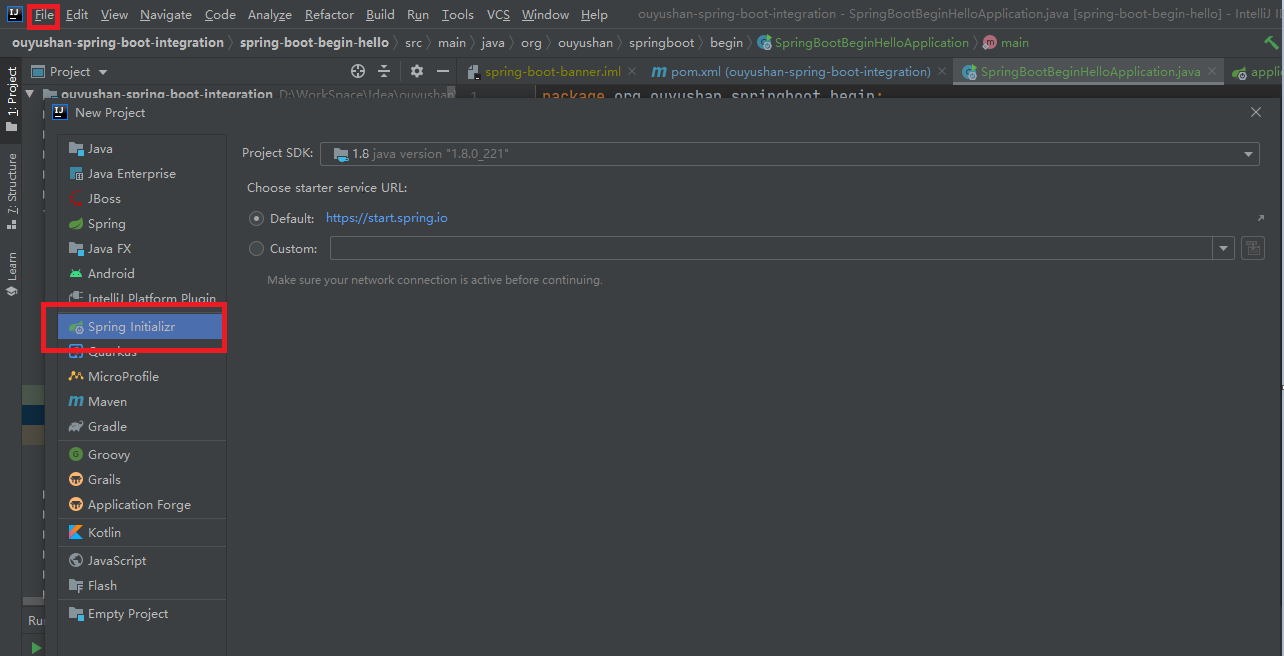
3.1、点击File -> New Project -> Spring Initializer,点击next
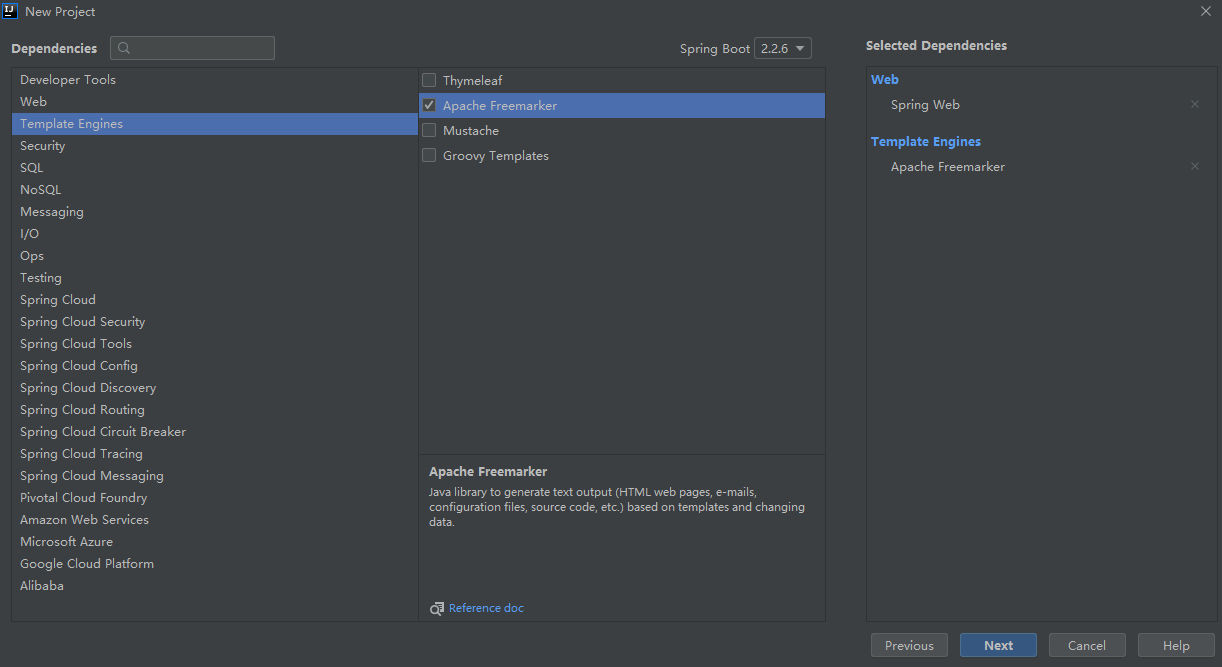
3.2、选择Web依赖,选中Spring Web。可以选择Spring Boot版本,本次默认为2.2.6,点击Next
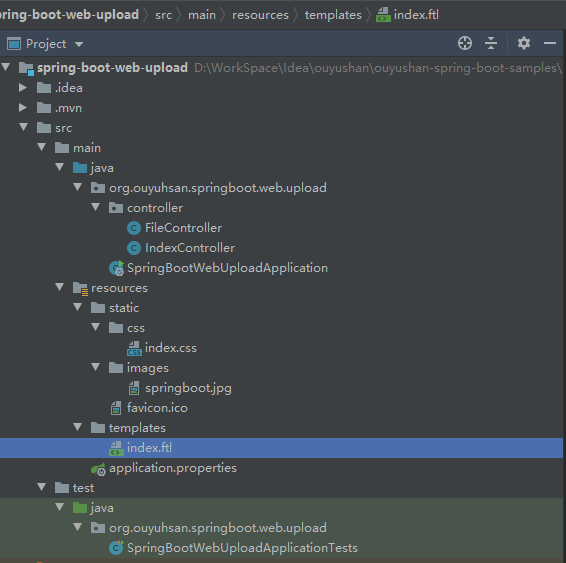
3.3、项目结构
四、添加文件
<?xml version="1.0" encoding="UTF-8"?>

<project xmlns="http://maven.apache.org/POM/4.0.0" xmlns:xsi="http://www.w3.org/2001/XMLSchema-instance"

         xsi:schemaLocation="http://maven.apache.org/POM/4.0.0 https://maven.apache.org/xsd/maven-4.0.0.xsd">

    <modelVersion>4.0.0</modelVersion>

    <parent>

        <groupId>org.springframework.boot</groupId>

        <artifactId>spring-boot-starter-parent</artifactId>

        <version>2.2.6.RELEASE</version>

        <relativePath/> <!-- lookup parent from repository -->

    </parent>

    <groupId>org.ouyuhsan</groupId>

    <artifactId>spring-boot-web-upload</artifactId>

    <version>0.0.1-SNAPSHOT</version>

    <name>spring-boot-web-upload</name>

    <description>Demo project for Spring Boot</description>

    <properties>

        <java.version>1.8</java.version>

    </properties>

    <dependencies>

        <dependency>

            <groupId>org.springframework.boot</groupId>

            <artifactId>spring-boot-starter-freemarker</artifactId>

        </dependency>

        <dependency>

            <groupId>org.springframework.boot</groupId>

            <artifactId>spring-boot-starter-web</artifactId>

        </dependency>

        <dependency>

            <groupId>org.springframework.boot</groupId>

            <artifactId>spring-boot-starter-test</artifactId>

            <scope>test</scope>

            <exclusions>

                <exclusion>

                    <groupId>org.junit.vintage</groupId>

                    <artifactId>junit-vintage-engine</artifactId>

                </exclusion>

            </exclusions>

        </dependency>

    </dependencies>

    <build>

        <plugins>

            <plugin>

                <groupId>org.springframework.boot</groupId>

                <artifactId>spring-boot-maven-plugin</artifactId>

            </plugin>

        </plugins>

    </build>

</project>
<!DOCTYPE html>

<html>

<head lang="en">

    <title>Spring Boot Demo - FreeMarker</title>

    <link href="/css/index.css" rel="stylesheet" />

</head>

<body>

<div style="text-align: center;">

    <img src="/images/springboot.jpg" />

</div>

<form method="POST" enctype="multipart/form-data" action="/file/upload">

    文件:<input type="file" name="file" />

    <input type="submit" value="上传" />

</form>

<script type="text/javascript" src="/webjars/jquery/3.3.1/jquery.min.js"></script>

<script>

    $(function(){

        $('#title').click(function(){

            alert('点击了');

        });

    })

</script>

</body>

</html>
h1{color: blue;}
spring.freemarker.template-loader-path=classpath:/templates

spring.freemarker.suffix=.ftl

# Multipart

spring.servlet.multipart.enabled=true

spring.servlet.multipart.max-file-size=2MB

spring.servlet.multipart.max-request-size=10MB
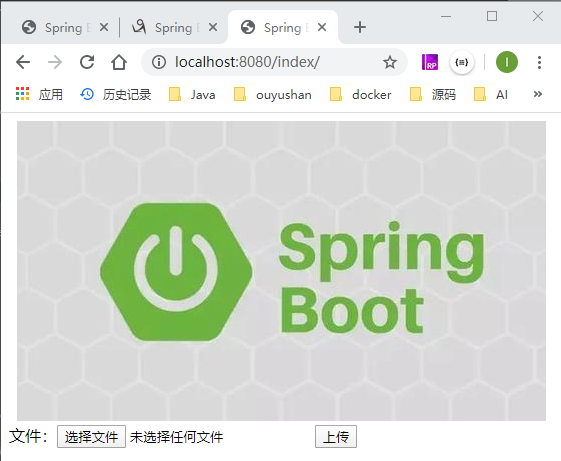
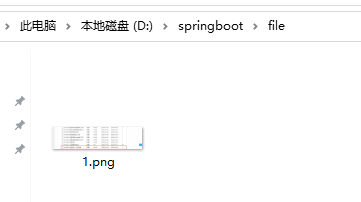
五、测试
Spring boot Sample 012之spring-boot-web-upload的更多相关文章
- Spring Boot——2分钟构建spring web mvc REST风格HelloWorld
之前有一篇<5分钟构建spring web mvc REST风格HelloWorld>介绍了普通方式开发spring web mvc web service.接下来看看使用spring b ...
- [转]Spring Boot——2分钟构建spring web mvc REST风格HelloWorld
Spring Boot——2分钟构建spring web mvc REST风格HelloWorld http://projects.spring.io/spring-boot/ http://spri ...
- [转]通过Spring Boot三分钟创建Spring Web项目
来源:https://www.tianmaying.com/tutorial/project-based-on-spring-boot Spring Boot简介 接下来我们所有的Spring代码实例 ...
- 跟我学Spring Boot(三)Spring Boot 的web开发
1.Web开发中至关重要的一部分,Web开发的核心内容主要包括内嵌Servlet容器和SpringMVC spring boot 提供了spring-boot-starter-web 为web开发提 ...
- spring boot:创建一个简单的web(maven web project)
1.新建一个maven web project; 2.在pom.xml文件中添加相应的依赖包: 3.新建一个HelloController请求控制类: 4.编写index.jsp页面: 5.编写启动类 ...
- 46. Spring Boot中使用AOP统一处理Web请求日志
在之前一系列的文章中都是提供了全部的代码,在之后的文章中就提供核心的代码进行讲解.有什么问题大家可以给我留言或者加我QQ,进行咨询. AOP为Aspect Oriented Programming的缩 ...
- Spring Boot-初学01 -使用Spring Initializer快速创建Spring Boot项目 -@RestController+spEL -实现简单SpringBoot的Web页面
1.IDEA:使用 Spring Initializer快速创建项目 IDE都支持使用Spring的项目创建向导快速创建一个Spring Boot项目: 选择我们需要的模块:向导会联网创建Spring ...
- Spring boot Sample 0010之spring-boot-web-freemarker
一.环境 1.1.Idea 2020.1 1.2.JDK 1.8 二.目的 spring boot 整合freemarker模板开发web项目 三.步骤 3.1.点击File -> New Pr ...
- Spring boot Sample 009之spring-boot-web-thymeleaf
一.环境 1.1.Idea 2020.1 1.2.JDK 1.8 二.目的 spring boot 整合thymeleaf模板开发web项目 三.步骤 3.1.点击File -> New Pro ...
随机推荐
- EditPlus编辑java代码 常规配置
- spring的单元测试
如果spring 4.3.18这个版本的spring要使用junit,需要使用junit的junit-4.12之上的版本.使用这个版本junit的时 候需要引入hamcrest-all的jar包.之前 ...
- spring学习笔记(一)@ConfigurationProperties注解
结论: 这个注解主要是为了将配置文件中的属性映射到实体类上,并且支持嵌套映射. 代码说明: @ConfigurationProperties(prefix = "person") ...
- 记录一下关于在工具类中更新UI使用RunOnUiThread犯的极其愚蠢的错误
由于Android中不能在子线程中更新ui,所以平时在子线程中需要更新ui时可以使用Android提供的RunOnUiThread接口,但是最近在写联网工具类的时候,有时候会出现联网异常,这个时候为了 ...
- LFU C# 实现
周六早上 做了下力扣的LRU 题目 后面接着看了LFU 缓存 难度提高了不少 首先 先说下 这2着 的差别把 LRU :最近 最少使用算法(Least Recently Used).LRU 是 ...
- Day_09【常用API】扩展案例8_计算字符'j'和字符串'java'在字符串中出现的次数
需求说明 定义如下字符串: String str = "javajfiewjavajfiowfjavagkljjava"; 请分别定义方法统计出: 1.字符串中:字符j的数量 2. ...
- 第一行Kotlin系列(二)Intent隐式显式跳转及向下传值
1.Intent显式跳转页面 val button5 = findViewById<Button>(R.id.mButton5) button5.setOnClickListener { ...
- Altera特殊管脚的使用
- [hdu4627 The Unsolvable Problem]数论
题意:给一个数n,找一个正整数x<n,使得x和n-x的最小公倍数最大. 思路:显然x和n-x越接近越好,gcd必须为1(贪心).从大到小考虑x,如果n为奇数,则答案就是x=n/2,如果n为偶数, ...
- java学习笔记之原型模式及深浅拷贝
一.原型模式的基本介绍 在聊原型模式之前,我们来思考一个小问题,传统的方式我们是如何克隆对象呢? 那我们以多利羊(Sheep)为例,来说明上述这个问题,具体代码见下面: 多利羊(Sheep) publ ...