
Spring boot Sample 012之spring-boot-web-upload
一、环境
1.1、Idea 2020.1
1.2、JDK 1.8
二、目的
三、步骤
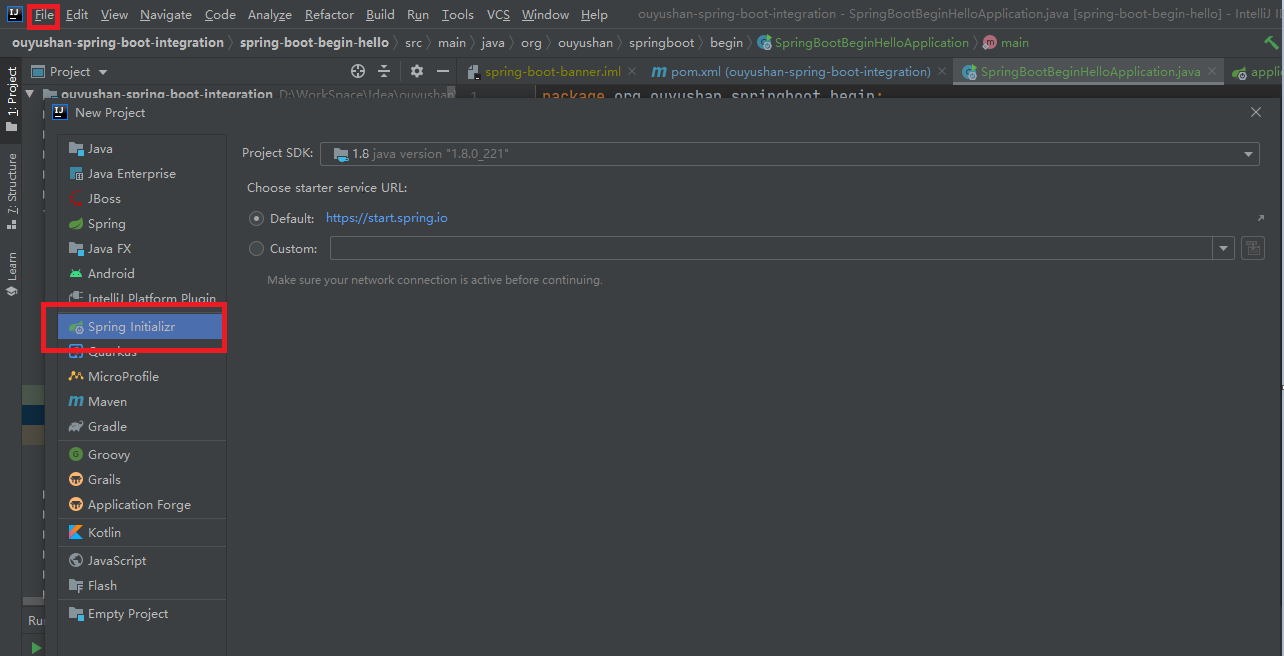
3.1、点击File -> New Project -> Spring Initializer,点击next
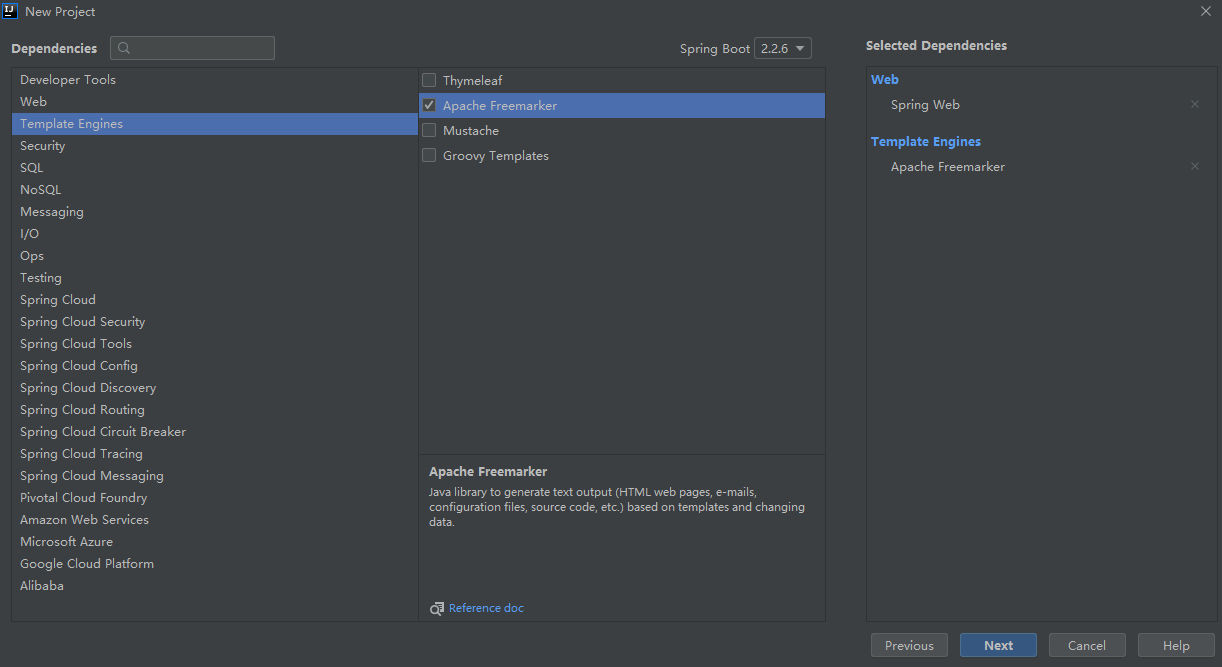
3.2、选择Web依赖,选中Spring Web。可以选择Spring Boot版本,本次默认为2.2.6,点击Next
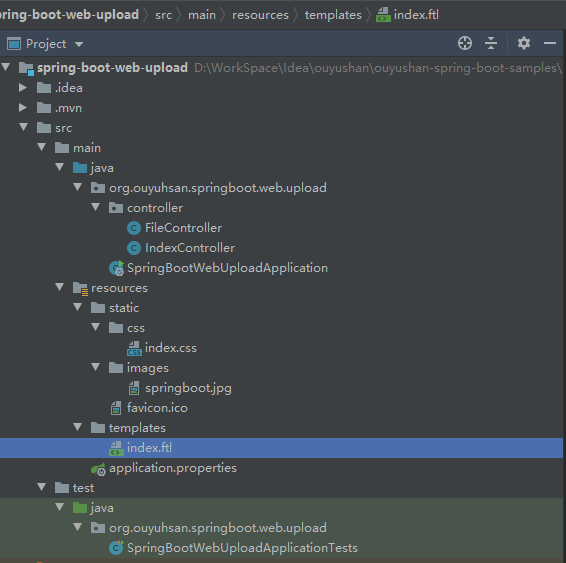
3.3、项目结构
四、添加文件
<?xml version="1.0" encoding="UTF-8"?>

<project xmlns="http://maven.apache.org/POM/4.0.0" xmlns:xsi="http://www.w3.org/2001/XMLSchema-instance"

         xsi:schemaLocation="http://maven.apache.org/POM/4.0.0 https://maven.apache.org/xsd/maven-4.0.0.xsd">

    <modelVersion>4.0.0</modelVersion>

    <parent>

        <groupId>org.springframework.boot</groupId>

        <artifactId>spring-boot-starter-parent</artifactId>

        <version>2.2.6.RELEASE</version>

        <relativePath/> <!-- lookup parent from repository -->

    </parent>

    <groupId>org.ouyuhsan</groupId>

    <artifactId>spring-boot-web-upload</artifactId>

    <version>0.0.1-SNAPSHOT</version>

    <name>spring-boot-web-upload</name>

    <description>Demo project for Spring Boot</description>

    <properties>

        <java.version>1.8</java.version>

    </properties>

    <dependencies>

        <dependency>

            <groupId>org.springframework.boot</groupId>

            <artifactId>spring-boot-starter-freemarker</artifactId>

        </dependency>

        <dependency>

            <groupId>org.springframework.boot</groupId>

            <artifactId>spring-boot-starter-web</artifactId>

        </dependency>

        <dependency>

            <groupId>org.springframework.boot</groupId>

            <artifactId>spring-boot-starter-test</artifactId>

            <scope>test</scope>

            <exclusions>

                <exclusion>

                    <groupId>org.junit.vintage</groupId>

                    <artifactId>junit-vintage-engine</artifactId>

                </exclusion>

            </exclusions>

        </dependency>

    </dependencies>

    <build>

        <plugins>

            <plugin>

                <groupId>org.springframework.boot</groupId>

                <artifactId>spring-boot-maven-plugin</artifactId>

            </plugin>

        </plugins>

    </build>

</project>
<!DOCTYPE html>

<html>

<head lang="en">

    <title>Spring Boot Demo - FreeMarker</title>

    <link href="/css/index.css" rel="stylesheet" />

</head>

<body>

<div style="text-align: center;">

    <img src="/images/springboot.jpg" />

</div>

<form method="POST" enctype="multipart/form-data" action="/file/upload">

    文件:<input type="file" name="file" />

    <input type="submit" value="上传" />

</form>

<script type="text/javascript" src="/webjars/jquery/3.3.1/jquery.min.js"></script>

<script>

    $(function(){

        $('#title').click(function(){

            alert('点击了');

        });

    })

</script>

</body>

</html>
h1{color: blue;}
spring.freemarker.template-loader-path=classpath:/templates

spring.freemarker.suffix=.ftl

# Multipart

spring.servlet.multipart.enabled=true

spring.servlet.multipart.max-file-size=2MB

spring.servlet.multipart.max-request-size=10MB
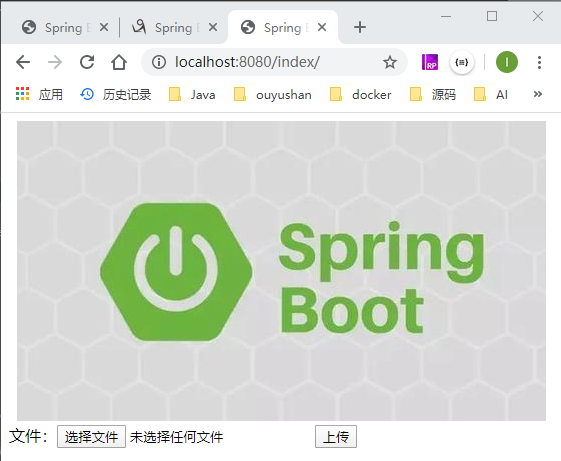
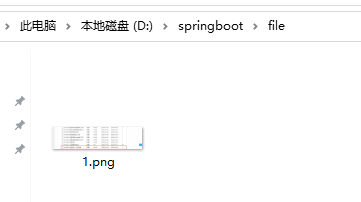
五、测试
Spring boot Sample 012之spring-boot-web-upload的更多相关文章
- Spring Boot——2分钟构建spring web mvc REST风格HelloWorld
之前有一篇<5分钟构建spring web mvc REST风格HelloWorld>介绍了普通方式开发spring web mvc web service.接下来看看使用spring b ...
- [转]Spring Boot——2分钟构建spring web mvc REST风格HelloWorld
Spring Boot——2分钟构建spring web mvc REST风格HelloWorld http://projects.spring.io/spring-boot/ http://spri ...
- [转]通过Spring Boot三分钟创建Spring Web项目
来源:https://www.tianmaying.com/tutorial/project-based-on-spring-boot Spring Boot简介 接下来我们所有的Spring代码实例 ...
- 跟我学Spring Boot(三)Spring Boot 的web开发
1.Web开发中至关重要的一部分,Web开发的核心内容主要包括内嵌Servlet容器和SpringMVC spring boot 提供了spring-boot-starter-web 为web开发提 ...
- spring boot:创建一个简单的web(maven web project)
1.新建一个maven web project; 2.在pom.xml文件中添加相应的依赖包: 3.新建一个HelloController请求控制类: 4.编写index.jsp页面: 5.编写启动类 ...
- 46. Spring Boot中使用AOP统一处理Web请求日志
在之前一系列的文章中都是提供了全部的代码,在之后的文章中就提供核心的代码进行讲解.有什么问题大家可以给我留言或者加我QQ,进行咨询. AOP为Aspect Oriented Programming的缩 ...
- Spring Boot-初学01 -使用Spring Initializer快速创建Spring Boot项目 -@RestController+spEL -实现简单SpringBoot的Web页面
1.IDEA:使用 Spring Initializer快速创建项目 IDE都支持使用Spring的项目创建向导快速创建一个Spring Boot项目: 选择我们需要的模块:向导会联网创建Spring ...
- Spring boot Sample 0010之spring-boot-web-freemarker
一.环境 1.1.Idea 2020.1 1.2.JDK 1.8 二.目的 spring boot 整合freemarker模板开发web项目 三.步骤 3.1.点击File -> New Pr ...
- Spring boot Sample 009之spring-boot-web-thymeleaf
一.环境 1.1.Idea 2020.1 1.2.JDK 1.8 二.目的 spring boot 整合thymeleaf模板开发web项目 三.步骤 3.1.点击File -> New Pro ...
随机推荐
- B - Legacy CodeForces - 787D 线段树优化建图+dij最短路 基本套路
B - Legacy CodeForces - 787D 这个题目开始看过去还是很简单的,就是一个最短路,但是这个最短路的建图没有那么简单,因为直接的普通建图边太多了,肯定会超时的,所以要用线段树来优 ...
- CSS实现div填充剩余高度
相信小伙伴们经常会遇到这个问题,我也是填了很多坑,查了很多资料,才解决的,下面我列出2个方法: 我们的需求如图: 1:(这个方法不推荐使用,因为可能会因为设备不同,而出现未知BUG,特别是div出现p ...
- JDBC13 ORM02 Map封装
用Map封装一条信息 conn=Utils.getConn(); ps=conn.prepareStatement("select Empname,birthday,salary from ...
- python 基础知识2-数据类型
1.什么是数据类型? 整数(int) ,字符串(str),布尔值(bool),列表(list),元组(tuple),字典(dict),集合(set). int.数字:主要用于运算.1,2,3... b ...
- Mysql 常用函数(6)- replace 函数
Mysql常用函数的汇总,可看下面系列文章 https://www.cnblogs.com/poloyy/category/1765164.html replace 的作用 将某些字符串替换成新的字符 ...
- CSS:必须要掌握的重要基础知识点
目录 1. 盒子 2. 常用选择器 3. 优先级 4. CSS继承 5. 伪元素(pseudo-element)和伪类(pseudo-class) 6. CSS:元素定位机制(positioning ...
- 读懂这几个关键词,你就能了解 Docker 啦
基于高度虚拟化所诞生的容器技术,如今已经走向大规模应用.那么容器.虚拟机.Docker.Openstack.Kubernetes 之间又有什么关系,对现在的选择有什么影响呢? 上世纪 60 年代,计算 ...
- Scrapy 框架 入门教程
Scrapy入门教程 在本篇教程中,我已经安装好Scrapy 本篇教程中将带您完成下列任务: 创建一个Scrapy项目 定义提取的Item 编写爬取网站的 spider 并提取 Item 编写 Ite ...
- 使用包时,报 xxx.default is not a function
最近做了一个导出功能,代码如下 import request from 'request-promise-native'; export default class Form { // 导出 @po ...
- Java数组声明创建和使用以及多维数组、Arrays类、稀疏数组
目录 数组概述 数组声明创建 内存分析 java内存分析 堆 栈 方法区 三种初始化 静态初始化 动态初始化 数组的默认初始化 数组的四个基本特点 数组边界 小结: 数组使用 数组基础使用 For E ...