
19C imp 导入合并表空间
因为项目需要从9i 导数据到18C,所以发现如下特性
1.18C imp 导入数据,如果表空间在目标库没有,会将表导入到用户默认表空间2.18C imp 导入数据,如果表空间在目标库有,但缺少权限。会将表创建到对应表空间,但数据不能导入。3.18C grant connect,resource to user 后,不需要再revoke unlimited tablespace ,默认就不给该系统权限。而这在11G及以前都是需要回收的。
不知道12C有没有该特性,也不需要关心,以后肯定是19C的天下。
测试案例
1. 创建导出文件
test 用了4个表空间
sqlplus / as sysdba

create tablespace users1;

create tablespace users2;

create tablespace users3;

create tablespace users4;

Create user test identified by test default tablespace users1;

grant connect,resource to test;

conn test/test

create table tu1 tablespace users1 as select * from all_tables;

create table tu2 tablespace users2 as select * from all_tables;

create table tu3 tablespace users3 as select * from all_tables;

create table tu4 tablespace users4 as select * from all_tables;

exp test/test file=test.dmp
2. 在11G导入
create user test11g identified by test11g default tablespace users1;

grant connect,resource to test11g;

revoke unlimited tablespace from test11g;

alter user test11g quota unlimited on users1;

alter user test11g quota unlimited on users2;

User created.

SQL>

Grant succeeded.

SQL>

Revoke succeeded.

SQL>

User altered.

SQL>

User altered.

SQL>

SQL> quit

Disconnected from Oracle Database 11g Enterprise Edition Release 11.2.0.4.0 - 64bit Production

With the Partitioning, OLAP, Data Mining and Real Application Testing options

[oracle@oracle ~]$ imp test11g/test11g file=test.dmp log=test11g.log fromuser=test touser=test11g

Import: Release 11.2.0.4.0 - Production on Sat May 25 08:11:54 2019

Copyright (c) 1982, 2011, Oracle and/or its affiliates. All rights reserved.

Connected to: Oracle Database 11g Enterprise Edition Release 11.2.0.4.0 - 64bit Production

With the Partitioning, OLAP, Data Mining and Real Application Testing options

Export file created by EXPORT:V11.02.00 via conventional path

Warning: the objects were exported by TEST, not by you

import done in ZHS16GBK character set and AL16UTF16 NCHAR character set

import server uses AL32UTF8 character set (possible charset conversion)

. . importing table "TU1" 103 rows imported

. . importing table "TU2" 104 rows imported

. . importing table "TU3"

IMP-00058: ORACLE error 1950 encountered

ORA-01950: no privileges on tablespace 'USERS3'

. . importing table "TU4"

IMP-00058: ORACLE error 1950 encountered

ORA-01950: no privileges on tablespace 'USERS4'

Import terminated successfully with warnings.
TU1/TU2 顺利导入
TU3/TU4 因为表空间权限问题导入失败,检查:
SQL> conn test11g/test11g

Connected.

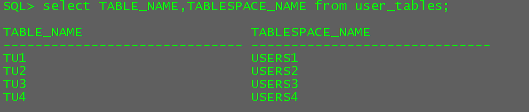
SQL> select TABLE_NAME,TABLESPACE_NAME from user_tables;

TABLE_NAME                     TABLESPACE_NAME

------------------------------ ------------------------------

TU1                            USERS1

TU2                            USERS2

TU3                            USERS3

TU4                            USERS4

SQL> select count(1) from tu1;

  COUNT(1)

----------

       103

SQL> select count(1) from tu2;

  COUNT(1)

----------

       104

SQL> select count(1) from tu3;

  COUNT(1)

----------

         0

SQL> select count(1) from tu4;

  COUNT(1)

----------

         0
虽然对users3/users4 表空间无权限,但其实表还是创建了的,只是数据不能导入。
3. 在19C导入
创建表空间和用户
users1/users2, users3/users4不创建
users1 设为默认表空间,不授权访问users2
sqlplus / as sysdba
alter session set container=pdb;
create tablespace users1 datafile '/u01/app/oracle/oradata/ORCL19C/pdb/users101.dbf' size 5m;
create tablespace users2 datafile '/u01/app/oracle/oradata/ORCL19C/pdb/users102.dbf' size 5m;
create user test19c identified by test19c default tablespace users1;
grant connect,resource to test19c;
revoke unlimited tablespace from test19c;
alter user test19c quota unlimited on users1;
[oracle@orcl19C ~]$ sqlplus / as sysdba

SQL*Plus: Release 19.0.0.0.0 - Production on Sat May 25 10:13:47 2019

Version 19.3.0.0.0

Copyright (c) 1982, 2019, Oracle.  All rights reserved.

Connected to:

Oracle Database 19c Enterprise Edition Release 19.0.0.0.0 - Production

Version 19.3.0.0.0

SQL> alter session set container=pdb;

create tablespace users1 datafile '/u01/app/oracle/oradata/ORCL19C/pdb/users101.dbf' size 5m;

create tablespace users2 datafile '/u01/app/oracle/oradata/ORCL19C/pdb/users102.dbf' size 5m;

create user test19c identified by test19c default tablespace users1;

grant connect,resource to test19c;

revoke unlimited tablespace from test19c;

Session altered.

SQL> alter user test19c quota unlimited on users1;

Tablespace created.

SQL>

Tablespace created.

SQL>

User created.

SQL>

Grant succeeded.

SQL> revoke unlimited tablespace from test19c

*

ERROR at line 1:

ORA-01952: system privileges not granted to 'TEST19C'

SQL>

User altered.
ORA-01952: system privileges not granted to 'TEST19C' 19C没有被授予 UNLIMITED TABLESPACE 系统权限。
导入数据到19C
[oracle@orcl19C ~]$ imp test19c/test19c@ORCL19CPDB file=test.dmp log=test19c.log fromuser=test touser=test19c

Import: Release 19.0.0.0.0 - Production on Sat May 25 10:18:27 2019

Version 19.3.0.0.0

Copyright (c) 1982, 2019, Oracle and/or its affiliates.  All rights reserved.

Connected to: Oracle Database 19c Enterprise Edition Release 19.0.0.0.0 - Production

Version 19.3.0.0.0

Export file created by EXPORT:V11.02.00 via conventional path

Warning: the objects were exported by TEST, not by you

import done in ZHS16GBK character set and AL16UTF16 NCHAR character set

. . importing table                          "TU1"        103 rows imported

. . importing table                          "TU2"

IMP-00058: ORACLE error 1950 encountered

ORA-01950: no privileges on tablespace 'USERS2'

. . importing table                          "TU3"        105 rows imported

. . importing table                          "TU4"        106 rows imported

Import terminated successfully with warnings.

[oracle@orcl19C ~]$ sqlplus test19c/test19c@ORCL19CPDB

SQL*Plus: Release 19.0.0.0.0 - Production on Sat May 25 10:20:18 2019

Version 19.3.0.0.0

Copyright (c) 1982, 2019, Oracle.  All rights reserved.

Last Successful login time: Sat May 25 2019 10:18:30 -04:00

Connected to:

Oracle Database 19c Enterprise Edition Release 19.0.0.0.0 - Production

Version 19.3.0.0.0

SQL> col tablespace_name for a30

SQL> col table_name for a30

SQL> select TABLE_NAME,TABLESPACE_NAME from user_tables;

TABLE_NAME                     TABLESPACE_NAME

------------------------------ ------------------------------

TU1                            USERS1

TU2                            USERS2

TU3                            USERS1

TU4                            USERS1

SQL> select count(1) from TU1 union all

  2  select count(1) from TU2 union all

  3  select count(1) from TU3 union all

  4  select count(1) from TU4 ;

  COUNT(1)

----------

       103

         0

       105

       106
由上可知,在19C中
1. 表空间不存在时,imp 会把数据导入到默认表空间。而在11G或以前表空间不存在,导入会报错,只能导入到与源库相同的表空间名下。
2. 表空间都存在时,且有权限时。数据将导入到与源库相同的表空间
3.部分表空间缺失权限,表会创建在与源库相同的表空间,但因为缺少权限数据不能导入。
19C imp 导入合并表空间的更多相关文章
- Oracle 数据备份、恢复以及导入时表空间不存在的解决方案
一.数据备份(导出) 1.exp命令导出dmp文件(exp -help查看帮助信息) 命令:exp username/userpasswd@192.168.99.199/orcl file=C:\jd ...
- Oracle数据导入指定表空间
1. 打开工具Oracle SQL Plus 以dba身份登录sys用户 sqlplus /nologconn sys@url as sysdba 2. 创建用户并指定表空间 使用客户端工具或者Web ...
- Oracle 创建表空间及用户授权、dmp数据导入、表空间、用户删除
1.创建表空间 // 创建表空间 物理位置为'C:\app\admin\oradata\NETHRA\NETHRA.DBF',初始大小100M,当空间不足时自动扩展步长为10M create tabl ...
- 解决pciss_spc导入提示表空间不存在以及扩展失败的问题
select NAME FROM USER$ ORDER BY NAME ; CREATE USER pciss IDENTIFIED BY pciss ; GRANT DBA TO pciss ; ...
- oracle imp导入库到指定表空间
1.创建表空间 create tablespace example_tablespace datafile 'e:\****.dbf' size 10m reuse autoextend on nex ...
- oracle imp导入数据到另一个表空间
http://blog.163.com/darlingchenlin@126/blog/static/7156283420100531431855/ 1.在第一个数据库导出数据:qlyg_xs_db_ ...
- exp和imp导入导出时表空间问题【未完】
准备工作 第一步: 创建教师和学生用户 教师用户/密码 TEACHER/t123456 学生用户/密码 STUDENT/s123456 参考链接 http://www.cnblogs.com/what ...
- oracle 创建用户和imp指定表空间
创建用户: 1,sqlplus sys/pwd as sysdba; 2, create user username identified by password; 3, grant dba,conn ...
- IMP不到指定的表空间
==============================================================================只导dmp文件中的几个表数据,解决导入时ta ...
随机推荐
- PAT 甲级 1051 Pop Sequence (25 分)(模拟栈,较简单)
1051 Pop Sequence (25 分) Given a stack which can keep M numbers at most. Push N numbers in the ord ...
- Python编译出现错误SyntaxError: Non-ASCII character '\xe7' 时解决方法
转载个解决办法:https://blog.csdn.net/wangchao701123/article/details/57084244 转自https://blog.csdn.net/jim742 ...
- react-developer-tools
链接: https://pan.baidu.com/s/1g7kLC3fF-u-lQySLqpivog 提取码: 92j9 复制这段内容后打开百度网盘手机App,操作更方便哦 安装:1.点击--> ...
- 零基础python之列表的简单介绍
你点击关注,就分你小鱼干 一.概念:列表,由一系列按特定顺序排列的元素组成. 在 python 中,用 [ ] 方括号来表示列表,并用逗号来分割其中的元素. 二.访问列表因素 列表是有序集合,如要访问 ...
- 已经安装了VRay但3dmax的材质编辑器里没有VRay材质的解决过程
已经安装了VRay但3dmax的材质编辑器里没有VRay材质怎么办? 众所周知,vray是一款很好用的渲染器,但是安装过程和使用当中总会出现各种问题.昨天我就遇到了,捣鼓半天终于解决,分享给大家自己的 ...
- ios客户端浏览器样式加载失效问题
最近线上测试中出现一个奇怪的问题,ios客户端浏览器样式加载失效. 从表象来看,同样的css,安卓手机上可以正常展示,但是到ios手机上首次进入页面就不能正常显示 这时候,我们首先会考虑是不是ios设 ...
- Python视频教程免费分享(2020年最新版)
为期92天的全套Python视频教程免费分享,总计57G! 里面还有我的笔记,希望对大家有帮助哈~ 1-32天 … … 65-92天 百度云网盘: 链接: https://pan.baidu.com/ ...
- JDBC(Java项目使用Oracle数据库)
Java项目中使用Oracle数据库(Eclipse) 前言 这学期选了Oracle数据库这门课,于是自己下载了Oracle11gR2版本的数据库.在这之前我一直用的是MySQL.虽然两者教程差不多, ...
- Gossip协议
Gossip数据传播协议: Fabric通过将工作负载划分到事务执行(背书和提交)对等节点和事务排序节点,优化了区块链网络性能.安全性和可伸缩性.这种网络操作的解耦需要一个安全.可靠和可伸缩的数据传播 ...
- 跟我一起学编程—《Scratch编程》第24课:幸运大转盘
同学你好,欢迎来到<跟我一起学编程>,我是包老师.这是<Scratch3.0编程>课程的第24课,我这节课教你做一个抽奖游戏:幸运大转盘. 学习目标: 1. 能够熟练使用造型工 ...